Coshocton County Assignment of Mortgage (Individual) Form
Last validated October 28, 2026 by our Forms Development TeamFormatted for recording in Coshocton County, for property anywhere in the county: rural and unincorporated areas as well as Bakersville, Blissfield, Conesville, Coshocton, Fresno, Keene, Plainfield, Walhonding and 2 more.
- 3 documents included
- Immediate PDF download
- Formatting guarantee
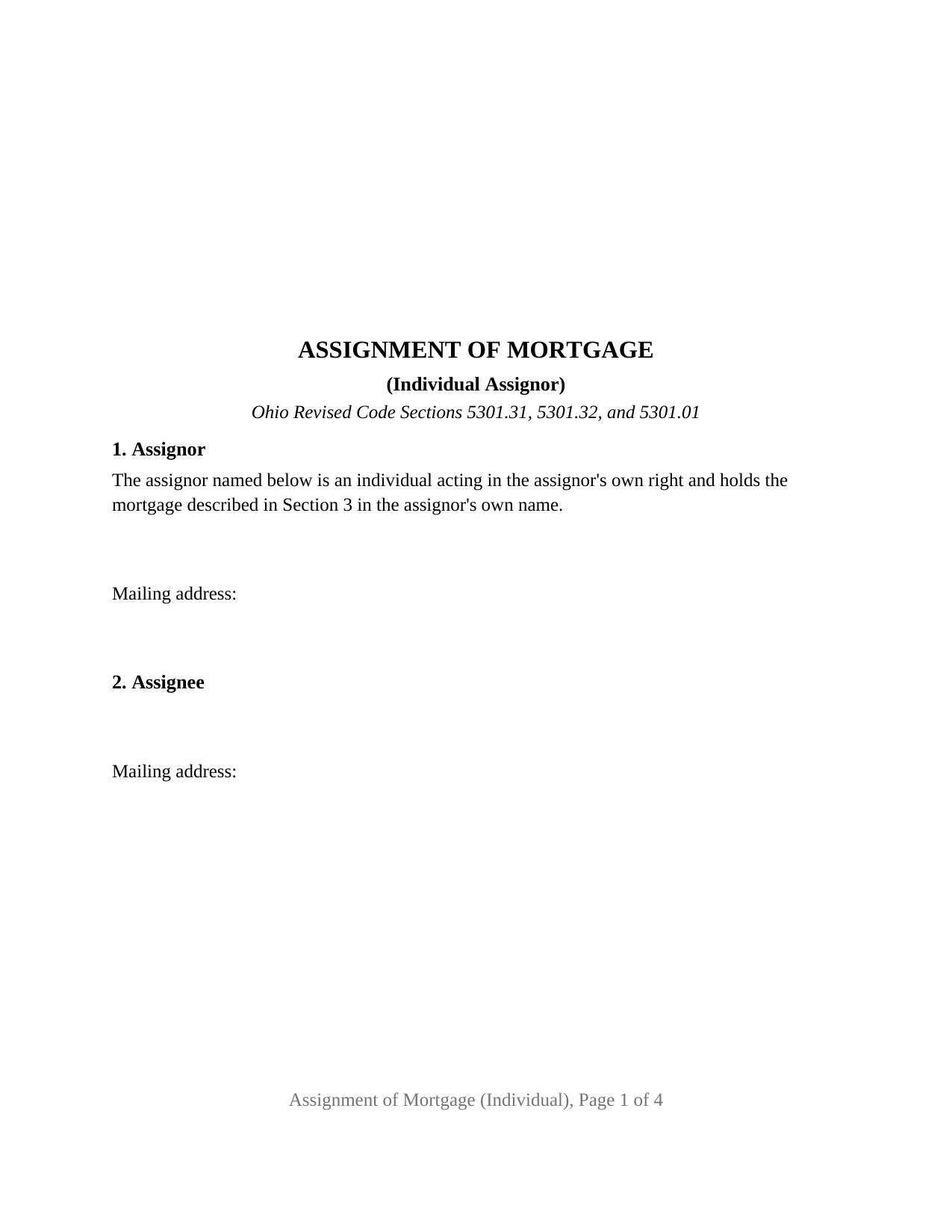
Coshocton County Assignment of Mortgage (Individual) Form
Fill in the blank Assignment of Mortgage (Individual) form formatted to comply with all Ohio recording and content requirements.
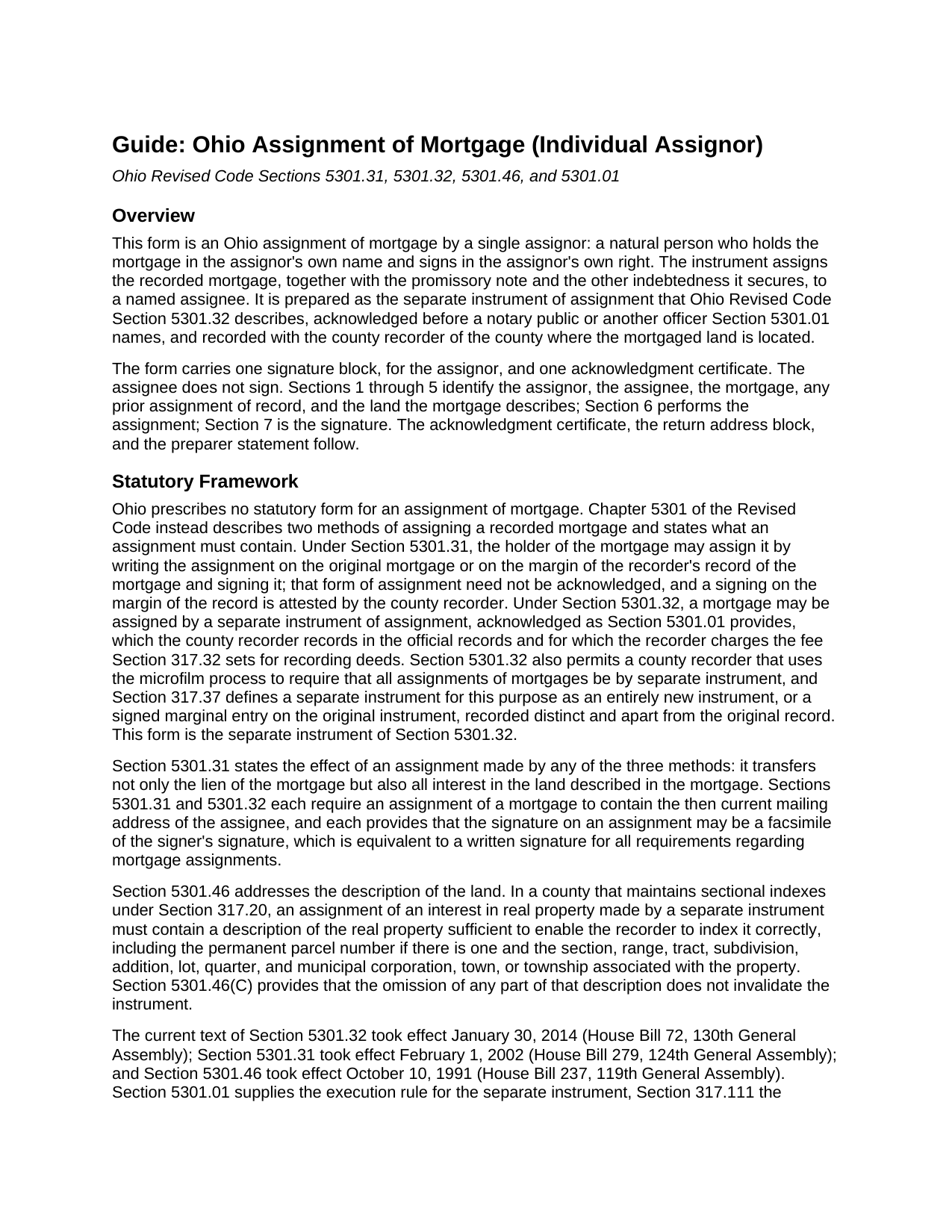
Coshocton County Assignment of Mortgage (Individual) Guide
Line by line guide explaining every blank on the Assignment of Mortgage (Individual) form.
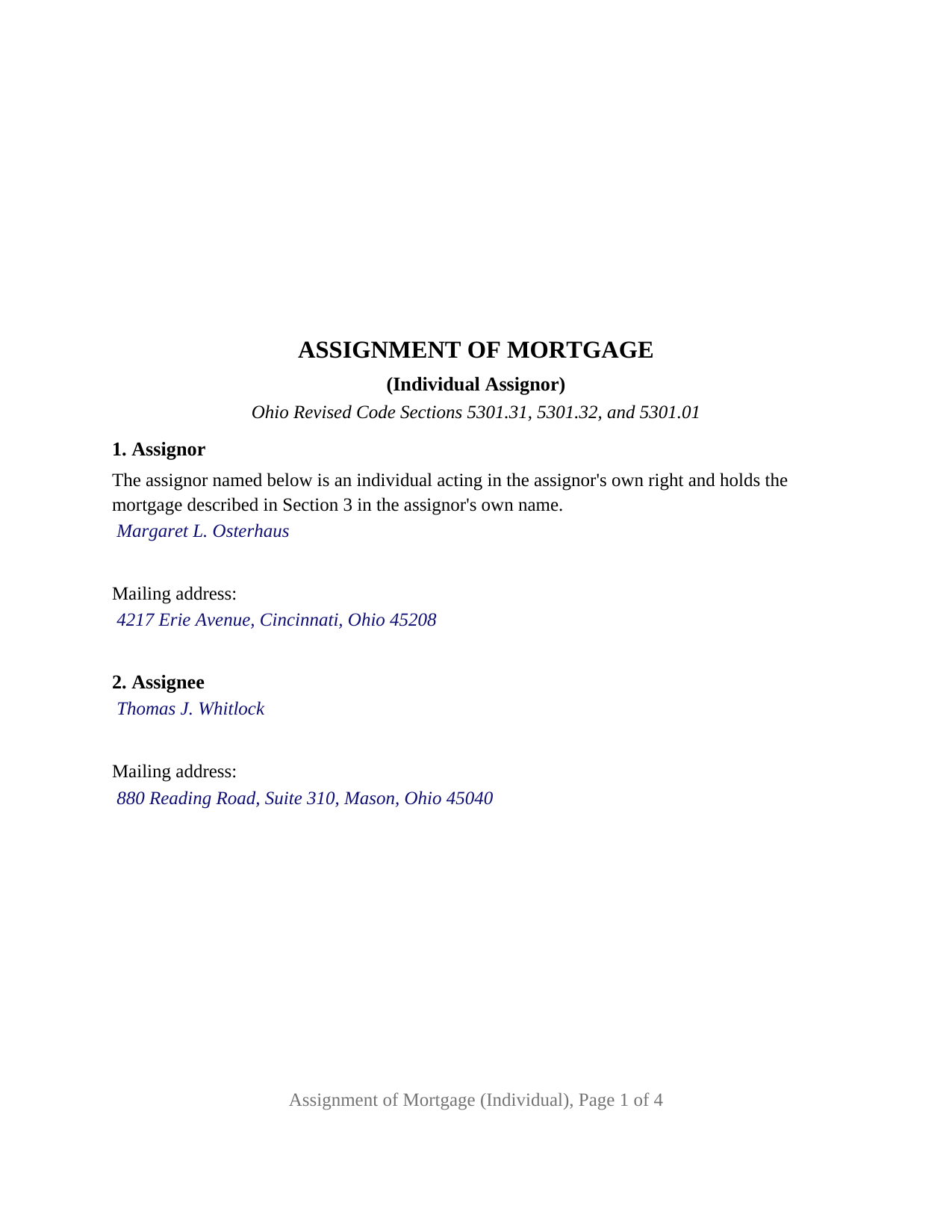
Coshocton County Completed Example of the Assignment of Mortgage (Individual) Document
Example of a properly completed Ohio Assignment of Mortgage (Individual) document for reference.
All 3 documents above included • One-time purchase • No recurring fees
Immediate Download • Secure Checkout
Additional Ohio and Coshocton County documents included at no extra charge:
Where to Record Your Documents
Coshocton County Recorder
Coshocton, Ohio 43812
Hours: 8:00am to 4:00pm M-F / Recording until 3:30pm
Phone: 740-622-2817
Recording Tips for Coshocton County:
- Bring your driver's license or state-issued photo ID
- Ensure all signatures are in blue or black ink
- Verify all names are spelled correctly before recording
- White-out or correction fluid may cause rejection
- Ask about their eRecording option for future transactions
Cities and Jurisdictions in Coshocton County
Properties in any of these areas use Coshocton County forms:
- Bakersville
- Blissfield
- Conesville
- Coshocton
- Fresno
- Keene
- Plainfield
- Walhonding
- Warsaw
- West Lafayette
Hours, fees, requirements, and more for Coshocton County
How do I get my forms?
Forms are available for immediate download after payment. The Coshocton County forms will be in your account ready to download to your computer. An account is created for you during checkout if you don't have one. Forms are NOT emailed.
Are these forms guaranteed to be recordable in Coshocton County?
Yes. Our form blanks are guaranteed to meet or exceed the applicable formatting requirements used for recording in Coshocton County, including margin requirements, font requirements, and other layout standards. This guarantee applies to formatting, not to the legal sufficiency of information entered by the user or the suitability of a form for a particular transaction.
Can I reuse these forms?
Yes. You can reuse the forms for your personal use. For example, if you have multiple properties in Coshocton County you only need to order once.
What do I need to use these forms?
The forms are PDFs that you fill out on your computer. The free Adobe Acrobat Reader is recommended, and most PDF apps also work. You do NOT enter your property information online - you download the blank forms and complete them privately on your own computer.
Are there any recurring fees?
No. This is a one-time purchase. Nothing to cancel, no memberships, no recurring fees.
How much does it cost to record in Coshocton County?
Recording fees in Coshocton County vary. Contact the recorder's office at 740-622-2817 for current fees.
Questions answered? Let's get started!
The Ohio Assignment of Mortgage (Individual) is built around a single name: one assignor, a natural person who holds a recorded Ohio mortgage in that person's own name, signing once and acknowledging once. The configuration is printed on the instrument as fixed text, and the instrument places the transfer of the mortgage and its note to the new holder on the record of the county where the land lies.
One name, one signature, one certificate
Section 1 of the form opens with a fixed sentence: the assignor named below is an individual acting in the assignor's own right and holds the mortgage described in Section 3 in the assignor's own name. The assignor's name and mailing address are the only entries that follow it. The form carries one signature block, with the printed name Ohio Revised Code Section 317.11 calls for beneath a signature, and one acknowledgment certificate in the wording of the statutory short form for an individual, Section 147.55(A). There is no second assignor block, no marital status recital, no spouse signature line, and no fiduciary or entity capacity to fill in, because the configuration is fixed rather than selected.
The patterns that present this configuration in the county records include a private lender who made a mortgage loan in the lender's own name and transfers it to a note buyer, a parent who lent a child the purchase money and moves the resulting mortgage into a trust the parent created, and an individual who holds a mortgage securing a business loan and sells it at a discount. The form is not set up as an assignment by a corporation, a limited liability company, a bank, a trustee or executor, an attorney-in-fact, or two or more holders together, and it assigns the assignor's entire interest rather than a part of it. The assignee block receives one or two assignees by name with the mailing address Section 5301.32 requires.
A lien that travels with its debt
Ohio prescribes no form for an assignment of mortgage, so the operative words are the conventional ones: for value received, the assignor assigns, transfers, and sets over the mortgage to the assignee, with every right, title, and interest the assignor holds in it, the promissory note, and the rest of the debt the mortgage secures. The instrument then restates what Section 5301.31 provides about every Ohio mortgage assignment, by whichever method it is made: the lien passes, and with it all of the mortgagee's interest in the land the mortgage describes. The form does not endorse the note and does not release or satisfy the mortgage; a satisfaction is the separate certificate Section 5301.34 describes.
The chain the recorder notes against the mortgage
Sections 3 and 4 identify the mortgage by mortgagor, original mortgagee, date, principal amount, recording county, recording reference, and recording date, and then identify any earlier assignment of record under which the assignor holds, or state that there is none. The recording reference is what the county recorder uses to note the assignment against the mortgage, and Section 317.32(C) charges a marginal reference fee of four dollars for it beside the deed recording fee that Section 5301.32 applies to a separate instrument of assignment. Section 5 carries the land: county, parcel number, the legal description copied from the mortgage, the municipal corporation or township, and the street address, the indexing description Section 5301.46 calls for in a county that keeps sectional indexes.
Recording an instrument that is not a deed
Because the assignment transfers a lien rather than title to land, the auditor's stamps Section 317.22 requires before a deed of absolute conveyance is recorded, and the conveyance fee statement of Section 319.202, do not reach it; no conveyance fee and no county transfer tax attach to the assignment of a mortgage. What does apply is the recorder's standard format rule, Section 317.114: a three inch blank top margin on the first page, one inch side and bottom margins, and print no smaller than ten point, which the form meets with twelve point type. The preparer statement Section 317.111 requires and a return address block close the instrument.
The package includes the fillable Assignment of Mortgage (Individual) form, a completed example filled in for a Hamilton County mortgage assigned by one individual holder, and the guide that covers each section, the certificate, and recording at the county. This description and the guide explain the form and the Ohio statutes that govern it in general terms; neither is legal advice.
Important: Your property must be located in Coshocton County to use these forms. Documents should be recorded at the county recording office listed above.
This Assignment of Mortgage (Individual) meets all recording requirements specific to Coshocton County.
Our Promise
The documents you receive here are guaranteed to meet or exceed the applicable Coshocton County recording format requirements. If there is a rejection caused by our formatting, we will correct the issue or refund your payment. This guarantee applies to document formatting only and does not extend to information entered by the user, the selection of the form, or the legal effect of the completed document.
Save Time and Money
Get your Coshocton County Assignment of Mortgage (Individual) form done right the first time with Deeds.com Uniform Conveyancing Blanks. At Deeds.com, we understand that your time and money are valuable resources, and we don't want you to face a penalty fee or rejection imposed by a county recorder for submitting nonstandard documents. We constantly review and update our forms to meet rapidly changing state and county recording requirements for roughly 3,500 counties and local jurisdictions.
4.8 out of 5 - ( 4,837 Reviews )
Lynnellen S. 2 out of 5 stars
My rating is not a 5. Although it had good instructions, it would NOT print the whole document no matter how many times I inputted the names. I ended up writing it in to complete. I also recommend putting it on one page. I had to pay an additional fees per page and if I had to notarize it, why did I have to find 2 witnesses as well. I deserve a discount for the time I spent repeatedly putting the same data. I was trying to save money since Im on social security only. It didnt. Get it to work correctly
Thank you for your feedback Lynnellen. Sorry to hear of your struggle with our document. We've gone ahead and refunded your payment. Hope you have a wonderful day.
Tim M. 5 out of 5 stars
This is my first time using this amazing service. I wish I was told about this before I went all the way downtown, drove thru construction zones, paid for parking only to be told the computer system had crashed. I was referred to Deeds.com and I will not use the downtown system again.
Your feedback is greatly appreciated. Thank you for taking the time to share your experience!
maria b. 5 out of 5 stars
really easy and and helpful.
Thank you!
Joshua P. 5 out of 5 stars
Easy fill in the blanks form. Just FYI make sure you have a copy of whatever deed you are changing and the tax records. You will want the language to be identical.
Thank you for your feedback. We really appreciate it. Have a great day!
Gina G. 5 out of 5 stars
This service is fantastic! Took a few tries to scan the document correctly, but their patience and quick turn around made this a far better experience than going to the County myself.
We are delighted to have been of service. Thank you for the positive review!
Julie S. 5 out of 5 stars
I am really impressed by this website. Not only is it affordable, but they give a detailed description, instructions, and an example to follow. Also there are additional forms included. And it's State, even county, specific. They do not require a subscription either as you can just order what you want. Thank you!
We appreciate your business and value your feedback. Thank you. Have a wonderful day!
Teri B. 5 out of 5 stars
Glad to have all of the helpful extra information, even though they don't answer all questions for all situations. So, I accessed public records and asked questions at the auditor's office. Also, on my Mac computer, filling out the actual deed form is a challenge because the screen jumps to the last page everytime I try to type a few letters or hit the return key, so I'm rollling back up to the first 2 pages after most keystrokes. A bit annoying. Overall, happy to have these form options are available! There is really no need to wait and pay for an attorney when all the information needed is available via public records. Fill in the blanks!
Thanks so much for the feedback Teri. There are known issues between Adobe and Mac, we try to work around them as much as possible. Have a wonderful day!
Beverly D. 5 out of 5 stars
Deeds.com was a great experience in helping me get some important documents recorded.I would recommend them to anyone wanting documents recorded in a timely manner.
We appreciate your business and value your feedback. Thank you. Have a wonderful day!
Linda B. 5 out of 5 stars
the forms are easy to understand. How do I go about getting the deed recorded and is there a charge.
Thank you for your feedback. We really appreciate it. Have a great day!
Elizabeth R. 5 out of 5 stars
It was easy to download and save the Revocation of Beneficiary of Deed form. The example and instructions helped a lot. When I went to file with the county clerk's office, she read through it carefully and said "perfect" when she was through. Thank you for making it so easy!
Thank you!
Richard W. 4 out of 5 stars
My experience so far is quite good. Useful documents. It would be very helpful if the labels on the files downloaded were in text format, like "Jurat" rather than "1429107022SF21141." It would save me the extra step of providing proper file names.
Thank you for your feedback. We really appreciate it. Have a great day!
Jenine E. 5 out of 5 stars
The information seems complete and accurate. The form was easy to use and save. I'll let you know if we encounter problems getting the deed processed.
Thank you for your feedback. We really appreciate it. Have a great day!
Leonard S. 5 out of 5 stars
OK service
Thank you!
Pamela B. 5 out of 5 stars
The process was not difficult but I don't think that it suited my needs. There were several fields that were not applicable to me but I had to enter something to proceed. I also filled out the other form and mailed it in with some documentation that the electronic service did not ask for. Questions of my attempt are still unanswered. I hope I didn't waste time with this process. We shall see. Thank you.
Thank you!
Rachelle S. 5 out of 5 stars
Wow that was easy
Thank you!