Fayette County Conditional Lien Waiver Form
Last validated October 19, 2026 by our Forms Development TeamFormatted for recording in Fayette County, for property anywhere in the county: rural and unincorporated areas as well as Bloomingburg, Jeffersonville, Milledgeville, Washington Court House.
- 3 documents included
- Immediate PDF download
- Formatting guarantee
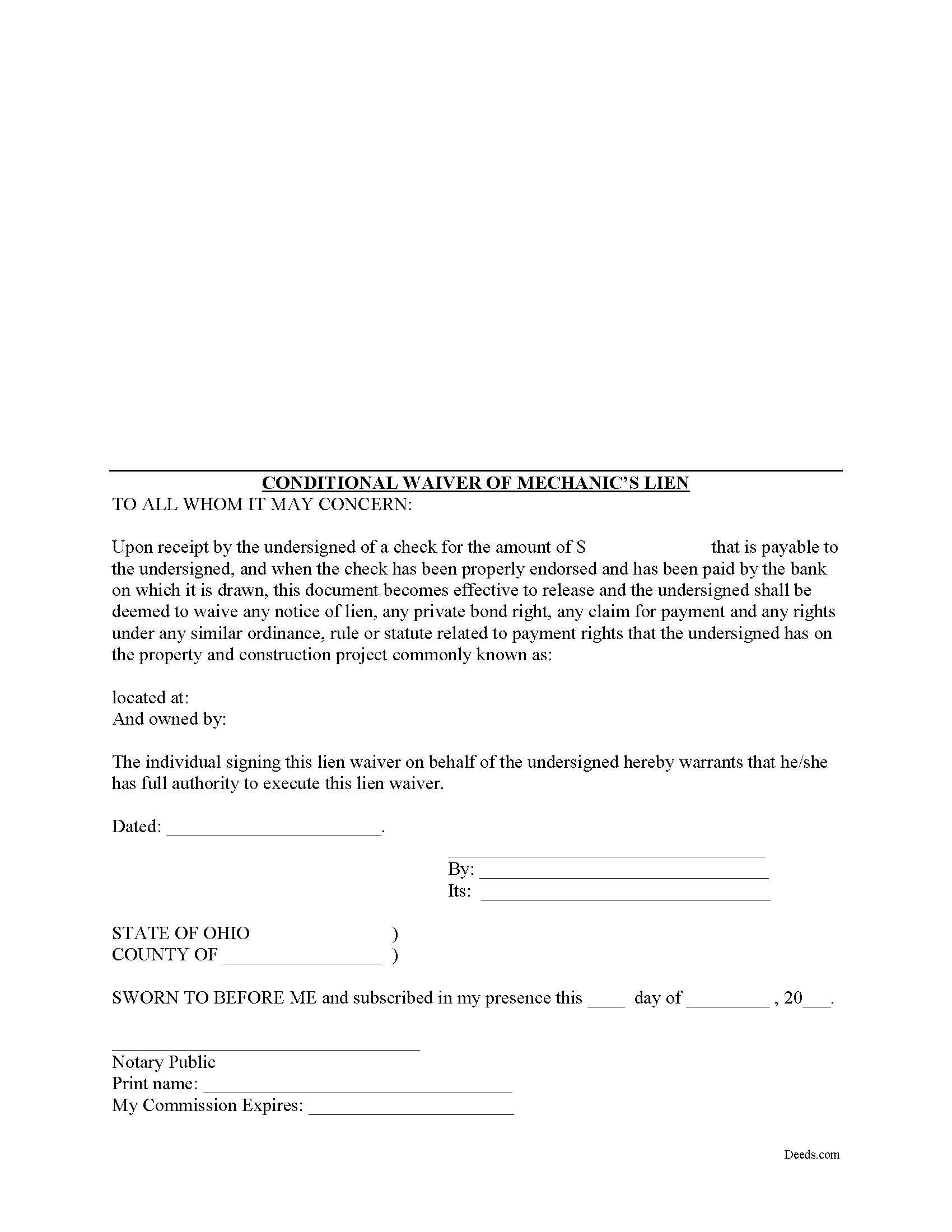
Fayette County Conditional Lien Waiver Form
Fill in the blank Conditional Lien Waiver form formatted to comply with all Ohio recording and content requirements.
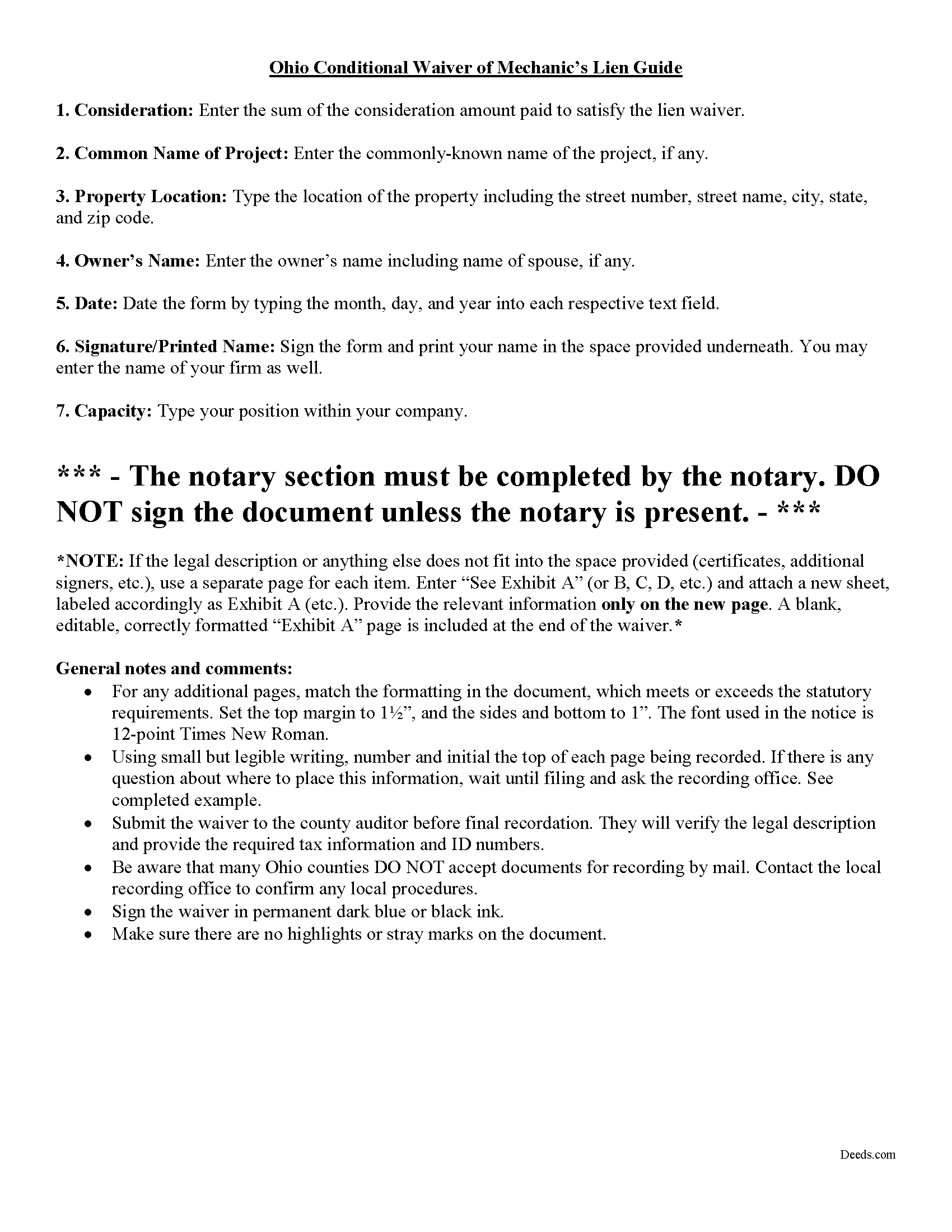
Fayette County Conditional Lien Waiver Guide
Line by line guide explaining every blank on the form.
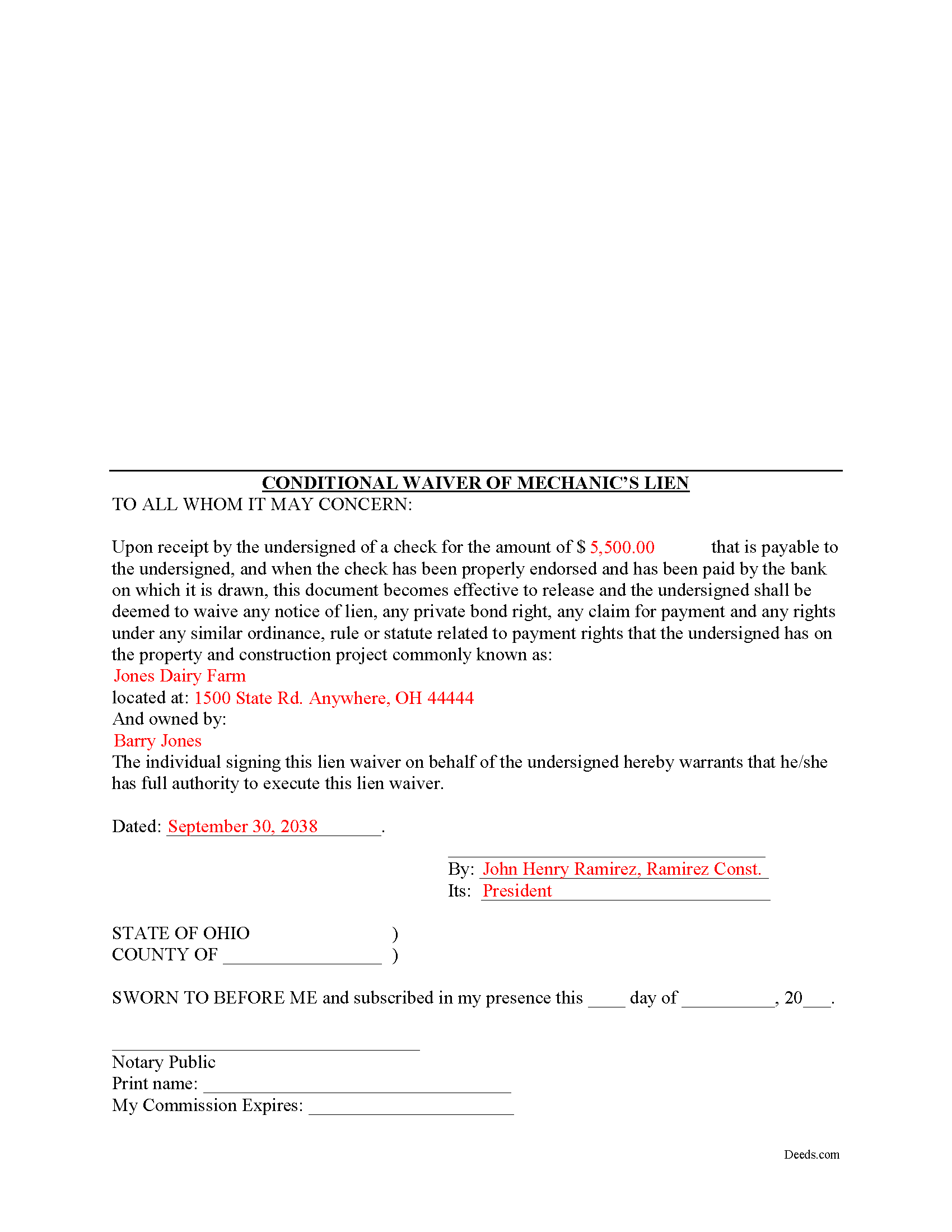
Fayette County Completed Example of the Conditional Lien Waiver Document
Example of a properly completed form for reference.
All 3 documents above included • One-time purchase • No recurring fees
Immediate Download • Secure Checkout
Additional Ohio and Fayette County documents included at no extra charge:
Where to Record Your Documents
Fayette County Recorder
Washington Court House, Ohio 43160
Hours: 8:00 to 4:00 Monday through Friday
Phone: 740-335-1770
Recording Tips for Fayette County:
- Bring your driver's license or state-issued photo ID
- Ensure all signatures are in blue or black ink
- Leave recording info boxes blank - the office fills these
- Make copies of your documents before recording - keep originals safe
- Recorded documents become public record - avoid including SSNs
Cities and Jurisdictions in Fayette County
Properties in any of these areas use Fayette County forms:
- Bloomingburg
- Jeffersonville
- Milledgeville
- Washington Court House
Hours, fees, requirements, and more for Fayette County
How do I get my forms?
Forms are available for immediate download after payment. The Fayette County forms will be in your account ready to download to your computer. An account is created for you during checkout if you don't have one. Forms are NOT emailed.
Are these forms guaranteed to be recordable in Fayette County?
Yes. Our form blanks are guaranteed to meet or exceed the applicable formatting requirements used for recording in Fayette County, including margin requirements, font requirements, and other layout standards. This guarantee applies to formatting, not to the legal sufficiency of information entered by the user or the suitability of a form for a particular transaction.
Can I reuse these forms?
Yes. You can reuse the forms for your personal use. For example, if you have multiple properties in Fayette County you only need to order once.
What do I need to use these forms?
The forms are PDFs that you fill out on your computer. The free Adobe Acrobat Reader is recommended, and most PDF apps also work. You do NOT enter your property information online - you download the blank forms and complete them privately on your own computer.
Are there any recurring fees?
No. This is a one-time purchase. Nothing to cancel, no memberships, no recurring fees.
How much does it cost to record in Fayette County?
Recording fees in Fayette County vary. Contact the recorder's office at 740-335-1770 for current fees.
Questions answered? Let's get started!
Ohio's mechanic's lien law does not provide for a statutory lien waiver form, but Ohio courts recognize elective lien waivers under principles of contract law. The waivers identify the claimant, the party responsible for paying, the project, relevant dates, and the amount paid. Sign the completed waiver in front of a notary, then record it in the land records of the county where the project is located.
In general, a lien waiver is used to release an owner's property from a lien claim, either in full or in part, and either conditional, meaning the payment must clear the bank prior to waiving lien rights, or unconditional, meaning that the claimant waives the lien immediately, regardless of whether or not the payment clears the bank.
For instance, if the customer owes $5,000.00 on a construction job and remits a partial payment of $2,500.00, the payor may request a waiver that states he or she has paid that amount and in turn the claimant will give up the right to a lien for $2,500.00 of the total amount. If the check has not yet cleared the bank, use a conditional waiver that is only effective upon actual receipt of payment.
Each case is unique, and the lien law is complicated so contact an attorney familiar with Ohio mechanic's liens with specific questions or for complex situations.
Important: Your property must be located in Fayette County to use these forms. Documents should be recorded at the county recording office listed above.
This Conditional Lien Waiver meets all recording requirements specific to Fayette County.
Our Promise
The documents you receive here are guaranteed to meet or exceed the applicable Fayette County recording format requirements. If there is a rejection caused by our formatting, we will correct the issue or refund your payment. This guarantee applies to document formatting only and does not extend to information entered by the user, the selection of the form, or the legal effect of the completed document.
Save Time and Money
Get your Fayette County Conditional Lien Waiver form done right the first time with Deeds.com Uniform Conveyancing Blanks. At Deeds.com, we understand that your time and money are valuable resources, and we don't want you to face a penalty fee or rejection imposed by a county recorder for submitting nonstandard documents. We constantly review and update our forms to meet rapidly changing state and county recording requirements for roughly 3,500 counties and local jurisdictions.
4.8 out of 5 - ( 4,829 Reviews )
Jeff R. 5 out of 5 stars
Great company. I had some issues with what I had prepared on my end but my contact at Deeds.com helped me with modifying the documents and submitted them successfully. Thanks for going the extra mile
Thank you for your feedback. We really appreciate it. Have a great day!
Carol R. 5 out of 5 stars
I found the site to be useful,informative and very accessable. Thank You
Thank you!
JOSE E. 5 out of 5 stars
Thanks
Thank you!
Dana Y. 5 out of 5 stars
Purchased and used the quitclaim form. I have no complaints with any aspect. The forms, instructions, and example all came together to make the process very easy.
Thank you Dana. Have a great day!
Patrick U. 5 out of 5 stars
Great product. They processed and transmitted the deed promptly. A small question I had was answered quickly and professionally. I would use again if the need arises and will recommend to friends.
Your feedback is greatly appreciated. Thank you for taking the time to share your experience!
Kari G. 5 out of 5 stars
The service was prompt and attentive to my questions. I would've just appreciated a heads up that I also needed to contact the county directly (and provide contact info) to receive a certified copy of the document (Notice of Commencement) in order to submit the certified copy to the Building Department. This was an extra step that I haven't had to complete before using another eRecording service. Even if this extra step is a result of the county's system. I would still have expected a head's up (since there wasn't any info regarding this on the county's site for eRecording).
Thank you for your feedback. We really appreciate it. Have a great day!
Neira S. 5 out of 5 stars
No problem with Recorders Office using your document. It is now completed and recorded.
Thank you Neira, have a wonderful day!
RICHARD M. 5 out of 5 stars
After a little glitch due to heavy volume at the County Recorder, my document was recorded. County Recorder was closed to public access at the office (due to the coronavirus issues) so all documents were either mailed to them or sent in electronically. Deeds.com was very efficient at their end with very quick responses to my questions and concerns. I would definitely use their services again.
Thank you for your feedback. We really appreciate it. Have a great day!
Rosa S. 5 out of 5 stars
I am pleased with how easy it was to download the will. Now just have to get it filled in and filed at Tax Office. Thank you for making it simple to use.
Thank you for your feedback. We really appreciate it. Have a great day!
Rechantell A. 5 out of 5 stars
It was quick and easy. Trust worthy. Very satisfied and would recommend. Thank you for your services.
We appreciate your business and value your feedback. Thank you. Have a wonderful day!
Donna O. 5 out of 5 stars
Quick and easy to use. I was able to download the Transfer on Death Deed form to my computer so that I can read through and fill them out at a later time. That made it convenient and "no pressure". The complimentary guide and completed example that came with the form was also very helpful.
We appreciate your business and value your feedback. Thank you. Have a wonderful day!
Jennifer L L. 5 out of 5 stars
So far this has been a great experience. Very easy to use the deeds.com website and download the forms. Very nice that they give example forms and guides to help you fill out the forms. I just have to wait to make sure that the forms are accepted and recorded with no issues.
Your insights are invaluable to us and help us strive for better service. Thank you for taking the time to share your thoughts.
Roderick S. 2 out of 5 stars
It all started out well, then I was abruptly told that I would have to submit the documents directly to the recording office. No explanation was offered and I wasted a lot of time on your website for nothing. Very disappointing, as the concept of e-recording is what is needed in 2026.
We reviewed your order and our support messages. The document uploaded for recording was a very low-quality scan that did not meet the county’s eRecording image requirements. Our staff asked that a clearer scan be uploaded, but the same image was submitted again.
Because the document could not be processed electronically, we advised recording it directly with the county recorder’s office.
E-recording systems require clear, legible document images that meet county standards. When those requirements cannot be met, recording directly with the recorder is often the fastest option.
Ryan K. 5 out of 5 stars
Excellent service! Quick and much easier than having to do everything through the mail. The agent was quick to answer questions and everything was processed and submitted from Deeds.com within a couple of hours. Will definitely use again if the need arises.
We appreciate your business and value your feedback. Thank you. Have a wonderful day!
Jerry G. 2 out of 5 stars
I found the document confusing and I don't think I can use it.
Thank you for your feedback. We recognize that do-it-yourself legal documents may not be suitable for everyone. We always advise all our customers to seek assistance from a legal professional familiar with their specific situation for any form they do not completely understand. For your convenience, we have canceled your order and processed a refund.