Franklin County Conditional Lien Waiver Form
Last validated October 30, 2026 by our Forms Development TeamFormatted for recording in Franklin County, for property anywhere in the county: rural and unincorporated areas as well as Amlin, Blacklick, Brice, Canal Winchester, Columbus, Dublin, Galloway, Grove City and 7 more.
- 3 documents included
- Immediate PDF download
- Formatting guarantee
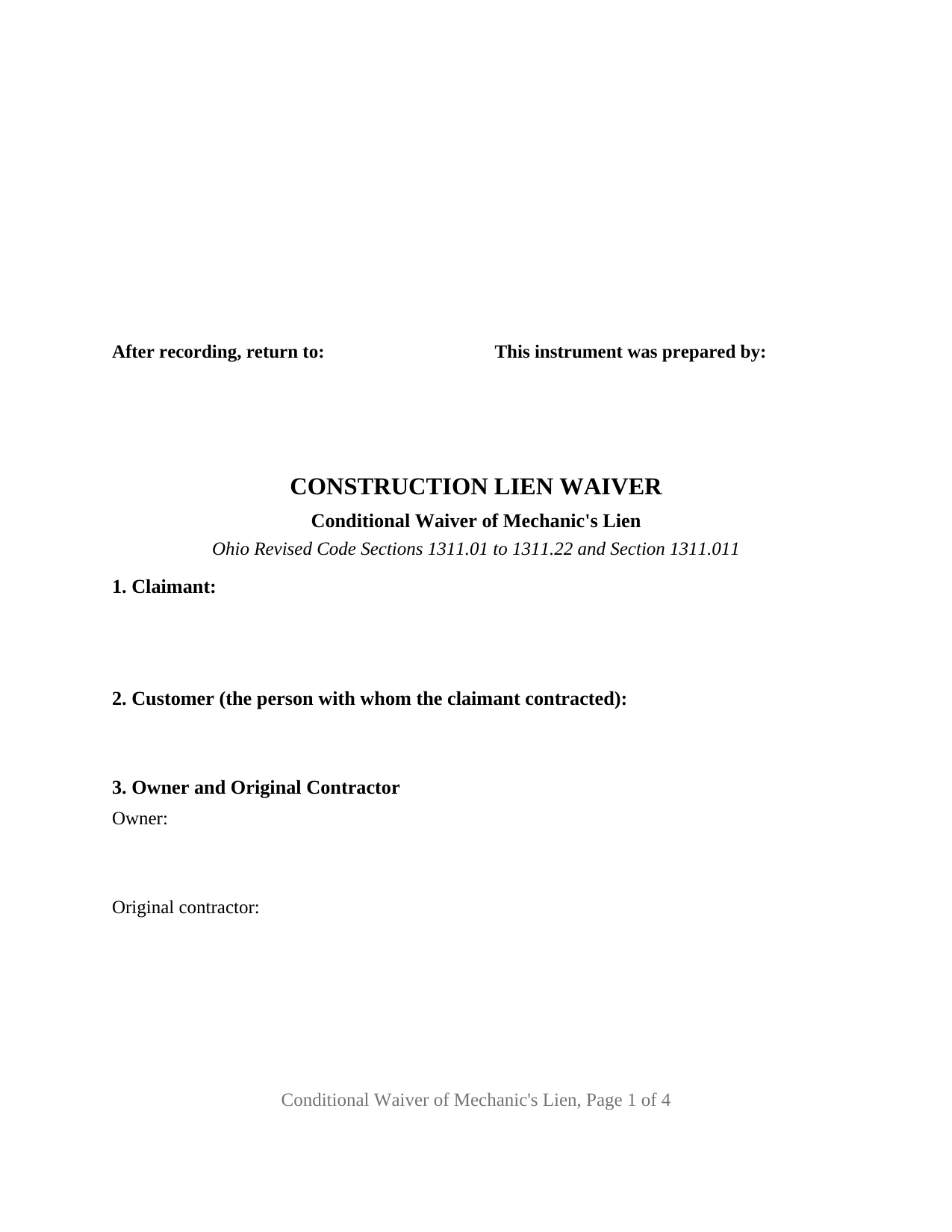
Franklin County Conditional Lien Waiver Form
Fill in the blank Conditional Lien Waiver form formatted to comply with all Ohio recording and content requirements.
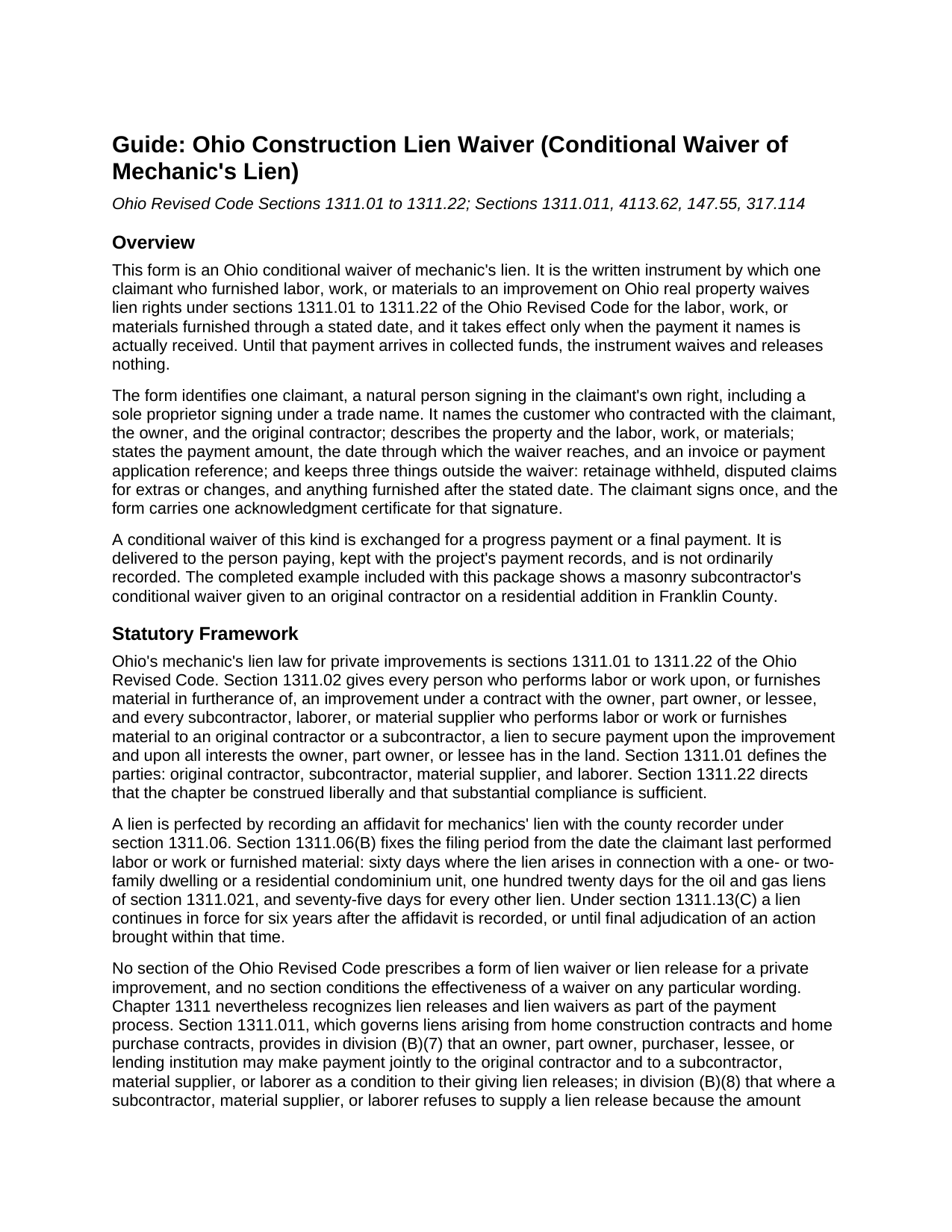
Franklin County Conditional Lien Waiver Guide
Line by line guide explaining every blank on the Conditional Lien Waiver form.
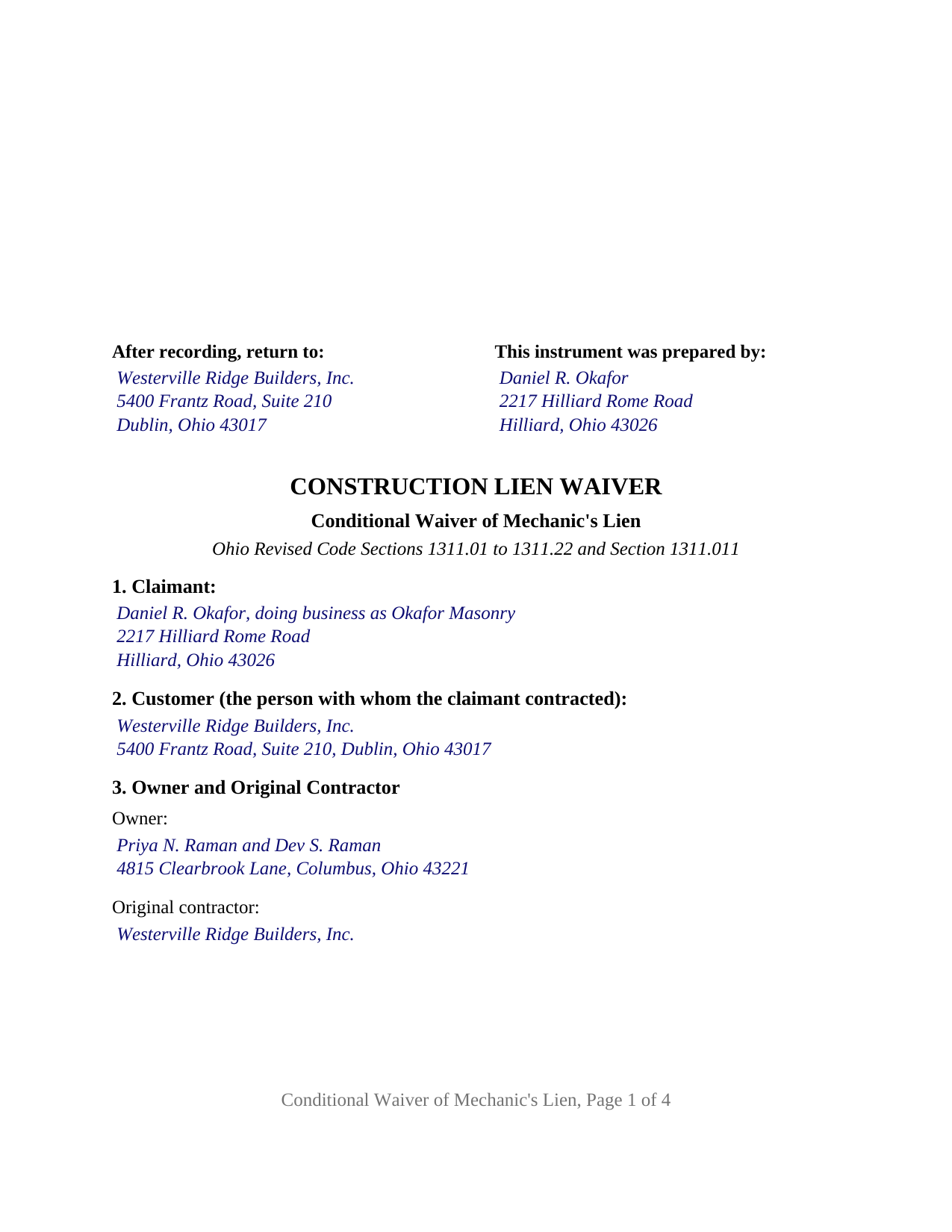
Franklin County Completed Example of the Conditional Lien Waiver Document
Example of a properly completed Ohio Conditional Lien Waiver document for reference.
All 3 documents above included • One-time purchase • No recurring fees
Immediate Download • Secure Checkout
Additional Ohio and Franklin County documents included at no extra charge:
Where to Record Your Documents
Franklin County Recorder
Columbus, Ohio 43215
Hours: 8:00 to 5:00 M-F
Phone: 614-525-3930
Recording Tips for Franklin County:
- Bring your driver's license or state-issued photo ID
- Ensure all signatures are in blue or black ink
- White-out or correction fluid may cause rejection
- Ask about their eRecording option for future transactions
- Avoid the last business day of the month when possible
Cities and Jurisdictions in Franklin County
Properties in any of these areas use Franklin County forms:
- Amlin
- Blacklick
- Brice
- Canal Winchester
- Columbus
- Dublin
- Galloway
- Grove City
- Groveport
- Harrisburg
- Hilliard
- Lockbourne
- New Albany
- Reynoldsburg
- Westerville
Hours, fees, requirements, and more for Franklin County
How do I get my forms?
Forms are available for immediate download after payment. The Franklin County forms will be in your account ready to download to your computer. An account is created for you during checkout if you don't have one. Forms are NOT emailed.
Are these forms guaranteed to be recordable in Franklin County?
Yes. Our form blanks are guaranteed to meet or exceed the applicable formatting requirements used for recording in Franklin County, including margin requirements, font requirements, and other layout standards. This guarantee applies to formatting, not to the legal sufficiency of information entered by the user or the suitability of a form for a particular transaction.
Can I reuse these forms?
Yes. You can reuse the forms for your personal use. For example, if you have multiple properties in Franklin County you only need to order once.
What do I need to use these forms?
The forms are PDFs that you fill out on your computer. The free Adobe Acrobat Reader is recommended, and most PDF apps also work. You do NOT enter your property information online - you download the blank forms and complete them privately on your own computer.
Are there any recurring fees?
No. This is a one-time purchase. Nothing to cancel, no memberships, no recurring fees.
How much does it cost to record in Franklin County?
Recording fees in Franklin County vary. Contact the recorder's office at 614-525-3930 for current fees.
Questions answered? Let's get started!
An Ohio conditional waiver of mechanic's lien gives up lien rights only when the money actually arrives. This form prepares that waiver for one claimant who furnished labor, work, or materials to an Ohio improvement: it names the payment and the through date, and states that until the payment is received in collected funds the instrument waives and releases nothing.
A waiver that waits for collected funds
The operative section ties everything to one event. Upon, and only upon, the claimant's receipt of the stated payment in collected funds, the claimant waives and releases any mechanic's lien, right to a mechanic's lien, and claim of lien under sections 1311.01 to 1311.22 of the Ohio Revised Code against the described property for the labor, work, or materials furnished through the stated date. A check or draft counts as payment only when the bank on which it is drawn has paid it. A subcontractor or supplier can therefore hand over the signed waiver as the check changes hands without giving up anything if the check later fails. An Ohio lien waiver written this way is also searched for as a conditional lien release or a progress payment lien waiver.
What stays outside the waiver
The form prints its exceptions as fixed text. The waiver does not extend to retainage withheld, in an amount the form states; to disputed claims for extras or changes, in an amount the form states; or to labor, work, or materials furnished after the through date. The instrument also says that it waives lien rights only and releases no one from the obligation to pay the stated amount. Section 4113.62(B) of the Revised Code makes void any construction contract provision that waives a pending or asserted claim on the basis of final payment once the payer has notice of the claim, and a waiver that carves disputed claims out by amount records what was and was not released.
Ohio has no statutory waiver form
Ohio's mechanic's lien chapter prescribes forms for the notice of commencement, the notice of furnishing, and the affidavit for mechanics' lien, but no form of lien waiver, though it treats lien releases as part of paying for a job. On a home construction contract, section 1311.011 lets an owner or lender pay the original contractor and a subcontractor jointly as a condition of getting lien releases, directs the owner or lender to withhold a disputed amount when a subcontractor refuses to sign a release, and makes a lien release given under that section valid without separate consideration. This form is the written release that framework contemplates, with the condition and the exceptions spelled out.
One claimant, one signature, one certificate
The form identifies exactly one claimant, a natural person signing in the claimant's own right, including a sole proprietor signing under a trade name. The instrument records the claimant's place in the contract chain by naming the customer who hired the claimant, the owner, and the original contractor, so it carries an original contractor's waiver toward the owner as readily as a subcontractor's or supplier's waiver toward the party above it. The claimant signs once under the heading CLAIMANT, and the form carries one acknowledgment certificate for that signature in the Ohio statutory short form of section 147.55(A). The form is not set up as a waiver by a corporation, limited liability company, or partnership signing through an officer or member, as a waiver by two or more claimants on one instrument, as an unconditional waiver that operates on delivery, or as a release of record of a lien affidavit already recorded, which Ohio treats as a separate instrument under section 1311.20.
Delivered, not usually recorded
A conditional waiver is delivered to the person paying and kept with the project's payment records; it is not an instrument the county recorder's list in section 317.08 names, and it is not ordinarily recorded. It is nonetheless laid out to the standard recording format of section 317.114, with the three inch first page margin and one inch side and bottom margins, and carries the preparer block of section 317.111, so it conforms if presented with a related instrument.
The package contains the fillable conditional waiver form, a completed example showing a masonry subcontractor's progress waiver on a Franklin County residential addition, and a guide that walks through each section and the Ohio statutes behind the instrument. This description and the guide describe the form and the law in general terms and are not legal advice.
Important: Your property must be located in Franklin County to use these forms. Documents should be recorded at the county recording office listed above.
This Conditional Lien Waiver meets all recording requirements specific to Franklin County.
Our Promise
The documents you receive here are guaranteed to meet or exceed the applicable Franklin County recording format requirements. If there is a rejection caused by our formatting, we will correct the issue or refund your payment. This guarantee applies to document formatting only and does not extend to information entered by the user, the selection of the form, or the legal effect of the completed document.
Save Time and Money
Get your Franklin County Conditional Lien Waiver form done right the first time with Deeds.com Uniform Conveyancing Blanks. At Deeds.com, we understand that your time and money are valuable resources, and we don't want you to face a penalty fee or rejection imposed by a county recorder for submitting nonstandard documents. We constantly review and update our forms to meet rapidly changing state and county recording requirements for roughly 3,500 counties and local jurisdictions.
4.8 out of 5 - ( 4,842 Reviews )
Rebecca G. 5 out of 5 stars
Very user friendly. Forms professional and acceptable to state applicable to. Appreciate the sample & instructions.
Thank you for your feedback. We really appreciate it. Have a great day!
Richard R. 4 out of 5 stars
Deeds.com got the job done. My deed was successfully recorded.
Thank you for your feedback. We really appreciate it. Have a great day!
Steve G. 5 out of 5 stars
The forms were very easy to use. However, the Mercer County cover page is an older version. You can find the recent version on the county website.
Thank you for your feedback. We really appreciate it. Have a great day!
Walter R. 5 out of 5 stars
I was able to get all the Forms I required and it was straight forward and easy. Thank you , Walt R.
Thank you!
Laverne C. 5 out of 5 stars
Great service. The issue I had was uploading the file of several pages. Once I learned, everything became clear and easier. The support group have been extremely prompt and helpful, I would surely use the service again and recommend the serivce.
Thank you!
Scott A. 2 out of 5 stars
The information and instructions provided is thorough and great. But, the fill-in-the-blanks form does not work well and is very frustrating. The font size of the information I was adding on each individual line varies and is determined by the number of characters entered on that individual line. So the font size is different on each line. And the number of lines is fixed making it impossible to fill in the full legal name of the trust I needed to fill out the form for. My needs are somewhat unusual, but the form should have been designed to be flexible enough to handle it. A blank paper form would have been more useful.
Thank you for your feedback. We really appreciate it. Have a great day!
Mark S. 5 out of 5 stars
Very easy site to navigate. The quit claim deed I downloaded was perfect for my needs. Would like to see a (Deed in Lieu of Foreclosure) added to the forms list.
We appreciate your business and value your feedback. Thank you. Have a wonderful day!
John B. 5 out of 5 stars
I bought a Quitclaim Deed package for Fayette County, Kentucky, to transfer my house into a Living Trust that I had set up previously. Creating my Quitclaim Deed was pretty straightforward, using the form, the instructions, and the sample Quitclaim Deed. I signed my Quitclaim Deed at a nearby Notary Public, then took it to the Fayette County Clerk's office to be recorded. The clerk there asked me to make two small changes to the Quitclaim Deed, which she let me do in pen on the spot: * In the signature block for the receiver of the property, filled in "Capacity" as "Grantee as Trustee ______________________________ Living Trust". * In the notary's section, changed "were acknowledged before me" to "were acknowledged and sworn to before me".
Thank you for your feedback. We really appreciate it. Have a great day!
Gregory K. 5 out of 5 stars
Easy to work with. Fair price. Nice, efficient service. Would definitely use Deeds.com again for any legal documents.
We appreciate your business and value your feedback. Thank you. Have a wonderful day!
Saul N. 5 out of 5 stars
Great and fast service. Would have been grate to have seen a little more detail or a pre-filled sample in the fields. Had a little confussion in some of the lines to fill out since the guide only explains a few of the lines not all of them. Otherwise, is really great to have this service with low cost. Thank you.
Thank you for taking the time to provide us with your feedback Saul, we appreciate you.
Luz G. 5 out of 5 stars
very user friendly
Thank you for taking a moment to share your thoughts.
franklin m. 5 out of 5 stars
good format, helpful instructions
Thank you!
Donna T. 5 out of 5 stars
Very clear instructions. All documents were easy to download and print.
Thank you for your feedback. We really appreciate it. Have a great day!
Sharon H. 5 out of 5 stars
I was able to print the deed and follow the instructions and sample deed quite easily. Thank you
We appreciate your business and value your feedback. Thank you. Have a wonderful day!
Jackie C. 5 out of 5 stars
It was easy to access the documents for a minimal fee.
Thank you for your feedback. We really appreciate it. Have a great day!