Putnam County Memorandum of Trust (Corporate Trustee) Form
Last validated October 23, 2026 by our Forms Development TeamFormatted for recording in Putnam County, for property anywhere in the county: rural and unincorporated areas as well as Belmore, Cloverdale, Columbus Grove, Continental, Dupont, Fort Jennings, Glandorf, Kalida and 6 more.
- 3 documents included
- Immediate PDF download
- Formatting guarantee
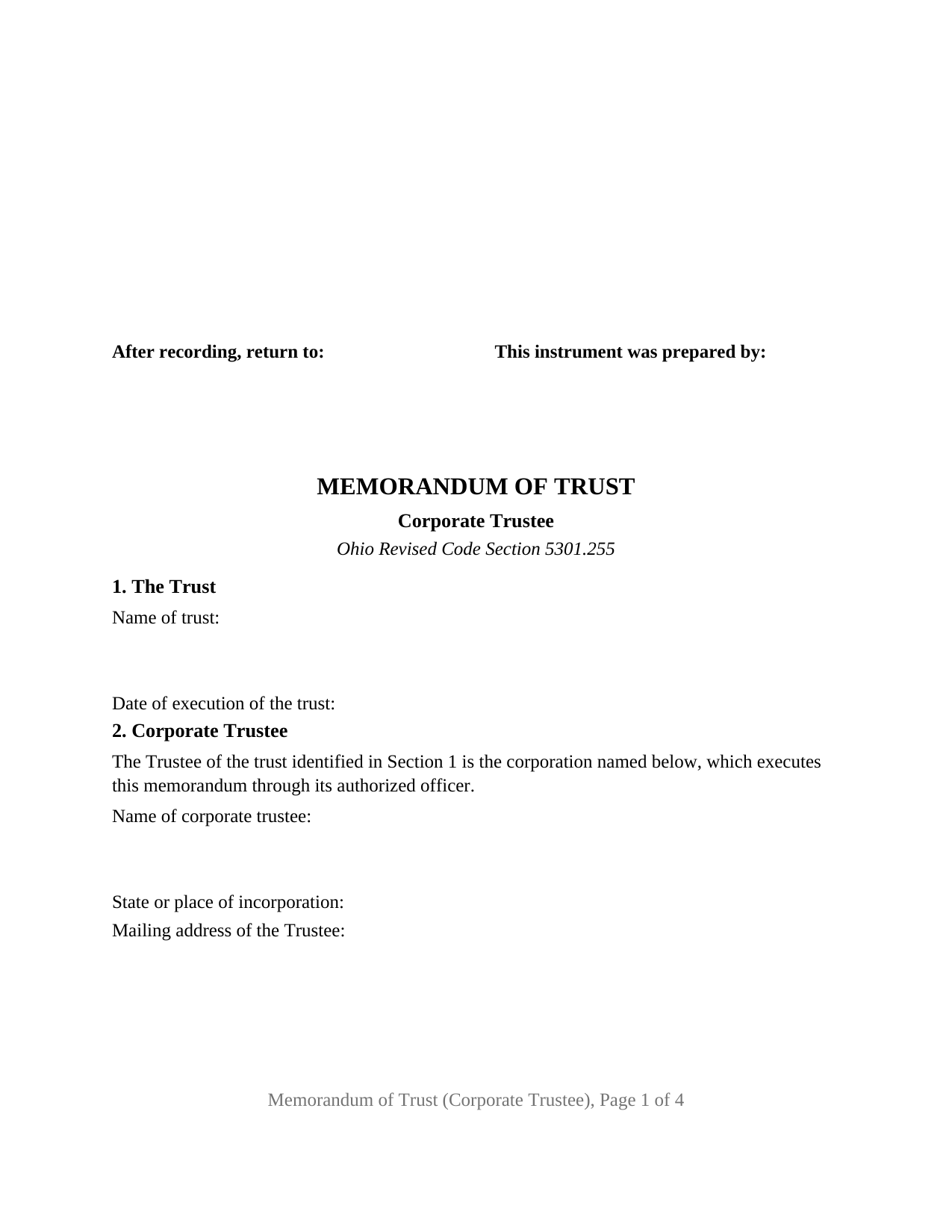
Putnam County Memorandum of Trust (Corporate Trustee) Form
Fill in the blank Memorandum of Trust (Corporate Trustee) form formatted to comply with all Ohio recording and content requirements.
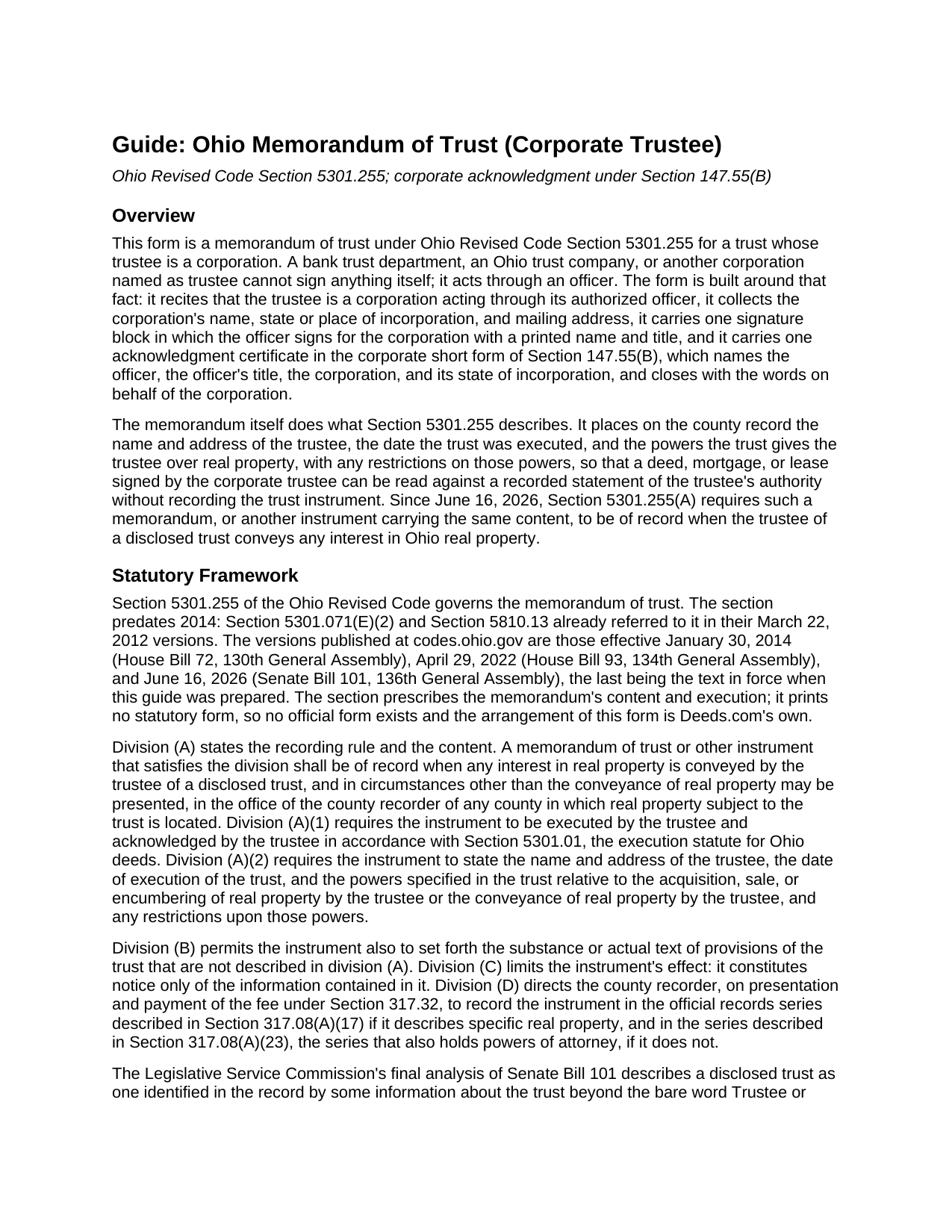
Putnam County Memorandum of Trust (Corporate Trustee) Guide
Line by line guide explaining every blank on the Memorandum of Trust (Corporate Trustee) form.
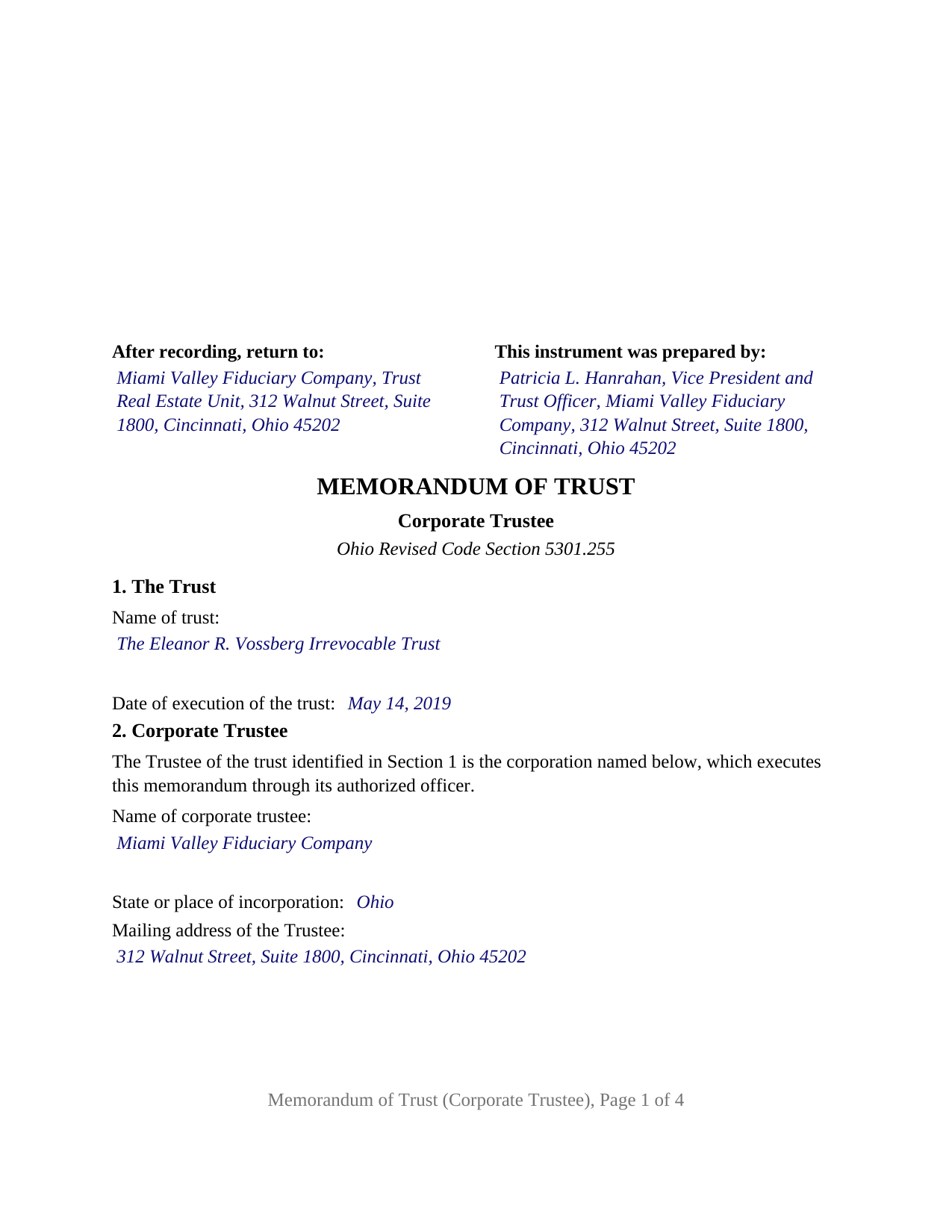
Putnam County Completed Example of the Memorandum of Trust (Corporate Trustee) Document
Example of a properly completed Ohio Memorandum of Trust (Corporate Trustee) document for reference.
All 3 documents above included • One-time purchase • No recurring fees
Immediate Download • Secure Checkout
Additional Ohio and Putnam County documents included at no extra charge:
Where to Record Your Documents
Putnam County Recorder
Ottawa, Ohio 45875
Hours: 8:30am to 4:30 pm Monday through Friday. recording till 4:15 pm
Phone: (419) 523-6490
Recording Tips for Putnam County:
- Bring your driver's license or state-issued photo ID
- Ensure all signatures are in blue or black ink
- Check margin requirements - usually 1-2 inches at top
- Leave recording info boxes blank - the office fills these
- Make copies of your documents before recording - keep originals safe
Cities and Jurisdictions in Putnam County
Properties in any of these areas use Putnam County forms:
- Belmore
- Cloverdale
- Columbus Grove
- Continental
- Dupont
- Fort Jennings
- Glandorf
- Kalida
- Leipsic
- Miller City
- Ottawa
- Ottoville
- Pandora
- Vaughnsville
Hours, fees, requirements, and more for Putnam County
How do I get my forms?
Forms are available for immediate download after payment. The Putnam County forms will be in your account ready to download to your computer. An account is created for you during checkout if you don't have one. Forms are NOT emailed.
Are these forms guaranteed to be recordable in Putnam County?
Yes. Our form blanks are guaranteed to meet or exceed the applicable formatting requirements used for recording in Putnam County, including margin requirements, font requirements, and other layout standards. This guarantee applies to formatting, not to the legal sufficiency of information entered by the user or the suitability of a form for a particular transaction.
Can I reuse these forms?
Yes. You can reuse the forms for your personal use. For example, if you have multiple properties in Putnam County you only need to order once.
What do I need to use these forms?
The forms are PDFs that you fill out on your computer. The free Adobe Acrobat Reader is recommended, and most PDF apps also work. You do NOT enter your property information online - you download the blank forms and complete them privately on your own computer.
Are there any recurring fees?
No. This is a one-time purchase. Nothing to cancel, no memberships, no recurring fees.
How much does it cost to record in Putnam County?
Recording fees in Putnam County vary. Contact the recorder's office at (419) 523-6490 for current fees.
Questions answered? Let's get started!
When a bank trust department or an Ohio trust company holds real property as trustee, the memorandum of trust it records has to be signed by a corporation, and a corporation signs only through an officer. This form prepares an Ohio memorandum of trust under Ohio Revised Code Section 5301.255 for exactly that trustee: one corporation, acting through one authorized officer, acknowledged in the corporate short form of Section 147.55(B).
A corporation signs as trustee, through one officer
Section 2 of the form recites, as fixed text, that the trustee of the trust identified in Section 1 is the corporation named below, which executes the memorandum through its authorized officer. The blanks collect the corporation's name, its state or place of incorporation, and its mailing address. The signature block names the corporation again, followed by the words as Trustee, by, and the officer signs beneath with a printed name, a date, and a title line, so the signature reads as the corporation's act. The officer's authority comes from the corporation's own governance, which is not recorded, and there is no seal line: under Section 1701.13(B), failure to affix a corporate seal does not affect the validity of an instrument.
The corporate certificate under Section 147.55(B)
Ohio prints its short-form acknowledgments by capacity. Section 147.55(B) names the officer and that person's title, the corporation, its state or place of incorporation, and closes with the words on behalf of the corporation. The certificate on this form is that form: the by-line holds the officer's name and title together, and two further blanks hold the corporation's name and its state or place of incorporation, matching Section 2. For a national banking association, chartered under federal law rather than by a state, the place of incorporation is the United States.
What a trust company puts of record
The memorandum carries the content Section 5301.255(A)(2) requires: the trustee's name and address, the date the trust was executed, and the trustee's powers to acquire, sell, encumber, or convey real property, together with any restrictions on those powers. Section 3 receives the powers and restrictions as the trust instrument states them, identified by article and section. Section 4 is the optional space Section 5301.255(B) allows for the substance or text of further trust provisions, where a corporate trustee most often sets out the designation of a successor institution. Section 5, also optional, describes a specific parcel, and under Section 5301.255(D) a memorandum that describes a parcel is recorded with the instruments affecting it.
Who serves as a corporate trustee in Ohio
Chapter 1111 of the Revised Code limits trust business in Ohio to corporations: a trust company licensed under Section 1111.06, and a national bank or federal savings association exercising fiduciary powers granted by the Office of the Comptroller of the Currency, which Section 1111.03 permits to act in Ohio as trustee. Since June 16, 2026, Section 5301.255(A) requires a memorandum with this content to be of record when the trustee of a disclosed trust conveys any interest in real property.
One corporate trustee, one officer, one certificate
The form recites exactly one corporate trustee and carries one signature block and one acknowledgment certificate. A bank trust department administering an irrevocable trust funded with a settlor's former residence, and a corporate successor trustee that took over from a family member, present the pattern this memorandum recites. The form is not set up as a memorandum for an individual trustee, for two cotrustees, or for a limited liability company serving as trustee, each of which takes a different Section 147.55 certificate, nor for a corporation executing through an attorney in fact or through two signing officers. Because a corporation has no spouse and the memorandum transfers no interest, the instrument carries nothing about dower.
The package includes the fillable memorandum of trust form, a completed example filled in for a realistic Hamilton County fact pattern with an Ohio trust company as trustee, and the guide that walks through every numbered section, the corporate certificate, and the recording process. This description and the guide describe the form and the governing Ohio statutes in general terms and are not legal advice.
Important: Your property must be located in Putnam County to use these forms. Documents should be recorded at the county recording office listed above.
This Memorandum of Trust (Corporate Trustee) meets all recording requirements specific to Putnam County.
Our Promise
The documents you receive here are guaranteed to meet or exceed the applicable Putnam County recording format requirements. If there is a rejection caused by our formatting, we will correct the issue or refund your payment. This guarantee applies to document formatting only and does not extend to information entered by the user, the selection of the form, or the legal effect of the completed document.
Save Time and Money
Get your Putnam County Memorandum of Trust (Corporate Trustee) form done right the first time with Deeds.com Uniform Conveyancing Blanks. At Deeds.com, we understand that your time and money are valuable resources, and we don't want you to face a penalty fee or rejection imposed by a county recorder for submitting nonstandard documents. We constantly review and update our forms to meet rapidly changing state and county recording requirements for roughly 3,500 counties and local jurisdictions.
4.8 out of 5 - ( 4,829 Reviews )
Dawn Y. 1 out of 5 stars
Obtaining a copy of a deed is FAR too expensive.
Thank you for your feedback Dawn. Have a wonderful day.
Thomas D. 2 out of 5 stars
The documents themselves are fine and the information provided with them is helpful. I find the actual processing of the documents, however, to be difficult particularly once the document has been saved. First, I note that the box for the date only allows entry of the last 2 digits of the year. Unfortunately, my download only allows me to enter one of the 2 digits required. When I delete it repeatedly, it eventually allows both digits to be entered but puts them in extremely small text and in superscrypt. I have not found a solution to this problem and am not sure the deed can even be recorded with this problem. Another problem is that if you try to revise the document after you have saved it the curser goes to the end of the line after each key entry. This means that there basically is no way to efficiently save the document for reworking later since you will have to delete everything you have entered in the text box unless you only need to make a single keystroke change or are willing to replace the curser after each entry. Try that with a long property description! Please note that I am using a Mac to prepare my documents and perhaps this is part of an "incompatibility problem". However, I didn't see a disclaimer regarding Mac use and so would expect the documents to perform correctly. Overall, I give the program a "2 star" rating because I am experiencing significant difficulties in entering dates in the documents even before saving them and because saving your work for later revision appears to be basically unworkable.
Thank you for your feedback Thomas, we appreciate you being specific about the issues you encountered. Adobe and Mac have a fairly long history of issues working together.
Charles S. 5 out of 5 stars
Quick and easy. Highly recommend. Thanks!
Thank you for your feedback. We really appreciate it. Have a great day!
Klint D. 5 out of 5 stars
Quick and easy
Thank you!
Daniel Z. 5 out of 5 stars
All is well that ends well and this form service seemed to work quite smoothly, even though my printer gives me fits at times, having to hand feed the blank paper.
Thank you for your feedback. We really appreciate it. Have a great day!
Scott A. 2 out of 5 stars
The information and instructions provided is thorough and great. But, the fill-in-the-blanks form does not work well and is very frustrating. The font size of the information I was adding on each individual line varies and is determined by the number of characters entered on that individual line. So the font size is different on each line. And the number of lines is fixed making it impossible to fill in the full legal name of the trust I needed to fill out the form for. My needs are somewhat unusual, but the form should have been designed to be flexible enough to handle it. A blank paper form would have been more useful.
Thank you for your feedback. We really appreciate it. Have a great day!
Michael A. 5 out of 5 stars
Pleasant experiences. Look forward to future contacts
Thank you!
Roger M. 3 out of 5 stars
A better or more simplified explanation of what some of the more common titles would be used for would help. You list 6-8 types of Trusts alone. An example of doing a Grant Deed to move a property into, out of, or from a Trust to a Trust would have been helpful.
Thank you for your feedback. We really appreciate it. Have a great day!
Herbert L. 5 out of 5 stars
Creating my enhanced lifde estate deed was rather easy but I am not happy. After buying the 3 form package for about $29 and crating my legal form... was not happy with your disclaimer than you cannot guarantee the form will meet required legal standards. I was convinced you all knew what you're doing since the forms are supposedly specific to Polk county, Florida.
Herbert, thank you for your feedback.
Our deed forms are prepared to meet the statutory and recording requirements for the state listed, including common formatting and content requirements used by county recorders.
The disclaimer exists because we are not acting as your attorney and cannot evaluate each customer’s specific facts, property history, or intended use of the document. For that reason, we cannot guarantee that a document will meet every possible legal need or circumstance.
Many customers successfully prepare and record their deeds using these materials, but anyone needing legal advice about their particular situation should consult a licensed attorney.
STANLEY F. 5 out of 5 stars
Forms were spot on and able to save over $100 by not going to an attorney to complete the same documents. There were templates on how forms are supposed to be completed. You just need a notary to sign.
Thank you Stanley, we really appreciate your feedback.
Jeffrey W. 5 out of 5 stars
One of the most user-friendly services I have used. HIGHLY reccomended.
Thank you!
Steven T. 5 out of 5 stars
I needed the deed forms for setting up our living trust. It appears this will do the trick! Steve
We appreciate your business and value your feedback. Thank you. Have a wonderful day!
Brenda E. 5 out of 5 stars
This is a great tool to use. It makes recording documents so easy and convenient. The website is very user-friendly. The only suggestion I would have is if the website could email me directly when I have a message so I don't have to keep checking back to see if my document is ready.
Thank you for your feedback. We really appreciate it. Have a great day!
Michelle M. 5 out of 5 stars
This was an excellent source. The fee was much lower than the first site I checked. The sample form was very helpful.
Thank you!
Pam B. 4 out of 5 stars
This form really helped me out a lot could be a little more explanatory in some areas but all and all it works.
Thanks Pam, we appreciate your feedback.