Wyandot County Trustee Deed Form
Last validated October 21, 2026 by our Forms Development TeamFormatted for recording in Wyandot County, for property anywhere in the county: rural and unincorporated areas as well as Carey, Harpster, Kirby, Mc Cutchenville, Nevada, Sycamore, Upper Sandusky, Wharton.
- 3 documents included
- Immediate PDF download
- Formatting guarantee
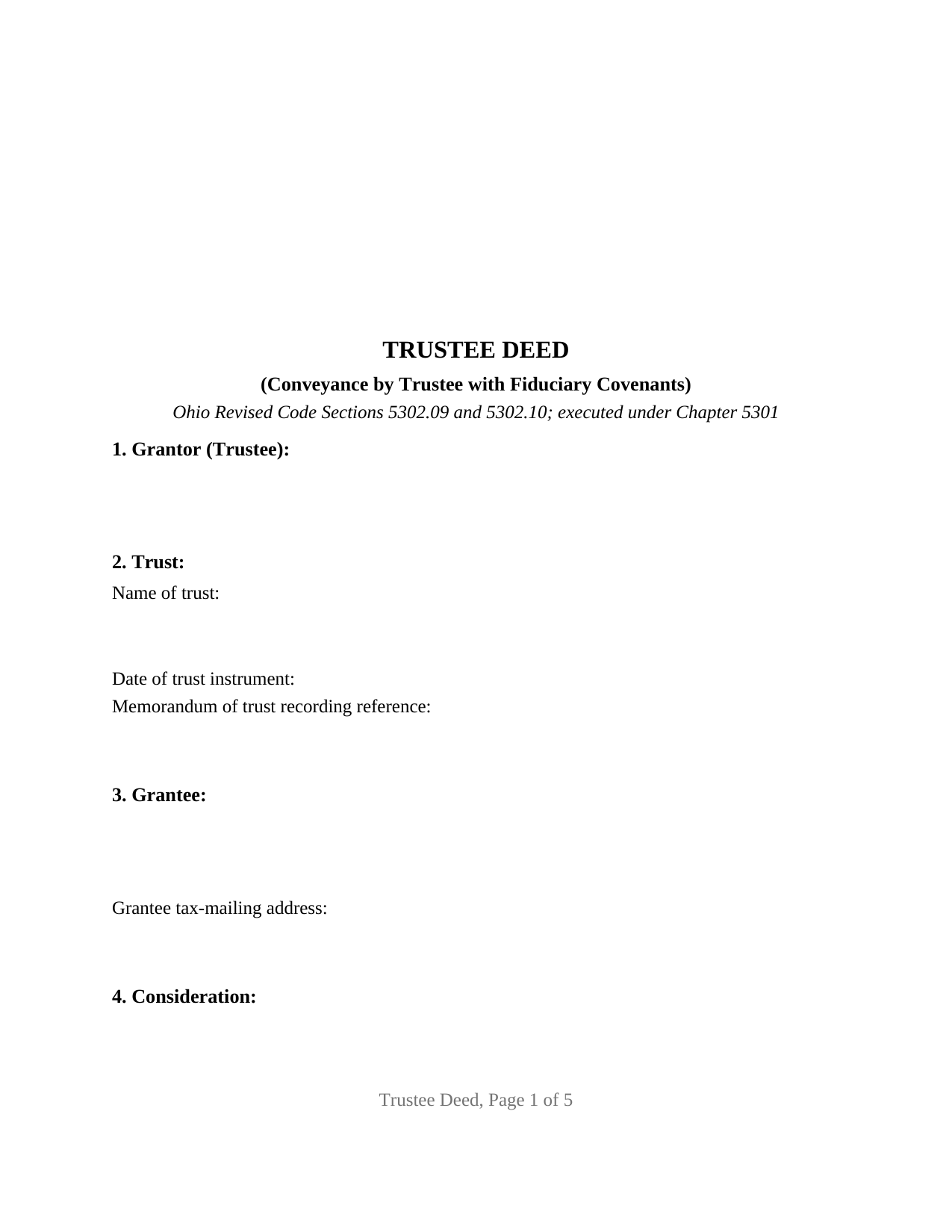
Wyandot County Trustee Deed Form
Fill in the blank Trustee Deed form formatted to comply with all Ohio recording and content requirements.
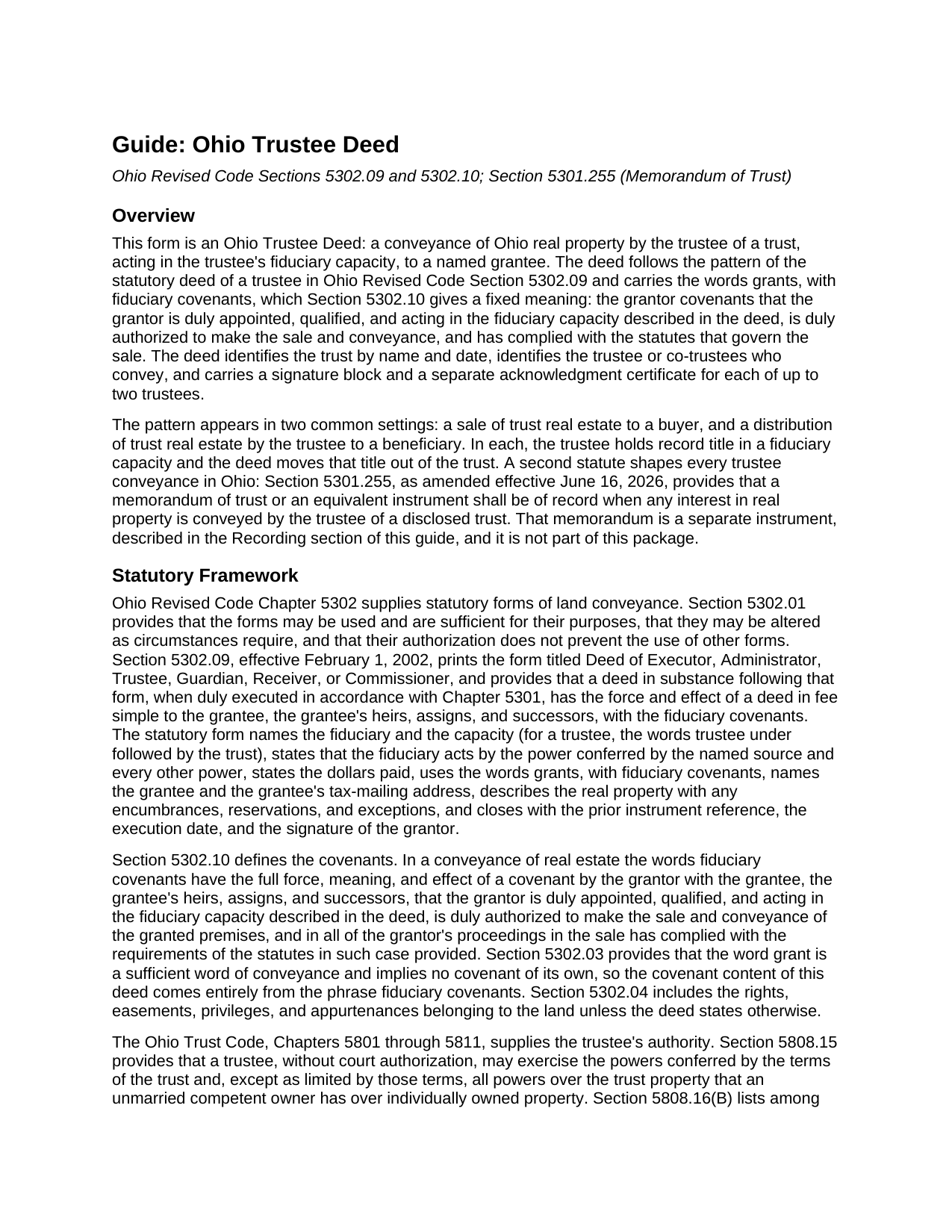
Wyandot County Trustee Deed Guide
Line by line guide explaining every blank on the Trustee Deed form.
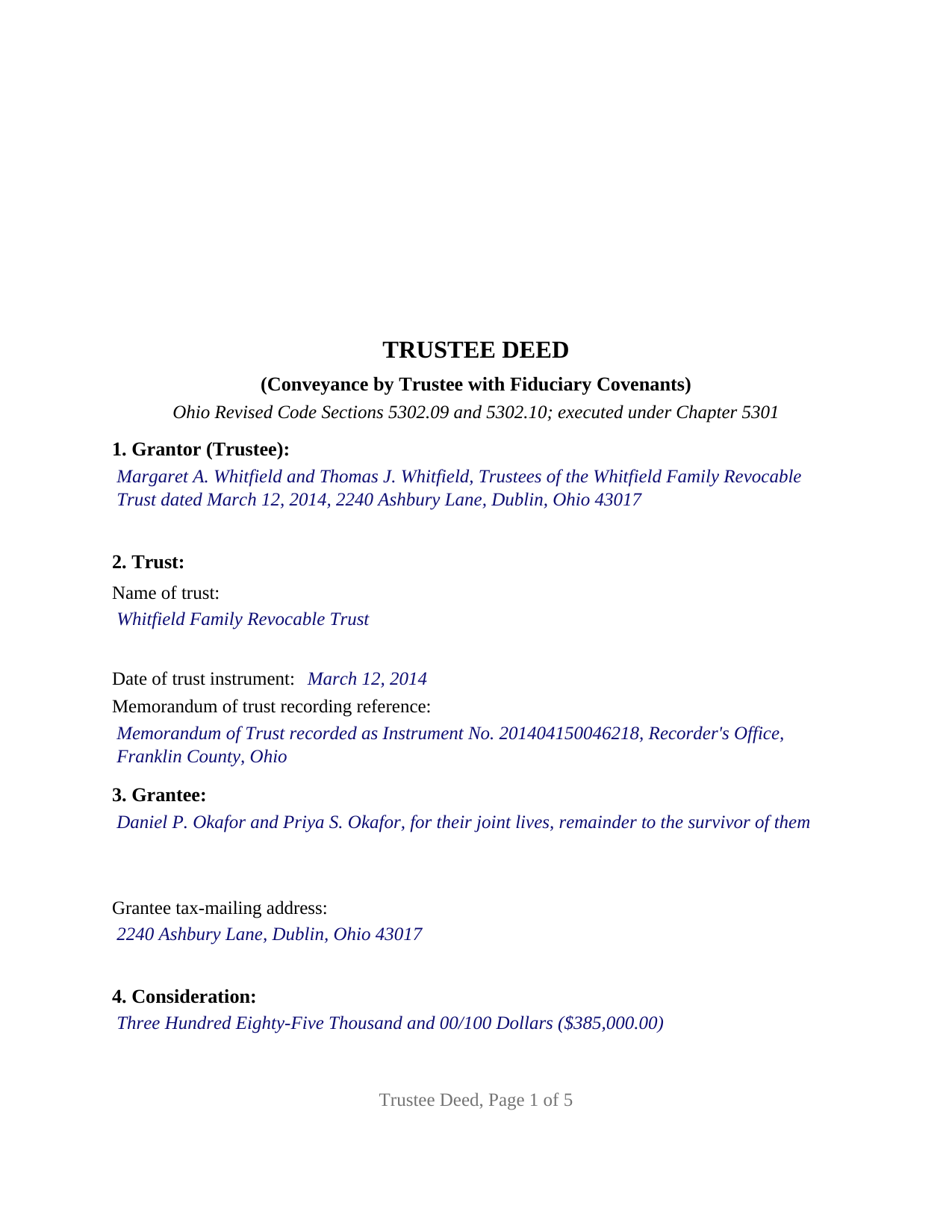
Wyandot County Completed Example of the Trustee Deed Document
Example of a properly completed Ohio Trustee Deed document for reference.
All 3 documents above included • One-time purchase • No recurring fees
Immediate Download • Secure Checkout
Additional Ohio and Wyandot County documents included at no extra charge:
Where to Record Your Documents
Wyandot County Recorder
Upper Sandusky, Ohio 43351
Hours: 8:30am to 4:30pm Monday through Friday
Phone: 419-294-1442
Recording Tips for Wyandot County:
- Bring your driver's license or state-issued photo ID
- Ensure all signatures are in blue or black ink
- Request a receipt showing your recording numbers
- Ask about accepted payment methods when you call ahead
- Ask for certified copies if you need them for other transactions
Cities and Jurisdictions in Wyandot County
Properties in any of these areas use Wyandot County forms:
- Carey
- Harpster
- Kirby
- Mc Cutchenville
- Nevada
- Sycamore
- Upper Sandusky
- Wharton
Hours, fees, requirements, and more for Wyandot County
How do I get my forms?
Forms are available for immediate download after payment. The Wyandot County forms will be in your account ready to download to your computer. An account is created for you during checkout if you don't have one. Forms are NOT emailed.
Are these forms guaranteed to be recordable in Wyandot County?
Yes. Our form blanks are guaranteed to meet or exceed the applicable formatting requirements used for recording in Wyandot County, including margin requirements, font requirements, and other layout standards. This guarantee applies to formatting, not to the legal sufficiency of information entered by the user or the suitability of a form for a particular transaction.
Can I reuse these forms?
Yes. You can reuse the forms for your personal use. For example, if you have multiple properties in Wyandot County you only need to order once.
What do I need to use these forms?
The forms are PDFs that you fill out on your computer. The free Adobe Acrobat Reader is recommended, and most PDF apps also work. You do NOT enter your property information online - you download the blank forms and complete them privately on your own computer.
Are there any recurring fees?
No. This is a one-time purchase. Nothing to cancel, no memberships, no recurring fees.
How much does it cost to record in Wyandot County?
Recording fees in Wyandot County vary. Contact the recorder's office at 419-294-1442 for current fees.
Questions answered? Let's get started!
An Ohio trustee deed moves real property out of a trust. The trustee, acting in a fiduciary capacity rather than as an individual owner, conveys the parcel to a buyer or distributes it to a beneficiary. This form prepares that deed for Ohio real property held by the trustee of a disclosed trust, with room for one trustee or two co-trustees to sign.
A covenant about authority, not about the whole chain of title
The deed uses the words grants, with fiduciary covenants, the phrase Ohio Revised Code Section 5302.09 prints in its statutory deed of a trustee and Section 5302.10 defines. Those words carry a covenant that the grantor is duly appointed, qualified, and acting in the fiduciary capacity the deed describes, is duly authorized to make the sale and conveyance, and has complied with the statutes governing the sale. That is a different promise from the covenants of a general warranty deed: the trustee covenants about the trustee's own office and authority, and the grantee takes the title the trust held, with whatever history that title already carries. The deed names the trust instrument and the Ohio Trust Code as the source of the trustee's power.
The memorandum of trust the recorder expects to see
Since June 16, 2026, Section 5301.255 has provided that a memorandum of trust, or an instrument with the same content, shall be of record when any interest in real property is conveyed by the trustee of a disclosed trust. The memorandum is signed and acknowledged by the trustee and states the trustee's name and address, the date the trust was executed, and the trust's powers over buying, selling, encumbering, and conveying real property, with any limits on those powers. It gives notice only of what it contains. The deed asks for the memorandum's recording reference in its trust section; the memorandum itself is recorded separately and is not included in this package.
One trustee or two co-trustees
The form recites a single disclosed trust, identified by name and by the date of the trust instrument, and names the trustee or co-trustees who convey as its grantor. Two signature blocks follow, headed TRUSTEE and SECOND TRUSTEE (if applicable), each with its own acknowledgment certificate in the short form Section 147.55(F) prints for a trustee, so co-trustees can acknowledge on different days or before different officers; where a sole trustee conveys, the second block and its certificate stay blank. Spouses serving as co-trustees of a family revocable trust and selling the trust's house, and a successor trustee distributing a parcel to the beneficiaries, present the pattern this deed recites. The form prints no marital status and no spousal signature line for the trustee, who holds title for the trust rather than beneficially, and the guide walks through Section 2103.021, the Ohio statute on dower claims against a grantee named of record as trustee. A trust with three or more co-trustees who must all join, a conveyance into a trust by its settlor, and an executor or guardian conveying under a will or court order follow patterns this deed is not set up as.
From the auditor's counter to the recorder's
An Ohio deed is endorsed by the county auditor before the county recorder accepts it. The grantee's tax-mailing address and the prior instrument reference sit in the deed because Section 319.20 requires them for the auditor's transfer; a conveyance fee statement on form DTE 100, or the exemption form DTE 100EX, accompanies the deed, and the state conveyance fee of ten cents per hundred dollars, plus any county transfer tax, is paid at that step. Section 319.54 exempts several trust transfers, including a distribution to beneficiaries under trust provisions that became irrevocable at the grantor's death; a sale to an outside buyer pays the fee. The form is laid out to the Section 317.114 margins and carries the preparer statement Section 317.111 requires.
The package includes the fillable trustee deed form, a completed example filled in for a realistic Franklin County sale by two co-trustees, and the guide that describes every numbered section, the memorandum of trust, and the auditor and recorder steps. This description and the guide describe the form and the governing law in general terms; they are not legal advice.
Important: Your property must be located in Wyandot County to use these forms. Documents should be recorded at the county recording office listed above.
This Trustee Deed meets all recording requirements specific to Wyandot County.
Our Promise
The documents you receive here are guaranteed to meet or exceed the applicable Wyandot County recording format requirements. If there is a rejection caused by our formatting, we will correct the issue or refund your payment. This guarantee applies to document formatting only and does not extend to information entered by the user, the selection of the form, or the legal effect of the completed document.
Save Time and Money
Get your Wyandot County Trustee Deed form done right the first time with Deeds.com Uniform Conveyancing Blanks. At Deeds.com, we understand that your time and money are valuable resources, and we don't want you to face a penalty fee or rejection imposed by a county recorder for submitting nonstandard documents. We constantly review and update our forms to meet rapidly changing state and county recording requirements for roughly 3,500 counties and local jurisdictions.
4.8 out of 5 - ( 4,845 Reviews )
Will O. 5 out of 5 stars
Saved me so much time and $!!
Thank you!
Jacqueline G. 5 out of 5 stars
I'm 84 and not all that smart when it comes to what a Lawyer usually helps you with, but I took a chance to see if I could do this. Walla, I was able to do it. I was helping my son who had a stroke a few years ago and the transaction went well. Thank you.
Thank you for your feedback Jacqueline. We appreciate you.
Patricia U. 5 out of 5 stars
Quick and easy document recording from home! Wish I knew about this before!
Thank you for your feedback. We really appreciate it. Have a great day!
Joni Y. 5 out of 5 stars
Deeds.com is a very up to date & easy instruction website. I recommend this site to all who are looking for forms dealing with deeds. Thank you for making life easy in this aspect.
We appreciate your business and value your feedback. Thank you. Have a wonderful day!
Esfir K. 5 out of 5 stars
I had to call 3 times, two calls were hanged up on me. Thank you to 3rd representative, who helped me with my question. Unfortunately, I do not know her name. She was very patient, kind, professional. I am very thankful for her help.
Thank you!
lamar J. 5 out of 5 stars
Easy to understand and work with Very pleased with the information I Received
We appreciate your business and value your feedback. Thank you. Have a wonderful day!
Deborah P. 5 out of 5 stars
Great site. Official. Easy to use. Less expensive than those other sites as well. Saved me approximately $20! My records were available immediately. I highly recommend this site.
Thank you!
Robert F. 5 out of 5 stars
Came with all the paperwork that I needed plus a lot more paperwork than what I needed. Covered all the bases! The instructions were a big help. Easy fill in the blanks. Had no problem filing the paperwork afterword at the County Clerks office. Definitely worth the $20.
Thanks Robert. We appreciate you taking the time to give us your feedback. Have a fantastic day!
Isaac T. 5 out of 5 stars
Had no problem getting my forms. It was quick,easy, and reasonable priced. Will use again if needed
We appreciate your business and value your feedback. Thank you. Have a wonderful day!
William M. 5 out of 5 stars
I got what I needed and did exactly what I needed. All legal and no hassle. Thanks Deeds.com, you made the job much easier.
Thank you!
Julie K. 4 out of 5 stars
The process for obtaining document itself was easy, and the included guide and example are great! I do have an issue with the format itself, though. The form has pre-defined text boxes, which cannot be altered without partially rebuilding the entire document. For the 'property description' field on the Mineral Deed form, the text box is not large enough for the rather lengthy legal description entered on my original plat. Fortunately, I have a copy of Adobe Pro, so I have been able to re-build the doc to accommodate this short-coming.
Thank you for taking the time to provide feedback on our legal form. We're pleased to hear that you found the process for obtaining the document and the included guide beneficial.
We understand and appreciate your concern regarding the formatting and size limitations of certain fields, especially the 'property description' field. Our forms are designed to adhere to specific formatting requirements that are often mandated for legal compliance. Making direct alterations to the document can result in them becoming non-conforming, which is why we advise customers to use an exhibit page when their legal description is extensive or does not fit.
Sharon L H. 3 out of 5 stars
The forms were good enough, hard to get excited about legal forms... The information was very thorough and helpful.
Thank you!
Kerry H. 5 out of 5 stars
Good experience - Just what I needed
Thank you Kerry, have an awesome day!
Deborah A. 5 out of 5 stars
Excellent,
Thank you!
Omid B. 5 out of 5 stars
Super efficient, extremely responsive , and above all quick turnaround. Thank you! Will definitely use your services again!
Thank you!