Pushmataha County Mortgage and Promissory Note Form
Last validated October 21, 2026 by our Forms Development TeamFormatted for recording in Pushmataha County, for property anywhere in the county: rural and unincorporated areas as well as Albion, Antlers, Clayton, Finley, Moyers, Nashoba, Rattan, Snow and 1 more.
- 9 documents included
- Immediate PDF download
- Formatting guarantee
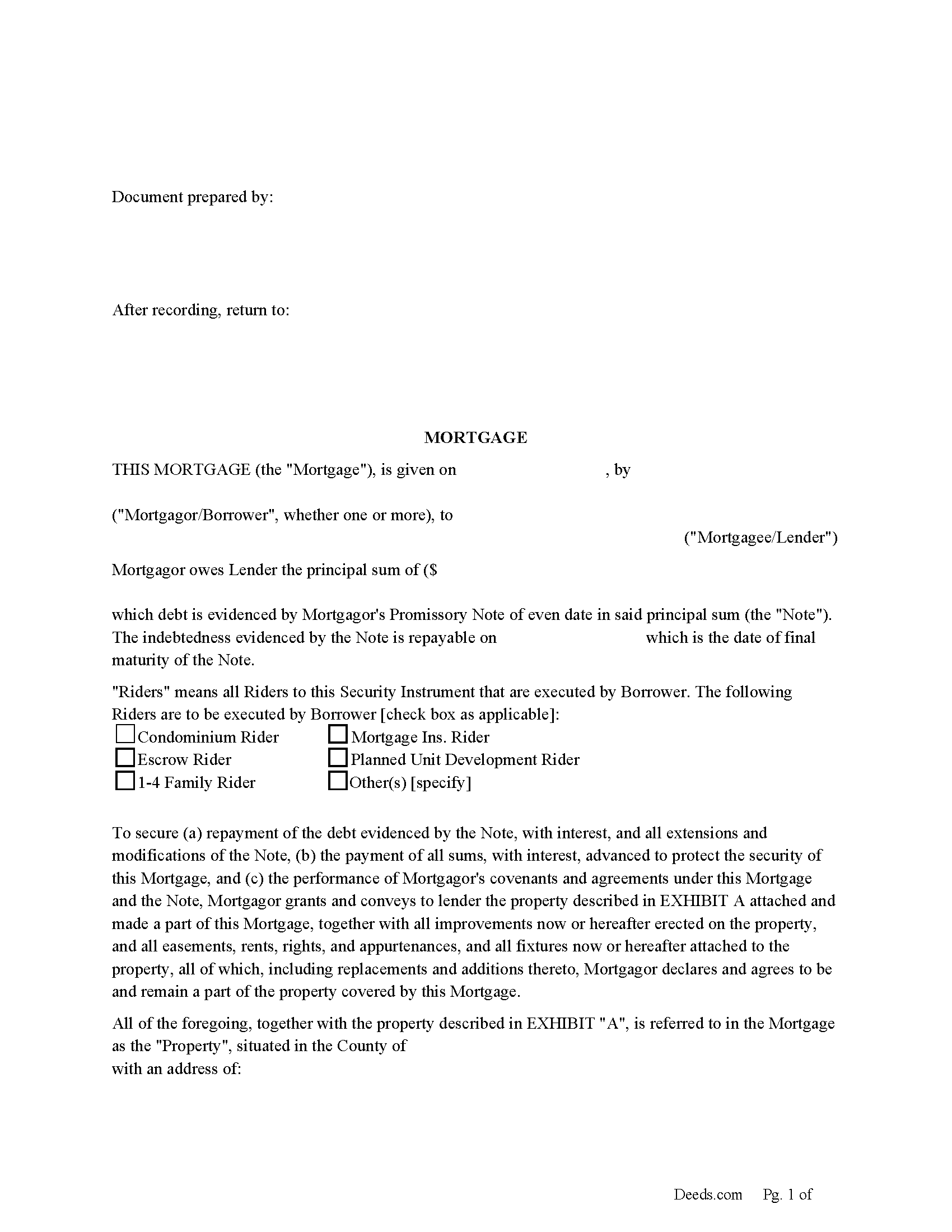
Pushmataha County Mortgage Form
Fill in the blank form formatted to comply with all recording and content requirements.
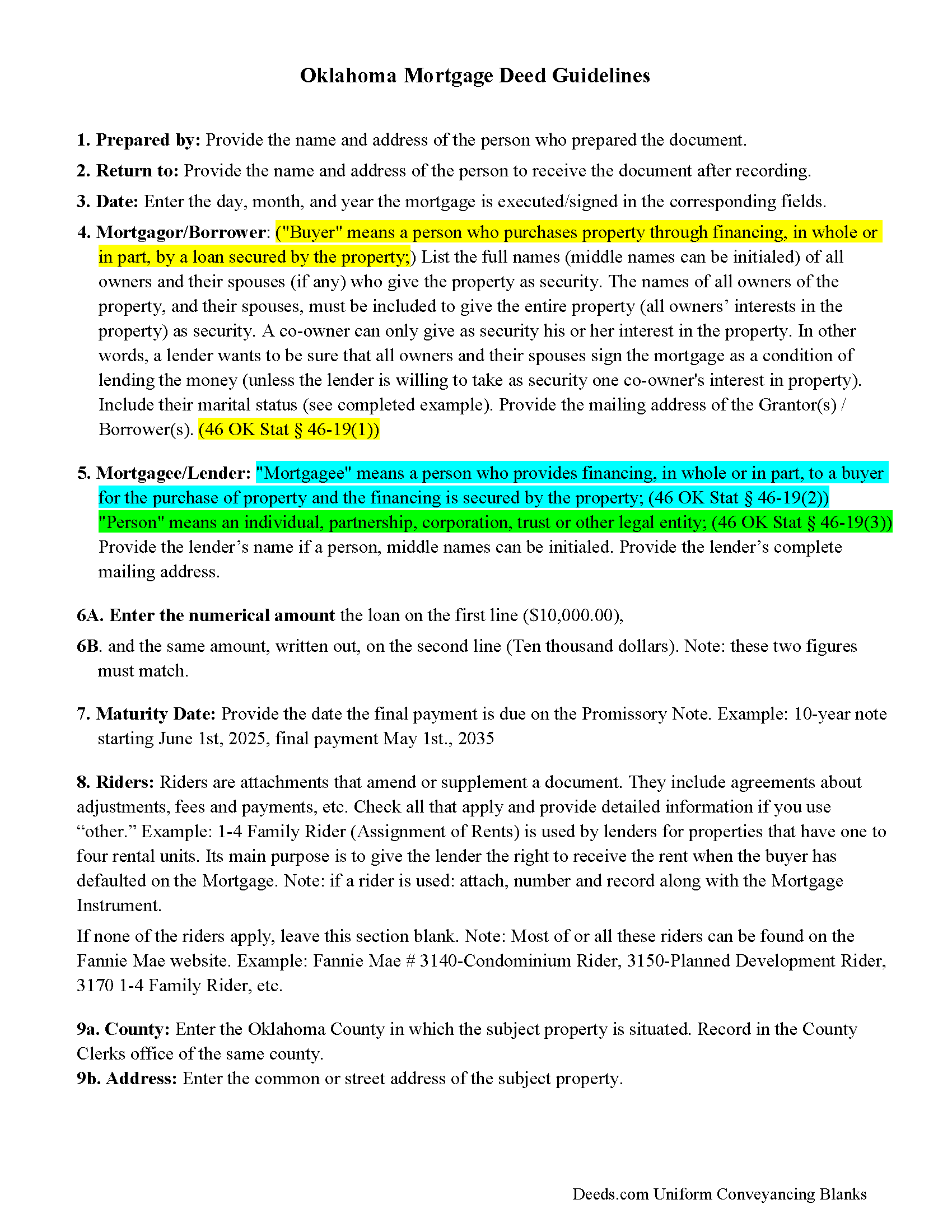
Pushmataha County Mortgage Guidelines
Line by line guide explaining every blank on the form.
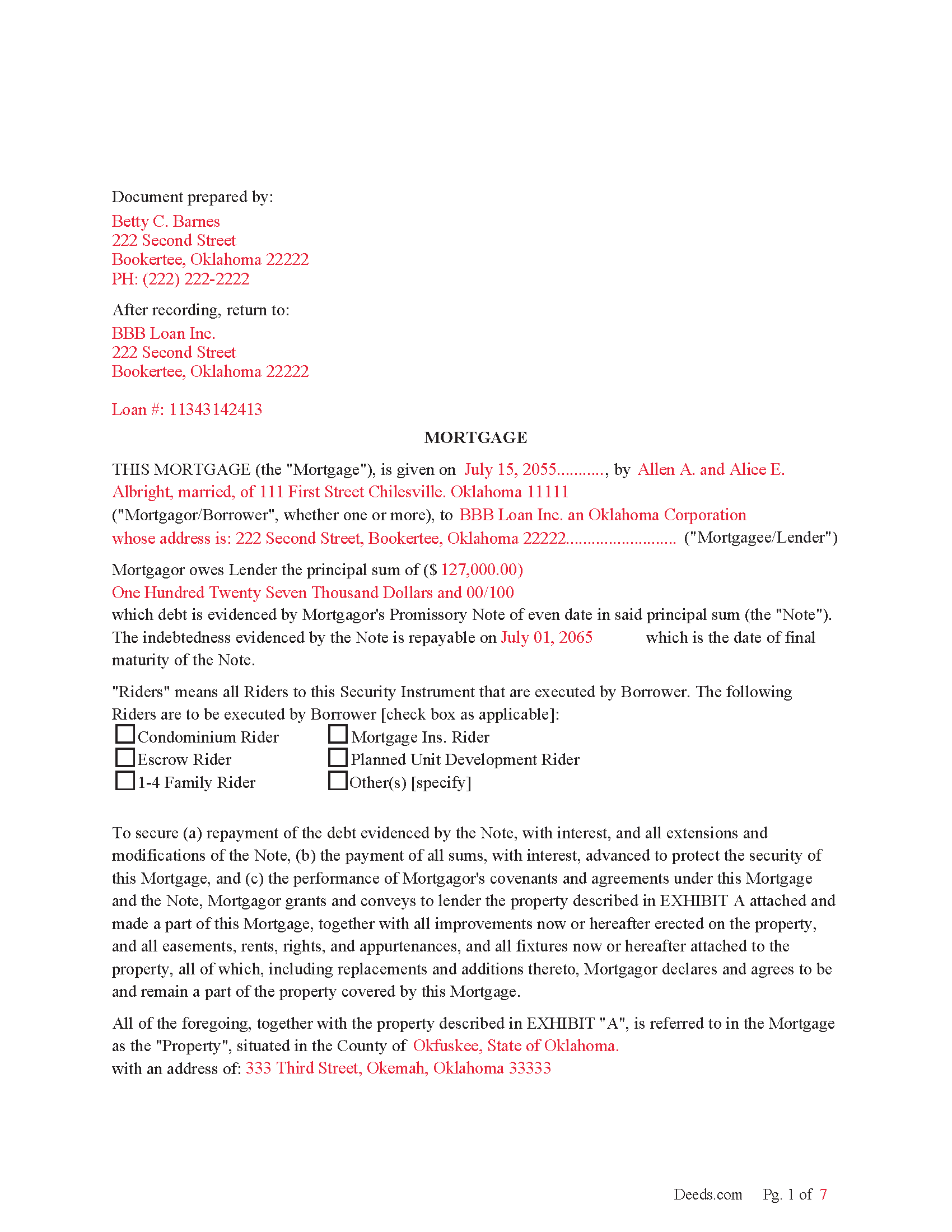
Pushmataha County Completed Example of the Mortgage Document
Example of a properly completed form for reference.
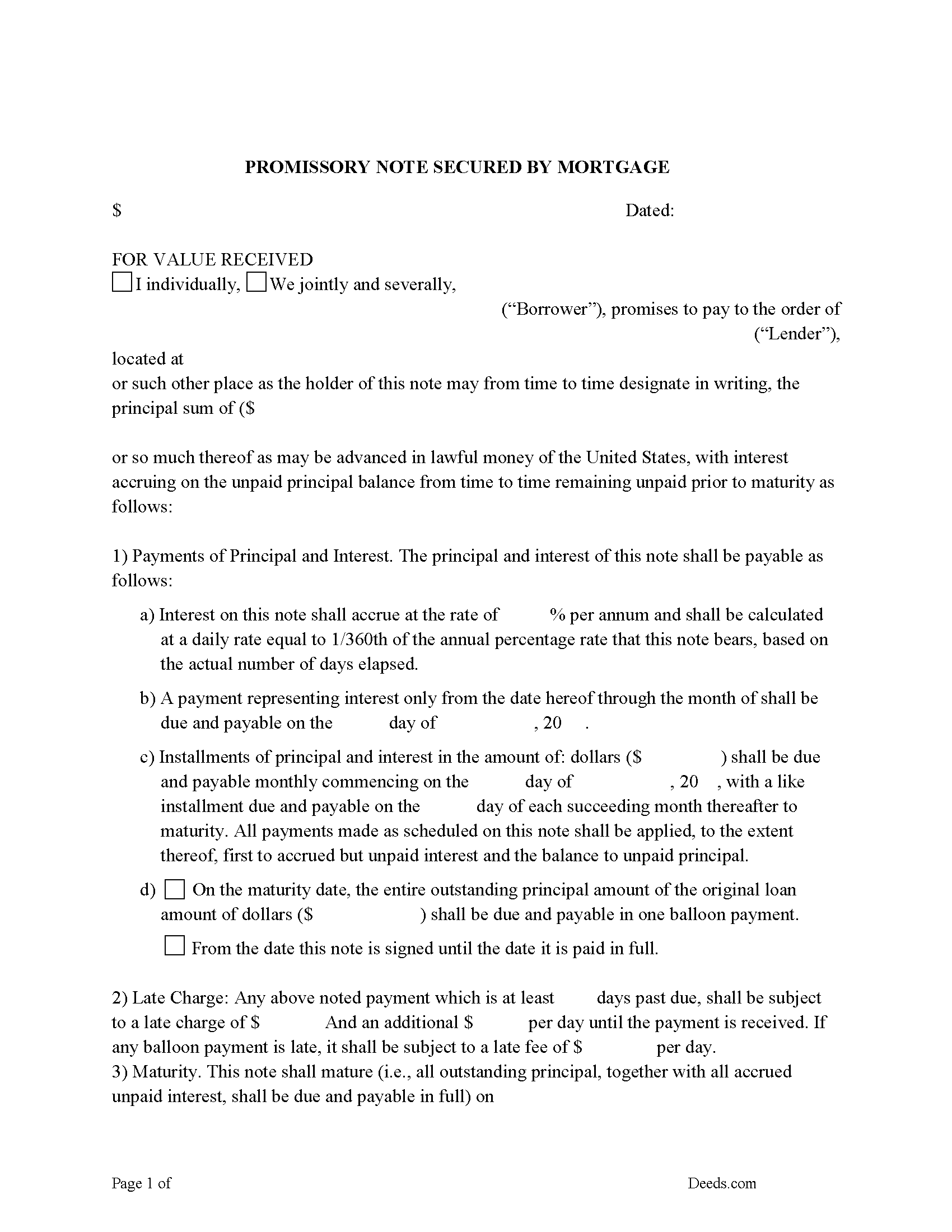
Pushmataha County Promissory Note Form
Note that is secured by the Mortgage. Can be used for traditional installments or balloon payment.
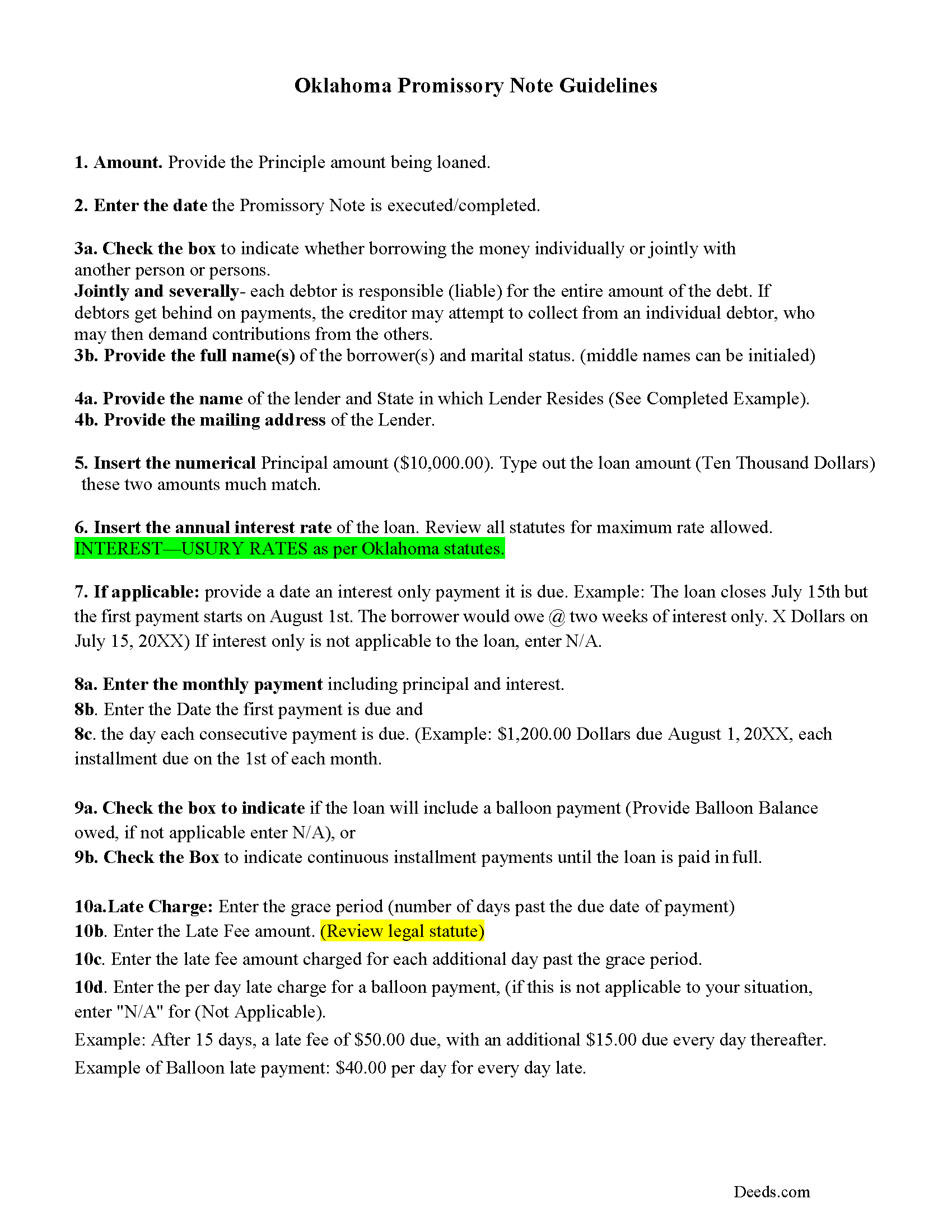
Pushmataha County Promissory Note Guidelines
Line by line guide explaining every blank on the form.
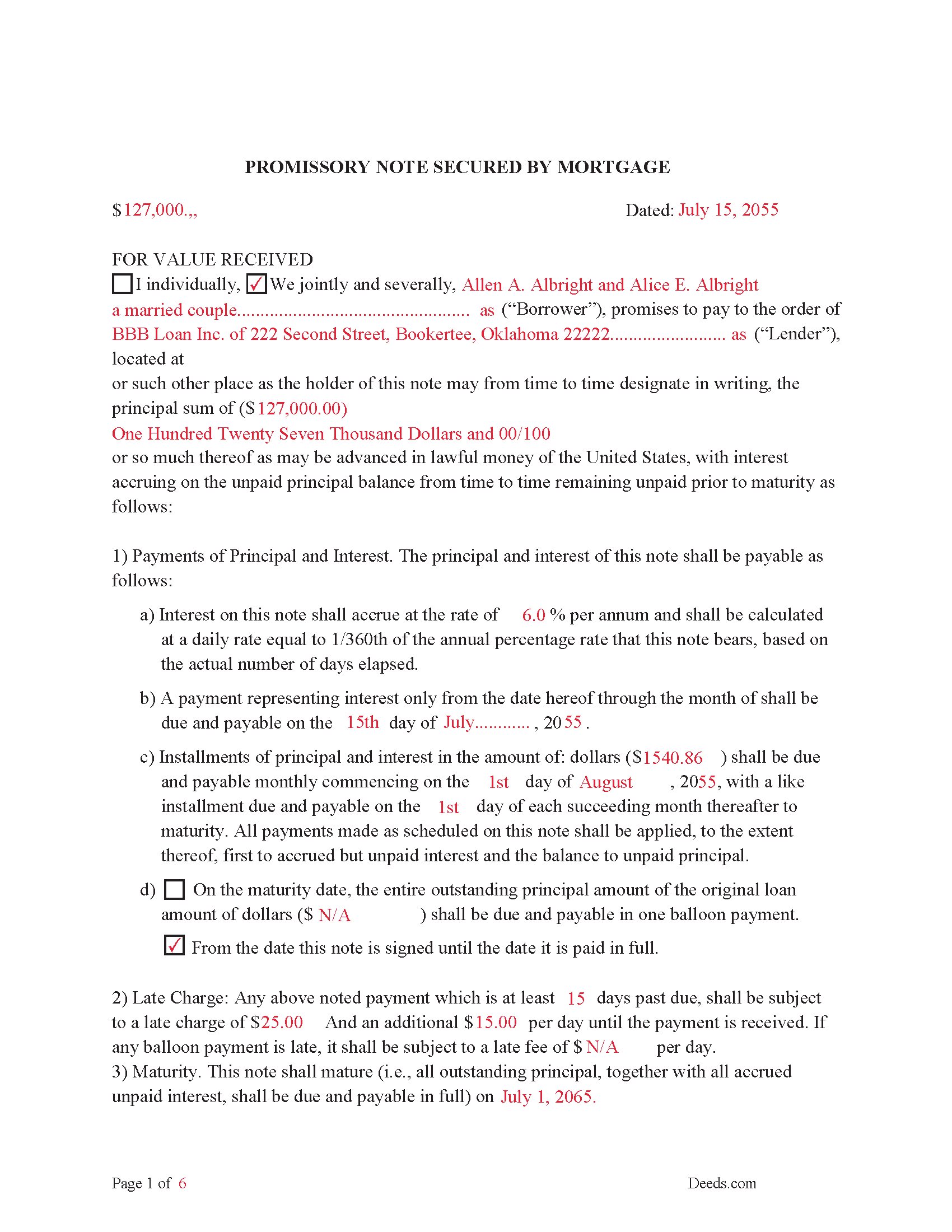
Pushmataha County Completed Example of the Promissory Note Document
Example of a properly completed form for reference.
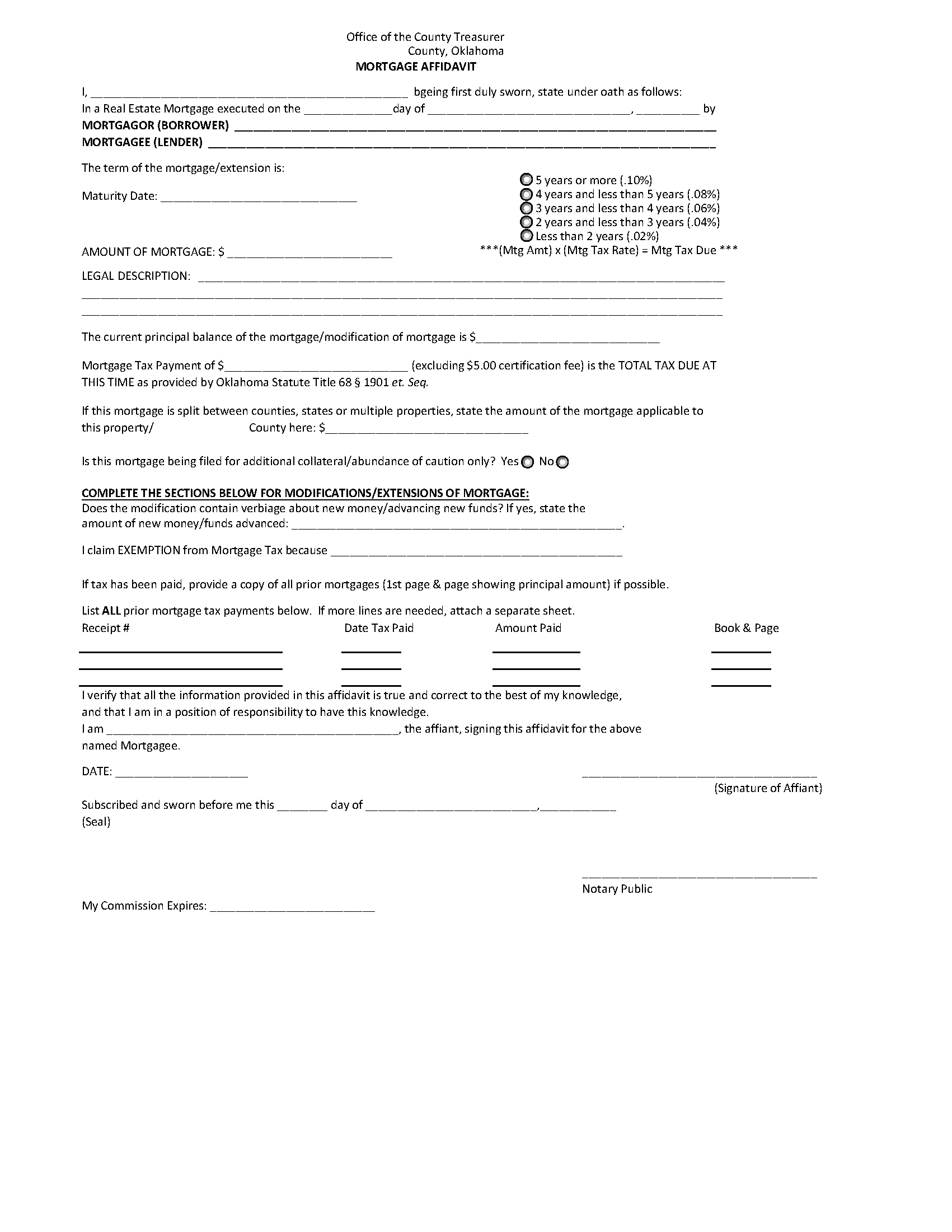
Pushmataha County Mortgage Affidavit Form
Mortgage Tax Affidavit
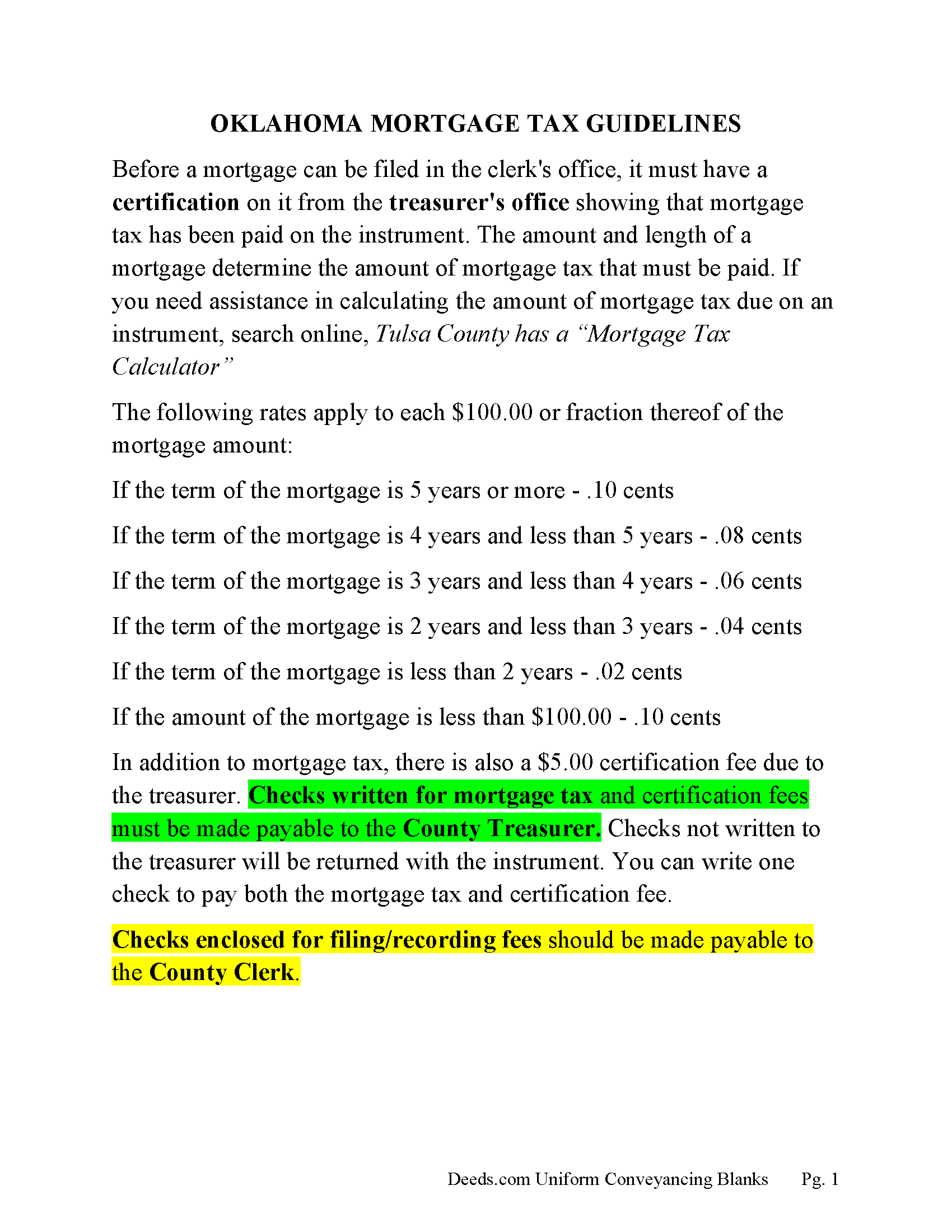
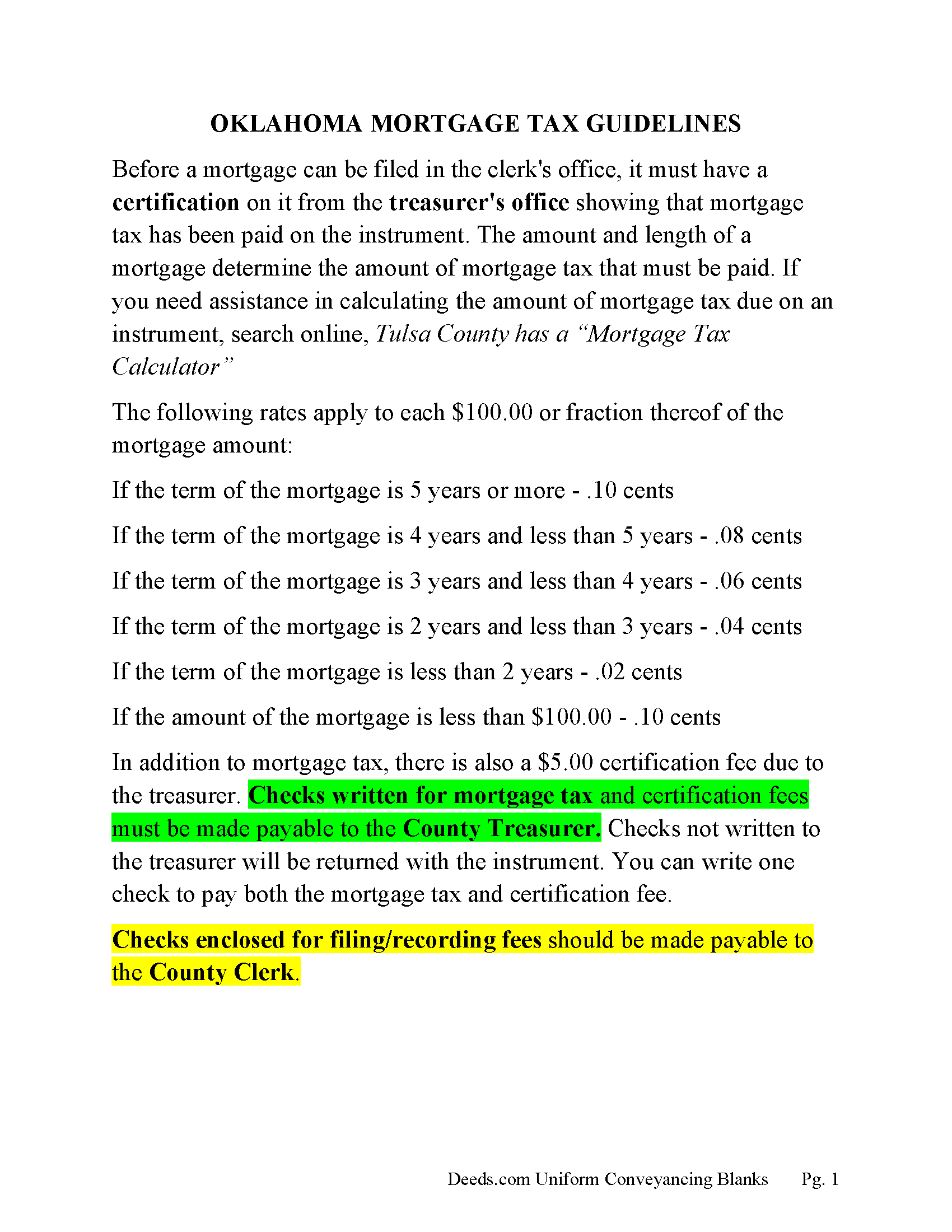
Pushmataha County Mortgage Affidavit Information
Information explaining exemptions, how and where to pay mortgage tax.
Pushmataha County Annual Accounting Statement Form
Mail to borrower for fiscal year reporting.
All 9 documents above included • One-time purchase • No recurring fees
Immediate Download • Secure Checkout
Additional Oklahoma and Pushmataha County documents included at no extra charge:
Where to Record Your Documents
Pushmataha County Clerk
Antlers, Oklahoma 74523
Hours: 8:00 to 4:30 M-F
Phone: (580) 298-3626
Recording Tips for Pushmataha County:
- Bring your driver's license or state-issued photo ID
- Ensure all signatures are in blue or black ink
- Ask about their eRecording option for future transactions
- Avoid the last business day of the month when possible
- Both spouses typically need to sign if property is jointly owned
Cities and Jurisdictions in Pushmataha County
Properties in any of these areas use Pushmataha County forms:
- Albion
- Antlers
- Clayton
- Finley
- Moyers
- Nashoba
- Rattan
- Snow
- Tuskahoma
Hours, fees, requirements, and more for Pushmataha County
How do I get my forms?
Forms are available for immediate download after payment. The Pushmataha County forms will be in your account ready to download to your computer. An account is created for you during checkout if you don't have one. Forms are NOT emailed.
Are these forms guaranteed to be recordable in Pushmataha County?
Yes. Our form blanks are guaranteed to meet or exceed the applicable formatting requirements used for recording in Pushmataha County, including margin requirements, font requirements, and other layout standards. This guarantee applies to formatting, not to the legal sufficiency of information entered by the user or the suitability of a form for a particular transaction.
Can I reuse these forms?
Yes. You can reuse the forms for your personal use. For example, if you have multiple properties in Pushmataha County you only need to order once.
What do I need to use these forms?
The forms are PDFs that you fill out on your computer. The free Adobe Acrobat Reader is recommended, and most PDF apps also work. You do NOT enter your property information online - you download the blank forms and complete them privately on your own computer.
Are there any recurring fees?
No. This is a one-time purchase. Nothing to cancel, no memberships, no recurring fees.
How much does it cost to record in Pushmataha County?
Recording fees in Pushmataha County vary. Contact the recorder's office at (580) 298-3626 for current fees.
Questions answered? Let's get started!
Mortgages are liens against property when the property owner borrows money from a lending institution or individual. This form can be used for residential, rentals, small commercial, vacant land and planned unit developments. This form contains a power of sale clause which allows for a non-judicial foreclosure in the event of default.
(2. with respect to any mortgage in which a power of sale is granted: a. the mortgage shall state in bold and underlined language, substantially the following:
"A power of sale has been granted in this mortgage. A power of sale may allow the mortgagee to take the mortgaged property and sell it without going to court in a foreclosure action upon default by the mortgagor under this mortgage,") ( 46 OK Stat 46-43) Many lenders prefer a mortgage with power of sale, it can save time and expense if a foreclosure occurs.
Secured by the mortgage is a promissory note (promise to pay) form. The obligations of Borrower to Lender under this Note and the Additional Obligations heroin remain in full force and effect until Lender has received payment in full of all obligations. The note establishes, interest rates, default rates, late payments, balloon payments, maturity, etc. along with default terms and conditions. The form is County specific and the provisions thereof and all rights and obligations of the parties shall be governed by and construed in accordance with the internal laws of the State of Oklahoma.
A mortgage and promissory note that include power of sale and stringent default terms can be beneficial to the lender.
With a few exceptions mortgage tax is due before a mortgage is recorded.
(A. The following taxes are hereby levied on real estate mortgages:
1. A tax of ten cents ($0.10) for each One Hundred Dollars ($100.00) and each remaining fraction thereof where such mortgage is for five (5) years or more;
2. A tax of eight cents ($0.08) for each One Hundred Dollars ($100.00) for each mortgage where such mortgage is for four (4) years or more but less than five (5) years;
3. A tax of six cents ($0.06) for each One Hundred Dollars ($100.00) where such mortgage is for three (3) years or more but less than four (4) years;
4. A tax of four cents ($0.04) for each One Hundred Dollars ($100.00) where such mortgage is for two (2) years or more but less than three (3) years; and
5. A tax of two cents ($0.02) for each One Hundred Dollars ($100.00) where such mortgage is for less than two (2) years.
If the principal debt or obligation secured by the mortgage is less than One Hundred Dollars ($100.00), a tax of ten cents ($0.10) shall be levied on such mortgage and shall be collected and paid as provided for in this article.
B. In addition to the taxes levied pursuant to the provisions of subsection A of this section, the county treasurer shall collect a fee of Five Dollars ($5.00) on each mortgage presented to the county treasurer for certification. The fees collected pursuant to the provisions of this subsection shall be deposited into a cash account to be known as the "County Treasurer's Mortgage Certification Fee Account". Monies from the account shall be expended by the county treasurer in the lawful operation of the treasurer's office.
C. The tax provided for in subsection A of this section may be paid by the mortgagor, the mortgagee or any other interested party.) (68 OK Stat 68-1904)
Included are a mortgage tax information affidavit form and guidelines sheet, providing pertinent information on how to file.
(Oklahoma Mortgage Package includes forms, guidelines, and completed examples) For use in Oklahoma only.
Important: Your property must be located in Pushmataha County to use these forms. Documents should be recorded at the county recording office listed above.
This Mortgage and Promissory Note meets all recording requirements specific to Pushmataha County.
Our Promise
The documents you receive here are guaranteed to meet or exceed the applicable Pushmataha County recording format requirements. If there is a rejection caused by our formatting, we will correct the issue or refund your payment. This guarantee applies to document formatting only and does not extend to information entered by the user, the selection of the form, or the legal effect of the completed document.
Save Time and Money
Get your Pushmataha County Mortgage and Promissory Note form done right the first time with Deeds.com Uniform Conveyancing Blanks. At Deeds.com, we understand that your time and money are valuable resources, and we don't want you to face a penalty fee or rejection imposed by a county recorder for submitting nonstandard documents. We constantly review and update our forms to meet rapidly changing state and county recording requirements for roughly 3,500 counties and local jurisdictions.
4.8 out of 5 - ( 4,833 Reviews )
Larry S. 5 out of 5 stars
I think it needs to be easier to enlarge print to fit an 8"x12" sheet of paper. Printing off samples is difficult to read as it is too small
Thank you for your feedback. We really appreciate it. Have a great day!
Jan H. 5 out of 5 stars
This is a great service. It was easy to find and the instructions were complete and easy to follow.
Thank you!
Peggy J. 5 out of 5 stars
I have been researching for months to figure out how to remove deceased owner of property with right of survivorship in Florida. The County Clerk was not helpful. They refer you to get legal advice which is expensive. So hopefully by completing these forms I can actually complete the task. And would be helpful to be reassured that this is all I need to complete overdue task. I was hesitant to pay, but I believe this is legit. If so- a great Thank you.
Thank you for your feedback. We really appreciate it. Have a great day!
George W. 5 out of 5 stars
The process was easy and the forms were a very complete package. FAST AND EASY DOWNLOAD
Thank you George.
Daniel S. 5 out of 5 stars
So far, so good. Waiting for the County Recorder to accept and record my document, but use of the Deeds.com system has been easy.
Thank you for your feedback. We really appreciate it. Have a great day!
MIchelle S. 4 out of 5 stars
You had the generic document that I was looking for Yay! The "example" page was helpful and reassuring. The auto input sections of my document looked ok until i printed it and then it appeared to be out of alignment which is why my rating is lowered to 4 stars it would be nice to have the ability to correct the title (created by me) when downloading PDFs for an e-filing
Thank you for your feedback. We really appreciate it. Have a great day!
Lynnellen S. 2 out of 5 stars
My rating is not a 5. Although it had good instructions, it would NOT print the whole document no matter how many times I inputted the names. I ended up writing it in to complete. I also recommend putting it on one page. I had to pay an additional fees per page and if I had to notarize it, why did I have to find 2 witnesses as well. I deserve a discount for the time I spent repeatedly putting the same data. I was trying to save money since Im on social security only. It didnt. Get it to work correctly
Thank you for your feedback Lynnellen. Sorry to hear of your struggle with our document. We've gone ahead and refunded your payment. Hope you have a wonderful day.
RONALD F. 5 out of 5 stars
Great service. Very reasonable cost. All necessary detailed information provided.
Thank you for your feedback. We really appreciate it. Have a great day!
John K. 5 out of 5 stars
Very pleased. Responsive staff and fast recordation.
Thank you for the kind words John. Our staff appreciates you and your feedback. Have an amazing day!
GARY S. 5 out of 5 stars
I thought your forms are great. Easy to use with instructions provided.
We appreciate your business and value your feedback. Thank you. Have a wonderful day!
Larry M. 5 out of 5 stars
Everything went well except that any information that I typed in on the computer download moves upward so that the letters or numbers are somewhat elevated above the line that should be even with the words on the form. I think it will be acceptable to the county recorder, but I don't especially like to submit things that appear uneven. I asked for help but just received a robotic reply that said to take steps that I already had done. So unless you know a way to correct this I likely won't use your forms again.
Thank you!
Greg M. 5 out of 5 stars
This is a great site! Very easy to use and has all the documents I required. Thank you!
Thank you!
Della F. 5 out of 5 stars
Always total satisfaction when information is needed. Request for information provided quickly from extremely knowledgeable and courteous personnel.
Thank you!
Roger G. 5 out of 5 stars
Straight to the point and easy to use site.
Thank you!
franklin m. 5 out of 5 stars
good format, helpful instructions
Thank you!