Pushmataha County Transfer on Death Affidavit of Acceptance Form
Last validated October 9, 2026 by our Forms Development TeamFormatted for recording in Pushmataha County, for property anywhere in the county: rural and unincorporated areas as well as Albion, Antlers, Clayton, Finley, Moyers, Nashoba, Rattan, Snow and 1 more.
- 3 documents included
- Immediate PDF download
- Formatting guarantee
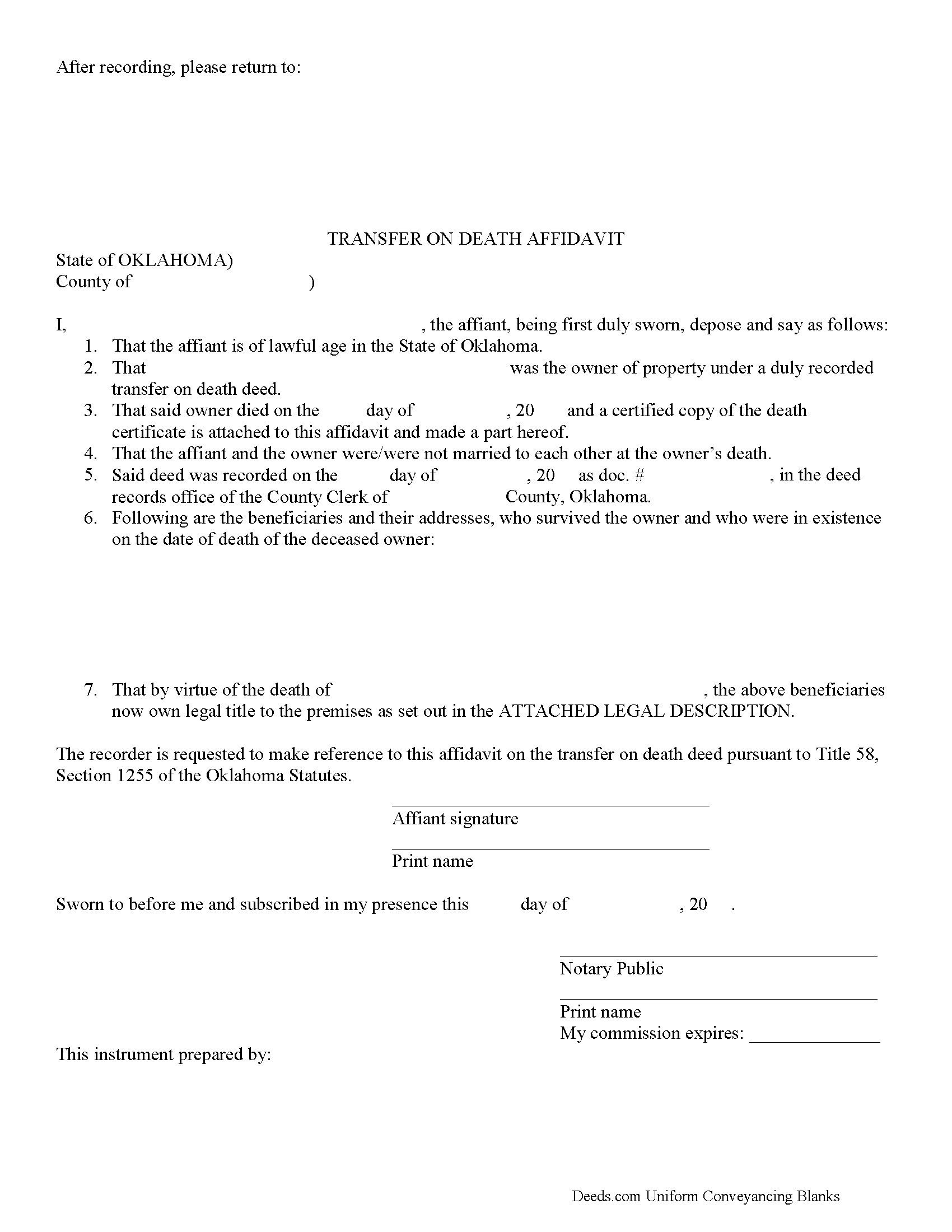
Pushmataha County Transfer on Death Affidavit of Acceptance Form
Fill in the blank form formatted to comply with all recording and content requirements.
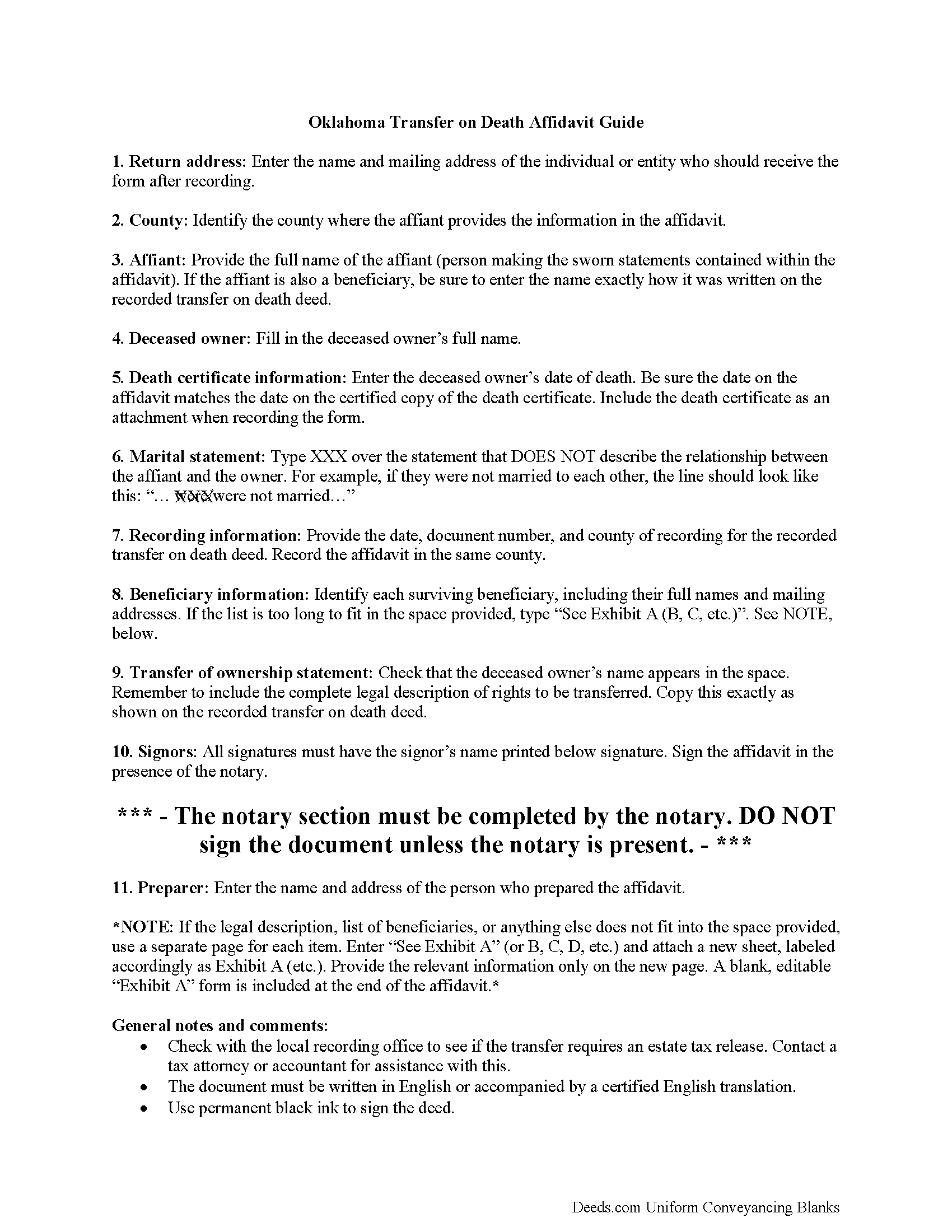
Pushmataha County Transfer on Death Affidavit of Acceptance Guide
Line by line guide explaining every blank on the form.
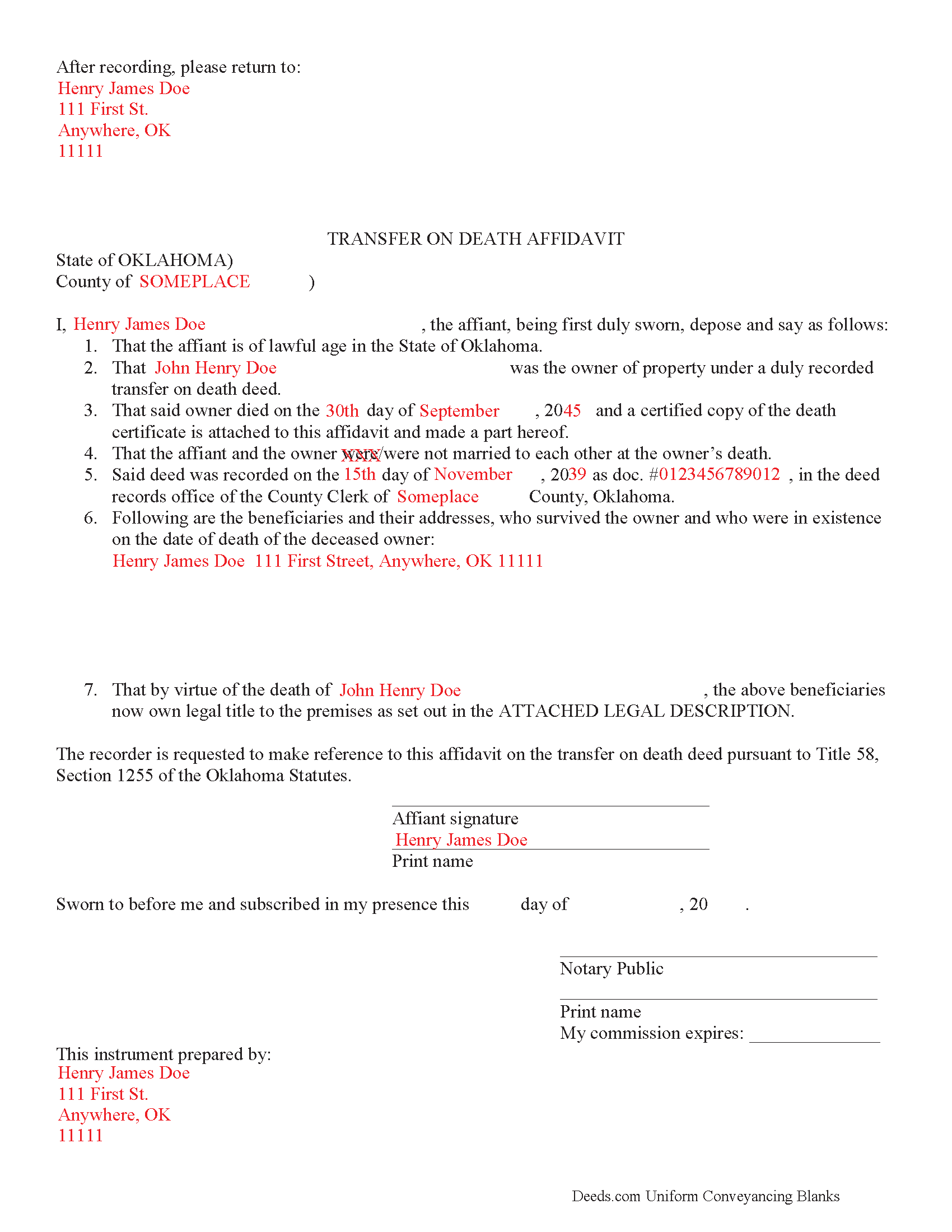
Pushmataha County Completed Example of the Transfer on Death Affidavit of Acceptance Document
Example of a properly completed form for reference.
All 3 documents above included • One-time purchase • No recurring fees
Immediate Download • Secure Checkout
Additional Oklahoma and Pushmataha County documents included at no extra charge:
Where to Record Your Documents
Pushmataha County Clerk
Antlers, Oklahoma 74523
Hours: 8:00 to 4:30 M-F
Phone: (580) 298-3626
Recording Tips for Pushmataha County:
- Bring your driver's license or state-issued photo ID
- Ensure all signatures are in blue or black ink
- Request a receipt showing your recording numbers
- Ask about accepted payment methods when you call ahead
- Ask for certified copies if you need them for other transactions
Cities and Jurisdictions in Pushmataha County
Properties in any of these areas use Pushmataha County forms:
- Albion
- Antlers
- Clayton
- Finley
- Moyers
- Nashoba
- Rattan
- Snow
- Tuskahoma
Hours, fees, requirements, and more for Pushmataha County
How do I get my forms?
Forms are available for immediate download after payment. The Pushmataha County forms will be in your account ready to download to your computer. An account is created for you during checkout if you don't have one. Forms are NOT emailed.
Are these forms guaranteed to be recordable in Pushmataha County?
Yes. Our form blanks are guaranteed to meet or exceed the applicable formatting requirements used for recording in Pushmataha County, including margin requirements, font requirements, and other layout standards. This guarantee applies to formatting, not to the legal sufficiency of information entered by the user or the suitability of a form for a particular transaction.
Can I reuse these forms?
Yes. You can reuse the forms for your personal use. For example, if you have multiple properties in Pushmataha County you only need to order once.
What do I need to use these forms?
The forms are PDFs that you fill out on your computer. The free Adobe Acrobat Reader is recommended, and most PDF apps also work. You do NOT enter your property information online - you download the blank forms and complete them privately on your own computer.
Are there any recurring fees?
No. This is a one-time purchase. Nothing to cancel, no memberships, no recurring fees.
How much does it cost to record in Pushmataha County?
Recording fees in Pushmataha County vary. Contact the recorder's office at (580) 298-3626 for current fees.
Questions answered? Let's get started!
Transfer on death deeds (TODDs) in Oklahoma are governed by the Nontestamentary Transfer of Property Act (Title 58 O.S. 1251-1258), enacted in 2008. This law allows owners of interests in real property located in Oklahoma to designate one or more beneficiaries to receive those interests after the owner dies, but without the need for probate.
The statutes do not provide a specific form for completing the transfer of property rights for a recorded TODD, but they do include details about the process at 58-1252 (C), (D). To accept the property, the beneficiary must execute and record an affidavit of acceptance containing:
1. Verification of the owner's death, including a certified copy of the death certificate;
2. A statement about whether or not the owner and the beneficiary where married to each other at the time of death; and
3. A legal description of the real estate interests to be transferred.
In some cases, the beneficiary must also submit an estate tax release. Contact a tax attorney or accountant with questions about this requirement.
The affidavit and its supporting documents must be submitted to the county clerk where the land is located within nine months of the owner's death or it will revert back to the owner's estate and pass through probate.
After recording the affidavit, the beneficiary becomes the record owner of the interest in real property, subject to all conveyances, assignments, contracts, mortgages, liens and security pledges the record owner made during his/her lifetime.
(Oklahoma TOD Affidavit Package includes form, guidelines, and completed example)
Important: Your property must be located in Pushmataha County to use these forms. Documents should be recorded at the county recording office listed above.
This Transfer on Death Affidavit of Acceptance meets all recording requirements specific to Pushmataha County.
Our Promise
The documents you receive here are guaranteed to meet or exceed the applicable Pushmataha County recording format requirements. If there is a rejection caused by our formatting, we will correct the issue or refund your payment. This guarantee applies to document formatting only and does not extend to information entered by the user, the selection of the form, or the legal effect of the completed document.
Save Time and Money
Get your Pushmataha County Transfer on Death Affidavit of Acceptance form done right the first time with Deeds.com Uniform Conveyancing Blanks. At Deeds.com, we understand that your time and money are valuable resources, and we don't want you to face a penalty fee or rejection imposed by a county recorder for submitting nonstandard documents. We constantly review and update our forms to meet rapidly changing state and county recording requirements for roughly 3,500 counties and local jurisdictions.
4.8 out of 5 - ( 4,828 Reviews )
Kathryn M. 5 out of 5 stars
Never know an online service was available for recording county documents. It was so easy and simple and FAST! Within a matter of a couple hours it's done. I would definitely recommend Deeds.com to anyone.
Thank you Kathryn, we really appreciate that.
Steve B. 5 out of 5 stars
Awesome. Last time I needed to f Ile a document it cost $300.00 gor a lawyer. This time $53.00.
Thank you!
Janette K. 5 out of 5 stars
I ordered a Transfer of Deed on Death document. It was easy to fill in, came with a useful guide and was customized to my county/state. It got the job done and was well worth the money!
Thank you for your feedback. We really appreciate it. Have a great day!
Charles R. 5 out of 5 stars
Pleased with the forms and their ease of use. No complaints.
Thank you Charles, we appreciate you.
Melody P. 5 out of 5 stars
Thank you for always providing great service!
We appreciate your business and value your feedback. Thank you. Have a wonderful day!
Lavonia L. 5 out of 5 stars
Found exactly what I was looking for and it helped tremendously.
Thank you for your feedback. We really appreciate it. Have a great day!
Feng T. 5 out of 5 stars
Professional product, with clear instructions that gave me high confidence in the accuracy my document. The sample form was super useful. I highly recommend and will reuse Deed.com
Thank you for your feedback. We really appreciate it. Have a great day!
Lisa W. 5 out of 5 stars
Great E-Service Provider!
Thank you!
Kevin M. 5 out of 5 stars
My first time using Deeds.com and I am impressed how much you offer and how easy it is to use this site. Had the real-estate forms I needed plus a bonus of how to fill them out. Best value on the internet for real-estate forms and information.
We appreciate your business and value your feedback. Thank you. Have a wonderful day!
Laura R. 4 out of 5 stars
Afficavit worked kind of pricey
Thank you for your feedback. We really appreciate it. Have a great day!
Judith S. 4 out of 5 stars
Very prompt and good resource. Unfortunately, I am unable to find a form for the Quitclaim Deed for an individual to a UNA, so I do not know how to proceed.
Thank you for the kind words, Judith — we’re glad you found the site helpful. Quitclaim deed forms are offered for common ownership scenarios, and some arrangements are not available as pre-made templates. If you have questions about the forms currently offered on the site, our support team can help clarify what is and isn’t available.
Brian S. 3 out of 5 stars
PDF fields change font sizes leading to an unprofessional-appearing printed page. The examples for "Convey to" section don't include how to specify just one person instead of a married couple. Maybe that is simple but it would help to spell it out in an example. Haven't submitted to County Recorder yet, so will find out if it is acceptable.
Thank you for the feedback Brian.
The font issue is caused by using a PDF viewer other than Adobe Acrobat Reader. Our form fields are set to a uniform 12-point font, but non-Adobe viewers often render form fields inconsistently. Opening and printing the form with the free Adobe Acrobat Reader will resolve that.
Regarding the examples, that's a fair point, we'll look at expanding them.
Charles C. 5 out of 5 stars
Using an I pad and cannot type on form that was downloaded. I do not have a computer Charles
Thank you for your feedback Charles. You might want to make sure you have the Adobe app on your Ipad: https://itunes.apple.com/us/app/adobe-fill-sign/id950099951?mt=8
Pamela L. 5 out of 5 stars
Well this could not have been any easier for me! Deeds made this whole process very efficient, and simple. I will definitely be a return customer when needed. Thank You!
Thank you Pamela, we appreciate you!
Elizabeth C. 5 out of 5 stars
Very happy, thank you!
We appreciate your business and value your feedback. Thank you. Have a wonderful day!