Woods County Quitclaim Deed (Corporation Grantor) Form
Last validated July 29, 2026 by our Forms Development TeamFormatted for recording in Woods County, for property anywhere in the county: rural and unincorporated areas as well as Alva, Dacoma, Freedom, Hopeton, Waynoka.
- 3 documents included
- Immediate PDF download
- Formatting guarantee
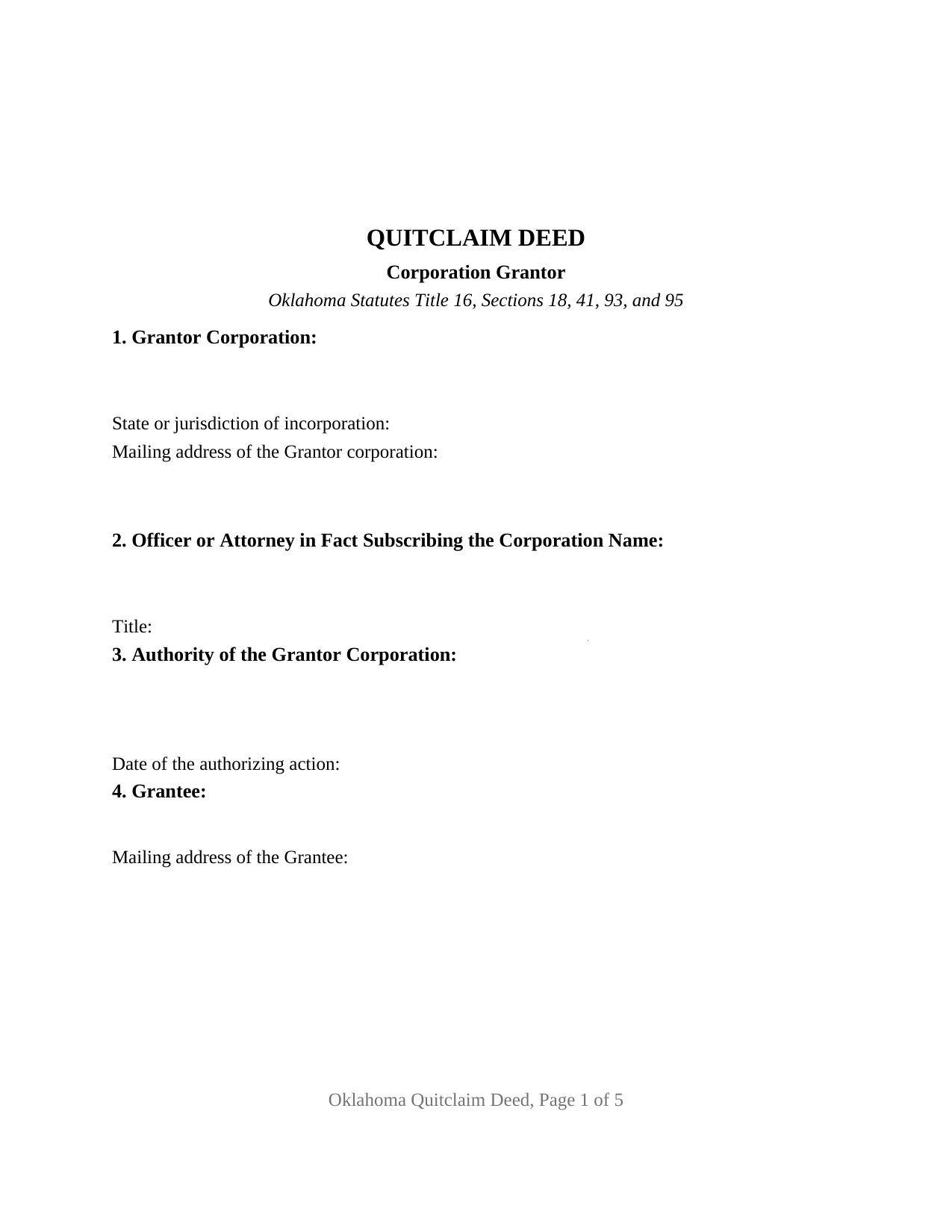
Woods County Quitclaim Deed (Corporation Grantor) Form
Fill in the blank Quitclaim Deed (Corporation Grantor) form formatted to comply with all Oklahoma recording and content requirements.
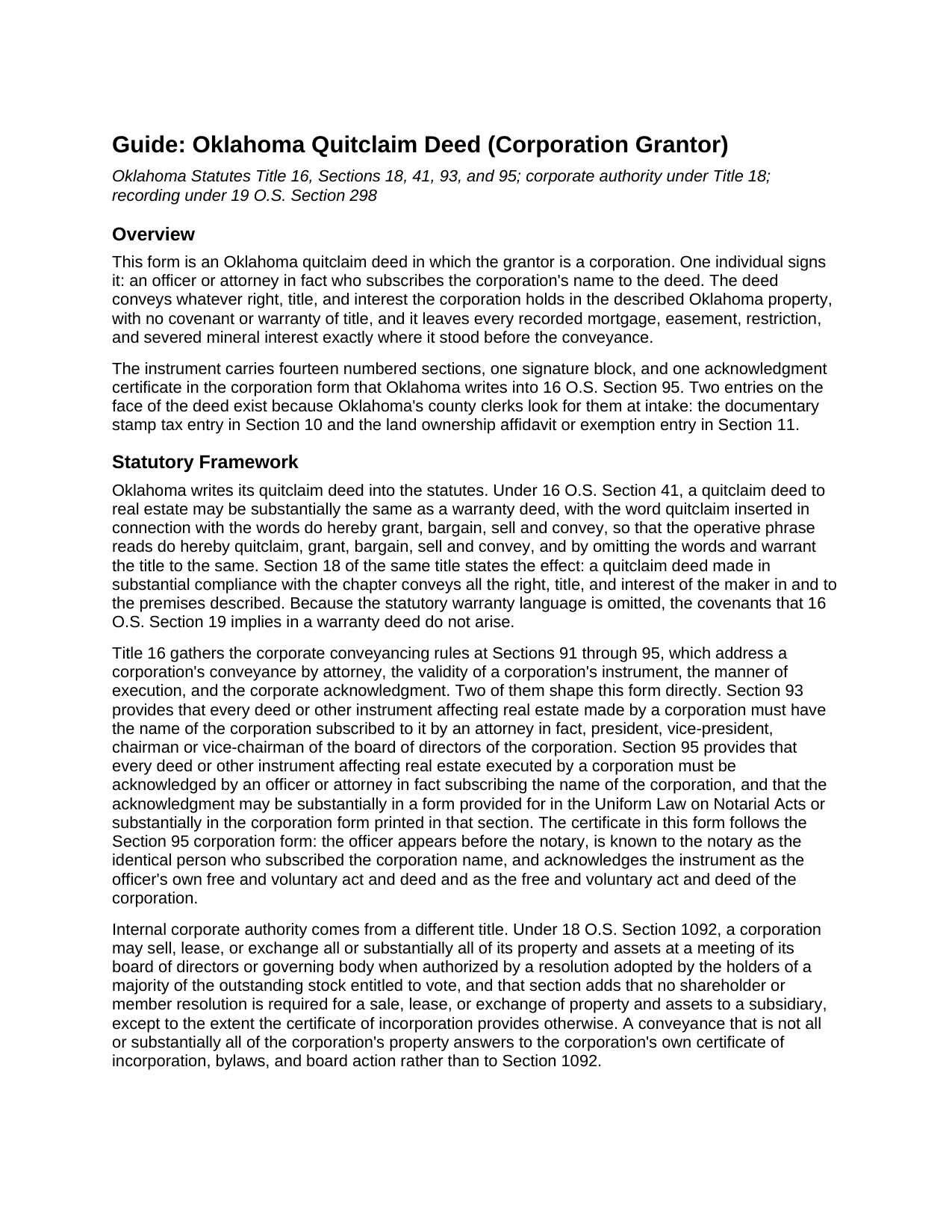
Woods County Quitclaim Deed (Corporation Grantor) Guide
Line by line guide explaining every blank on the Quitclaim Deed (Corporation Grantor) form.
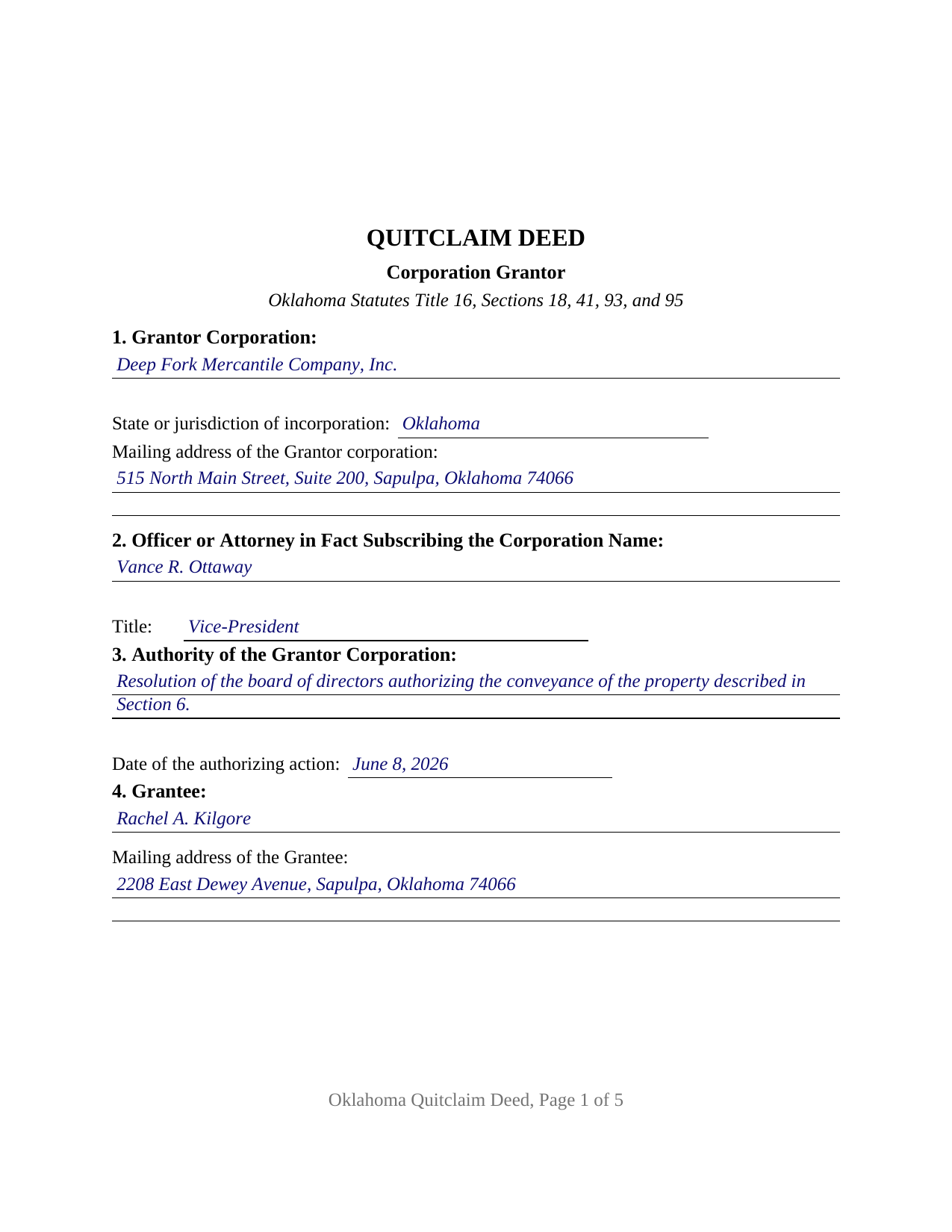
Woods County Completed Example of the Quitclaim Deed (Corporation Grantor) Document
Example of a properly completed Oklahoma Quitclaim Deed (Corporation Grantor) document for reference.
All 3 documents above included • One-time purchase • No recurring fees
Immediate Download • Secure Checkout
Additional Oklahoma and Woods County documents included at no extra charge:
Where to Record Your Documents
Woods County Clerk
Alva, Oklahoma 73717
Hours: 8:30 to 4:00 M-F
Phone: (580) 327-0942
Recording Tips for Woods County:
- Bring your driver's license or state-issued photo ID
- Ensure all signatures are in blue or black ink
- Leave recording info boxes blank - the office fills these
- Make copies of your documents before recording - keep originals safe
- Recorded documents become public record - avoid including SSNs
Cities and Jurisdictions in Woods County
Properties in any of these areas use Woods County forms:
- Alva
- Dacoma
- Freedom
- Hopeton
- Waynoka
Hours, fees, requirements, and more for Woods County
How do I get my forms?
Forms are available for immediate download after payment. The Woods County forms will be in your account ready to download to your computer. An account is created for you during checkout if you don't have one. Forms are NOT emailed.
Are these forms guaranteed to be recordable in Woods County?
Yes. Our form blanks are guaranteed to meet or exceed the applicable formatting requirements used for recording in Woods County, including margin requirements, font requirements, and other layout standards. This guarantee applies to formatting, not to the legal sufficiency of information entered by the user or the suitability of a form for a particular transaction.
Can I reuse these forms?
Yes. You can reuse the forms for your personal use. For example, if you have multiple properties in Woods County you only need to order once.
What do I need to use these forms?
The forms are PDFs that you fill out on your computer. The free Adobe Acrobat Reader is recommended, and most PDF apps also work. You do NOT enter your property information online - you download the blank forms and complete them privately on your own computer.
Are there any recurring fees?
No. This is a one-time purchase. Nothing to cancel, no memberships, no recurring fees.
How much does it cost to record in Woods County?
Recording fees in Woods County vary. Contact the recorder's office at (580) 327-0942 for current fees.
Questions answered? Let's get started!
Oklahoma does not leave it to the bylaws to say who may sign a corporation's deed. Title 16, Section 93 names the offices, and this quitclaim deed is arranged around that list: Section 1 names the grantor corporation and its state of incorporation, Section 2 takes the signer's name and office, Section 3 the corporate action relied on, and Section 14 carries the corporation's name above one signature line. The grantee takes whatever the corporation has, and no assurance about it, under the quitclaim pattern of 16 O.S. Sections 18 and 41.
A closed list of offices
Section 93 provides that a deed affecting real estate made by a corporation must have the corporation's name subscribed by an attorney in fact, president, vice-president, chairman or vice-chairman of the board of directors. Five offices, plus mayor for a municipal corporation under the acknowledgment section. A secretary or a treasurer is not among them, which is why Oklahoma corporate conveyances often ride on a power of attorney recorded under 16 O.S. Section 20 before the attorney-in-fact deed is received for record. Section 2 asks for the office by name for that reason: the entry is a statutory qualification, not a courtesy title.
The corporation's own certificate
Corporations have their own acknowledgment section in Oklahoma: under 16 O.S. Section 95, an instrument executed by a corporation is acknowledged by the officer or attorney in fact who subscribed the corporate name, and the certificate may follow the Uniform Law on Notarial Acts or the corporation form printed in that section. This deed prints the Section 95 form, so the certificate recites that the appearer is the identical person who subscribed the name of the maker of the instrument, and that the act was the free and voluntary act and deed of the officer and of the corporation. One person signs, so one certificate follows, under the officer's seal as 16 O.S. Section 35 requires.
An entity grantor, and a constitution that watches the clock
Article XXII, Section 2 of the Oklahoma Constitution restricts corporate dealing in real estate, then lets a corporation take title on foreclosure of its mortgages or in collecting debts, on the condition that it not hold that real estate longer than seven years. Section 8, the source-of-title entry, is where that clock shows in the record. A corporation deeding out a parcel it took by sheriff's deed while collecting a debt, and a subsidiary deeding a parcel to its parent, present the pattern this deed recites. No spouse signs and no marital statement appears: the homestead subscription rule of 16 O.S. Section 4 runs to husband and wife, and a corporation has neither.
Release, not promise
The granting phrase carries the statutory words, do hereby quitclaim, grant, bargain, sell and convey, and leaves out the warranty language Section 41 omits. Section 18 fixes the reach, all the right, title, and interest of the maker in the premises, and no covenant of 16 O.S. Section 19 arises, so the corporation's mortgage stays put along with the easements, plat restrictions, judgment liens, and severed minerals. Section 9 lists such matters for information and says on the deed's face that a listing or omission creates no warranty. Shoppers searching a corporate quit claim deed or quick claim deed in Oklahoma are reading about this instrument; the statutes spell it quitclaim.
Two stamp paragraphs written for corporations
Documentary stamp tax attaches under 68 O.S. Section 3201 above $100 of consideration or value, at 75 cents per $500, and Section 10 takes the tax or the exemption paragraph. Two paragraphs of 68 O.S. Section 3202 are corporate on their face: paragraph 9 reaches deeds made pursuant to mergers of partnerships, limited liability companies or corporations, and paragraph 10 reaches a deed by a subsidiary corporation to its parent for no consideration other than cancellation or surrender of the subsidiary's stock. Section 11 answers 60 O.S. Section 121, the affidavit gate that keeps a covered deed off the record, and on this deed that affidavit belongs to the grantee rather than to the corporation. Pages follow 19 O.S. Section 298 as SB57 amended it in 2024: two inch top margins on every page.
The download delivers the fillable deed, a completed example worked through a Creek County parcel conveyed by an Oklahoma corporation, and a plain language guide to the fourteen sections, the Section 93 subscription rule, and the recording steps. The materials describe Oklahoma law in general terms and are not legal advice.
Important: Your property must be located in Woods County to use these forms. Documents should be recorded at the county recording office listed above.
This Quitclaim Deed (Corporation Grantor) meets all recording requirements specific to Woods County.
Our Promise
The documents you receive here are guaranteed to meet or exceed the applicable Woods County recording format requirements. If there is a rejection caused by our formatting, we will correct the issue or refund your payment. This guarantee applies to document formatting only and does not extend to information entered by the user, the selection of the form, or the legal effect of the completed document.
Save Time and Money
Get your Woods County Quitclaim Deed (Corporation Grantor) form done right the first time with Deeds.com Uniform Conveyancing Blanks. At Deeds.com, we understand that your time and money are valuable resources, and we don't want you to face a penalty fee or rejection imposed by a county recorder for submitting nonstandard documents. We constantly review and update our forms to meet rapidly changing state and county recording requirements for roughly 3,500 counties and local jurisdictions.
4.8 out of 5 - ( 4,832 Reviews )
Michael O. 5 out of 5 stars
Received everything that was promised.
We appreciate your business and value your feedback. Thank you. Have a wonderful day!
Linda T. 5 out of 5 stars
The application was extremely easy to use with good instructions. Will definitely use a again.
We appreciate your business and value your feedback. Thank you. Have a wonderful day!
Sherry A L. 5 out of 5 stars
fAST AND REASONABLE.. WOULD DO IT AGAIN IF I NEED TO. THANK YOU
Thank you!
Jane D. 5 out of 5 stars
Very easy to navigate and we get exactly what we need, when we need it! Also, they keep Tra k of previous purchases, so you don't have to repurchase! It's great!
We appreciate your business and value your feedback. Thank you. Have a wonderful day!
Shirley C. 5 out of 5 stars
I liked that the documents could be filled in on my computer. All the documents came out nice, better than I expected really.
Thank you Shirley, we appreciate your feedback. Have a great day!
Michael W. 5 out of 5 stars
Wonderful service.
Thank you!
Eugenia T. 5 out of 5 stars
I am the Kent County Recorder of Deeds in Central Delaware. I am impressed by the accuracy of your website. All data you post is correct regarding forms, fees, etc. We have just spent several months researching Property Theft, using many cites from various sources. I just discovered your white paper on this subject, and it is excellent. It also covers a few things we did not, such as house flipping and immigrants. Congratulations!
Thank you for your kind words and thoughtful review! It's an honor to know that our resources have been valuable to the Kent County Recorder of Deeds. Your feedback is particularly meaningful to us, and we are glad that our white paper contributed to your research on Property Theft. We fully support your vital efforts to combat property theft and deed fraud, and if there's anything else we can assist you with or any further insights you'd like to share, please don't hesitate to reach out. Keep up the outstanding work!
Debby R. 5 out of 5 stars
Very easy to use
Thank you!
Kathrine v. 5 out of 5 stars
i like this service! so convenient! 10 out of the 10
We appreciate your business and value your feedback. Thank you. Have a wonderful day!
William O. 3 out of 5 stars
form worked great but was over priced for such a simple form , should be around $10 and most people could easily create this themselves.
Hi William, thank you for your review. We’re glad the form worked well for you. We understand it may seem simple on the surface, but Transfer on Death Deeds—especially in New York—require precise language and adherence to both state and county-level rules. Our forms are attorney-prepared, regularly reviewed for legal compliance, and include helpful instructions to reduce the risk of costly filing errors. We appreciate your feedback and hope the document serves its purpose smoothly.
Edward S. 5 out of 5 stars
Great Form and Easy to Use Guides and Samples
We appreciate your business and value your feedback. Thank you. Have a wonderful day!
Harley N. 5 out of 5 stars
Well thought out and user friendly website. The forms were easily fillable as well.
Thank you for your feedback. We really appreciate it. Have a great day!
Edwin M. 5 out of 5 stars
Good marks from me. Keep up the good work !
Thank you!
Ivory J. 5 out of 5 stars
Haven't processed any deed documents so far. I do agree that Deed.com website browsing tool will be helpful.
Thank you!
william w. 5 out of 5 stars
Simple, straight forward, and easy to use.
We appreciate your business and value your feedback. Thank you. Have a wonderful day!