Jefferson County Correction Deed Form
Last validated September 22, 2026 by our Forms Development TeamFormatted for recording in Jefferson County, for property anywhere in the county: rural and unincorporated areas as well as Ashwood, Camp Sherman, Culver, Madras, Terrebonne, Warm Springs.
- 3 documents included
- Immediate PDF download
- Formatting guarantee
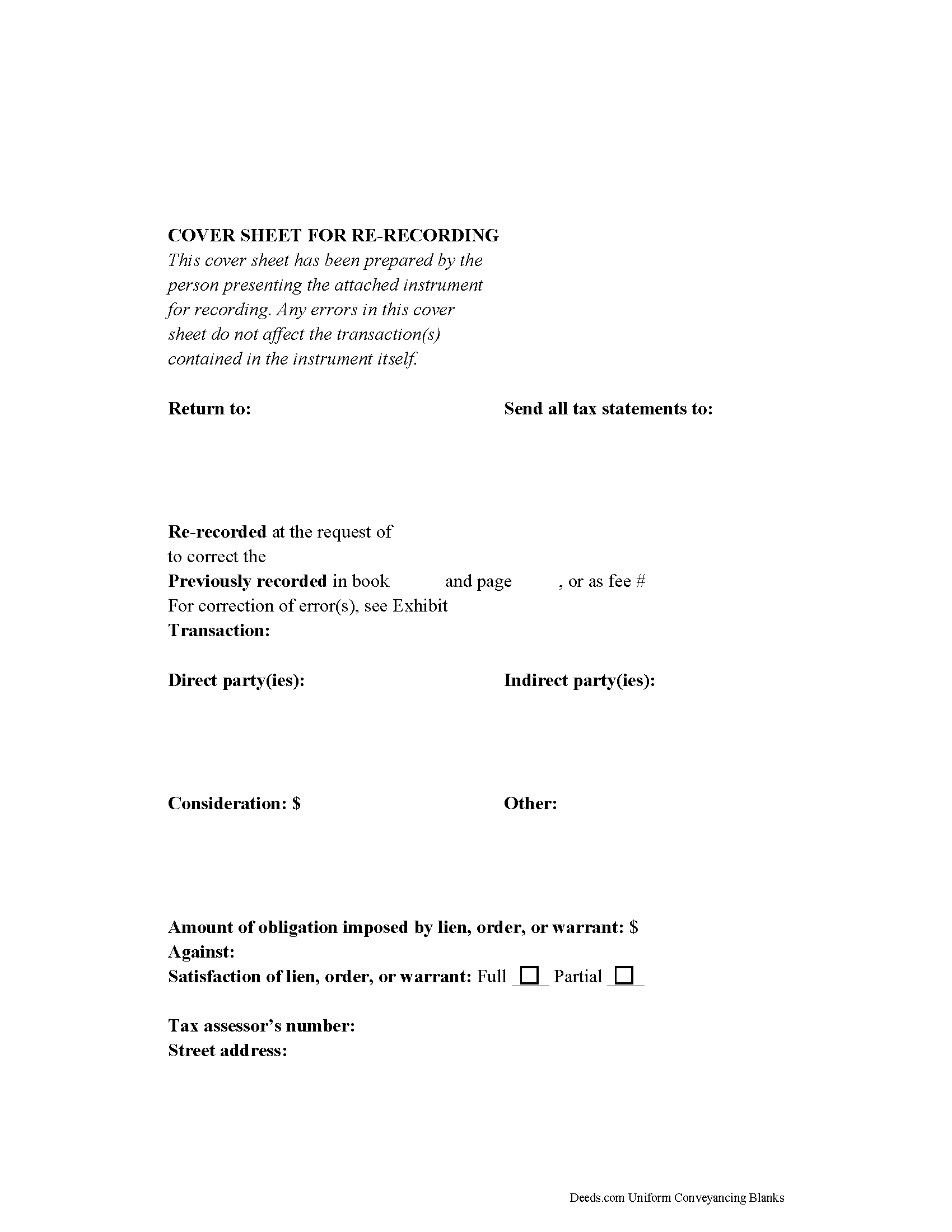
Jefferson County Correction Deed Form
Fill in the blank form formatted to comply with all recording and content requirements.
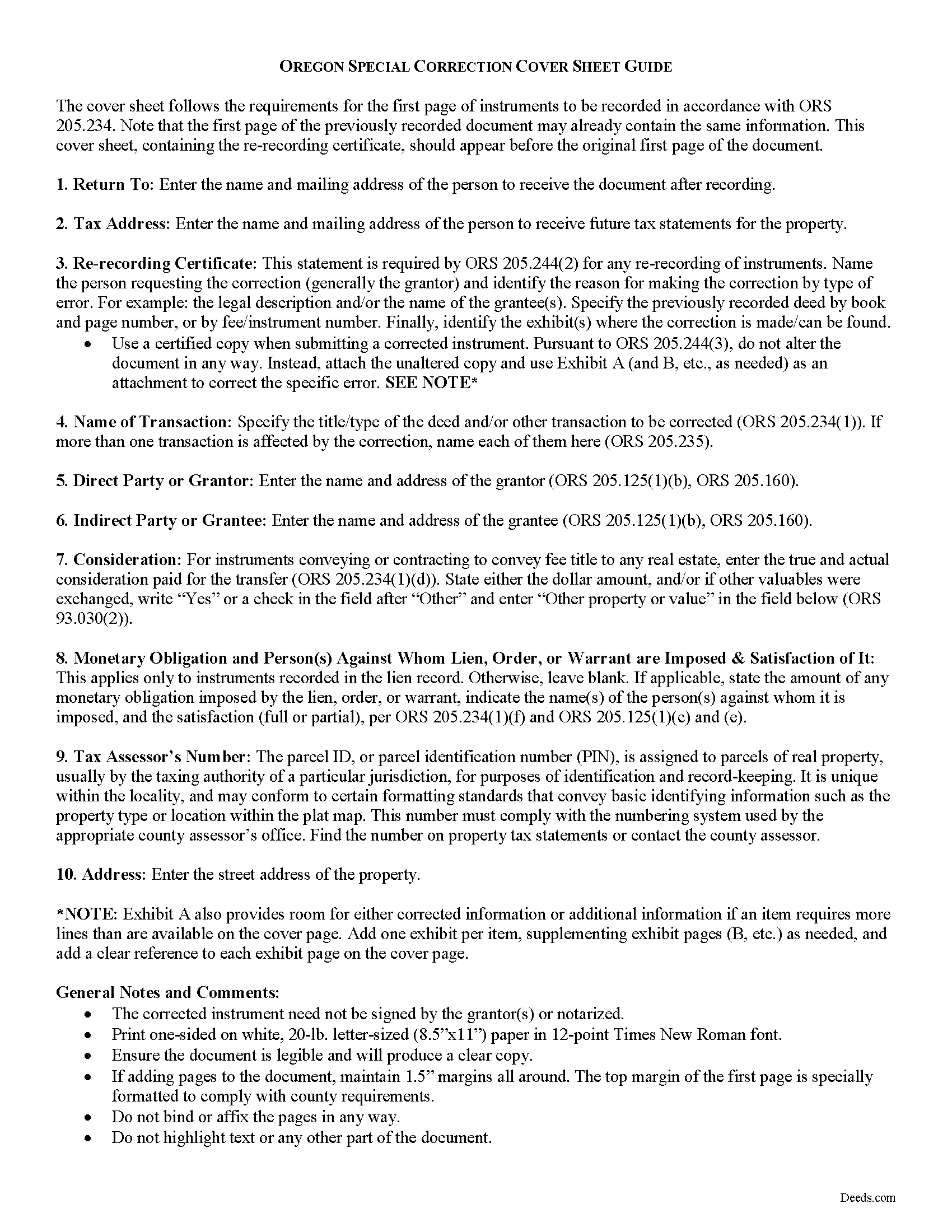
Jefferson County Correction Deed Guide
Line by line guide explaining every blank on the form.
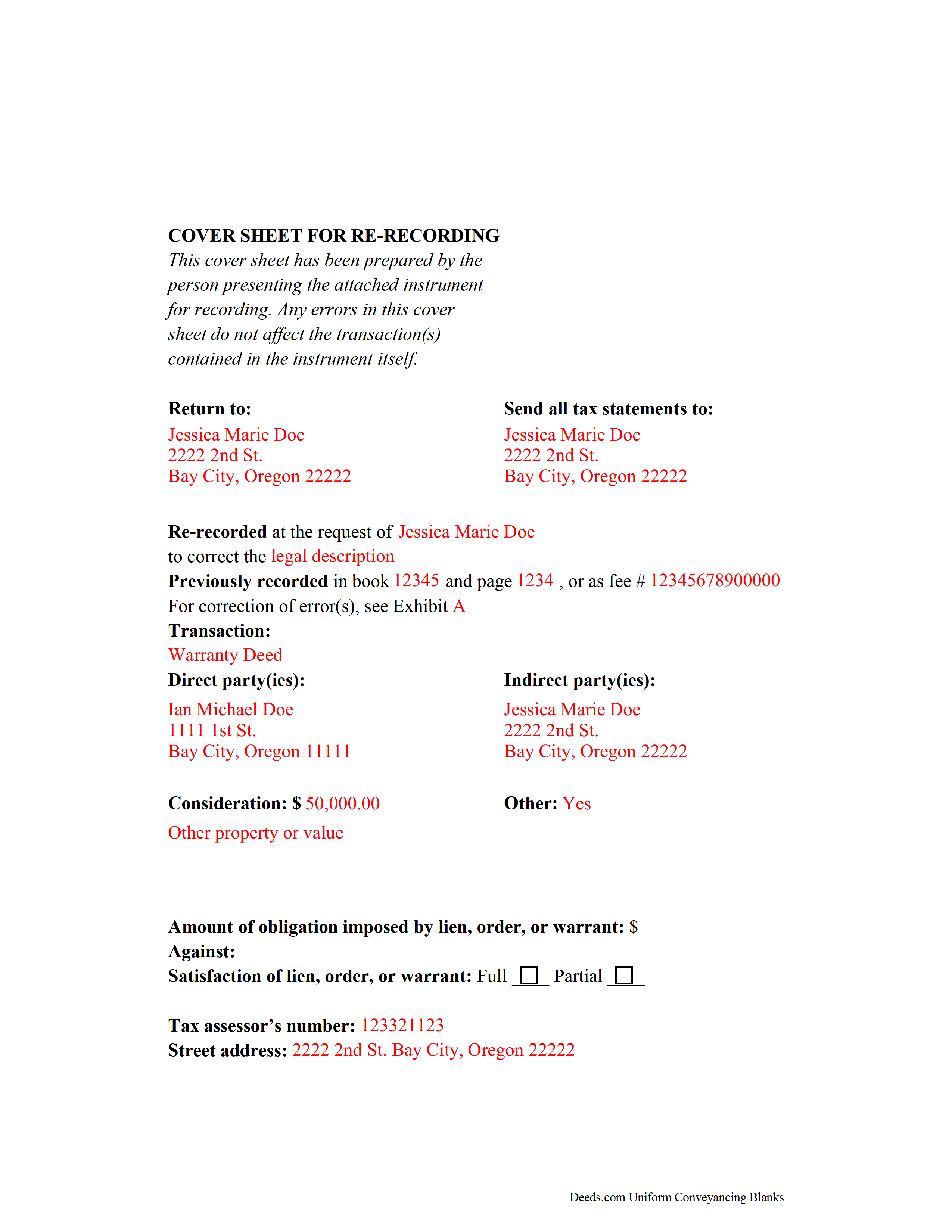
Jefferson County Completed Example of the Correction Deed Document
Example of a properly completed form for reference.
All 3 documents above included • One-time purchase • No recurring fees
Immediate Download • Secure Checkout
Additional Oregon and Jefferson County documents included at no extra charge:
Where to Record Your Documents
Jefferson County Clerk
Madras, Oregon 97741
Hours: 8:00 to 5:00 M-F
Phone: (541) 475-4451
Recording Tips for Jefferson County:
- Bring your driver's license or state-issued photo ID
- Ensure all signatures are in blue or black ink
- Bring extra funds - fees can vary by document type and page count
- Check margin requirements - usually 1-2 inches at top
- Leave recording info boxes blank - the office fills these
Cities and Jurisdictions in Jefferson County
Properties in any of these areas use Jefferson County forms:
- Ashwood
- Camp Sherman
- Culver
- Madras
- Terrebonne
- Warm Springs
Hours, fees, requirements, and more for Jefferson County
How do I get my forms?
Forms are available for immediate download after payment. The Jefferson County forms will be in your account ready to download to your computer. An account is created for you during checkout if you don't have one. Forms are NOT emailed.
Are these forms guaranteed to be recordable in Jefferson County?
Yes. Our form blanks are guaranteed to meet or exceed the applicable formatting requirements used for recording in Jefferson County, including margin requirements, font requirements, and other layout standards. This guarantee applies to formatting, not to the legal sufficiency of information entered by the user or the suitability of a form for a particular transaction.
Can I reuse these forms?
Yes. You can reuse the forms for your personal use. For example, if you have multiple properties in Jefferson County you only need to order once.
What do I need to use these forms?
The forms are PDFs that you fill out on your computer. The free Adobe Acrobat Reader is recommended, and most PDF apps also work. You do NOT enter your property information online - you download the blank forms and complete them privately on your own computer.
Are there any recurring fees?
No. This is a one-time purchase. Nothing to cancel, no memberships, no recurring fees.
How much does it cost to record in Jefferson County?
Recording fees in Jefferson County vary. Contact the recorder's office at (541) 475-4451 for current fees.
Questions answered? Let's get started!
Correcting Recorded Documents in Oregon with a Re-recording Certificate
If an instrument is recorded and later found to have missing, incomplete, or incorrect information, Oregon law requires that a statutory statement referencing the prior deed -- called a re-recording certificate -- appear either on the first page of the original document or on an attached cover sheet of a re-recorded instrument (ORS 205.244). The re-recording certificate must identify the person requesting the re-recording, the specific error corrected by the re-recording, and the location where the original deed was recorded (ORS 205.244(2)).
If the re-recording certificate appears on a newly generated cover sheet, the cover sheet must meet first-page requirements under ORS 205.234(2), which include the return address, name of transaction, grantor and grantee information, the true and actual consideration for the transfer, and, if applicable, the lien amount and satisfaction.
When re-recording a certified copy of a previously recorded instrument, no alterations may be made to correct the document (ORS 205.244(3)). Instead, make the necessary correction on an attachment and include it, along with the unaltered copy and the cover sheet, and identify these attachments on the cover sheet.
Oregon does not require reacknowledgement of the deed (ORS 205.244(2)). Contact the local county clerk's office with questions related to re-recording a specific document. Re-record the deed in the same office where the original deed was recorded.
This article is provided for informational purposes only and is not a substitute for legal advice. Contact an Oregon lawyer with any questions related to correction deeds and cover sheets.
(Oregon CD Package includes form, guidelines, and completed example)
Important: Your property must be located in Jefferson County to use these forms. Documents should be recorded at the county recording office listed above.
This Correction Deed meets all recording requirements specific to Jefferson County.
Our Promise
The documents you receive here are guaranteed to meet or exceed the applicable Jefferson County recording format requirements. If there is a rejection caused by our formatting, we will correct the issue or refund your payment. This guarantee applies to document formatting only and does not extend to information entered by the user, the selection of the form, or the legal effect of the completed document.
Save Time and Money
Get your Jefferson County Correction Deed form done right the first time with Deeds.com Uniform Conveyancing Blanks. At Deeds.com, we understand that your time and money are valuable resources, and we don't want you to face a penalty fee or rejection imposed by a county recorder for submitting nonstandard documents. We constantly review and update our forms to meet rapidly changing state and county recording requirements for roughly 3,500 counties and local jurisdictions.
4.8 out of 5 - ( 4,833 Reviews )
Kenneth M. 5 out of 5 stars
It was adequate to serve my current need, however turned out to be more expensive than I cared for.
Thank you for your feedback. We really appreciate it. Have a great day!
Jennifer D. 5 out of 5 stars
I was skeptical; but, so thankful I went with them. They were beyond helpful through the entire process and very patient with me. I could not have done my quit deed form without them. Thank you for all of your help.
We appreciate your business and value your feedback. Thank you. Have a wonderful day!
David C. 5 out of 5 stars
I got what I expected. Thank you
Thank you for your feedback. We really appreciate it. Have a great day!
Michael F. 5 out of 5 stars
VERY EFFICIENT AND PLEASANT.
Thank you for your feedback. We really appreciate it. Have a great day!
Russell L. 5 out of 5 stars
Your Personal Representative's Deed and example for the state of PA were extremely helpful. Exactly what I needed! Two feedback comments: 1. Valuation Factors/Short List in my download is an outdated table dated July 2020. The PA Dept of Revenue website has a more current table dated June 2021. (Maybe same for Valuation Factors/Long List, which I didn't use.) 2. Notarization section on deed page 3 has a gender-related input needed, which confused the Notary Public representative where I live in the state of CO. Notary input the word she to apply to my wife, but wasn't clear to him if the gender input applied to the Grantor or the Notary. He assumed Grantor. Also in our non-binary world, some might find that wording offensive. Thanks again for your documents. Russ Lewis
Thank you!
TAMARA B. 5 out of 5 stars
Great service
We appreciate your business and value your feedback. Thank you. Have a wonderful day!
Tressa P. 5 out of 5 stars
This online service was very easy to use. I highly recommend Deeds.com. The quick response from the representative upon submitting your document is quick. If something needed to be adjusted they will send you message and you can in turn respond right away with a message. The pricing of this service is very reasonable.
Thank you!
Karin H. 5 out of 5 stars
Awesome same-day service!
We appreciate your business and value your feedback. Thank you. Have a wonderful day!
Jean M. 5 out of 5 stars
Very easy to use and easy to download
Thank you, Jean! We’re glad you found the process easy and the download straightforward. That’s exactly what we aim for. We appreciate you taking the time to share your experience!
Kay C. 5 out of 5 stars
Thank you for your patience and help with filing the documents needed. You were helpful, prompt, courteous.
We appreciate your business and value your feedback. Thank you. Have a wonderful day!
Vita L. 5 out of 5 stars
A coworker recommended this service to me and I was hesitant to try it. Turned out to be a life saver, they filed my document in 24 hours. No standing in line and no confusing government websites to navigate.
Thank you!
John C. 5 out of 5 stars
Ease and speed of recording are remarkable. This is especially true of deeds with problems: I often get feedback within minutes and can correct problems immediately and still complete the filing in the same day. I wish more counties accepted electronic filing! It would be helpful to list counties that do/do not accept electronic filing so I would not have to upload documents to find out my effort was fruitless.
We are grateful for your feedback and looking forward to serving you again. Thank you!
Carole M. 5 out of 5 stars
So far it seems easy and hopefully be acceptable to Hillsborough Co
We appreciate your business and value your feedback. Thank you. Have a wonderful day!
Lutz P. 5 out of 5 stars
Your forms are great but I couldn’t use them with my computer and acrobats reader didn’t work. And then my thermal printer would only print 1/3 size pages with no way to fix it. I ordered a new color printer and we’ll see what happens.
Thank you, Lutz. We're glad you like the forms, and we're sorry getting them working turned into such a hassle. That shrunken page is typical of thermal printers: most use narrow receipt or label paper, so a full page gets scaled down to fit, and no setting can change that. Thermal paper also fades over time, which you don't want on a document you're recording, so the new printer is the right call. When it arrives, print on plain white paper with “Actual size” selected in the print settings so the page comes out full size with its margins intact. If Acrobat Reader gives you trouble again, save the form to your computer first and open the saved file in Acrobat Reader rather than in your web browser. Still stuck? Contact our support team and we'll walk you through it.
Christina A G. 5 out of 5 stars
It was easy to locate, purchase, and download the documents I needed on the Deeds.com website.
We appreciate your business and value your feedback. Thank you. Have a wonderful day!