Lycoming County Certificate of Trust Form
Last validated October 9, 2026 by our Forms Development TeamFormatted for recording in Lycoming County, for property anywhere in the county: rural and unincorporated areas as well as Antes Fort, Cammal, Cedar Run, Cogan Station, Hughesville, Jersey Mills, Jersey Shore, Lairdsville and 11 more.
- 2 documents included
- Immediate PDF download
- Formatting guarantee
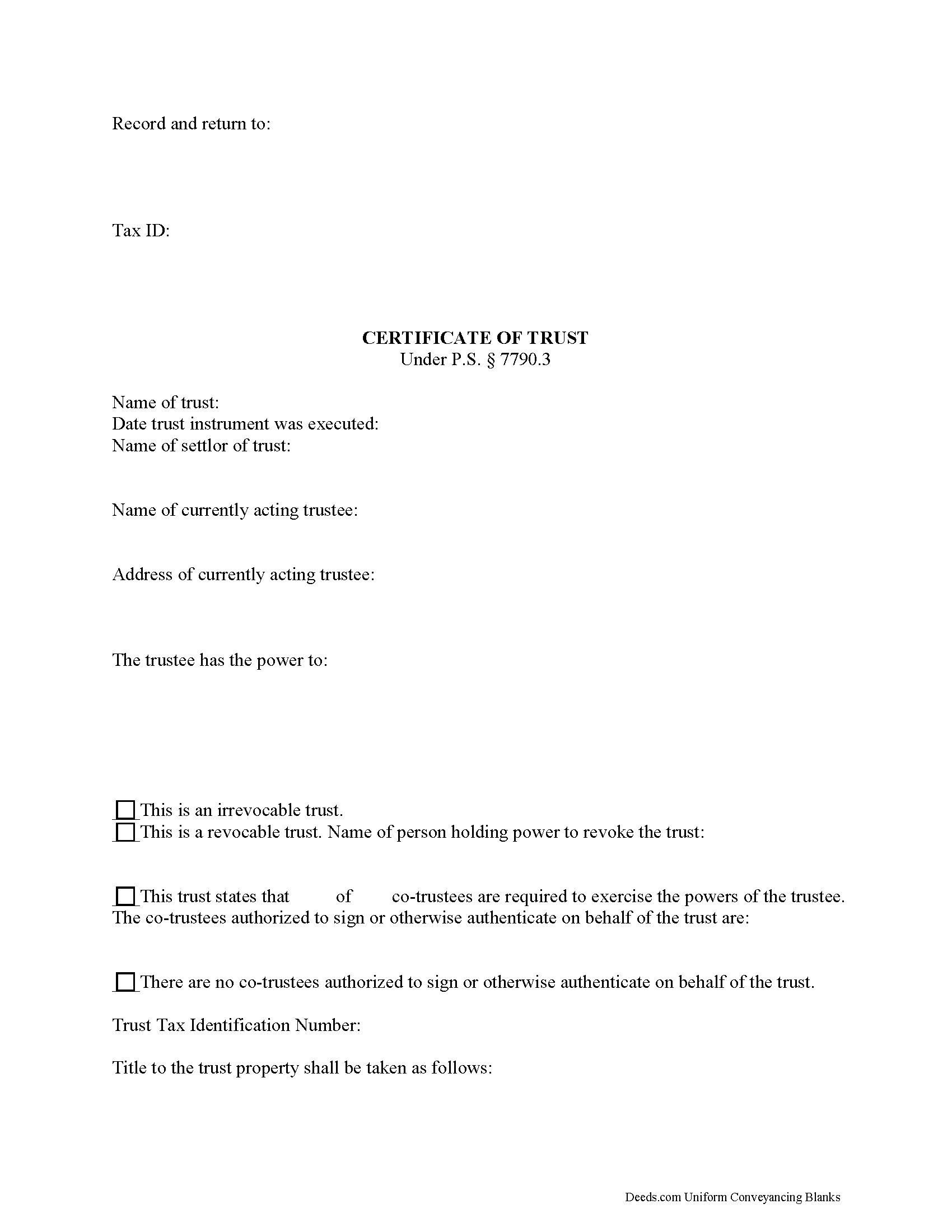
Lycoming County Certificate of Trust Form
Fill in the blank form formatted to comply with all recording and content requirements.
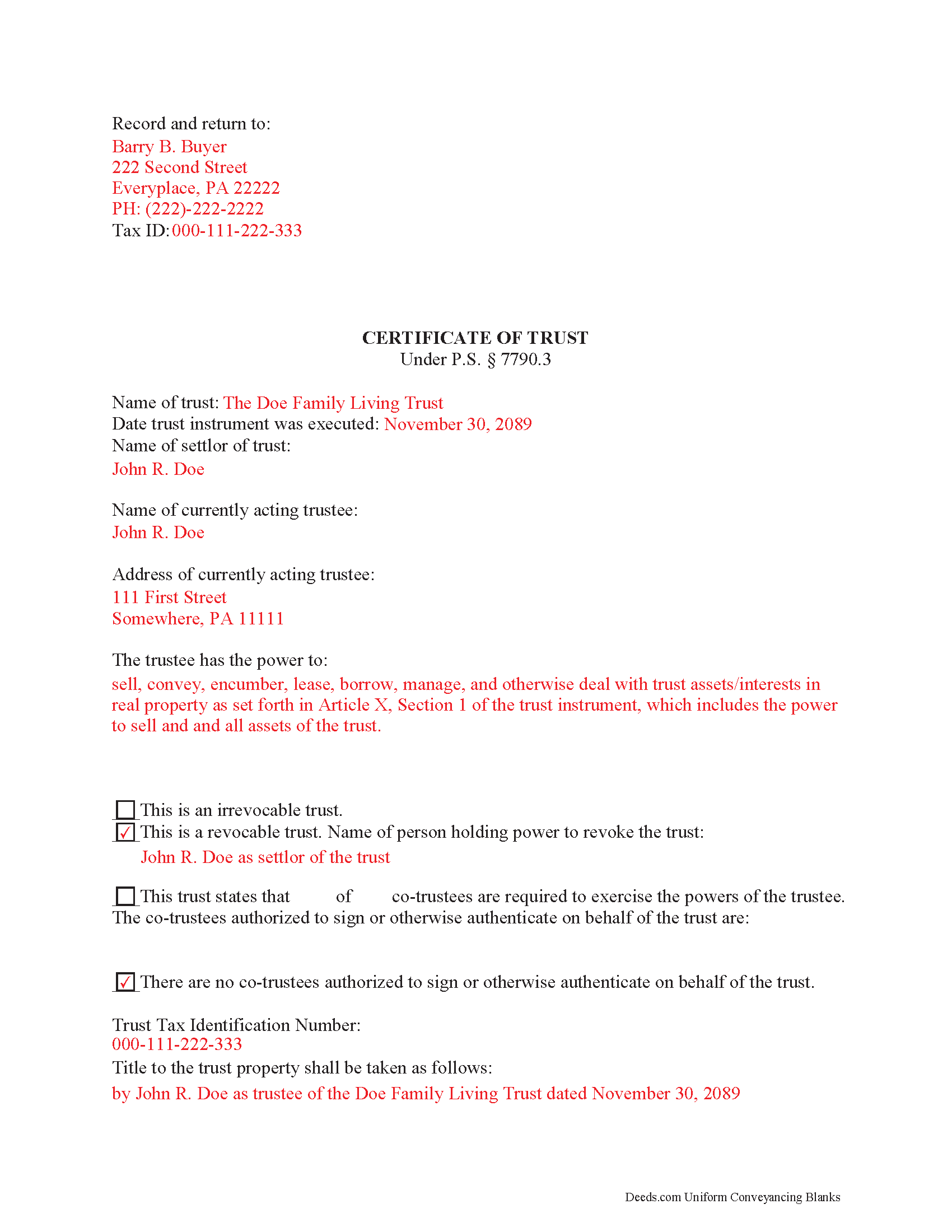
Lycoming County Completed Example of the Certificate of Trust Document
Example of a properly completed form for reference.
All 2 documents above included • One-time purchase • No recurring fees
Immediate Download • Secure Checkout
Additional Pennsylvania and Lycoming County documents included at no extra charge:
Where to Record Your Documents
Register and Recorder - County Courthouse
Williamsport, Pennsylvania 17701
Hours: 8:30am-5:00pm Monday through Friday
Phone: (570) 327-2263
Recording Tips for Lycoming County:
- Bring your driver's license or state-issued photo ID
- Ensure all signatures are in blue or black ink
- Verify all names are spelled correctly before recording
- White-out or correction fluid may cause rejection
- Ask about their eRecording option for future transactions
Cities and Jurisdictions in Lycoming County
Properties in any of these areas use Lycoming County forms:
- Antes Fort
- Cammal
- Cedar Run
- Cogan Station
- Hughesville
- Jersey Mills
- Jersey Shore
- Lairdsville
- Linden
- Montgomery
- Montoursville
- Muncy
- Picture Rocks
- Ralston
- Slate Run
- Trout Run
- Unityville
- Waterville
- Williamsport
Hours, fees, requirements, and more for Lycoming County
How do I get my forms?
Forms are available for immediate download after payment. The Lycoming County forms will be in your account ready to download to your computer. An account is created for you during checkout if you don't have one. Forms are NOT emailed.
Are these forms guaranteed to be recordable in Lycoming County?
Yes. Our form blanks are guaranteed to meet or exceed the applicable formatting requirements used for recording in Lycoming County, including margin requirements, font requirements, and other layout standards. This guarantee applies to formatting, not to the legal sufficiency of information entered by the user or the suitability of a form for a particular transaction.
Can I reuse these forms?
Yes. You can reuse the forms for your personal use. For example, if you have multiple properties in Lycoming County you only need to order once.
What do I need to use these forms?
The forms are PDFs that you fill out on your computer. The free Adobe Acrobat Reader is recommended, and most PDF apps also work. You do NOT enter your property information online - you download the blank forms and complete them privately on your own computer.
Are there any recurring fees?
No. This is a one-time purchase. Nothing to cancel, no memberships, no recurring fees.
How much does it cost to record in Lycoming County?
Recording fees in Lycoming County vary. Contact the recorder's office at (570) 327-2263 for current fees.
Questions answered? Let's get started!
Find the laws regarding certificates of trust at section 7790.3 of the Pennsylvania Statutes.
A trustee is a person or entity who holds title to a trust's assets on behalf of a settlor. Trustees use an official document called a certificate of trust to validate the trust's existence and confirm their authority to act on its behalf.
In order to facilitate transactions dealing with real property in a trust, lenders may require the trustee to furnish a certificate of trust. Third parties may also request a certificate to confirm the trustee has the authority, for example, to transfer real property out of the trust and to them.
The certificate presents essential information about the (unrecorded) full trust instrument, while protecting the confidentiality of its specific details. A recipient of a certificate may still request copies of certain sections of the trust instrument, particularly those establishing the appointment of a trustee and the trustee's powers, as well as amendments to the trust, but the request opens up certain liabilities, as enumerated in P.S. 7790.3(e),(h).
Section 7790.3 governs the contents and effect of the certificate. Requirements of the certificate include basic information such as the name of the settlor of the trust, the type of trust, the taxpayer identification number assigned to the trust, the acting trustee's name, and the relevant powers of the trustee. The trustee executes and signs the certificate and submits it for recording in the county in which the real property with which the trust is concerned is located.
(Pennsylvania COT Package includes form, guidelines, and completed example)
Important: Your property must be located in Lycoming County to use these forms. Documents should be recorded at the county recording office listed above.
This Certificate of Trust meets all recording requirements specific to Lycoming County.
Our Promise
The documents you receive here are guaranteed to meet or exceed the applicable Lycoming County recording format requirements. If there is a rejection caused by our formatting, we will correct the issue or refund your payment. This guarantee applies to document formatting only and does not extend to information entered by the user, the selection of the form, or the legal effect of the completed document.
Save Time and Money
Get your Lycoming County Certificate of Trust form done right the first time with Deeds.com Uniform Conveyancing Blanks. At Deeds.com, we understand that your time and money are valuable resources, and we don't want you to face a penalty fee or rejection imposed by a county recorder for submitting nonstandard documents. We constantly review and update our forms to meet rapidly changing state and county recording requirements for roughly 3,500 counties and local jurisdictions.
4.8 out of 5 - ( 4,842 Reviews )
Elango R. 5 out of 5 stars
It was so easy to use the site and got recording done in a day. Very happy with experience.
Thank you!
Elizabeth B. 5 out of 5 stars
Your site provided all I needed. Thank you!
It was a pleasure serving you. Thank you for the positive feedback!
Betty B. 5 out of 5 stars
Thank you . I appreciate your assistance Once again thanks
Thank you!
Roy M. 5 out of 5 stars
Excellent service. Easy to use
We appreciate your business and value your feedback. Thank you. Have a wonderful day!
Karen C. 5 out of 5 stars
Quick and easy download. Got everything I needed. I would recommend deeds.com
We appreciate your business and value your feedback. Thank you. Have a wonderful day!
Jolene K. 5 out of 5 stars
The forms were easy to download and use. I'm satisfied with it. The sample and the instructions were very helpful.
Thank you!
Mary S. 5 out of 5 stars
Wonderful!! So easy to locate the file you need and printing is a snap!! Thank you so much for this service! I will definitely be sharing your site!!
We appreciate your business and value your feedback. Thank you. Have a wonderful day!
Debby R. 5 out of 5 stars
Very easy to use
Thank you!
Guy G. 5 out of 5 stars
Deeds.com was easy to use and their easement deed was exactly what I was looking for. I knew I didn't need to spend hundreds of dollars talking to an attorney.
We appreciate your business and value your feedback. Thank you. Have a wonderful day!
Sara M. 5 out of 5 stars
Efficient, well written documents
Thank you for your feedback. We really appreciate it. Have a great day!
NANETTE G. 5 out of 5 stars
I was so Happy to find a website that had deeds for property, reasonable price, helpful directions for diy flling out the deed info, no surprise hidden fees at checkout...what a relief. Saved hundreds because I can do it myself! Great service here!!
Thank you for your feedback. We really appreciate it. Have a great day!
Jason James H. 5 out of 5 stars
Th forms were correct, exactly what I needed.
Thanks Jason, we appreciate the feedback.
Ralph H. 4 out of 5 stars
Your documents resolved my problem. Thanks.
Thank you Ralph, we appreciate your feedback.
Lowell P. 5 out of 5 stars
Exceptionally helpful instruments that are compliant with State law and anticipate various contingencies. Very pleased.
Thank you for your feedback. We really appreciate it. Have a great day!
FEDERICO T. 4 out of 5 stars
It was a little confusing to retrieve the documents. I was waiting for an email, but then I went toyour portal and I saw the messages and the document.
Thank you for your feedback Frederico.