Mifflin County Claim of Mechanics Lien Form
Last validated October 13, 2026 by our Forms Development TeamFormatted for recording in Mifflin County, for property anywhere in the county: rural and unincorporated areas as well as Allensville, Belleville, Burnham, Granville, Lewistown, Mattawana, Mc Clure, Mc Veytown and 4 more.
- 3 documents included
- Immediate PDF download
- Formatting guarantee
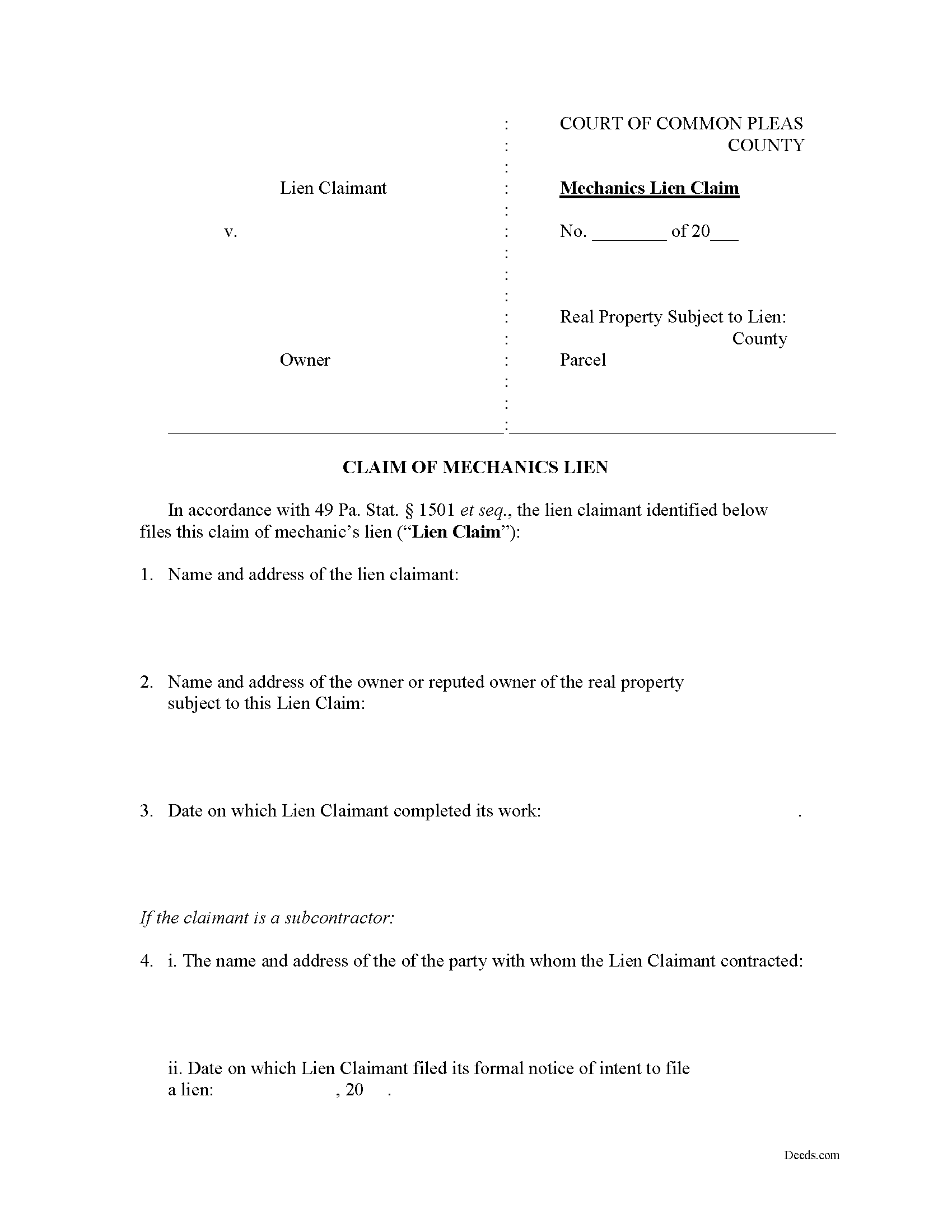
Mifflin County Claim of Mechanics Lien Form
Fill in the blank Claim of Mechanics Lien form formatted to comply with all Pennsylvania recording and content requirements.
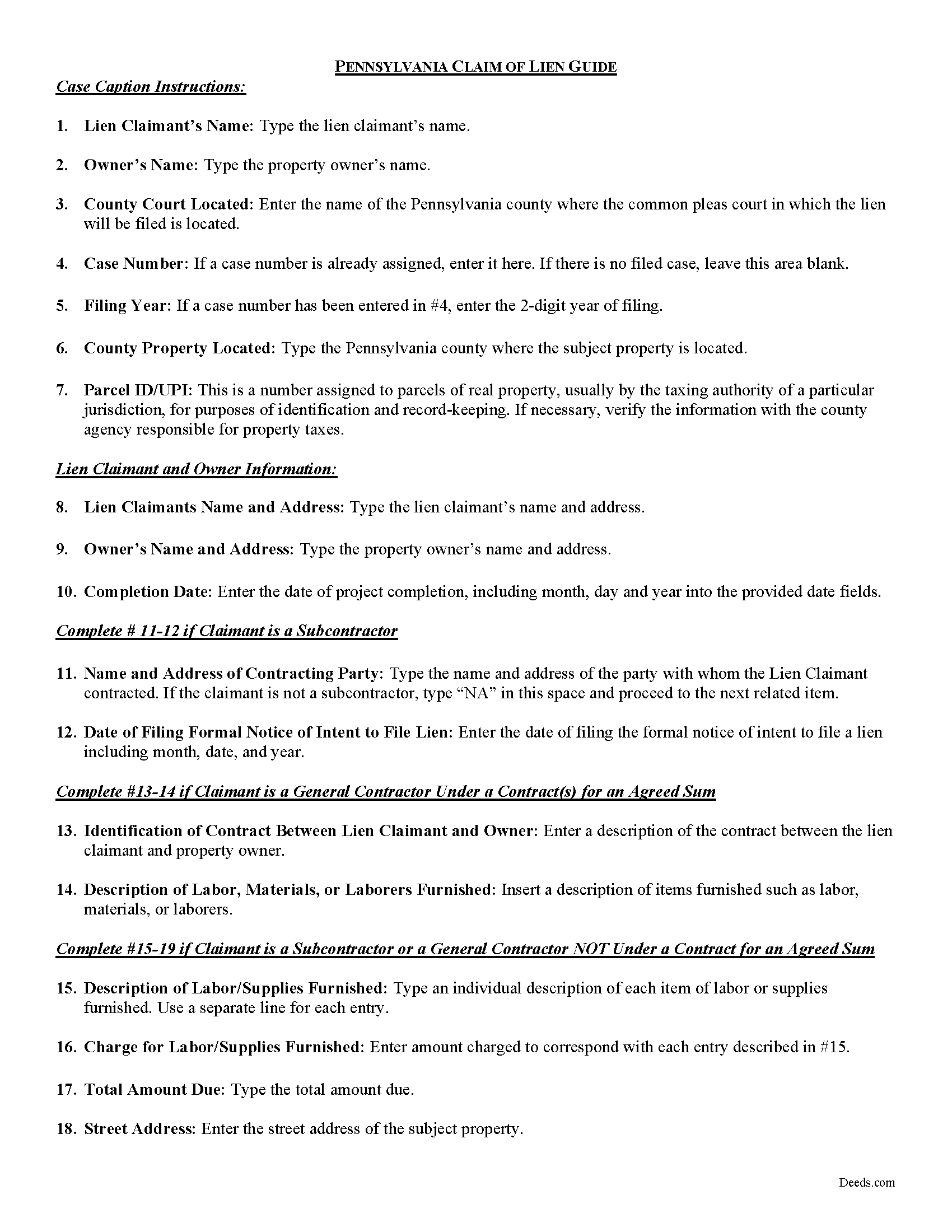
Mifflin County Claim of Mechanics Lien Guide
Line by line guide explaining every blank on the form.
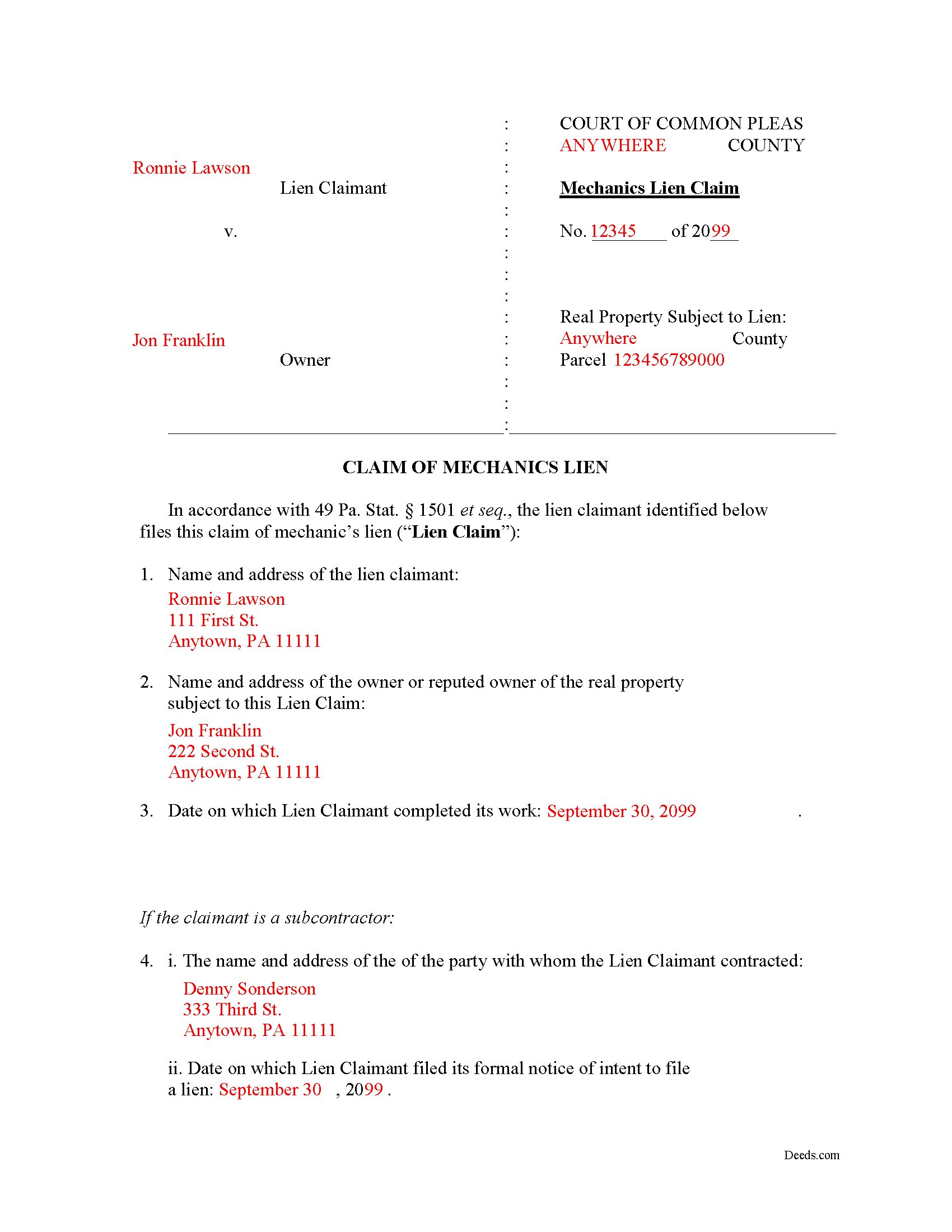
Mifflin County Completed Example of the Claim of Mechanics Lien Document
Example of a properly completed form for reference.
All 3 documents above included • One-time purchase • No recurring fees
Immediate Download • Secure Checkout
Additional Pennsylvania and Mifflin County documents included at no extra charge:
Where to Record Your Documents
Recorder of Deeds/Register of Wills - Courthouse
Lewistown, Pennsylvania 17044
Hours: 8:00am to 4:30pm Monday through Friday
Phone: (717) 242-1449
Recording Tips for Mifflin County:
- Bring your driver's license or state-issued photo ID
- Ensure all signatures are in blue or black ink
- Recording fees may differ from what's posted online - verify current rates
- Request a receipt showing your recording numbers
- Ask about accepted payment methods when you call ahead
Cities and Jurisdictions in Mifflin County
Properties in any of these areas use Mifflin County forms:
- Allensville
- Belleville
- Burnham
- Granville
- Lewistown
- Mattawana
- Mc Clure
- Mc Veytown
- Milroy
- Newton Hamilton
- Reedsville
- Yeagertown
Hours, fees, requirements, and more for Mifflin County
How do I get my forms?
Forms are available for immediate download after payment. The Mifflin County forms will be in your account ready to download to your computer. An account is created for you during checkout if you don't have one. Forms are NOT emailed.
Are these forms guaranteed to be recordable in Mifflin County?
Yes. Our form blanks are guaranteed to meet or exceed the applicable formatting requirements used for recording in Mifflin County, including margin requirements, font requirements, and other layout standards. This guarantee applies to formatting, not to the legal sufficiency of information entered by the user or the suitability of a form for a particular transaction.
Can I reuse these forms?
Yes. You can reuse the forms for your personal use. For example, if you have multiple properties in Mifflin County you only need to order once.
What do I need to use these forms?
The forms are PDFs that you fill out on your computer. The free Adobe Acrobat Reader is recommended, and most PDF apps also work. You do NOT enter your property information online - you download the blank forms and complete them privately on your own computer.
Are there any recurring fees?
No. This is a one-time purchase. Nothing to cancel, no memberships, no recurring fees.
How much does it cost to record in Mifflin County?
Recording fees in Mifflin County vary. Contact the recorder's office at (717) 242-1449 for current fees.
Questions answered? Let's get started!
Obtaining a mechanic's lien in Pennsylvania
Mechanic's Liens are governed by Title 49 of the Pennsylvania Consolidated Statutes.
A mechanic's lien is a type of security interest used to guarantee payment for work completed or materials delivered in connection with a construction contract. You might be familiar with other types of liens such as a judgment lien or tax lien. A mechanic's lien works the same way by attaching itself to the title (ownership) interest of the property and making it difficult for the owner to sell or refinance without first resolving the lien. Therefore, it's a powerful tool when it's used properly.
In Pennsylvania, the procedure for obtaining and enforcing a mechanic's lien is governed under the Mechanic's Lien Law of 1963 (49 P.S. 1101). Liens are available to general contractors, subcontractors, laborers, and material or equipment suppliers who meet the requirements for filing including sending the necessary notices of commencement and furnishing as well as the preliminary (pre-lien) notice.
A lien can be claimed for unpaid labor or materials provided for the construction, alteration, or repair that exceeds a value of $500.00 (301). The lien must reflect only the actual costs of labor or materials as well as lost profits and overhead. You cannot include items such as delay or impact damages from breach of the contract (although you may recover these in a separate lawsuit on the underlying contract).
The lien must also be filed no later than six (6) months after the lien claimant has completed work (502(a)(1)). Be sure to check the filing requirements for the clerk of courts in the county in which the property is located. You may be required to attach a cover sheet or additional documentation. Review the requirements by visiting the local court's website.
The claim for lien must include the following: (1) The name of the party claimant, and whether he files as contractor or subcontractor; (2) the name and address of the owner (or reputed owner); (3) the date on which the claimant completed its work; (4) if the claimant is a subcontractor, the name of the person with whom the claimant contracted, and the date on which the formal notice of intention to file (if required) was given; (5) if the claimant is a general contractor under a contract or contracts for an agreed sum, an identification of the contract and a general statement of the kind and character of the labor or materials furnished; (6) if the claimant is either a subcontractor or a general contractor who is not under a contract for an agreed sum, a detailed statement of the kind and character of the labor and/or materials furnished and of the prices charged for each of them; (7) the amount or sum claimed to be due; and (8) a description of the improvement and of the property claimed to be subject to the lien, as reasonably necessary to identify them. (503)
After filing, the claimant must serve the lien on the owner. Service is a necessary part of due process that allows the owner to receive notice of the pending action and an opportunity to contest it. The traditional method for serving liens in Pennsylvania is by sheriff's service, although private process servers may also be employed. Not later than twenty (20) days after the lien claim has been served upon an owner or (where applicable) posted upon the improvement, the lien claimant must file with the prothonotary (clerk of courts) either an affidavit of service or a document signed by the owner accepting service (502(a)(2)).
Once you have your lien in place, you must sue to foreclose on the lien if the owner (or reputed owner) still hasn't paid. An action to obtain judgment upon a claim filed shall be commenced within two (2) years from the date of filing unless the time be extended in writing by the owner (701(b)).
At any time after the completion of the work by a subcontractor, any owner or contractor may file a document with the court called a "rule" which orders the lien claimant to file lawsuit foreclosing on the lien within twenty (20) days of the rules service on the claimant (506(a)). If the claimant fails to file suit within that time, the lien is declared invalid.
This article is provided for informational purposes only and does not constitute legal advice. Contact an attorney with questions about the Claim of Lien, or with any other issues related to mechanic's liens in Pennsylvania.
Important: Your property must be located in Mifflin County to use these forms. Documents should be recorded at the county recording office listed above.
This Claim of Mechanics Lien meets all recording requirements specific to Mifflin County.
Our Promise
The documents you receive here are guaranteed to meet or exceed the applicable Mifflin County recording format requirements. If there is a rejection caused by our formatting, we will correct the issue or refund your payment. This guarantee applies to document formatting only and does not extend to information entered by the user, the selection of the form, or the legal effect of the completed document.
Save Time and Money
Get your Mifflin County Claim of Mechanics Lien form done right the first time with Deeds.com Uniform Conveyancing Blanks. At Deeds.com, we understand that your time and money are valuable resources, and we don't want you to face a penalty fee or rejection imposed by a county recorder for submitting nonstandard documents. We constantly review and update our forms to meet rapidly changing state and county recording requirements for roughly 3,500 counties and local jurisdictions.
4.8 out of 5 - ( 4,828 Reviews )
Beverly A. 5 out of 5 stars
The forms are incredibly easy to fill out. Thanks for the examples!
We appreciate your business and value your feedback. Thank you. Have a wonderful day!
Maria W. 5 out of 5 stars
Really, the best and easiest service given us to complete a process for recorder office! Thank you!!
Thank you!
john m. 5 out of 5 stars
its a bit confusing for a novice computer user. I would prefer to print out the forms, fill them out on paper, then attach them to an email to discuss the accuracy of the forms with a friend, and then take the completed forms to the County office to be recorded
Thank you for your feedback. We really appreciate it. Have a great day!
JOSEPH P. 3 out of 5 stars
It would have been a lot better if I could have downloaded ALL at once, as a package.
Thank you for your feedback. We really appreciate it. Have a great day!
Annie R. 5 out of 5 stars
Excellent service. Documents easy to understand and use.
We appreciate your business and value your feedback. Thank you. Have a wonderful day!
Katherine M. 5 out of 5 stars
Easy smooth process to get a legal Maine template - thanks for providing
Thank you for your feedback. We really appreciate it. Have a great day!
Brenda M. K. 5 out of 5 stars
Great service Easy to do Efficient
Thank you for your feedback. We really appreciate it. Have a great day!
Connie L. 5 out of 5 stars
Ordered a Quitclaim deed and worked perfectly at Register of Deed office. Liked the instructions and copy of one example filled out made it so much easier to understand. One price is great as most of other companies wanted a membership to join. Will use Deeds.com again if I ever need different forms. Thanks!!!
We are grateful for your feedback and looking forward to serving you again. Thank you!
Ginger C. 5 out of 5 stars
So far so good. Thank you for your prompt responses. Much appreciated.
Thank you!
ARTHEMEASE B. 5 out of 5 stars
You made a very confusing process very easy. Your response was timely. I will definitely use you again.
We appreciate your business and value your feedback. Thank you. Have a wonderful day!
Tom L. 5 out of 5 stars
Excellent same day service. Will use for future ones in several states!
Happy we could assist. Thank you for sharing your experience.
David C. 5 out of 5 stars
This has been a lifesaver for me. Exactly what I needed. Forma are easy to fill in. Thank you for offering this instead of going thru a lawyer. faster and no wait time.
We appreciate your business and value your feedback. Thank you. Have a wonderful day!
Eduardo A. 5 out of 5 stars
Perfect, blank forms, just what I ordered. Easy to download, understand, and complete.
Thank you!
Carla H. 4 out of 5 stars
This is a very useful site for downloading legal forms - just be sure you're getting the form you need before buying. Unfortunately I selected the wrong form initially and had to buy a 2nd form to correct my error. I saw no way of communicating my error at that point - i.e., loss of one star.
Thank you for your feedback. We really appreciate it. Have a great day!
Connie G. 4 out of 5 stars
This product makes it so much easier to understand and file forms that you might have to pay an attorney to do. All Counties have their own way of submitting forms and with Deeds you have the correct format.
Thank you for your feedback. We really appreciate it. Have a great day!