Susquehanna County Easement Deed Form
Last validated October 26, 2026 by our Forms Development TeamFormatted for recording in Susquehanna County, for property anywhere in the county: rural and unincorporated areas as well as Brackney, Brooklyn, Clifford, Dimock, Forest City, Friendsville, Gibson, Great Bend and 18 more.
- 4 documents included
- Immediate PDF download
- Formatting guarantee
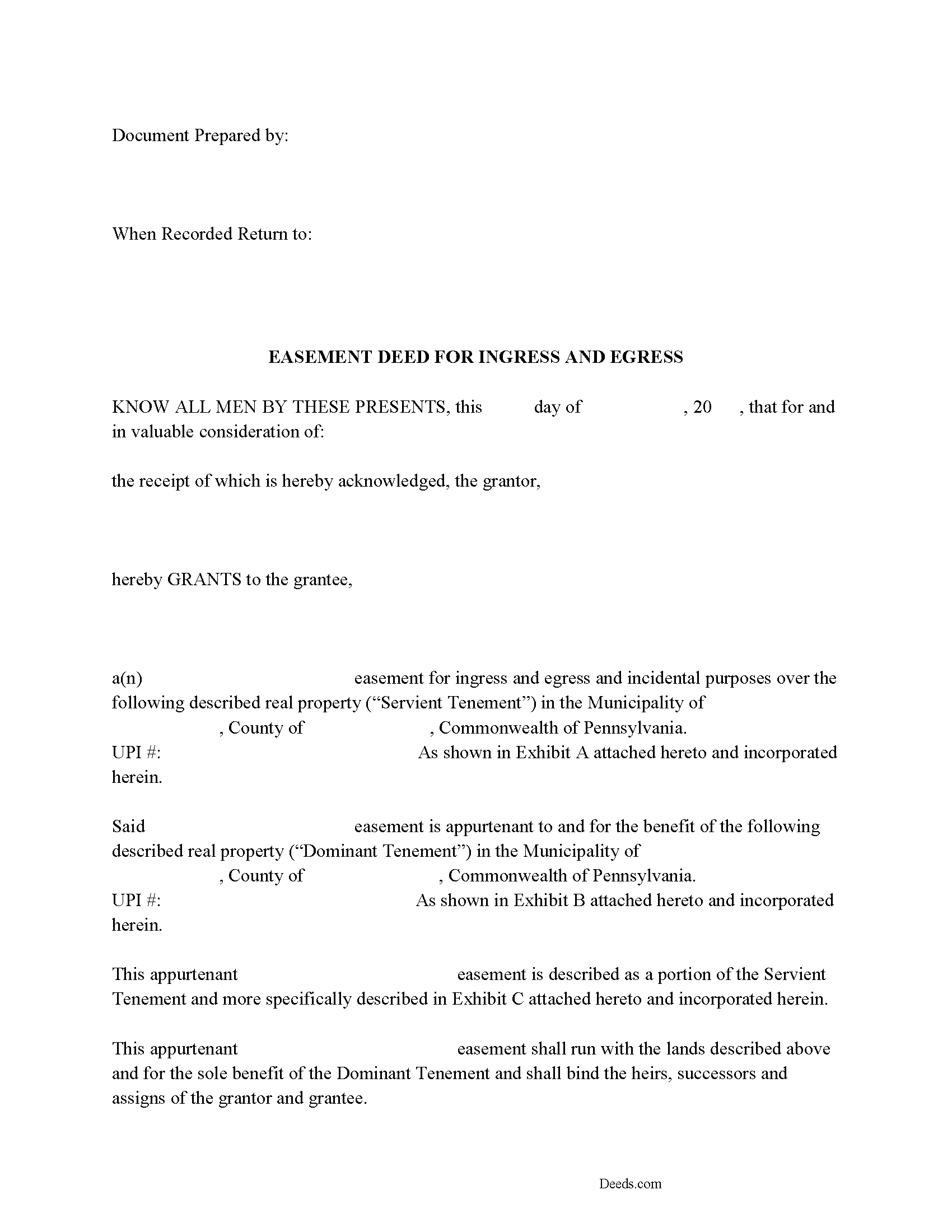
Susquehanna County Easement Deed Form
Fill in the blank Easement Deed form formatted to comply with all Pennsylvania recording and content requirements.
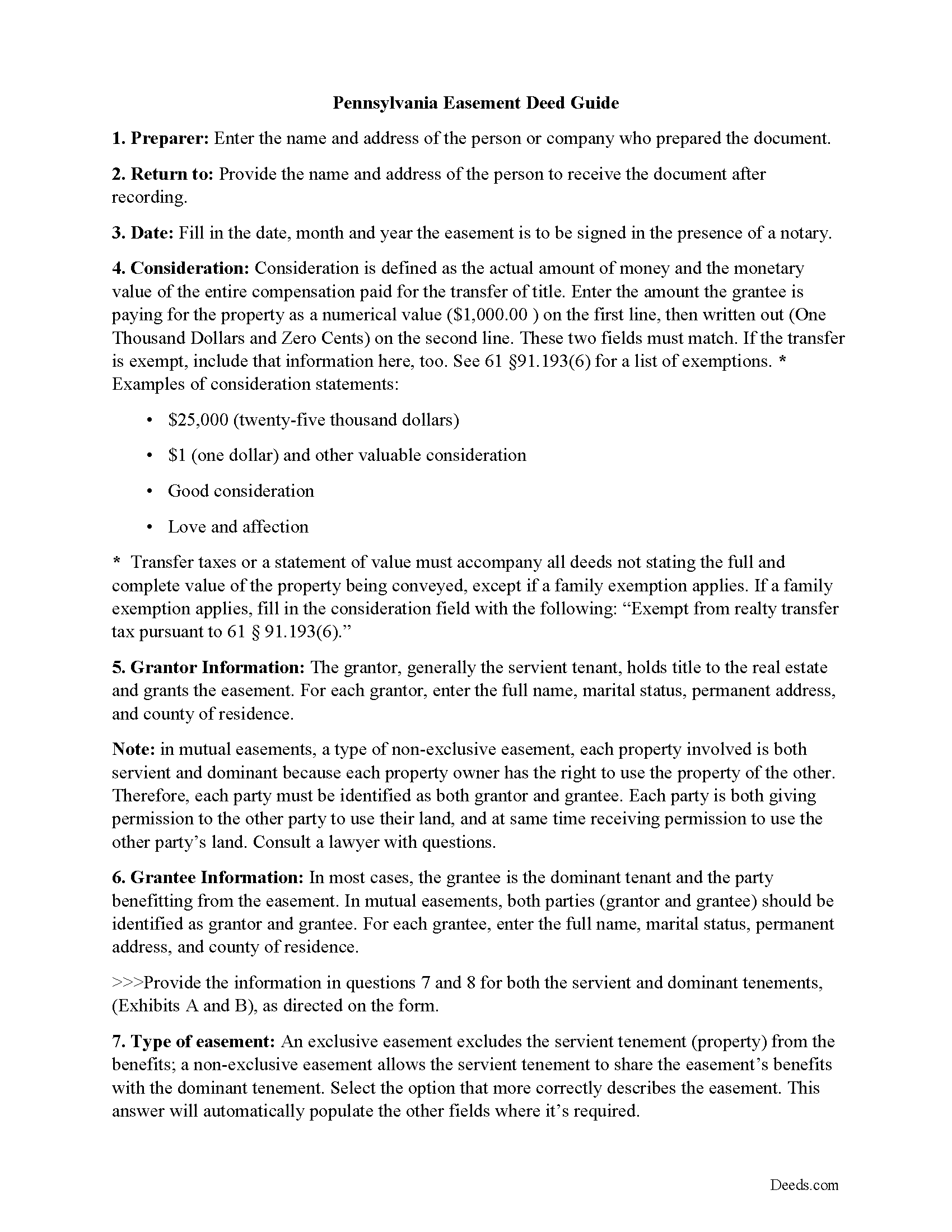
Susquehanna County Easement Deed Guide
Line by line guide explaining every blank on the form.
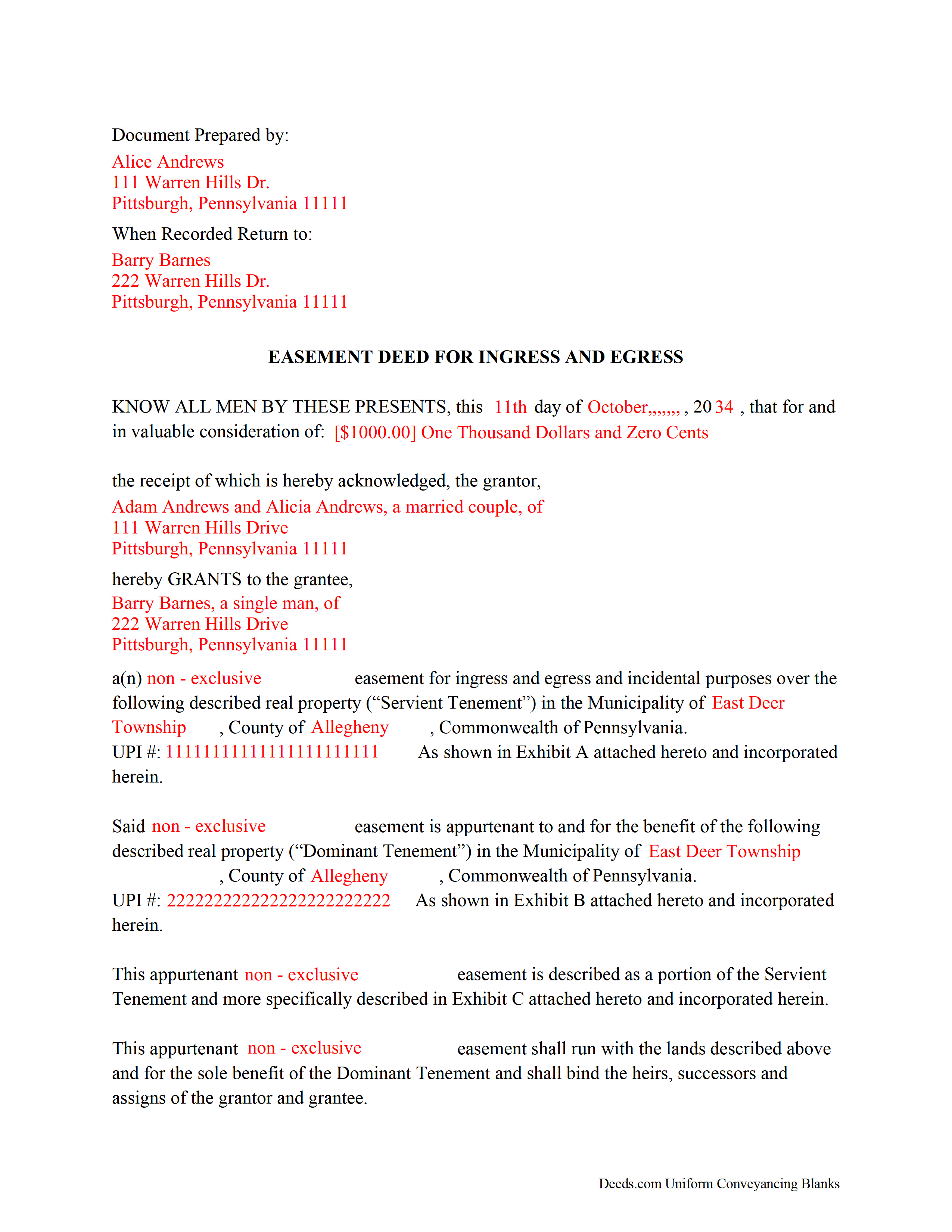
Susquehanna County Completed Example of the Easement Deed
Example of a properly completed form for reference.
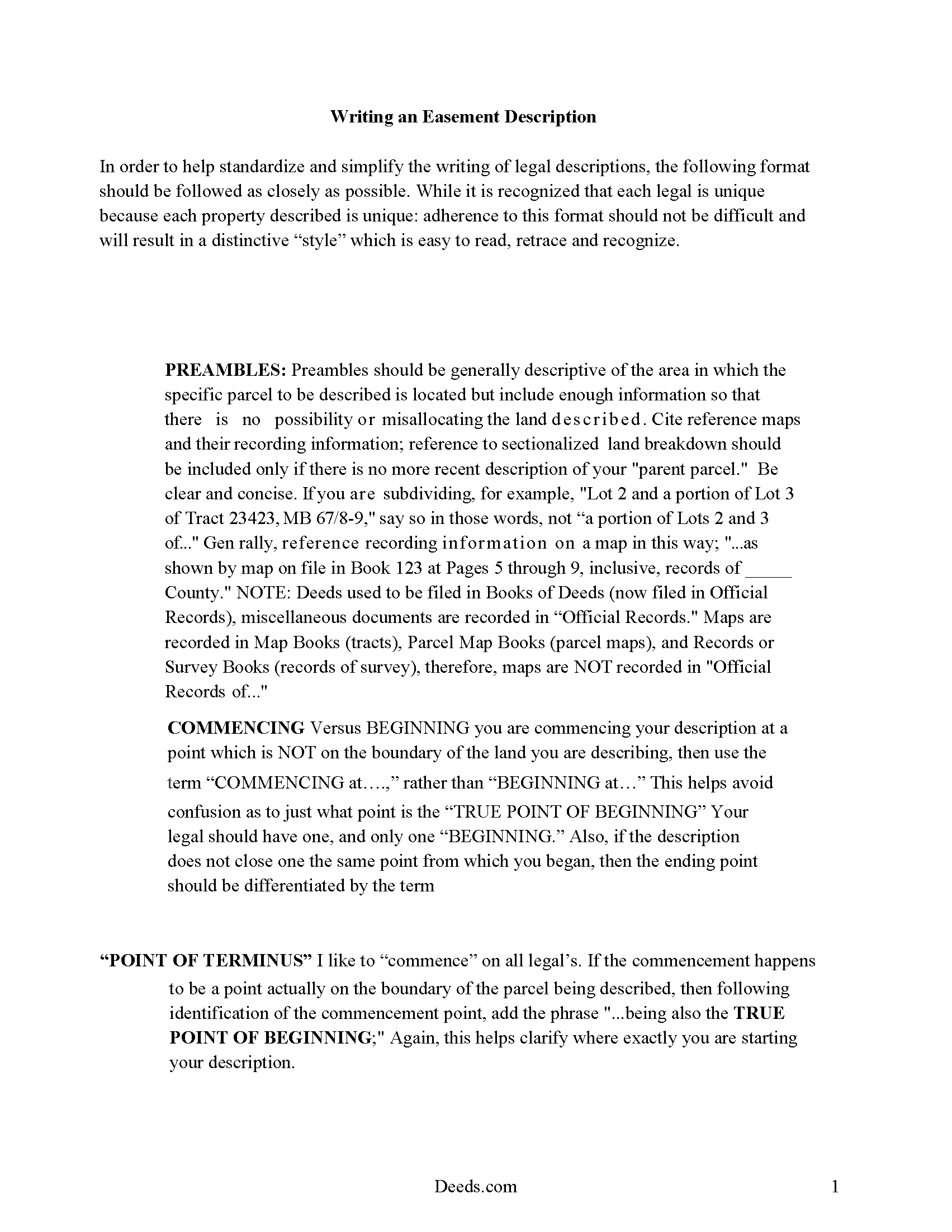
Susquehanna County Guide to writing an Easement Description
A Description of the Easement will be required. This will show how to write an acceptable description for a Right of Way Easement, which gives access, to and from - point A to point B.
All 4 documents above included • One-time purchase • No recurring fees
Immediate Download • Secure Checkout
Additional Pennsylvania and Susquehanna County documents included at no extra charge:
Where to Record Your Documents
Susquehanna County Recorder of Deeds
Montrose, Pennsylvania 18801
Hours: 8:30 to 4:30 Monday through Friday
Phone: (570) 278-4600 Ext. 4065-4067
Recording Tips for Susquehanna County:
- Bring your driver's license or state-issued photo ID
- Ensure all signatures are in blue or black ink
- Ask if they accept credit cards - many offices are cash/check only
- Check that your notary's commission hasn't expired
- Documents must be on 8.5 x 11 inch white paper
Cities and Jurisdictions in Susquehanna County
Properties in any of these areas use Susquehanna County forms:
- Brackney
- Brooklyn
- Clifford
- Dimock
- Forest City
- Friendsville
- Gibson
- Great Bend
- Hallstead
- Harford
- Herrick Center
- Hop Bottom
- Jackson
- Kingsley
- Lanesboro
- Lawton
- Lenoxville
- Little Meadows
- Montrose
- New Milford
- South Gibson
- South Montrose
- Springville
- Susquehanna
- Thompson
- Union Dale
Hours, fees, requirements, and more for Susquehanna County
How do I get my forms?
Forms are available for immediate download after payment. The Susquehanna County forms will be in your account ready to download to your computer. An account is created for you during checkout if you don't have one. Forms are NOT emailed.
Are these forms guaranteed to be recordable in Susquehanna County?
Yes. Our form blanks are guaranteed to meet or exceed the applicable formatting requirements used for recording in Susquehanna County, including margin requirements, font requirements, and other layout standards. This guarantee applies to formatting, not to the legal sufficiency of information entered by the user or the suitability of a form for a particular transaction.
Can I reuse these forms?
Yes. You can reuse the forms for your personal use. For example, if you have multiple properties in Susquehanna County you only need to order once.
What do I need to use these forms?
The forms are PDFs that you fill out on your computer. The free Adobe Acrobat Reader is recommended, and most PDF apps also work. You do NOT enter your property information online - you download the blank forms and complete them privately on your own computer.
Are there any recurring fees?
No. This is a one-time purchase. Nothing to cancel, no memberships, no recurring fees.
How much does it cost to record in Susquehanna County?
Recording fees in Susquehanna County vary. Contact the recorder's office at (570) 278-4600 Ext. 4065-4067 for current fees.
Questions answered? Let's get started!
An easement is defined as a non-possessory right to use another's land for a specific and precise purpose that is not inconsistent with the other's simultaneous right to use the same property. Often, an easement is contained in the body of a deed providing for the outright conveyance of a parcel of real estate. A Pennsylvania easement can also be created by a written and signed agreement or by a deed of easement. The easement deed should specify the terms and duration of the easement.
The Pennsylvania Statute of Frauds requires that any transfer of an interest in real estate, including a grant of easement, be in writing and duly signed in order to be binding (33 P.S. 1). Before an easement deed can be recorded it must be acknowledged by the grantor. Acknowledgments in Pennsylvania may be made before a before a judge of a court of record, a clerk or deputy clerk of a court having seal, a recorder of deeds, a notary public, or a justice of the peace (21 P.S. 291.2). An easement deed acknowledged out-of-state will be valid to record in Pennsylvania if it complies with the laws of such place where acknowledgments were taken (21 P.S. 41). A certificate of acknowledgment by an officer under seal must be included with a duly acknowledged easement deed, whether the deed has been acknowledged in this state or in another state (21 P.S. 46).
The legal effect of recording an easement deed is to give constructive notice to subsequent purchasers, mortgagees, and/or judgment creditors of the parties to said agreement (21 P.S. 357). An easement deed that has been duly acknowledged or proved should be recorded in the county where the property subject to the easement is located.
(Pennsylvania ED Package includes form, guidelines, and completed example)
Important: Your property must be located in Susquehanna County to use these forms. Documents should be recorded at the county recording office listed above.
This Easement Deed meets all recording requirements specific to Susquehanna County.
Our Promise
The documents you receive here are guaranteed to meet or exceed the applicable Susquehanna County recording format requirements. If there is a rejection caused by our formatting, we will correct the issue or refund your payment. This guarantee applies to document formatting only and does not extend to information entered by the user, the selection of the form, or the legal effect of the completed document.
Save Time and Money
Get your Susquehanna County Easement Deed form done right the first time with Deeds.com Uniform Conveyancing Blanks. At Deeds.com, we understand that your time and money are valuable resources, and we don't want you to face a penalty fee or rejection imposed by a county recorder for submitting nonstandard documents. We constantly review and update our forms to meet rapidly changing state and county recording requirements for roughly 3,500 counties and local jurisdictions.
4.8 out of 5 - ( 4,836 Reviews )
Judith F. 5 out of 5 stars
The form I needed was perfect!
Thank you!
Jose S. 5 out of 5 stars
Thank you so very much I live in Texas but I Owned a home in Indiana with your help I could never get those paper that I need to change the ownership in Indiana. You have a great site.
Thank you!
Michael G. 5 out of 5 stars
Very helpful and easy to use
Your appreciative words mean the world to us. Thank you.
Robert B. 5 out of 5 stars
Couldn't be more simple. Good product
Thank you!
Steven C. 5 out of 5 stars
Easy but a little overpriced
We appreciate your business and value your feedback. Thank you. Have a wonderful day!
Lauren W. 4 out of 5 stars
I took a chance and downloaded the Beneficiary Deed form -- would have liked to have been able to see the form before I paid, but I took a chance as everywhere else I looked online wanted me to fill out form online and then pay $30+ for each deed. I'm doing several, so I was glad to be able to just download the blank form that appears to be one I can directly type into on my computer. Yay! Would use your site again if needed. Thanks!
We appreciate your business and value your feedback. Thank you. Have a wonderful day!
Stephanie P. 5 out of 5 stars
It was a seamless process, inexpensive, and probably saved me thousands by having an attorney draw this same form us. Highly recommend!
Thank you!
Margo M. 4 out of 5 stars
So far help has been good given some of the information you don't have as far as making corrections. This is my first time using your service so maybe I will be better at utilizing it if I have to again.
Thank you for your feedback. We really appreciate it. Have a great day!
Ken W. 5 out of 5 stars
Everything perfect, good price. Completely satisfied
Thank you!
leslie w. 5 out of 5 stars
Easy to use! Thanks for saving the time and expense of an attorney!
Thank you for your feedback. We really appreciate it. Have a great day!
DONALD L P. 5 out of 5 stars
HAD WRONG PASSWORD; PROGRAM MADE CHANGE EASY.
Thank you!
Erik H. 5 out of 5 stars
tl;dr - Bookmarked and anticipating using this site for years to come. My justification for rating 5/5 1. Provide intuitive method for requesting property records. 2. Cost for records *seems reasonable. 3. They clearly state that interested parties could gather these records at more affordable costs through the county (which was more confusing for an inexperienced person such as myself). I mean, I appreciate and respect this level of honesty. *I didn't shop around too much because it was difficult for me to find other services that could deliver CA property records.
We appreciate your business and value your feedback. Thank you. Have a wonderful day!
Sandra T. 5 out of 5 stars
I hope this will address all I need to make sure my father is not being taken for granted by my siblings and a nephew and his wife. thank you
Thank you!
Randy T. 5 out of 5 stars
I gave your site and forms 5 stars because it is very easy to use and included all the information needed to complete the form without having had a legal background.
Thank you Randy. Have a great day!
MATUS C. 5 out of 5 stars
Quick, easy way to get the forms I needed
Thank you for your feedback. We really appreciate it. Have a great day!