Saluda County Full Release of Memorandum of Contract Form
Last validated October 21, 2026 by our Forms Development TeamFormatted for recording in Saluda County, for property anywhere in the county: rural and unincorporated areas as well as Ridge Spring, Saluda, Ward.
- 3 documents included
- Immediate PDF download
- Formatting guarantee
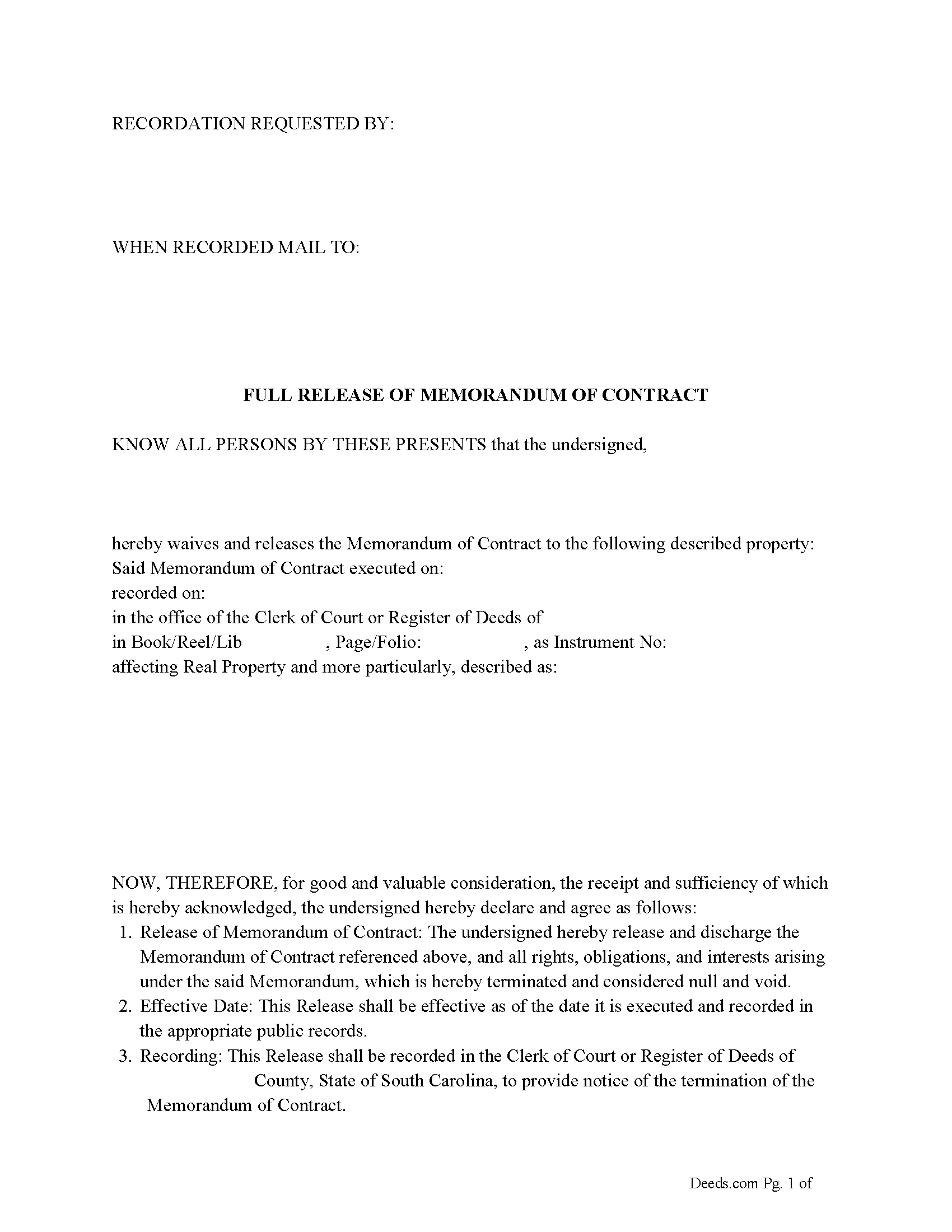
Saluda County Full Release of Memorandum of Contract Form
Fill in the blank Full Release of Memorandum of Contract form formatted to comply with all South Carolina recording and content requirements.
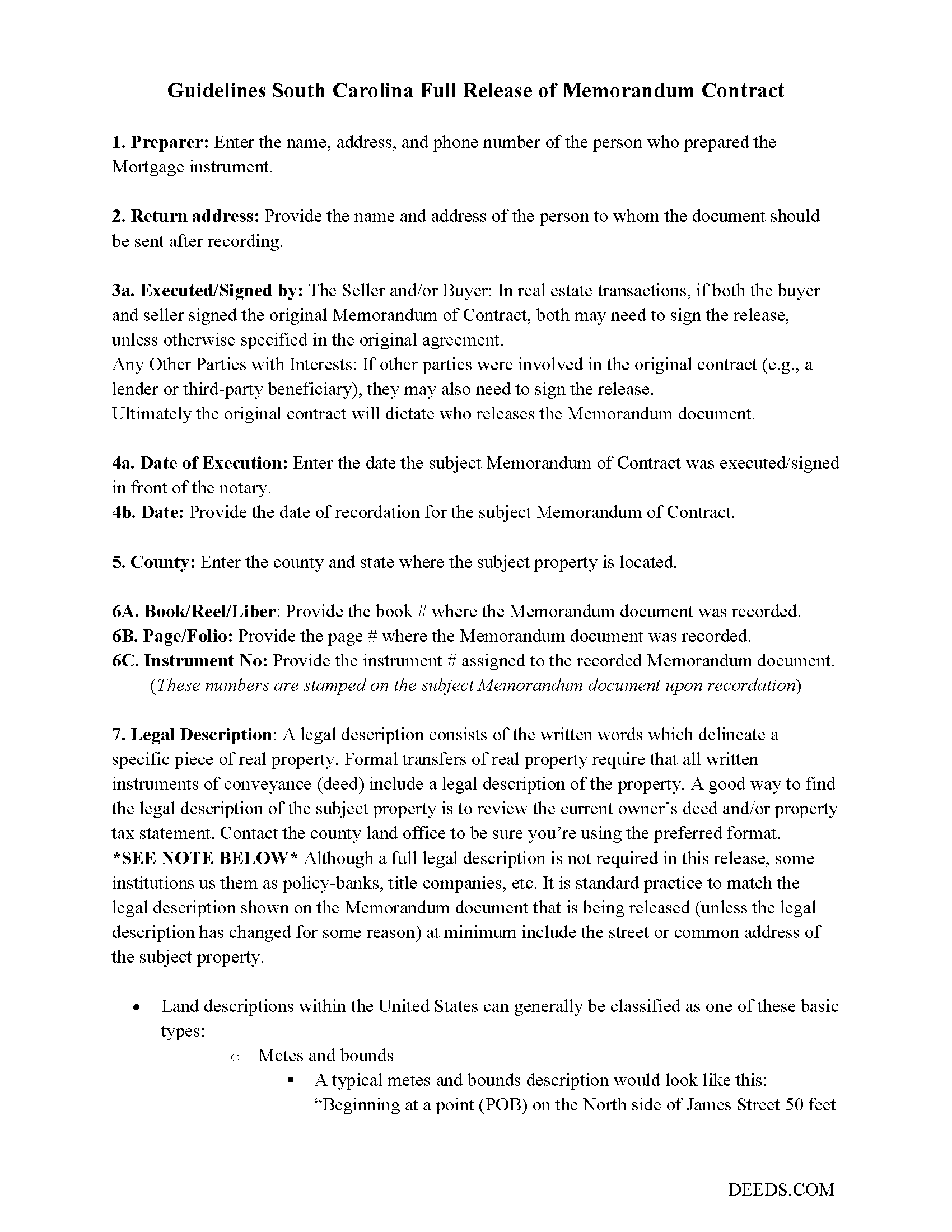
Saluda County Full Release of Memorandum of Contract Guide
Line by line guide explaining every blank on the Full Release of Memorandum of Contract form.
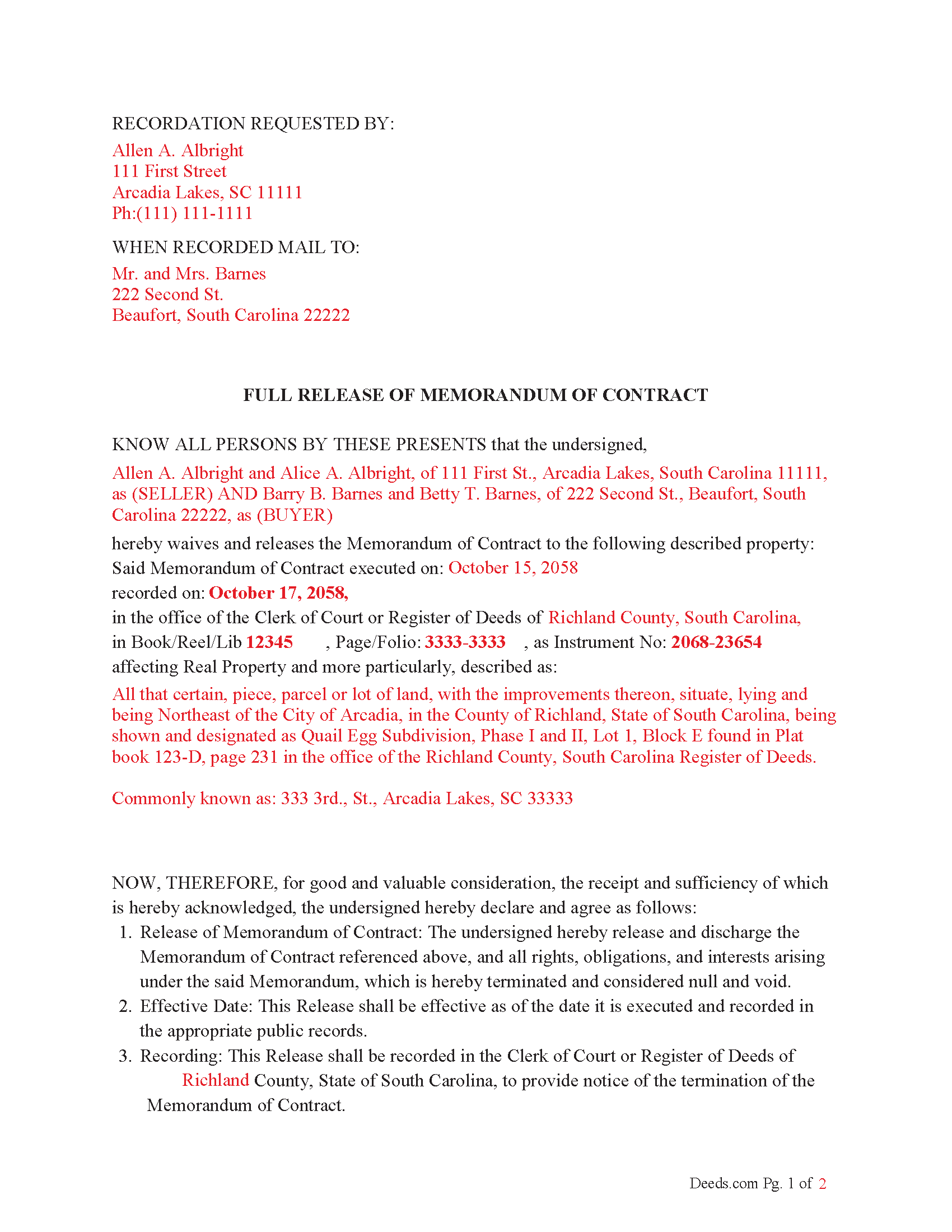
Saluda County Completed Example of the Full Release of Memorandum of Contract Document
Example of a properly completed South Carolina Full Release of Memorandum of Contract document for reference.
All 3 documents above included • One-time purchase • No recurring fees
Immediate Download • Secure Checkout
Additional South Carolina and Saluda County documents included at no extra charge:
Where to Record Your Documents
Saluda County Clerk of Court
Saluda, South Carolina 29138
Hours: 8:30am - 5:00pm M-F
Phone: (864) 445-4500 Ext 2216
Recording Tips for Saluda County:
- Bring your driver's license or state-issued photo ID
- Ensure all signatures are in blue or black ink
- Both spouses typically need to sign if property is jointly owned
- Bring extra funds - fees can vary by document type and page count
- Check margin requirements - usually 1-2 inches at top
Cities and Jurisdictions in Saluda County
Properties in any of these areas use Saluda County forms:
- Ridge Spring
- Saluda
- Ward
Hours, fees, requirements, and more for Saluda County
How do I get my forms?
Forms are available for immediate download after payment. The Saluda County forms will be in your account ready to download to your computer. An account is created for you during checkout if you don't have one. Forms are NOT emailed.
Are these forms guaranteed to be recordable in Saluda County?
Yes. Our form blanks are guaranteed to meet or exceed the applicable formatting requirements used for recording in Saluda County, including margin requirements, font requirements, and other layout standards. This guarantee applies to formatting, not to the legal sufficiency of information entered by the user or the suitability of a form for a particular transaction.
Can I reuse these forms?
Yes. You can reuse the forms for your personal use. For example, if you have multiple properties in Saluda County you only need to order once.
What do I need to use these forms?
The forms are PDFs that you fill out on your computer. The free Adobe Acrobat Reader is recommended, and most PDF apps also work. You do NOT enter your property information online - you download the blank forms and complete them privately on your own computer.
Are there any recurring fees?
No. This is a one-time purchase. Nothing to cancel, no memberships, no recurring fees.
How much does it cost to record in Saluda County?
Recording fees in Saluda County vary. Contact the recorder's office at (864) 445-4500 Ext 2216 for current fees.
Questions answered? Let's get started!
In South Carolina, a Memorandum of Contract is a document that provides notice of a real estate agreement, typically a purchase or sale contract, without disclosing all of the contract details. This document is often recorded to protect the interests of the parties involved, particularly the buyer, by giving public notice that a contract exists concerning a specific property. The Release of Memorandum of Contract is a document used to formally end or release the claims of the Memorandum when the contract has been terminated, fulfilled, or no longer applies.
Here are the laws, codes, and statutes that guide why a Release of Memorandum of Contract should be recorded in South Carolina:
1. Notice to Third Parties
South Carolina Code § 30-7-10 (Notice of real estate interests): This statute explains that recording certain documents (such as deeds or contracts) provides notice to third parties regarding property interests. Recording a Memorandum of Contract serves as notice that a binding agreement is in place regarding a particular property.
Once the underlying contract is fulfilled or terminated, a Release of Memorandum of Contract should be recorded to notify third parties that the previously recorded interest is no longer valid. Failure to record such a release could lead to confusion or disputes if third parties believe the contract is still in effect.
2. Cloud on Title
South Carolina Code § 15-67-10 (Quiet Title Actions): If a Memorandum of Contract remains recorded even though the contract is no longer valid, it could create a "cloud on title." This is an issue that could affect the marketability of the property. Recording a Release of Memorandum of Contract helps clear the title and removes any potential encumbrances caused by the existence of the previously recorded document.
3. Good Faith and Fair Dealing
Under common law principles and South Carolina Code Title 36, Chapter 2 (Uniform Commercial Code), parties to a contract are expected to act in good faith. This includes the duty to clear records once the obligations have been fulfilled. Recording a Release of Memorandum of Contract is consistent with this duty, ensuring that no further claims or encumbrances are improperly held against the property.
4. Protection Against Fraud
The act of recording a Release of Memorandum of Contract helps protect all parties, including future purchasers, lenders, or other interested parties, from potential fraud. By formally releasing the memorandum, it prevents a party from falsely asserting ongoing rights or claims to the property. South Carolina law emphasizes the importance of clear, accurate public records to prevent fraudulent claims.
5. Preventing Litigation
Recording a Release of Memorandum of Contract can also prevent future litigation. If the Memorandum is not released, there may be disputes or lawsuits regarding whether the contract is still in effect, especially if a new buyer or lender is involved. Recording the release eliminates ambiguity and the possibility of legal disputes over the status of the contract.
Important: Your property must be located in Saluda County to use these forms. Documents should be recorded at the county recording office listed above.
This Full Release of Memorandum of Contract meets all recording requirements specific to Saluda County.
Our Promise
The documents you receive here are guaranteed to meet or exceed the applicable Saluda County recording format requirements. If there is a rejection caused by our formatting, we will correct the issue or refund your payment. This guarantee applies to document formatting only and does not extend to information entered by the user, the selection of the form, or the legal effect of the completed document.
Save Time and Money
Get your Saluda County Full Release of Memorandum of Contract form done right the first time with Deeds.com Uniform Conveyancing Blanks. At Deeds.com, we understand that your time and money are valuable resources, and we don't want you to face a penalty fee or rejection imposed by a county recorder for submitting nonstandard documents. We constantly review and update our forms to meet rapidly changing state and county recording requirements for roughly 3,500 counties and local jurisdictions.
4.8 out of 5 - ( 4,831 Reviews )
Rick W. 1 out of 5 stars
Hi, I must have done something wrong. I need a QuitClaim North Carolina Dare County form. I don't need the Warranty Claim that appeared in my download list. Can I exchange forms?
As a one time courtesy we have canceled the order and payment you made for the warranty deed in error. Have a wonderful day.
Jennifer B. 3 out of 5 stars
I didn't care for it because I was having to do other things in between filling it out and all of a sudden it would not allow me back in it to make changes. Luckily I had saved it and then had to do FILL/SIGN option which looks ugly but that was the only way I could add what I needed.
We appreciate your business and value your feedback. Thank you. Have a wonderful day!
Peggy L. 5 out of 5 stars
Exactly what I needed and so nice to not have to pay a lawyer
We appreciate your business and value your feedback. Thank you. Have a wonderful day!
Steven C. 5 out of 5 stars
Easy but a little overpriced
We appreciate your business and value your feedback. Thank you. Have a wonderful day!
Sharon D. 5 out of 5 stars
Very easy to understand forms...
We appreciate your business and value your feedback. Thank you. Have a wonderful day!
Eric F. 5 out of 5 stars
Thank You deeds.com, your site helped me accomplish a difficult mission.
We appreciate your business and value your feedback. Thank you. Have a wonderful day!
william w. 5 out of 5 stars
Simple, straight forward, and easy to use.
We appreciate your business and value your feedback. Thank you. Have a wonderful day!
David C. 5 out of 5 stars
I found it pretty easy to navigate, all worked well. Need a better example of excise tax. Lastly, your link in the email to get to this page doesn't work :)
We appreciate your business and value your feedback. Thank you. Have a wonderful day!
Scott D. 5 out of 5 stars
I am very satisfied with the quality of the product I ordered. I have done similar property transfers/recording in the past on my own but paying for the forms and guidance is well worth it. The AI question area is extremely helpful. The example for the forms is perfect (as it has to be). I will absolutely use Deeds.com in the future for any related property needs. A+
We appreciate your business and value your feedback. Thank you. Have a wonderful day!
Marc T. 5 out of 5 stars
Walked the document through our county offices today. the directions to fill out the document were awesome and we had no issues, We now have a TOD property. Beats paying an attorney $200.00
Thank you for your feedback. We really appreciate it. Have a great day!
Ronald D. 5 out of 5 stars
very quick and easy to find, confirm, pay, and download documents, well worth the money for peace of mind.
Thank you!
Jason B. 5 out of 5 stars
Deeds.com did a great job in explaining exactly what I'd need to file a deed transfer (quitclaim deed). I didn't have to order the forms piecemeal, but was able to order the whole package at once for a reasonable price. Once downloaded, their fill-in-the-blank PDF was easy to use with detailed instructions for each line item. I'd definitely use them again.
Thank you for your feedback. We really appreciate it. Have a great day!
MIchelle S. 4 out of 5 stars
You had the generic document that I was looking for Yay! The "example" page was helpful and reassuring. The auto input sections of my document looked ok until i printed it and then it appeared to be out of alignment which is why my rating is lowered to 4 stars it would be nice to have the ability to correct the title (created by me) when downloading PDFs for an e-filing
Thank you for your feedback. We really appreciate it. Have a great day!
Helen L. 5 out of 5 stars
The website was easy to navigate but only needed one form. The guide was helpful also. Cost want high but contains many documents that I didn't need but may someday. Could not save form after completed but printed copies that needed to be court filed.
We appreciate your business and value your feedback. Thank you. Have a wonderful day!
Beth O. 5 out of 5 stars
Easy peasy! Thank y'all so much.
Thank you!