Newberry County Quitclaim Deed (Trustee Grantor) Form
Last validated October 16, 2026 by our Forms Development TeamFormatted for recording in Newberry County, for property anywhere in the county: rural and unincorporated areas as well as Chappells, Kinards, Little Mountain, Newberry, Peak, Pomaria, Prosperity, Silverstreet and 1 more.
- 3 documents included
- Immediate PDF download
- Formatting guarantee
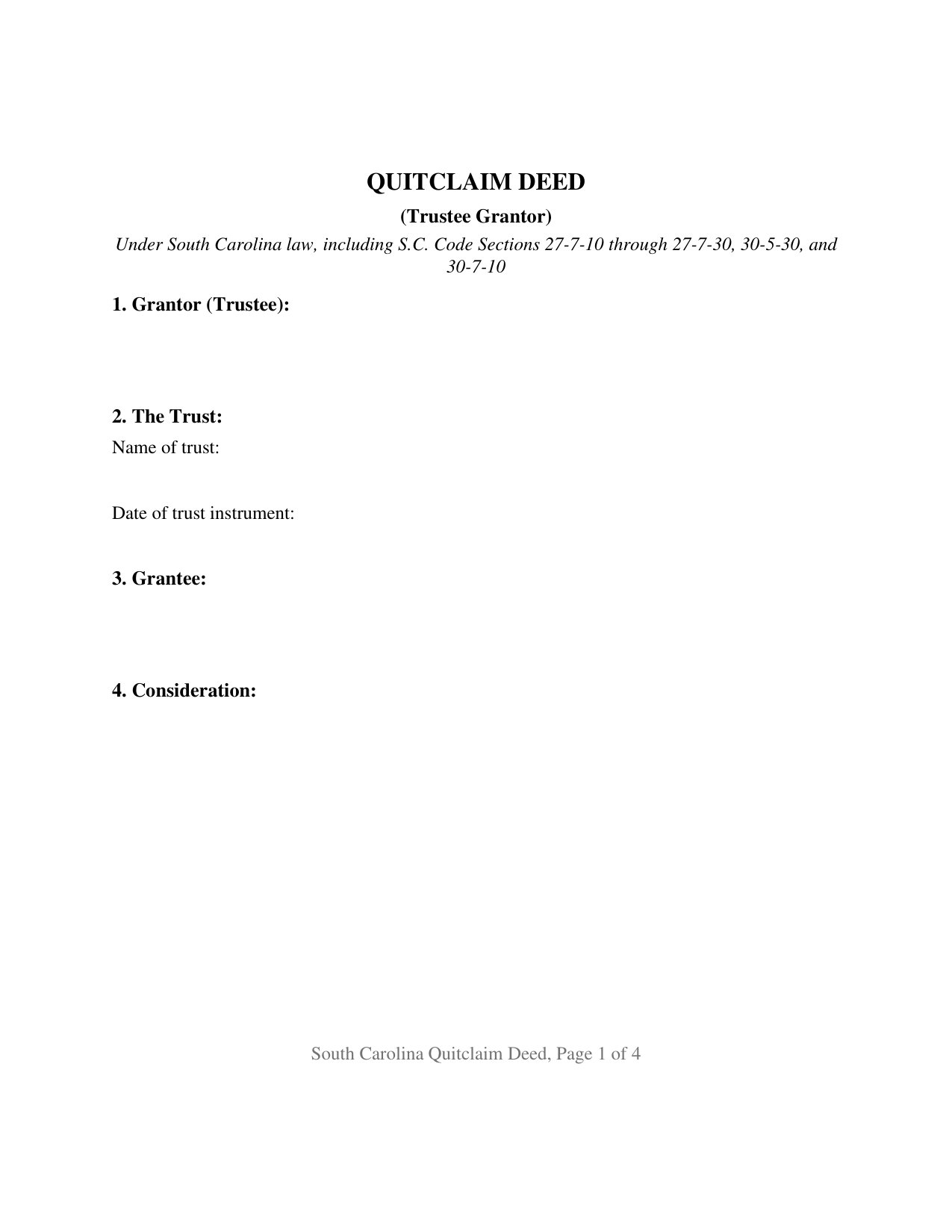
Newberry County Quitclaim Deed (Trustee Grantor) Form
Fill in the blank Quitclaim Deed (Trustee Grantor) form formatted to comply with all South Carolina recording and content requirements.
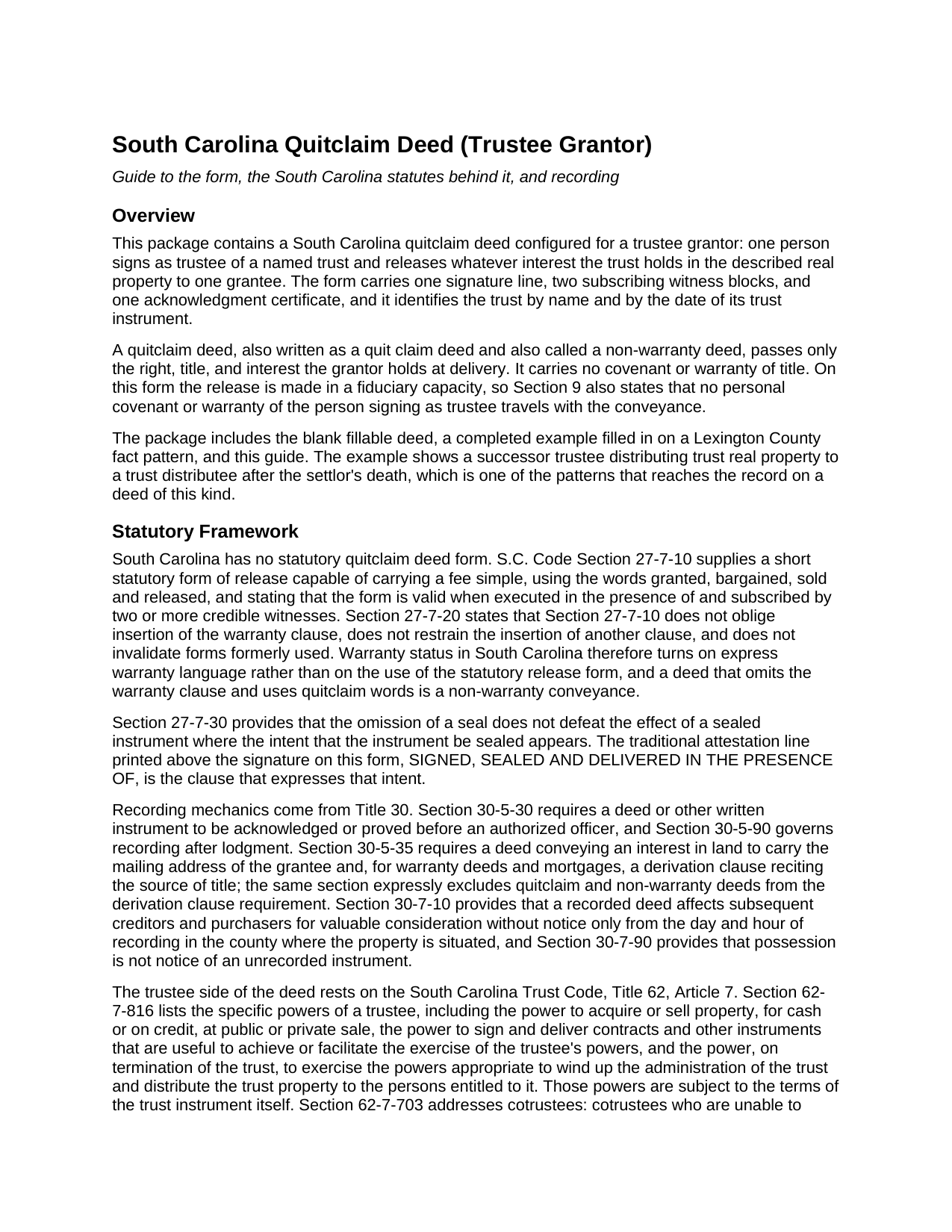
Newberry County Quitclaim Deed (Trustee Grantor) Guide
Line by line guide explaining every blank on the Quitclaim Deed (Trustee Grantor) form.
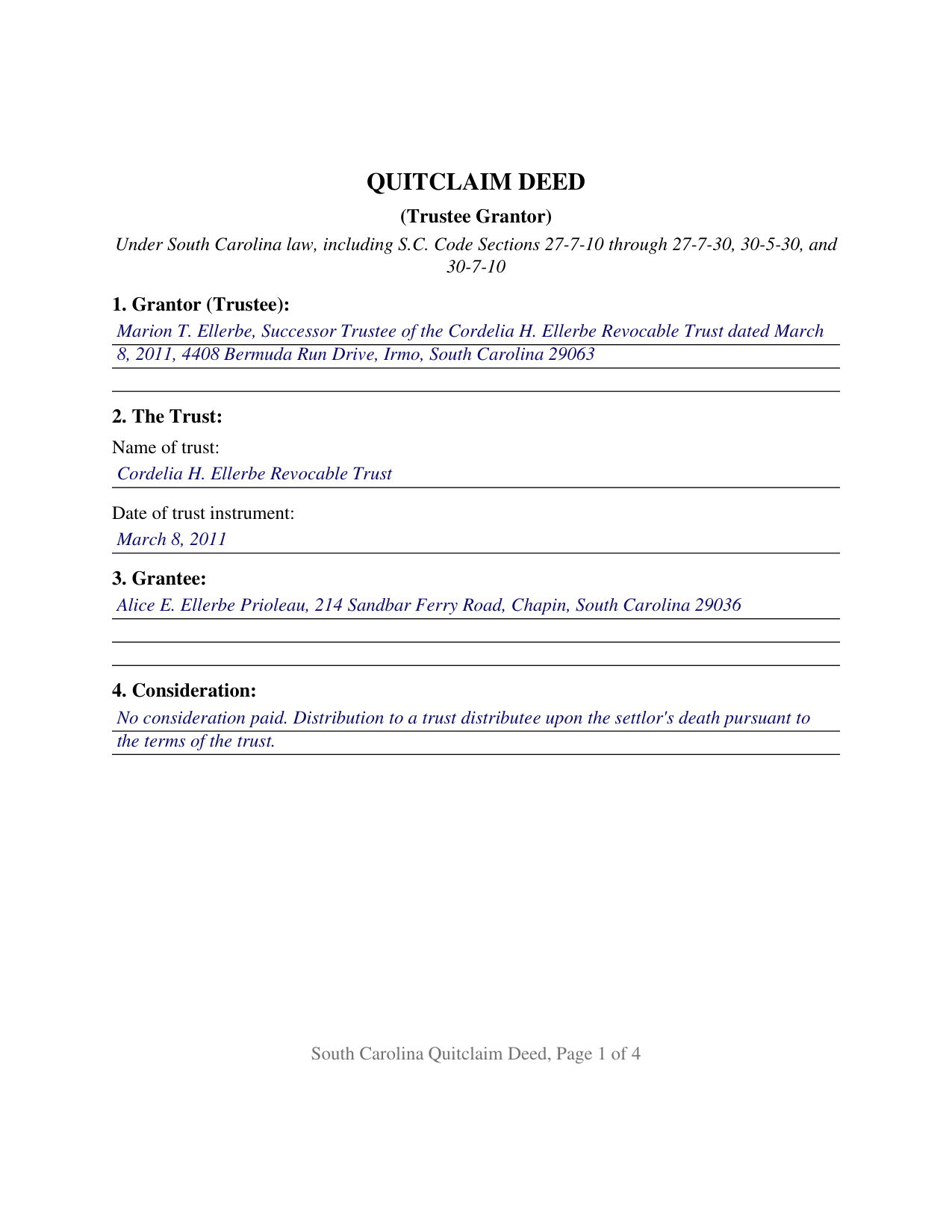
Newberry County Completed Example of the Quitclaim Deed (Trustee Grantor) Document
Example of a properly completed South Carolina Quitclaim Deed (Trustee Grantor) document for reference.
All 3 documents above included • One-time purchase • No recurring fees
Immediate Download • Secure Checkout
Additional South Carolina and Newberry County documents included at no extra charge:
Where to Record Your Documents
Newberry County Clerk of Court
Newberry, South Carolina 29108
Hours: 8:30 to 5:00 M-F
Phone: (803) 321-2110
Recording Tips for Newberry County:
- Bring your driver's license or state-issued photo ID
- Ensure all signatures are in blue or black ink
- Ask for certified copies if you need them for other transactions
- Ask if they accept credit cards - many offices are cash/check only
- Check that your notary's commission hasn't expired
Cities and Jurisdictions in Newberry County
Properties in any of these areas use Newberry County forms:
- Chappells
- Kinards
- Little Mountain
- Newberry
- Peak
- Pomaria
- Prosperity
- Silverstreet
- Whitmire
Hours, fees, requirements, and more for Newberry County
How do I get my forms?
Forms are available for immediate download after payment. The Newberry County forms will be in your account ready to download to your computer. An account is created for you during checkout if you don't have one. Forms are NOT emailed.
Are these forms guaranteed to be recordable in Newberry County?
Yes. Our form blanks are guaranteed to meet or exceed the applicable formatting requirements used for recording in Newberry County, including margin requirements, font requirements, and other layout standards. This guarantee applies to formatting, not to the legal sufficiency of information entered by the user or the suitability of a form for a particular transaction.
Can I reuse these forms?
Yes. You can reuse the forms for your personal use. For example, if you have multiple properties in Newberry County you only need to order once.
What do I need to use these forms?
The forms are PDFs that you fill out on your computer. The free Adobe Acrobat Reader is recommended, and most PDF apps also work. You do NOT enter your property information online - you download the blank forms and complete them privately on your own computer.
Are there any recurring fees?
No. This is a one-time purchase. Nothing to cancel, no memberships, no recurring fees.
How much does it cost to record in Newberry County?
Recording fees in Newberry County vary. Contact the recorder's office at (803) 321-2110 for current fees.
Questions answered? Let's get started!
On this South Carolina quitclaim deed the land leaves a trust. One person signs as trustee, the deed names the trust and the date of its trust instrument, and what passes is whatever interest the trust holds, released without covenant or warranty of title and without personal warranty of the signer. The form carries one signature line, two witness blocks, and one acknowledgment certificate.
A signature made in an office
Trust real property moves on a trustee's signature, and the authority behind that signature sits outside the deed. S.C. Code Section 62-7-816 lists the specific powers of a South Carolina trustee, among them the power to acquire or sell property at public or private sale and the power, on termination of the trust, to wind up the administration and distribute trust property to the persons entitled to it, each subject to the terms of the trust instrument. This deed states the capacity claimed; the trust instrument and any appointment of a successor trustee are what confer the office. Section 62-7-1012 works the receiving side, protecting a person other than a beneficiary who deals with a trustee in good faith and for value without knowledge that the trustee is exceeding those powers, with no duty to inquire. A certification of trust under Section 62-7-1013(j), executed and acknowledged so it can be recorded where the property sits, is the separate document that carries that authority; it is not included here.
What the form recites
Sections 1 and 2 name the signer with the trustee capacity and identify the trust by name and by the date of its trust instrument, the two facts that also open a statutory certification of trust. Section 9 performs the release in the traditional words, remising, releasing, and forever quitclaiming all right, title, interest, claim, and demand the trust has in the property, and states that the signer acts solely as trustee and not individually. Section 10 pairs one signature line, whose printed name line holds the capacity, with two witness blocks answering the two witness practice South Carolina statutes and county recording offices describe for deeds, and one certificate for the one signer the deed recites. A successor trustee distributing a house to a beneficiary after the settlor has died, and a trustee releasing the trust's interest back to a living settlor, present the patterns this deed recites. The form recites exactly one signer holding the office of trustee; a deed executed by two cotrustees, and a deed signed by an owner in that owner's own right, each follow a signing pattern different from the one printed here.
Fair market value, not the recited price
The deed recording fee counties call deed stamps runs at one dollar and eighty five cents for each five hundred dollars of the realty's value, and on a deed leaving a trust the measure is not the figure the deed states: Section 12-24-30 provides that value means fair market value where realty is transferred as a distribution to a trust beneficiary. Under Section 12-24-10(B), one class of deed sits outside the chapter altogether: a deed transferring real property from a trust to a trust distributee upon the settlor's death, pursuant to the terms of the trust, is not subject to the chapter where a deed of distribution would have been the correct instrument had the property been probate property. The affidavit Section 12-24-70 calls for is recorded as its own document and is not included here.
Reappraisal follows the distribution
Section 12-37-3150 counts a conveyance by distribution from a trust among the assessable transfers of interest that send a parcel to reappraisal, then lifts the case where the distributee is the sole present beneficiary or that beneficiary's spouse. Recording the deed costs fifteen dollars under Section 8-21-310, and Section 30-7-10 dates its effect against later creditors and purchasers for value without notice from the day and hour of recording. A quit claim deed, also called a non-warranty deed, stays outside the derivation clause Section 30-5-35 asks of warranty deeds, so the prior instrument entry here is informational.
Three files come with the purchase: the blank fillable deed, a completed example worked on a Lexington County fact pattern where a successor trustee distributes a Chapin lot to a trust distributee, and a plain language guide covering the ten sections, the signing mechanics, the co-ownership words South Carolina recognizes on the grantee line, and recording. These materials describe South Carolina law in general terms and are not legal advice.
Important: Your property must be located in Newberry County to use these forms. Documents should be recorded at the county recording office listed above.
This Quitclaim Deed (Trustee Grantor) meets all recording requirements specific to Newberry County.
Our Promise
The documents you receive here are guaranteed to meet or exceed the applicable Newberry County recording format requirements. If there is a rejection caused by our formatting, we will correct the issue or refund your payment. This guarantee applies to document formatting only and does not extend to information entered by the user, the selection of the form, or the legal effect of the completed document.
Save Time and Money
Get your Newberry County Quitclaim Deed (Trustee Grantor) form done right the first time with Deeds.com Uniform Conveyancing Blanks. At Deeds.com, we understand that your time and money are valuable resources, and we don't want you to face a penalty fee or rejection imposed by a county recorder for submitting nonstandard documents. We constantly review and update our forms to meet rapidly changing state and county recording requirements for roughly 3,500 counties and local jurisdictions.
4.8 out of 5 - ( 4,828 Reviews )
Donna C. 5 out of 5 stars
Easy to use.
Thank you!
David G. 5 out of 5 stars
Thanks got what I needed
Thank you David, glad to hear that.
Barry N. 5 out of 5 stars
The form was straight forward and very easy to complete. It took me less than 15 minutes to complete. Make sure you have the "current deed' available' when completing the form.
Thank you for your feedback Barry. Have a fantastic day!
Ricky P. 1 out of 5 stars
Very hard to navigate and understand. Couldn't find what I was looking for.
Sorry to hear that we failed you with our navigation Ricky. We do hope that you were able to find what you were looking for elsewhere. Have a wonderful day.
Herbert R. 5 out of 5 stars
Your website was very helpful. Hopefully, I will have it completed correctly prior to use.
Thank you for your feedback. We really appreciate it. Have a great day!
Lara C. 5 out of 5 stars
Love it! It was super easy. Will be back!
Thank you for your feedback. We really appreciate it. Have a great day!
Leo b. 5 out of 5 stars
Awesome site great paperwork EZ Forms great.
Thank you Leo.
ARACELI V. 5 out of 5 stars
AWESOME COMPANY RELIABLE FAST AND EASY, VERY ECONOMIC, LOVE TO WORK WITH THEM , GREAT CUSTOMER SERVICE , THEY REPLY TO YOU FAST
Thank you for your feedback. We really appreciate it. Have a great day!
Tiffany W. 5 out of 5 stars
Exactly what I needed and with the help of ChatGPT who needs a damn lawyer for anything.
We’re glad to hear things went well. Thank you for the review.
Raymond C. 5 out of 5 stars
Very convenient
We appreciate your business and value your feedback. Thank you. Have a wonderful day!
Mark S. 5 out of 5 stars
The forms were easy and convenient to use
Thank you Mark. We appreciate your feedback.
Jill M. 5 out of 5 stars
This service gave me the information and guide I needed to file a Quitclaim Deed. I went through the process with no problems at all.
Thank you Jill, we appreciate your feedback.
Michael H. 4 out of 5 stars
Found documents I needed quickly and at a reasonable price. MH
Thank you for your feedback. We really appreciate it. Have a great day!
Wilfrid J. 5 out of 5 stars
It was fast and easy but it's really official
Thank you!
Jane E. 5 out of 5 stars
The form was incompatible with my son's new computer. I do not have a printer. We did use your form to type a copy into "word" so he could print it.
Thank you!