Oconee County Termination of Easement Form
Last validated October 22, 2026 by our Forms Development TeamFormatted for recording in Oconee County, for property anywhere in the county: rural and unincorporated areas as well as Fair Play, Long Creek, Mountain Rest, Newry, Richland, Salem, Seneca, Tamassee and 3 more.
- 3 documents included
- Immediate PDF download
- Formatting guarantee
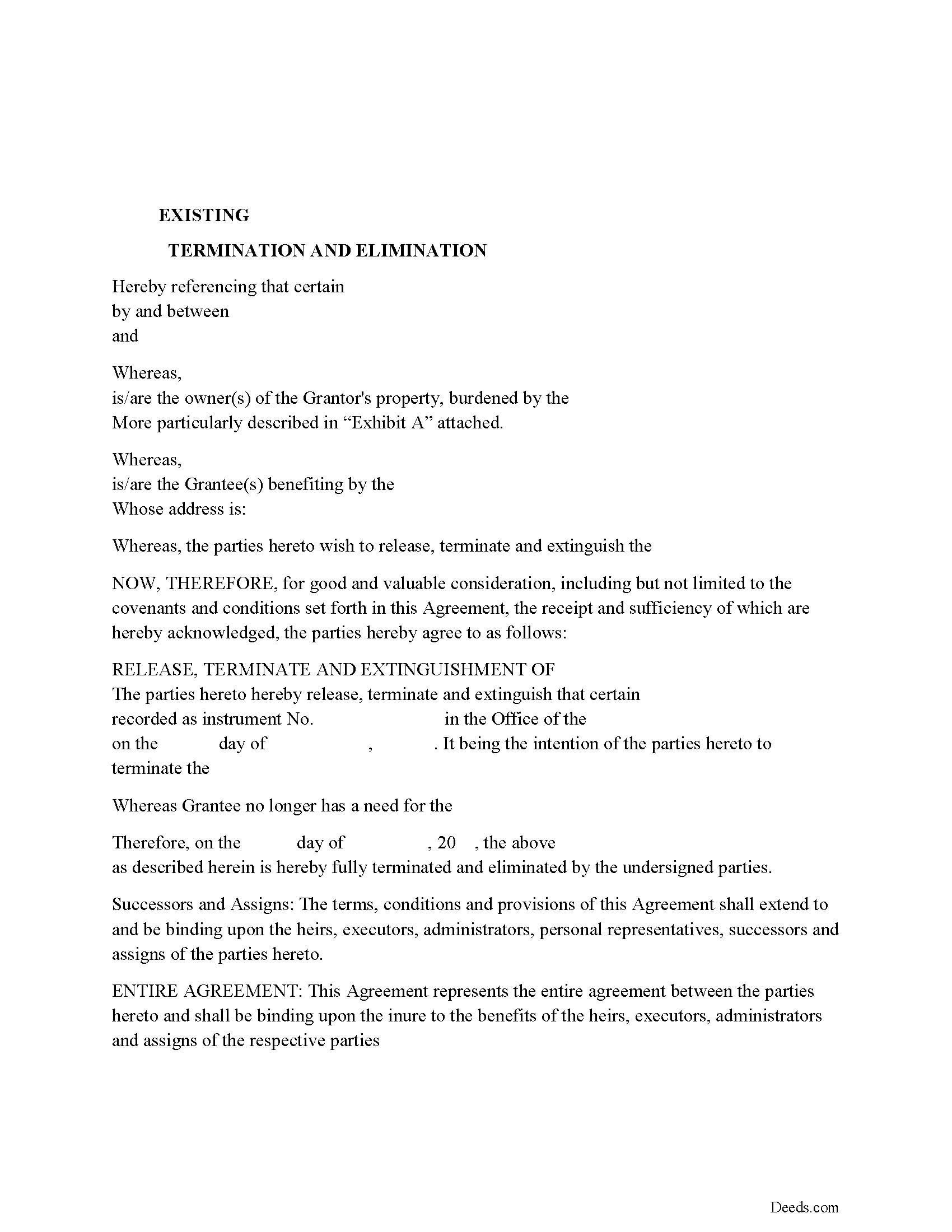
Oconee County Release of Easement, Right of Way Form
Fill in the blank form formatted to comply with all recording and content requirements.
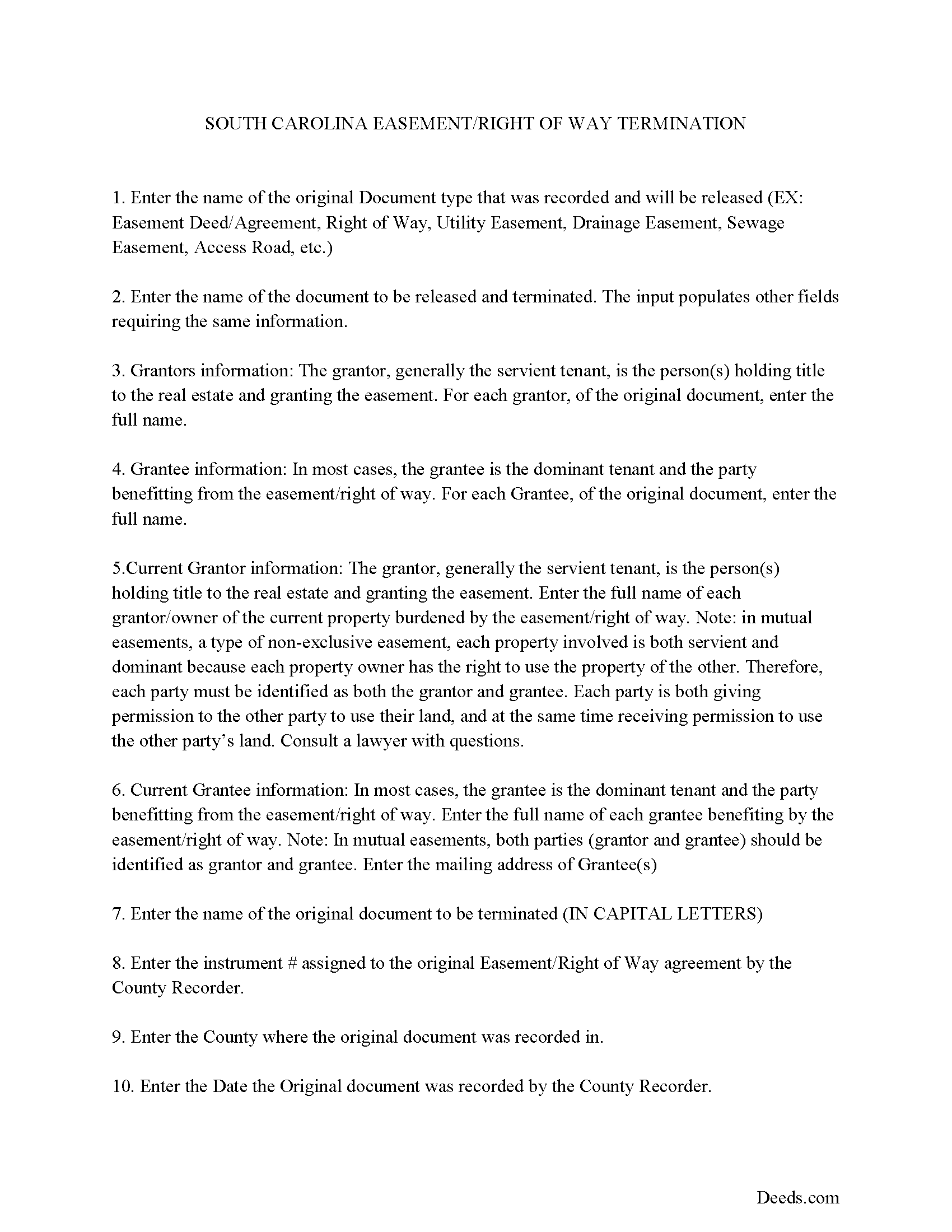
Oconee County Guidelines for Release of Easement
Line by line guide explaining every blank on the form.
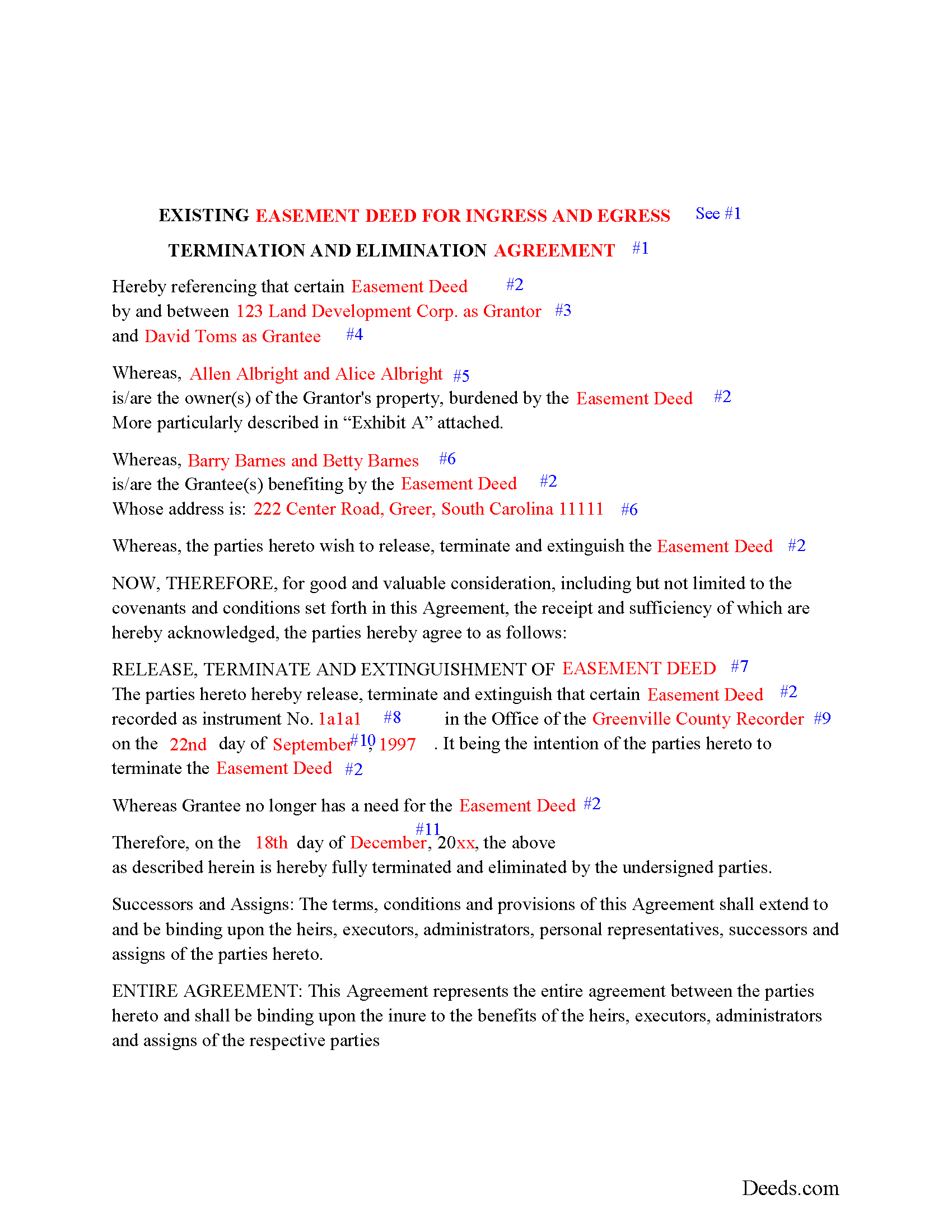
Oconee County Completed Example of the Release of Easement
Example of a properly completed form for reference.
All 3 documents above included • One-time purchase • No recurring fees
Immediate Download • Secure Checkout
Additional South Carolina and Oconee County documents included at no extra charge:
Where to Record Your Documents
Oconee County Register of Deeds
Walhalla, South Carolina 29691-2145
Hours: 8:30 to 5:00 M-F
Phone: (864) 638-4285
Recording Tips for Oconee County:
- Bring your driver's license or state-issued photo ID
- Ensure all signatures are in blue or black ink
- Verify all names are spelled correctly before recording
- White-out or correction fluid may cause rejection
- Ask about their eRecording option for future transactions
Cities and Jurisdictions in Oconee County
Properties in any of these areas use Oconee County forms:
- Fair Play
- Long Creek
- Mountain Rest
- Newry
- Richland
- Salem
- Seneca
- Tamassee
- Walhalla
- West Union
- Westminster
Hours, fees, requirements, and more for Oconee County
How do I get my forms?
Forms are available for immediate download after payment. The Oconee County forms will be in your account ready to download to your computer. An account is created for you during checkout if you don't have one. Forms are NOT emailed.
Are these forms guaranteed to be recordable in Oconee County?
Yes. Our form blanks are guaranteed to meet or exceed the applicable formatting requirements used for recording in Oconee County, including margin requirements, font requirements, and other layout standards. This guarantee applies to formatting, not to the legal sufficiency of information entered by the user or the suitability of a form for a particular transaction.
Can I reuse these forms?
Yes. You can reuse the forms for your personal use. For example, if you have multiple properties in Oconee County you only need to order once.
What do I need to use these forms?
The forms are PDFs that you fill out on your computer. The free Adobe Acrobat Reader is recommended, and most PDF apps also work. You do NOT enter your property information online - you download the blank forms and complete them privately on your own computer.
Are there any recurring fees?
No. This is a one-time purchase. Nothing to cancel, no memberships, no recurring fees.
How much does it cost to record in Oconee County?
Recording fees in Oconee County vary. Contact the recorder's office at (864) 638-4285 for current fees.
Questions answered? Let's get started!
Use this form to release, terminate, extinguish a previously recorded document that involves access to and from a property.
Documents such as:
1. Easement Deeds or Agreements (An easement is a non-possessory interest in land, granting the right to use someone else's property for a specific purpose, like a driveway or utility line)
2. Access Roads
3. Right of Ways
4. Utility Easements (Power, Gas, Water, Sewer, Etc.)
5. Drainage Easements
This document allows the owner of the land, burdened by the access and the party that benefits from the access, to sign an agreement releasing the property from such access, under the premises the benefiting party no longer needs access. Once the easement is successfully terminated and the release is recorded, it should be reflected in the title records for the property, effectively removing the easement from the property's title.
(SC Termination of Easement Package includes form, guidelines, and completed example)
Important: Your property must be located in Oconee County to use these forms. Documents should be recorded at the county recording office listed above.
This Termination of Easement meets all recording requirements specific to Oconee County.
Our Promise
The documents you receive here are guaranteed to meet or exceed the applicable Oconee County recording format requirements. If there is a rejection caused by our formatting, we will correct the issue or refund your payment. This guarantee applies to document formatting only and does not extend to information entered by the user, the selection of the form, or the legal effect of the completed document.
Save Time and Money
Get your Oconee County Termination of Easement form done right the first time with Deeds.com Uniform Conveyancing Blanks. At Deeds.com, we understand that your time and money are valuable resources, and we don't want you to face a penalty fee or rejection imposed by a county recorder for submitting nonstandard documents. We constantly review and update our forms to meet rapidly changing state and county recording requirements for roughly 3,500 counties and local jurisdictions.
4.8 out of 5 - ( 4,833 Reviews )
DENISE E. 5 out of 5 stars
I just submitted a beneficiary deed and it was accepted immediate and then recorded the next day! I like that I receive email messages notifying me of the process. The process was super easy and seamless. It's saved me so much time that I did not have to drive to downtown Phoenix to have this document record it. I love Deeds.com.
Thank you for your feedback. We really appreciate it. Have a great day!
Angela J M. 5 out of 5 stars
Quick turnaround (about 24hrs) easy process.
Thank you for your feedback. We really appreciate it. Have a great day!
Steven B. 5 out of 5 stars
County accepted the TODD form. Easy to understand and don’t have to hire an attorney! Excellent
Appreciate this, Steven. That's exactly the outcome we're aiming for. Wishing you well.
Karen M. 5 out of 5 stars
I'm not too bright. Ordered one thing when I wanted something else. Deeds staff fixed it for me.
Glad we could help.
JESUS G. 5 out of 5 stars
Easy And fast to use just scan upload and pay the fee and they take care of the rest.
Thank you!
Michael E. 5 out of 5 stars
First time user and my experience was just great! Great people to work with and would recommend to others!
Thank you!
ruth l. 5 out of 5 stars
I found this sight very helpful. All the information that one needs to file a quit claim deed. thank you so much.
Thank you!
Deabra A. 4 out of 5 stars
Your Quitdeed form was easy to understand with the guidelines provided and an example of an already completed form to see how you should complete your form. The price is reasonable for a do it yourself.
Thank you, Deabra. We’re glad the form and examples made the process clear and that you found it a good value for a do-it-yourself option.
willie B. 5 out of 5 stars
I love how you can get information you need online great program ,outstanding just love it....
Thank you!
Marissa M. 5 out of 5 stars
I bought the Quitclaim deed and it was perfect to record at the courthouse
Thank you for your kind words and for choosing us.
Carol S. 1 out of 5 stars
Unfortunately for me this website was of no help, due to the amount of paperwork that needed to be submitted. One thing I can say they responded with answer really quickly. If this is a website that only deals with quick and fast deed issues, then it should indicate what they can and cannot do.
Thank you for your feedback. We really appreciate it. Have a great day!
Mary B. 5 out of 5 stars
I was very pleased with my experience on Deeds.com. I hand purchased the wrong papers and they credited my account so I could purchase the correct papers. I will use them again
We appreciate your business and value your feedback. Thank you. Have a wonderful day!
David C. 5 out of 5 stars
I was very impressed. Your program makes it very user friendly which is a must for most of the public . I have recommended this site to various clients for estate planning documents with simple estates.
Thank you!
ELOISA F. 5 out of 5 stars
Once I had everything right;the recording was fast and easy. I was updated at every juncture and apprised of my mistakes in order to fix and record my deed. To improve service: I think that several different examples and scenarios would have helped. If you have different names from your children; birth certificates and marriage certificates are a requirement in Clark County, NV. If you want to add anyone to the deed in a Quit Claim Deed; you have to add yourself as a grantee even if you are the grantor along with the other grantees.
Thank you for your feedback. We really appreciate it. Have a great day!
Kimberly S. 5 out of 5 stars
It's so easy to use. Well worth the price. Thank you.
Thank you for your feedback. We really appreciate it. Have a great day!