Oglala Lakota County Correction Deed Form
Last validated October 16, 2026 by our Forms Development TeamFormatted for recording in Oglala Lakota County, for property anywhere in the county: rural and unincorporated areas as well as Batesland, Kyle, Manderson, Oglala, Pine Ridge, Porcupine, Wounded Knee.
- 3 documents included
- Immediate PDF download
- Formatting guarantee
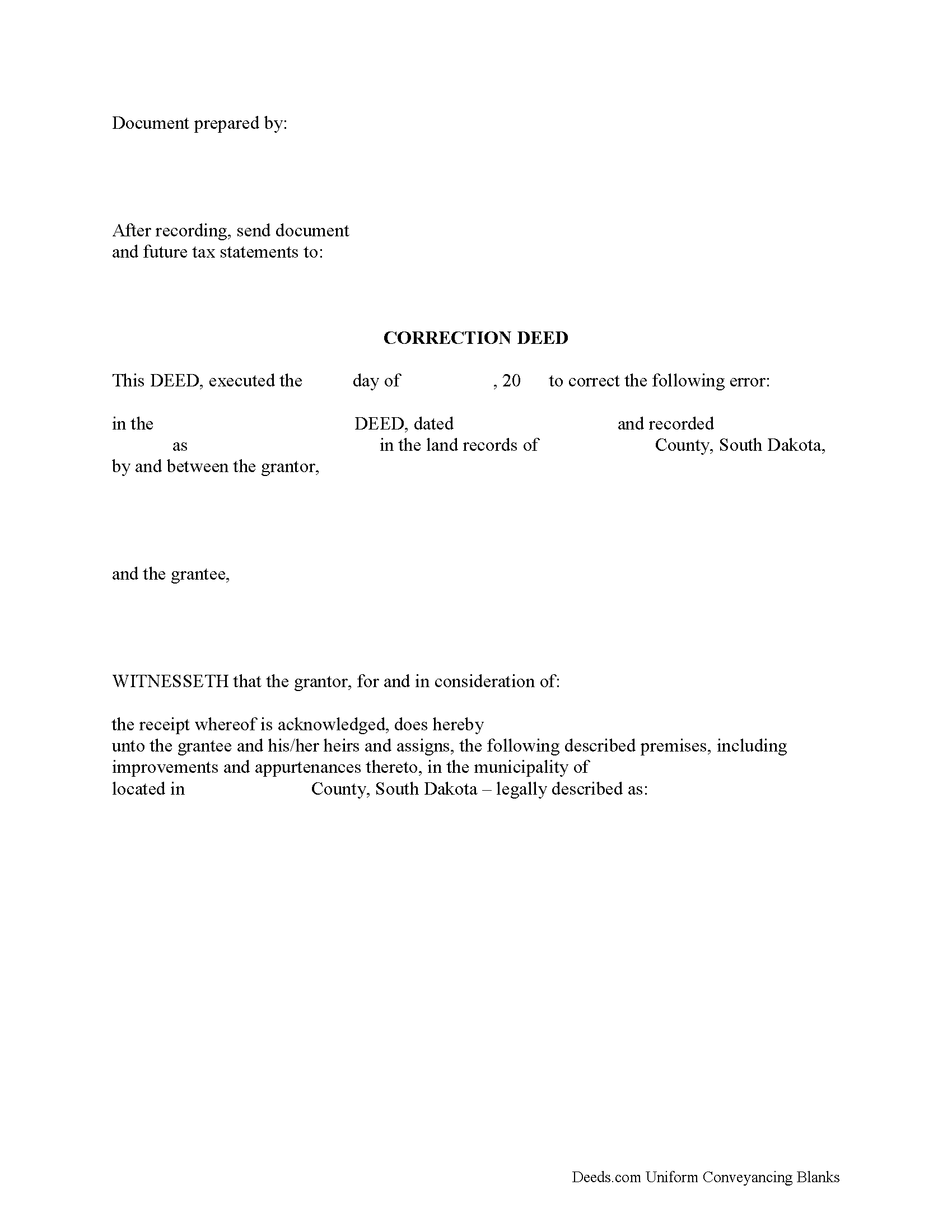
Oglala Lakota County Correction Deed Form
Fill in the blank form formatted to comply with all recording and content requirements.
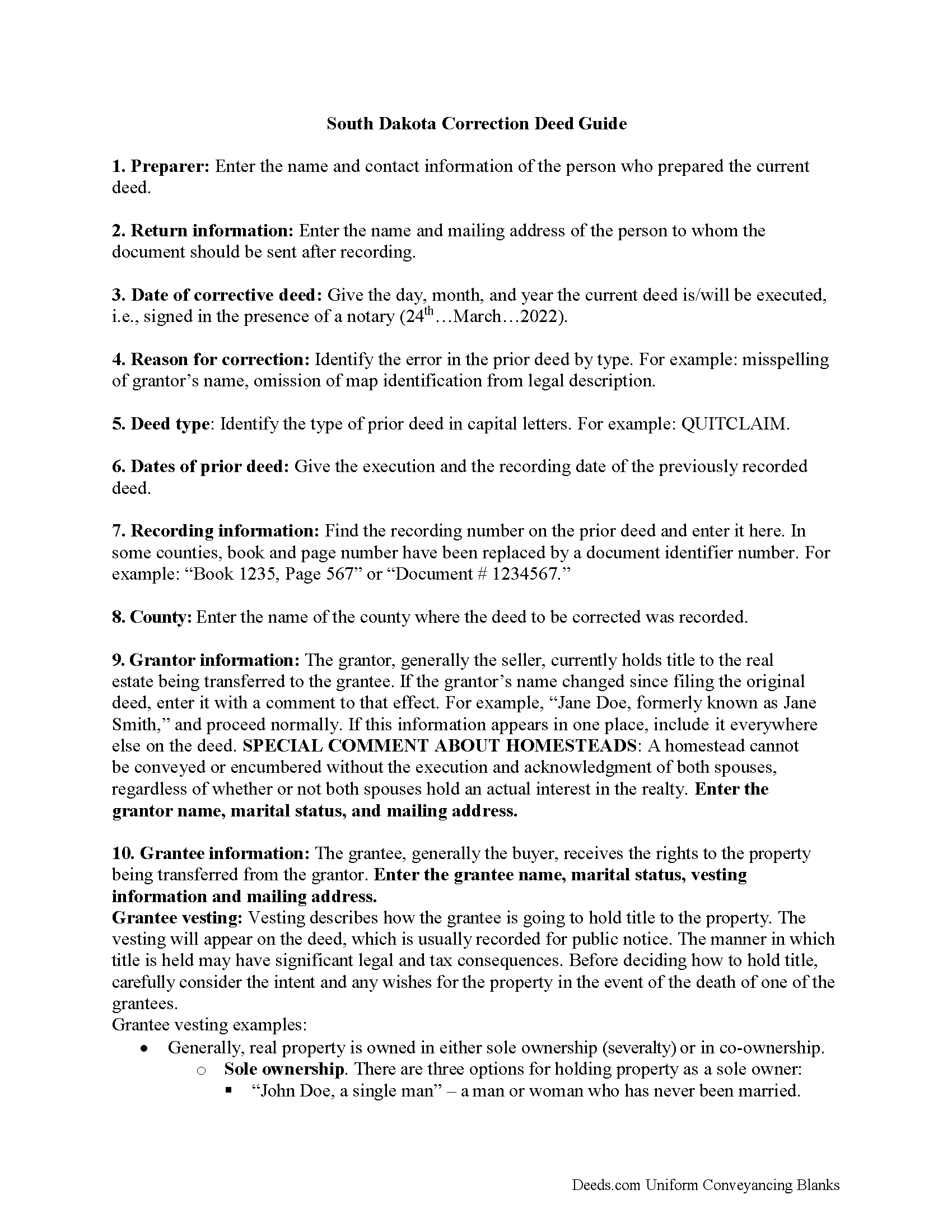
Oglala Lakota County Correction Deed Guide
Line by line guide explaining every blank on the form.
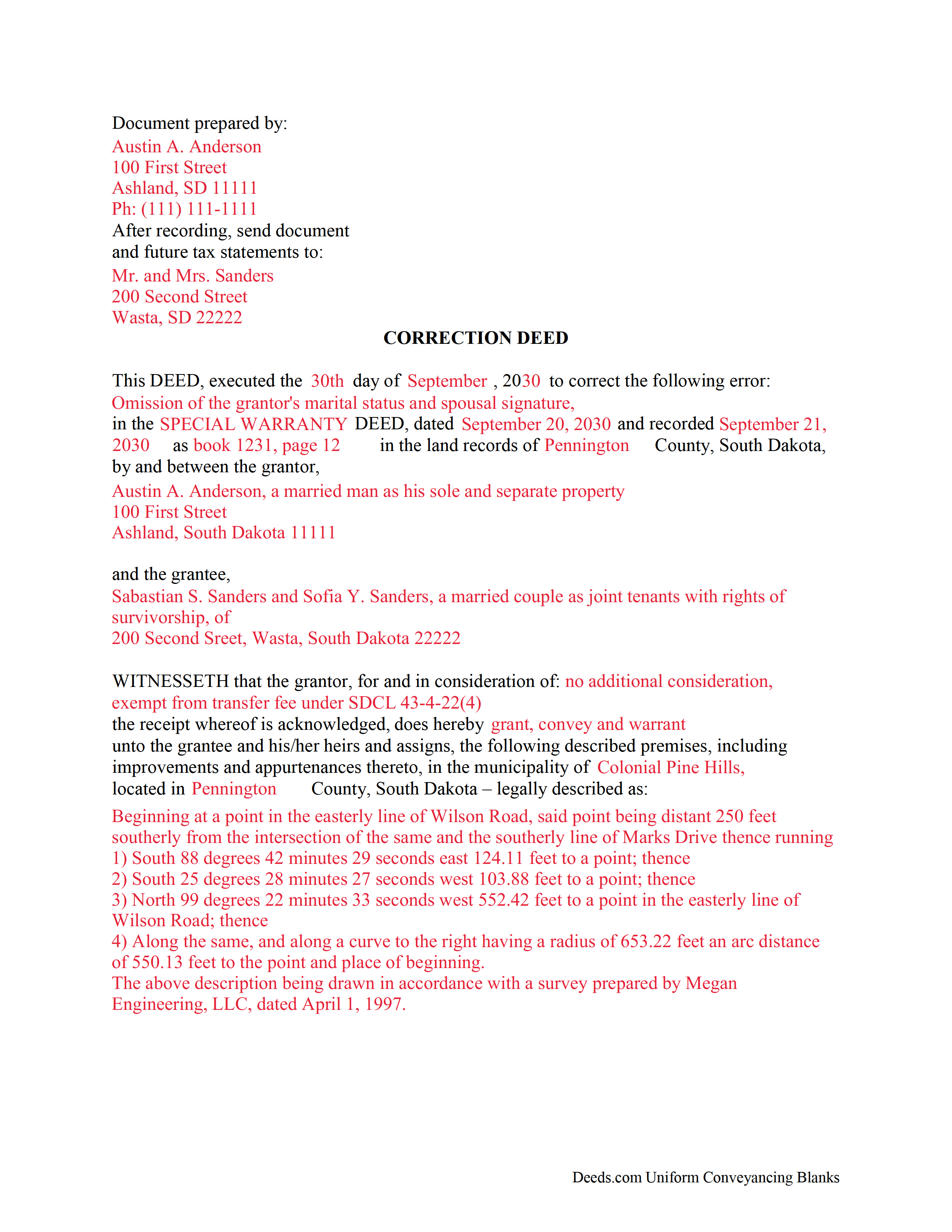
Oglala Lakota County Completed Example of the Correction Deed Document
Example of a properly completed form for reference.
All 3 documents above included • One-time purchase • No recurring fees
Immediate Download • Secure Checkout
Additional South Dakota and Oglala Lakota County documents included at no extra charge:
Where to Record Your Documents
Oglala Lakota / Fall River County Register of Deeds
Hot Springs, South Dakota 57747
Hours: 8:00 to 5:00 M-F
Phone: (605) 745-5139
Recording Tips for Oglala Lakota County:
- Bring your driver's license or state-issued photo ID
- Ensure all signatures are in blue or black ink
- Request a receipt showing your recording numbers
- Ask about accepted payment methods when you call ahead
- Ask for certified copies if you need them for other transactions
Cities and Jurisdictions in Oglala Lakota County
Properties in any of these areas use Oglala Lakota County forms:
- Batesland
- Kyle
- Manderson
- Oglala
- Pine Ridge
- Porcupine
- Wounded Knee
Hours, fees, requirements, and more for Oglala Lakota County
How do I get my forms?
Forms are available for immediate download after payment. The Oglala Lakota County forms will be in your account ready to download to your computer. An account is created for you during checkout if you don't have one. Forms are NOT emailed.
Are these forms guaranteed to be recordable in Oglala Lakota County?
Yes. Our form blanks are guaranteed to meet or exceed the applicable formatting requirements used for recording in Oglala Lakota County, including margin requirements, font requirements, and other layout standards. This guarantee applies to formatting, not to the legal sufficiency of information entered by the user or the suitability of a form for a particular transaction.
Can I reuse these forms?
Yes. You can reuse the forms for your personal use. For example, if you have multiple properties in Oglala Lakota County you only need to order once.
What do I need to use these forms?
The forms are PDFs that you fill out on your computer. The free Adobe Acrobat Reader is recommended, and most PDF apps also work. You do NOT enter your property information online - you download the blank forms and complete them privately on your own computer.
Are there any recurring fees?
No. This is a one-time purchase. Nothing to cancel, no memberships, no recurring fees.
How much does it cost to record in Oglala Lakota County?
Recording fees in Oglala Lakota County vary. Contact the recorder's office at (605) 745-5139 for current fees.
Questions answered? Let's get started!
Use the correction deed to correct an error in a previously recorded deed of conveyance in South Dakota.
Correcting an error in a recorded deed helps prevent problems that might arise when the current owner tries to sell the property. The best method for correction is to prepare and record a new document, a so-called correction deed. This document does not convey title; instead, it re-enacts and confirms the prior conveyance of the property.
Apart from supplying the correct information, the new deed must give the reason for correcting, and it must reference the prior deed by title, date, and recording number. The original grantor must sign again, thus confirming the property transfer to the same grantee. Generally, corrective deeds are used to address minor errors in a deed, such as typos, accidentally omitted suffixes or middle initials in names, and other minor omissions. When in doubt about the gravity of an error and whether a correction deed is the appropriate vehicle to address it, consult with a lawyer.
For certain changes, a correction deed may not be appropriate. Adding or removing a grantee, for example, or making material changes to the legal description, especially deleting a portion of the originally transferred property, may all require a new deed of conveyance, instead of a correction deed. When correcting the legal description, both grantor and grantee should sign the corrective instrument to avoid any doubt regarding the conveyed property.
(South Dakota CD Package includes form, guidelines, and completed example)
Important: Your property must be located in Oglala Lakota County to use these forms. Documents should be recorded at the county recording office listed above.
This Correction Deed meets all recording requirements specific to Oglala Lakota County.
Our Promise
The documents you receive here are guaranteed to meet or exceed the applicable Oglala Lakota County recording format requirements. If there is a rejection caused by our formatting, we will correct the issue or refund your payment. This guarantee applies to document formatting only and does not extend to information entered by the user, the selection of the form, or the legal effect of the completed document.
Save Time and Money
Get your Oglala Lakota County Correction Deed form done right the first time with Deeds.com Uniform Conveyancing Blanks. At Deeds.com, we understand that your time and money are valuable resources, and we don't want you to face a penalty fee or rejection imposed by a county recorder for submitting nonstandard documents. We constantly review and update our forms to meet rapidly changing state and county recording requirements for roughly 3,500 counties and local jurisdictions.
4.8 out of 5 - ( 4,829 Reviews )
Hugh B R. 5 out of 5 stars
Very user friendly and fast. Pleasure using this site.
Thank you for your feedback. We really appreciate it. Have a great day!
Solomon L. 5 out of 5 stars
Great communication, this was my first e-recording.
Your feedback is greatly appreciated. Thank you for taking the time to share your experience!
Pamela M. 5 out of 5 stars
Saved a great deal of time and hassle. THANKS
Thank you!
KELLY S. 5 out of 5 stars
very happy. I will use you for all my needed documents thanks for being here
We appreciate your business and value your feedback. Thank you. Have a wonderful day!
Nancy J. 5 out of 5 stars
Forms were not to hard to fill out, Will go to Douglas County Oregon Recorders office in a few weeks and hope I filled them out correctly.
Thank you for your feedback. We really appreciate it. Have a great day!
Thomas V. 4 out of 5 stars
Easy to use. Accomplished my goal
We appreciate your business and value your feedback. Thank you. Have a wonderful day!
Stephen K. 5 out of 5 stars
this 5-star rating is well-deserved.
Thank you!
Norma C. 5 out of 5 stars
Great service and process for recording deeds quickly and easily. Also impressed with prompt replies to messages providing clear and specific instructions/guidance.
We appreciate your business and value your feedback. Thank you. Have a wonderful day!
Brian B. 5 out of 5 stars
Very good price. It came with instructions and a sample filled out. Very helpful.
Thank you for your feedback. We really appreciate it. Have a great day!
Ernest B. 5 out of 5 stars
Forms were perfect, recorded quickly with no issue.
Thank you!
Stephen G. 5 out of 5 stars
Well, we are 10 days from leaving the country for months and needed to notarize and record deed changes to our rental properties. We worried about USPS, UPS, DHL, etc. and hardcopies in the County's bureaucrats' hands. Soooo, we learned of Deeds.com from the County web site via one of the bulk digital recorders telling me about Deeds.com. Hit their site, read their instructions, concluded my tiny brain and decrepit abilities could handle the chore. WITHIN AN HOUR OF UPLOADING EVERYTHING INCLUDING C.C. FOR PMT IT WAS RECORDED AND I printed out copies. WORTH the $$ in speed, convenience and PEACE of mind. Pardon the loud trumpeting.
We appreciate your business and value your feedback. Thank you. Have a wonderful day!
RICHARD M. 5 out of 5 stars
EASY TO USE AND GREAT I COULD DOWNLOAD MULTIPLE DOCUMENTS
Thank you!
Monty H. 5 out of 5 stars
Perfection. The filled-out form was especially helpful and I appreciate not having to share personal/financial information over the Internet, as required by so many other legal form service providers.
We appreciate your business and value your feedback. Thank you. Have a wonderful day!
GISELLE G. 5 out of 5 stars
Quick and easy. I will definitely use this services again.
Thank you!
Marjorie D. 5 out of 5 stars
Makes recording fast and easy. Great service!
Knowing our customers are happy is our top priority. Thank you for the wonderful feedback!