Brule County Quitclaim Deed (Corrective) Form
Last validated October 23, 2026 by our Forms Development TeamFormatted for recording in Brule County, for property anywhere in the county: rural and unincorporated areas as well as Chamberlain, Kimball, Pukwana.
- 3 documents included
- Immediate PDF download
- Formatting guarantee
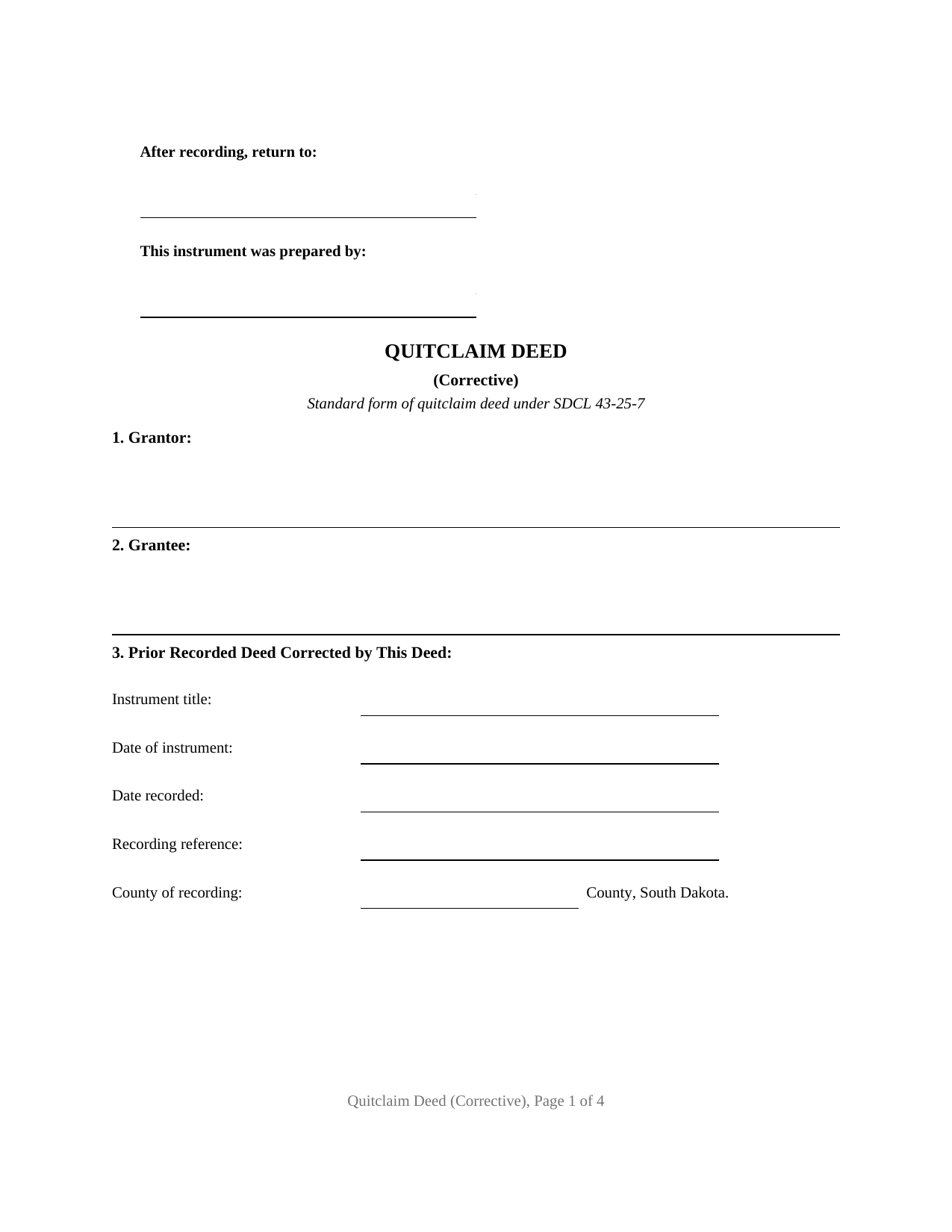
Brule County Quitclaim Deed (Corrective) Form
Fill in the blank Quitclaim Deed (Corrective) form formatted to comply with all South Dakota recording and content requirements.
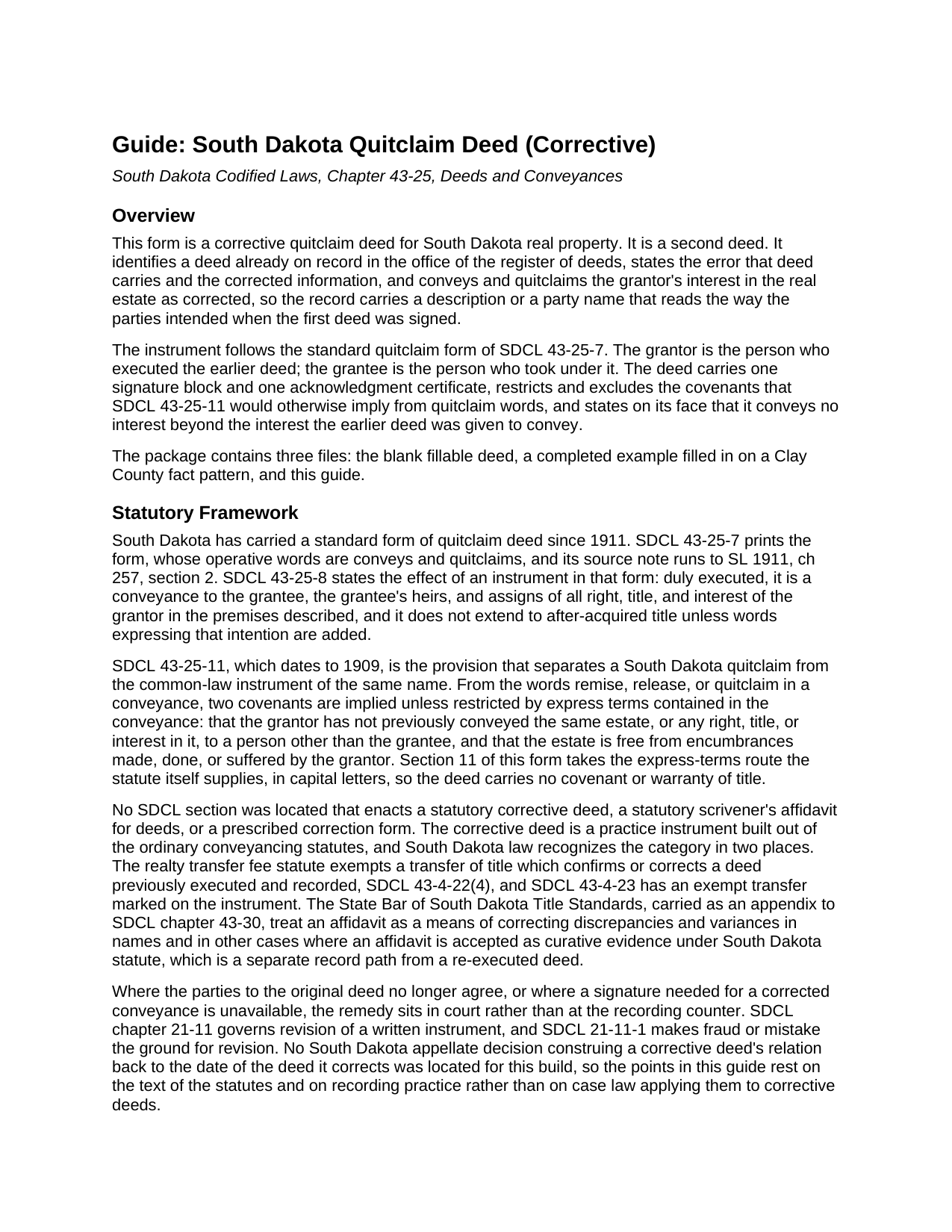
Brule County Quitclaim Deed (Corrective) Guide
Line by line guide explaining every blank on the Quitclaim Deed (Corrective) form.
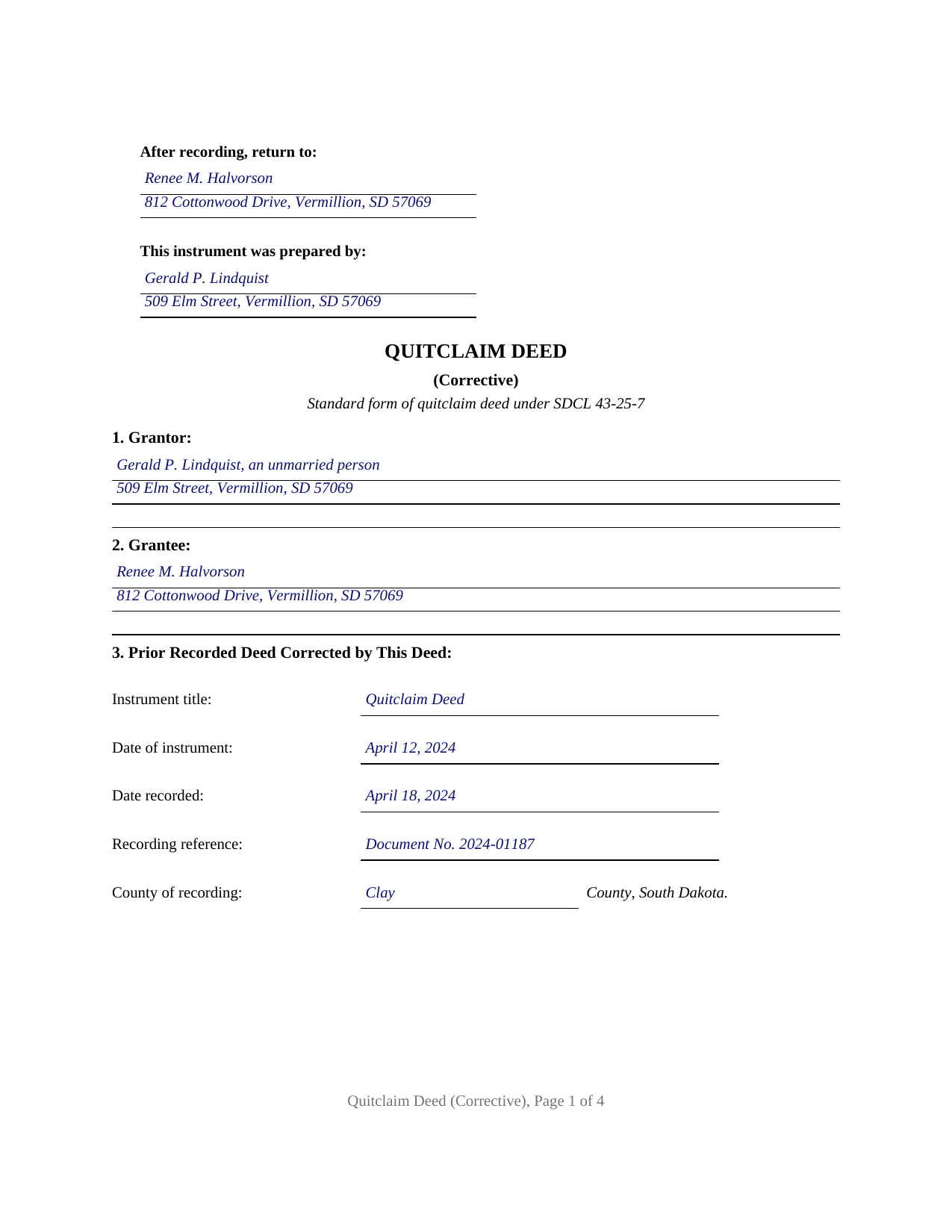
Brule County Completed Example of the Quitclaim Deed (Corrective) Document
Example of a properly completed South Dakota Quitclaim Deed (Corrective) document for reference.
All 3 documents above included • One-time purchase • No recurring fees
Immediate Download • Secure Checkout
Additional South Dakota and Brule County documents included at no extra charge:
Where to Record Your Documents
Brule County Register Of Deeds
Chamberlain, South Dakota 57325-1599
Hours: 8:00am to 4:30pm.M-F
Phone: (605) 234-4434
Recording Tips for Brule County:
- Bring your driver's license or state-issued photo ID
- Ensure all signatures are in blue or black ink
- Documents must be on 8.5 x 11 inch white paper
- Double-check legal descriptions match your existing deed
- Verify all names are spelled correctly before recording
Cities and Jurisdictions in Brule County
Properties in any of these areas use Brule County forms:
- Chamberlain
- Kimball
- Pukwana
Hours, fees, requirements, and more for Brule County
How do I get my forms?
Forms are available for immediate download after payment. The Brule County forms will be in your account ready to download to your computer. An account is created for you during checkout if you don't have one. Forms are NOT emailed.
Are these forms guaranteed to be recordable in Brule County?
Yes. Our form blanks are guaranteed to meet or exceed the applicable formatting requirements used for recording in Brule County, including margin requirements, font requirements, and other layout standards. This guarantee applies to formatting, not to the legal sufficiency of information entered by the user or the suitability of a form for a particular transaction.
Can I reuse these forms?
Yes. You can reuse the forms for your personal use. For example, if you have multiple properties in Brule County you only need to order once.
What do I need to use these forms?
The forms are PDFs that you fill out on your computer. The free Adobe Acrobat Reader is recommended, and most PDF apps also work. You do NOT enter your property information online - you download the blank forms and complete them privately on your own computer.
Are there any recurring fees?
No. This is a one-time purchase. Nothing to cancel, no memberships, no recurring fees.
How much does it cost to record in Brule County?
Recording fees in Brule County vary. Contact the recorder's office at (605) 234-4434 for current fees.
Questions answered? Let's get started!
Most deeds move property. This one repairs a record. A corrective quitclaim deed points at an instrument already sitting in the register of deeds record, states what that instrument got wrong, states what it was meant to say, and quitclaims the grantor's interest once more against the description as corrected. The fillable form prepares that second deed on the standard quitclaim pattern South Dakota enacted in 1911 and carries today at SDCL 43-25-7.
Three sections carry the correction
The variant lives in Sections 3, 4, and 5. Section 3 identifies the earlier instrument the way a title examiner searches for it: title, signing date, recording date, document number or book and page, and the county that recorded it. Section 4 states the error. Section 5 states the corrected information and the source behind it, a recorded plat, a survey, or the vesting deed ahead of the one being fixed. Both instruments stay in the chain and are read together, which is why the deed spells the variance out rather than leaving two disagreeing descriptions to be reconciled by inference.
South Dakota names this deed in the fee statute
No SDCL section enacts a correction deed form or a scrivener's error affidavit for deeds, and none was located in this build. Recognition of the category arrives where money changes hands instead: SDCL 43-4-22(4) exempts a transfer of title which confirms or corrects a deed previously executed and recorded from the realty transfer fee, and SDCL 43-4-23 has the claim marked on the instrument, so Section 9 receives the exemption with its subdivision in parentheses. A false claim is a misdemeanor under SDCL 43-4-26. The Department of Revenue's certificate of real estate value still crosses the counter as its own filing under SDCL 7-9-7, carrying that exemption number.
Interest passes again, with no promises attached
Section 11 performs the act in the statutory pair of words, conveys and quitclaims. SDCL 43-25-8 sets the reach of an instrument in that form at the interest the grantor holds when the deed is made, leaving later-arriving title behind unless words claiming it are added, and this deed adds none. South Dakota also reads two covenants into quitclaim words unless a conveyance restricts them by express terms, one denying an earlier conveyance of the same estate, one denying encumbrances the grantor made, did, or suffered; the operative section restricts both in capitals. The same section states the boundary that makes this a correction: the deed restates the earlier conveyance with corrected information and passes no interest beyond what that deed was given to pass.
One grantor, the same two parties
The form recites the grantor who signed the earlier deed, with name, marital status, and mailing address, and the grantee who took under it, with the address SDCL 43-28-23 makes recording content. One signature block with a printed-name line and one notary certificate follow; the grantee signs nothing. Patterns appearing in the South Dakota record include a platted description whose subdivision or lot designation was typed wrong, a grantee surname misspelled at closing, and a reference to the wrong prior instrument. This deed does not print two owners who signed the original together, an entity or trustee that executed it in a representative capacity, an agent signing under a power of attorney, or a homestead conveyance, where SDCL 43-31-17 has both spouses concur in and sign.
Where a correction ends and a new deed begins
A corrective deed answers to mistakes in the writing. Moving title to a different parcel, adding or dropping a party, or changing the bargain is a fresh conveyance signed by whoever holds record title then. Revision of an instrument for fraud or mistake belongs to a court under SDCL chapter 21-11, and a bare variance in a name has its own route, since the State Bar of South Dakota Title Standards treat a recorded affidavit as curative evidence for name discrepancies; such an affidavit is prepared and recorded on its own and is not part of this package. Recording happens where the land lies, for thirty dollars under SDCL 7-9-15.
Three files ship with this correction deed: the blank quit claim deed as a fillable PDF, a completed example worked through on a Clay County description error, and a plain-language guide to the twelve numbered sections, the signing formalities, and what the register of deeds collects. The materials are informational and are not legal advice.
Important: Your property must be located in Brule County to use these forms. Documents should be recorded at the county recording office listed above.
This Quitclaim Deed (Corrective) meets all recording requirements specific to Brule County.
Our Promise
The documents you receive here are guaranteed to meet or exceed the applicable Brule County recording format requirements. If there is a rejection caused by our formatting, we will correct the issue or refund your payment. This guarantee applies to document formatting only and does not extend to information entered by the user, the selection of the form, or the legal effect of the completed document.
Save Time and Money
Get your Brule County Quitclaim Deed (Corrective) form done right the first time with Deeds.com Uniform Conveyancing Blanks. At Deeds.com, we understand that your time and money are valuable resources, and we don't want you to face a penalty fee or rejection imposed by a county recorder for submitting nonstandard documents. We constantly review and update our forms to meet rapidly changing state and county recording requirements for roughly 3,500 counties and local jurisdictions.
4.8 out of 5 - ( 4,837 Reviews )
Helen B. 5 out of 5 stars
Very Good!
Thank you!
Craig M. 5 out of 5 stars
Fantastic! So much easier than going and recording it at the recorders office!
Glad we could help Craig, thanks for the kind words.
Alma S. 5 out of 5 stars
I like the service very much, it's easy and fast, I'm really happy with the service.
Thank you!
Robert A. 5 out of 5 stars
A well constructed site, easy to navigate and a pleasure to use. I'd give it a 10 on 10
Thank you for your feedback. We really appreciate it. Have a great day!
Steve W. 5 out of 5 stars
Perfect
Thank you!
Diana A. 5 out of 5 stars
My service today was outstanding.your rep asked me several questions and was able to get me all the information I needed.
Thank you!
David Q. 5 out of 5 stars
Very easy...great service.
Thank you!
Sara R. 5 out of 5 stars
The deed is presently at the auditors office and will be recorded after approval from zoning board. As far as I know, everything is going along well. A self addressed envelope was left at recorder's office for return after recording is complete.
Thank you!
DON O. 2 out of 5 stars
needs to be more user friendly
Thank you for your feedback. We really appreciate it. Have a great day!
Delia C. 5 out of 5 stars
Your service is a life saver! I'm a paralegal and new to lien releases especially in Platte Co., MO. The clerk was not helpful and I so appreciate your service in accomplishing this very important task!!
We appreciate your business and value your feedback. Thank you. Have a wonderful day!
Clarence F. 5 out of 5 stars
very easy to use !!!
We appreciate your business and value your feedback. Thank you. Have a wonderful day!
Christine D. 5 out of 5 stars
Very easy to use and very fast. I was very happy with your service and will definitely use it again in the future!
We appreciate your business and value your feedback. Thank you. Have a wonderful day!
Jackie C. 5 out of 5 stars
Easy process!
Thank you!
Paul B. 5 out of 5 stars
Very efficient and easy to use process
Paul, we’re glad to hear you had a smooth and efficient experience! Making things easy for our customers is always our goal.
Joseph R. 5 out of 5 stars
Deeds.com has saved me quite a bit in attorney fees by making legal forms available on line. Easy to use, just fill in the blanks.
Thank you for your feedback. We really appreciate it. Have a great day!