Montgomery County Deed of Trust Form
Last validated October 1, 2026 by our Forms Development TeamFormatted for recording in Montgomery County, for property anywhere in the county: rural and unincorporated areas as well as Clarksville, Cunningham, Palmyra, Southside, Woodlawn.
- 8 documents included
- Immediate PDF download
- Formatting guarantee
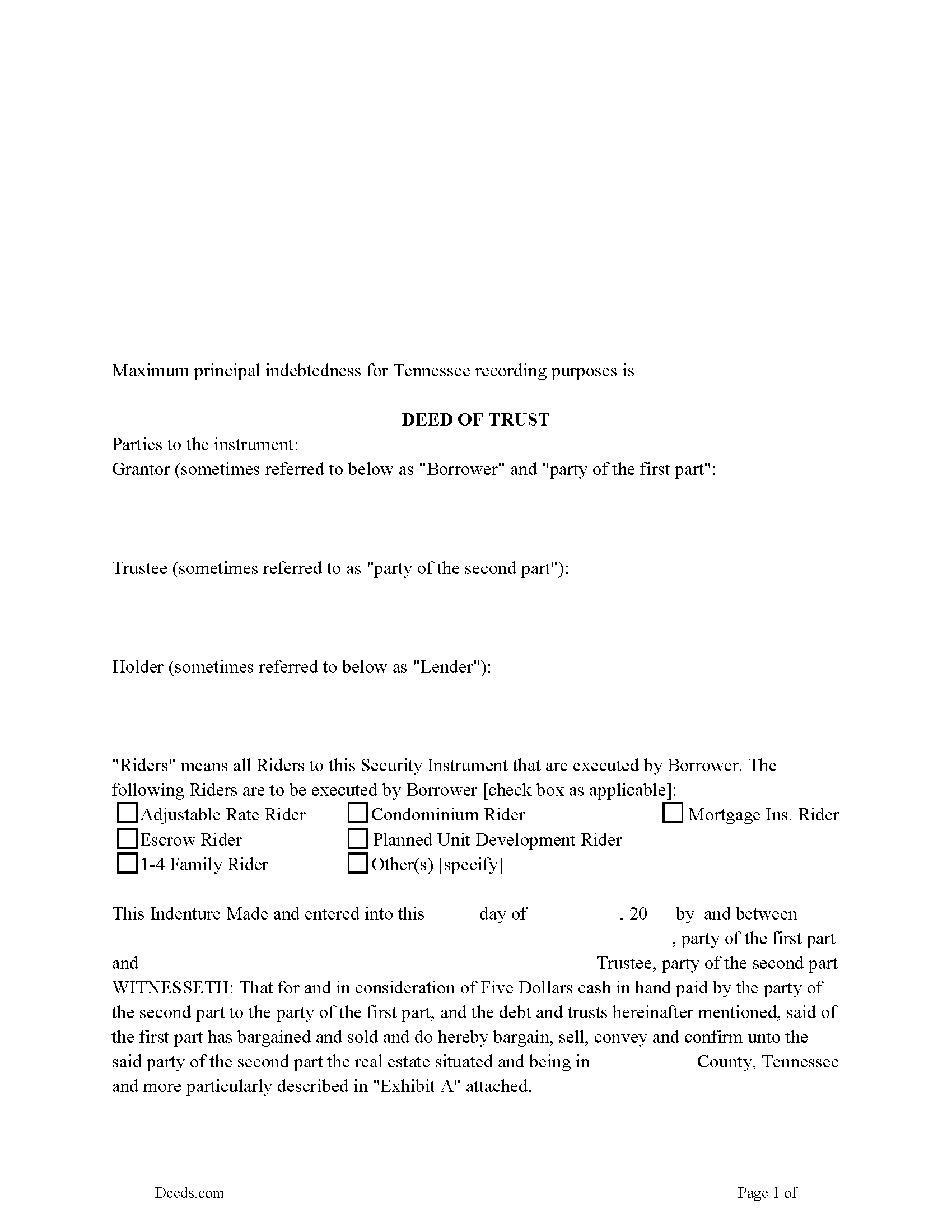
Montgomery County Deed of Trust Form
Fill in the blank form formatted to comply with all recording and content requirements.
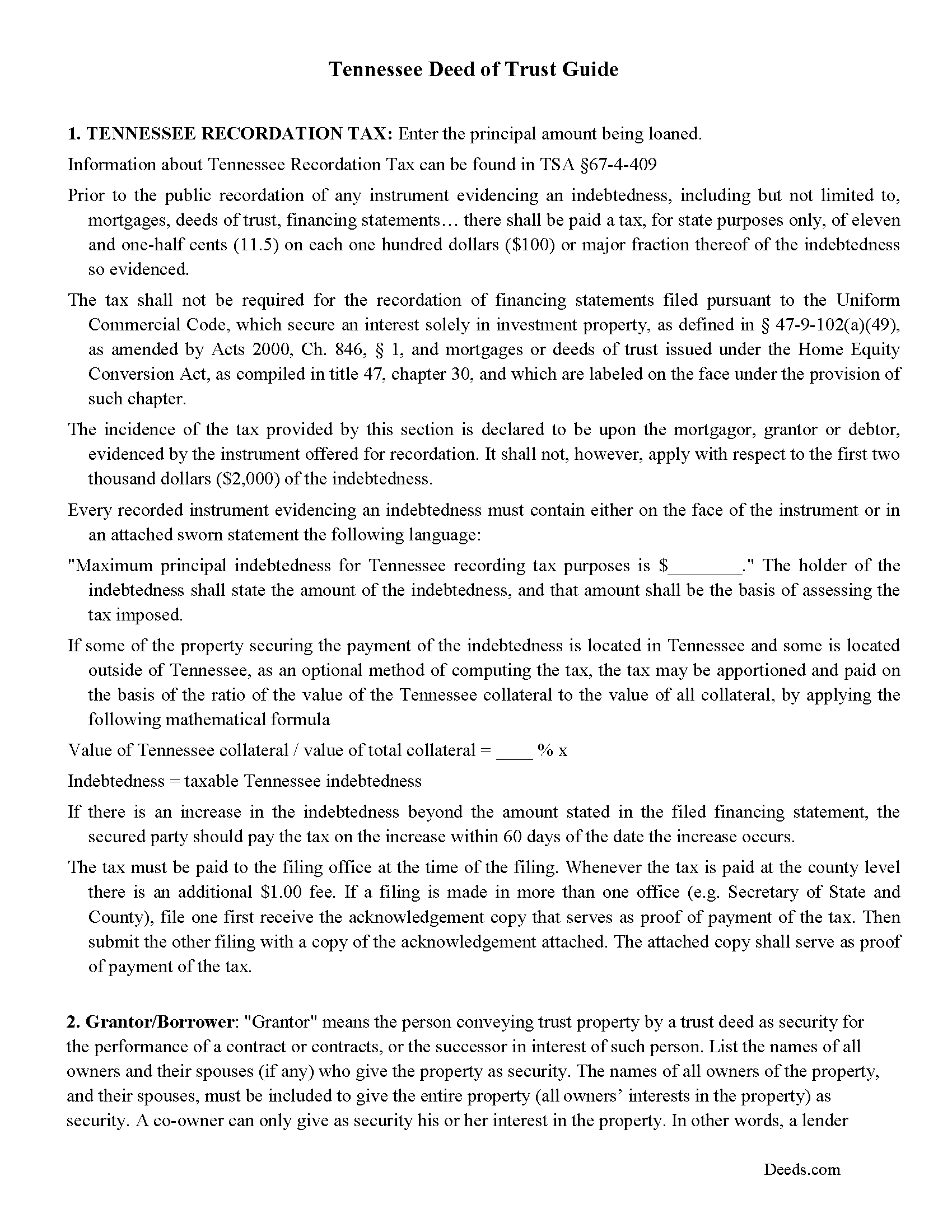
Montgomery County Deed of Trust Guidelines
Line by line guide explaining every blank on the form.
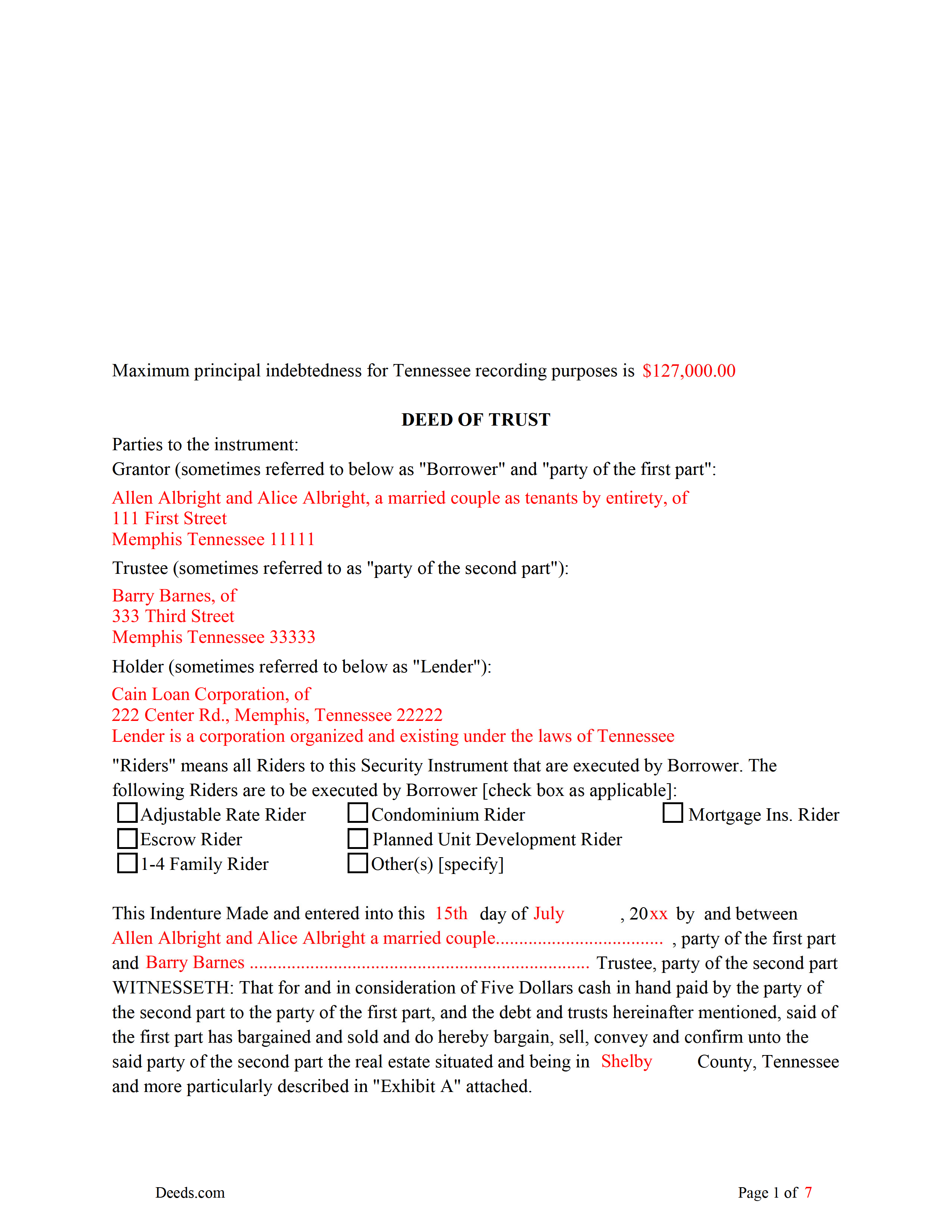
Montgomery County Completed Example of the Deed of Trust
Example of a properly completed form for reference.
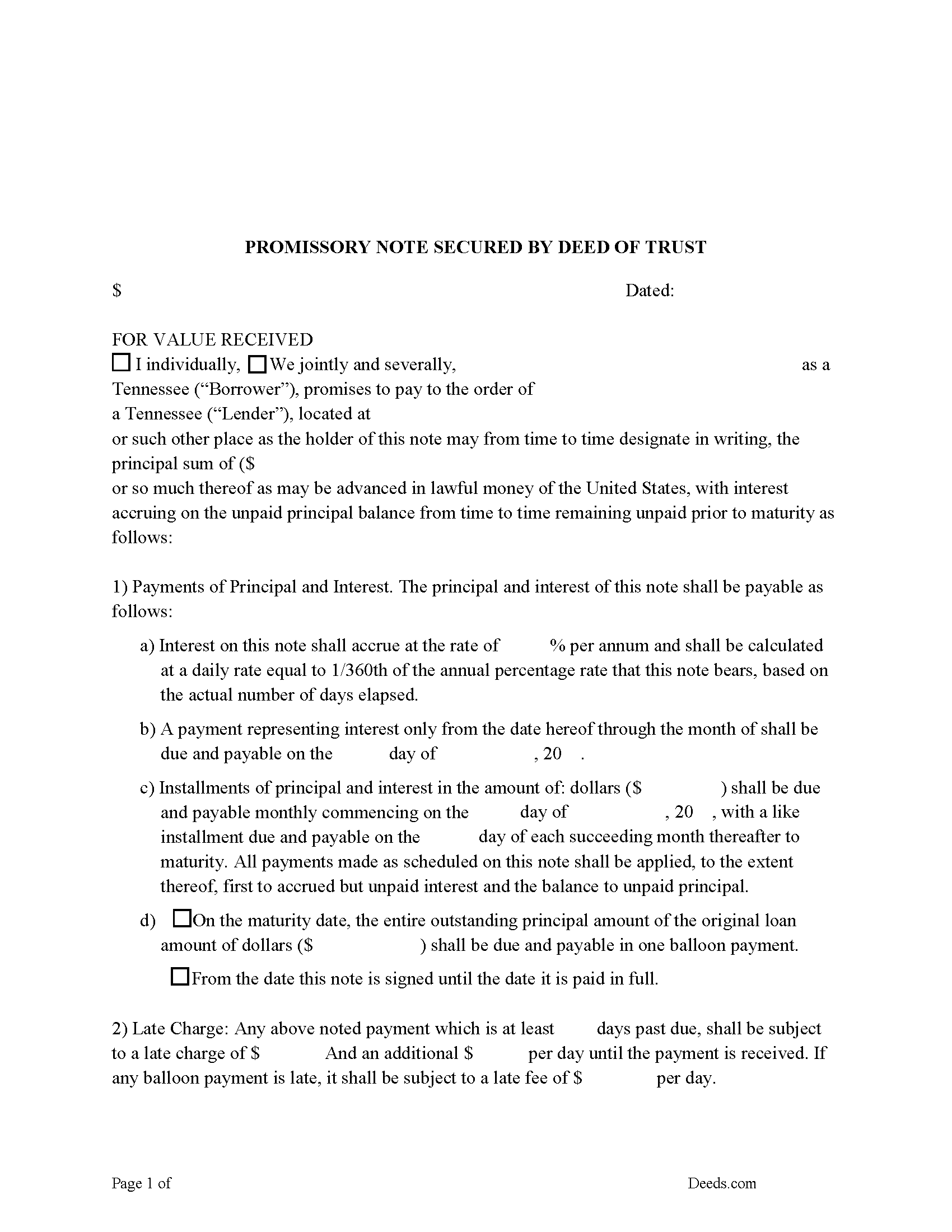
Montgomery County Promissory Note Form
Note that is secured by the Deed of Trust. Can be used for traditional installments or balloon payment.
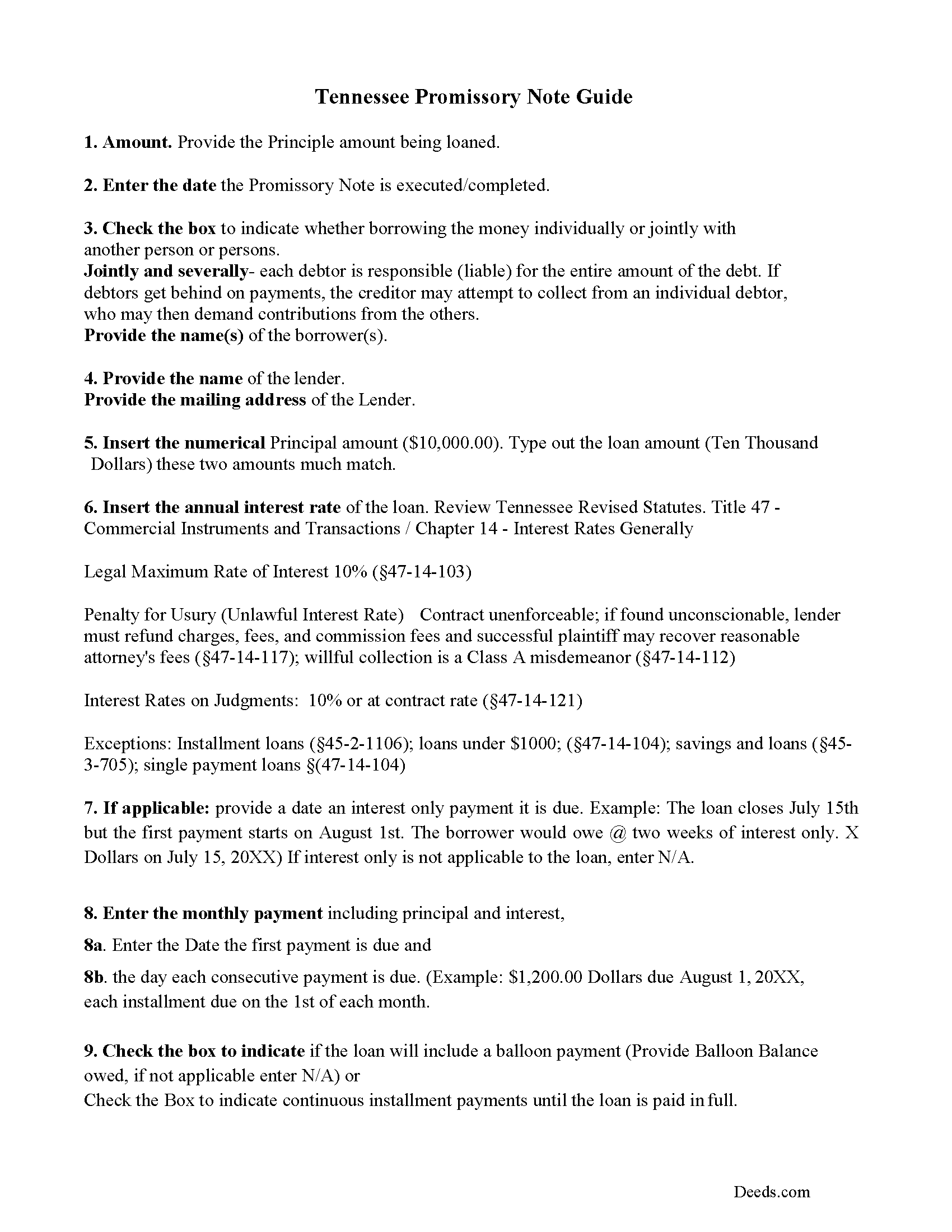
Montgomery County Promissory Note Guidelines
Line by line guide explaining every blank on the form.
Montgomery County Completed Example of the Promissory Note Document
This Tennessee Promissory Note is filled in and highlighted, showing how the guideline information, can be interpreted into the document
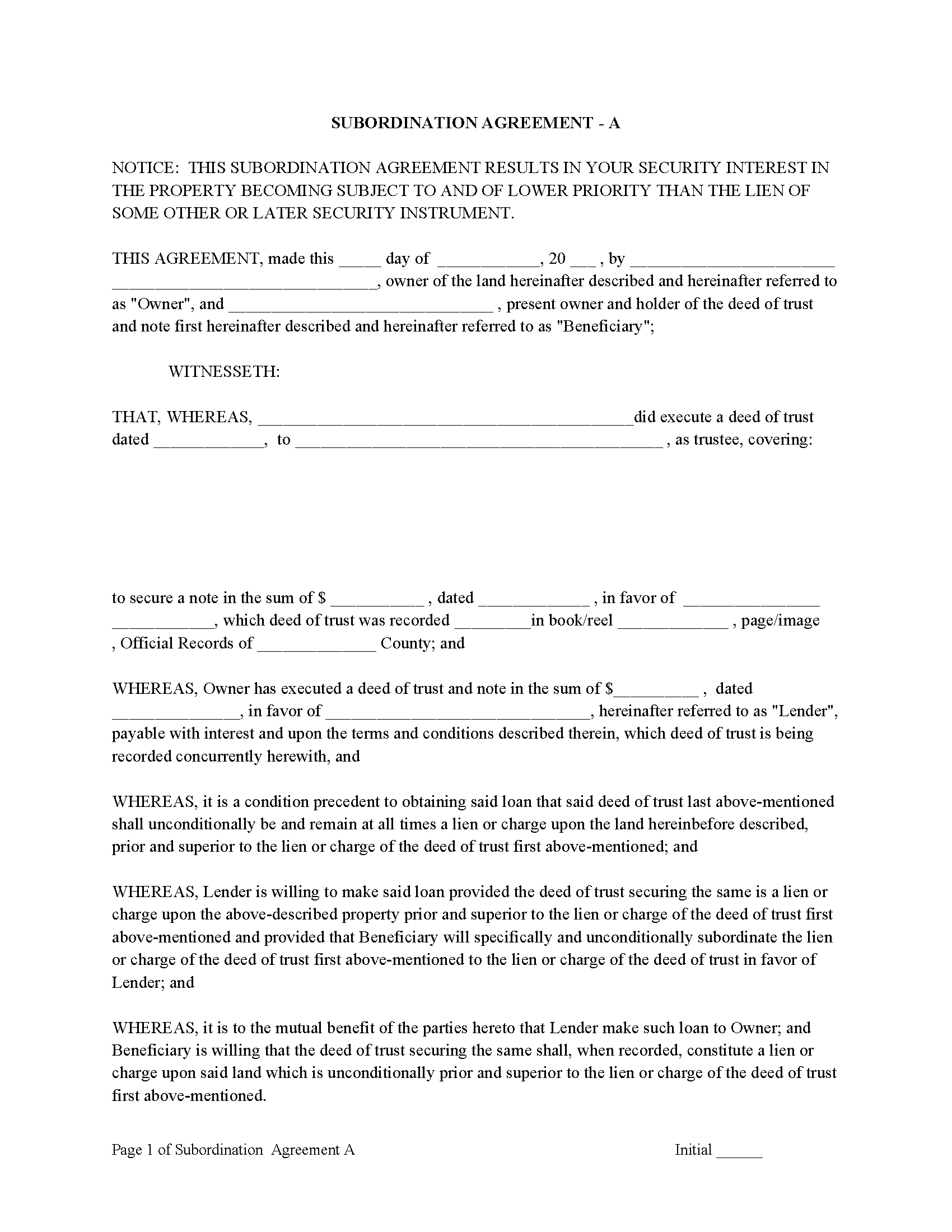
Montgomery County Subordination Agreements
Used to place priority on claim of debt. Included are 4 clauses for unique situations. If needed, add to Deed of Trust as an addendum or rider.
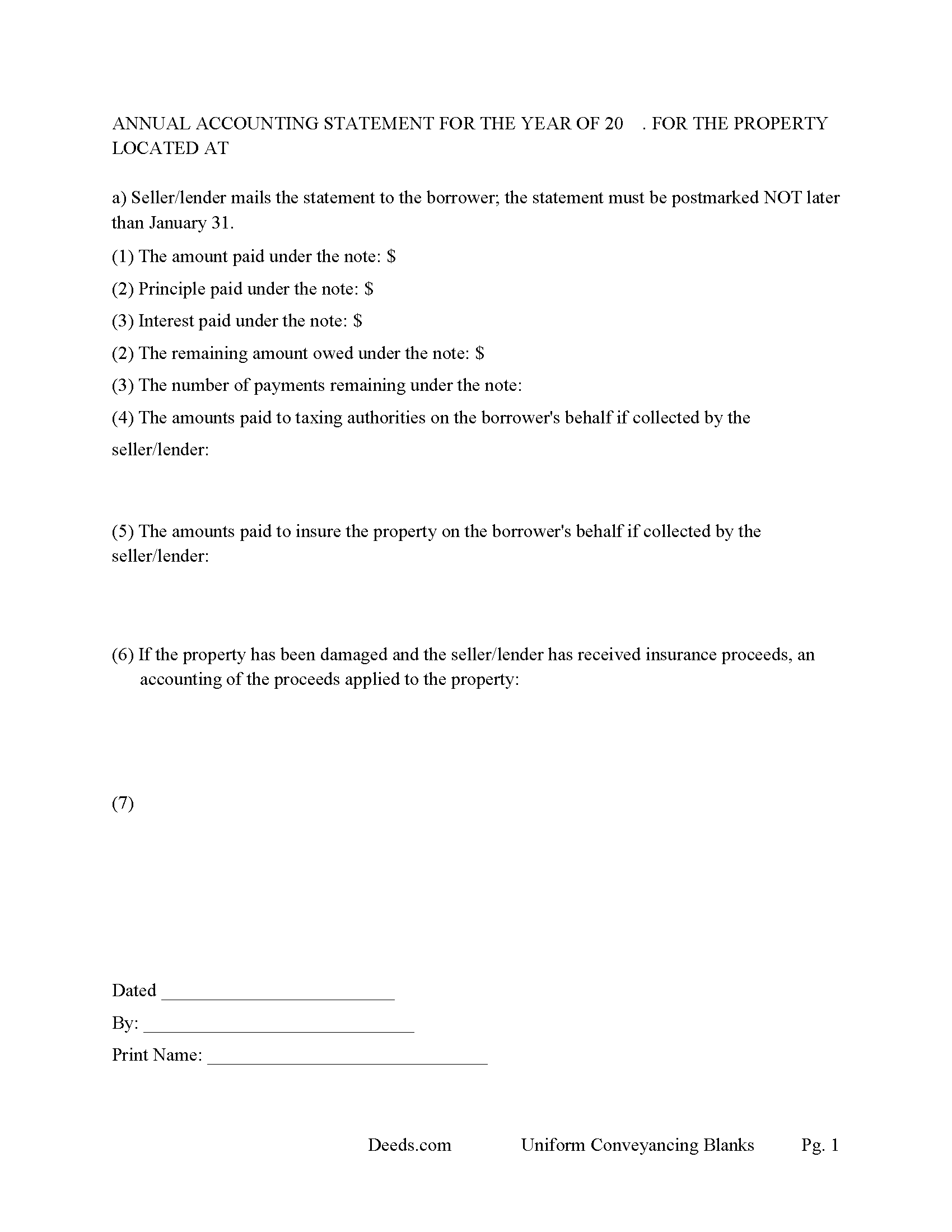
Montgomery County Annual Accounting Statement
Mail to borrower for fiscal year reporting.
All 8 documents above included • One-time purchase • No recurring fees
Immediate Download • Secure Checkout
Additional Tennessee and Montgomery County documents included at no extra charge:
Where to Record Your Documents
Register of Deeds
Clarksville, Tennessee 37041-1124
Hours: 7:30am to 4:30pm M-F
Phone: (931) 648-5713
Recording Tips for Montgomery County:
- Bring your driver's license or state-issued photo ID
- Ensure all signatures are in blue or black ink
- Leave recording info boxes blank - the office fills these
- Make copies of your documents before recording - keep originals safe
- Recorded documents become public record - avoid including SSNs
Cities and Jurisdictions in Montgomery County
Properties in any of these areas use Montgomery County forms:
- Clarksville
- Cunningham
- Palmyra
- Southside
- Woodlawn
Hours, fees, requirements, and more for Montgomery County
How do I get my forms?
Forms are available for immediate download after payment. The Montgomery County forms will be in your account ready to download to your computer. An account is created for you during checkout if you don't have one. Forms are NOT emailed.
Are these forms guaranteed to be recordable in Montgomery County?
Yes. Our form blanks are guaranteed to meet or exceed the applicable formatting requirements used for recording in Montgomery County, including margin requirements, font requirements, and other layout standards. This guarantee applies to formatting, not to the legal sufficiency of information entered by the user or the suitability of a form for a particular transaction.
Can I reuse these forms?
Yes. You can reuse the forms for your personal use. For example, if you have multiple properties in Montgomery County you only need to order once.
What do I need to use these forms?
The forms are PDFs that you fill out on your computer. The free Adobe Acrobat Reader is recommended, and most PDF apps also work. You do NOT enter your property information online - you download the blank forms and complete them privately on your own computer.
Are there any recurring fees?
No. This is a one-time purchase. Nothing to cancel, no memberships, no recurring fees.
How much does it cost to record in Montgomery County?
Recording fees in Montgomery County vary. Contact the recorder's office at (931) 648-5713 for current fees.
Questions answered? Let's get started!
A deed of trust (DOT), is a document that conveys title to real property to a trustee as security for a loan until the grantor (borrower) repays the lender according to terms defined in an attached promissory note. It's similar to a mortgage, but differs in that mortgages only include two parties (borrower and lender).
In Tennessee, a Deed of Trust is the most commonly used instrument to secure a loan. Foreclosure can be done non-judicially, saving time and expense. This process is called a Trustee Sale.
There are three parties in this Deed of Trust:
1- The Grantor (Borrower)
2- Holder (Lender) and a
3- Trustee (Neutral Third Party)
Basic Concept. The Trustor (Borrower) conveys property title to a Trustee (Neutral Party). A Trustee or beneficiary/Lender can take an action against any person for damages.
This form can be used by a party selling/financing their own house, rental, condominium or small office building. A Promissory Note and Deed of Trust combined with stringent default terms, can be advantageous to the Lender.
(Tennessee DOT Package includes form, guidelines, and completed example)
Important: Your property must be located in Montgomery County to use these forms. Documents should be recorded at the county recording office listed above.
This Deed of Trust meets all recording requirements specific to Montgomery County.
Our Promise
The documents you receive here are guaranteed to meet or exceed the applicable Montgomery County recording format requirements. If there is a rejection caused by our formatting, we will correct the issue or refund your payment. This guarantee applies to document formatting only and does not extend to information entered by the user, the selection of the form, or the legal effect of the completed document.
Save Time and Money
Get your Montgomery County Deed of Trust form done right the first time with Deeds.com Uniform Conveyancing Blanks. At Deeds.com, we understand that your time and money are valuable resources, and we don't want you to face a penalty fee or rejection imposed by a county recorder for submitting nonstandard documents. We constantly review and update our forms to meet rapidly changing state and county recording requirements for roughly 3,500 counties and local jurisdictions.
4.8 out of 5 - ( 4,823 Reviews )
spencer d. 5 out of 5 stars
Great and quick service!
Thank you!
Armando R. 5 out of 5 stars
Great service and support!
Thank you!
Norma V. 5 out of 5 stars
So far it's been great. My 2 deeds were accepted and prepared for recording very quickly. Now I am waiting for the County to record them and Deeds.com to e-send them back to me. Very impressive!
We appreciate your business and value your feedback. Thank you. Have a wonderful day!
Lydia E. 5 out of 5 stars
Very intuitive to use and comprehensive enough for the most complex of cases.
Thank you!
Becky B. 1 out of 5 stars
Terrible form format
Thank you for taking the time to leave your feedback Becky. We do hope that you found something more suitable to your needs elsewhere. Have a wonderful day.
Mercedes B. 5 out of 5 stars
Great site. It lets your fingers do the walking. It took me half a day to get deed info a couple of years ago. Thanks Deeds.com
Thank you for your feedback. We really appreciate it. Have a great day!
John W. 5 out of 5 stars
I wish that I had known about Deed.com years ago! Very easy and time saving!
Thank you!
Roger A. 5 out of 5 stars
Easy peasy to use! It's great to have the guide for completing the form and an example of a completed form.
It was a pleasure serving you. Thank you for the positive feedback!
Timothy P. 5 out of 5 stars
Straightforward, easy to navigate, saves time and gas = a real value for the price!
Thank you for your feedback. We really appreciate it. Have a great day!
Rosie R. 5 out of 5 stars
LOVE THIS!! I am a REALTORand from time to time I have had to take documents for filing. I'm so glad I invested some time online researching eFiling services. The first few search results that populated required an expensive annual or monthly subscription. Luckily I continued to scroll and found Deeds.com. No annual or monthly subscription required. Just pay per use. I uploaded a ROL late one night and Deed.com had it eFiled the very next morning!!! They keep you updated throughout the process via email notifications which you click on the link provided in the email that directs you to your online portal to view the status and once your documents have been filed you can immediately download the filed of record documents including the receipt from the county in which the documents were filed. SO SIMPLE, CONVENIENT, & QUICK-THANK YOU DEEDS.com!!!
We appreciate your business and value your feedback. Thank you. Have a wonderful day!
Nicole P. 5 out of 5 stars
The forms are great. I kinda expected the guide to be bigger, maybe have some more information. Overall I'm satisfied thus far.
Thank you!
Matthew T. 5 out of 5 stars
I am a litigator based in Lee County that rarely needs to record deeds or mortgages. However, at times, the settlement or resolution of a dispute results in the conveyance of real property. I ended up in a situation where a deed to real property in Bradford County needed to be recorded on behalf of a client. My usual e-recording vendor does not include that County. Registering with Bradford County's regular e-recording vendor would have required an expensive and unnecessary annual fee. Deeds.com was easy to use, inexpensive and fast. I highly encourage its use, especially for lawyers that occasionally need to record instruments but do not do so regularly.
We appreciate your business and value your feedback. Thank you. Have a wonderful day!
Scott K. 5 out of 5 stars
The beneficiary deed was acceptable to the county clerk and my notarized official deed was mailed to me. The Missouri-based deed met with official approval so all is well in the land that time forgot.
Thank you!
Janna V. 4 out of 5 stars
Very easy process!
Thank you!
Glenn N. 5 out of 5 stars
Made a hard task easy! Very smooth and we were printed and ready to go
Thank you for your feedback. We really appreciate it. Have a great day!