Cheatham County Mineral Deed with Quitclaim Covenants Form
Last validated November 23, 2026 by our Forms Development TeamFormatted for recording in Cheatham County, for property anywhere in the county: rural and unincorporated areas as well as Ashland City, Chapmansboro, Kingston Springs, Pegram, Pleasant View.
- 3 documents included
- Immediate PDF download
- Formatting guarantee
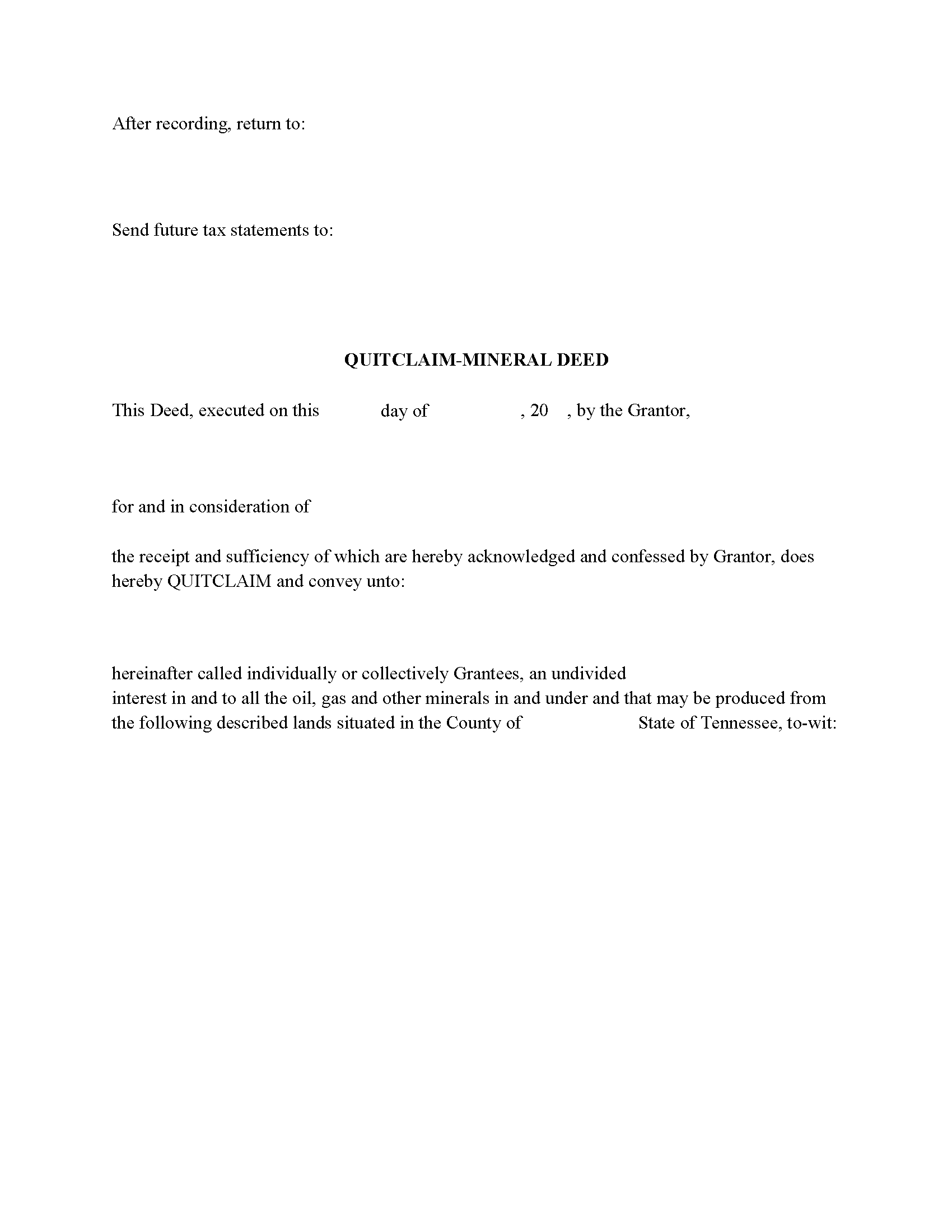
Cheatham County Mineral Deed with Quitclaim Covenants Form
Fill in the blank Mineral Deed with Quitclaim Covenants form formatted to comply with all Tennessee recording and content requirements.
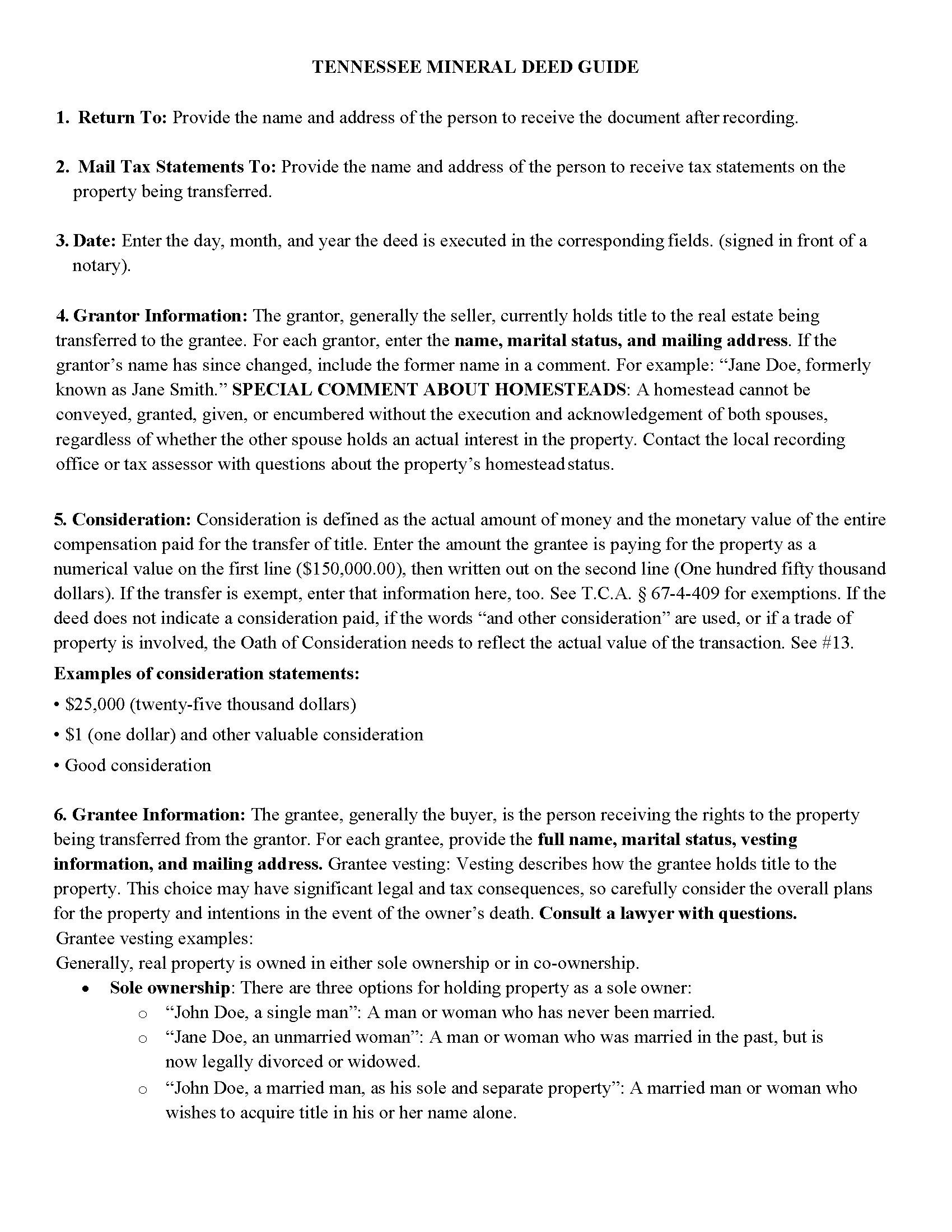
Cheatham County Mineral Deed with Quitclaim Covenants Guide
Line by line guide explaining every blank on the Mineral Deed with Quitclaim Covenants form.
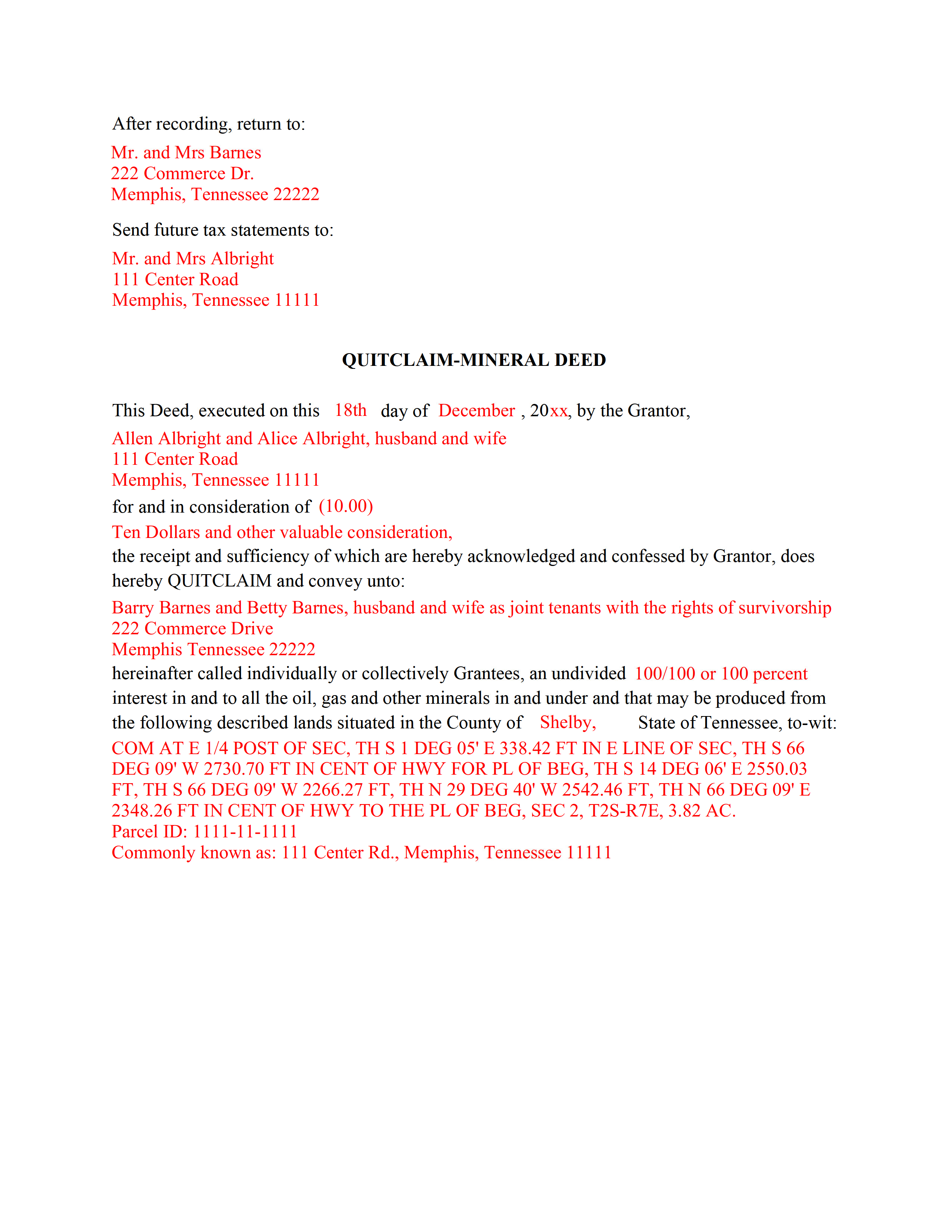
Cheatham County Completed Example of the Mineral Deed with Quitclaim Covenants Document
Example of a properly completed Tennessee Mineral Deed with Quitclaim Covenants document for reference.
All 3 documents above included • One-time purchase • No recurring fees
Immediate Download • Secure Checkout
Additional Tennessee and Cheatham County documents included at no extra charge:
Where to Record Your Documents
Cheatham County Register of Deeds
Ashland, Tennessee 37015
Hours: 8:00 to 4:00 M-F
Phone: (615) 792-4317
Recording Tips for Cheatham County:
- Bring your driver's license or state-issued photo ID
- Ensure all signatures are in blue or black ink
- Check that your notary's commission hasn't expired
- Documents must be on 8.5 x 11 inch white paper
- Double-check legal descriptions match your existing deed
Cities and Jurisdictions in Cheatham County
Properties in any of these areas use Cheatham County forms:
- Ashland City
- Chapmansboro
- Kingston Springs
- Pegram
- Pleasant View
Hours, fees, requirements, and more for Cheatham County
How do I get my forms?
Forms are available for immediate download after payment. The Cheatham County forms will be in your account ready to download to your computer. An account is created for you during checkout if you don't have one. Forms are NOT emailed.
Are these forms guaranteed to be recordable in Cheatham County?
Yes. Our form blanks are guaranteed to meet or exceed the applicable formatting requirements used for recording in Cheatham County, including margin requirements, font requirements, and other layout standards. This guarantee applies to formatting, not to the legal sufficiency of information entered by the user or the suitability of a form for a particular transaction.
Can I reuse these forms?
Yes. You can reuse the forms for your personal use. For example, if you have multiple properties in Cheatham County you only need to order once.
What do I need to use these forms?
The forms are PDFs that you fill out on your computer. The free Adobe Acrobat Reader is recommended, and most PDF apps also work. You do NOT enter your property information online - you download the blank forms and complete them privately on your own computer.
Are there any recurring fees?
No. This is a one-time purchase. Nothing to cancel, no memberships, no recurring fees.
How much does it cost to record in Cheatham County?
Recording fees in Cheatham County vary. Contact the recorder's office at (615) 792-4317 for current fees.
Questions answered? Let's get started!
The General Mineral Deed in Tennessee Quitclaims oil, gas, and mineral rights from the grantor to the grantee. THIS IS NOT A LEASE. There are no Exceptions or Reservations included.
The transfer includes the oil, gas and other minerals of every kind and nature. The Grantor can stipulate the percentage of Mineral Rights the Grantee will receive.
This general mineral deed gives the grantee the right to access, for the purpose of mining, drilling, exploring, operating and developing said lands for oil, gas, and other minerals, and storing handling, transporting and marketing of such.
The seller, or grantor Quitclaims the mineral rights and does NOT accept responsibility to any discrepancy of title (This assignment is without warranty of title, either express or implied)
Uses: Mineral deeds with quitclaim are often used in situations where the grantor wants to quickly release any interest they might have in mineral rights, such as in settling estates, resolving disputes, clearing up uncertainties about ownership in a title's history or when mineral rights have previously been severed or fragmented from surface rights and cloud a title, making it difficult to transfer property. Resolution often involves the holder(s) of the mineral rights, quit-claiming any rights he/she/they have or might have in the subject property.
Use of this document can have a permanent effect on your rights to the property, if you are not completely sure of what you are executing seek the advice of a legal professional.
(Tennessee MD with Quitclaim Package includes form, guidelines, and completed example)
Important: Your property must be located in Cheatham County to use these forms. Documents should be recorded at the county recording office listed above.
This Mineral Deed with Quitclaim Covenants meets all recording requirements specific to Cheatham County.
Our Promise
The documents you receive here are guaranteed to meet or exceed the applicable Cheatham County recording format requirements. If there is a rejection caused by our formatting, we will correct the issue or refund your payment. This guarantee applies to document formatting only and does not extend to information entered by the user, the selection of the form, or the legal effect of the completed document.
Save Time and Money
Get your Cheatham County Mineral Deed with Quitclaim Covenants form done right the first time with Deeds.com Uniform Conveyancing Blanks. At Deeds.com, we understand that your time and money are valuable resources, and we don't want you to face a penalty fee or rejection imposed by a county recorder for submitting nonstandard documents. We constantly review and update our forms to meet rapidly changing state and county recording requirements for roughly 3,500 counties and local jurisdictions.
4.8 out of 5 - ( 4,867 Reviews )
Debby P. 5 out of 5 stars
First time user and the service was great.. I typically go to recording kiosk at the libraries. This was fast and easy.. I appreciate the great service
Thank you for your feedback. We really appreciate it. Have a great day!
Linda K C. 5 out of 5 stars
I wanted to do an Enhancement Life Quitclaim deed and the county government lady didn’t know what I was even talking about. I ordered the deed from Deeds.com and filled it all in,submitted to the county clerk who took 10 minutes to study it before she accepted the deed. This was the easiest transaction I’ve ever made! I actually felt smarter than the clerk who worked at the count office over 20 years.
Thank you, Linda! We’re glad the process went smoothly and that our forms helped you complete your recording with confidence. We appreciate you taking the time to share your experience!
Jacqueline B. 5 out of 5 stars
The service was very clear and direct. I was able to get everything I need right now. Your website is set up well. Thank you
Thank you for your feedback. We really appreciate it. Have a great day!
michael n. 5 out of 5 stars
Very easy to use and with all the documents that I needed.
Thank you!
CYNTHIA W. 5 out of 5 stars
My deed has now been recorded. Thank you so very much. I saved about $120.00 by doing this with your document service. Thankfully, I heard about you from a friend and did not go with my Title Company that wanted a fee that seems outrageous because of how simple it was to do. I will definitely "advertise" this service to others.
We appreciate your business and value your feedback. Thank you. Have a wonderful day!
Cessaly D H. 5 out of 5 stars
Excellent service bc you create your own account and have immediate access to documents!
We appreciate your business and value your feedback. Thank you. Have a wonderful day!
William L. 5 out of 5 stars
Deeds.com provide a great service!!!
We truly value your business and appreciate your review.
Lola C. 5 out of 5 stars
The process was efficient, from initiation to follow up took two days. This was a step in the right direction that was without delay or frustration occurring with other steps in filing.
We appreciate your review and your business. Thank you.
Ann W. 5 out of 5 stars
GREAT forms, easy to use and most importantly... compliant. Worth it and then some!
Thank you!
Eva S. 5 out of 5 stars
I was able to download the forms and I needed and fill out quickly. There were examples to review if I needed any assistance. I would recommend this site to anyone.
We are delighted to have been of service. Thank you for the positive review!
Mario G. 5 out of 5 stars
Very courteous staff, and helpful didn't take any time for someone to assist me on my needs Thank you so much.
Thank you for your feedback. We really appreciate it. Have a great day!
Doreen P. 5 out of 5 stars
I have uploaded 2 documents for E recording, I have searched thinking it would prompt me to a business customer service contact info tel no. ? I am concerned as to the fees related to the recording of both instruments? please advise? thank you
Thank you for your feedback. We really appreciate it. Have a great day!
Sidney H. 5 out of 5 stars
Fabulous resource! They provide everything you need at an extremely reasonable price.
Thank you for your feedback. We really appreciate it. Have a great day!
Thomas D. 2 out of 5 stars
The documents themselves are fine and the information provided with them is helpful. I find the actual processing of the documents, however, to be difficult particularly once the document has been saved. First, I note that the box for the date only allows entry of the last 2 digits of the year. Unfortunately, my download only allows me to enter one of the 2 digits required. When I delete it repeatedly, it eventually allows both digits to be entered but puts them in extremely small text and in superscrypt. I have not found a solution to this problem and am not sure the deed can even be recorded with this problem. Another problem is that if you try to revise the document after you have saved it the curser goes to the end of the line after each key entry. This means that there basically is no way to efficiently save the document for reworking later since you will have to delete everything you have entered in the text box unless you only need to make a single keystroke change or are willing to replace the curser after each entry. Try that with a long property description! Please note that I am using a Mac to prepare my documents and perhaps this is part of an "incompatibility problem". However, I didn't see a disclaimer regarding Mac use and so would expect the documents to perform correctly. Overall, I give the program a "2 star" rating because I am experiencing significant difficulties in entering dates in the documents even before saving them and because saving your work for later revision appears to be basically unworkable.
Thank you for your feedback Thomas, we appreciate you being specific about the issues you encountered. Adobe and Mac have a fairly long history of issues working together.
Kimberly H. 5 out of 5 stars
Excellent and Helpful as well as patient. Great Service.
Thank you!