Unicoi County Partial Release of Deed of Trust Form
Last validated November 16, 2026 by our Forms Development TeamFormatted for recording in Unicoi County, for property anywhere in the county: rural and unincorporated areas as well as Erwin, Flag Pond, Unicoi.
- 3 documents included
- Immediate PDF download
- Formatting guarantee
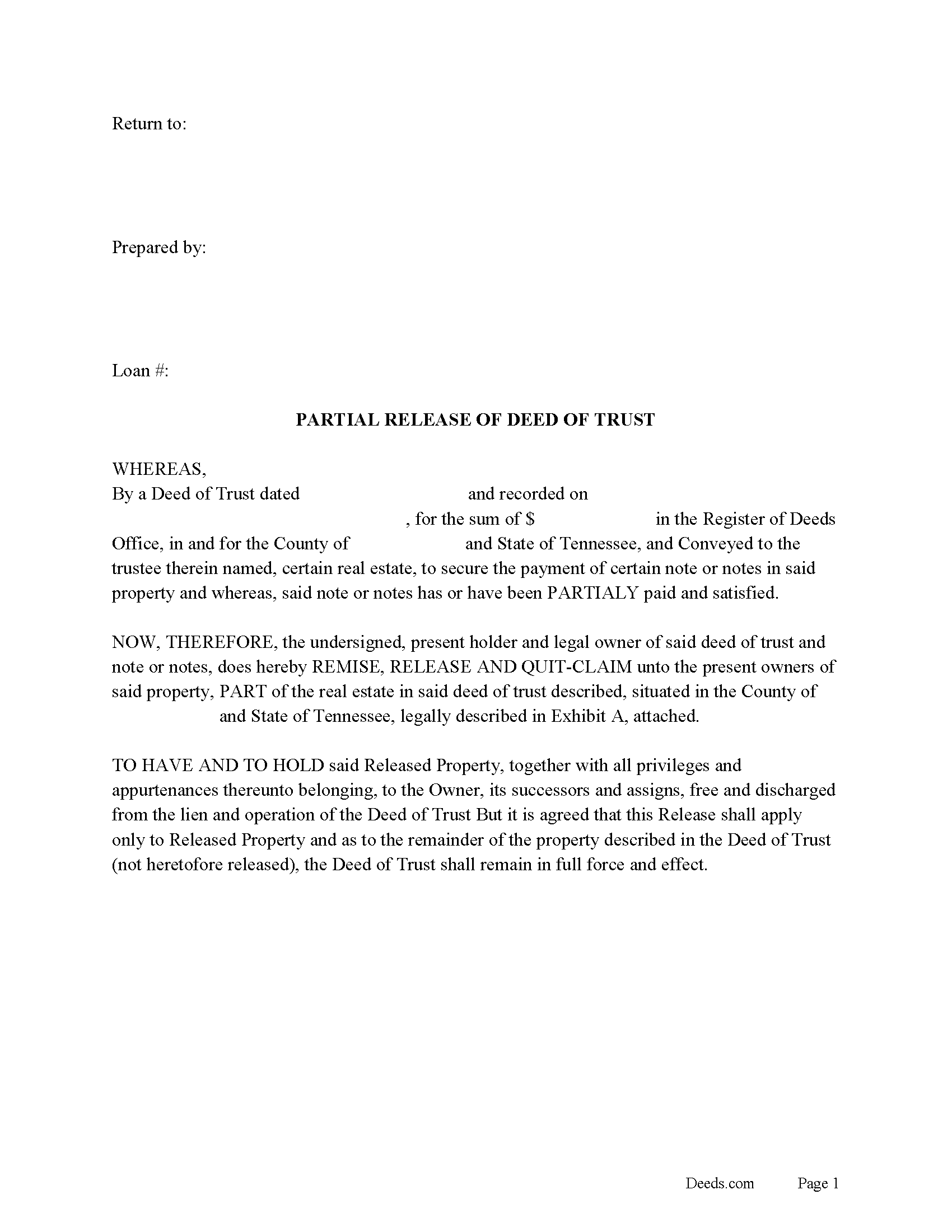
Unicoi County Partial Release of Deed of Trust Form
Fill in the blank form formatted to comply with all recording and content requirements.
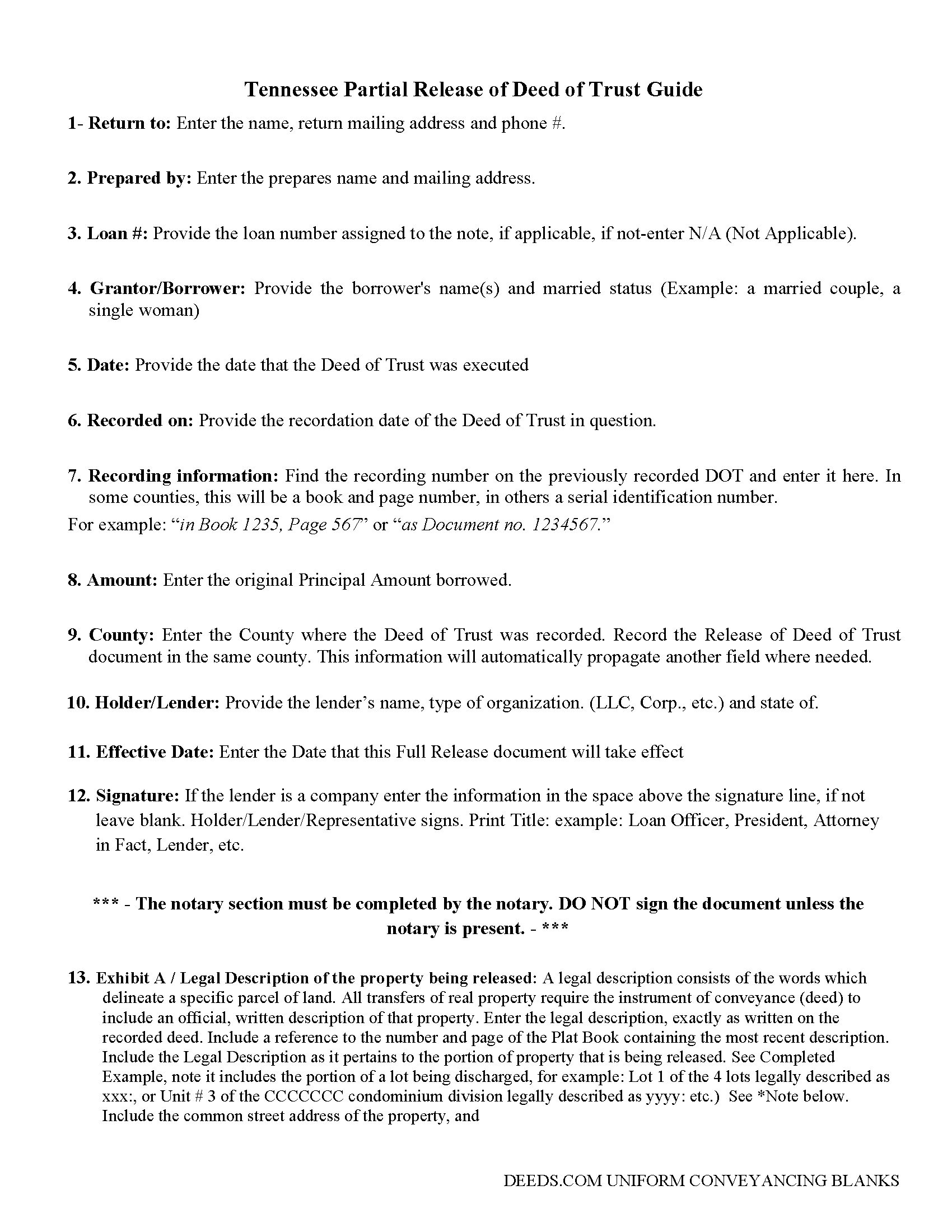
Unicoi County Partial Release of Deed of Trust Guide
Line by line guide explaining every blank on the form.
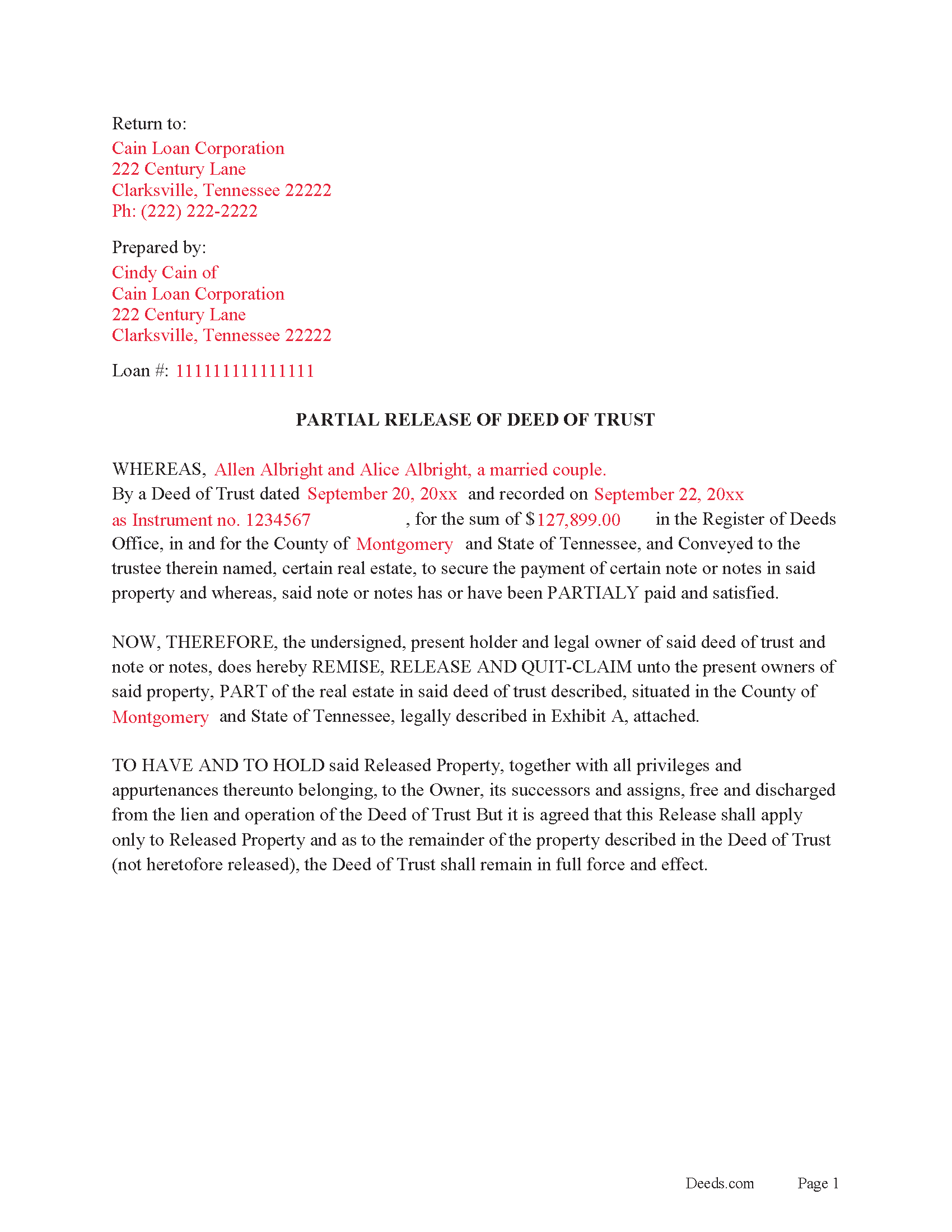
Unicoi County Completed Example of a Partial Release of DOT Document
Example of a properly completed form for reference.
All 3 documents above included • One-time purchase • No recurring fees
Immediate Download • Secure Checkout
Additional Tennessee and Unicoi County documents included at no extra charge:
Where to Record Your Documents
Unicoi County Register of Deeds
Erwin, Tennessee 37650
Hours: Mon - Fri 9:00 am - 5:00 pm; Sat 9:00 am - 12 noon
Phone: (615) 743-6104
Recording Tips for Unicoi County:
- Bring your driver's license or state-issued photo ID
- Ensure all signatures are in blue or black ink
- Check that your notary's commission hasn't expired
- Documents must be on 8.5 x 11 inch white paper
- Double-check legal descriptions match your existing deed
Cities and Jurisdictions in Unicoi County
Properties in any of these areas use Unicoi County forms:
- Erwin
- Flag Pond
- Unicoi
Hours, fees, requirements, and more for Unicoi County
How do I get my forms?
Forms are available for immediate download after payment. The Unicoi County forms will be in your account ready to download to your computer. An account is created for you during checkout if you don't have one. Forms are NOT emailed.
Are these forms guaranteed to be recordable in Unicoi County?
Yes. Our form blanks are guaranteed to meet or exceed the applicable formatting requirements used for recording in Unicoi County, including margin requirements, font requirements, and other layout standards. This guarantee applies to formatting, not to the legal sufficiency of information entered by the user or the suitability of a form for a particular transaction.
Can I reuse these forms?
Yes. You can reuse the forms for your personal use. For example, if you have multiple properties in Unicoi County you only need to order once.
What do I need to use these forms?
The forms are PDFs that you fill out on your computer. The free Adobe Acrobat Reader is recommended, and most PDF apps also work. You do NOT enter your property information online - you download the blank forms and complete them privately on your own computer.
Are there any recurring fees?
No. This is a one-time purchase. Nothing to cancel, no memberships, no recurring fees.
How much does it cost to record in Unicoi County?
Recording fees in Unicoi County vary. Contact the recorder's office at (615) 743-6104 for current fees.
Questions answered? Let's get started!
This form is executed by the lender to release only a portion of the real property from a Deed of Trust. This form states: That this Release shall apply only to Released Property and as to the remainder of the property described in the Deed of Trust (not heretofore released), the Deed of Trust shall remain in full force and effect.
(Tennessee Partial Release of DOT Package includes form, guidelines, and completed example)
Important: Your property must be located in Unicoi County to use these forms. Documents should be recorded at the county recording office listed above.
This Partial Release of Deed of Trust meets all recording requirements specific to Unicoi County.
Our Promise
The documents you receive here are guaranteed to meet or exceed the applicable Unicoi County recording format requirements. If there is a rejection caused by our formatting, we will correct the issue or refund your payment. This guarantee applies to document formatting only and does not extend to information entered by the user, the selection of the form, or the legal effect of the completed document.
Save Time and Money
Get your Unicoi County Partial Release of Deed of Trust form done right the first time with Deeds.com Uniform Conveyancing Blanks. At Deeds.com, we understand that your time and money are valuable resources, and we don't want you to face a penalty fee or rejection imposed by a county recorder for submitting nonstandard documents. We constantly review and update our forms to meet rapidly changing state and county recording requirements for roughly 3,500 counties and local jurisdictions.
4.8 out of 5 - ( 4,863 Reviews )
Michael L. 5 out of 5 stars
Quick and Easy. Much appreciated!
Thank you for your feedback. We really appreciate it. Have a great day!
Penny S. 5 out of 5 stars
Easy to access information needed.
We’re always here to help. Thank you for your feedback.
James A. 5 out of 5 stars
Thanks for you help to get me out of a quick problem. Downloads were great. I recommend this service for the arcane situations of legal angst.
We appreciate your business and value your feedback. Thank you. Have a wonderful day!
Mary-Ann K. 5 out of 5 stars
Very pleasantly pleased so far. Hope to hear from the town registrar Transfer On Death Deed accepted. Wish all legal proceedings were so simple . . .
Thank you for your feedback. We really appreciate it. Have a great day!
Michael C. 3 out of 5 stars
No Search feature on the site? How do I look for forms?
Thank you for your feedback. We really appreciate it. Have a great day!
Emanuel W. 5 out of 5 stars
Excellent service! We surely use again
Thank you for your feedback. We really appreciate it. Have a great day!
Joey S. 5 out of 5 stars
This is the easiest process ever!
Thank you!
Tarik W. 5 out of 5 stars
Excellent customer service!!!!!
We appreciate your business and value your feedback. Thank you. Have a wonderful day!
Thomas W. 5 out of 5 stars
Found what I needed, thanks.
Thank you!
Eric B. 5 out of 5 stars
Document was well formatted with the extra help of an example and useful instructions. I ended up with a better warranty deed than I was getting on another website. Worth the small price.
Thank you for your feedback. We really appreciate it. Have a great day!
Ronald W. 5 out of 5 stars
Easy to use and very helpful
Thank you!
Richard B. 4 out of 5 stars
Had trouble filling in the forms not very user friendly. The text always had to be manipulated to look in the best place. Could not easily move existing text to look more professional with the text being inserted.
Thank you for your feedback. We really appreciate it. Have a great day!
William S. 5 out of 5 stars
The forms worked well for entering information. I have finished without much trouble. Since the forms are Adobe PDF files you need the free app to use them but you can't edit unless you have the paid Adobe program. And, it was a reasonable price.
Thank you for your feedback. We really appreciate it. Have a great day!
Kevin C. 2 out of 5 stars
I like your service, but the error message I received yesterday was confusing. It said that Utah County does not record cover pages, so I should either remove the cover page or change the “order“ of the documents being submitted. This is ambiguous. I examined my package and it looked like the cover page was already being submitted separately, as a supporting document at the end, and there was no way to explicitly change the ordering of the submitted documents, that is up to your service. So I removed the cover page. But that makes me nervous, how will they know where to route it when it is done? So now I’m not sure if it was submitted correctly.
Thank you for the review, Kevin, and for laying out exactly what you saw.
The message you received ("Utah County does not accept cover pages for recording. Please remove or reorder to the back. Thank you.") came directly from the Utah County Recorder. We pass recorder rejection notes along as written, and we agree it was ambiguous. Rejection notes from recording offices often are, since they are written for people who file in that county every day.
Supporting documents always travel behind the main document they belong to, so there was nothing for you to reorder, and by your description the cover page was already at the back. With the cover page removed, the package matched what the recorder's note asked for.
On routing: nothing is mailed back with e-recording. The recorder records the document image, adds the recording information, and returns the recorded copy electronically through the e-recording system to us. It then appears on your package in your account and you get a message from us. A cover page plays no part in that, so leaving it out did not affect where your document goes.
Gertrude F. 3 out of 5 stars
I like that DEEDS.com has a variety of forms tht I may need. However, I was disappointed that I am not able to save the PDF forms after I fill in the spaces. If I need to edit anything, I have to go back to the blank form and redo the whole thing. Perhap I am doing something wrong.
Thank you!