Haywood County Quitclaim Deed (Corrective) Form
Last validated November 20, 2026 by our Forms Development TeamFormatted for recording in Haywood County, for property anywhere in the county: rural and unincorporated areas as well as Brownsville, Stanton.
- 3 documents included
- Immediate PDF download
- Formatting guarantee
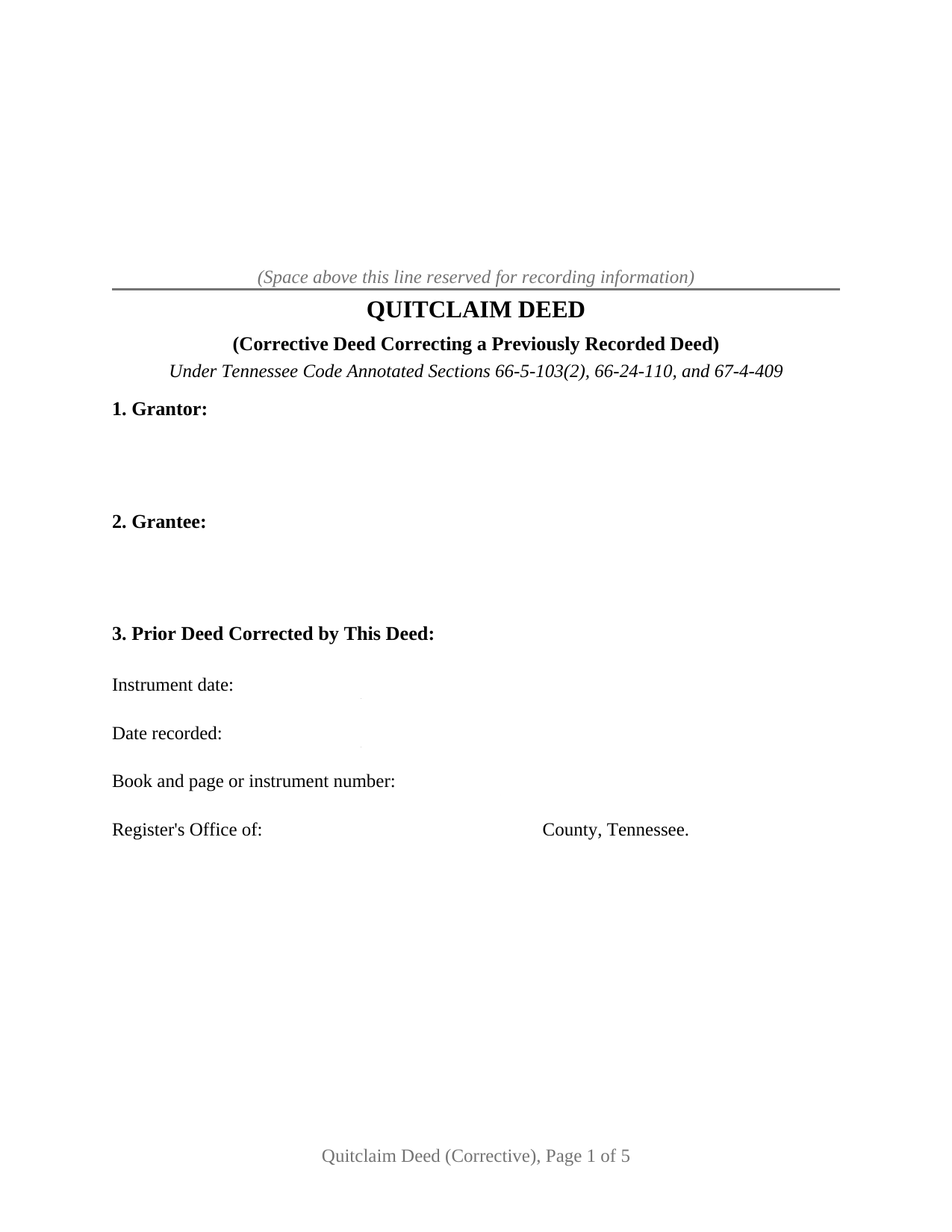
Haywood County Quitclaim Deed (Corrective) Form
Fill in the blank Quitclaim Deed (Corrective) form formatted to comply with all Tennessee recording and content requirements.
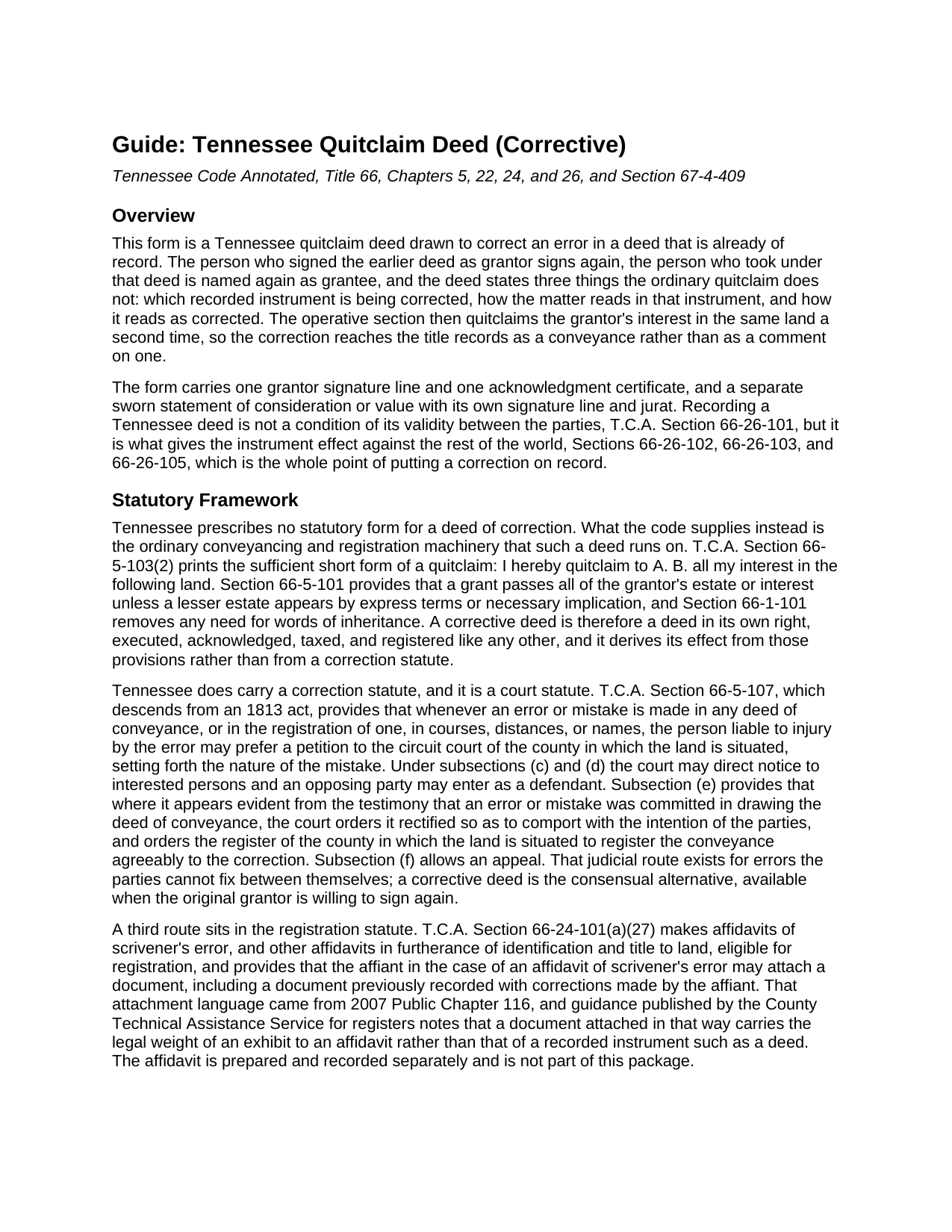
Haywood County Quitclaim Deed (Corrective) Guide
Line by line guide explaining every blank on the Quitclaim Deed (Corrective) form.
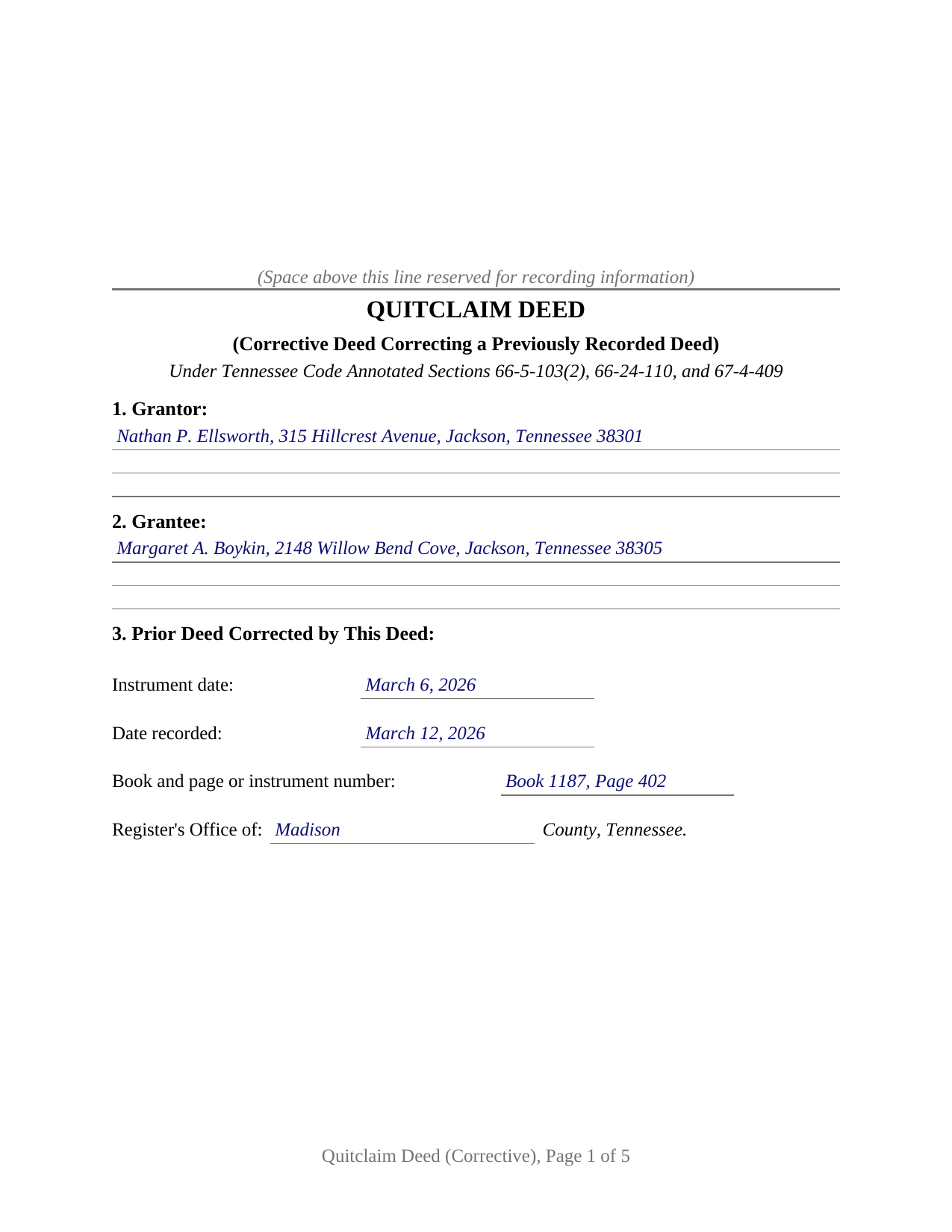
Haywood County Completed Example of the Quitclaim Deed (Corrective) Document
Example of a properly completed Tennessee Quitclaim Deed (Corrective) document for reference.
All 3 documents above included • One-time purchase • No recurring fees
Immediate Download • Secure Checkout
Additional Tennessee and Haywood County documents included at no extra charge:
Where to Record Your Documents
Haywood County Register of Deeds
Brownsville, Tennessee 38012
Hours: 8:30 to 5:00 M-F
Phone: (731) 772-0332
Recording Tips for Haywood County:
- Bring your driver's license or state-issued photo ID
- Ensure all signatures are in blue or black ink
- Request a receipt showing your recording numbers
- Ask about accepted payment methods when you call ahead
- Ask for certified copies if you need them for other transactions
Cities and Jurisdictions in Haywood County
Properties in any of these areas use Haywood County forms:
- Brownsville
- Stanton
Hours, fees, requirements, and more for Haywood County
How do I get my forms?
Forms are available for immediate download after payment. The Haywood County forms will be in your account ready to download to your computer. An account is created for you during checkout if you don't have one. Forms are NOT emailed.
Are these forms guaranteed to be recordable in Haywood County?
Yes. Our form blanks are guaranteed to meet or exceed the applicable formatting requirements used for recording in Haywood County, including margin requirements, font requirements, and other layout standards. This guarantee applies to formatting, not to the legal sufficiency of information entered by the user or the suitability of a form for a particular transaction.
Can I reuse these forms?
Yes. You can reuse the forms for your personal use. For example, if you have multiple properties in Haywood County you only need to order once.
What do I need to use these forms?
The forms are PDFs that you fill out on your computer. The free Adobe Acrobat Reader is recommended, and most PDF apps also work. You do NOT enter your property information online - you download the blank forms and complete them privately on your own computer.
Are there any recurring fees?
No. This is a one-time purchase. Nothing to cancel, no memberships, no recurring fees.
How much does it cost to record in Haywood County?
Recording fees in Haywood County vary. Contact the recorder's office at (731) 772-0332 for current fees.
Questions answered? Let's get started!
This Tennessee quitclaim deed is written about another deed. It names an instrument already sitting in the register's books, states the matter as that instrument records it, states the matter as corrected, and releases the same interest a second time, so the fix reaches the records as a conveyance rather than a comment on one.
Tennessee answers a deed error twice, and neither answer is a form
The code's first answer is a courthouse. T.C.A. Section 66-5-107, carried forward from an 1813 act, lets a person liable to injury by an error in a deed of conveyance, or in its registration, in courses, distances, or names, petition the circuit court of the county where the land sits. On evident proof the court orders the instrument rectified so as to comport with the intention of the parties, and directs the register to register the conveyance agreeably to the correction. The second answer is an affidavit: Section 66-24-101(a)(27) makes affidavits of scrivener's error registrable, and since 2007 the affiant may attach a document, including a previously recorded one carrying corrections, although guidance published for registers gives that attachment the weight of an exhibit to an affidavit, not of a recorded deed. This form prepares the instrument between those two, the one the original grantor signs.
Three sections that no ordinary release carries
Section 3 pins the earlier instrument down by date, recording date, book and page or instrument number, and the office holding it. Section 4 states the matter as that deed reads, and Section 5 states it as corrected. Section 13 then quitclaims the grantor's right, title, and interest in the land described in Section 7, states that the two instruments cover one conveyance of the same land between the same parties, and leaves the earlier deed otherwise as recorded.
One grantor, one certificate, one sworn figure
The deed recites exactly one grantor, the individual who signed the instrument being corrected, and one grantee, the person that instrument named. A single signature block and a single acknowledgment certificate follow, in the substance of the individual certificate at T.C.A. Section 66-22-107. Below Section 15 the statement of consideration or value carries its own signature line and jurat, since swearing to a figure and acknowledging a signature are separate notarial acts. A lot number contradicted by the recorded plat, a middle initial that never matched the vesting deed, and a street address misstated in a stamped deed present the corrections this instrument recites. It is not drawn for a grantor who has died or cannot be found, for a company, a partnership, or a trustee signing in a representative capacity, or for a change that would hand the grantee more land than the first deed conveyed, which is a fresh conveyance whatever the caption says.
What a correction meets at the tax counter
Tennessee taxes the privilege of recording, at thirty seven cents per one hundred dollars of the statutory base. Keeping the statutory quitclaim substance of T.C.A. Section 66-5-103(2) sets that base at the actual consideration given, under Section 67-4-409(a)(4), which on a correction between the original parties is commonly nothing. None of the exemptions listed in Section 67-4-409(a) is written for a deed of correction, so Section 15 carries a line for the sworn amount and a separate line for an exemption claimed.
What a second deed cannot reach backward and undo
A corrective deed takes its own place in the order of registration. A purchaser, lender, or creditor whose interest was noted for registration between the two recordings keeps the position T.C.A. Sections 66-26-102, 66-26-103, and 66-26-105 give it. The first deed also stays in the books under its own parties, which is why the Section 3 reference matters to a later examiner. Where the parties do not agree on what the first deed was meant to say, the road is reformation, and Sikora v. Vanderploeg, 212 S.W.3d 277 (Tenn. Ct. App. 2006), sets a clear and convincing evidence standard for it. Searchers reach it as a correction deed, a corrective quitclaim deed, a deed of correction, or a quit claim deed correcting a prior deed.
Three files come with the purchase: the deed as a blank fillable PDF, a completed Madison County example carried from the prior deed reference to the jurat under the oath, and a plain language guide covering the fifteen numbered sections, the two notarial acts, and the register's intake. All of it describes Tennessee law generally, for information; none of it is legal advice.
Important: Your property must be located in Haywood County to use these forms. Documents should be recorded at the county recording office listed above.
This Quitclaim Deed (Corrective) meets all recording requirements specific to Haywood County.
Our Promise
The documents you receive here are guaranteed to meet or exceed the applicable Haywood County recording format requirements. If there is a rejection caused by our formatting, we will correct the issue or refund your payment. This guarantee applies to document formatting only and does not extend to information entered by the user, the selection of the form, or the legal effect of the completed document.
Save Time and Money
Get your Haywood County Quitclaim Deed (Corrective) form done right the first time with Deeds.com Uniform Conveyancing Blanks. At Deeds.com, we understand that your time and money are valuable resources, and we don't want you to face a penalty fee or rejection imposed by a county recorder for submitting nonstandard documents. We constantly review and update our forms to meet rapidly changing state and county recording requirements for roughly 3,500 counties and local jurisdictions.
4.8 out of 5 - ( 4,867 Reviews )
michael n. 5 out of 5 stars
Very easy to use and with all the documents that I needed.
Thank you!
JOHN R. 5 out of 5 stars
This is an Outstanding Website for easy access in expediting my property investment needs. Thank you for this much needed online service.
Thank you!
Gordon J. 5 out of 5 stars
The experience was generally very satisfactory. I was able to fill out the Trust Deed and send it via email no problem. However, I was not able to send the filled out form of the Note. It always erased my fill-ins when it was sent. I found that very frustrating.
Thank you, Gordon. Glad the Trust Deed worked well. Issues like the one you reported with the Note can sometimes be related to how the file is opened or sent. Using Adobe Reader to fill, save, and send the form is recommended. We also pass along all feedback like this to our team to confirm there are no issues.
Thomas D. 2 out of 5 stars
The documents themselves are fine and the information provided with them is helpful. I find the actual processing of the documents, however, to be difficult particularly once the document has been saved. First, I note that the box for the date only allows entry of the last 2 digits of the year. Unfortunately, my download only allows me to enter one of the 2 digits required. When I delete it repeatedly, it eventually allows both digits to be entered but puts them in extremely small text and in superscrypt. I have not found a solution to this problem and am not sure the deed can even be recorded with this problem. Another problem is that if you try to revise the document after you have saved it the curser goes to the end of the line after each key entry. This means that there basically is no way to efficiently save the document for reworking later since you will have to delete everything you have entered in the text box unless you only need to make a single keystroke change or are willing to replace the curser after each entry. Try that with a long property description! Please note that I am using a Mac to prepare my documents and perhaps this is part of an "incompatibility problem". However, I didn't see a disclaimer regarding Mac use and so would expect the documents to perform correctly. Overall, I give the program a "2 star" rating because I am experiencing significant difficulties in entering dates in the documents even before saving them and because saving your work for later revision appears to be basically unworkable.
Thank you for your feedback Thomas, we appreciate you being specific about the issues you encountered. Adobe and Mac have a fairly long history of issues working together.
april m. 2 out of 5 stars
Could not give me any deed history prior to 1986, when our company bought the property, so this was a bust.
Thank you for your feedback April. Have a great day.
Patricia J. 5 out of 5 stars
No word "Download" so had a little trouble figuring out how to download, but finally figured it out.
Thank you for your feedback. We really appreciate it. Have a great day!
James P. 5 out of 5 stars
I wish I used this site more often. The format is pretty easy but the messages were invaluable and the staff were great. I was able to complete my transaction in a Covid environment from the security of my own home. Great service and tools!
Thank you for your feedback. We really appreciate it. Have a great day!
Susan J. 5 out of 5 stars
Simple and easy to use. I was thrilled to find deeds.com during my online search for deed forms and more pleased that I could narrow it down by state and county. Thanks
We appreciate your business and value your feedback. Thank you. Have a wonderful day!
Diane O. 5 out of 5 stars
Filling out forms was easy....so far, I am happy !
We appreciate your business and value your feedback. Thank you. Have a wonderful day!
Susan S. 5 out of 5 stars
Very quick, easy and readily available forms. No wait, no advertisements, no pressure to purchase MORE. I expected to only get part of the information I needed, and for there to be a hidden cost to get the complete package, but surprisingly, I got immediate access to all the forms I ordered, AND THERE WERE NO ADDITIONAL HIDDEN COSTS! How refreshing!
Thank you Susan, we really appreciate your feedback.
Thaddeus E. 5 out of 5 stars
Quick assistance with same day recording. The tech identified barriers to successful Recordation such as image quality and worked with me to get them resolved for timely submission.
We are delighted to have been of service. Thank you for the positive review!
Peggy G. 5 out of 5 stars
This is an easy document to complete and file. Thank you for having the completed sample for review.
We appreciate your business and value your feedback. Thank you. Have a wonderful day!
Barbara D. 5 out of 5 stars
Appreciate this service!
Thank you!
Keith C. 1 out of 5 stars
not worth anything to me as i could never get notary info on form to print along with other info
Sorry to hear that Keith. We have processed a refund for your order.
Barbara K. 5 out of 5 stars
Found what I needed quickly, easy website to maneuver. Like having a sample to look at along with instructions.
Thank you for your feedback. We really appreciate it. Have a great day!