Madison County Quitclaim Deed (Married Grantor with Non-Owner Spouse Joinder) Form
Last validated October 1, 2026 by our Forms Development TeamFormatted for recording in Madison County, for property anywhere in the county: rural and unincorporated areas as well as Beech Bluff, Denmark, Jackson, Medon, Mercer, Oakfield, Pinson, Spring Creek.
- 3 documents included
- Immediate PDF download
- Formatting guarantee
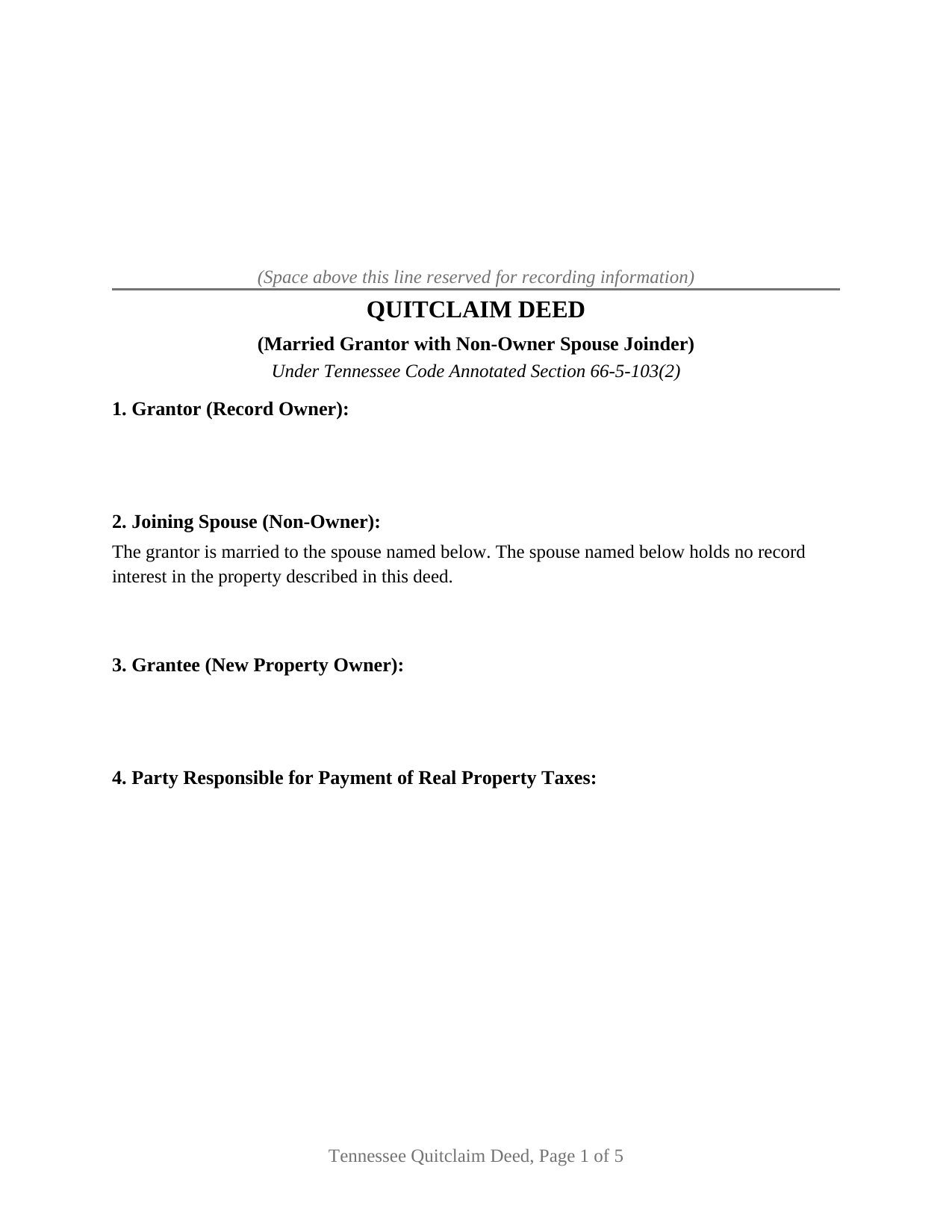
Madison County Quitclaim Deed (Married Grantor with Non-Owner Spouse Joinder) Form
Fill in the blank Quitclaim Deed (Married Grantor with Non-Owner Spouse Joinder) form formatted to comply with all Tennessee recording and content requirements.
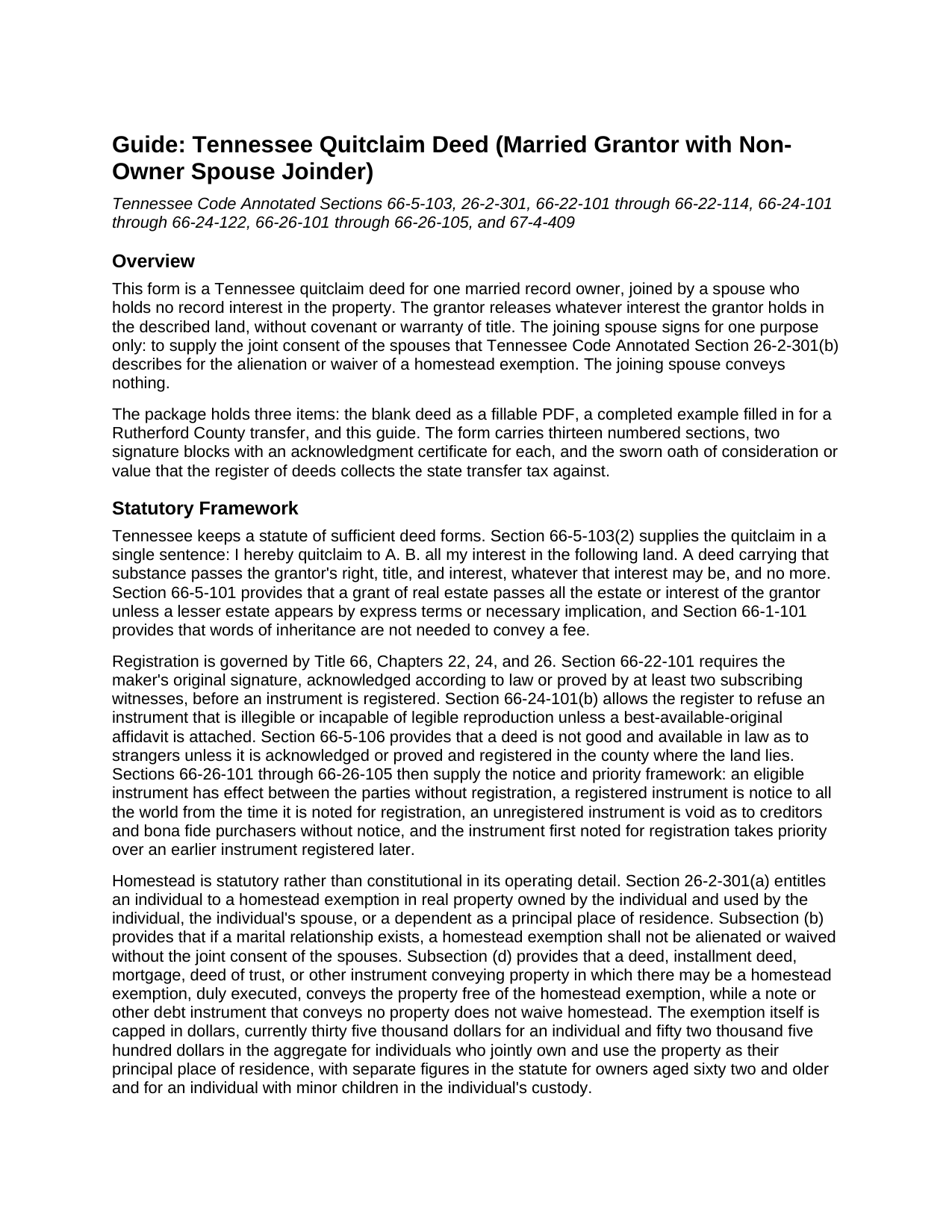
Madison County Quitclaim Deed (Married Grantor with Non-Owner Spouse Joinder) Guide
Line by line guide explaining every blank on the Quitclaim Deed (Married Grantor with Non-Owner Spouse Joinder) form.
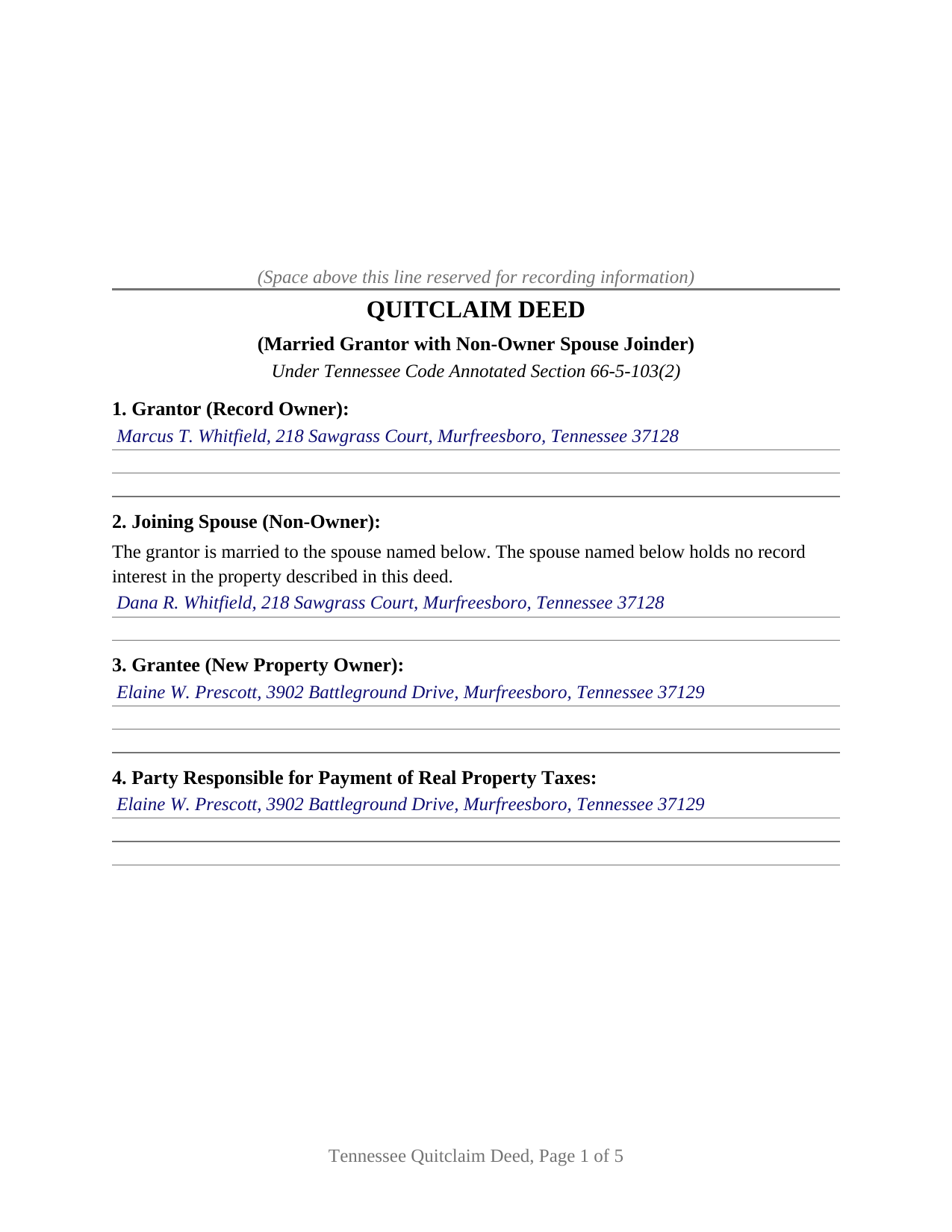
Madison County Completed Example of the Quitclaim Deed (Married Grantor with Non-Owner Spouse Joinder) Document
Example of a properly completed Tennessee Quitclaim Deed (Married Grantor with Non-Owner Spouse Joinder) document for reference.
All 3 documents above included • One-time purchase • No recurring fees
Immediate Download • Secure Checkout
Additional Tennessee and Madison County documents included at no extra charge:
Where to Record Your Documents
Madison County Register Of Deeds
Jackson, Tennessee 38301
Hours: 9:00am to 5:00pm M-F
Phone: (731) 423-6089
Recording Tips for Madison County:
- Bring your driver's license or state-issued photo ID
- Ensure all signatures are in blue or black ink
- Recorded documents become public record - avoid including SSNs
- Recording fees may differ from what's posted online - verify current rates
- Request a receipt showing your recording numbers
Cities and Jurisdictions in Madison County
Properties in any of these areas use Madison County forms:
- Beech Bluff
- Denmark
- Jackson
- Medon
- Mercer
- Oakfield
- Pinson
- Spring Creek
Hours, fees, requirements, and more for Madison County
How do I get my forms?
Forms are available for immediate download after payment. The Madison County forms will be in your account ready to download to your computer. An account is created for you during checkout if you don't have one. Forms are NOT emailed.
Are these forms guaranteed to be recordable in Madison County?
Yes. Our form blanks are guaranteed to meet or exceed the applicable formatting requirements used for recording in Madison County, including margin requirements, font requirements, and other layout standards. This guarantee applies to formatting, not to the legal sufficiency of information entered by the user or the suitability of a form for a particular transaction.
Can I reuse these forms?
Yes. You can reuse the forms for your personal use. For example, if you have multiple properties in Madison County you only need to order once.
What do I need to use these forms?
The forms are PDFs that you fill out on your computer. The free Adobe Acrobat Reader is recommended, and most PDF apps also work. You do NOT enter your property information online - you download the blank forms and complete them privately on your own computer.
Are there any recurring fees?
No. This is a one-time purchase. Nothing to cancel, no memberships, no recurring fees.
How much does it cost to record in Madison County?
Recording fees in Madison County vary. Contact the recorder's office at (731) 423-6089 for current fees.
Questions answered? Let's get started!
The second signature line on this Tennessee quitclaim deed belongs to a person who owns nothing. Record title stands in one spouse's name, and the other spouse signs to consent. That is the configuration this form is built for: one married record owner releasing whatever interest that owner holds in Tennessee real property, with the nonowner spouse joining to supply the joint consent Tennessee's homestead statute describes.
The spouse who is not on the deed
Tennessee abolished dower and curtesy in 1977 and is not a community property state, so a spouse whose name never reached the deed records ordinarily holds no interest to convey. What that spouse does hold is homestead. T.C.A. Section 26-2-301(a) attaches a homestead exemption to property used by the owner, the owner's spouse, or a dependent as a principal place of residence, and subsection (b) provides that while a marital relationship exists, a homestead exemption is not alienated or waived without the joint consent of the spouses. Subsection (d) completes the mechanism: an instrument conveying property in which there may be a homestead exemption, duly executed, conveys the property free of the exemption. The joining signature is what makes the consent joint, and this deed records it on the instrument's face.
One grantor, one consenting spouse
The form recites exactly one grantor, an individual who holds record title and is married, and one joining spouse who holds no record interest. Section 2 names that spouse and states the marriage and the absence of a record interest. Section 11 does the legal work in three sentences: the grantor quitclaims all of the grantor's interest in the described land; the joining spouse consents to the conveyance and to the alienation of any homestead exemption under Section 26-2-301(b), while conveying no interest and making no covenant of title. Each signer has a signature block and an acknowledgment certificate of its own, so the two signatures can be taken on different days or before different notaries. Land that came to one spouse before the marriage, land that arrived by inheritance or gift, and land deeded to one spouse alone are the title patterns this configuration recites. The form is not set up for two record owners conveying together, or for a trustee, executor, or entity signing in a representative capacity.
A release, not a promise
What passes is the grantor's interest exactly as it stands. T.C.A. Section 66-5-103(2), Tennessee's statute of sufficient deed forms, prints the quitclaim in a single sentence, and a deed carrying that substance conveys the grantor's right, title, and interest with no covenant to sue on. Deeds of trust, judgment liens, easements, restrictions, and unpaid property taxes travel with the land. Searchers reach the instrument as a quitclaim deed, a quit claim deed, or a quick claim deed.
The sworn figure, not the appraisal
Recording a Tennessee deed collects the state transfer tax, thirty seven cents per one hundred dollars of consideration or value, stated on county schedules as $3.70 per $1,000 and collected from the grantee before the instrument records. A deed in the statutory quitclaim form conveying only the grantor's interest is taxed under Section 67-4-409(a)(4) on the actual consideration rather than on value, a materially different figure on a transfer recited at ten dollars. Section 13 carries the oath that figure rests on, sworn by the grantee or the grantee's agent before an officer authorized to administer oaths.
What the register reads at the counter
Tennessee writes several recording requirements into the deed itself, and the numbered sections collect each one: the derivation of title recital of Section 66-24-110; the name and address of the new owner and of the party responsible for the property taxes under Section 66-24-114; the assessor's parcel identification number under Section 66-24-122; the source of the legal description under Section 66-24-121; the property identification map number and improved property notation Section 66-24-113 calls for in metropolitan Nashville and Davidson County; and the preparer statement of Section 66-24-115. Where an instrument leaves no room for the register's certificate, Section 8-13-108(a)(6) lets the register add a page at the page fee, so the form reserves the top of the first page for the stamp.
The download holds the blank deed as a fillable PDF, a completed example set in Rutherford County, and a plain language guide walking each section, the two certificates, the sworn oath, and the filing itself. All of it describes Tennessee law generally, for information, and none of it is legal advice.
Important: Your property must be located in Madison County to use these forms. Documents should be recorded at the county recording office listed above.
This Quitclaim Deed (Married Grantor with Non-Owner Spouse Joinder) meets all recording requirements specific to Madison County.
Our Promise
The documents you receive here are guaranteed to meet or exceed the applicable Madison County recording format requirements. If there is a rejection caused by our formatting, we will correct the issue or refund your payment. This guarantee applies to document formatting only and does not extend to information entered by the user, the selection of the form, or the legal effect of the completed document.
Save Time and Money
Get your Madison County Quitclaim Deed (Married Grantor with Non-Owner Spouse Joinder) form done right the first time with Deeds.com Uniform Conveyancing Blanks. At Deeds.com, we understand that your time and money are valuable resources, and we don't want you to face a penalty fee or rejection imposed by a county recorder for submitting nonstandard documents. We constantly review and update our forms to meet rapidly changing state and county recording requirements for roughly 3,500 counties and local jurisdictions.
4.8 out of 5 - ( 4,836 Reviews )
Robyn D. 5 out of 5 stars
Excellent service, knowledgeable and helpful representatives via the messaging service. Reliable information provided by reps, overall excellent experience.
We appreciate your business and value your feedback. Thank you. Have a wonderful day!
Rebecca V. 5 out of 5 stars
The staff is Great to work with, Thank You
Thank you!
Bobby J. 5 out of 5 stars
Good document as expected
We’re glad to hear things went well. Thank you for the review.
David K. 5 out of 5 stars
Worked Great! First time go at the courthouse
Thank you!
Jann H. 5 out of 5 stars
Was helpful information
Thank you!
CHARLES S. 5 out of 5 stars
Easy to purchase and a reasonable price. Documents were easy to add information. Examples proved handy.
We appreciate your business and value your feedback. Thank you. Have a wonderful day!
PAUL D. 5 out of 5 stars
Got what I needed and it all was good according to the County Recorder.
We’re glad to hear things went well. Thank you for the review.
Jianxing L. 5 out of 5 stars
My case was a deed recording. The process was extremely smooth and carried out by the agents professionally and efficiently. I was greeted and guided to the right windows and the whole process took about 5 minutes, I was so impressed and appreciated the service our county agents provided. The process and the folks handled it really deserve a solid 5 star rating.
Thank you for taking a moment to share your thoughts.
Shawn S. 5 out of 5 stars
Listen, I love your services. It's been such a convenience utilizing it.
We appreciate your business and value your feedback. Thank you. Have a wonderful day!
Joel N. 5 out of 5 stars
Was helpful
Thank you for your feedback. We really appreciate it. Have a great day!
Heidi G. 5 out of 5 stars
I have not yet actually completed the entire process. However, the preliminary documents, ability to try them and ease of filling them out is pretty nice, so far.
Thank you!
Lowell R. 5 out of 5 stars
Awesome. Quick informative and very easy. I made a mistake the first time, emailed you and was able to get it fixed quickly and got it done.
Thank you for your feedback. We really appreciate it. Have a great day!
Tim M. 5 out of 5 stars
This is my first time using this amazing service. I wish I was told about this before I went all the way downtown, drove thru construction zones, paid for parking only to be told the computer system had crashed. I was referred to Deeds.com and I will not use the downtown system again.
Your feedback is greatly appreciated. Thank you for taking the time to share your experience!
Eric F. 5 out of 5 stars
Thank You deeds.com, your site helped me accomplish a difficult mission.
We appreciate your business and value your feedback. Thank you. Have a wonderful day!
Robert P. 5 out of 5 stars
Overall, your website was straightforward and easy to navigate. I was able to accomplish what I needed to do very quickly. If needed again, I would certainly use and recommend others to use deeds.com.
We appreciate your business and value your feedback. Thank you. Have a wonderful day!