Robertson County Trustee Deed Form
Last validated October 21, 2026 by our Forms Development TeamFormatted for recording in Robertson County, for property anywhere in the county: rural and unincorporated areas as well as Adams, Cedar Hill, Cross Plains, Greenbrier, Orlinda, Ridgetop, Springfield, White House.
- 3 documents included
- Immediate PDF download
- Formatting guarantee
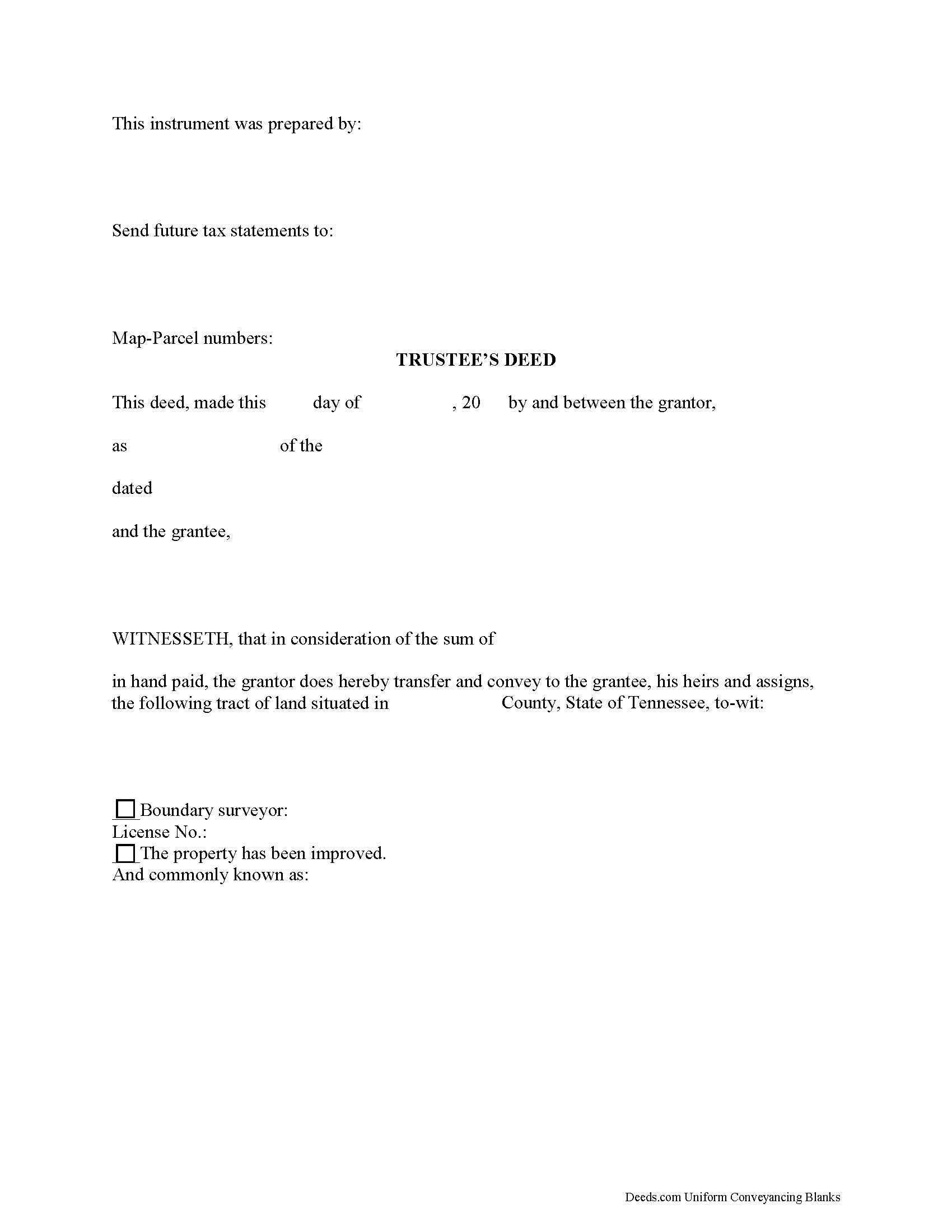
Robertson County Trustee Deed Form
Fill in the blank form formatted to comply with all recording and content requirements.
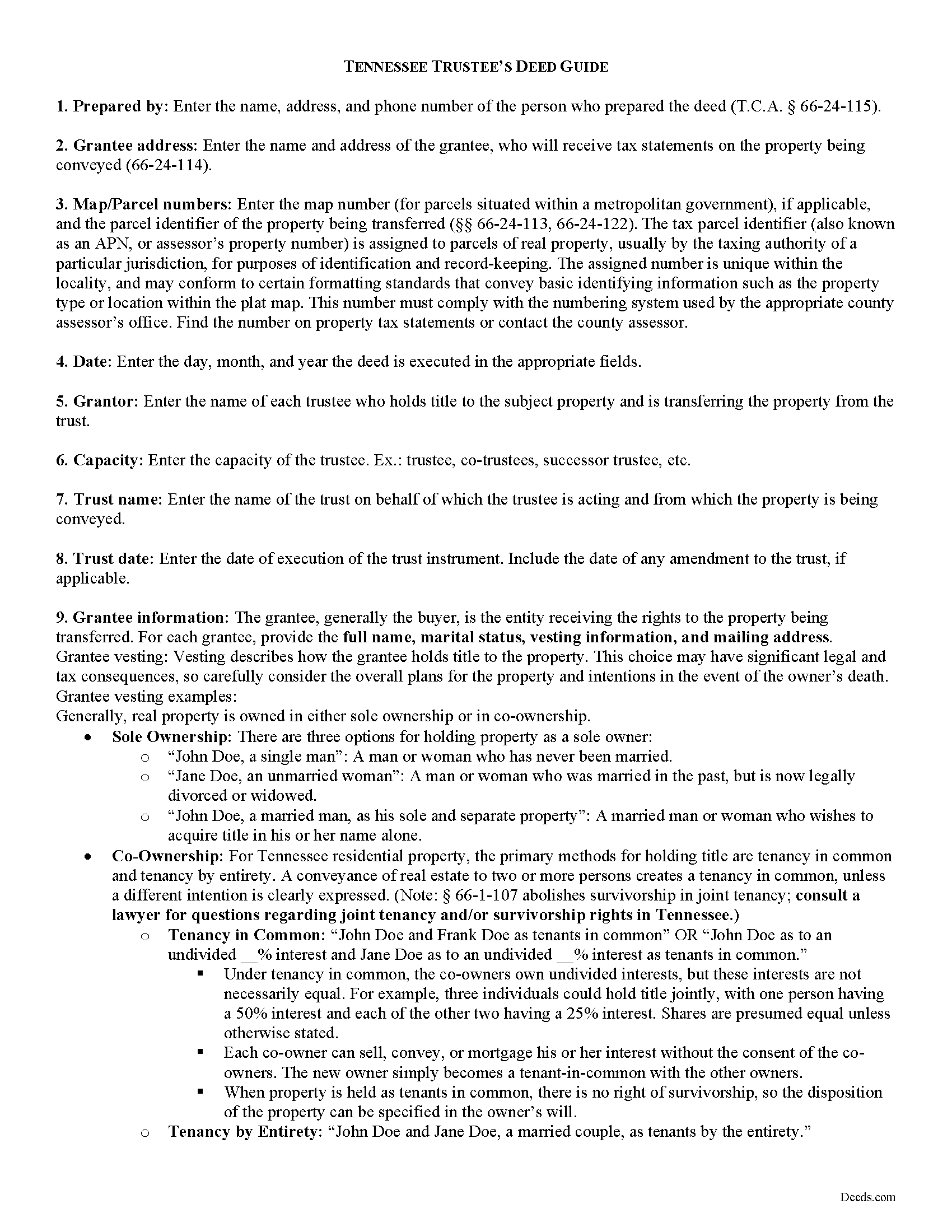
Robertson County Trustee Deed Guide
Line by line guide explaining every blank on the form.
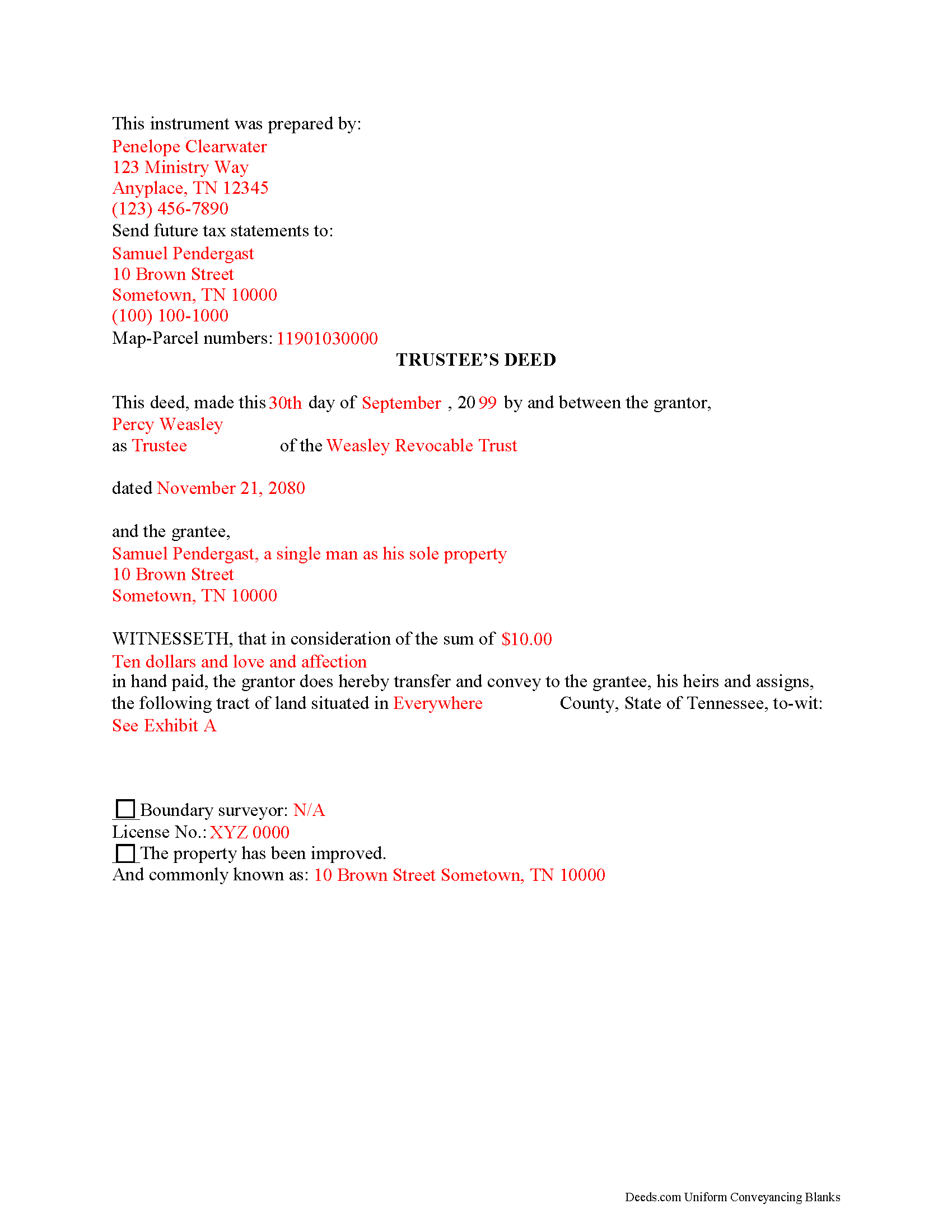
Robertson County Completed Example of the Trustee Deed Document
Example of a properly completed form for reference.
All 3 documents above included • One-time purchase • No recurring fees
Immediate Download • Secure Checkout
Additional Tennessee and Robertson County documents included at no extra charge:
Where to Record Your Documents
Robertson County Register of Deeds
Springfield, Tennessee 37172
Hours: 8:00am to 4:30pm M-F
Phone: (615) 384-3772
Recording Tips for Robertson County:
- Bring your driver's license or state-issued photo ID
- Ensure all signatures are in blue or black ink
- Recording fees may differ from what's posted online - verify current rates
- Request a receipt showing your recording numbers
- Ask about accepted payment methods when you call ahead
Cities and Jurisdictions in Robertson County
Properties in any of these areas use Robertson County forms:
- Adams
- Cedar Hill
- Cross Plains
- Greenbrier
- Orlinda
- Ridgetop
- Springfield
- White House
Hours, fees, requirements, and more for Robertson County
How do I get my forms?
Forms are available for immediate download after payment. The Robertson County forms will be in your account ready to download to your computer. An account is created for you during checkout if you don't have one. Forms are NOT emailed.
Are these forms guaranteed to be recordable in Robertson County?
Yes. Our form blanks are guaranteed to meet or exceed the applicable formatting requirements used for recording in Robertson County, including margin requirements, font requirements, and other layout standards. This guarantee applies to formatting, not to the legal sufficiency of information entered by the user or the suitability of a form for a particular transaction.
Can I reuse these forms?
Yes. You can reuse the forms for your personal use. For example, if you have multiple properties in Robertson County you only need to order once.
What do I need to use these forms?
The forms are PDFs that you fill out on your computer. The free Adobe Acrobat Reader is recommended, and most PDF apps also work. You do NOT enter your property information online - you download the blank forms and complete them privately on your own computer.
Are there any recurring fees?
No. This is a one-time purchase. Nothing to cancel, no memberships, no recurring fees.
How much does it cost to record in Robertson County?
Recording fees in Robertson County vary. Contact the recorder's office at (615) 384-3772 for current fees.
Questions answered? Let's get started!
A trustee's deed transfers interest in real property held in a living trust. A settlor (sometimes called a grantor) creates and funds the trust by transferring assets to another person, called the trustee (though these roles may be performed by the same person). The trustee administers the trust for the benefit of another party, called the beneficiary.
The requirements for a trust in Tennessee are that the settlor has a capacity to create a trust and indicates the intention to do so; the trust has a definite beneficiary; the trustee has duties to perform; and the same person is not the sole trustee and sole beneficiary (T.C.A. 35-15-402). A trust must have lawful purposes and its terms must be for the benefit of the trust beneficiaries ( 35-15-404).
The settlor of a living trust generally indicates the intention to create a trust by executing a trust instrument. This unrecorded document sets forth the terms of the trust, indicating how the settlor intends his assets to be administered (settlors of testamentary trusts, or testators, establish the trust's terms in their wills). The trust document also designates the trustee and his successors, if any, and identifies the trust's beneficiary.
Settlors may fund the trust with real property by executing a deed, titling the property in the name of the trustee on behalf of the trust. If the settlor wishes to convey the real estate from the trust as through sale, the trustee then executes a deed. The trustee's power to sell property held in the trust comes from T.C.A. 35-15-816, and is either fortified or restricted by any relevant powers outlined in the trust instrument.
The trustee's deed to convey real property held in a living trust is named after the executing grantor, rather than after the title warranty the grantor provides. In Tennessee, a trustee's deed is a type of special warranty deed, where warranty of title is limited to anyone claiming by, from, through, or under the grantor. This is a more limited warranty than a general warranty deed, in which the grantor promises to warrant and defend title against all claim. In offering a special warranty, the trustee does "not warrant against defects arising from conditions that existed before" he held title to the property.
The basic components of a trustee's deed are the same as any other deed conveying interest in real property in Tennessee. The document names all parties to the transaction and includes the property description, map and parcel numbers assigned to the property, a recitation of the derivation of title, and an oath of consideration stating the true value of the property conveyed. In addition, the trustee's deed references the trust and trust date, and may include a certification of trust under T.C.A. 35-15-1013 as an attachment to certify the trust's existence and the trustee's authority to enter into the transaction.
A trustee's deed should be acknowledged by the executing trustee in the presence of a notary public before it is recorded in the county in which the subject real property is located. Consult a lawyer in the preparation of a trustee's deed, and with any questions regarding living trusts in Tennessee.
(Tennessee TD Package includes form, guidelines, and completed example)
Important: Your property must be located in Robertson County to use these forms. Documents should be recorded at the county recording office listed above.
This Trustee Deed meets all recording requirements specific to Robertson County.
Our Promise
The documents you receive here are guaranteed to meet or exceed the applicable Robertson County recording format requirements. If there is a rejection caused by our formatting, we will correct the issue or refund your payment. This guarantee applies to document formatting only and does not extend to information entered by the user, the selection of the form, or the legal effect of the completed document.
Save Time and Money
Get your Robertson County Trustee Deed form done right the first time with Deeds.com Uniform Conveyancing Blanks. At Deeds.com, we understand that your time and money are valuable resources, and we don't want you to face a penalty fee or rejection imposed by a county recorder for submitting nonstandard documents. We constantly review and update our forms to meet rapidly changing state and county recording requirements for roughly 3,500 counties and local jurisdictions.
4.8 out of 5 - ( 4,839 Reviews )
Sherri S. 5 out of 5 stars
Easy to access forms, and reasonably priced. I'll definitely use again in the future.
We appreciate your business and value your feedback. Thank you. Have a wonderful day!
Pamela D K. 5 out of 5 stars
very helpful. Was unable to find what I needed, but did everything they could to help. Will try them again in the future, if need be.
Thank you for your feedback. We really appreciate it. Have a great day!
Diane G. 3 out of 5 stars
easy to use
Thank you!
Thomas H. 1 out of 5 stars
Absolute crap. I would give it 0 stars for user-friendliness.
Sorry to hear that we failed you Thomas. We do hope that you found something more suitable to your needs elsewhere.
Doreen P. 5 out of 5 stars
I have uploaded 2 documents for E recording, I have searched thinking it would prompt me to a business customer service contact info tel no. ? I am concerned as to the fees related to the recording of both instruments? please advise? thank you
Thank you for your feedback. We really appreciate it. Have a great day!
Linda H. 5 out of 5 stars
This was so easy to download, open the files and then complete the document on the computer then printing out. I waited to review this until we took it to Courthouse for the Recorder of Deeds and the legal task is now done. An attorney would probably have charge $300. This is a real deal packet!
Thanks for sharing your experience, Linda. It’s great to hear the documents were easy to complete and accepted by the recorder with no issues.
Edward S. 5 out of 5 stars
Easy to use and comprehensive in content. Would recommend to anyone that is looking for a cheaper alternative to a lawyer. (They hate services that cut into their business)
Thank you!
Robin F. 5 out of 5 stars
Very Convenient and easy to use
We appreciate your business and value your feedback. Thank you. Have a wonderful day!
Cecil S. 5 out of 5 stars
Fast service done well
We appreciate your business and value your feedback. Thank you. Have a wonderful day!
Renasha P. 5 out of 5 stars
I was searching information about my boyfriend family home and received the results in a timely manner. I now have the information that we were seeking.
Thank you for your feedback. We really appreciate it. Have a great day!
Sally F. 5 out of 5 stars
Amazing forms, thanks so much for making these available.
Thank you!
Gerry V. 5 out of 5 stars
Easy to use, fast and reliable. love deeds.com
We appreciate your business and value your feedback. Thank you. Have a wonderful day!
star v. 5 out of 5 stars
i have used you guys once and i am happy with the service i will be using you guys again
Thank you for your feedback. We really appreciate it. Have a great day!
Glenda T. 5 out of 5 stars
you made this so easy,user friendly
Thank you for your feedback. We really appreciate it. Have a great day!
Natalie F. 5 out of 5 stars
So convenient and easy to use! Will definitely recommend to anyone.
We appreciate your business and value your feedback. Thank you. Have a wonderful day!