Jefferson County Affidavit of Death (Transfer on Death Beneficiary) Form
Last validated October 15, 2026 by our Forms Development TeamFormatted for recording in Jefferson County, for property anywhere in the county: rural and unincorporated areas as well as Beaumont, China, Groves, Hamshire, Nederland, Nome, Port Arthur, Port Neches and 1 more.
- 3 documents included
- Immediate PDF download
- Formatting guarantee
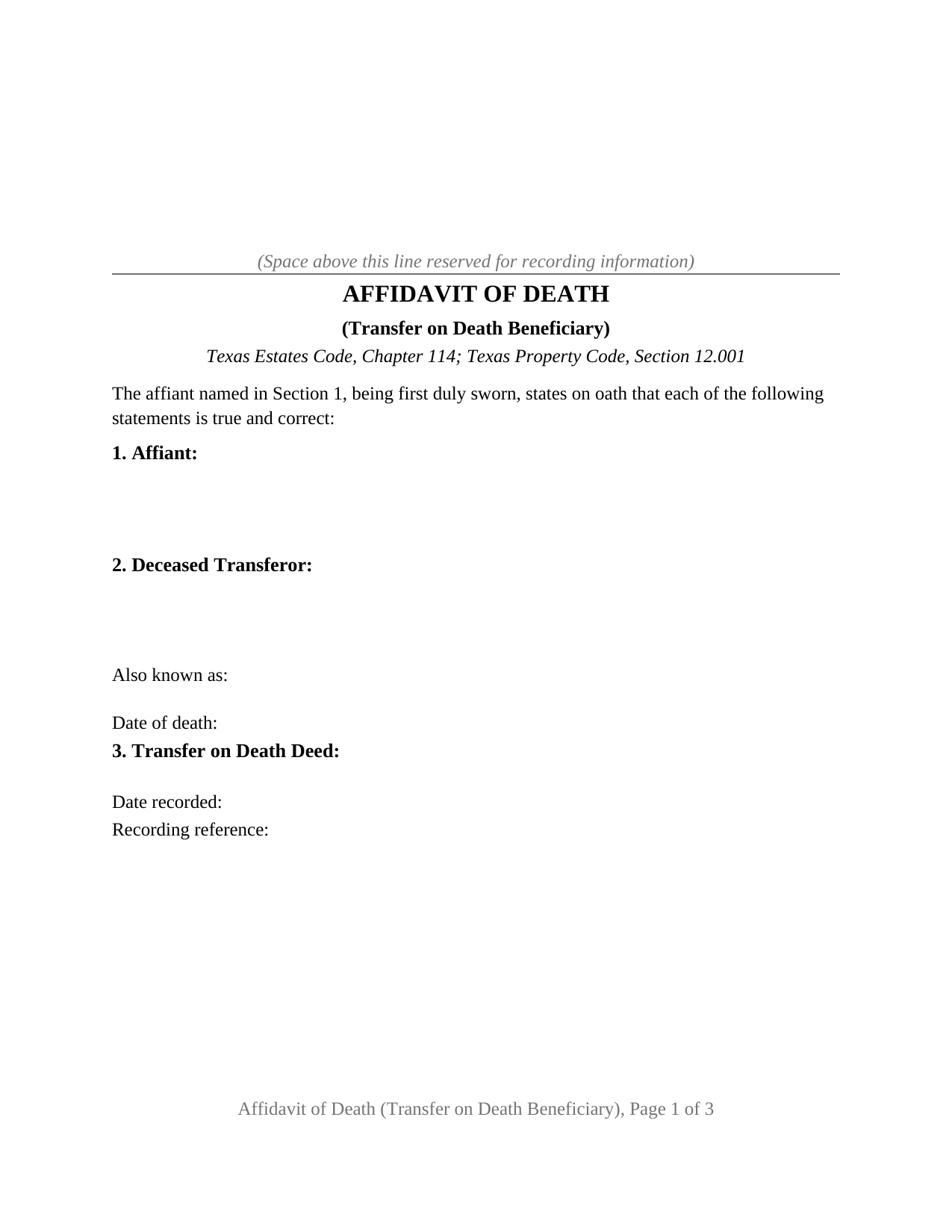
Jefferson County Affidavit of Death (Transfer on Death Beneficiary) Form
Fill in the blank Affidavit of Death (Transfer on Death Beneficiary) form formatted to comply with all Texas recording and content requirements.
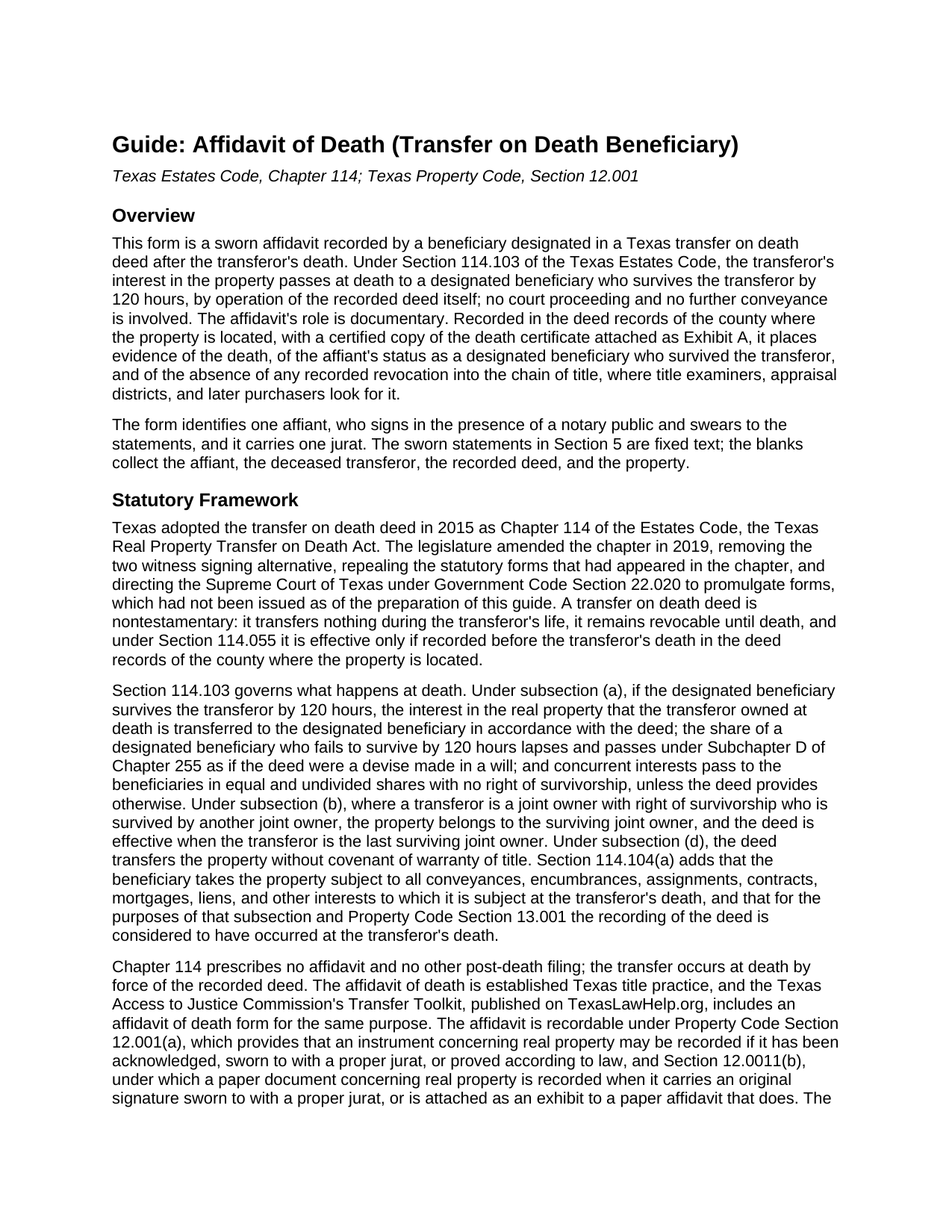
Jefferson County Affidavit of Death (Transfer on Death Beneficiary) Guide
Line by line guide explaining every blank on the Affidavit of Death (Transfer on Death Beneficiary) form.
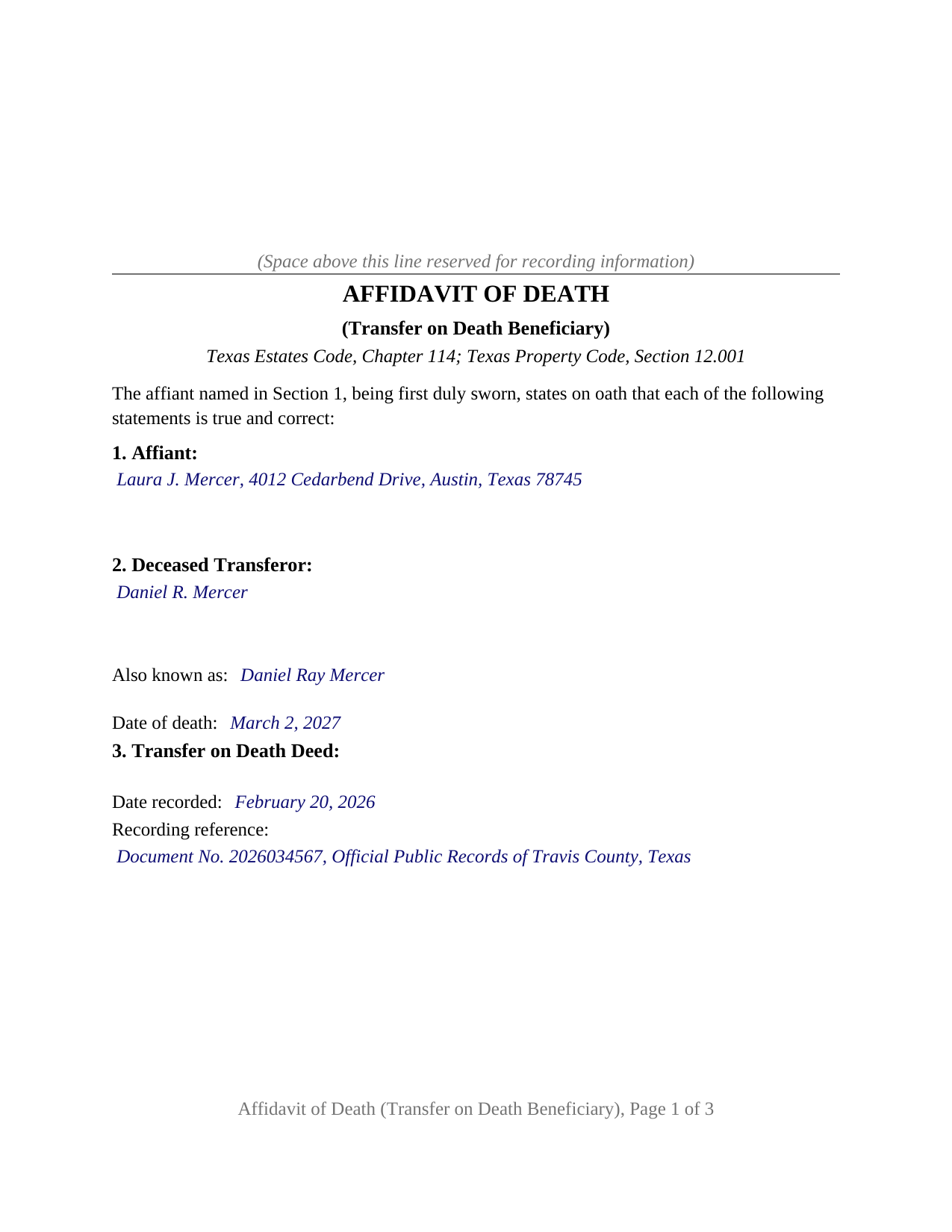
Jefferson County Completed Example of the Affidavit of Death (Transfer on Death Beneficiary) Document
Example of a properly completed Texas Affidavit of Death (Transfer on Death Beneficiary) document for reference.
All 3 documents above included • One-time purchase • No recurring fees
Immediate Download • Secure Checkout
Additional Texas and Jefferson County documents included at no extra charge:
Where to Record Your Documents
Jefferson County Clerk
Beaumont, Texas 77704
Hours: Monday - Friday 8:00am to 4:30pm / Phone until 5:00pm
Phone: (409) 835-8475
Port Arthur Office
Port Arthur, Texas 77640
Hours: Monday - Friday 8:00am to 4:30pm / Phone until 5:00pm
Phone: (409) 983-8340
Recording Tips for Jefferson County:
- Bring your driver's license or state-issued photo ID
- Ensure all signatures are in blue or black ink
- Ask for certified copies if you need them for other transactions
- Ask if they accept credit cards - many offices are cash/check only
- Check that your notary's commission hasn't expired
Cities and Jurisdictions in Jefferson County
Properties in any of these areas use Jefferson County forms:
- Beaumont
- China
- Groves
- Hamshire
- Nederland
- Nome
- Port Arthur
- Port Neches
- Sabine Pass
Hours, fees, requirements, and more for Jefferson County
How do I get my forms?
Forms are available for immediate download after payment. The Jefferson County forms will be in your account ready to download to your computer. An account is created for you during checkout if you don't have one. Forms are NOT emailed.
Are these forms guaranteed to be recordable in Jefferson County?
Yes. Our form blanks are guaranteed to meet or exceed the applicable formatting requirements used for recording in Jefferson County, including margin requirements, font requirements, and other layout standards. This guarantee applies to formatting, not to the legal sufficiency of information entered by the user or the suitability of a form for a particular transaction.
Can I reuse these forms?
Yes. You can reuse the forms for your personal use. For example, if you have multiple properties in Jefferson County you only need to order once.
What do I need to use these forms?
The forms are PDFs that you fill out on your computer. The free Adobe Acrobat Reader is recommended, and most PDF apps also work. You do NOT enter your property information online - you download the blank forms and complete them privately on your own computer.
Are there any recurring fees?
No. This is a one-time purchase. Nothing to cancel, no memberships, no recurring fees.
How much does it cost to record in Jefferson County?
Recording fees in Jefferson County vary. Contact the recorder's office at (409) 835-8475 for current fees.
Questions answered? Let's get started!
This Texas Affidavit of Death is the sworn statement a beneficiary records after the owner who signed a transfer on death deed has died. It is built for one affiant, the beneficiary designated in that recorded deed, and it carries one jurat. Its sworn statements track what Chapter 114 of the Texas Estates Code makes relevant at the transferor's death, and a certified copy of the death certificate rides with it into the county records as Exhibit A.
The transfer already happened; the record has not caught up
Under Section 114.103 of the Estates Code, the transferor's interest passes at death to a designated beneficiary who survives the transferor by 120 hours, by force of the transfer on death deed recorded during the transferor's life (an instrument recorded separately and not part of this package). No court is involved and no new deed is signed. What the county records show the day after the death, though, is a deed waiting to operate. A title examiner handling the beneficiary's later sale or refinance needs the connection made of record: this transferor died, the deed was never revoked, and this beneficiary survived and qualified. The affidavit supplies exactly that, sworn, in the deed records. Chapter 114 prescribes no post-death filing; the affidavit is Texas title practice, recordable under Property Code Section 12.001 because it is sworn to with a proper jurat.
Six statements the beneficiary swears to
The sworn statements are fixed printed text, so the affiant fills in facts and swears to the conclusions the statute cares about: that the transferor died on the date shown and that a certified copy of the death certificate is attached as Exhibit A, which Property Code Section 12.0011 lets the clerk record with a sworn affidavit; designated beneficiary status and survival by more than 120 hours; that the transferor owned the interest at death; and that no instrument of revocation, no later inconsistent transfer on death deed, and no recorded notice of a divorce judgment between the transferor and the affiant appears of record in the county where the deed is recorded, the recorded events Section 114.057 recognizes as revoking a deed.
Built for the last surviving transferor
One statement does work that generic affidavits skip. A deed made by two joint owners with right of survivorship is effective, under Section 114.103(b), only at the death of the last surviving joint owner, and a deed made by spouses holding community property with right of survivorship operates at the second death by its own terms. For either deed the affidavit is recorded after that last death, and Statement 5.4 has the affiant swear that the transferor named in the affidavit was the last surviving transferor. On a deed made by one transferor the condition never arises, so one affidavit form documents a death under any of the three Texas deed patterns without a selector or a conditional blank.
What the blanks collect
The factual entries are few: the affiant's name and mailing address; the deceased transferor's name as the deed states it, an also known as line for the name the death certificate uses, and the date of death; the deed's recording date and reference from the clerk's stamp or index; and the county and legal description, copied from the deed so the two instruments match. Everything else on the recordable pages is fixed text; the instructions cover page, which is not recorded, carries the entry conventions and the exhibit rule.
Sworn, not acknowledged
Because the document is an affidavit, the beneficiary signs in the presence of a notary and swears to the statements, and the notary completes a jurat rather than the acknowledgment certificate found on deed forms. Texas prescribes no jurat wording; the sworn to and subscribed certificate on this form follows the sample the Secretary of State publishes for Texas notaries, with venue lines that reflect wherever the affiant actually appears. The form is letter size, prints at 12 point body text above the 8 point minimum of Local Government Code Section 191.007, and reserves the top of page one for the clerk's recording stamp. Because the affidavit transfers nothing, it carries no Property Code Section 11.008 confidentiality notice.
The package includes the fillable affidavit form, a completed example filled in for a realistic Texas fact pattern, and the guide that walks through every section, the governing statutes, signing, and recording. This description and the guide describe the form and the law in general terms; they are not legal advice.
Important: Your property must be located in Jefferson County to use these forms. Documents should be recorded at the county recording office listed above.
This Affidavit of Death (Transfer on Death Beneficiary) meets all recording requirements specific to Jefferson County.
Our Promise
The documents you receive here are guaranteed to meet or exceed the applicable Jefferson County recording format requirements. If there is a rejection caused by our formatting, we will correct the issue or refund your payment. This guarantee applies to document formatting only and does not extend to information entered by the user, the selection of the form, or the legal effect of the completed document.
Save Time and Money
Get your Jefferson County Affidavit of Death (Transfer on Death Beneficiary) form done right the first time with Deeds.com Uniform Conveyancing Blanks. At Deeds.com, we understand that your time and money are valuable resources, and we don't want you to face a penalty fee or rejection imposed by a county recorder for submitting nonstandard documents. We constantly review and update our forms to meet rapidly changing state and county recording requirements for roughly 3,500 counties and local jurisdictions.
4.8 out of 5 - ( 4,864 Reviews )
Carnell G. 4 out of 5 stars
The basic setup was fine but, I need to review the document in its entirety for accuracy which I have yet to do so. So far so good. The monthly fee is more than I need for right now.
Thank you!
Jonathan F. 5 out of 5 stars
An excellent service. Makes filing deeds so much easier than having to go to the courthouse or use FedEx. I will be a customer for the rest of my legal career.
Thank you!
Connie L. 5 out of 5 stars
Ordered a Quitclaim deed and worked perfectly at Register of Deed office. Liked the instructions and copy of one example filled out made it so much easier to understand. One price is great as most of other companies wanted a membership to join. Will use Deeds.com again if I ever need different forms. Thanks!!!
We are grateful for your feedback and looking forward to serving you again. Thank you!
Barbara E. 5 out of 5 stars
Fast efficient, just what I needed.
Thank you so much Barbara. We appreciate your feedback.
Sarah H. 5 out of 5 stars
Very helpful and great price
Thank you!
Tanya H. 5 out of 5 stars
Could not be happier with deeds.com forms. The guide helped more than one can imagine, great resource.
We appreciate your business and value your feedback. Thank you. Have a wonderful day!
Jeff H. 5 out of 5 stars
Fast, inexpensive, great customer service. I will definitely use them a gain.
Thank you!
Jorge F. 3 out of 5 stars
It would be helpful for documents to be in word format as well and for PDF version not to be locked.
Thank you for your feedback. We really appreciate it. Have a great day!
Teresa R. 5 out of 5 stars
Zero problems, ended up with quality documents. Will use again.
We appreciate your business and value your feedback. Thank you. Have a wonderful day!
Richard B. 5 out of 5 stars
Excellent! I was able to complete the documents especially using the instructions as a guide. Thanks
We appreciate your business and value your feedback. Thank you. Have a wonderful day!
Joseph B. 1 out of 5 stars
Multiple attempts to straight answers to very simple straight forward questions about why my submission is not being accepted have gone unanswered. It's been two days and no answer that solves my problem.
Sorry we were unable to assist you Joseph. We do hope that you find something more suitable to your needs elsewhere. Have a wonderful day.
DOYCE F. 5 out of 5 stars
Very helpful.Thank you
Thank you!
Theodore K. 2 out of 5 stars
This does the job but we are not able to save this in our account and if you don't pay for Adobe and only have Adobe reader, I cannot save any information on the form online in my account. I do understand why they do this because they would lose money. A huge issue is that when I got to the end of the document and was adding an Exhibit A, as I typed, the page kept jumping back up the to top and I couldn't see what I was typing. I had to type a little then scroll back down and when I would type more, it would jump up again. This was a real problem.
Thank you for your feedback. We really appreciate it. Have a great day!
Wendy S. 4 out of 5 stars
Good template that met my needs. Much better than another draft template that I found on another site. Would have been helpful if the template had been provided in a Word format instead of PDF so that I could remove the sections that are not applicable.
We appreciate your business and value your feedback. Thank you. Have a wonderful day!
Peggy L. 5 out of 5 stars
Exactly what I needed and so nice to not have to pay a lawyer
We appreciate your business and value your feedback. Thank you. Have a wonderful day!