Nueces County Affidavit of Death (Transfer on Death Deed Beneficiary) Form
Last validated September 21, 2026 by our Forms Development TeamFormatted for recording in Nueces County, for property anywhere in the county: rural and unincorporated areas as well as Agua Dulce, Banquete, Bishop, Chapman Ranch, Corpus Christi, Crp Christi, Driscoll, Port Aransas and 1 more.
- 3 documents included
- Immediate PDF download
- Formatting guarantee
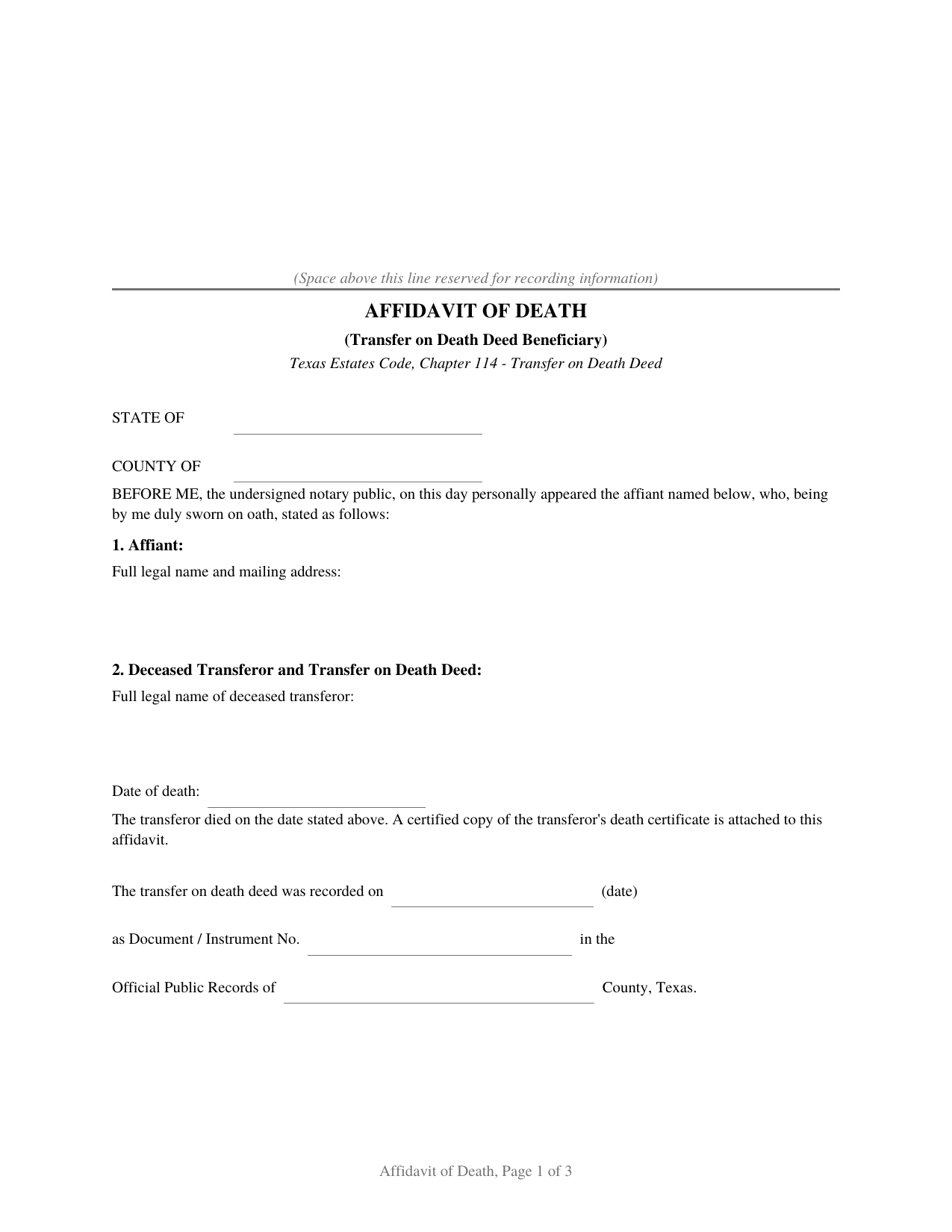
Nueces County Affidavit of Death (Transfer on Death Deed Beneficiary) Form
Fill in the blank Affidavit of Death (Transfer on Death Deed Beneficiary) form formatted to comply with all Texas recording and content requirements.
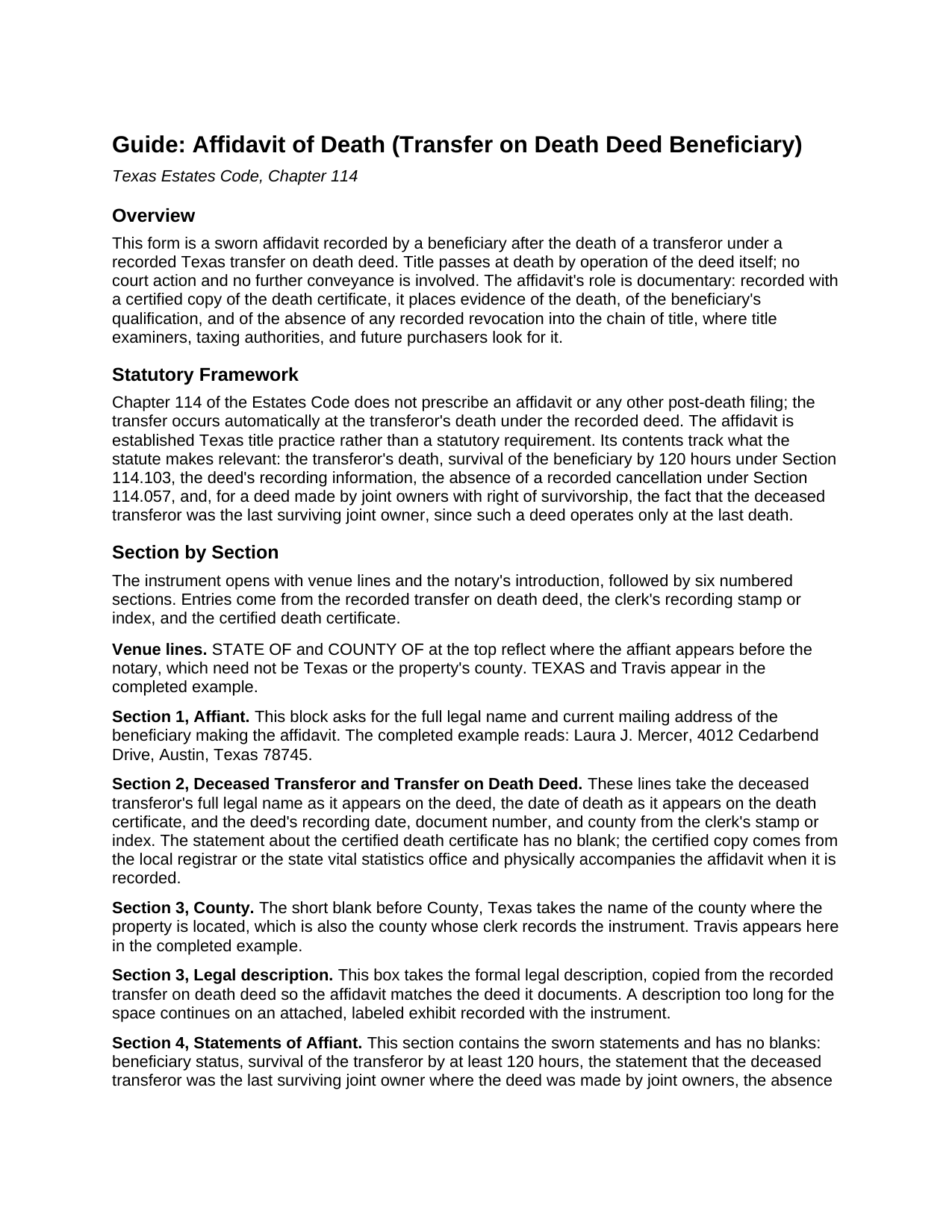
Nueces County Affidavit of Death (Transfer on Death Deed Beneficiary) Guide
Line by line guide explaining every blank on the Affidavit of Death (Transfer on Death Deed Beneficiary) form.
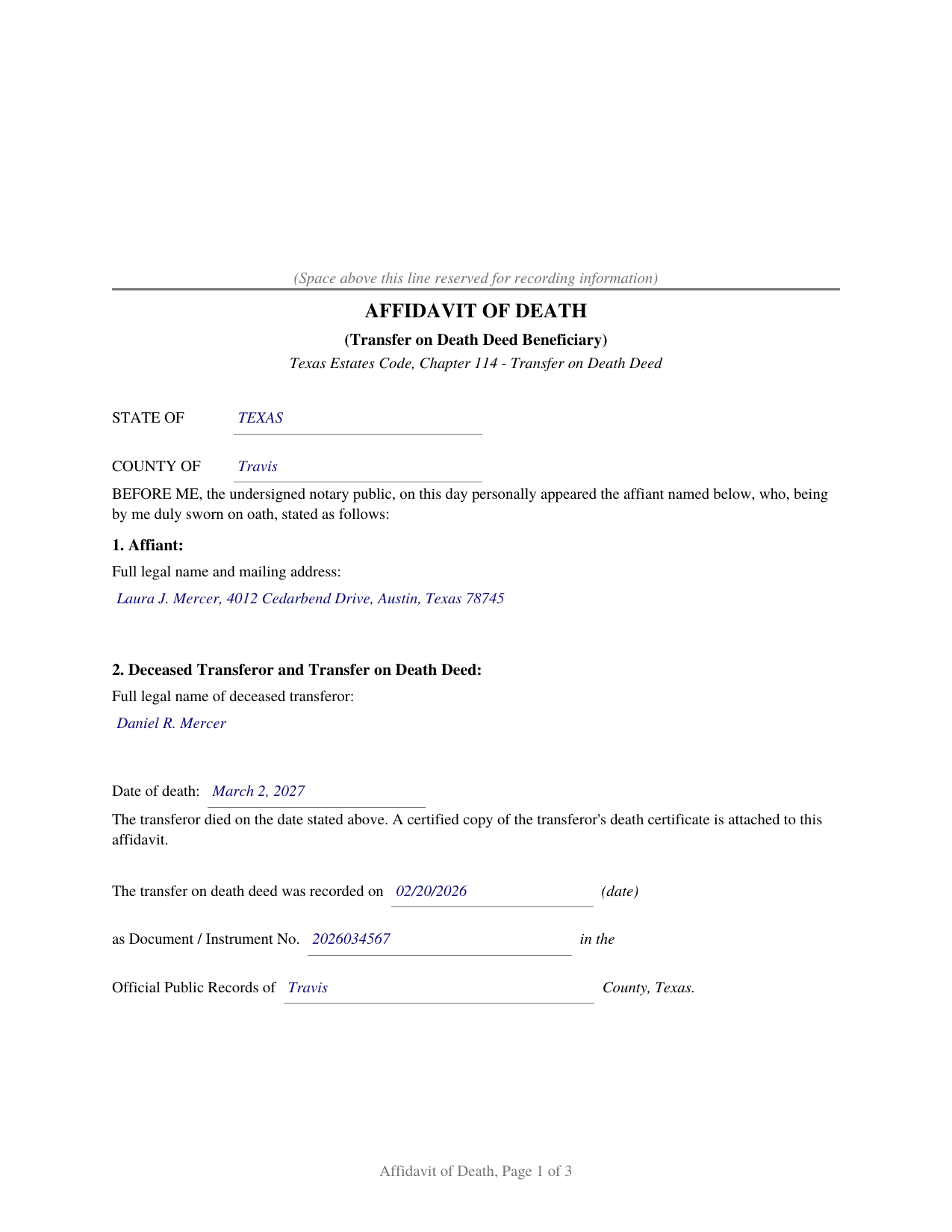
Nueces County Completed Example of the Affidavit of Death (Transfer on Death Deed Beneficiary) Document
Example of a properly completed Texas Affidavit of Death (Transfer on Death Deed Beneficiary) document for reference.
All 3 documents above included • One-time purchase • No recurring fees
Immediate Download • Secure Checkout
Additional Texas and Nueces County documents included at no extra charge:
Where to Record Your Documents
Nueces County Clerk
Corpus Christi, Texas 78403
Hours: Monday - Friday 8:00am - 5:00pm
Phone: (361) 888-0580
Robstown Office
Robstown, Texas 78380
Hours: Tuesday & Thursday 8:00am - 12:00pm & 1:00pm - 5:00pm
Phone: (361) 888-0580
Recording Tips for Nueces County:
- Bring your driver's license or state-issued photo ID
- Ensure all signatures are in blue or black ink
- Ask if they accept credit cards - many offices are cash/check only
- Check that your notary's commission hasn't expired
- Documents must be on 8.5 x 11 inch white paper
Cities and Jurisdictions in Nueces County
Properties in any of these areas use Nueces County forms:
- Agua Dulce
- Banquete
- Bishop
- Chapman Ranch
- Corpus Christi
- Crp Christi
- Driscoll
- Port Aransas
- Robstown
Hours, fees, requirements, and more for Nueces County
How do I get my forms?
Forms are available for immediate download after payment. The Nueces County forms will be in your account ready to download to your computer. An account is created for you during checkout if you don't have one. Forms are NOT emailed.
Are these forms guaranteed to be recordable in Nueces County?
Yes. Our form blanks are guaranteed to meet or exceed the applicable formatting requirements used for recording in Nueces County, including margin requirements, font requirements, and other layout standards. This guarantee applies to formatting, not to the legal sufficiency of information entered by the user or the suitability of a form for a particular transaction.
Can I reuse these forms?
Yes. You can reuse the forms for your personal use. For example, if you have multiple properties in Nueces County you only need to order once.
What do I need to use these forms?
The forms are PDFs that you fill out on your computer. The free Adobe Acrobat Reader is recommended, and most PDF apps also work. You do NOT enter your property information online - you download the blank forms and complete them privately on your own computer.
Are there any recurring fees?
No. This is a one-time purchase. Nothing to cancel, no memberships, no recurring fees.
How much does it cost to record in Nueces County?
Recording fees in Nueces County vary. Contact the recorder's office at (361) 888-0580 for current fees.
Questions answered? Let's get started!
When the owner who signed a Texas transfer on death deed dies, title passes to the named beneficiary automatically, by operation of the recorded deed. No court is involved and no new deed is signed. What remains is a documentation step: getting evidence of the death, and of the beneficiary's right to take, into the county records where everyone who later examines the title will look. This form prepares the sworn affidavit Texas title practice uses for that step.
Why the Affidavit Matters
Until the death is documented of record, the title records show only a deed waiting to operate. A title examiner handling the beneficiary's later sale or refinance, the appraisal district adjusting its rolls, and anyone else searching the records all need the connection made: this owner died on this date, the deed was never revoked, and this beneficiary qualified. The affidavit, recorded with a certified copy of the death certificate, supplies exactly that, in the place title professionals expect to find it.
What the Affidavit States
The affiant identifies the deceased transferor, the date of death, and the recorded deed by its recording date, document number, and county. The sworn statements then track what Chapter 114 of the Estates Code makes relevant: the affiant is a beneficiary designated in the deed, survived the transferor by at least 120 hours as Section 114.103 requires, has found no cancellation of record and knows of no revocation, and, where the deed was made by joint owners with right of survivorship, that the deceased transferor was the last surviving owner, the death at which such a deed operates.
Sworn, Not Just Signed
This instrument is an affidavit, so the beneficiary signs and swears to the statements before a notary, who completes a jurat rather than the acknowledgment found on deed forms. The guide explains the difference and walks through every entry, including where the recording references come from and how to obtain the certified death certificate that accompanies the affidavit. The completed example shows a finished affidavit for a realistic fact pattern.
What Is Included
- The blank form as a fillable PDF, completed on screen or printed and completed by hand
- A plain language guide that walks through every numbered section: what each blank asks, where the information comes from, and what a correct entry looks like
- A completed example showing the entire document filled in for a realistic Texas fact pattern
The document is formatted for Texas recording standards: letter size pages within the dimensions of Local Government Code Section 191.007, body text well above the 8 point minimum, and reserved space on page one for the county clerk's recording stamp. As an affidavit rather than a conveyance, it does not carry the Property Code Section 11.008 confidentiality notice that introduces a deed. A separate instructions page, marked DO NOT RECORD and removed before signing, describes how an entry that outgrows its space continues on an attached exhibit, so the recorded affidavit stays free of worksheet style captions.
Related Texas Forms
The affidavit works with all three companion deeds: the Texas Transfer on Death Deed (Individual), the joint owner version, and the community property with right of survivorship version. For the two joint forms, it is recorded after the death of the last surviving owner.
Important: Your property must be located in Nueces County to use these forms. Documents should be recorded at the county recording office listed above.
This Affidavit of Death (Transfer on Death Deed Beneficiary) meets all recording requirements specific to Nueces County.
Our Promise
The documents you receive here are guaranteed to meet or exceed the applicable Nueces County recording format requirements. If there is a rejection caused by our formatting, we will correct the issue or refund your payment. This guarantee applies to document formatting only and does not extend to information entered by the user, the selection of the form, or the legal effect of the completed document.
Save Time and Money
Get your Nueces County Affidavit of Death (Transfer on Death Deed Beneficiary) form done right the first time with Deeds.com Uniform Conveyancing Blanks. At Deeds.com, we understand that your time and money are valuable resources, and we don't want you to face a penalty fee or rejection imposed by a county recorder for submitting nonstandard documents. We constantly review and update our forms to meet rapidly changing state and county recording requirements for roughly 3,500 counties and local jurisdictions.
4.8 out of 5 - ( 4,807 Reviews )
Jenny E. 5 out of 5 stars
I thought the website was good. But once I paid the money and downloaded the papers I needed for Grays Harbor. I had to end up calling a escrow company that we had worked with only to find out that they work with a slightly different version. The escrow company was kind enough to email me the version Grays Harbor recommends and uses. There is a chance I could use theses in the future.
Thank you for your feedback. We really appreciate it. Have a great day!
Charlie T. 5 out of 5 stars
I really like the service and will be definitely be using it again to submit future deeds.
Thank you!
Deborah V. 5 out of 5 stars
Helpful and informative.
We appreciate your business and value your feedback. Thank you. Have a wonderful day!
James W. 5 out of 5 stars
Easy access to forms saving lots of time researching reqmts from a State/Municipal Govt website. I saved 400-500 in lawyer fees but getting these forms, and coordinating with the Property recorders office in another state. Will use you again.
Thank you James. We really appreciate your feedback.
Helen L. 5 out of 5 stars
The website was easy to navigate but only needed one form. The guide was helpful also. Cost want high but contains many documents that I didn't need but may someday. Could not save form after completed but printed copies that needed to be court filed.
We appreciate your business and value your feedback. Thank you. Have a wonderful day!
Maday G. 5 out of 5 stars
The service was easy and fast. Definitely much better than the regular process directly at the County's office.
We appreciate your business and value your feedback. Thank you. Have a wonderful day!
nancy h. 5 out of 5 stars
Once I figured out what I wanted it was great!
Thank you Nancy.
Karen K. 5 out of 5 stars
Deeds was very easy to use. I thought it might take weeks to complete, but the whole process was completed in just a few hours. I am very satisfied with my experience and would use them again
Thank you for your feedback. We really appreciate it. Have a great day!
Dina O. 5 out of 5 stars
easy to use and efficient i like that they give you an example to compare your work to
We are motivated by your feedback to continue delivering excellence. Thank you!
Barbara M. 5 out of 5 stars
Easy to do.
We appreciate your business and value your feedback. Thank you. Have a wonderful day!
Eric S. 5 out of 5 stars
Very easy and efficient to use. Thank you!
We appreciate your business and value your feedback. Thank you. Have a wonderful day!
Jeri M. 5 out of 5 stars
Very happy with the site and the deed document I received.
We appreciate your business and value your feedback. Thank you. Have a wonderful day!
Lois S. 5 out of 5 stars
This website made it easy to quickly research what was recorded/released on the title of my home.
Thank you for your feedback. We really appreciate it. Have a great day!
Gloria J. 5 out of 5 stars
I needed a Missouri Notice of Intent to Sell without a named designated buyer. Mo Statutes require notice be notarized and filed 45 days before any closing to protect buyer from liens. You do not have that document. We are flipping a house so it must be filed. Our lawyer was on vacation. Cannot find one anywhere on net. Finally got a template from our title company.
Thank you for your feedback Gloria.
Joey S. 5 out of 5 stars
This is the easiest process ever!
Thank you!