Harrison County Appointment and Acceptance of Successor Trustee (Recordable) Form
Last validated September 23, 2026 by our Forms Development TeamFormatted for recording in Harrison County, for property anywhere in the county: rural and unincorporated areas as well as Elysian Fields, Hallsville, Harleton, Jonesville, Karnack, Marshall, Scottsville, Waskom and 1 more.
- 3 documents included
- Immediate PDF download
- Formatting guarantee
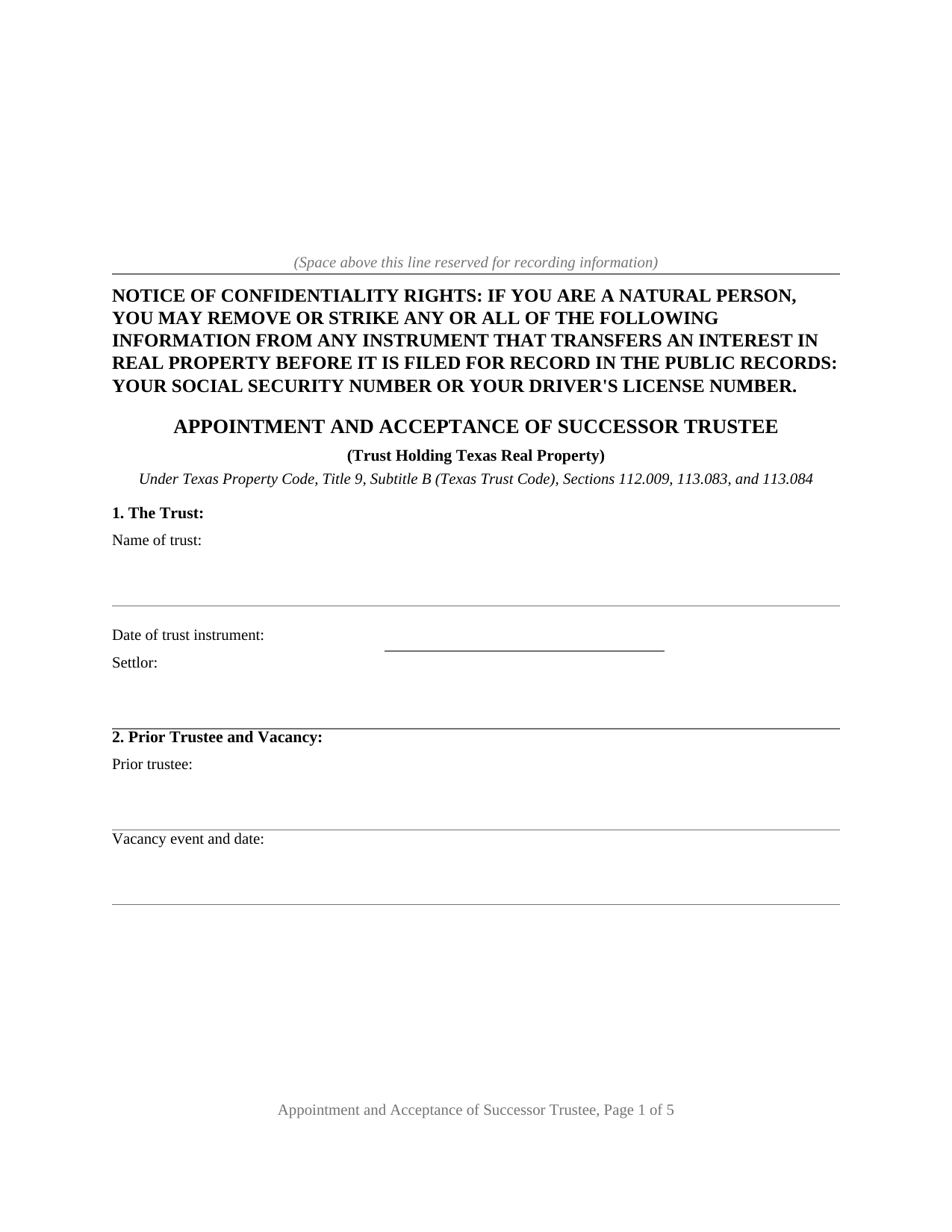
Harrison County Appointment and Acceptance of Successor Trustee (Recordable) Form
Fill in the blank Appointment and Acceptance of Successor Trustee (Recordable) form formatted to comply with all Texas recording and content requirements.
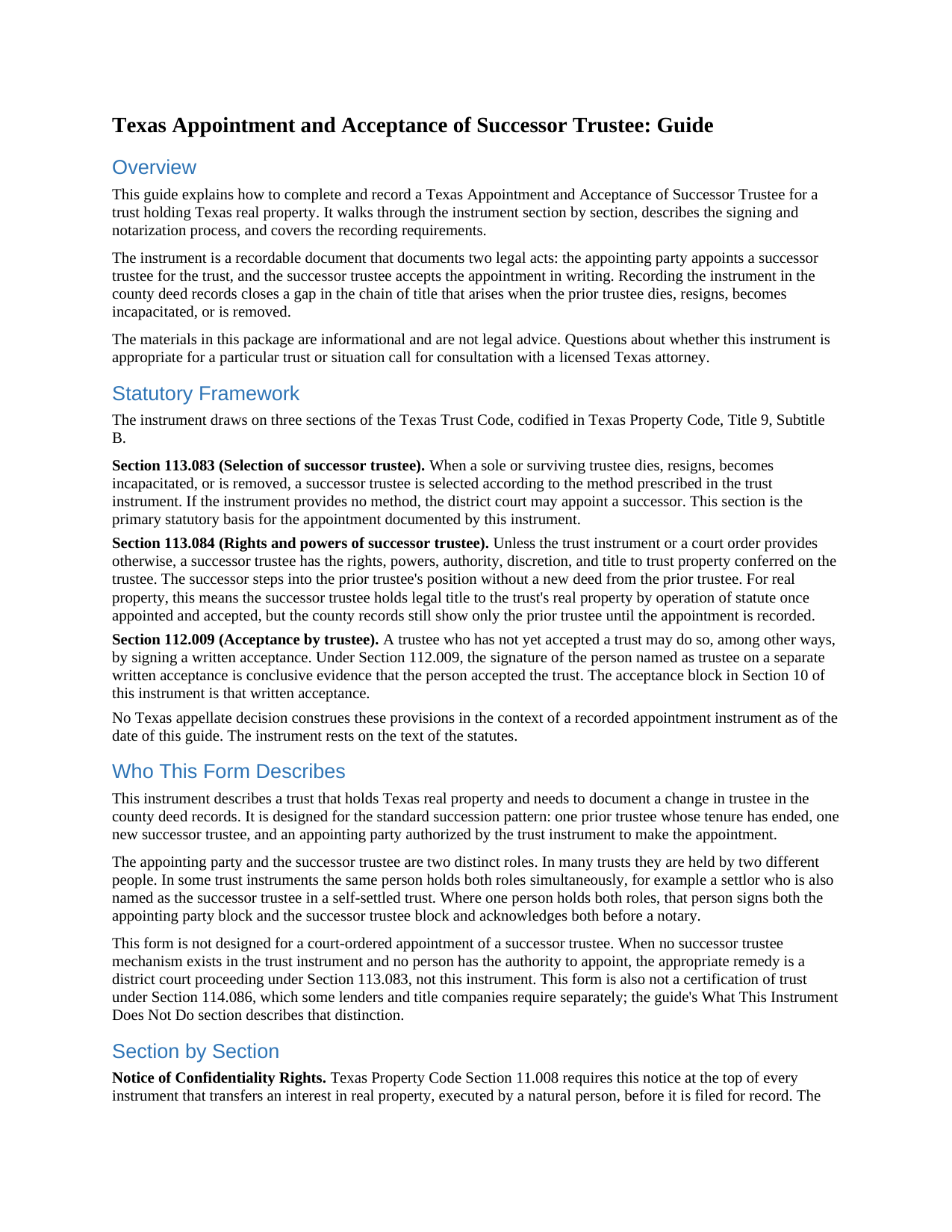
Harrison County Appointment and Acceptance of Successor Trustee (Recordable) Guide
Line by line guide explaining every blank on the Appointment and Acceptance of Successor Trustee (Recordable) form.
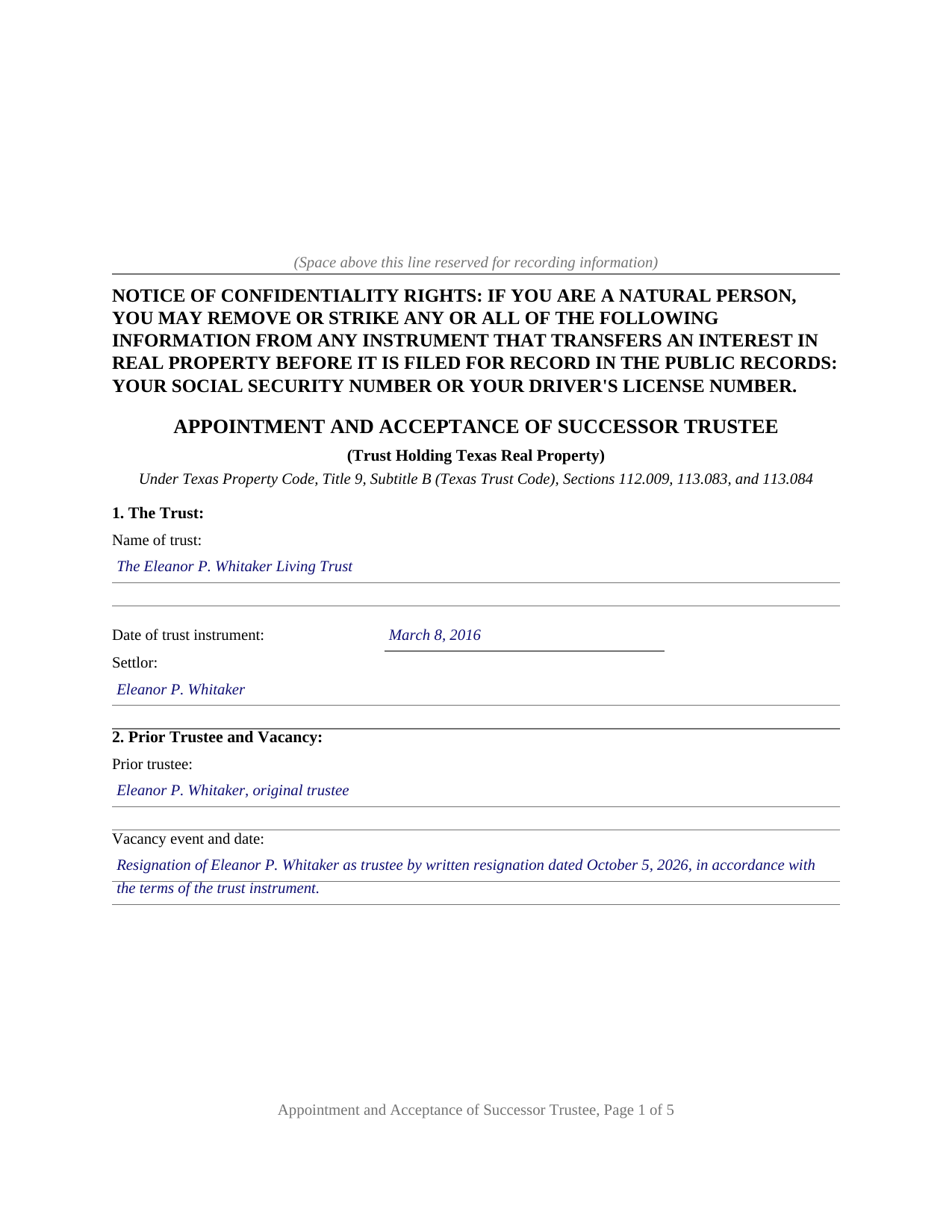
Harrison County Completed Example of the Appointment and Acceptance of Successor Trustee (Recordable) Document
Example of a properly completed Texas Appointment and Acceptance of Successor Trustee (Recordable) document for reference.
All 3 documents above included • One-time purchase • No recurring fees
Immediate Download • Secure Checkout
Additional Texas and Harrison County documents included at no extra charge:
Where to Record Your Documents
County Clerk's Office
Marshall, Texas 75671
Hours: Monday - Friday 8:00am - 4:30pm
Phone: (903) 935-8403
Recording Tips for Harrison County:
- Bring your driver's license or state-issued photo ID
- Ensure all signatures are in blue or black ink
- Make copies of your documents before recording - keep originals safe
- Recorded documents become public record - avoid including SSNs
- Recording fees may differ from what's posted online - verify current rates
Cities and Jurisdictions in Harrison County
Properties in any of these areas use Harrison County forms:
- Elysian Fields
- Hallsville
- Harleton
- Jonesville
- Karnack
- Marshall
- Scottsville
- Waskom
- Woodlawn
Hours, fees, requirements, and more for Harrison County
How do I get my forms?
Forms are available for immediate download after payment. The Harrison County forms will be in your account ready to download to your computer. An account is created for you during checkout if you don't have one. Forms are NOT emailed.
Are these forms guaranteed to be recordable in Harrison County?
Yes. Our form blanks are guaranteed to meet or exceed the applicable formatting requirements used for recording in Harrison County, including margin requirements, font requirements, and other layout standards. This guarantee applies to formatting, not to the legal sufficiency of information entered by the user or the suitability of a form for a particular transaction.
Can I reuse these forms?
Yes. You can reuse the forms for your personal use. For example, if you have multiple properties in Harrison County you only need to order once.
What do I need to use these forms?
The forms are PDFs that you fill out on your computer. The free Adobe Acrobat Reader is recommended, and most PDF apps also work. You do NOT enter your property information online - you download the blank forms and complete them privately on your own computer.
Are there any recurring fees?
No. This is a one-time purchase. Nothing to cancel, no memberships, no recurring fees.
How much does it cost to record in Harrison County?
Recording fees in Harrison County vary. Contact the recorder's office at (903) 935-8403 for current fees.
Questions answered? Let's get started!
Legal title to real property held in a Texas trust stands in the name of the trustee. The deed that moved the property into the trust names the trustee of record, and every later search of the county records starts from that name. When that trustee dies, resigns, becomes incapacitated, or is removed, the trust continues and a successor steps in, but the county records still show only the prior trustee. This form prepares the instrument Texas title practice uses to close that gap: a recordable appointment and acceptance of successor trustee for a trust holding Texas real property.
Title Follows the Trustee
Under Section 113.083 of the Texas Trust Code, a successor trustee is selected according to the method, if any, prescribed in the trust instrument, with court appointment available where the instrument supplies none. Section 113.084 then does the quiet work that matters for real estate: unless the trust instrument or a court order provides otherwise, the successor trustee has the rights, powers, authority, discretion, and title to trust property conferred on the trustee. The succession takes effect under the trust instrument and the statute, with no new deed from the old trustee to the new one. What the succession does not do on its own is appear in the county records.
One Instrument, Two Legal Acts
The form performs two acts in a single recordable document. The appointing party, the person the trust instrument authorizes to select a successor, appoints the successor trustee, reciting the trust, the prior trustee, the vacancy event, and the provision relied on. The successor trustee then accepts the trust in writing; under Section 112.009, a signature on a separate written acceptance is conclusive evidence that the person accepted the trust. Each signer acknowledges before a notary, and the acknowledgments are what make the instrument recordable: Property Code Section 12.001 provides that an instrument concerning real property may be recorded once acknowledged.
Recording as Notice, Not Effectiveness
No Texas statute requires an appointment of successor trustee to be recorded, and recording is not what makes it effective. Recording serves the title record. A title company examining the trust property years later, a purchaser tracing the chain of title, and the appraisal district adjusting its rolls all find the succession documented in the same records that hold the vesting deed. The instrument identifies the property by county, legal description, street address, and vesting instrument, so the clerk indexes it where examiners look. The confidentiality notice required by Property Code Section 11.008 appears at the top of the first page, and the layout reserves the customary space on page one for the clerk's recording stamp.
What the Package Prepares
The download includes the blank instrument as a fillable PDF, a completed example showing a realistic Travis County succession from written resignation through acceptance, and a plain language guide that walks through every numbered section: the trust, the prior trustee and the vacancy, the authority for the appointment, the parties, the property, and the operative appointment and acceptance language. The instrument does not convey the property and does not modify the trust; the guide describes those limits, along with the certification of trust that banks and title companies separately request under Property Code Section 114.086. The materials are informational and are not legal advice.
Important: Your property must be located in Harrison County to use these forms. Documents should be recorded at the county recording office listed above.
This Appointment and Acceptance of Successor Trustee (Recordable) meets all recording requirements specific to Harrison County.
Our Promise
The documents you receive here are guaranteed to meet or exceed the applicable Harrison County recording format requirements. If there is a rejection caused by our formatting, we will correct the issue or refund your payment. This guarantee applies to document formatting only and does not extend to information entered by the user, the selection of the form, or the legal effect of the completed document.
Save Time and Money
Get your Harrison County Appointment and Acceptance of Successor Trustee (Recordable) form done right the first time with Deeds.com Uniform Conveyancing Blanks. At Deeds.com, we understand that your time and money are valuable resources, and we don't want you to face a penalty fee or rejection imposed by a county recorder for submitting nonstandard documents. We constantly review and update our forms to meet rapidly changing state and county recording requirements for roughly 3,500 counties and local jurisdictions.
4.8 out of 5 - ( 4,841 Reviews )
Janet M. 5 out of 5 stars
This site is amazing! What a time saver from driving somewhere and standing around waiting.
Thank you!
Rajesh S. 5 out of 5 stars
It was a wonderful and less time-consuming experience. Got my job done in a timely manner.
Thank you, Rajesh. We appreciate you taking the time to share your experience. Glad everything came together quickly and got the job done.
Viola J. 5 out of 5 stars
You made this so easy to process the Executor Deed. THANK YOU a thousand times. Appreciate that all forms are in one place and I did not have to search all over the internet to get what I needed.
We appreciate your business and value your feedback. Thank you. Have a wonderful day!
jack b. 5 out of 5 stars
good form, reasonable fee
Thank you Jack. We really appreciate you taking the time to leave your feedback. Have a great day!
marc g. 5 out of 5 stars
Nice product and Fillable PDF's :) Thanks Deeds!!
Thank you for your feedback. We really appreciate it. Have a great day!
Carmen C. 5 out of 5 stars
Hassle free, easy access to form and instructions include on how to complete.
We appreciate your business and value your feedback. Thank you. Have a wonderful day!
Julie K. 4 out of 5 stars
The process for obtaining document itself was easy, and the included guide and example are great! I do have an issue with the format itself, though. The form has pre-defined text boxes, which cannot be altered without partially rebuilding the entire document. For the 'property description' field on the Mineral Deed form, the text box is not large enough for the rather lengthy legal description entered on my original plat. Fortunately, I have a copy of Adobe Pro, so I have been able to re-build the doc to accommodate this short-coming.
Thank you for taking the time to provide feedback on our legal form. We're pleased to hear that you found the process for obtaining the document and the included guide beneficial.
We understand and appreciate your concern regarding the formatting and size limitations of certain fields, especially the 'property description' field. Our forms are designed to adhere to specific formatting requirements that are often mandated for legal compliance. Making direct alterations to the document can result in them becoming non-conforming, which is why we advise customers to use an exhibit page when their legal description is extensive or does not fit.
Albert j. 5 out of 5 stars
Very easy site to use for a simple minded happy howmowner. Very reasonable fee Quick turn around Good communication
Thank you!
Joseph S. 5 out of 5 stars
THIS IS MY FIRST EXPERIENCE WITH DEEDS.COM. I DLED THE ESTATE DEED FORM THAT I HOPE WILL GO THROUGH OK WITH THE COUNTY. IT WILL BE SOMETIME UNTIL I HAVE IT FILLED IN AND ALL THE NAMES IN, NORARIZED AND FILED. CAN I RECONTACT YOU FOLKS IF THERE IS A PROBLEM? THANK YOU, JOE SEUBERT
We are motivated by your feedback to continue delivering excellence. Thank you!
Blaine G. 3 out of 5 stars
Pretty good promissory note...but unable to delete some of the not needed stuff. Fill in blanks are fine but not all the template language is appropriate in my situation
Thank you for your feedback. We really appreciate it. Have a great day!
Deabra A. 4 out of 5 stars
Your Quitdeed form was easy to understand with the guidelines provided and an example of an already completed form to see how you should complete your form. The price is reasonable for a do it yourself.
Thank you, Deabra. We’re glad the form and examples made the process clear and that you found it a good value for a do-it-yourself option.
Jamie B. 5 out of 5 stars
Deeds.com made the recording of our Deed in a county where we do not reside, VERY easy! Customer service was great with all my questions answered immediately via my account portal. Very user friendly service! I wish the available documents were a little less pricey, but all in all, to get the job done right, I'll probably utilize the document downloads in the future.
Thank you for your feedback. We really appreciate it. Have a great day!
Thaddeus E. 5 out of 5 stars
Quick assistance with same day recording. The tech identified barriers to successful Recordation such as image quality and worked with me to get them resolved for timely submission.
We are delighted to have been of service. Thank you for the positive review!
Scott S. 5 out of 5 stars
Awesome service. I'm impressed.
We appreciate your business and value your feedback. Thank you. Have a wonderful day!
Shannon R. 5 out of 5 stars
Good forms, served the purpose. would not hesitate to use again if needed.
We appreciate your business and value your feedback. Thank you. Have a wonderful day!