Comanche County Certificate of Trust Form
Last validated May 25, 2026 by our Forms Development Team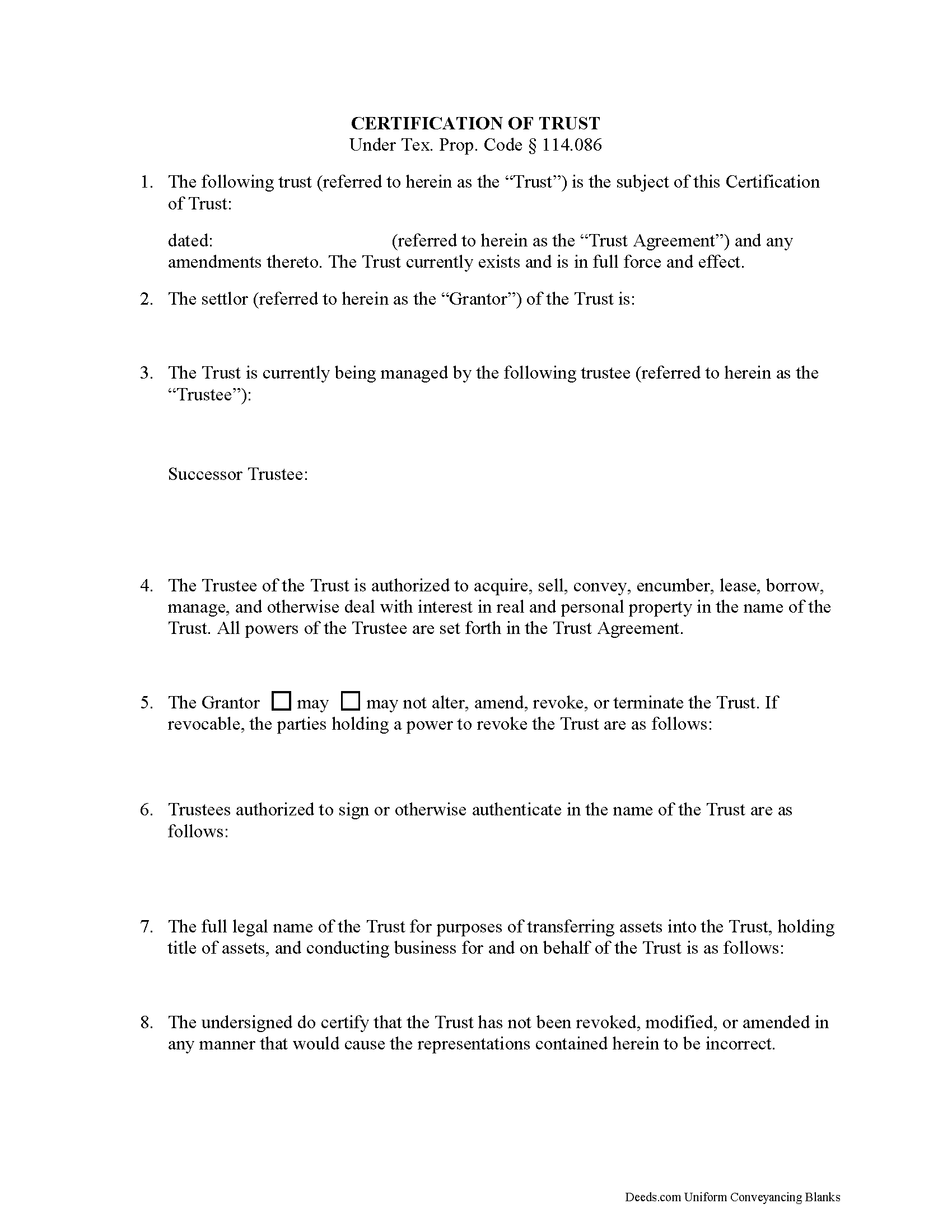
Comanche County Certificate of Trust Form
Fill in the blank form formatted to comply with all recording and content requirements.
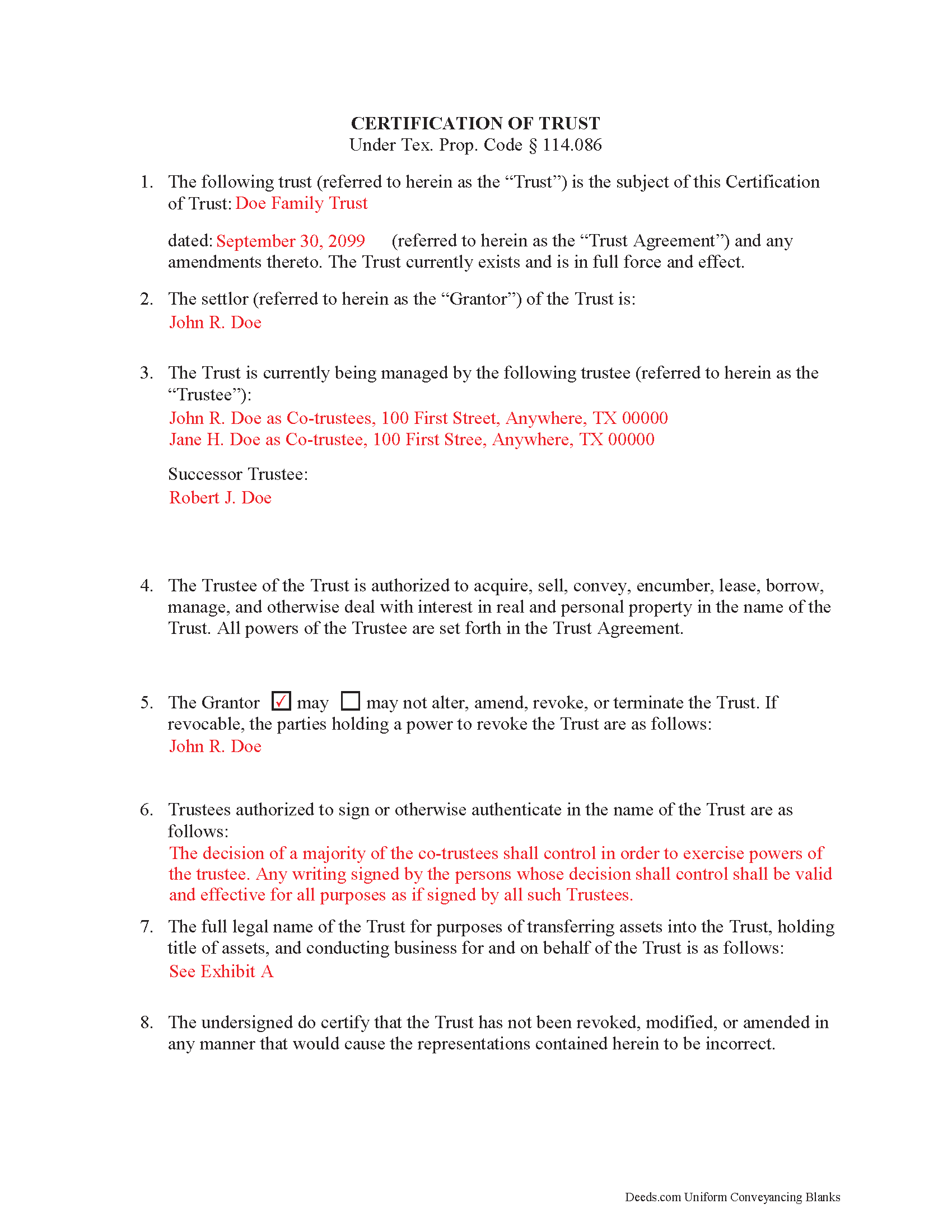
Comanche County Completed Example of the Certificate of Trust Document
Example of a properly completed form for reference.
All 2 documents above included • One-time purchase • No recurring fees
Immediate Download • Secure Checkout
Additional Texas and Comanche County documents included at no extra charge:
Where to Record Your Documents
Comanche County Clerk
Comanche, Texas 76442
Hours: Monday - Friday 8:30am - 5:00pm
Phone: 325-356-2655
Recording Tips for Comanche County:
- White-out or correction fluid may cause rejection
- Bring extra funds - fees can vary by document type and page count
- Recording fees may differ from what's posted online - verify current rates
- Leave recording info boxes blank - the office fills these
Cities and Jurisdictions in Comanche County
Properties in any of these areas use Comanche County forms:
- Comanche
- De Leon
- Energy
- Gustine
- Proctor
- Sidney
Hours, fees, requirements, and more for Comanche County
How do I get my forms?
Forms are available for immediate download after payment. The Comanche County forms will be in your account ready to download to your computer. An account is created for you during checkout if you don't have one. Forms are NOT emailed.
Are these forms guaranteed to be recordable in Comanche County?
Yes. Our form blanks are guaranteed to meet or exceed the applicable formatting requirements used for recording in Comanche County, including margin requirements, font requirements, and other layout standards. This guarantee applies to formatting, not to the legal sufficiency of information entered by the user or the suitability of a form for a particular transaction.
Can I reuse these forms?
Yes. You can reuse the forms for your personal use. For example, if you have multiple properties in Comanche County you only need to order once.
What do I need to use these forms?
The forms are PDFs that you fill out on your computer. You'll need Adobe Reader (free software that most computers already have). You do NOT enter your property information online - you download the blank forms and complete them privately on your own computer.
Are there any recurring fees?
No. This is a one-time purchase. Nothing to cancel, no memberships, no recurring fees.
How much does it cost to record in Comanche County?
Recording fees in Comanche County vary. Contact the recorder's office at 325-356-2655 for current fees.
Questions answered? Let's get started!
A certification of trust is a document that contains relevant details about an established trust containing real property. It is governed by Texas Property Code Sec. 114.086. A certification of trust validates the existence of the trust by identifying its full name, the date it was established, the names of the settlor (grantor) and trustees, the trustees' powers, and other details as needed. This is important because it allows the actual trust agreement, which is generally not recorded, to remain private.
The form is executed by the trustee and signed by the trustee and grantor (who can be the same person) and recorded in the office of the county recorder in any Texas county in which all or a portion of the real property is located. In order to facilitate a transfer of real property into a trust, financial institutions may require the trustee to furnish a certification of trust. In addition, third parties may request a certification of trust to confirm the trustee has the authority to transfer real property out of the trust.
(Texas Certificate of Trust Package includes form, guidelines, and completed example)
Important: Your property must be located in Comanche County to use these forms. Documents should be recorded at the office below.
This Certificate of Trust meets all recording requirements specific to Comanche County.
Our Promise
The documents you receive here are guaranteed to meet or exceed the applicable Comanche County recording format requirements. If there is a rejection caused by our formatting, we will correct the issue or refund your payment. This guarantee applies to document formatting only and does not extend to information entered by the user, the selection of the form, or the legal effect of the completed document.
Save Time and Money
Get your Comanche County Certificate of Trust form done right the first time with Deeds.com Uniform Conveyancing Blanks. At Deeds.com, we understand that your time and money are valuable resources, and we don't want you to face a penalty fee or rejection imposed by a county recorder for submitting nonstandard documents. We constantly review and update our forms to meet rapidly changing state and county recording requirements for roughly 3,500 counties and local jurisdictions.
4.8 out of 5 - ( 4736 Reviews )
Ronald S.
May 20th, 2019
got what i wanted
Thank you for your feedback. We really appreciate it. Have a great day!
Michael C.
January 4th, 2023
Overall positive experience; especially liked immediate access to downloaded documents and instructions. My only concern was lack of adequate space in portions of your beneficiary deed blank form which then required me to use 3 exhibits to complete all necessary documents for the county recorders office. Assuming they accept them I will call this a strong win. Thanks.
We appreciate your business and value your feedback. Thank you. Have a wonderful day!
Annelie A.
April 22nd, 2020
Unfortunately the forms were not useful to me, I still had to go pay a lawyer to create a deed for me.
Thank you for your feedback. We really appreciate it. Have a great day!
Joseph R.
October 16th, 2024
Wonderful service! Things changed for me on my side and the company saw this and closed my account with ease.
Thank you!
Bonnie C.
July 16th, 2019
User friendly an FAST to access and use! Highly recommended.
We appreciate your business and value your feedback. Thank you. Have a wonderful day!
DOYCE F.
September 25th, 2019
Very helpful.Thank you
Thank you!
Cathy S.
October 15th, 2022
Great forms! Repeat customer here, wouldn't go anywhere else.
We appreciate your business and value your feedback. Thank you. Have a wonderful day!
Sasa G.
July 14th, 2022
Great service! Quick & easy!
Thank you for your feedback. We really appreciate it. Have a great day!
Peggy D.
August 26th, 2021
Very helpful in finding the information for me. Quick response. Very easy to use the forms.
Thank you for your feedback. We really appreciate it. Have a great day!
Jill R.
May 12th, 2025
So helpful and extremely responsive. Such a convenient way to record deeds.
We appreciate your business and value your feedback. Thank you. Have a wonderful day!
Susan M.
November 20th, 2020
It was easy to use and clear directions.
Thank you!
Melanie K.
December 27th, 2019
Great service! Super easy to use! I used the service to download a deed notice to do a TOD on a property in Fairfax County, VA. Just a heads up that Fairfax County required me to add the last deed book and page # onto the deed notice but otherwise all was just as they required!
Thank you!
WALTER L.
June 19th, 2019
GREAT SITE, HAD ALL THE FORMS I NEEDED AND INSTRUCTIONS WITH ILLUSTRATIONS.
Thank you!
Evelyn A.
October 30th, 2021
Was easy to use. Just didnt find what i needed
Thank you for your feedback. We really appreciate it. Have a great day!
Toni M.
June 24th, 2019
I liked having the forms. Some may need to know they can look at the legal Description from online county records, then type up in Word document line by line, the degree sign in Word program is achieved by using alt and 248 on number pad. Then on the form page one write SEE Exibit A and title your Word program description as Exibit A. Goes without saying the legal description should be looked over many times and it is easier to do so if you format your Word the same lineage as the legal description online which is usually not text which is why you have to retype it.
Thank you for your feedback. We really appreciate it. Have a great day!