Collin County Certification of Trust Form
Last validated November 27, 2026 by our Forms Development TeamFormatted for recording in Collin County, for property anywhere in the county: rural and unincorporated areas as well as Allen, Anna, Blue Ridge, Celina, Copeville, Dallas, Farmersville, Frisco and 11 more.
- 3 documents included
- Immediate PDF download
- Formatting guarantee
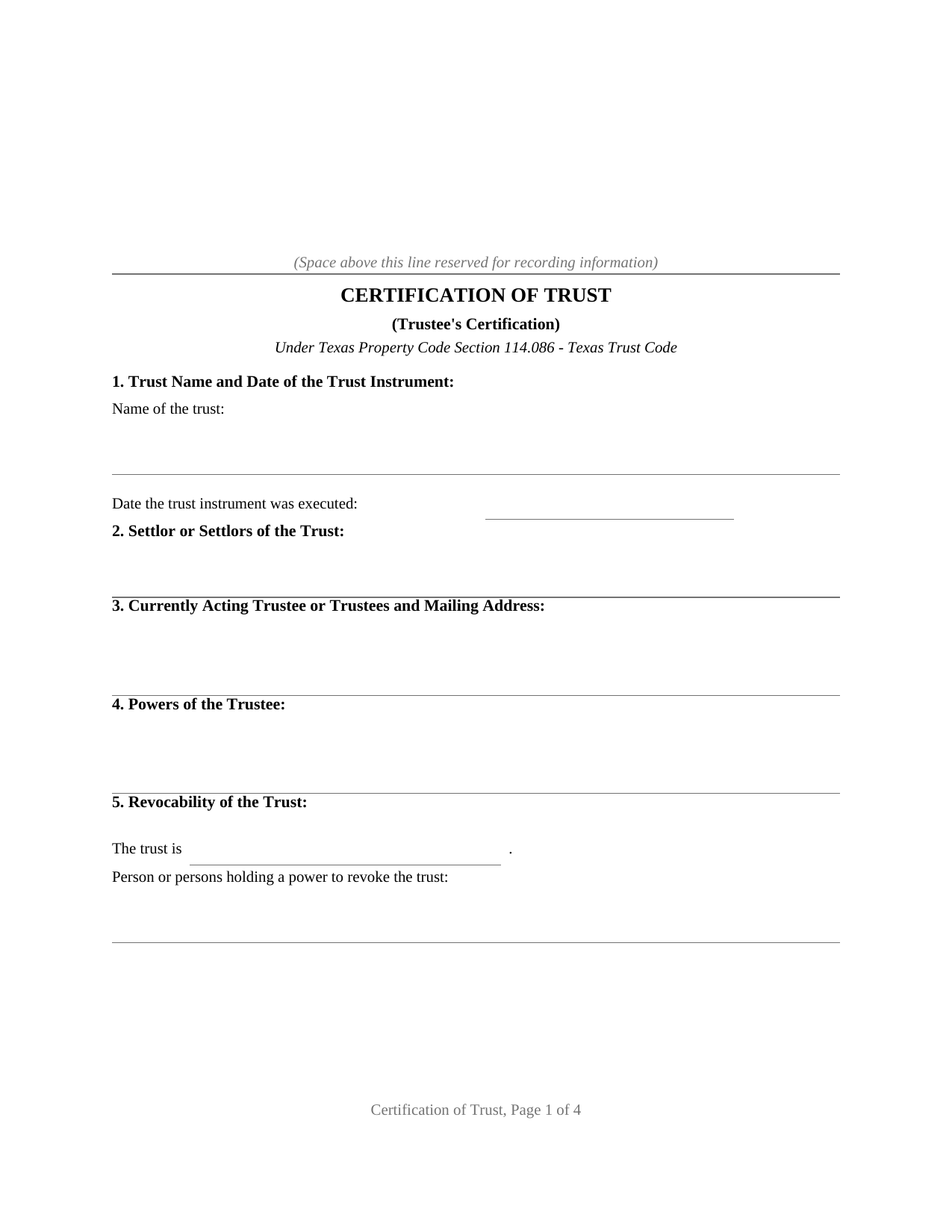
Collin County Certification of Trust Form
Fill in the blank Certification of Trust form formatted to comply with all Texas recording and content requirements.
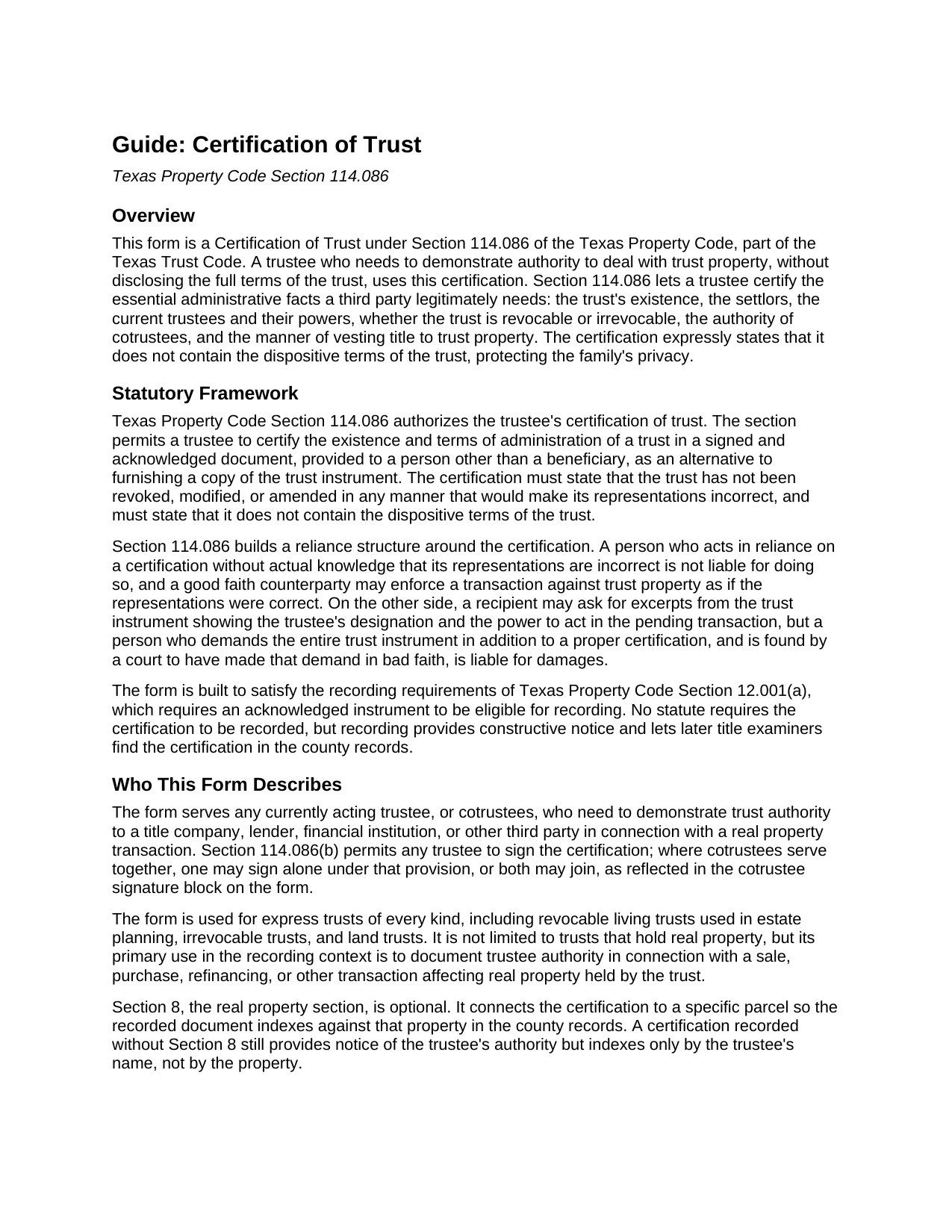
Collin County Certification of Trust Guide
Line by line guide explaining every blank on the Certification of Trust form.
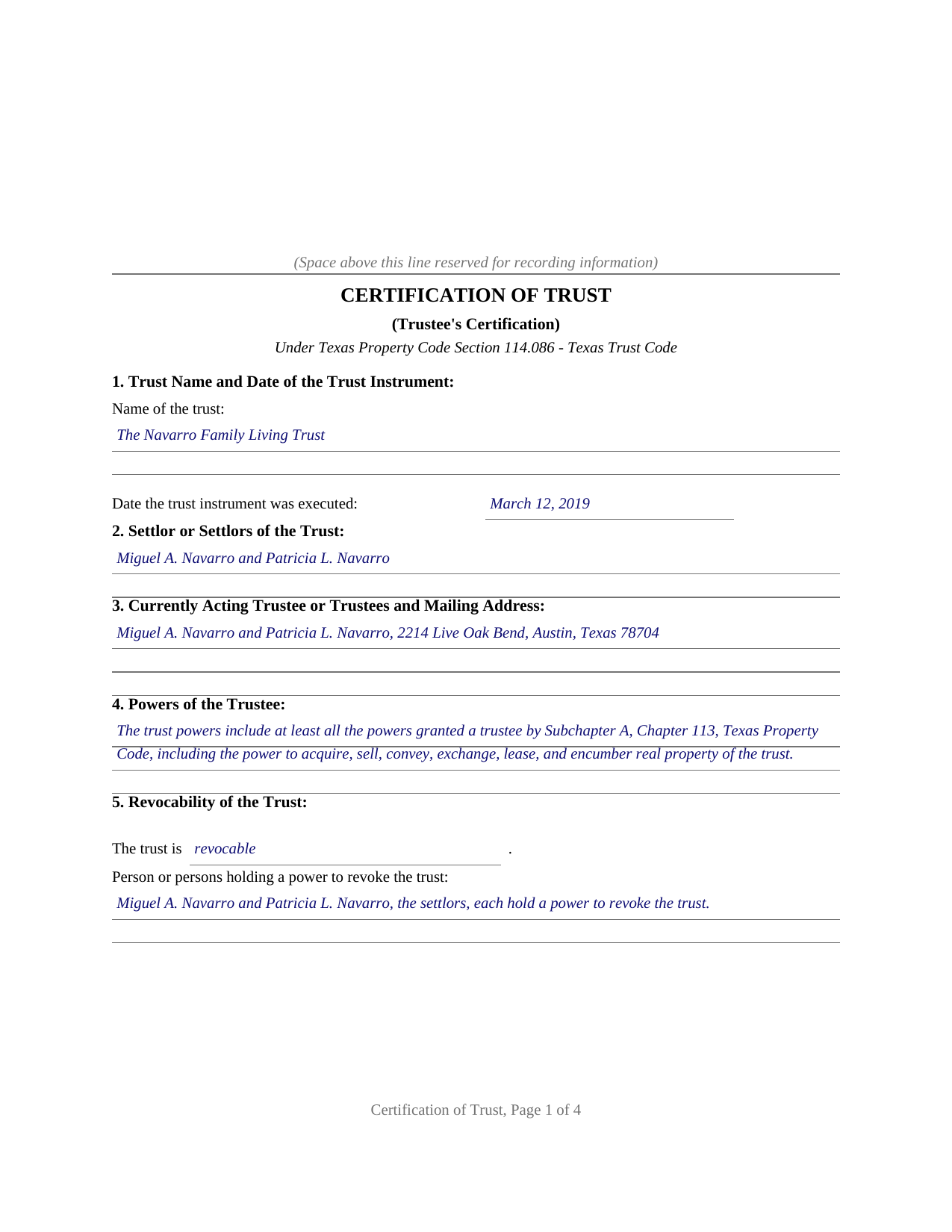
Collin County Completed Example of the Certification of Trust Document
Example of a properly completed Texas Certification of Trust document for reference.
All 3 documents above included • One-time purchase • No recurring fees
Immediate Download • Secure Checkout
Additional Texas and Collin County documents included at no extra charge:
Where to Record Your Documents
Collin County Clerk
McKinney, Texas 75071
Hours: 8:00 to 4:30 M-F
Phone: 972-548-4185 (McKinney) 972-424-1460 ext. 4185 (Metro)
Recording Tips for Collin County:
- Bring your driver's license or state-issued photo ID
- Ensure all signatures are in blue or black ink
- Leave recording info boxes blank - the office fills these
- Make copies of your documents before recording - keep originals safe
- Recorded documents become public record - avoid including SSNs
Cities and Jurisdictions in Collin County
Properties in any of these areas use Collin County forms:
- Allen
- Anna
- Blue Ridge
- Celina
- Copeville
- Dallas
- Farmersville
- Frisco
- Josephine
- Lavon
- Mckinney
- Melissa
- Nevada
- Plano
- Princeton
- Prosper
- Westminster
- Weston
- Wylie
Hours, fees, requirements, and more for Collin County
How do I get my forms?
Forms are available for immediate download after payment. The Collin County forms will be in your account ready to download to your computer. An account is created for you during checkout if you don't have one. Forms are NOT emailed.
Are these forms guaranteed to be recordable in Collin County?
Yes. Our form blanks are guaranteed to meet or exceed the applicable formatting requirements used for recording in Collin County, including margin requirements, font requirements, and other layout standards. This guarantee applies to formatting, not to the legal sufficiency of information entered by the user or the suitability of a form for a particular transaction.
Can I reuse these forms?
Yes. You can reuse the forms for your personal use. For example, if you have multiple properties in Collin County you only need to order once.
What do I need to use these forms?
The forms are PDFs that you fill out on your computer. The free Adobe Acrobat Reader is recommended, and most PDF apps also work. You do NOT enter your property information online - you download the blank forms and complete them privately on your own computer.
Are there any recurring fees?
No. This is a one-time purchase. Nothing to cancel, no memberships, no recurring fees.
How much does it cost to record in Collin County?
Recording fees in Collin County vary. Contact the recorder's office at 972-548-4185 (McKinney) 972-424-1460 ext. 4185 (Metro) for current fees.
Questions answered? Let's get started!
A Texas trustee is regularly asked to prove the trust: a title company examining a sale, a lender refinancing trust property, a bank retitling an account. Handing over the full trust instrument answers the question at the cost of the family's privacy, because the dispositive terms, who ultimately takes and on what conditions, travel with it. Section 114.086 of the Texas Property Code supplies the alternative this form prepares: a certification of trust, signed by a currently acting trustee, that carries the administrative facts a third party legitimately requires and expressly omits the dispositive terms of the trust.
What the Certification Carries
The statute lists seven items: the trust's existence and the date the trust instrument was executed, the settlor's identity, the currently acting trustee and mailing address, the trustee's powers (stated specifically or by reference to the general powers of Chapter 113, Subchapter A), revocability and who holds a power to revoke, the authority of cotrustees, and the manner of vesting title to trust property. Section 114.086(c) adds one required sentence: the trust has not been revoked, modified, or amended in any manner that would cause the representations in the certification to be incorrect. The form collects the seven items in numbered sections and performs the certification in a single operative paragraph the trustee signs before a notary.
Reliance the Statute Enforces
What gives the certification its force is the reliance structure built around it. A person who acts in reliance on a certification without knowledge that its representations are incorrect is not liable and may assume without inquiry the facts it contains, and a good faith counterparty may enforce the transaction against the trust property as if the representations were correct. The statute also polices the other side of the exchange: a recipient may require excerpts from the trust instrument showing the trustee's designation and power to act in the pending transaction, but a person who demands the entire trust instrument on top of a certification or those excerpts is liable for damages where a court finds the demand was not made in good faith.
Built for the County Records
No statute conditions the certification on recording, but a certification connected to real property is commonly placed of record so later title examiners find it. The form is built for that path. It carries a notarial acknowledgment, which qualifies it for recording under Property Code Section 12.001(a); an optional section identifying the property by county and legal description, so the recorded instrument indexes against the parcel; and a printed statement that the certification is not a conveyance and transfers no interest in real property. Because Section 114.086(b) lets any trustee sign, the form provides a signature block and a separate acknowledgment certificate for one trustee and for a cotrustee who joins.
What Arrives in the Download
The package contains the certification as a fillable PDF formatted to Texas recording standards, a completed example filled in for a realistic Travis County fact pattern, and a plain language guide covering every numbered section, the signing formalities, and recording, including the photo identification requirement at the recording counter for documents presented in person on or after December 4, 2025. The materials are informational and are not legal advice; a Texas attorney can apply Section 114.086 to a particular trust or transaction.
Important: Your property must be located in Collin County to use these forms. Documents should be recorded at the county recording office listed above.
This Certification of Trust meets all recording requirements specific to Collin County.
Our Promise
The documents you receive here are guaranteed to meet or exceed the applicable Collin County recording format requirements. If there is a rejection caused by our formatting, we will correct the issue or refund your payment. This guarantee applies to document formatting only and does not extend to information entered by the user, the selection of the form, or the legal effect of the completed document.
Save Time and Money
Get your Collin County Certification of Trust form done right the first time with Deeds.com Uniform Conveyancing Blanks. At Deeds.com, we understand that your time and money are valuable resources, and we don't want you to face a penalty fee or rejection imposed by a county recorder for submitting nonstandard documents. We constantly review and update our forms to meet rapidly changing state and county recording requirements for roughly 3,500 counties and local jurisdictions.
4.8 out of 5 - ( 4,867 Reviews )
Mica M. 5 out of 5 stars
I love deeds.com - hands down, the quickest way to record a warranty deed. The process and communication is so quick - the recording transaction too. Worth the extra $20 to me for my time! I didn't spend over an hour driving around, talking to someone via a kiosk to record the deed, didn't have to spend the energy of loading kids into the car to come with me, etc. The efficiency and timely process is worth the cost! Love having this available! The whole process via deeds.com took less than 5 minutes to upload a document and less than 3 minutes to pay the invoice shortly thereafter. The final recording was in my inbox in less than an hour. Thank you!
Thank you for your feedback. We really appreciate it. Have a great day!
William H. 5 out of 5 stars
The form cost was reasonable - it helped me organize my thoughts and write things down to help minimize the attorney fees.
We are grateful for your engagement and feedback, which help us to serve you better. Thank you for being an integral part of our community.
Sue C. 5 out of 5 stars
Very helpful. Easy to use. Able to avoid the cost of having an attorney prepare the document I needed.
Your appreciative words mean the world to us. Thank you and we look forward to serving you again!
DAVID K. 5 out of 5 stars
Already gave a review Great site and help
We appreciate your business and value your feedback. Thank you. Have a wonderful day!
Gary S. 5 out of 5 stars
Excellent service! Incorrectly ordered a document and order was immediately canceled when I requested. Was then able to order and download correct document and complete with no problems.
Thank you for your feedback. We really appreciate it. Have a great day!
Jill M. 5 out of 5 stars
This service gave me the information and guide I needed to file a Quitclaim Deed. I went through the process with no problems at all.
Thank you Jill, we appreciate your feedback.
Barbara L. 5 out of 5 stars
Look great and I thought my daughter wanted me to buy, but she had already bought the package so didn't need it.
Thanks for taking the time to leave your feedback Barbara, we appreciate it. We understand that it was an inconvenience for both you and your daughter to have unintentionally purchased the same item. Therefore, we have taken immediate action and canceled your order as well as processed the refund for your payment. Have a wonderful day.
Alain L. 5 out of 5 stars
deeds.com was able to turnaround my document in a matter of hours. I was also surprised at how easy their website was to navigate, considering other websites that offered the same service were so convoluted. Thank you again for the quick turnaround.
Thank you!
Anne G. 5 out of 5 stars
I used deeds.com's services for the first time while the Stay at Home Order is in effect and found it to be very user friendly and seamless. I am very impressed.
Thank you Anne, glad we could help.
April K. 5 out of 5 stars
Thank you so much! Quick and easy. Received it in under 5 minutes.
We appreciate your business and value your feedback. Thank you. Have a wonderful day!
Anne M H. 5 out of 5 stars
Appears to be just what I need. Quick and easy to download. Thank you
We appreciate your business and value your feedback. Thank you. Have a wonderful day!
Albo A. 5 out of 5 stars
Deeds.com was fast and easy to file documents
Thank you!
Shirley W. 5 out of 5 stars
I found the form easy to file out. But everything else was confusing with very little direction and help.
Thank you!
Jane E. 5 out of 5 stars
The form was incompatible with my son's new computer. I do not have a printer. We did use your form to type a copy into "word" so he could print it.
Thank you!
Lynn W. 5 out of 5 stars
Very fast and easy
We appreciate your review and your business. Thank you.