Edwards County Collateral Assignment of Note and Liens (Security Agreement) Form
Last validated October 20, 2026 by our Forms Development TeamFormatted for recording in Edwards County, for property anywhere in the county: rural and unincorporated areas as well as Barksdale, Rocksprings, Telegraph.
- 3 documents included
- Immediate PDF download
- Formatting guarantee
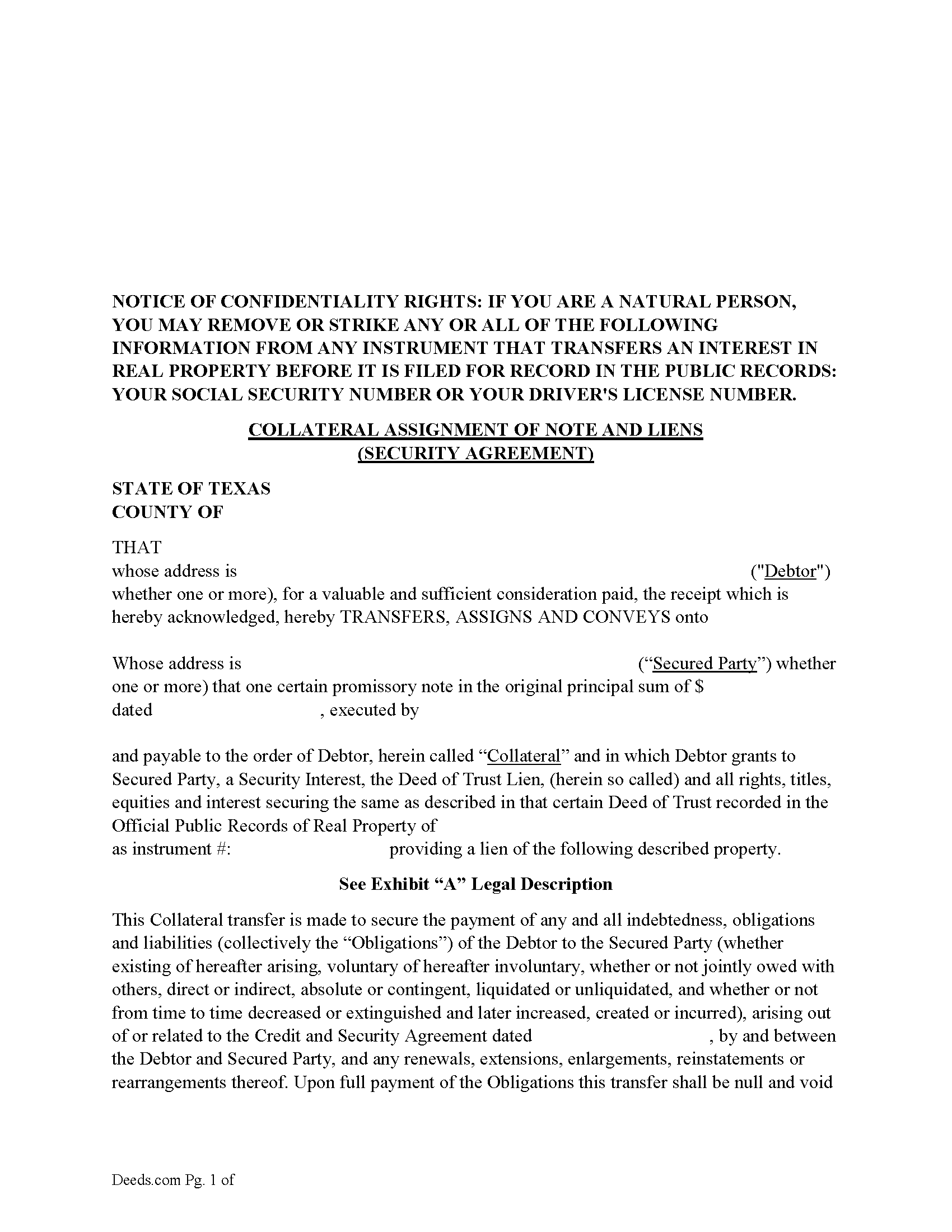
Edwards County Collateral Assignment of Note and Liens Form
Fill in the blank form formatted to comply with all recording and content requirements.
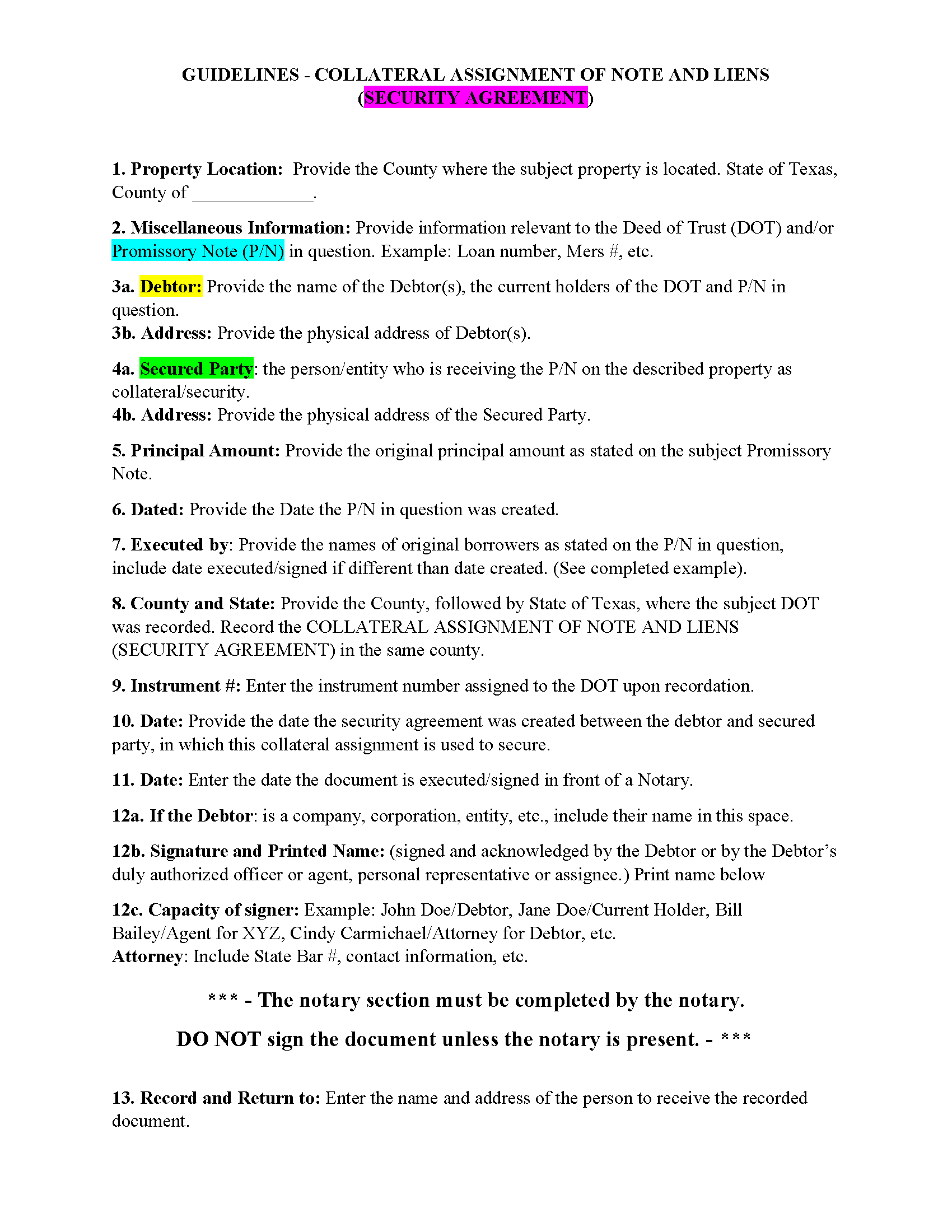
Edwards County Guidelines - Collateral Assignment of Note and Liens
Line by line guide explaining every blank on the form.
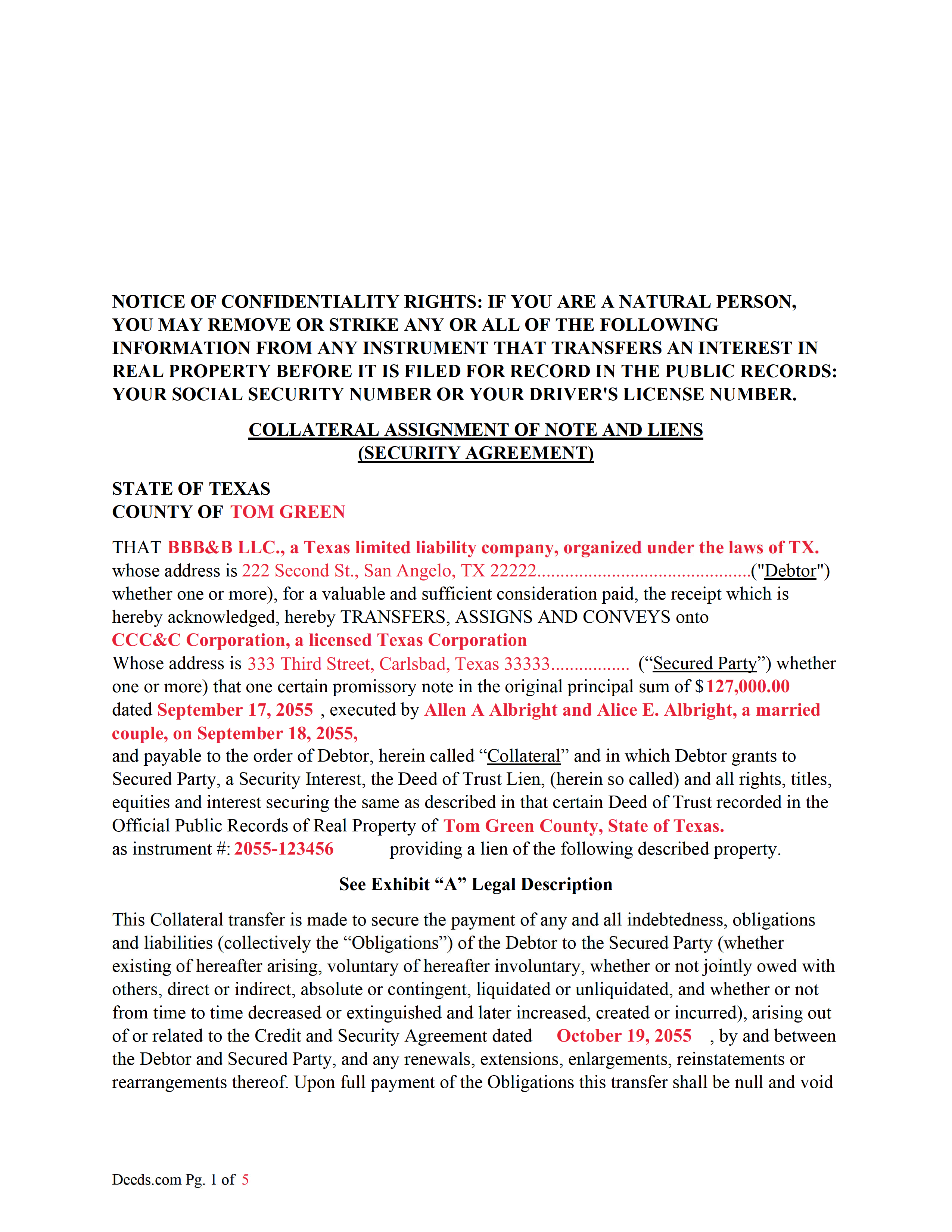
Edwards County Completed Example of the Collateral Assignment of Note and Liens Document
Example of a properly completed form for reference.
All 3 documents above included • One-time purchase • No recurring fees
Immediate Download • Secure Checkout
Additional Texas and Edwards County documents included at no extra charge:
Where to Record Your Documents
Edwards County Clerk
Rocksprings, Texas 78880
Hours: Monday - Friday 8:00am - 12:00 & 1:00 - 5:00pm
Phone: (830) 683-2235
Recording Tips for Edwards County:
- Bring your driver's license or state-issued photo ID
- Ensure all signatures are in blue or black ink
- Ask for certified copies if you need them for other transactions
- Ask if they accept credit cards - many offices are cash/check only
- Check that your notary's commission hasn't expired
Cities and Jurisdictions in Edwards County
Properties in any of these areas use Edwards County forms:
- Barksdale
- Rocksprings
- Telegraph
Hours, fees, requirements, and more for Edwards County
How do I get my forms?
Forms are available for immediate download after payment. The Edwards County forms will be in your account ready to download to your computer. An account is created for you during checkout if you don't have one. Forms are NOT emailed.
Are these forms guaranteed to be recordable in Edwards County?
Yes. Our form blanks are guaranteed to meet or exceed the applicable formatting requirements used for recording in Edwards County, including margin requirements, font requirements, and other layout standards. This guarantee applies to formatting, not to the legal sufficiency of information entered by the user or the suitability of a form for a particular transaction.
Can I reuse these forms?
Yes. You can reuse the forms for your personal use. For example, if you have multiple properties in Edwards County you only need to order once.
What do I need to use these forms?
The forms are PDFs that you fill out on your computer. The free Adobe Acrobat Reader is recommended, and most PDF apps also work. You do NOT enter your property information online - you download the blank forms and complete them privately on your own computer.
Are there any recurring fees?
No. This is a one-time purchase. Nothing to cancel, no memberships, no recurring fees.
How much does it cost to record in Edwards County?
Recording fees in Edwards County vary. Contact the recorder's office at (830) 683-2235 for current fees.
Questions answered? Let's get started!
1. Borrower/Obligor 2. Debtor/Original Lender 3. Secured Party(SP)/3rd Party/New Lender
This form assigns the current Debtors/lenders security interest in a promissory note backed by a previously recorded Deed of Trust Lien, with all rights, titles, equities and interest securing the same as described in that certain Deed of Trust. This collateral is assigned to a Secured Party to protect a Security Agreement made between the Debtor and Secured Party. A collateral assignment is a pledge that the Debtor will pay the Secured Party as agreed. Debtor authorizes Secured Party, at Secured Party's option, to collect any and all sums becoming due upon the Collateral, such sums to be held by Secured Party without liability for interest thereon and applied toward the payment of the Obligations as and when the same becomes payable, and Secured Party shall have the full control of the Collateral and the Deed of Trust Lien securing the same until the Obligations are fully paid and shall have the further right to release the Deed of Trust Lien securing the Collateral upon the full and final payment to Secured Party.
Typically used by Private Lenders/Debtors to borrow money on a property that they financed by a Deed of Trust Lien and Promissory Note.
Sec. 9.102. DEFINITIONS AND INDEX OF DEFINITIONS. (a) In this chapter:
(12) "Collateral" means the property subject to a security interest or agricultural lien. The term includes:
(A) proceeds to which a security interest attaches;
(B) accounts, chattel paper, payment intangibles, and promissory notes that have been sold; and
(C) goods that are the subject of a consignment.
(28) "Debtor" means:
(A) a person having an interest, other than a security interest or other lien, in the collateral, whether or not the person is an obligor;
(B) a seller of accounts, chattel paper, payment intangibles, or promissory notes; or
(C) a consignee.
(66) "Promissory note" means an instrument that evidences a promise to pay a monetary obligation, does not evidence an order to pay, and does not contain an acknowledgement by a bank that the bank has received for deposit a sum of money or funds.
(73) "Secured party" means:
(A) a person in whose favor a security interest is created or provided for under a security agreement, whether or not any obligation to be secured is outstanding;
(B) a person that holds an agricultural lien;
(C) a consignor;
(D) a person to which accounts, chattel paper, payment intangibles, or promissory notes have been sold;
(E) a trustee, indenture trustee, agent, collateral agent, or other representative in whose favor a security interest or agricultural lien is created or provided for; or
(F) a person that holds a security interest arising under Section 2.401, 2.505, 2.711(c), 2A.508(e), 4.210, or 5.118.
(74) "Security agreement" means an agreement that creates or provides for a security interest.
For use in Texas only.
Important: Your property must be located in Edwards County to use these forms. Documents should be recorded at the county recording office listed above.
This Collateral Assignment of Note and Liens (Security Agreement) meets all recording requirements specific to Edwards County.
Our Promise
The documents you receive here are guaranteed to meet or exceed the applicable Edwards County recording format requirements. If there is a rejection caused by our formatting, we will correct the issue or refund your payment. This guarantee applies to document formatting only and does not extend to information entered by the user, the selection of the form, or the legal effect of the completed document.
Save Time and Money
Get your Edwards County Collateral Assignment of Note and Liens (Security Agreement) form done right the first time with Deeds.com Uniform Conveyancing Blanks. At Deeds.com, we understand that your time and money are valuable resources, and we don't want you to face a penalty fee or rejection imposed by a county recorder for submitting nonstandard documents. We constantly review and update our forms to meet rapidly changing state and county recording requirements for roughly 3,500 counties and local jurisdictions.
4.8 out of 5 - ( 4,836 Reviews )
John G. 5 out of 5 stars
I was actually quite pleased with the ease of use of this site. I really, really liked the step by step instructions and examples of the finished product !!
Thank you!
Gene N. 5 out of 5 stars
My mind is blown! For some reason, our veteran title companies wouldn't record our deed but luckily, the assessor's page recommended Deeds and other sites to e-record. It was so simple and so convenient!
We appreciate your business and value your feedback. Thank you. Have a wonderful day!
Barbara P. 5 out of 5 stars
Love this service! So easy and quick
It was a pleasure serving you. Thank you for the positive feedback!
gene h. 5 out of 5 stars
Had used website while working as Land Rep for major oil company (retired 2.5 years ago). Recently had need to do some online research and went back to Deeds.com to find needed documents. Same as before, website provides a great service at a great price.
Thank you for your feedback. We really appreciate it. Have a great day!
Ryan B. 5 out of 5 stars
This was a very quick and convenient way to complete one of the tasks for my divorce that I imagined would be extremely difficult. Thank you deeds.com for making a difficult situation bearable.
We appreciate your business and value your feedback. Thank you. Have a wonderful day!
Victor W. 5 out of 5 stars
Once I was able to get the code Number, it all went well. I was able to easily download and print off what I needed for my lawyer. thank you.
Thank you!
Cynthia B. 5 out of 5 stars
So simple to e-record my two documents. The communication was fast and very helpful. Thank you so much!
Thank you for your feedback. We really appreciate it. Have a great day!
Armando B. 5 out of 5 stars
This was so simple to get around your web site. Guide was easy to follow. Great experience. Would use again.
Thank you for your feedback. We really appreciate it. Have a great day!
James R. 5 out of 5 stars
Useful and quick.
Thank you!
Donna W. 5 out of 5 stars
Answered all of my questions and was very easy to use. I will use Deeds.com to do all of my real estate forms from now on. Thanks.
Thank you!
Jean S. 5 out of 5 stars
Service was outstanding. I had the results very quickly. Definitely will use this service again
Thank you!
Marilyn C. 5 out of 5 stars
A great service, making it fast and easy to prepare warranty deeds for property transfer sales. I recommend this to everyone who needs this help.
Thank you!
Julie G. 5 out of 5 stars
Great online tool to get your deeds recorded without having to go downtown! Will be using deeds.com for all our future recordings!
Thank you!
crystal l. 5 out of 5 stars
Another legal professional directed me to this site. The best advice I've received from the legal profession! Forms were instantly available, easily printed & exactly what I needed at a cost that was more than affordable!! I will definitely be back again!!
Thank you Crystal and please thank your associate for us. Have a fantastic day!
Jim P. 5 out of 5 stars
Exactly what we were looking for and filled out everything in minutes. Great value!
Thank you!