Edwards County Memorandum of Contract Form
Last validated October 12, 2026 by our Forms Development TeamFormatted for recording in Edwards County, for property anywhere in the county: rural and unincorporated areas as well as Barksdale, Rocksprings, Telegraph.
- 3 documents included
- Immediate PDF download
- Formatting guarantee
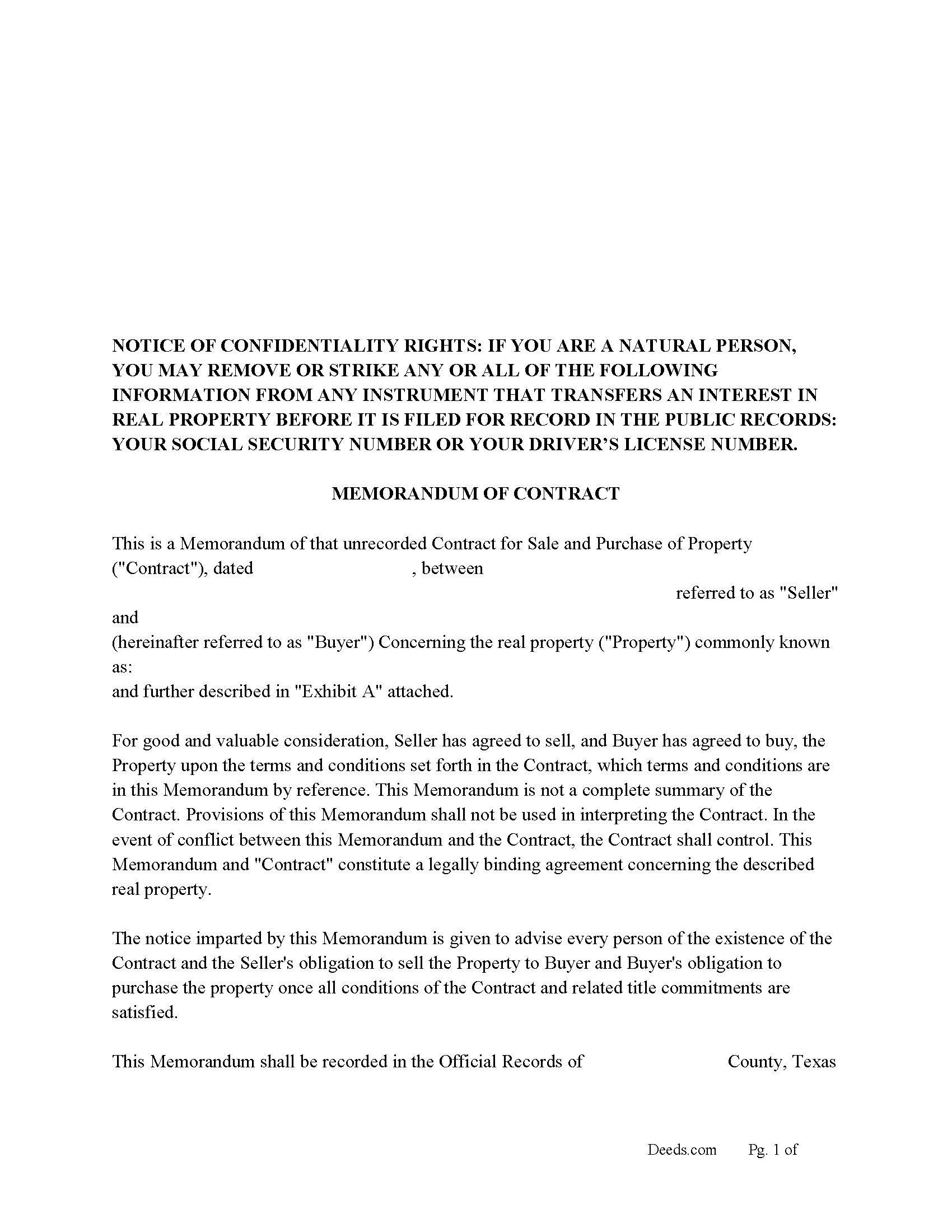
Edwards County Memorandum of a Contract Form
Fill in the blank form formatted to comply with all recording and content requirements.
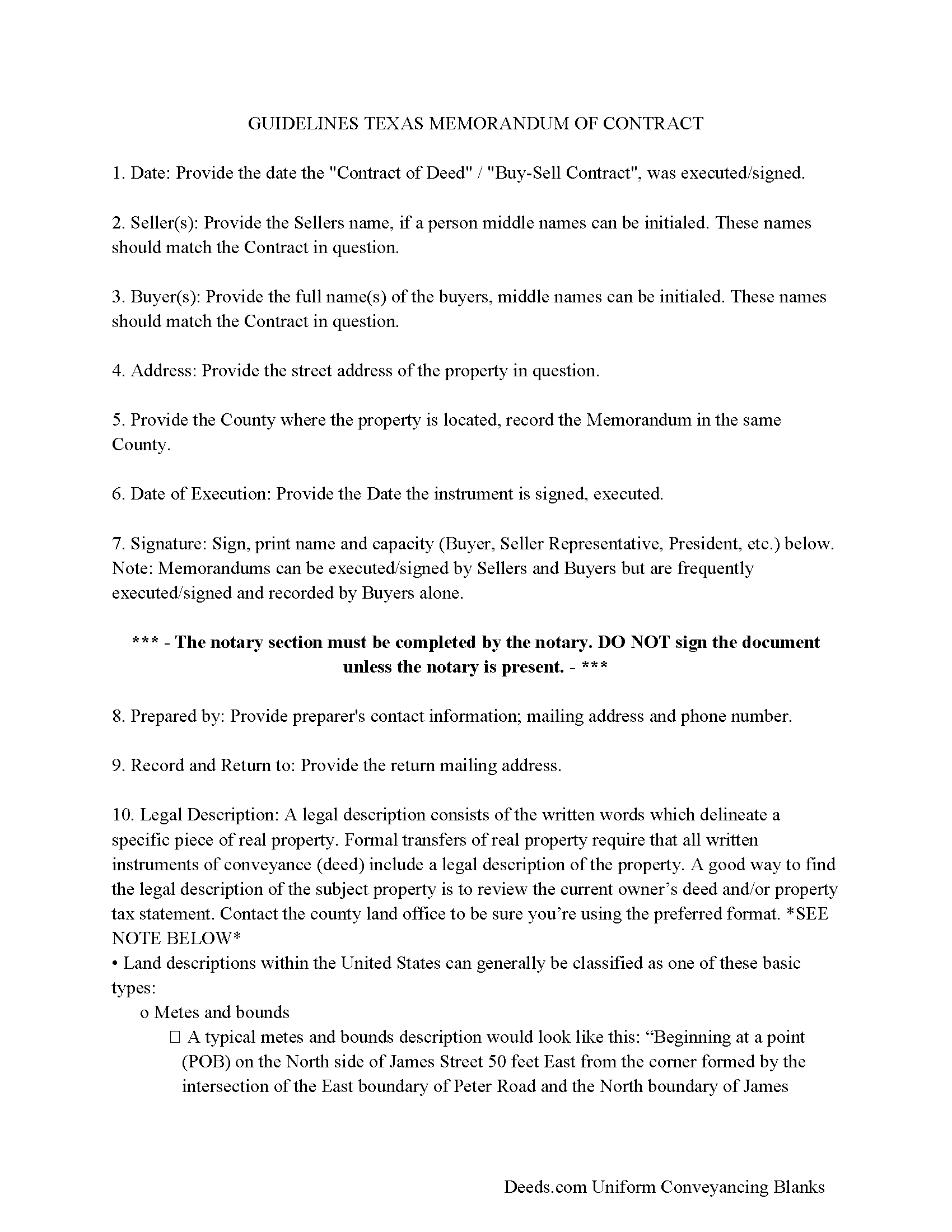
Edwards County Memorandum Guidelines
Line by line guide explaining every blank on the form.
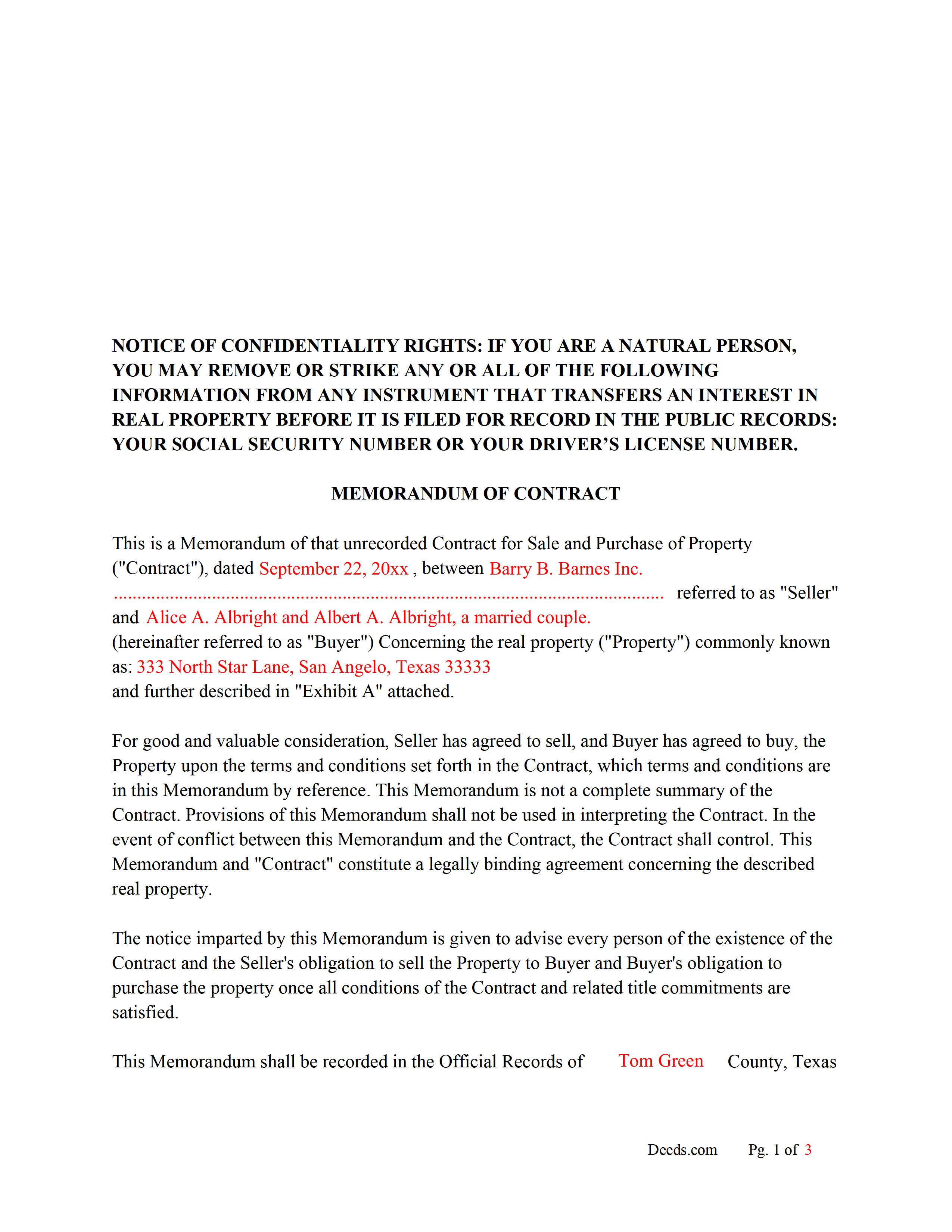
Edwards County Completed Example of the Memorandum
Example of a properly completed form for reference.
All 3 documents above included • One-time purchase • No recurring fees
Immediate Download • Secure Checkout
Additional Texas and Edwards County documents included at no extra charge:
Where to Record Your Documents
Edwards County Clerk
Rocksprings, Texas 78880
Hours: Monday - Friday 8:00am - 12:00 & 1:00 - 5:00pm
Phone: (830) 683-2235
Recording Tips for Edwards County:
- Bring your driver's license or state-issued photo ID
- Ensure all signatures are in blue or black ink
- Bring extra funds - fees can vary by document type and page count
- Check margin requirements - usually 1-2 inches at top
- Leave recording info boxes blank - the office fills these
Cities and Jurisdictions in Edwards County
Properties in any of these areas use Edwards County forms:
- Barksdale
- Rocksprings
- Telegraph
Hours, fees, requirements, and more for Edwards County
How do I get my forms?
Forms are available for immediate download after payment. The Edwards County forms will be in your account ready to download to your computer. An account is created for you during checkout if you don't have one. Forms are NOT emailed.
Are these forms guaranteed to be recordable in Edwards County?
Yes. Our form blanks are guaranteed to meet or exceed the applicable formatting requirements used for recording in Edwards County, including margin requirements, font requirements, and other layout standards. This guarantee applies to formatting, not to the legal sufficiency of information entered by the user or the suitability of a form for a particular transaction.
Can I reuse these forms?
Yes. You can reuse the forms for your personal use. For example, if you have multiple properties in Edwards County you only need to order once.
What do I need to use these forms?
The forms are PDFs that you fill out on your computer. The free Adobe Acrobat Reader is recommended, and most PDF apps also work. You do NOT enter your property information online - you download the blank forms and complete them privately on your own computer.
Are there any recurring fees?
No. This is a one-time purchase. Nothing to cancel, no memberships, no recurring fees.
How much does it cost to record in Edwards County?
Recording fees in Edwards County vary. Contact the recorder's office at (830) 683-2235 for current fees.
Questions answered? Let's get started!
When is this document used?
When a property is sold, and a Contract has been executed by both parties this Memorandum document is often recorded in the county where the subject property is located instead of the actual Contract. Stating - Seller has agreed to sell, and Buyer has agreed to buy, the Property upon the terms and conditions set forth in the Contract.
Why a Memorandum of Contract?
Privacy - When parties want to keep financial details of a Contract for Deed, Land Contract or Buy-Sell Agreement private, a Memorandum is recorded.
Notice - puts the world on notice that a Contract between buyer and seller exists on a specific property.
Legal - legal binding agreement between buyer and seller concerning the property in question.
Protection - Often filed by buyers alone, after a contract has been executed, preventing loans or encumbrances being placed on the property by existing Deed holder. Encumbrances have been placed on properties even though the Contract states they can't. This can be devastating for a buyer who has made payments. A Memorandum is an effective instrument to prevent this. In short, either the Contract or Memorandum should be recorded for your protection.
Seller Financing - When the buyer chooses or is obligated to obtain bank financing a Memorandum legitimizes the purchase agreement, providing proof to the bank that a deal was in place. Most banks will require that the Contract or Memorandum be recorded before they will finance the property in question.
(Texas Memorandum of Contract Package includes form, guidelines, and completed example)
Important: Your property must be located in Edwards County to use these forms. Documents should be recorded at the county recording office listed above.
This Memorandum of Contract meets all recording requirements specific to Edwards County.
Our Promise
The documents you receive here are guaranteed to meet or exceed the applicable Edwards County recording format requirements. If there is a rejection caused by our formatting, we will correct the issue or refund your payment. This guarantee applies to document formatting only and does not extend to information entered by the user, the selection of the form, or the legal effect of the completed document.
Save Time and Money
Get your Edwards County Memorandum of Contract form done right the first time with Deeds.com Uniform Conveyancing Blanks. At Deeds.com, we understand that your time and money are valuable resources, and we don't want you to face a penalty fee or rejection imposed by a county recorder for submitting nonstandard documents. We constantly review and update our forms to meet rapidly changing state and county recording requirements for roughly 3,500 counties and local jurisdictions.
4.8 out of 5 - ( 4,857 Reviews )
Nathan M. 5 out of 5 stars
It had the info, but when I would type into the document the items I needed in adobe all that would print out was the info I typed and none of the document information.
Thank you!
Thomas G. 5 out of 5 stars
fast and easy
Thank you!
Randy B. 5 out of 5 stars
The form was exactly what we needed and the directions were spot on and perfectly clear. Filling out government forms can be an experience filled with anxiety but deeds.com made it easy and practically worry free.
Thanks Randy, we really appreciate your feedback.
Larry C. 5 out of 5 stars
Very easy and convenient, thank you so much.
Thank you!
Laurie S. 5 out of 5 stars
This was super easy and fast!
We appreciate your business and value your feedback. Thank you. Have a wonderful day!
John H. 5 out of 5 stars
works nice
Thank you!
Carolyn D. 5 out of 5 stars
The sight provided exactly what I needed and was easy to use. I was able to download the type of Deed I used and was completely satisfied with the website.
Thank you!
Karen B. 5 out of 5 stars
Great forms! No issues at all at the recorder office. Will be back for sure if needed.
Wonderful to hear Karen. Thanks for taking the time to share your experience. Have a great day!
Ronald S. 5 out of 5 stars
got what i wanted
Thank you for your feedback. We really appreciate it. Have a great day!
Nicole M. 5 out of 5 stars
Very helpful and happy with my service. Thanks much!
Thank you!
James B. 5 out of 5 stars
Reliable and fast. A great assest.
Thank you!
Tim R. 5 out of 5 stars
Quick and efficient
Thank you Tim, we appreciate your feedback.
April J. 5 out of 5 stars
The example and guide were invaluable! Easy to use and easy to fill out.
Thank you!
Shirley T. 4 out of 5 stars
Quit Claim deed for North Carolina did not include all of the information I needed (two separate notary sections), but I was able to re-create another notary section in Word, and then insert it in the appropriate place after printing both documents. Otherwise, the document worked as described.
Thank you for your feedback. We really appreciate it. Have a great day!
Catherine B. 5 out of 5 stars
Wow absolutely amazing service. So quick and easy and makes what would be such a hassel a piece of cake. Outstanding value for money way cheaper than I expected. Will use again and highly recommend.
Your appreciative words mean the world to us. Thank you.