Shelby County Collateral Assignment of Note and Liens (Security Agreement) Form
Last validated October 20, 2026 by our Forms Development TeamFormatted for recording in Shelby County, for property anywhere in the county: rural and unincorporated areas as well as Center, Joaquin, Shelbyville, Tenaha, Timpson.
- 3 documents included
- Immediate PDF download
- Formatting guarantee
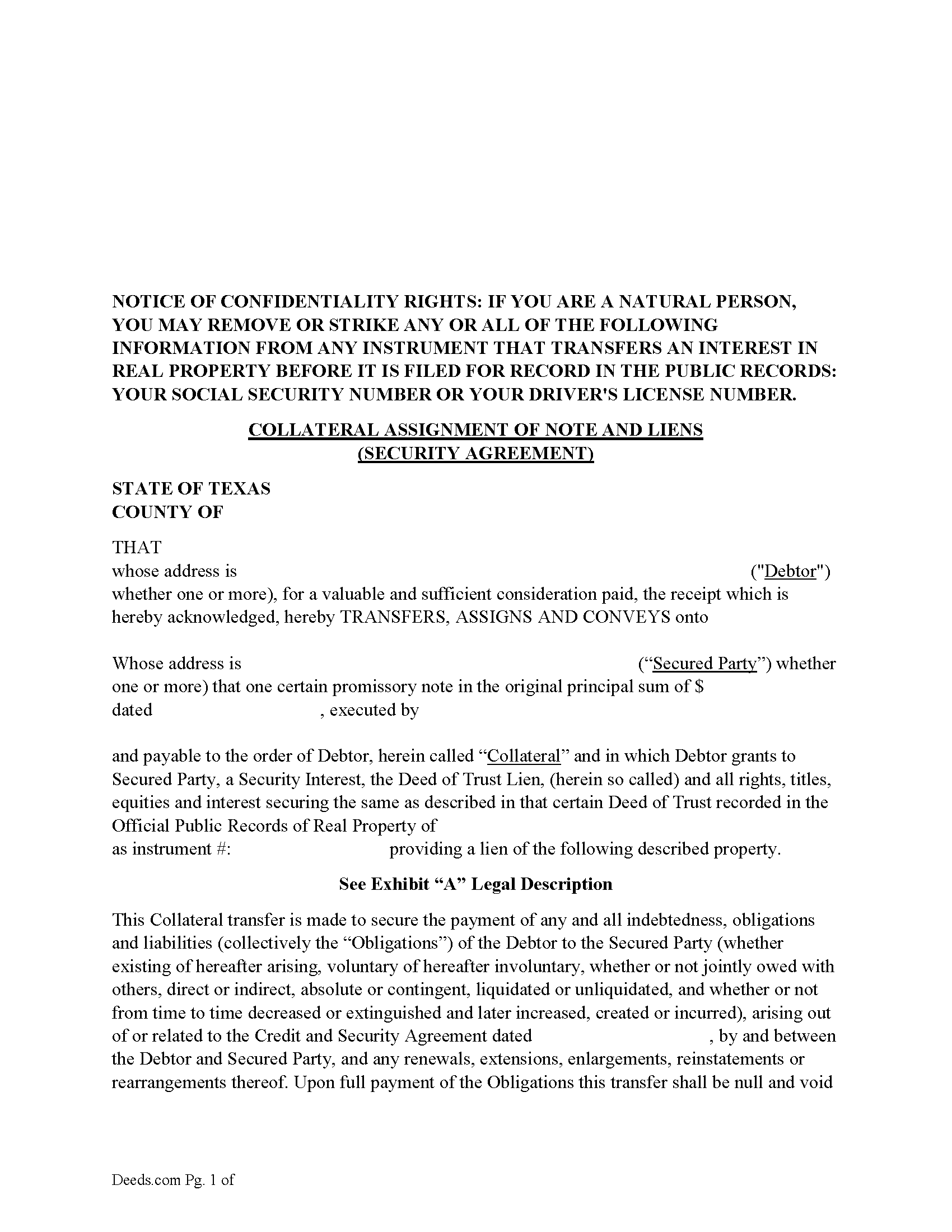
Shelby County Collateral Assignment of Note and Liens Form
Fill in the blank form formatted to comply with all recording and content requirements.
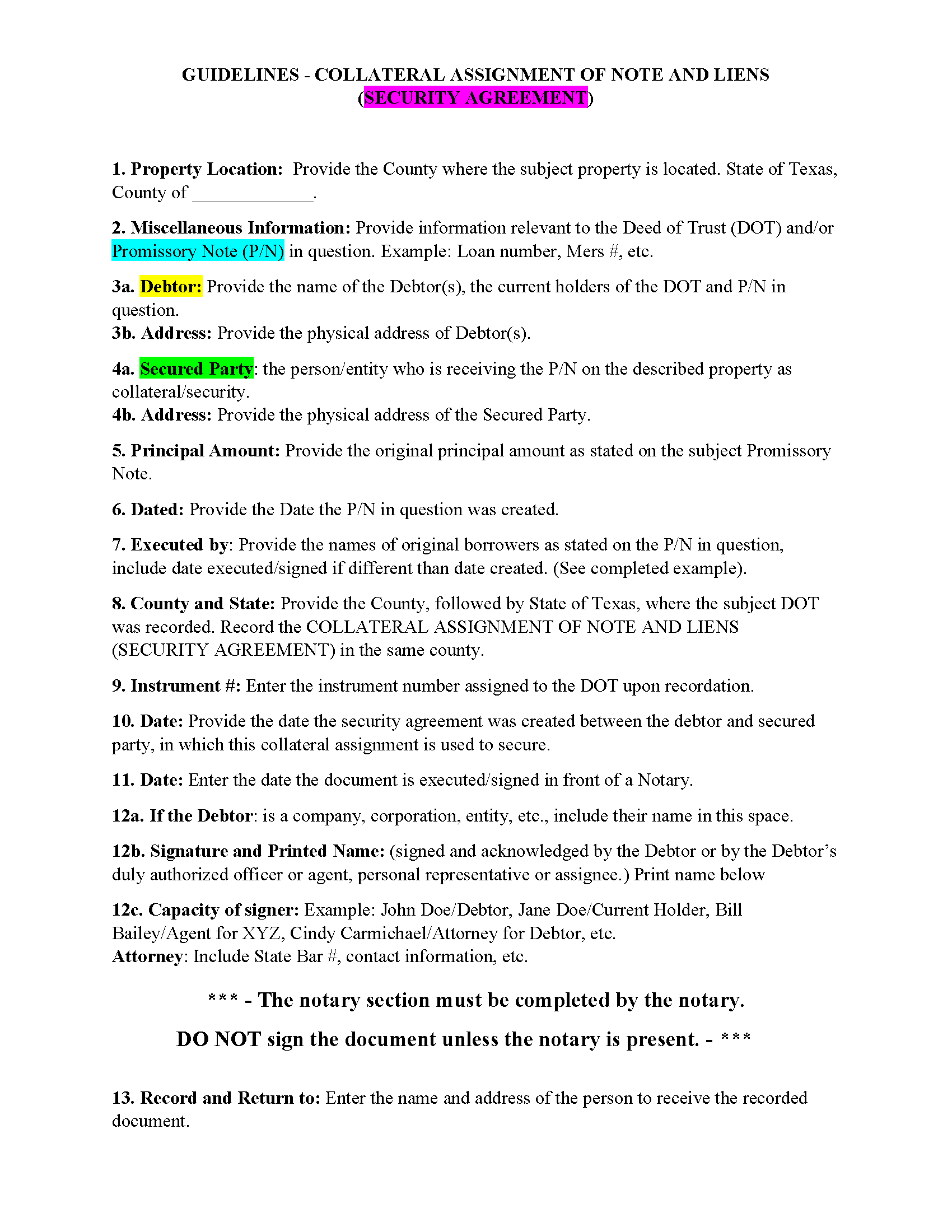
Shelby County Guidelines - Collateral Assignment of Note and Liens
Line by line guide explaining every blank on the form.
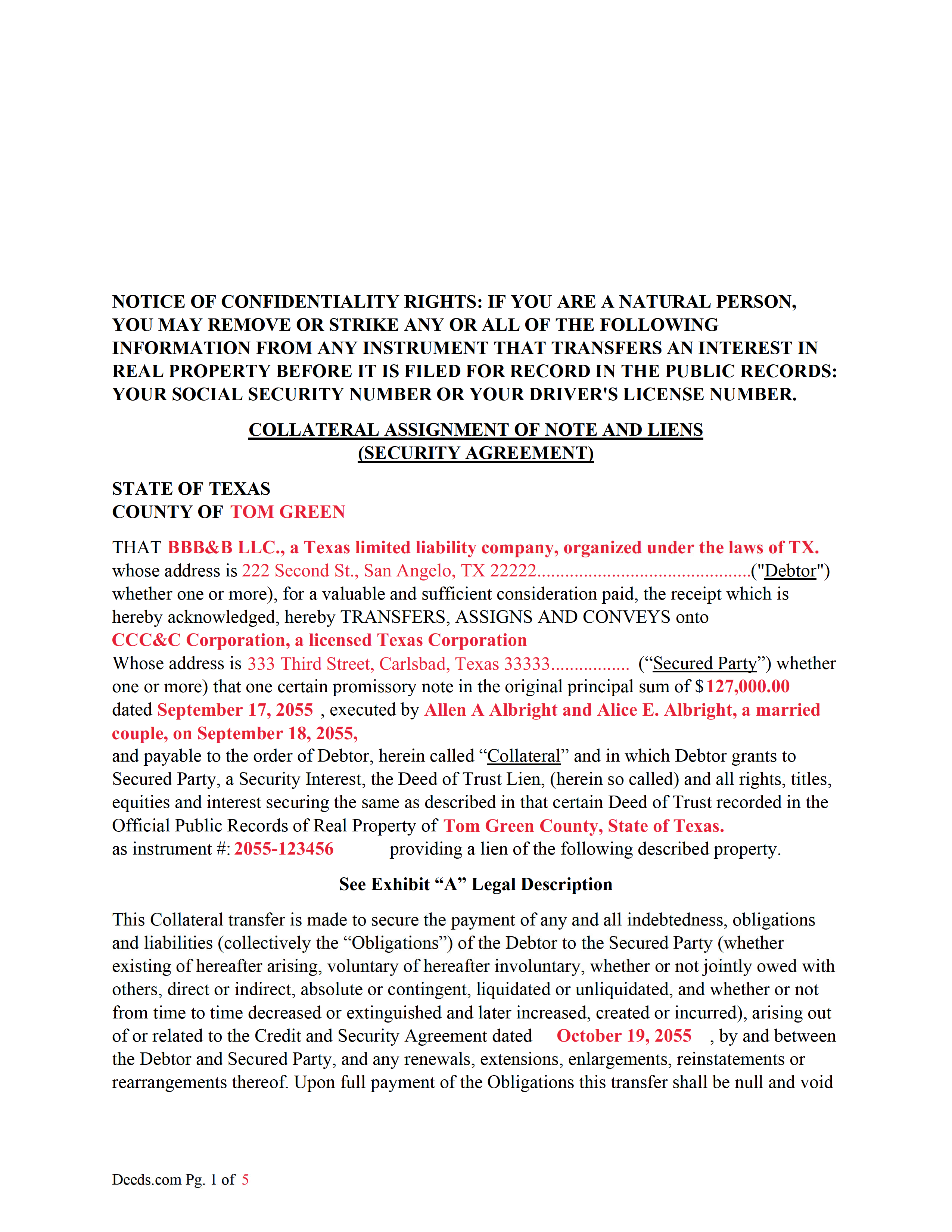
Shelby County Completed Example of the Collateral Assignment of Note and Liens Document
Example of a properly completed form for reference.
All 3 documents above included • One-time purchase • No recurring fees
Immediate Download • Secure Checkout
Additional Texas and Shelby County documents included at no extra charge:
Where to Record Your Documents
Shelby County Clerk
Center, Texas 75935
Hours: 8:00 to 4:30 Monday through Friday
Phone: (936) 598-6361
Recording Tips for Shelby County:
- Bring your driver's license or state-issued photo ID
- Ensure all signatures are in blue or black ink
- Bring extra funds - fees can vary by document type and page count
- Check margin requirements - usually 1-2 inches at top
- Leave recording info boxes blank - the office fills these
Cities and Jurisdictions in Shelby County
Properties in any of these areas use Shelby County forms:
- Center
- Joaquin
- Shelbyville
- Tenaha
- Timpson
Hours, fees, requirements, and more for Shelby County
How do I get my forms?
Forms are available for immediate download after payment. The Shelby County forms will be in your account ready to download to your computer. An account is created for you during checkout if you don't have one. Forms are NOT emailed.
Are these forms guaranteed to be recordable in Shelby County?
Yes. Our form blanks are guaranteed to meet or exceed the applicable formatting requirements used for recording in Shelby County, including margin requirements, font requirements, and other layout standards. This guarantee applies to formatting, not to the legal sufficiency of information entered by the user or the suitability of a form for a particular transaction.
Can I reuse these forms?
Yes. You can reuse the forms for your personal use. For example, if you have multiple properties in Shelby County you only need to order once.
What do I need to use these forms?
The forms are PDFs that you fill out on your computer. The free Adobe Acrobat Reader is recommended, and most PDF apps also work. You do NOT enter your property information online - you download the blank forms and complete them privately on your own computer.
Are there any recurring fees?
No. This is a one-time purchase. Nothing to cancel, no memberships, no recurring fees.
How much does it cost to record in Shelby County?
Recording fees in Shelby County vary. Contact the recorder's office at (936) 598-6361 for current fees.
Questions answered? Let's get started!
1. Borrower/Obligor 2. Debtor/Original Lender 3. Secured Party(SP)/3rd Party/New Lender
This form assigns the current Debtors/lenders security interest in a promissory note backed by a previously recorded Deed of Trust Lien, with all rights, titles, equities and interest securing the same as described in that certain Deed of Trust. This collateral is assigned to a Secured Party to protect a Security Agreement made between the Debtor and Secured Party. A collateral assignment is a pledge that the Debtor will pay the Secured Party as agreed. Debtor authorizes Secured Party, at Secured Party's option, to collect any and all sums becoming due upon the Collateral, such sums to be held by Secured Party without liability for interest thereon and applied toward the payment of the Obligations as and when the same becomes payable, and Secured Party shall have the full control of the Collateral and the Deed of Trust Lien securing the same until the Obligations are fully paid and shall have the further right to release the Deed of Trust Lien securing the Collateral upon the full and final payment to Secured Party.
Typically used by Private Lenders/Debtors to borrow money on a property that they financed by a Deed of Trust Lien and Promissory Note.
Sec. 9.102. DEFINITIONS AND INDEX OF DEFINITIONS. (a) In this chapter:
(12) "Collateral" means the property subject to a security interest or agricultural lien. The term includes:
(A) proceeds to which a security interest attaches;
(B) accounts, chattel paper, payment intangibles, and promissory notes that have been sold; and
(C) goods that are the subject of a consignment.
(28) "Debtor" means:
(A) a person having an interest, other than a security interest or other lien, in the collateral, whether or not the person is an obligor;
(B) a seller of accounts, chattel paper, payment intangibles, or promissory notes; or
(C) a consignee.
(66) "Promissory note" means an instrument that evidences a promise to pay a monetary obligation, does not evidence an order to pay, and does not contain an acknowledgement by a bank that the bank has received for deposit a sum of money or funds.
(73) "Secured party" means:
(A) a person in whose favor a security interest is created or provided for under a security agreement, whether or not any obligation to be secured is outstanding;
(B) a person that holds an agricultural lien;
(C) a consignor;
(D) a person to which accounts, chattel paper, payment intangibles, or promissory notes have been sold;
(E) a trustee, indenture trustee, agent, collateral agent, or other representative in whose favor a security interest or agricultural lien is created or provided for; or
(F) a person that holds a security interest arising under Section 2.401, 2.505, 2.711(c), 2A.508(e), 4.210, or 5.118.
(74) "Security agreement" means an agreement that creates or provides for a security interest.
For use in Texas only.
Important: Your property must be located in Shelby County to use these forms. Documents should be recorded at the county recording office listed above.
This Collateral Assignment of Note and Liens (Security Agreement) meets all recording requirements specific to Shelby County.
Our Promise
The documents you receive here are guaranteed to meet or exceed the applicable Shelby County recording format requirements. If there is a rejection caused by our formatting, we will correct the issue or refund your payment. This guarantee applies to document formatting only and does not extend to information entered by the user, the selection of the form, or the legal effect of the completed document.
Save Time and Money
Get your Shelby County Collateral Assignment of Note and Liens (Security Agreement) form done right the first time with Deeds.com Uniform Conveyancing Blanks. At Deeds.com, we understand that your time and money are valuable resources, and we don't want you to face a penalty fee or rejection imposed by a county recorder for submitting nonstandard documents. We constantly review and update our forms to meet rapidly changing state and county recording requirements for roughly 3,500 counties and local jurisdictions.
4.8 out of 5 - ( 4,839 Reviews )
Sonya B. 5 out of 5 stars
Easy to order what I needed.
Thank you!
Melissa S. 5 out of 5 stars
As a person working in the title industry, I recommend this site to everyone needing a blank deed. Thank you for staying user friendly.
Thank you, Melissa! An endorsement from someone who works with these transactions every day carries real weight with us. We work hard to keep the whole process painless, so it's wonderful to hear it's landing that way. All the best to you!
Doris M M. 5 out of 5 stars
EXCELLENT SERVICE. WILL MAINTAIN CONTACT FOR FUTURE REFERENCE. THANK YOU!
We appreciate your business and value your feedback. Thank you. Have a wonderful day!
Lawrence C. 5 out of 5 stars
Excellent and expeditious service. Will definitely use in the future when the need arises.
Thank you for your positive words! We’re thrilled to hear about your experience.
ROBERT J. 5 out of 5 stars
Easy to order!
Thank you!
Deborah V. 5 out of 5 stars
Helpful and informative.
We appreciate your business and value your feedback. Thank you. Have a wonderful day!
Maria S. 5 out of 5 stars
The website made it very easy to navigate and order what I needed. Thank you.
Thank you!
Alexia B. 5 out of 5 stars
Excellent service with rapid turn around time!
We appreciate your business and value your feedback. Thank you. Have a wonderful day!
Amy S. 5 out of 5 stars
Fast and easy access.
Thank you!
Michael L. 5 out of 5 stars
Perfect timely service! Will use again!
Thank you!
Ismael T. 5 out of 5 stars
I was surprised and how quickly you guys process documents and helped on a mistake I had. Thank so much. I will definitely keep using Deeds.com
Thank you!
walter m. 3 out of 5 stars
directions and getting to forms, printing good, but I wish it could be more simply and clearly presented. We'll see how it finally works out
Thank you for your feedback. We really appreciate it. Have a great day!
JOSE M. 5 out of 5 stars
Excellent Website.
Thank you!
Jenifer L. 3 out of 5 stars
I'm an attorney. I see youve mixed up the terms "grantor" and "grantee" and their respective rights in this version. Anyone using it like this might have title troubles down the line.
Thank you for your feedback Jenifer, we have flagged the document for review.
Scott O. 5 out of 5 stars
Very efficient and surprisingly quick.
Thank you for your feedback. We really appreciate it. Have a great day!