Shelby County Revocation of Transfer on Death Deed (Individual) Form
Last validated October 15, 2026 by our Forms Development TeamFormatted for recording in Shelby County, for property anywhere in the county: rural and unincorporated areas as well as Center, Joaquin, Shelbyville, Tenaha, Timpson.
- 3 documents included
- Immediate PDF download
- Formatting guarantee
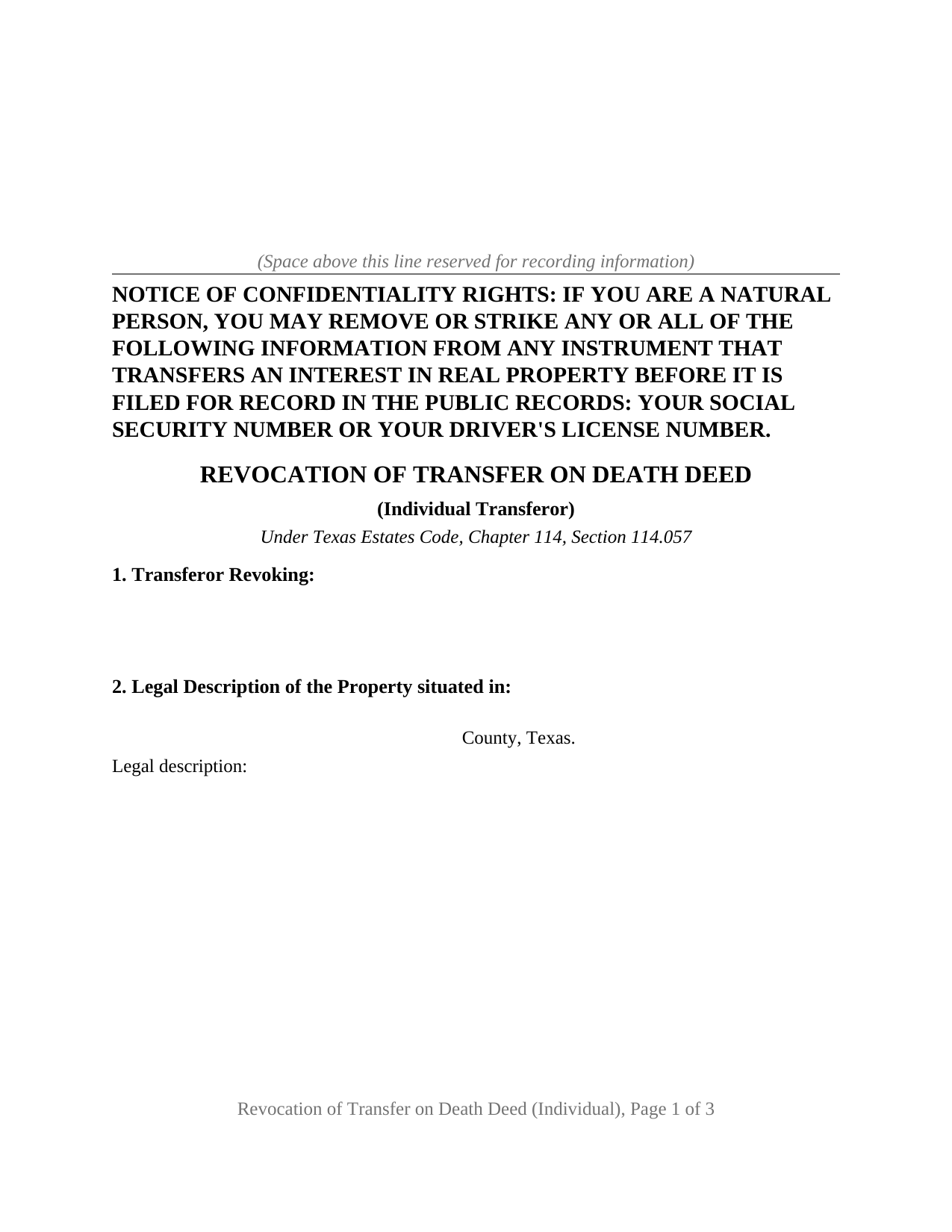
Shelby County Revocation of Transfer on Death Deed (Individual) Form
Fill in the blank Revocation of Transfer on Death Deed (Individual) form formatted to comply with all Texas recording and content requirements.
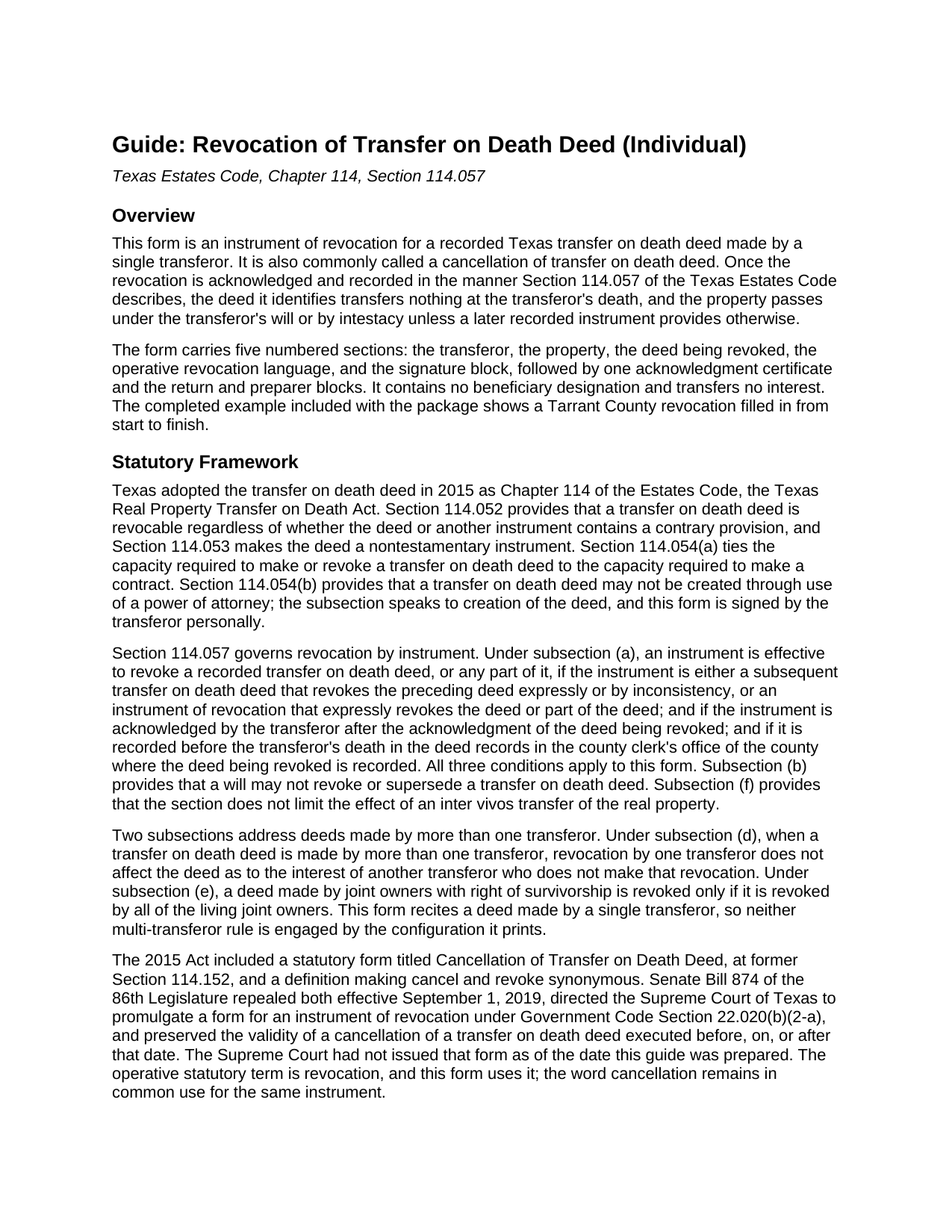
Shelby County Revocation of Transfer on Death Deed (Individual) Guide
Line by line guide explaining every blank on the Revocation of Transfer on Death Deed (Individual) form.
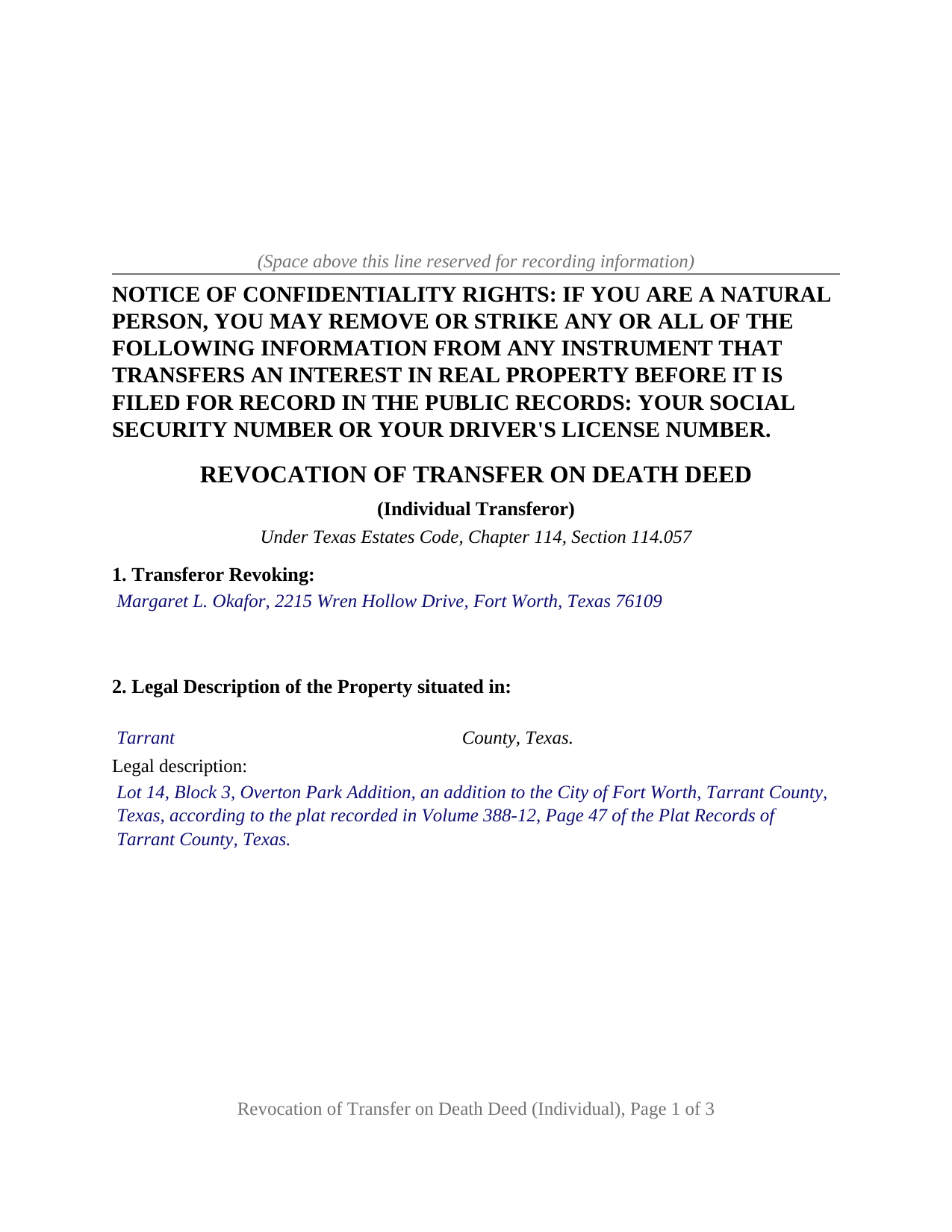
Shelby County Completed Example of the Revocation of Transfer on Death Deed (Individual) Document
Example of a properly completed Texas Revocation of Transfer on Death Deed (Individual) document for reference.
All 3 documents above included • One-time purchase • No recurring fees
Immediate Download • Secure Checkout
Additional Texas and Shelby County documents included at no extra charge:
Where to Record Your Documents
Shelby County Clerk
Center, Texas 75935
Hours: 8:00 to 4:30 Monday through Friday
Phone: (936) 598-6361
Recording Tips for Shelby County:
- Bring your driver's license or state-issued photo ID
- Ensure all signatures are in blue or black ink
- Check that your notary's commission hasn't expired
- Documents must be on 8.5 x 11 inch white paper
- Double-check legal descriptions match your existing deed
Cities and Jurisdictions in Shelby County
Properties in any of these areas use Shelby County forms:
- Center
- Joaquin
- Shelbyville
- Tenaha
- Timpson
Hours, fees, requirements, and more for Shelby County
How do I get my forms?
Forms are available for immediate download after payment. The Shelby County forms will be in your account ready to download to your computer. An account is created for you during checkout if you don't have one. Forms are NOT emailed.
Are these forms guaranteed to be recordable in Shelby County?
Yes. Our form blanks are guaranteed to meet or exceed the applicable formatting requirements used for recording in Shelby County, including margin requirements, font requirements, and other layout standards. This guarantee applies to formatting, not to the legal sufficiency of information entered by the user or the suitability of a form for a particular transaction.
Can I reuse these forms?
Yes. You can reuse the forms for your personal use. For example, if you have multiple properties in Shelby County you only need to order once.
What do I need to use these forms?
The forms are PDFs that you fill out on your computer. The free Adobe Acrobat Reader is recommended, and most PDF apps also work. You do NOT enter your property information online - you download the blank forms and complete them privately on your own computer.
Are there any recurring fees?
No. This is a one-time purchase. Nothing to cancel, no memberships, no recurring fees.
How much does it cost to record in Shelby County?
Recording fees in Shelby County vary. Contact the recorder's office at (936) 598-6361 for current fees.
Questions answered? Let's get started!
When one Texas property owner recorded a transfer on death deed alone, that same owner alone can take it back, and the instrument that does it is short: one transferor, one signature, one acknowledgment certificate. This form prepares that instrument of revocation under Section 114.057 of the Texas Estates Code for a TOD deed that one person signed by themselves. The document is known to many as a cancellation of transfer on death deed, the title the repealed 2015 statutory form carried.
The acknowledgment date is the clock
Section 114.057 does not ask whether the revocation was signed after the deed. It asks whether the revocation was acknowledged after the acknowledgment of the deed being revoked, so the form's third section collects the date of the deed as signed and acknowledged beside its recording date and instrument number. The second condition is recording: the revocation operates only if it reaches the deed records of the county where the original deed is recorded before the transferor dies. The form prints both conditions in capital letters above the signature line, because a signed revocation found in a drawer after death changes nothing.
One transferor, revoking the whole deed
The form recites exactly one transferor and identifies that person as the sole transferor under the deed being revoked. It revokes the deed in its entirety, every beneficiary and every alternate, rather than editing a single designation; the statute allows an instrument to revoke part of a deed, but a partial revocation depends on drafting this form does not supply. The operative paragraph recites the capacity standard of Section 114.054, the capacity required to make a contract, and states that the transferor acts personally. One signature block and one acknowledgment certificate, in the natural person short form of Civil Practice and Remedies Code Section 121.008, follow.
An owner whose named beneficiary has died, an owner who has moved the property into a different estate plan, and an owner who has changed course about who takes the home all present the single-transferor pattern this instrument recites. The form is not set up as a revocation by joint owners with right of survivorship, where the statute makes every living owner's joinder the condition, nor as a revocation by one of two spouses who signed a community property deed together, where one spouse's revocation reaches only that spouse's interest. Those deeds carry two transferors; this instrument recites one, and asks for no marital status.
What a will cannot do, and what a new deed can
Section 114.057(b) provides that a will may not revoke or supersede a transfer on death deed, so a later will that leaves the home to someone else loses to the recorded beneficiary deed. Two recorded instruments qualify instead. A later transfer on death deed revokes an earlier one to the extent the two are inconsistent, and an instrument of revocation like this one clears the designation without naming a replacement, so that after recording the property passes under the owner's will or by intestacy unless a new deed is recorded before death. Divorce travels its own route under Section 114.057(c): a final decree revokes the deed as to a former spouse once notice of the judgment is recorded before the transferor's death, and reaches no other beneficiary.
Drawn for the Texas county clerk
Texas attaches a double filing fee to a nonconforming page rather than refusing it, so the form is drawn inside Local Government Code Section 191.007 from the start: letter size, 12 point body text well above the 8 point minimum, an identifying heading at the top of page one, and a reserved band for the clerk's file stamp. The Property Code Section 11.008 notice of confidentiality rights heads the first page in bold capitals, and because a revocation names no grantee, the grantee address rule that raises the fee on an ordinary deed has nothing to attach to. An instructions page at the front of the PDF, removed before recording, covers how an entry that outgrows its box continues on a recorded exhibit page, and the guide describes the in-person photo identification step Senate Bill 16 added at the recording counter in December 2025.
The package contains the revocation as a fillable PDF, a completed example showing a Tarrant County transferor revoking a 2024 deed, and a plain language guide to each numbered section, the acknowledgment, and recording. The form, the example, and the guide describe the instrument and its statutes in general terms and are not legal advice.
Important: Your property must be located in Shelby County to use these forms. Documents should be recorded at the county recording office listed above.
This Revocation of Transfer on Death Deed (Individual) meets all recording requirements specific to Shelby County.
Our Promise
The documents you receive here are guaranteed to meet or exceed the applicable Shelby County recording format requirements. If there is a rejection caused by our formatting, we will correct the issue or refund your payment. This guarantee applies to document formatting only and does not extend to information entered by the user, the selection of the form, or the legal effect of the completed document.
Save Time and Money
Get your Shelby County Revocation of Transfer on Death Deed (Individual) form done right the first time with Deeds.com Uniform Conveyancing Blanks. At Deeds.com, we understand that your time and money are valuable resources, and we don't want you to face a penalty fee or rejection imposed by a county recorder for submitting nonstandard documents. We constantly review and update our forms to meet rapidly changing state and county recording requirements for roughly 3,500 counties and local jurisdictions.
4.8 out of 5 - ( 4,828 Reviews )
Linda P. 5 out of 5 stars
Very informative. It was very helpful.
Thank you!
Michele B. 5 out of 5 stars
It was a wonderful experience. Thank you for your help.
We appreciate your business and value your feedback. Thank you. Have a wonderful day!
Deborah O. 5 out of 5 stars
Response time was fantastic. I had no idea it would be so quick. I would definitely use again. They send you a message if they need additional information, etc. I would rate them a 10+ on a 1-10 scale
Thank you for your feedback. We really appreciate it. Have a great day!
Matthew F. 4 out of 5 stars
Experience was very positive. It's very easy to use and I like the chat/feedback feature. It almost doubles the recording fees that is a little expensive but otherwise it works great.
We truly value your business and appreciate your review.
iris e. 5 out of 5 stars
Easy to use website. customer service messages you back super quickly. They also double check your work and if anything is missing they message me right away. Price is reasonable. I highly recommend their services. 5 Star hands Down!!
We are grateful for your engagement and feedback, which help us to serve you better. Thank you for being an integral part of our community.
Ardith T. 5 out of 5 stars
Very clear and complete. Good value.
We appreciate your business and value your feedback. Thank you. Have a wonderful day!
James B. 5 out of 5 stars
Was a lot easier than driving to the County Building and faster than expected. Thank you!
We appreciate your business and value your feedback. Thank you. Have a wonderful day!
Sharon B. 5 out of 5 stars
Awesome and so easy Thanks
Thank you!
Clarence H. 5 out of 5 stars
Deeds.com had exactly the forms I needed! One of the easiest sites to navigate. Well worth the money, and I didn't have to fill out the form first in order to get it delivered. Free isn't always best! Thanks Deeds.com for a flawless transaction!
Clarence, thank you for the great review. We’re glad you found the forms you needed, had an easy time navigating the site, and were happy with the transaction. We appreciate your business.
Patsy H. 5 out of 5 stars
I had trouble at first printing out the forms but once I figured out what to do, all went well. Thanks
We appreciate your business and value your feedback. Thank you. Have a wonderful day!
raquel f. 5 out of 5 stars
Wow!!! that was super easy to record a mechanic lien! I will definitely use your service again but I hope I won't have to.
We appreciate your business and value your feedback. Thank you. Have a wonderful day!
Carol M. 5 out of 5 stars
Great service
Thank you!
Veronica F. 5 out of 5 stars
Im so happy with this site. It was quick and painless and worth the money hassle free if I ever need to settle another deed I will be back.
Thank you Veronica, we really appreciate your feedback.
STACIA V. 4 out of 5 stars
I filled out the forms that were somewhat easy. I was surprised that it was recorded by the county recording office. I just hope that it really worked. I think it did. I will find out later this year.
Thank you!
Dyanna B. 5 out of 5 stars
Got what I needed. Easy access.
Thank you for your positive words! We’re thrilled to hear about your experience.