Jim Hogg County Conditional Waiver and Release on Progress Payment Form
Last validated September 7, 2026 by our Forms Development TeamFormatted for recording in Jim Hogg County, for property anywhere in the county: rural and unincorporated areas as well as Guerra, Hebbronville.
- 3 documents included
- Immediate PDF download
- Formatting guarantee
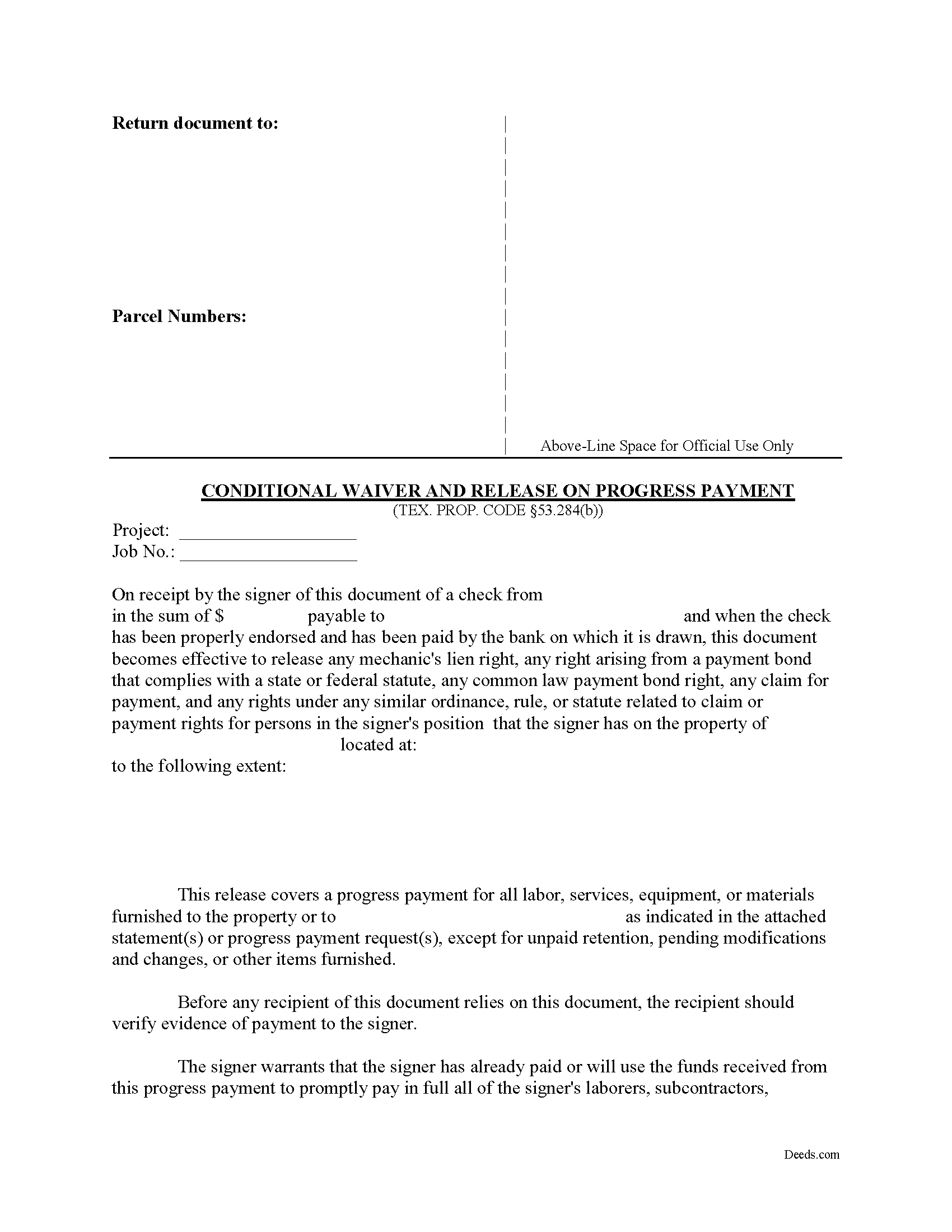
Jim Hogg County Conditional Waiver and Release on Progress Payment Form
Fill in the blank Conditional Waiver and Release on Progress Payment form formatted to comply with all Texas recording and content requirements.
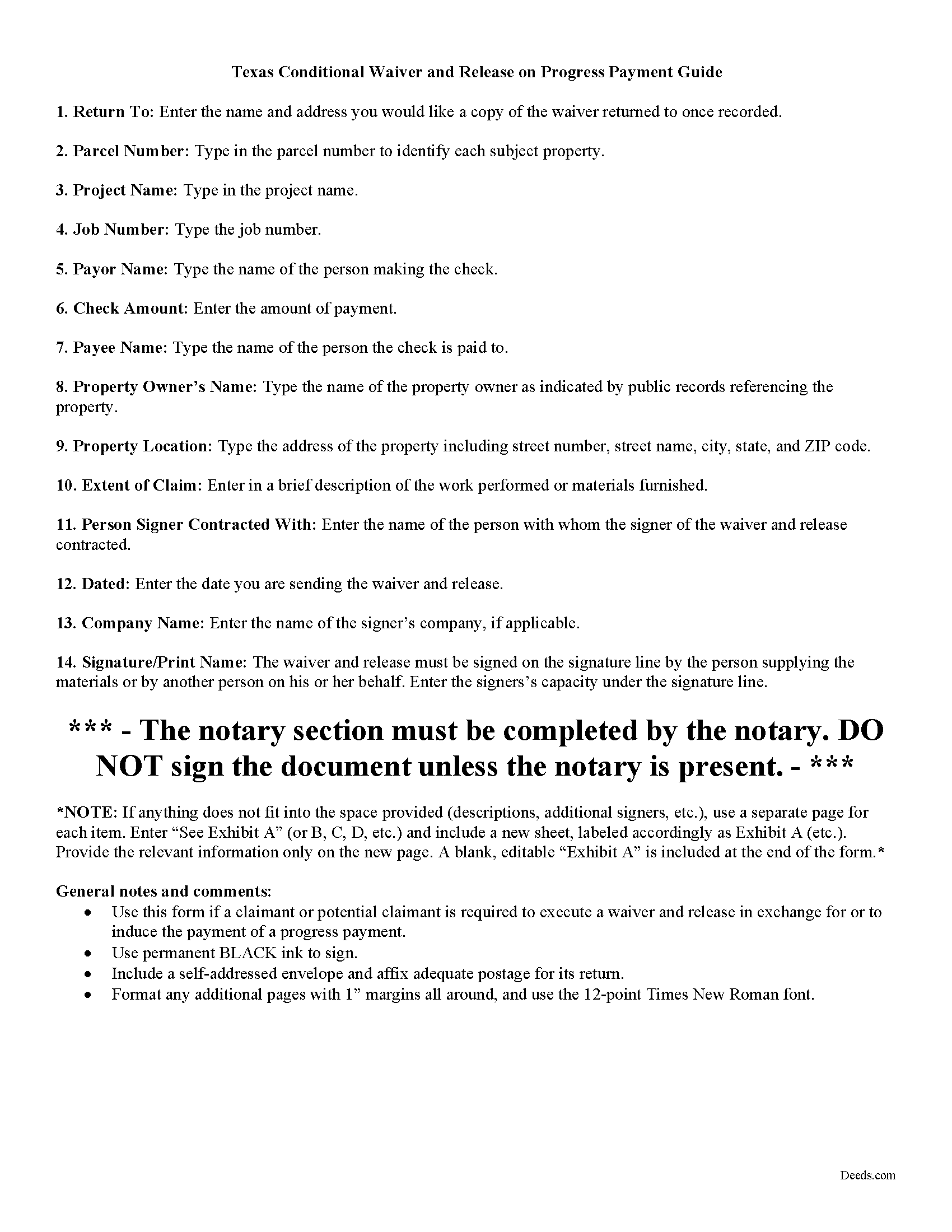
Jim Hogg County Conditional Waiver and Release on Progress Payment Guide
Line by line guide explaining every blank on the form.
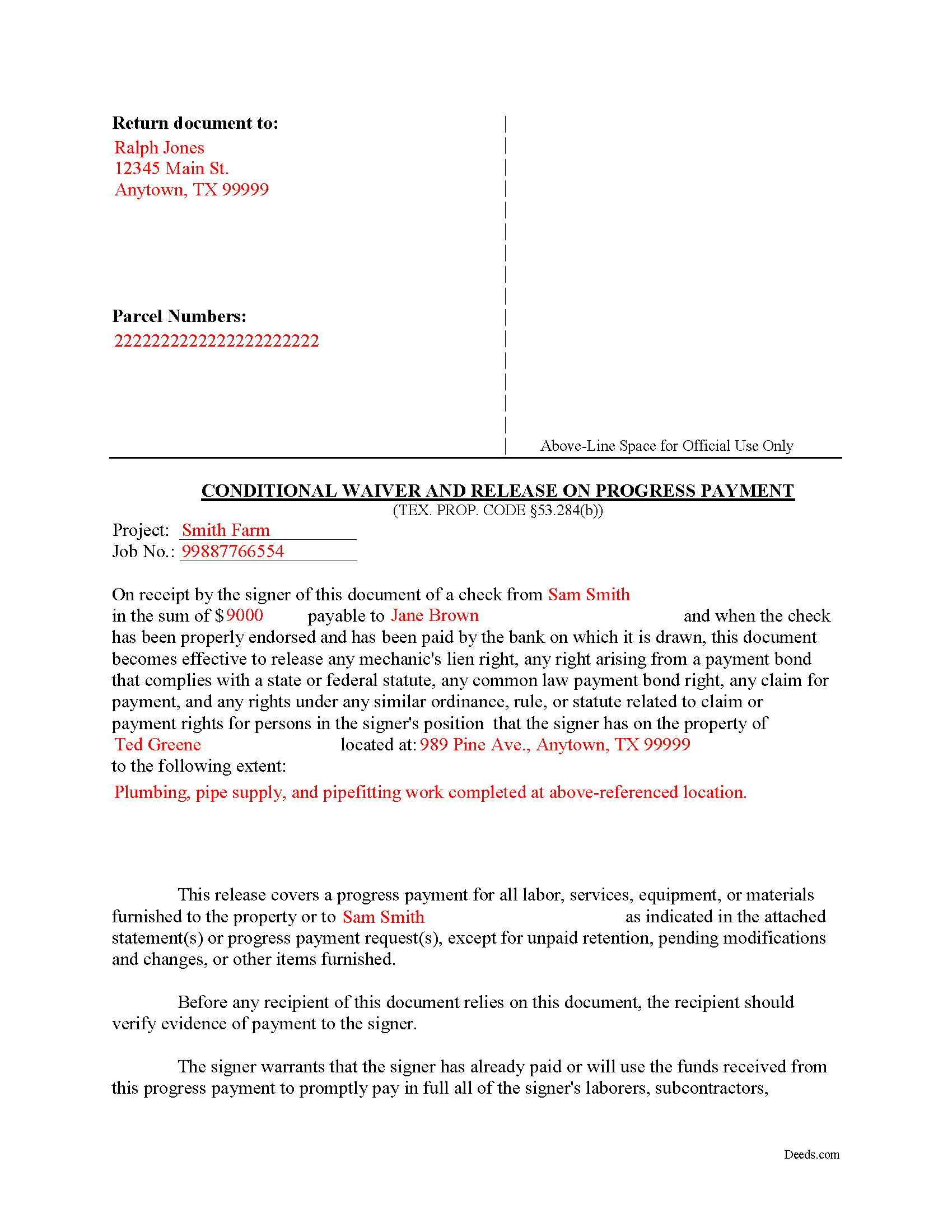
Jim Hogg County Completed Example of the Conditional Waiver and Release on Progress Payment Document
Example of a properly completed form for reference.
All 3 documents above included • One-time purchase • No recurring fees
Immediate Download • Secure Checkout
Additional Texas and Jim Hogg County documents included at no extra charge:
Where to Record Your Documents
County and District Clerk
Hebbronville, Texas 78361-3509
Hours: Monday-Friday 9:00am - 5:00pm
Phone: (361) 527-5825
Recording Tips for Jim Hogg County:
- Bring your driver's license or state-issued photo ID
- Ensure all signatures are in blue or black ink
- Ask for certified copies if you need them for other transactions
- Ask if they accept credit cards - many offices are cash/check only
- Check that your notary's commission hasn't expired
Cities and Jurisdictions in Jim Hogg County
Properties in any of these areas use Jim Hogg County forms:
- Guerra
- Hebbronville
Hours, fees, requirements, and more for Jim Hogg County
How do I get my forms?
Forms are available for immediate download after payment. The Jim Hogg County forms will be in your account ready to download to your computer. An account is created for you during checkout if you don't have one. Forms are NOT emailed.
Are these forms guaranteed to be recordable in Jim Hogg County?
Yes. Our form blanks are guaranteed to meet or exceed the applicable formatting requirements used for recording in Jim Hogg County, including margin requirements, font requirements, and other layout standards. This guarantee applies to formatting, not to the legal sufficiency of information entered by the user or the suitability of a form for a particular transaction.
Can I reuse these forms?
Yes. You can reuse the forms for your personal use. For example, if you have multiple properties in Jim Hogg County you only need to order once.
What do I need to use these forms?
The forms are PDFs that you fill out on your computer. The free Adobe Acrobat Reader is recommended, and most PDF apps also work. You do NOT enter your property information online - you download the blank forms and complete them privately on your own computer.
Are there any recurring fees?
No. This is a one-time purchase. Nothing to cancel, no memberships, no recurring fees.
How much does it cost to record in Jim Hogg County?
Recording fees in Jim Hogg County vary. Contact the recorder's office at (361) 527-5825 for current fees.
Questions answered? Let's get started!
A lien waiver is used by a lien claimant or potential claimant to forfeit his or her right to a lien upon a progress payment or final payment. The waiver can be conditional, meaning that the payment must clear the bank before the lien is released, or unconditional, meaning the lien is released upon the recording of the waiver regardless of whether or not the claimant is ever actually paid.
A waiver and release given by a claimant or potential claimant is unenforceable unless it substantially complies with the applicable form described in Sec. 53.284 of the Texas Property Code.
The four types of lien waivers in the State of Texas include:
- Conditional Waiver and Release on Progress Payment;
- Unconditional Waiver and Release on Progress Payment;
- Conditional Waiver and Release on Final Payment; and
- Unconditional Waiver and Release on Final Payment
Let's say a contractor reaches an agreed-upon point a project where she previously recorded a lien. The owner wants the lien released up to that point, and writes a check for the amount due on the work completed. The contractor offers a conditional waiver and release on progress payment, which protects her interests in case the bank refuses to honor the check. As long as the check is good, the lien gets released up to the date of the progress payment. Otherwise, the claimant retains the lien rights until the responsible party finds another way to pay the bill.
Under Sec. 53.284(b), if a claimant or potential claimant is required to execute a conditional waiver and release in exchange for or to induce a progress payment, the waiver becomes valid ONLY AFTER payment in good and sufficient funds, meaning that a single or joint payee check must clear the bank on which it's drawn.
The document identifies the parties, the project, the work and/or materials provided, and relevant dates and payment amounts. Sign it in front of a notary and submit it to the local recording office.
In summary, a lien waiver is an important tool, but take care to use the proper form. The wrong decision can lead to a loss of lien rights before receiving payment. Each case is unique, and Texas lien law can be complicated. Contact an attorney for complex situations, with questions about waivers, or any other issues related to mechanic's liens.
Important: Your property must be located in Jim Hogg County to use these forms. Documents should be recorded at the county recording office listed above.
This Conditional Waiver and Release on Progress Payment meets all recording requirements specific to Jim Hogg County.
Our Promise
The documents you receive here are guaranteed to meet or exceed the applicable Jim Hogg County recording format requirements. If there is a rejection caused by our formatting, we will correct the issue or refund your payment. This guarantee applies to document formatting only and does not extend to information entered by the user, the selection of the form, or the legal effect of the completed document.
Save Time and Money
Get your Jim Hogg County Conditional Waiver and Release on Progress Payment form done right the first time with Deeds.com Uniform Conveyancing Blanks. At Deeds.com, we understand that your time and money are valuable resources, and we don't want you to face a penalty fee or rejection imposed by a county recorder for submitting nonstandard documents. We constantly review and update our forms to meet rapidly changing state and county recording requirements for roughly 3,500 counties and local jurisdictions.
4.8 out of 5 - ( 4,821 Reviews )
Jose G. C. 4 out of 5 stars
It was OK but unfortunately useless. The jurisdictions are now requesting that documents such as Notices of Commencement not only be recorded at their offices, but also certified. This last service is not provided by Deeds, or at least I could not find it in your website and did not receive a response when I asked if you did. Thus, we are going back to traditional means of recording/certifying
Thank you for your feedback Jose. We do hope that you find something more suitable to your needs elsewhere. Have a wonderful day.
Carol T. 5 out of 5 stars
Very east process. Good job!
Thank you for your feedback. We really appreciate it. Have a great day!
Jon B. 2 out of 5 stars
The information and documents received are great. But the communication with customer service is not good at all. I've been waiting three days for them to respond to a question. I don't think they are going too.
Thank you for your feedback. We really appreciate it. Have a great day!
Cynthia H. 5 out of 5 stars
Thank you for having these forms so reasonable and easy to access. I only WISH I would have looked here 1st, spent way to much valuable time trying to get help with this deed. This was so EASY and quick... THANK YOU THANK YOU Highly Recommend
Thank you!
Melody P. 5 out of 5 stars
Thank you for getting our docs recorded so quickly and efficiently! Great and dependable service, as always!
We appreciate your business and value your feedback. Thank you. Have a wonderful day!
JOHN S. 5 out of 5 stars
They had everything for a living trust but the form to transfer your house into the living trust
We appreciate your business and value your feedback. Thank you. Have a wonderful day!
Sherri R. 5 out of 5 stars
I was impressed with how quick and easy the process was.
Happy we could assist. Thank you for sharing your experience.
Michael B. 4 out of 5 stars
I'm very pleased with the service provided by Deeds.com. After a format issue caused my scanner, it was a very smooth and speedy process. Highly recommended.
Thank you for your feedback. We really appreciate it. Have a great day!
Shelton S. 5 out of 5 stars
This site provided everything I needed to get the job done. Next step is a trip to the County Clerk!
We deeply appreciate the trust you have placed in our services. Thank you for your valuable feedback and for choosing us.
REBECCA B. 5 out of 5 stars
Documents arrived instantly. Performed exactly as stated. Will use website again.
We appreciate your business and value your feedback. Thank you. Have a wonderful day!
Carmen R. 5 out of 5 stars
I was able to get the form I needed but it would not adjust properly on the page.
Thank you!
harriet l. 5 out of 5 stars
Worked very smoothly and got the job done
Thank you for your feedback. We really appreciate it. Have a great day!
Viola G. 4 out of 5 stars
Some of the forms I ordered didn't have enough space for all of the information, but were useful as a guide for creating what I needed. Now I'll be trying the e-recording to see how that goes.
Thank you!
Sherry F. 5 out of 5 stars
Good product and service.
Thank you!
Karen V. 5 out of 5 stars
It was a easy process to get the forms I needed.
We appreciate your business and value your feedback. Thank you. Have a wonderful day!