Marion County Deed of Trust and Promissory Note Form
Last validated September 21, 2026 by our Forms Development TeamFormatted for recording in Marion County, for property anywhere in the county: rural and unincorporated areas as well as Jefferson, Lodi.
- 7 documents included
- Immediate PDF download
- Formatting guarantee
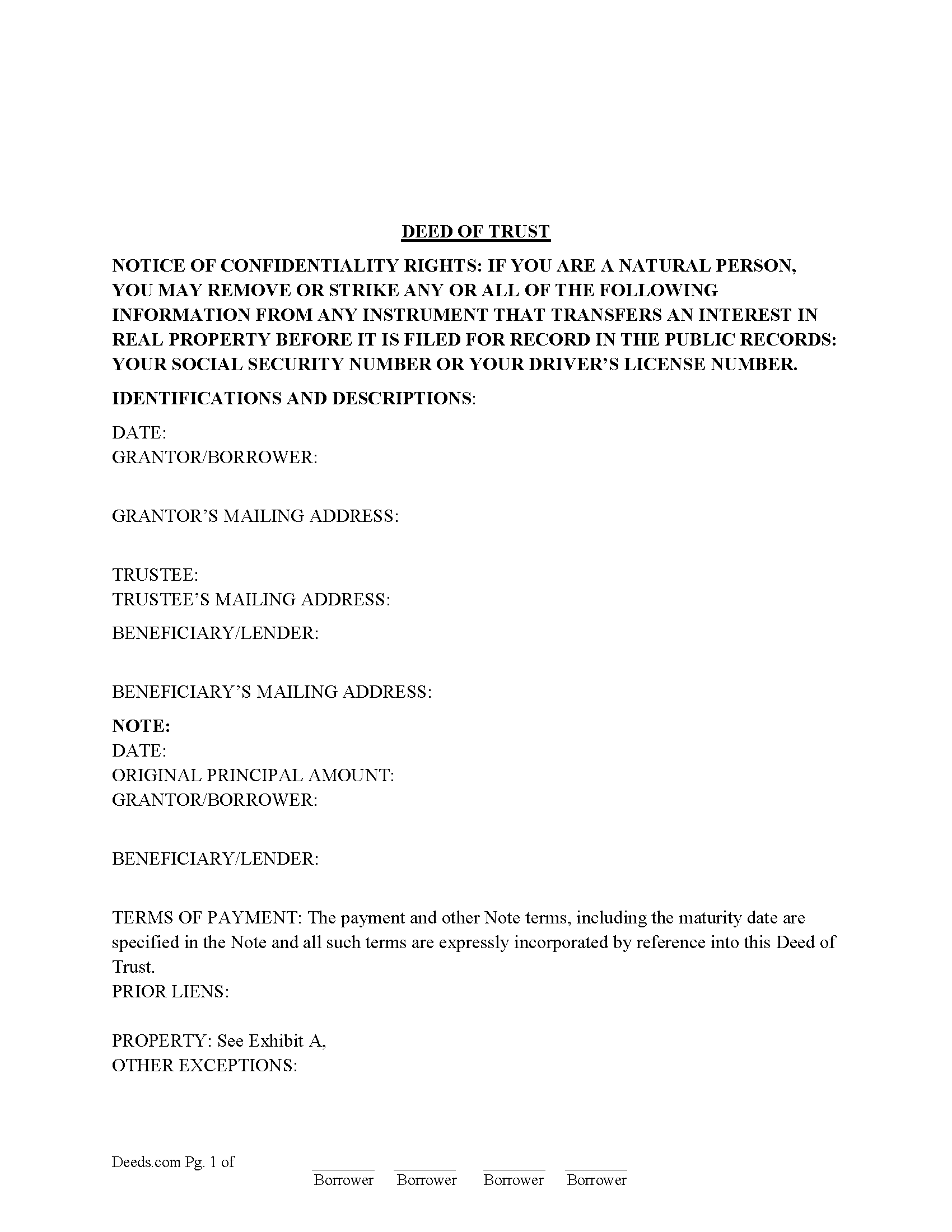
Marion County Deed of Trust Form
Fill in the blank form formatted to comply with all recording and content requirements.
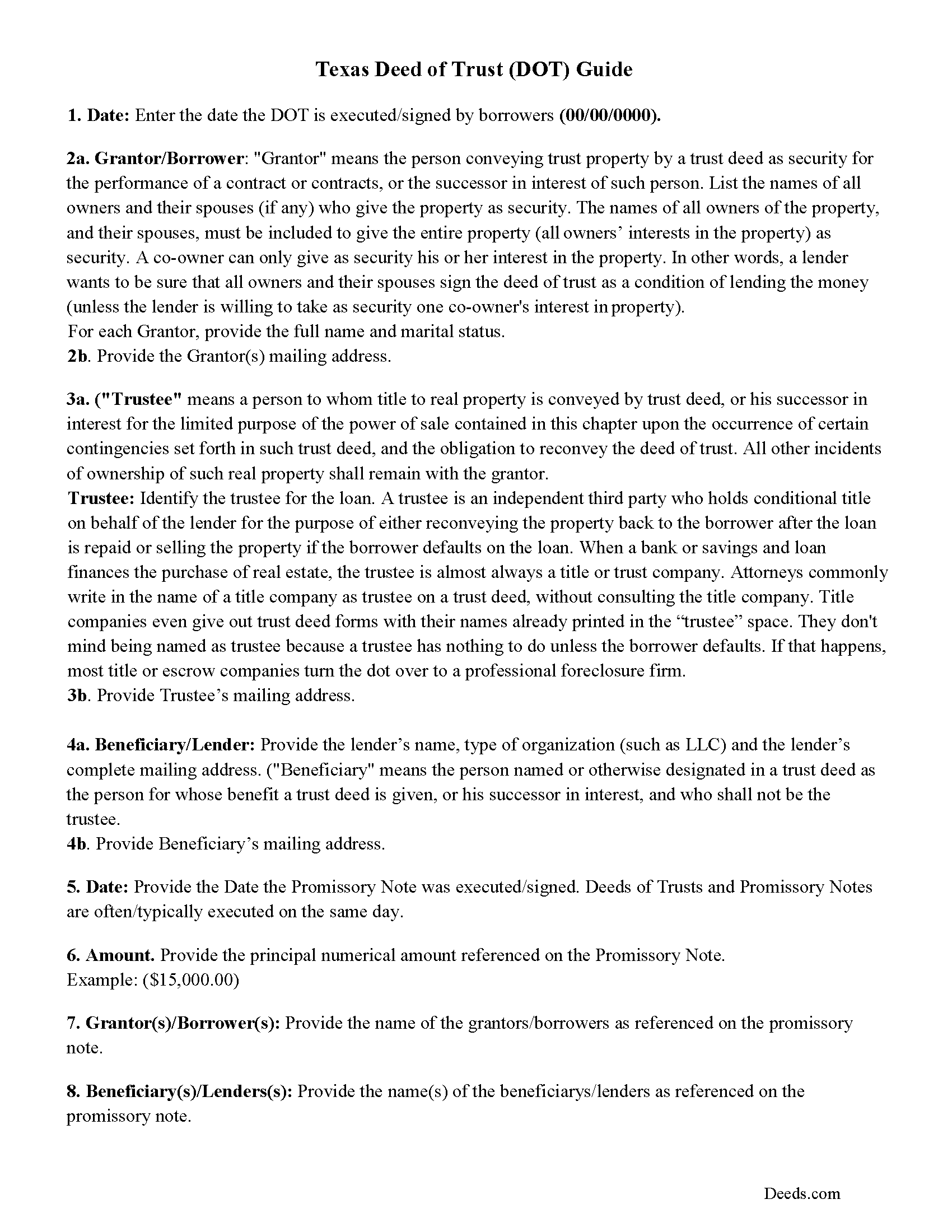
Marion County Texas Deed of Trust Guidelines
Line by line guide explaining every blank on the form.
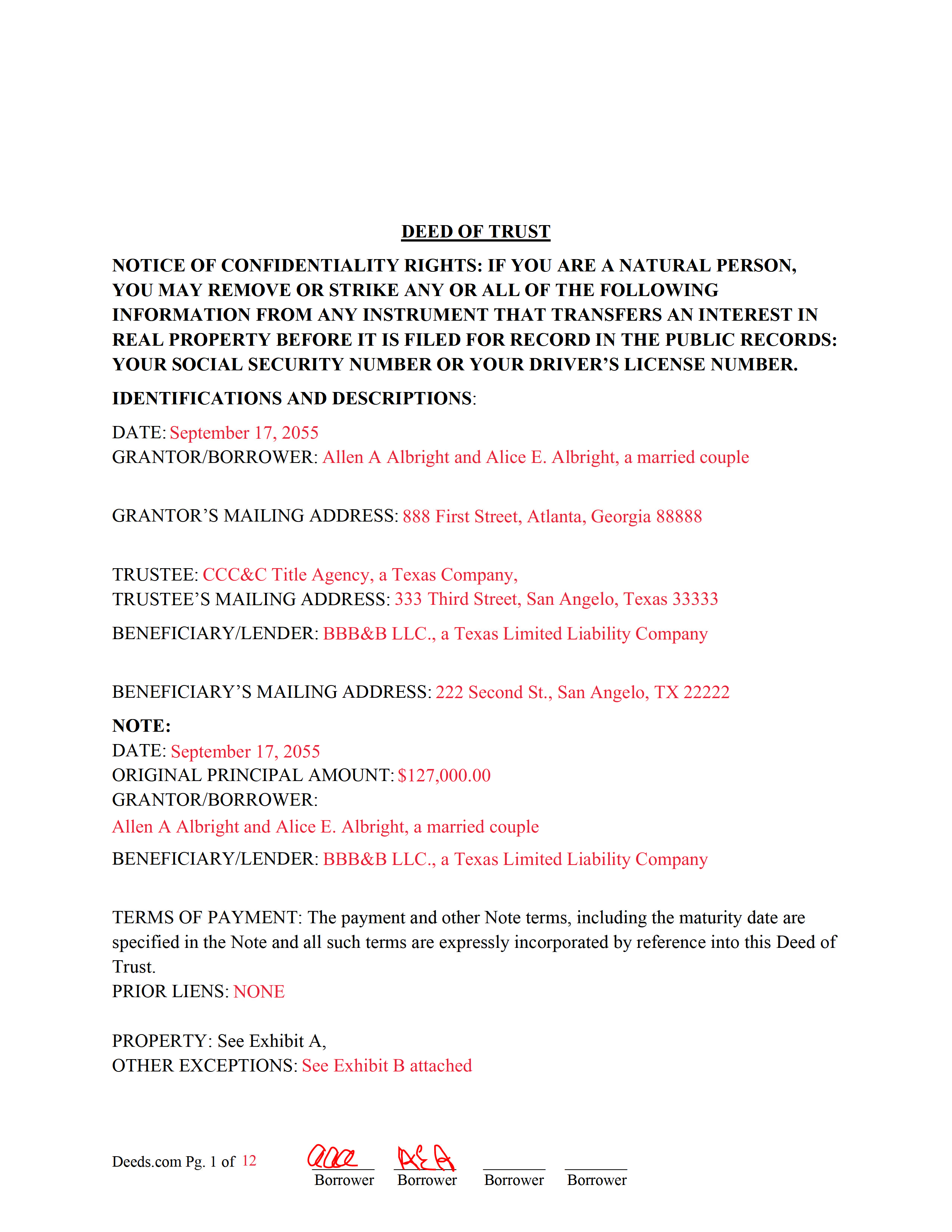
Marion County Completed Example of the Deed of Trust Document
Example of a properly completed form for reference.
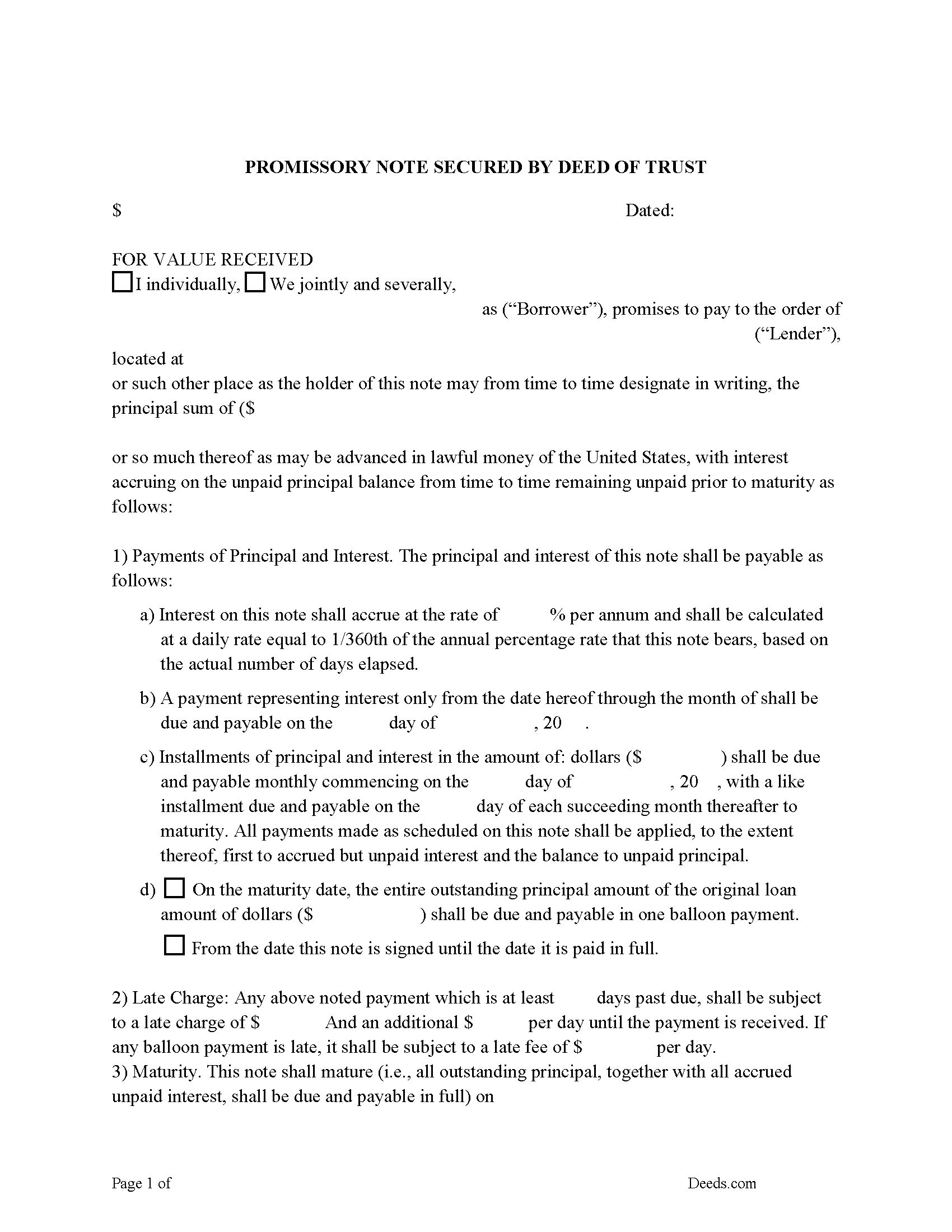
Marion County Promissory Note Form
Note secured by Deed of Trust, fill in the blank.
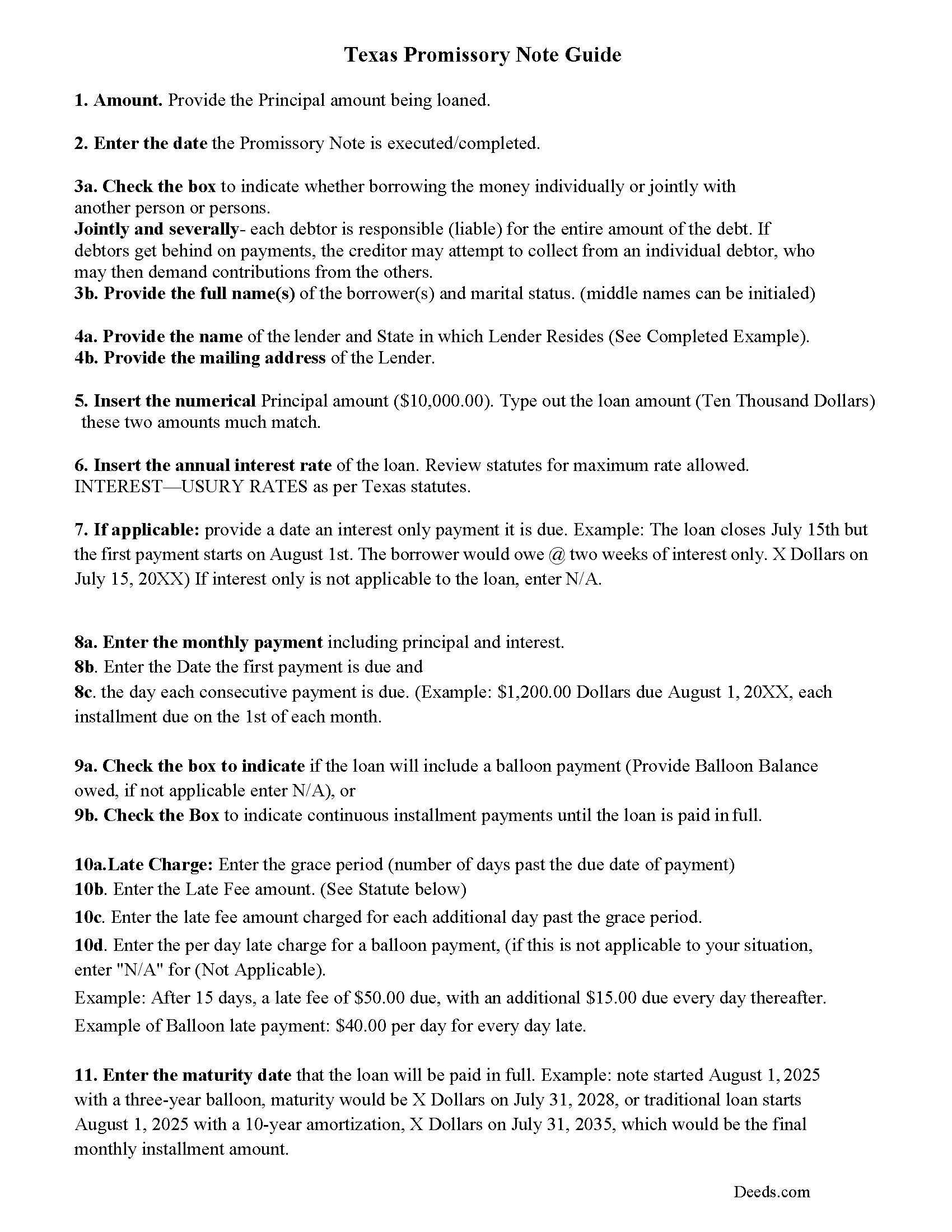
Marion County Promissory Note Guidelines
Line by line guide explaining every blank on the form.
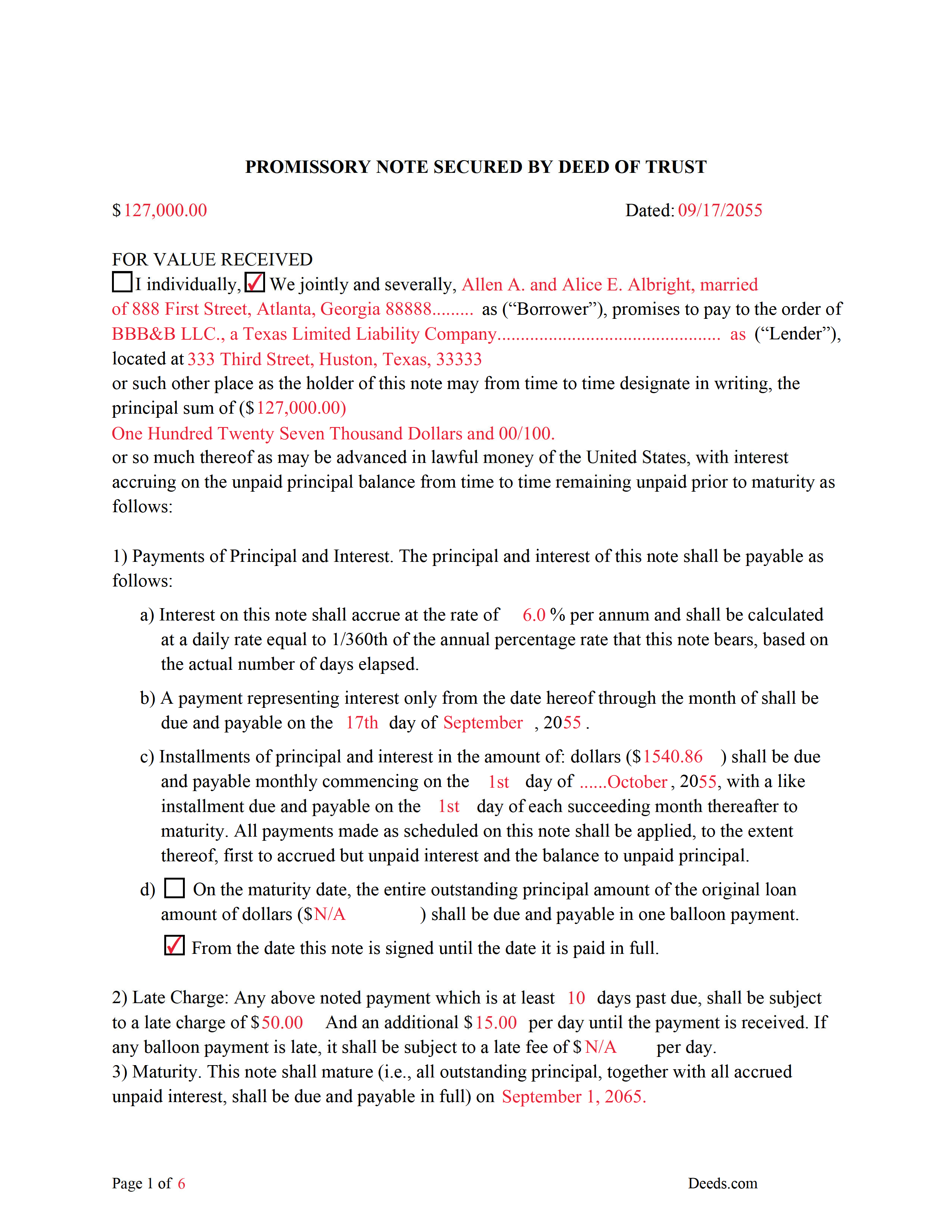
Marion County Completed Example of the Promissory Note Document
This Promissory Note is filled in and highlighted, showing how the guideline information, can be interpreted into the document.
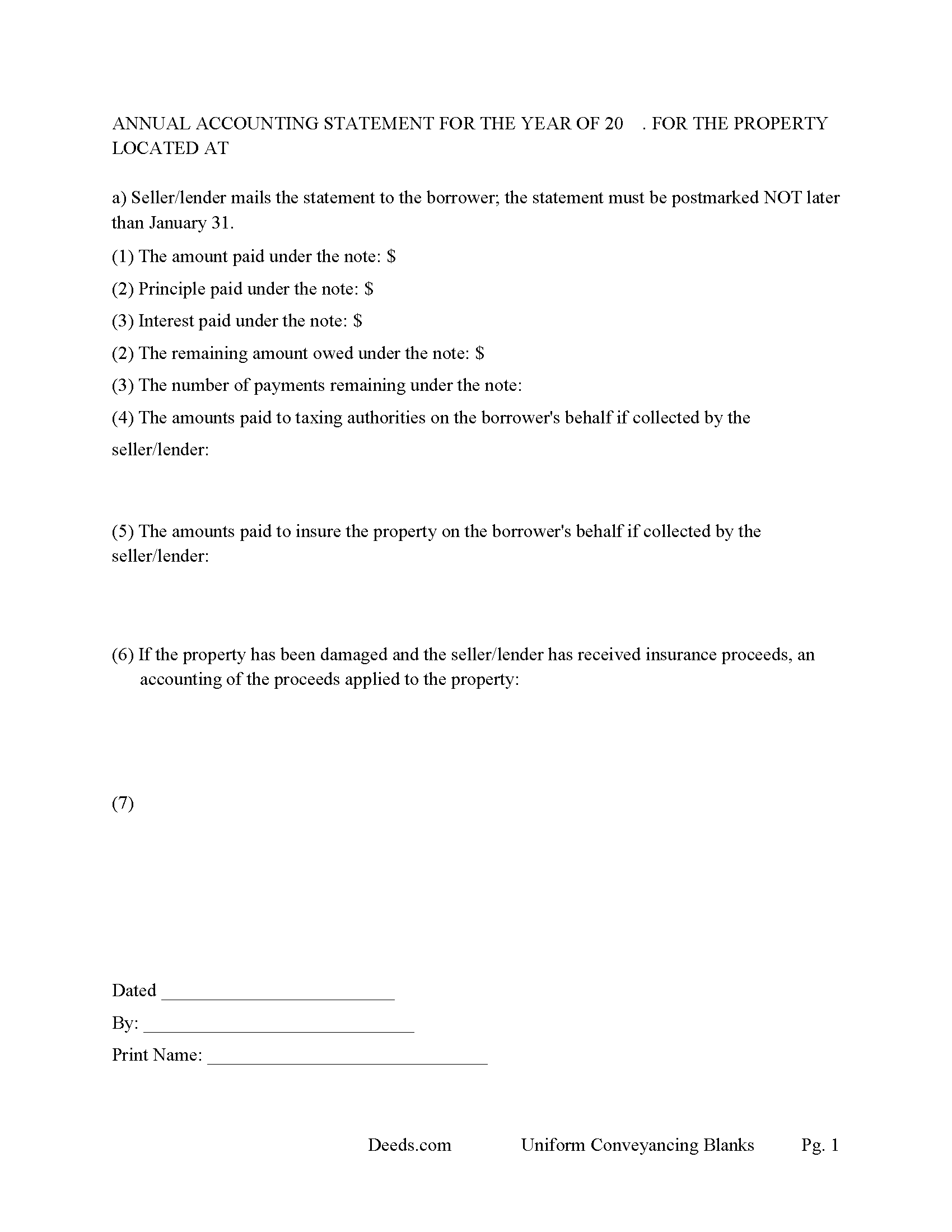
Marion County Annual Accounting Statement Form
Mail to borrower for fiscal year reporting.
All 7 documents above included • One-time purchase • No recurring fees
Immediate Download • Secure Checkout
Additional Texas and Marion County documents included at no extra charge:
Where to Record Your Documents
County Clerk's Office - Government Center
Jefferson, Texas 75657
Hours: Monday - Friday 8:00am - 12:00 & 1:00 - 5:00pm
Phone: (903) 665-3971
Recording Tips for Marion County:
- Bring your driver's license or state-issued photo ID
- Ensure all signatures are in blue or black ink
- Double-check legal descriptions match your existing deed
- Verify all names are spelled correctly before recording
- White-out or correction fluid may cause rejection
Cities and Jurisdictions in Marion County
Properties in any of these areas use Marion County forms:
- Jefferson
- Lodi
Hours, fees, requirements, and more for Marion County
How do I get my forms?
Forms are available for immediate download after payment. The Marion County forms will be in your account ready to download to your computer. An account is created for you during checkout if you don't have one. Forms are NOT emailed.
Are these forms guaranteed to be recordable in Marion County?
Yes. Our form blanks are guaranteed to meet or exceed the applicable formatting requirements used for recording in Marion County, including margin requirements, font requirements, and other layout standards. This guarantee applies to formatting, not to the legal sufficiency of information entered by the user or the suitability of a form for a particular transaction.
Can I reuse these forms?
Yes. You can reuse the forms for your personal use. For example, if you have multiple properties in Marion County you only need to order once.
What do I need to use these forms?
The forms are PDFs that you fill out on your computer. The free Adobe Acrobat Reader is recommended, and most PDF apps also work. You do NOT enter your property information online - you download the blank forms and complete them privately on your own computer.
Are there any recurring fees?
No. This is a one-time purchase. Nothing to cancel, no memberships, no recurring fees.
How much does it cost to record in Marion County?
Recording fees in Marion County vary. Contact the recorder's office at (903) 665-3971 for current fees.
Questions answered? Let's get started!
A deed of trust (DOT) is a document that conveys title to real property to a trustee as security for a loan until the grantor (borrower) repays the lender according to terms defined in a promissory note. It's similar to a mortgage but differs - mortgages only include two parties (borrower and lender). In Texas a Deed of Trust is the preferred lending instrument.
There are three parties to a deed of trust: the borrower (grantor), the lender (beneficiary), and the trustee. The trustee, typically a title agency or other disinterested party, serves two purposes: to initiate the foreclosure process for the lender if the borrower defaults on the loan, and to transfer (reconvey) the property back to the borrower after the debt is paid in full.
This DOT includes a power of sale clause, this can be beneficial to the lender, saving time and expense in the case of a foreclosure. Sec.51.0074. DUTIES OF TRUSTEE.
(a) One or more persons may be authorized to exercise the power of sale under a security instrument.
(b) A trustee may not be:
(1) assigned a duty under a security instrument other than to exercise the power of sale in accordance with the terms of the security instrument; or
(2) held to the obligations of a fiduciary of the mortgagor or mortgagee.
Use these forms to finance real property; residential, rental, condominiums, vacant land, and planned unit developments. A promissory note secured by a deed of trust, that include stringent default terms can be beneficial to the lender, typical of owner financing, investor financing, etc.
(Texas Deed of Trust Package includes forms, guidelines, and completed example)
For use in Texas only.
Important: Your property must be located in Marion County to use these forms. Documents should be recorded at the county recording office listed above.
This Deed of Trust and Promissory Note meets all recording requirements specific to Marion County.
Our Promise
The documents you receive here are guaranteed to meet or exceed the applicable Marion County recording format requirements. If there is a rejection caused by our formatting, we will correct the issue or refund your payment. This guarantee applies to document formatting only and does not extend to information entered by the user, the selection of the form, or the legal effect of the completed document.
Save Time and Money
Get your Marion County Deed of Trust and Promissory Note form done right the first time with Deeds.com Uniform Conveyancing Blanks. At Deeds.com, we understand that your time and money are valuable resources, and we don't want you to face a penalty fee or rejection imposed by a county recorder for submitting nonstandard documents. We constantly review and update our forms to meet rapidly changing state and county recording requirements for roughly 3,500 counties and local jurisdictions.
4.8 out of 5 - ( 4,828 Reviews )
Paula S. 5 out of 5 stars
I highly recommend this website. It was quick and easy with very helpful guides and examples! I am so very thankful that I stumbled across the Deed website! Definitely worth every penny spent!
We appreciate your business and value your feedback. Thank you. Have a wonderful day!
William P. 1 out of 5 stars
VERY difficult to work with. Nice people. But difficult system. Ask for MANY changes. Why dont you do that as a
Sorry to hear of your struggle William. We do hope that you found something more suitable to your needs elsewhere.
Maria M. 5 out of 5 stars
EASY, PAINLESS, LOVED THE USER FRIENDLY INSTRUCTIONS
Thank you for your feedback. We really appreciate it. Have a great day!
Scott M. 5 out of 5 stars
Complete Package don't spend good money for a title co. to do this
Thank you for your feedback. We really appreciate it. Have a great day!
NormaJean Q. 5 out of 5 stars
Thank you, thie was very helpful. I did find the forms I needed.Very easy to use.,
We appreciate your business and value your feedback. Thank you. Have a wonderful day!
DIANE S. 5 out of 5 stars
I received my report pretty quick! Had info that I needed. Thank you!
Thank you!
Kaleigh S. 5 out of 5 stars
I used Deeds.com to record two judgments with the County Recorder's Office. The site was very easy to use and I had my recorded copies back the very next day. I highly recommend their service!
We appreciate your business and value your feedback. Thank you. Have a wonderful day!
JOANNE W. 5 out of 5 stars
Excellent product and so easily obtained. Well worth the price.
Thank you for your feedback. We really appreciate it. Have a great day!
Daniel C. 5 out of 5 stars
This is a wonderful service and your staff is very responsive through the chat. My one suggestion is that there be an added sentence to your instructions that sates that once you upload there is nothing more to do as in a "submit" or "Finished uploading" button. After uploading instinct says there is something to click to let you all know that we have finished with our uploads.
Your feedback is valuable to us and helps us improve. Thank you for sharing your thoughts!
Thomas D. 2 out of 5 stars
The documents themselves are fine and the information provided with them is helpful. I find the actual processing of the documents, however, to be difficult particularly once the document has been saved. First, I note that the box for the date only allows entry of the last 2 digits of the year. Unfortunately, my download only allows me to enter one of the 2 digits required. When I delete it repeatedly, it eventually allows both digits to be entered but puts them in extremely small text and in superscrypt. I have not found a solution to this problem and am not sure the deed can even be recorded with this problem. Another problem is that if you try to revise the document after you have saved it the curser goes to the end of the line after each key entry. This means that there basically is no way to efficiently save the document for reworking later since you will have to delete everything you have entered in the text box unless you only need to make a single keystroke change or are willing to replace the curser after each entry. Try that with a long property description! Please note that I am using a Mac to prepare my documents and perhaps this is part of an "incompatibility problem". However, I didn't see a disclaimer regarding Mac use and so would expect the documents to perform correctly. Overall, I give the program a "2 star" rating because I am experiencing significant difficulties in entering dates in the documents even before saving them and because saving your work for later revision appears to be basically unworkable.
Thank you for your feedback Thomas, we appreciate you being specific about the issues you encountered. Adobe and Mac have a fairly long history of issues working together.
Arnie M. 5 out of 5 stars
I found this to be a great experience, it was Fairley easy to upload my documents and your customer service was awsome.
We appreciate your business and value your feedback. Thank you. Have a wonderful day!
Melody M. 5 out of 5 stars
Thank you Deeds.com for making our Quit Deed process easy and efficient. The instructions and example forms are a must! Excellent value for the price.
Thank you for your feedback. We really appreciate it. Have a great day!
Pietrina P. 5 out of 5 stars
Recording with Deeds.com was a seamless experience. Communications were timely, clear and professional. When I had a question, I received a prompt email reply. Overall an excellent experience
We appreciate your business and value your feedback. Thank you. Have a wonderful day!
Kathy P. 4 out of 5 stars
Can you also make a search that includes the parcel number because that is all I had to go with and regular name searches didn't come up with anything I needed.
Your insights are invaluable to us and help us strive for better service. Thank you for taking the time to share your thoughts.
Robert E B. 5 out of 5 stars
Easy to use!
Thank you!