Cameron County Deed Without Warranty (Corrective) Form
Last validated November 20, 2026 by our Forms Development TeamFormatted for recording in Cameron County, for property anywhere in the county: rural and unincorporated areas as well as Brownsville, Combes, Harlingen, La Feria, Los Fresnos, Los Indios, Lozano, Olmito and 6 more.
- 3 documents included
- Immediate PDF download
- Formatting guarantee
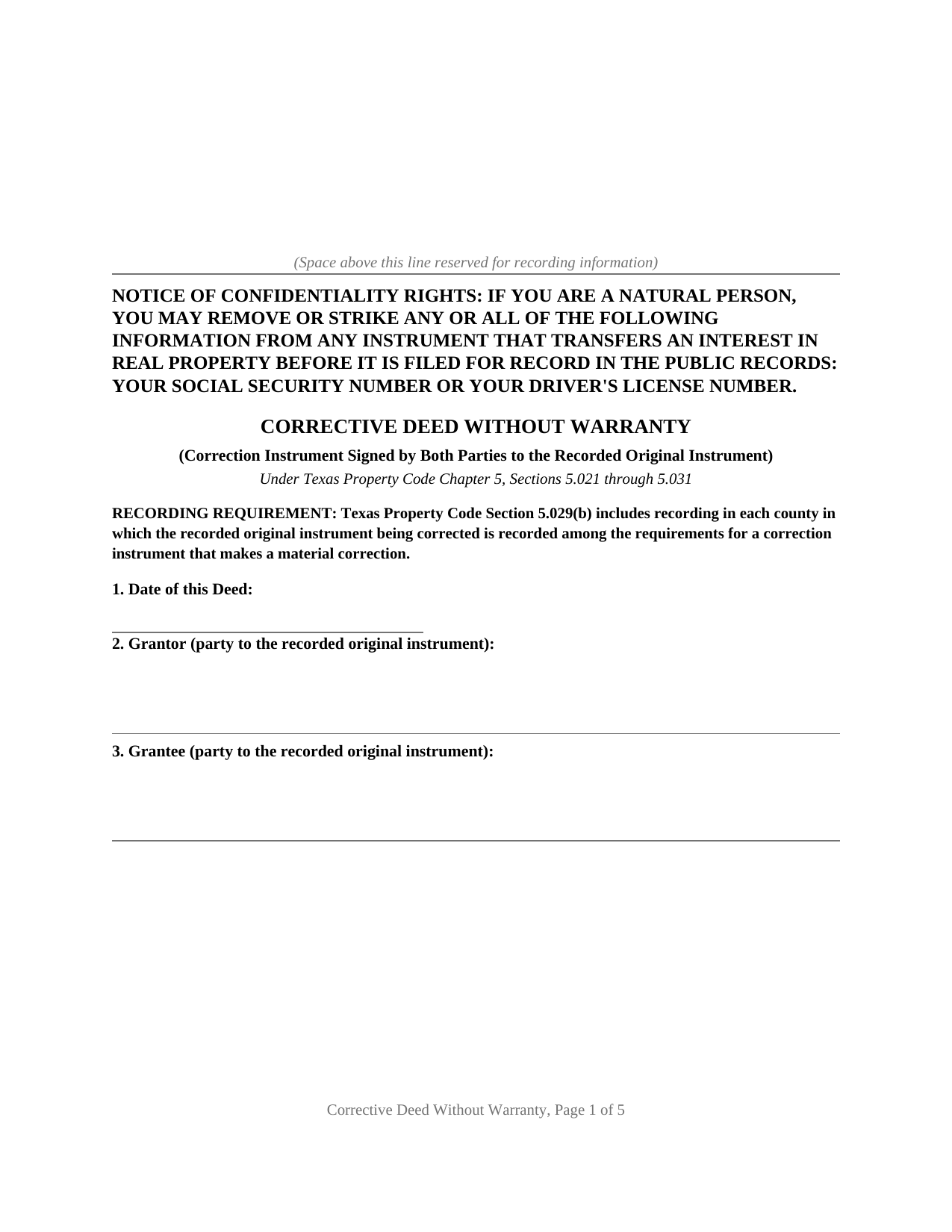
Cameron County Deed Without Warranty (Corrective) Form
Fill in the blank Deed Without Warranty (Corrective) form formatted to comply with all Texas recording and content requirements.
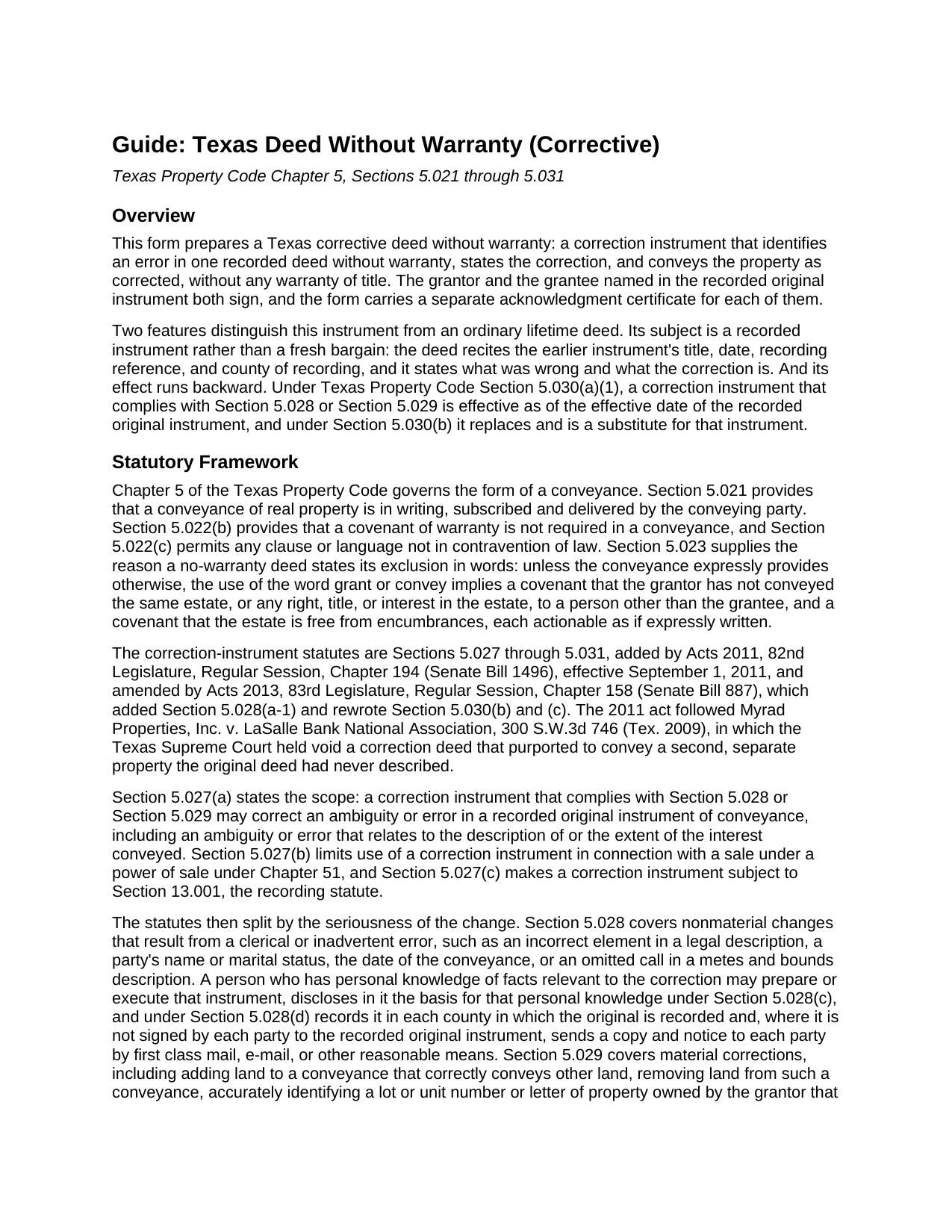
Cameron County Deed Without Warranty (Corrective) Guide
Line by line guide explaining every blank on the Deed Without Warranty (Corrective) form.
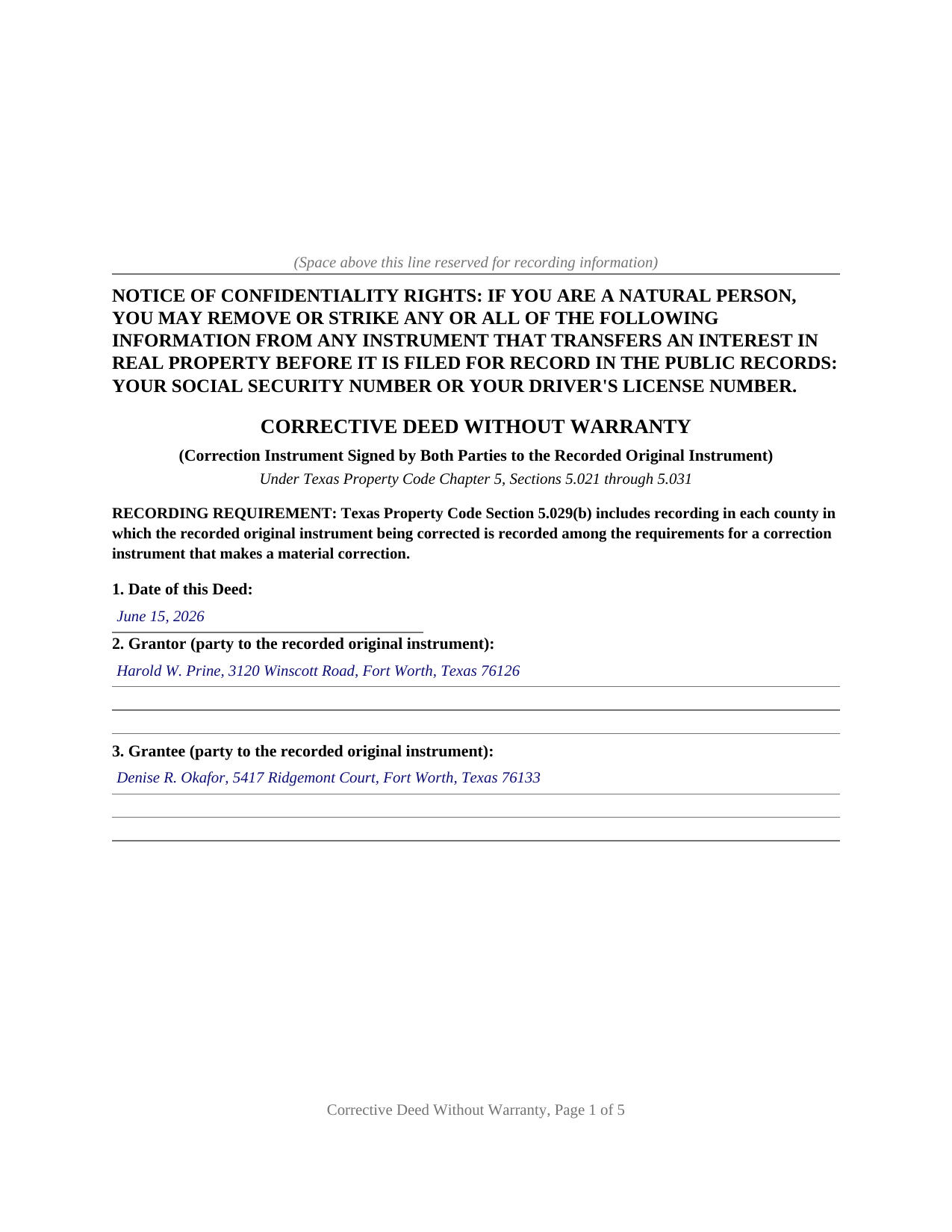
Cameron County Completed Example of the Deed Without Warranty (Corrective) Document
Example of a properly completed Texas Deed Without Warranty (Corrective) document for reference.
All 3 documents above included • One-time purchase • No recurring fees
Immediate Download • Secure Checkout
Additional Texas and Cameron County documents included at no extra charge:
Where to Record Your Documents
Cameron County Clerk
Brownsville, Texas 78520
Hours: 8:00 to 5:00 M-F
Phone: (956) 544-0815
Mail: Cameron County Clerk, Filing & Recording Dept
Brownsville, Texas 78522
Hours: N/A
Phone: use for mailing purposes
Branch Office
San Benito, Texas 78586
Hours: 8:00 - 5:00 M-F
Phone: 956-247-3509
Recording Tips for Cameron County:
- Bring your driver's license or state-issued photo ID
- Ensure all signatures are in blue or black ink
- Ask about accepted payment methods when you call ahead
- Ask for certified copies if you need them for other transactions
- Ask if they accept credit cards - many offices are cash/check only
Cities and Jurisdictions in Cameron County
Properties in any of these areas use Cameron County forms:
- Brownsville
- Combes
- Harlingen
- La Feria
- Los Fresnos
- Los Indios
- Lozano
- Olmito
- Port Isabel
- Rio Hondo
- San Benito
- Santa Maria
- Santa Rosa
- South Padre Island
Hours, fees, requirements, and more for Cameron County
How do I get my forms?
Forms are available for immediate download after payment. The Cameron County forms will be in your account ready to download to your computer. An account is created for you during checkout if you don't have one. Forms are NOT emailed.
Are these forms guaranteed to be recordable in Cameron County?
Yes. Our form blanks are guaranteed to meet or exceed the applicable formatting requirements used for recording in Cameron County, including margin requirements, font requirements, and other layout standards. This guarantee applies to formatting, not to the legal sufficiency of information entered by the user or the suitability of a form for a particular transaction.
Can I reuse these forms?
Yes. You can reuse the forms for your personal use. For example, if you have multiple properties in Cameron County you only need to order once.
What do I need to use these forms?
The forms are PDFs that you fill out on your computer. The free Adobe Acrobat Reader is recommended, and most PDF apps also work. You do NOT enter your property information online - you download the blank forms and complete them privately on your own computer.
Are there any recurring fees?
No. This is a one-time purchase. Nothing to cancel, no memberships, no recurring fees.
How much does it cost to record in Cameron County?
Recording fees in Cameron County vary. Contact the recorder's office at (956) 544-0815 for current fees.
Questions answered? Let's get started!
A recorded deed keeps the error it was signed with until another recorded instrument corrects it. This form prepares a Texas corrective deed without warranty, also called a correction deed: an instrument that names the recorded deed being corrected, states the error and the correction, and conveys the property as corrected with no warranty of title. The grantor and the grantee of the earlier deed both sign it, which is the execution pattern Texas Property Code Section 5.029 sets for a material correction.
A deed that reaches backward
Section 5.030 gives a correction instrument an effect an ordinary deed does not have. One that complies with Section 5.028 or Section 5.029 is effective as of the effective date of the recorded original instrument, replaces and is a substitute for that instrument, and stands as prima facie evidence of the facts stated in it, presumed true and subject to rebuttal. The relation back has a boundary: Section 5.030(c) subjects the correction instrument to the interest of a creditor or a purchaser for value without notice acquired on or after the date the original was filed for record and before the correction is filed.
Both signatures on one instrument
The form recites exactly two parties, the grantor and the grantee named in the recorded original instrument, and carries a signature block and a separate acknowledgment certificate for each of them, so the two may acknowledge on different dates and before different notaries. Section 5.029(b)(1) states that a material correction instrument must be executed by each party to the recorded original instrument or, if applicable, that party's heirs, successors, or assigns, which the Texas Supreme Court read in Broadway National Bank v. Yates Energy Corp. as substitutes available when an original party is unavailable. Because execution by both parties also satisfies the lighter standard Section 5.028 sets for a clerical slip, the two-signature configuration covers a nonmaterial correction as well. A lot number transposed in the property description, a suffix or middle initial wrong in a party's name, an interest described as the whole where the parties conveyed a half: those are the errors that bring a corrective deed to the recording counter. A recorded deed signed by two grantors, or joined by a non-owner spouse, has more parties than the two this form recites, and a Section 5.028 correction prepared by a nonparty with personal knowledge carries that section's own disclosure and notice steps.
The correction, and nothing past it
Section 5.027(a) reaches an ambiguity or error in the recorded instrument, including one that relates to the description of or the extent of the interest conveyed, and in Myrad Properties, Inc. v. LaSalle Bank National Association the Texas Supreme Court held void a correction deed that purported to convey a second, separate property the original had never described. The operative section is drafted to stay inside that line: it corrects the earlier instrument only as the error-and-correction section states and conveys no property that instrument did not describe as corrected here.
No warranty, said in words
Section 5.022 confirms that a covenant of warranty is not required in a Texas conveyance, while Section 5.023 implies two covenants from the words grant and convey unless the deed expressly provides otherwise: that the grantor has not already conveyed the estate to another person, and that the estate is free from encumbrances. This deed provides otherwise in plain terms, excluding both implied covenants along with any warranty of title arising at common law or by statute, so fixing a description does not quietly add promises the corrected deed never made.
Filed in each county of the original
Section 5.029(b)(2) directs that the correction instrument be recorded in each county in which the instrument being corrected is recorded, so a tract described across a county line takes a filing in both. The document is letter size, sets every line of type at 10 point or larger under Local Government Code Section 191.007, reserves space at the top of its first page for the clerk's stamp, and carries the notice of confidentiality rights described in Property Code Section 11.008.
The package includes the blank deed as a fillable PDF, a completed example built on a Tarrant County fact pattern where a 2024 deed described Lot 15 and the parties had conveyed Lot 14, and a plain-language guide covering the correction statutes, every numbered section, signing, and recording. The materials are informational and are not legal advice.
Important: Your property must be located in Cameron County to use these forms. Documents should be recorded at the county recording office listed above.
This Deed Without Warranty (Corrective) meets all recording requirements specific to Cameron County.
Our Promise
The documents you receive here are guaranteed to meet or exceed the applicable Cameron County recording format requirements. If there is a rejection caused by our formatting, we will correct the issue or refund your payment. This guarantee applies to document formatting only and does not extend to information entered by the user, the selection of the form, or the legal effect of the completed document.
Save Time and Money
Get your Cameron County Deed Without Warranty (Corrective) form done right the first time with Deeds.com Uniform Conveyancing Blanks. At Deeds.com, we understand that your time and money are valuable resources, and we don't want you to face a penalty fee or rejection imposed by a county recorder for submitting nonstandard documents. We constantly review and update our forms to meet rapidly changing state and county recording requirements for roughly 3,500 counties and local jurisdictions.
4.8 out of 5 - ( 4,863 Reviews )
David C. 5 out of 5 stars
I got what I expected. Thank you
Thank you for your feedback. We really appreciate it. Have a great day!
JACQUELINE R. 5 out of 5 stars
We have been waiting for a Title Company to put a release of Lien together for the past 3 months. I figured it was taking way to long and decided to use template here instead. In less than hour I was able to add all the information on the template and provide forms to our Seller to use. We were buying and he didnt think they were necessary. But I refused to pay him in full until he agreed to sign papers at the bank, and of course in front of a notary. We turned around and filed the Release of lien paperwork at County Clerks office, we officially own our house. Thank you!
Thank you for your feedback. We really appreciate it. Have a great day!
Lutz P. 5 out of 5 stars
Your forms are great but I couldn’t use them with my computer and acrobats reader didn’t work. And then my thermal printer would only print 1/3 size pages with no way to fix it. I ordered a new color printer and we’ll see what happens.
Thank you, Lutz. We're glad you like the forms, and we're sorry getting them working turned into such a hassle. That shrunken page is typical of thermal printers: most use narrow receipt or label paper, so a full page gets scaled down to fit, and no setting can change that. Thermal paper also fades over time, which you don't want on a document you're recording, so the new printer is the right call. When it arrives, print on plain white paper with “Actual size” selected in the print settings so the page comes out full size with its margins intact. If Acrobat Reader gives you trouble again, save the form to your computer first and open the saved file in Acrobat Reader rather than in your web browser. Still stuck? Contact our support team and we'll walk you through it.
Ben F. 5 out of 5 stars
My initial review during download and before reading the guide and forms looks promising.
Thank you!
Jennifer C. 5 out of 5 stars
Fast turnaround. Very much appreciated!
Thank you!
Jeffrey G. 5 out of 5 stars
Nice an easy. Just wondered if I can come back and still have my order (forms) available to get again, if I have an issue with saving them.
Thank you for your feedback. We really appreciate it. Have a great day!
Catherine B. 5 out of 5 stars
Trying to get a hold of someone in the office is very difficult. This made it so much easier, thank you!
Thank you for your feedback. We really appreciate it. Have a great day!
Ellen d. 5 out of 5 stars
Wonderful tool to have available on line!
We appreciate your business and value your feedback. Thank you. Have a wonderful day!
Hamed T. 5 out of 5 stars
Easy Process! Realy recommend them for E-Recording!
Thank you for your feedback. We really appreciate it. Have a great day!
Betty H. S. 5 out of 5 stars
I have no complaints thank you.
Thanks Betty, Have a great day!
Gregory h. 5 out of 5 stars
OUtsdtanding. Quick and easy, both of which are a huge plus
We appreciate your business and value your feedback. Thank you. Have a wonderful day!
Frankie A. 4 out of 5 stars
Deeds.com recorded documents for me without any issue. It's a good service and provides a lot of assistance on its web site. However, I asked for a printed receipt (i.e. an pdf copy of one), but after a staff provided me with an obvious answer, they simply ignored my follow up requests. I also asked a simple formatting question that they should have been able to answer; instead, they passed the buck and referred me to the recorder, which currently is a very time-consuming venture. They also have no telephone number for any issue. Generally, the service saves me the time and effort of physically recording a document, but when you think about $19.00 per recording seems like a steep price for the services rendered.
We appreciate your feedback Frankie. We are glad that we were able to submit your documents as requested. Sorry to hear that we let you down in other areas. We do encourage you to shop around for services that may better suit your needs. Have a wonderful day.
Sue B. 5 out of 5 stars
Easy to download and complete. Thank you for this service!
Thank you for your feedback Sue, we really appreciate it!
Irma D. 5 out of 5 stars
Very impressed with the Service in Miami-Dade County. THank you
Thank you!
Gabriela C. 5 out of 5 stars
Easy
Thank you!