Hopkins County Deed Without Warranty (Trustee Grantor) Form
Last validated October 13, 2026 by our Forms Development TeamFormatted for recording in Hopkins County, for property anywhere in the county: rural and unincorporated areas as well as Brashear, Como, Cumby, Dike, Pickton, Saltillo, Sulphur Bluff, Sulphur Springs.
- 3 documents included
- Immediate PDF download
- Formatting guarantee
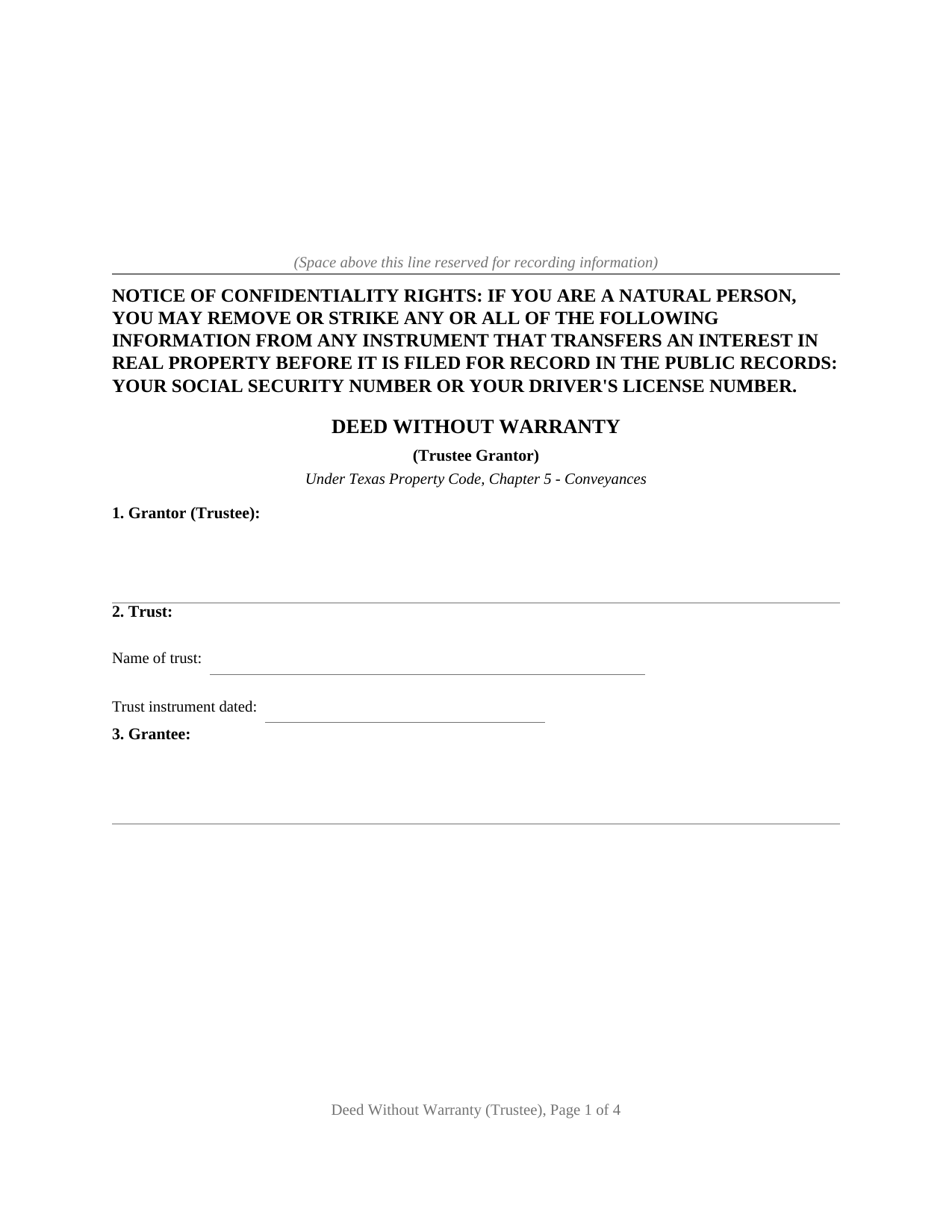
Hopkins County Deed Without Warranty (Trustee Grantor) Form
Fill in the blank Deed Without Warranty (Trustee Grantor) form formatted to comply with all Texas recording and content requirements.
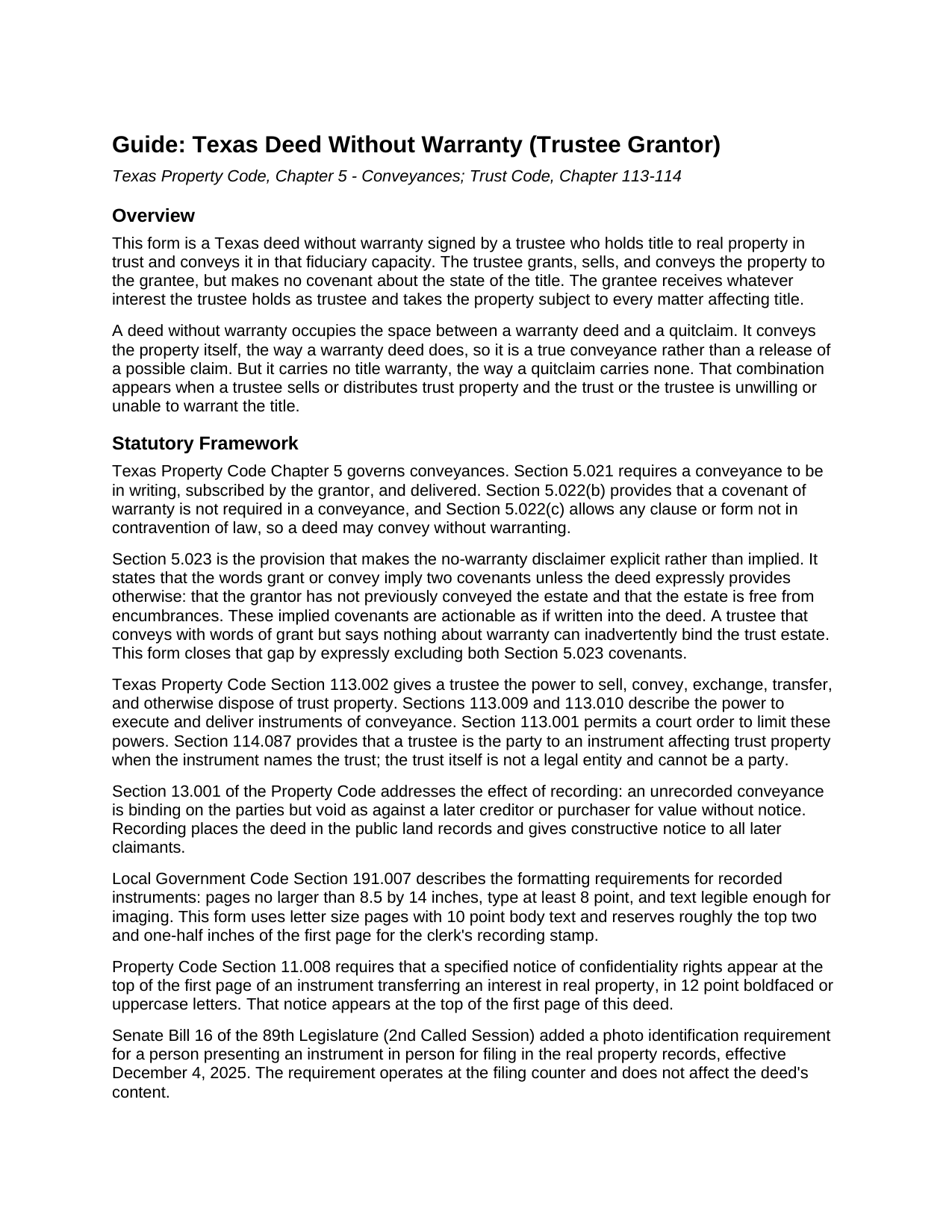
Hopkins County Deed Without Warranty (Trustee Grantor) Guide
Line by line guide explaining every blank on the Deed Without Warranty (Trustee Grantor) form.
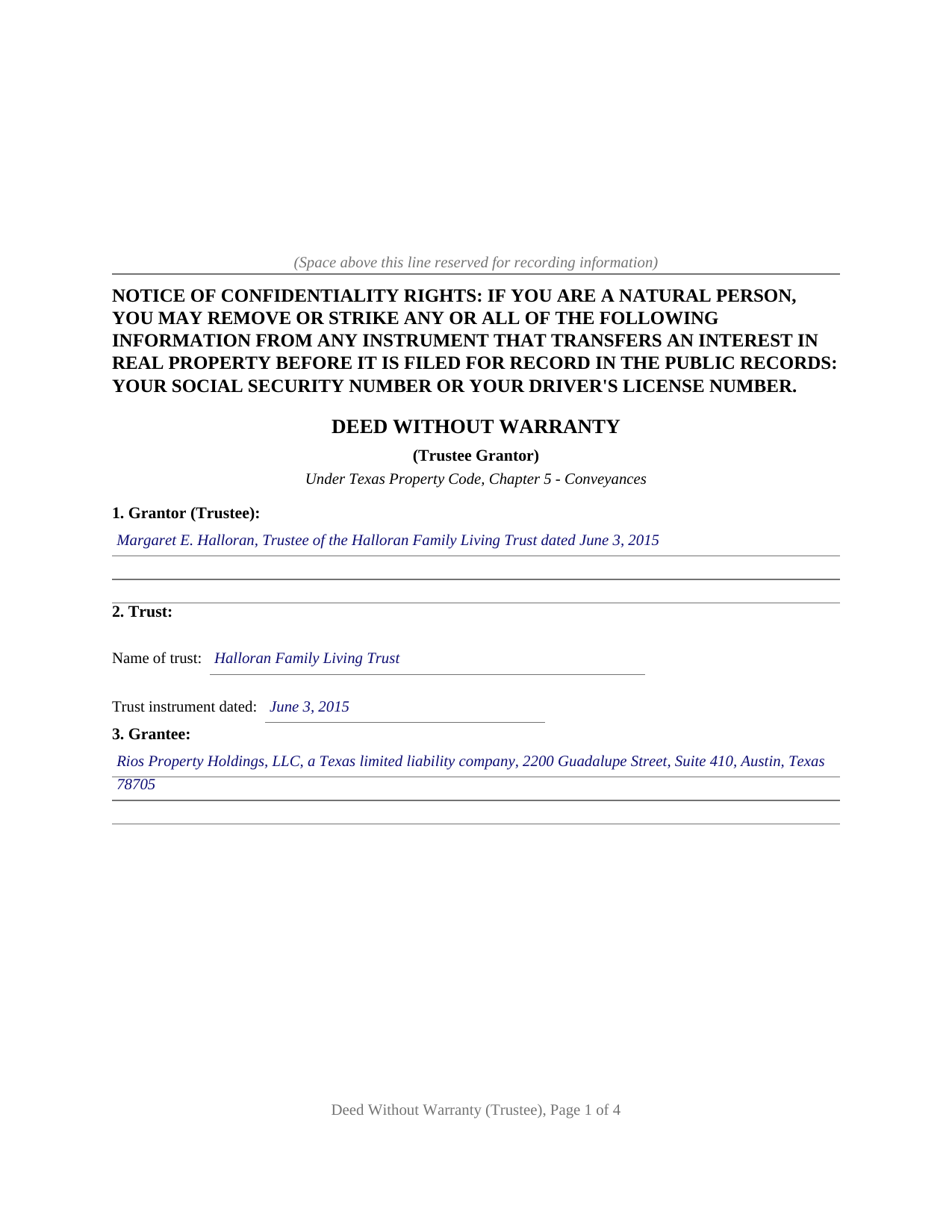
Hopkins County Completed Example of the Deed Without Warranty (Trustee Grantor) Document
Example of a properly completed Texas Deed Without Warranty (Trustee Grantor) document for reference.
All 3 documents above included • One-time purchase • No recurring fees
Immediate Download • Secure Checkout
Additional Texas and Hopkins County documents included at no extra charge:
Where to Record Your Documents
Hopkins County
Sulphur Springs, Texas 75482
Hours: Monday - Friday 8:00 am - 5:00 pm
Phone: (903) 438-4074
Recording Tips for Hopkins County:
- Bring your driver's license or state-issued photo ID
- Ensure all signatures are in blue or black ink
- Make copies of your documents before recording - keep originals safe
- Recorded documents become public record - avoid including SSNs
- Recording fees may differ from what's posted online - verify current rates
Cities and Jurisdictions in Hopkins County
Properties in any of these areas use Hopkins County forms:
- Brashear
- Como
- Cumby
- Dike
- Pickton
- Saltillo
- Sulphur Bluff
- Sulphur Springs
Hours, fees, requirements, and more for Hopkins County
How do I get my forms?
Forms are available for immediate download after payment. The Hopkins County forms will be in your account ready to download to your computer. An account is created for you during checkout if you don't have one. Forms are NOT emailed.
Are these forms guaranteed to be recordable in Hopkins County?
Yes. Our form blanks are guaranteed to meet or exceed the applicable formatting requirements used for recording in Hopkins County, including margin requirements, font requirements, and other layout standards. This guarantee applies to formatting, not to the legal sufficiency of information entered by the user or the suitability of a form for a particular transaction.
Can I reuse these forms?
Yes. You can reuse the forms for your personal use. For example, if you have multiple properties in Hopkins County you only need to order once.
What do I need to use these forms?
The forms are PDFs that you fill out on your computer. The free Adobe Acrobat Reader is recommended, and most PDF apps also work. You do NOT enter your property information online - you download the blank forms and complete them privately on your own computer.
Are there any recurring fees?
No. This is a one-time purchase. Nothing to cancel, no memberships, no recurring fees.
How much does it cost to record in Hopkins County?
Recording fees in Hopkins County vary. Contact the recorder's office at (903) 438-4074 for current fees.
Questions answered? Let's get started!
When a trust sells or distributes Texas real property, the trustee who signs the deed often has no basis for warranting the title. A deed without warranty fits that position: the trustee grants, sells, and conveys the property in fiduciary capacity, with words that pass the property itself, while the deed expressly states that no warranty of title is given. This form prepares that deed for a trustee grantor under Chapter 5 of the Texas Property Code and the Texas Trust Code.
The Trustee as Grantor, Not the Trust
A Texas trust is not a legal entity and cannot be a party to a deed. Texas Property Code Section 114.087 provides that the trustee is the party to an instrument when the trust is named. The trustee signs in fiduciary capacity, identified by name and the exact name and date of the trust, in the style of the example: Margaret E. Halloran, Trustee of the Halloran Family Living Trust dated June 3, 2015. The deed recites the trustee's authority under Trust Code Sections 113.002, 113.009, and 113.010, and notes that a court order under Section 113.001 may limit that authority. Because the grantor is a trustee conveying trust property, no homestead joinder line appears; the homestead rules that apply to an individual's personal conveyance do not govern a trustee acting in fiduciary capacity.
Conveying the Property, Disclaiming the Warranty
Texas Property Code Section 5.022 permits a conveyance without a warranty covenant. Section 5.023 is the reason the disclaimer is written out rather than assumed: unless the deed expressly provides otherwise, the words grant and convey imply a covenant that the grantor has not already conveyed the estate and a covenant that the estate is free from encumbrances. Both implied covenants are actionable as if written into the deed. A trustee that conveys with words of grant and says nothing further can inadvertently bind the trust estate to those covenants. This form uses words of grant to carry the conveyance and then expressly excludes both Section 5.023 implied covenants, so the deed performs its act without importing promises the trust never intended to make.
A Conveyance, Not a Quitclaim
Texas courts draw a line between a deed that conveys the property and an instrument that merely releases whatever claim the grantor holds. An instrument that transfers only the grantor's right, title, and interest, without more, falls on the quitclaim side of that line, which can affect how later purchasers and title examiners treat the chain of title. This form conveys the Property with operative words of grant and separately excludes the warranties, so it operates as a true conveyance that passes the trustee's interest while declining to warrant it.
Trust Sales, Distributions, and Successor Trustees
The trustee-grantor pattern recurs in several trust administration situations. A trustee selling trust property to a third-party buyer may lack knowledge of the property's full title history and declines to warrant beyond what the trust received. A trustee making a distribution of specific property to a beneficiary uses a deed, and the deed without warranty fits that in-trust transfer. A successor trustee retitling property after a prior trustee held it in trust may convey with a deed that identifies the transfer without warranting the title the predecessor held. In each case the form's fiduciary-capacity recital and its express warranty exclusion track the trustee's actual position.
What the Package Includes
The package includes the blank deed as a fillable PDF, a completed example built on a realistic Travis County fact pattern showing a trustee conveying to an LLC grantee, and a plain-language guide that walks through every section, the trust-code authority provisions, the Section 5.023 covenants and their express exclusion, signing and notarization, and recording. The materials are informational and are not legal advice.
Important: Your property must be located in Hopkins County to use these forms. Documents should be recorded at the county recording office listed above.
This Deed Without Warranty (Trustee Grantor) meets all recording requirements specific to Hopkins County.
Our Promise
The documents you receive here are guaranteed to meet or exceed the applicable Hopkins County recording format requirements. If there is a rejection caused by our formatting, we will correct the issue or refund your payment. This guarantee applies to document formatting only and does not extend to information entered by the user, the selection of the form, or the legal effect of the completed document.
Save Time and Money
Get your Hopkins County Deed Without Warranty (Trustee Grantor) form done right the first time with Deeds.com Uniform Conveyancing Blanks. At Deeds.com, we understand that your time and money are valuable resources, and we don't want you to face a penalty fee or rejection imposed by a county recorder for submitting nonstandard documents. We constantly review and update our forms to meet rapidly changing state and county recording requirements for roughly 3,500 counties and local jurisdictions.
4.8 out of 5 - ( 4,845 Reviews )
MARK K. 5 out of 5 stars
This is a great service. I submitted the information and the next day my deed had been recorded. Online recording during these times is the most sensible way to record deeds.
We appreciate your business and value your feedback. Thank you. Have a wonderful day!
Brandon O. 5 out of 5 stars
Simple and quick recording.
We appreciate your review and your business. Thank you.
Susan R. 5 out of 5 stars
I found the documents I needed on Deeds.com. It was so easy to use and I received the items I purchased FAST! I'll be using their service again.
Thank you for your feedback. We really appreciate it. Have a great day!
Rebecca C. 5 out of 5 stars
Was sort of complicated for this phone illiterate 70 year old 😂. Asked my daughter for help. She breezed right through it with no problem whatsoever!! Thank you!!
Thank you, Rebecca! Glad your daughter could lend a hand. We appreciate the review.
Stephanie G. 5 out of 5 stars
Wonderful. Easier to fill out this form than I thought it would be.
Thank you for your feedback. We really appreciate it. Have a great day!
John T. 5 out of 5 stars
Amazing! Very helpful. Very specific.
Thank you for your feedback. We really appreciate it. Have a great day!
wendy w. 5 out of 5 stars
Excellent
Thank you!
Phillip B. 5 out of 5 stars
Nice. Quick and very easy to find and download the exact forms I needed.
Thank you for your feedback. We really appreciate it. Have a great day!
Kathleen H. 5 out of 5 stars
EASY!!
Thank you!
Jing H. 5 out of 5 stars
Excellent work. I have recommended some friends to your website and will continue. Thanks.
Thank you Jing. Have a fantastic day!
Brian C. 5 out of 5 stars
***** so easy thanks.
Thanks Brian, we appreciate your feedback.
james e. 5 out of 5 stars
Would be nice if these things downloaded with the type of document rather than a number
Thank you for your feedback. We really appreciate it. Have a great day!
Rebecca C. 5 out of 5 stars
Great service ! Hawaii is not a "forms state" so unfortunately the public has no way to get templates on our local gov site but deeds.com to the rescue. The template was affordable and easy to use and successfully recorded. Great to use when you don't need to involve title or attorneys for simple deed changes, thank you
Thank you for your feedback. We really appreciate it. Have a great day!
Dean S. 5 out of 5 stars
Couldn't be happier, great documents, easy to understand and complete.
We appreciate your business and value your feedback. Thank you. Have a wonderful day!
Michael M. 5 out of 5 stars
The process was very easy and walked you through the entire process step by step. Also, outstanding that you get email updates when each step is completed.
Thank you for your feedback. We really appreciate it. Have a great day!