Lubbock County Grant Deed (Joint Grantors) Form
Last validated October 23, 2026 by our Forms Development TeamFormatted for recording in Lubbock County, for property anywhere in the county: rural and unincorporated areas as well as Idalou, Lubbock, New Deal, Ransom Canyon, Shallowater, Slaton, Wolfforth.
- 3 documents included
- Immediate PDF download
- Formatting guarantee
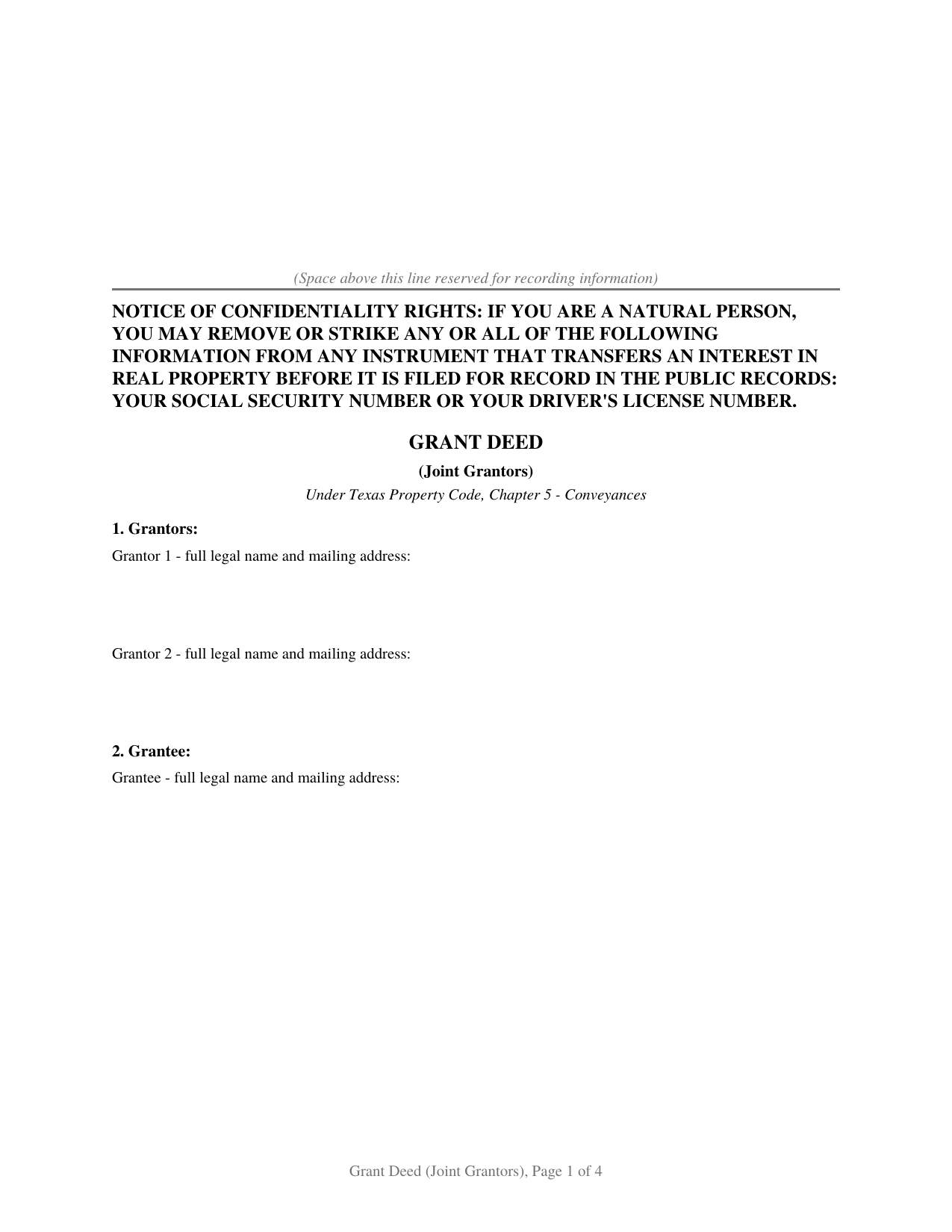
Lubbock County Grant Deed (Joint Grantors) Form
Fill in the blank Grant Deed (Joint Grantors) form formatted to comply with all Texas recording and content requirements.
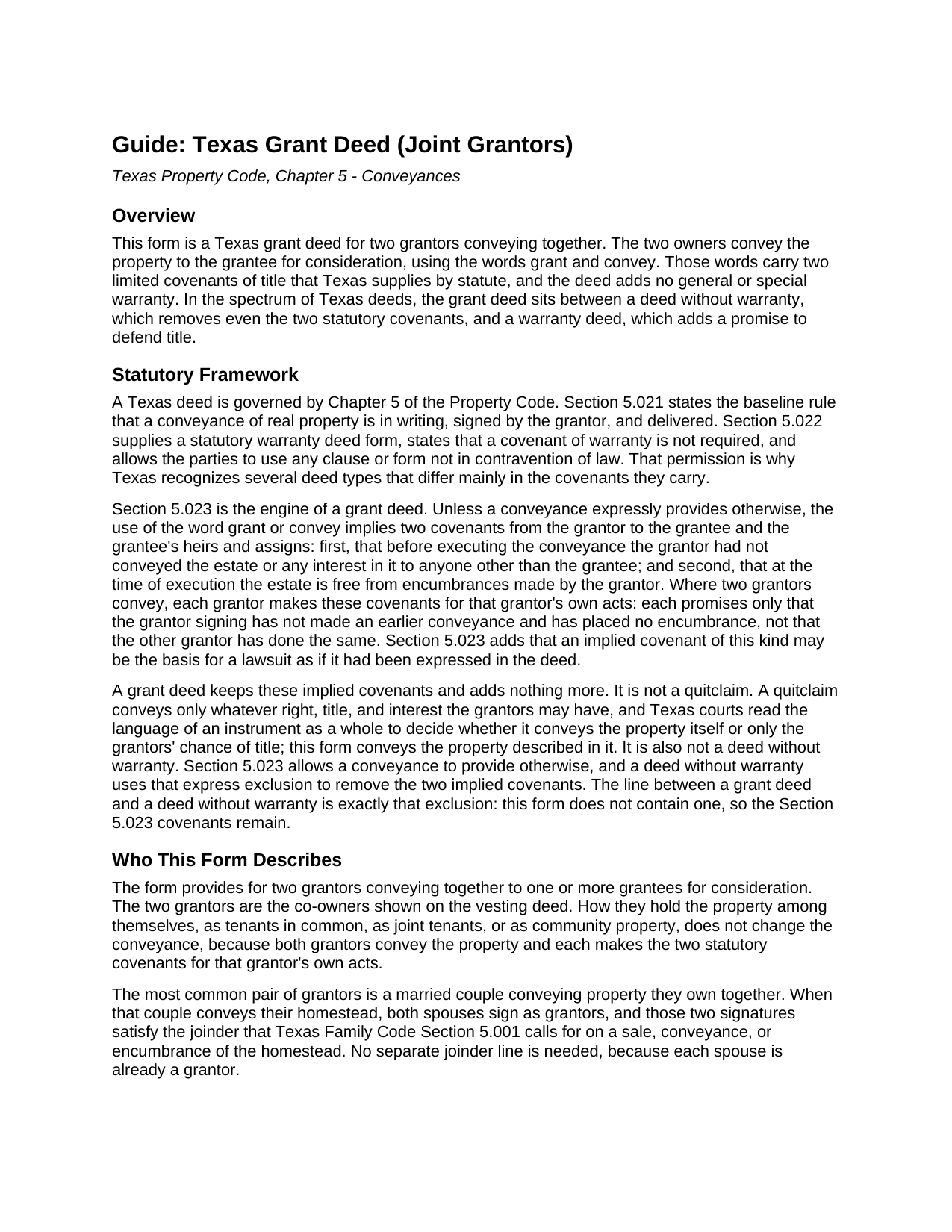
Lubbock County Grant Deed (Joint Grantors) Guide
Line by line guide explaining every blank on the Grant Deed (Joint Grantors) form.
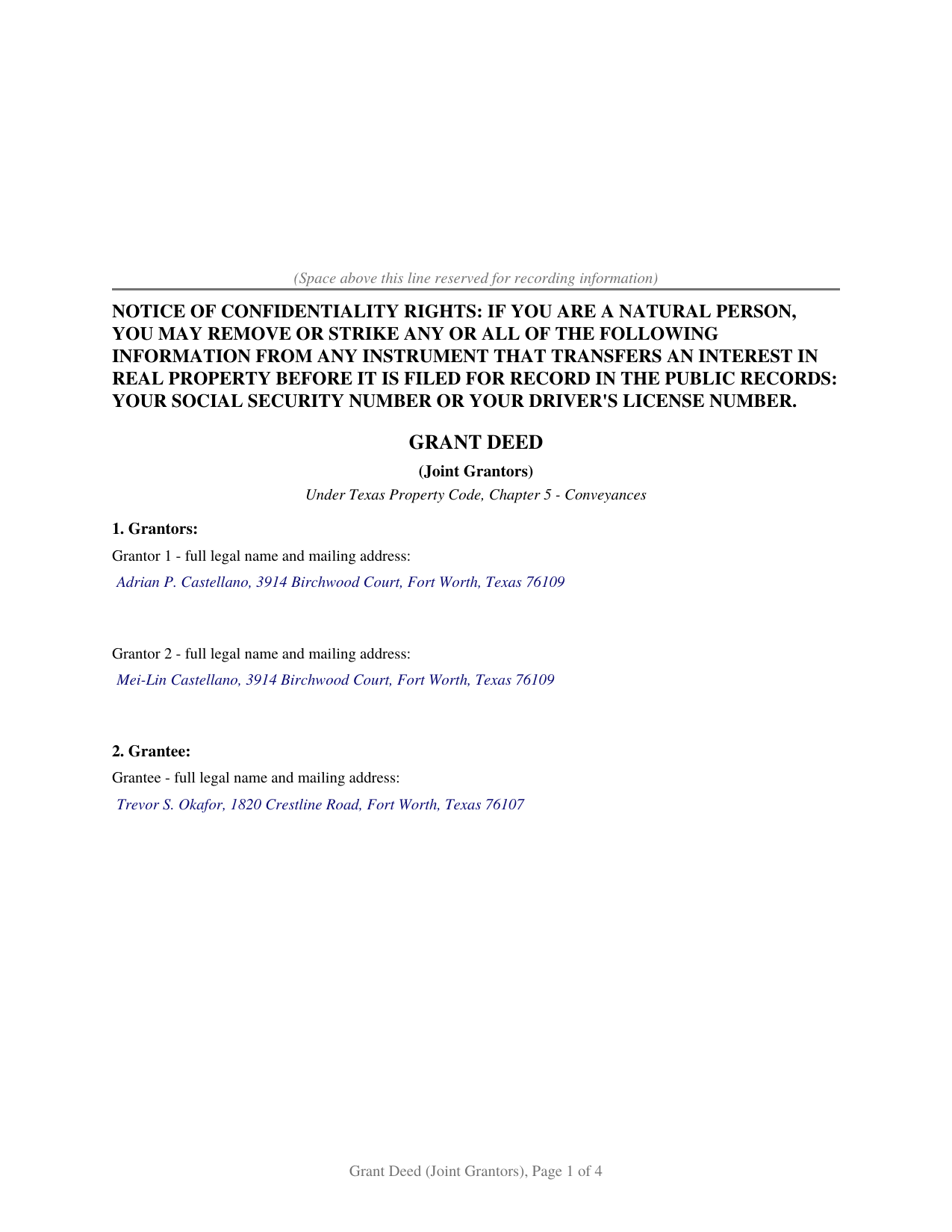
Lubbock County Completed Example of the Grant Deed (Joint Grantors) Document
Example of a properly completed Texas Grant Deed (Joint Grantors) document for reference.
All 3 documents above included • One-time purchase • No recurring fees
Immediate Download • Secure Checkout
Additional Texas and Lubbock County documents included at no extra charge:
Where to Record Your Documents
Lubbock County Clerk
Lubbock, Texas 79408-3536
Hours: 8:30 to 5:00 M-F
Phone: (806) 775-1060 and 775-1076
Recording Tips for Lubbock County:
- Bring your driver's license or state-issued photo ID
- Ensure all signatures are in blue or black ink
- Double-check legal descriptions match your existing deed
- Verify all names are spelled correctly before recording
- White-out or correction fluid may cause rejection
Cities and Jurisdictions in Lubbock County
Properties in any of these areas use Lubbock County forms:
- Idalou
- Lubbock
- New Deal
- Ransom Canyon
- Shallowater
- Slaton
- Wolfforth
Hours, fees, requirements, and more for Lubbock County
How do I get my forms?
Forms are available for immediate download after payment. The Lubbock County forms will be in your account ready to download to your computer. An account is created for you during checkout if you don't have one. Forms are NOT emailed.
Are these forms guaranteed to be recordable in Lubbock County?
Yes. Our form blanks are guaranteed to meet or exceed the applicable formatting requirements used for recording in Lubbock County, including margin requirements, font requirements, and other layout standards. This guarantee applies to formatting, not to the legal sufficiency of information entered by the user or the suitability of a form for a particular transaction.
Can I reuse these forms?
Yes. You can reuse the forms for your personal use. For example, if you have multiple properties in Lubbock County you only need to order once.
What do I need to use these forms?
The forms are PDFs that you fill out on your computer. The free Adobe Acrobat Reader is recommended, and most PDF apps also work. You do NOT enter your property information online - you download the blank forms and complete them privately on your own computer.
Are there any recurring fees?
No. This is a one-time purchase. Nothing to cancel, no memberships, no recurring fees.
How much does it cost to record in Lubbock County?
Recording fees in Lubbock County vary. Contact the recorder's office at (806) 775-1060 and 775-1076 for current fees.
Questions answered? Let's get started!
When two owners transfer Texas real estate together, the deed they sign sets how much each promises about the title. A grant deed has them convey the property with two specific covenants and nothing beyond them. This form prepares a grant deed for two grantors under Chapter 5 of the Texas Property Code.
Two Owners Conveying Together
Both owners on the current deed sign as grantors and convey the property to the grantee. How they hold title between themselves, as tenants in common, joint tenants, or community property, does not change the deed: each signs, and each conveys the property described in it. A separate notary certificate for each grantor lets the two acknowledge on different days or before different notaries, even in different states.
What the Words Grant and Convey Promise
A grant deed takes its character from Section 5.023 of the Property Code. Unless a deed provides otherwise, the words grant and convey carry two covenants: that the signer has not previously conveyed the property to anyone else, and that the signer placed no encumbrance on it. The deed adds no general or special warranty, so it makes no broader promise to defend the title. The covenants are narrow by design, reaching a grantor's own conduct rather than the full history of the title or problems that predate the grantor's ownership.
Each Grantor Answers Only for Their Own Acts
With two grantors, the Section 5.023 covenants run separately. Each grantor promises only about what that grantor did: that this signer made no earlier conveyance and placed no encumbrance. One grantor does not insure the other's conduct, and neither answers for the chain of title that came before. That per-grantor structure is the practical point of a two-owner deed, and the form states the covenant for each grantor rather than as one joint promise.
When the Two Grantors Are a Married Couple
The most common pair of grantors is a married couple selling property they own together. When the property is their homestead, Texas Family Code Section 5.001 calls for both spouses to join in the conveyance, and here both already sign as grantors, so the deed meets that rule on its face. Where a grantor's spouse is not a co-owner and the property is that grantor's homestead, the non-owner spouse signs too; the individual grantor form carries a joinder line for that signature.
Recording in Texas
A grant deed is recorded with the county clerk where the property sits. Recording does not make the deed good between the parties, a delivered deed already does that, but under Property Code Section 13.001 an unrecorded deed is void against a later buyer or creditor without notice. Texas charges no transfer tax on a deed, and since December 4, 2025, a person filing one in person shows a government photo identification under Senate Bill 16.
Related Texas Forms
The Texas Grant Deed (Individual Grantor) makes the same two covenants for a single owner and adds a joinder line for a non-owner spouse. The Texas Deed Without Warranty uses the Section 5.023 exclusion this form omits, leaving its grantee with no covenant of title. The Texas Quitclaim Deed passes only whatever interest the grantors hold, if any. The Texas Gift Deed records a transfer made for no consideration.
Important: Your property must be located in Lubbock County to use these forms. Documents should be recorded at the county recording office listed above.
This Grant Deed (Joint Grantors) meets all recording requirements specific to Lubbock County.
Our Promise
The documents you receive here are guaranteed to meet or exceed the applicable Lubbock County recording format requirements. If there is a rejection caused by our formatting, we will correct the issue or refund your payment. This guarantee applies to document formatting only and does not extend to information entered by the user, the selection of the form, or the legal effect of the completed document.
Save Time and Money
Get your Lubbock County Grant Deed (Joint Grantors) form done right the first time with Deeds.com Uniform Conveyancing Blanks. At Deeds.com, we understand that your time and money are valuable resources, and we don't want you to face a penalty fee or rejection imposed by a county recorder for submitting nonstandard documents. We constantly review and update our forms to meet rapidly changing state and county recording requirements for roughly 3,500 counties and local jurisdictions.
4.8 out of 5 - ( 4,836 Reviews )
James G. 5 out of 5 stars
Deed.com had some hard to find mineral interest deeds for Oklahoma.I'm an attorney in Texas with no Ok experience. The examples on Deed.com were very useful and saved me lots of time. James G.
We appreciate your business and value your feedback. Thank you. Have a wonderful day!
Calvin S. 5 out of 5 stars
Service is convenient,easy, fast and helpful.
Thanks for your feedback. We’re glad we could help.
Paula S. 5 out of 5 stars
The document form was easily retrieved and the sample provided was extremely helpful and no problems were encountered when presenting the completed document to the county. I am grateful for this website and the help and confidence it gave me to complete this task
We appreciate your comments and your trust in us. Thank you.
Alex J. 5 out of 5 stars
Very simple to use. I am a private homeowner with no experience in such things and it was very easy to do which was quite a relief. Thank you.
We appreciate your business and value your feedback. Thank you. Have a wonderful day!
CHERYL G. 5 out of 5 stars
After my county rejected a deed from another company, I researched better and purchased my Lady Bird Deed from Deeds.com. Very simple, received everything immediately. Printed out sample and guide sheets and filled out my deed. Very thorough and easy to understand. All the additional forms were awesome. And the best part is, my county recorded my deed this morning! WooHoo! Very happy customer! Thank you!
Glad to hear! Thanks for taking the time to leave your review. We appreciate you. Have a great day.
Christine L. 5 out of 5 stars
User friendly!
Thank you!
Richard R. 5 out of 5 stars
Kind of expensive for a 3 page item...but I received it pronto and it will fill the bill.
Thank you!
Christopher G. 5 out of 5 stars
thank you - your service is awesome - i sent documents to the county - after 2 plus weeks they returned them with 'errors' - i went to your site - signed up - uploaded documents and submitted in less than 3 minutes - had it approved by the county in under 12 hours - THANK YOU - great service!!!!
Thank you Christopher, glad we could help. Have a great day!
Yvette G. 5 out of 5 stars
We were extremely satisfied with DEEDS.COM. We spent countless hours trying to contact the Queens County Clerk's Office without succeeding to get through. We needed to obtain an Executor's Deed to transfer the name on my beloved deceased father's property to my name as the executrix of his will. DEEDS.COM is the most efficient and painless way to get the forms you need. To top it all off, they send you, free of charge, additional forms that you may need for your filing purposes. We are truly thankful for their kind assistance!!
We appreciate your business and value your feedback. Thank you. Have a wonderful day!
Patricia S. 5 out of 5 stars
The forms was easy to use and the guides was helpful
We appreciate your business and value your feedback. Thank you. Have a wonderful day!
Jean B. 5 out of 5 stars
Thank you for this service. Saved a lot of my time and money. The guide and sample was very helpful. Jean
We appreciate your business and value your feedback. Thank you. Have a wonderful day!
Peter R. 5 out of 5 stars
Great site makes this procedure easy to do,thanks
Thank you!
Kathryn L. 5 out of 5 stars
I went to the recorders office. Had no problem was finished in about 10 minutes .The forms was excellent . With the instructions it was easy for me to fill out. Thank you, Kathryn L
Thank you for your feedback. We really appreciate it. Have a great day!
Janet J. 5 out of 5 stars
The download process was quick and efficient. Here's hoping the printing process will be as easy. Appreciate this access to forms so much.
Thank you for your feedback. We really appreciate it. Have a great day!
Judy W. 5 out of 5 stars
It would be helpful if the numbers on the instruction sheet were on the form. I was confused on page two if the signatures were for witnesses or buyer (grantee). I do like the form and will use it in the future. Also page one Grantee's signature only has one line and if there are two buyers need another line.
Thank you for your feedback. We really appreciate it. Have a great day!