Jim Hogg County Preliminary Notice to Original Contractor Form
Last validated October 5, 2026 by our Forms Development TeamFormatted for recording in Jim Hogg County, for property anywhere in the county: rural and unincorporated areas as well as Guerra, Hebbronville.
- 3 documents included
- Immediate PDF download
- Formatting guarantee
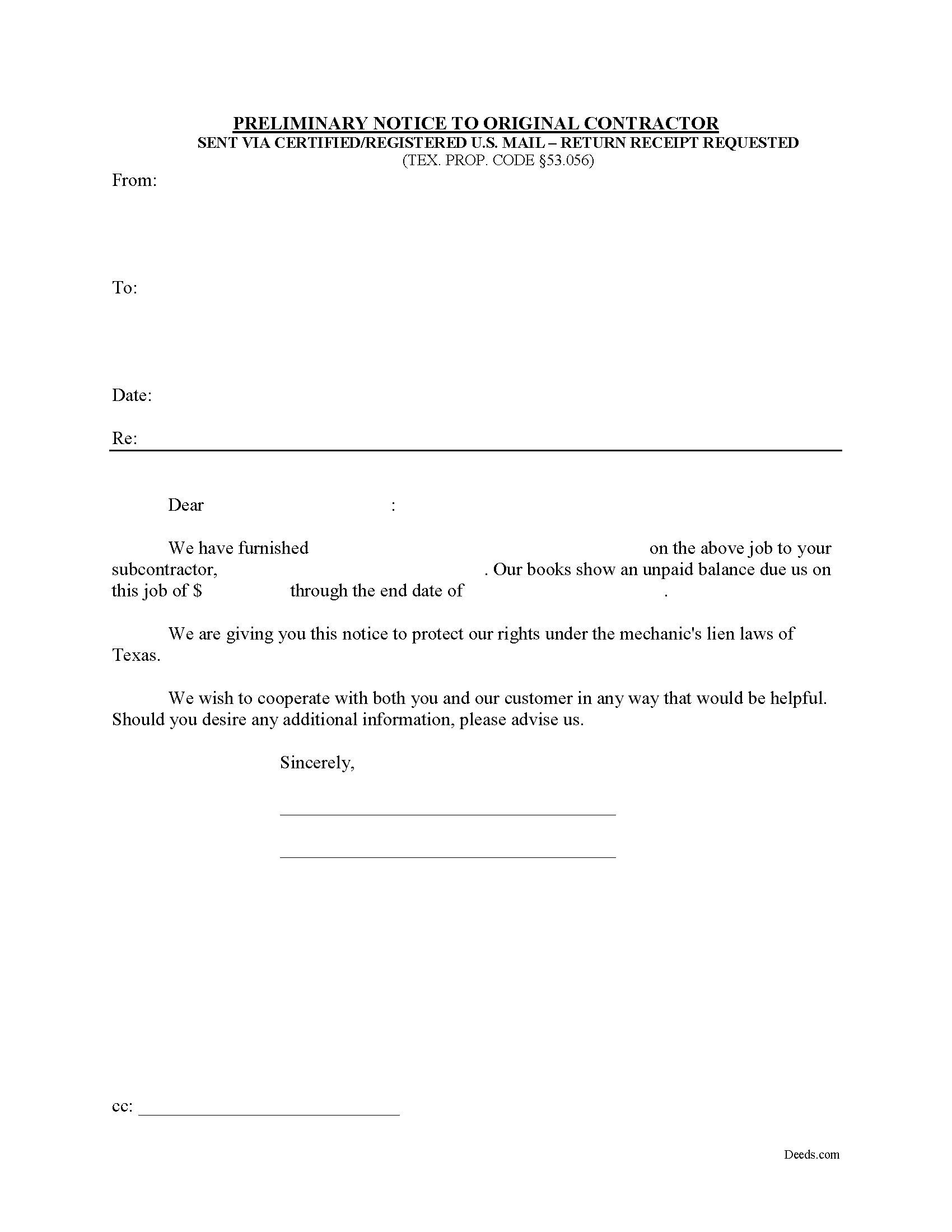
Jim Hogg County Preliminary Notice to Original Contractor Form
Fill in the blank Preliminary Notice to Original Contractor form formatted to comply with all Texas recording and content requirements.
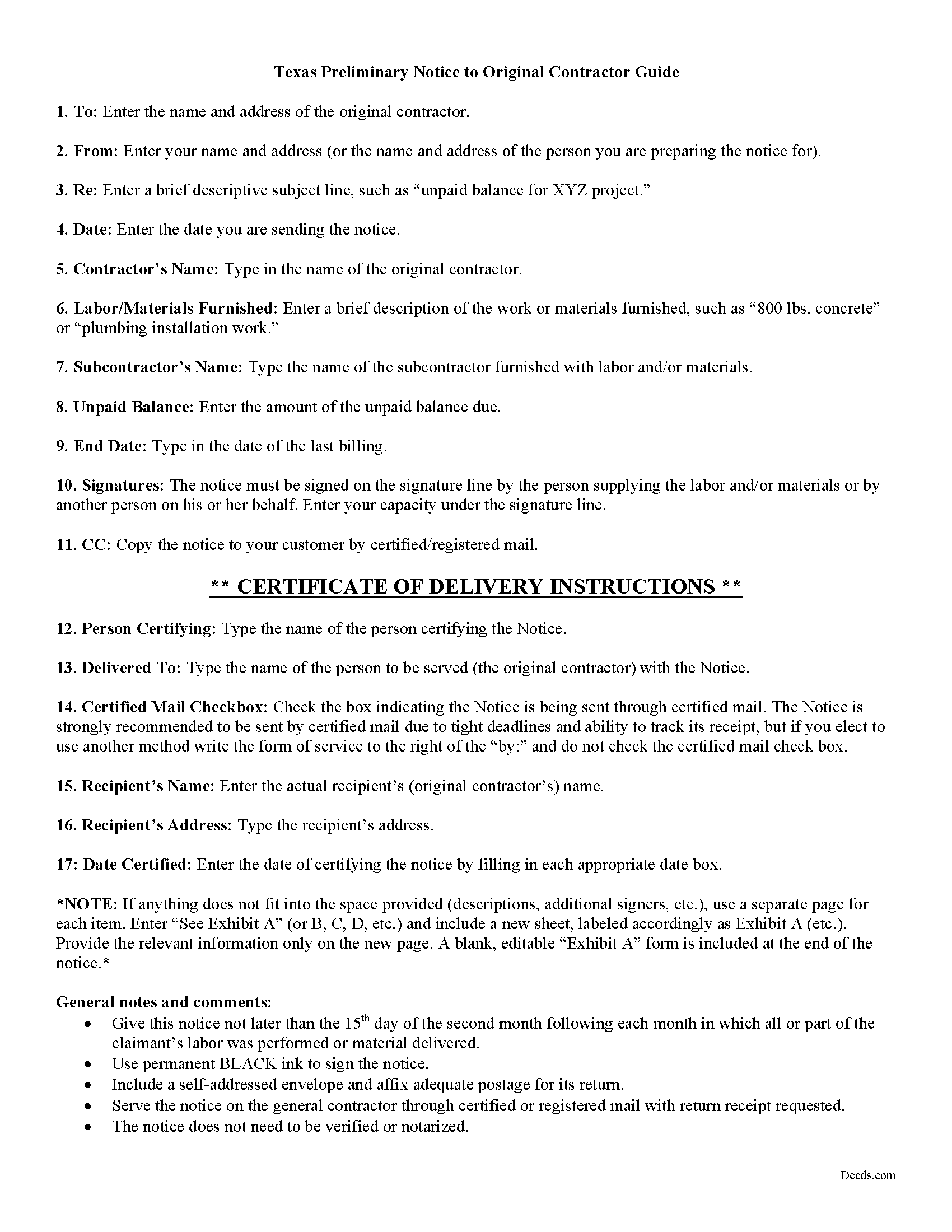
Jim Hogg County Preliminary Notice to Original Contractor Guide
Line by line guide explaining every blank on the form.
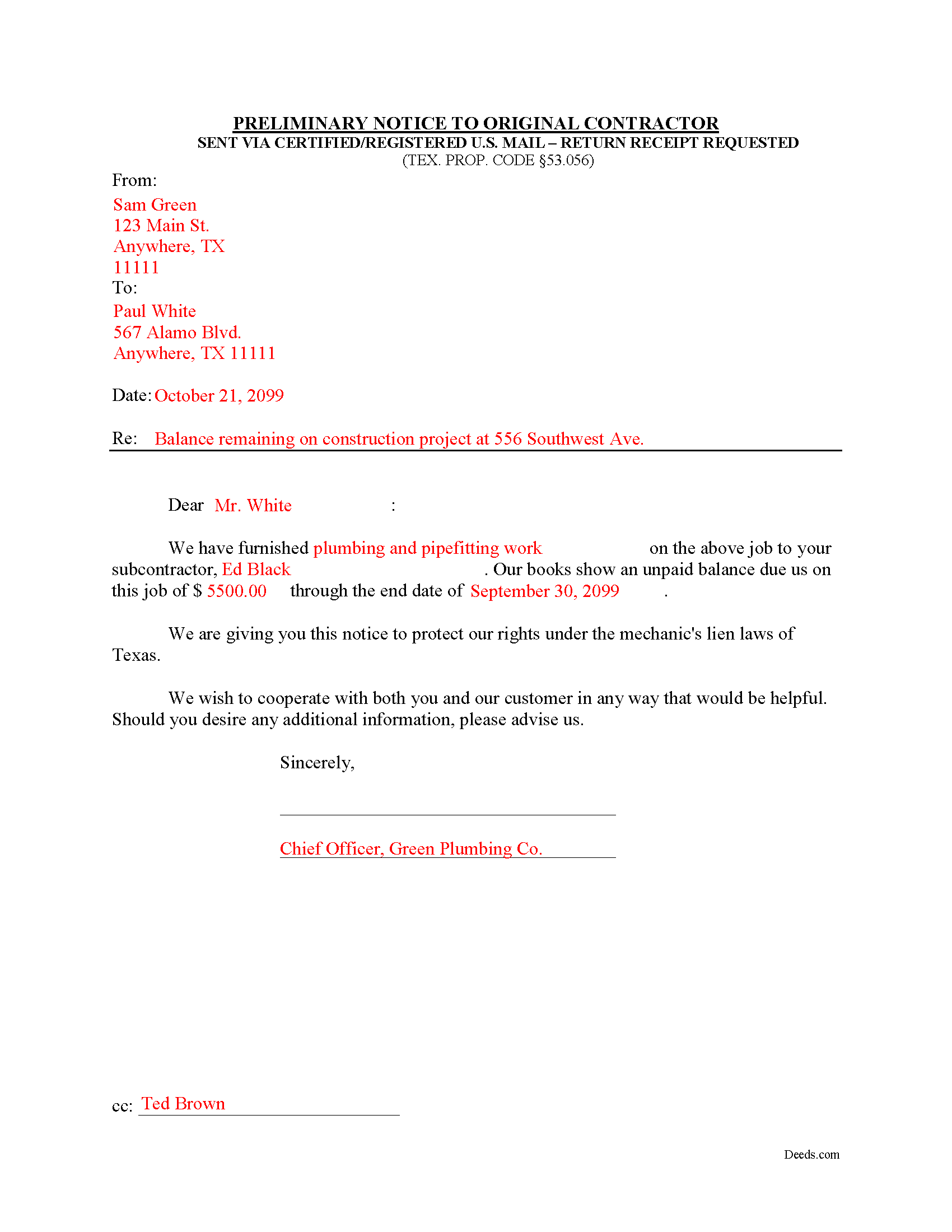
Jim Hogg County Completed Example of the Notice to Original Contractor Document
Example of a properly completed form for reference.
All 3 documents above included • One-time purchase • No recurring fees
Immediate Download • Secure Checkout
Additional Texas and Jim Hogg County documents included at no extra charge:
Where to Record Your Documents
County and District Clerk
Hebbronville, Texas 78361-3509
Hours: Monday-Friday 9:00am - 5:00pm
Phone: (361) 527-5825
Recording Tips for Jim Hogg County:
- Bring your driver's license or state-issued photo ID
- Ensure all signatures are in blue or black ink
- Check that your notary's commission hasn't expired
- Documents must be on 8.5 x 11 inch white paper
- Double-check legal descriptions match your existing deed
Cities and Jurisdictions in Jim Hogg County
Properties in any of these areas use Jim Hogg County forms:
- Guerra
- Hebbronville
Hours, fees, requirements, and more for Jim Hogg County
How do I get my forms?
Forms are available for immediate download after payment. The Jim Hogg County forms will be in your account ready to download to your computer. An account is created for you during checkout if you don't have one. Forms are NOT emailed.
Are these forms guaranteed to be recordable in Jim Hogg County?
Yes. Our form blanks are guaranteed to meet or exceed the applicable formatting requirements used for recording in Jim Hogg County, including margin requirements, font requirements, and other layout standards. This guarantee applies to formatting, not to the legal sufficiency of information entered by the user or the suitability of a form for a particular transaction.
Can I reuse these forms?
Yes. You can reuse the forms for your personal use. For example, if you have multiple properties in Jim Hogg County you only need to order once.
What do I need to use these forms?
The forms are PDFs that you fill out on your computer. The free Adobe Acrobat Reader is recommended, and most PDF apps also work. You do NOT enter your property information online - you download the blank forms and complete them privately on your own computer.
Are there any recurring fees?
No. This is a one-time purchase. Nothing to cancel, no memberships, no recurring fees.
How much does it cost to record in Jim Hogg County?
Recording fees in Jim Hogg County vary. Contact the recorder's office at (361) 527-5825 for current fees.
Questions answered? Let's get started!
Texas Second Month Notice
According to Texas lien law, all claimants other than the original contractor must provide preliminary notice to establish a claim for a valid mechanic's lien. TEX. PROP. CODE 53.056. Use the preliminary notice form under 53.056(b) when lien claim arises from a debt incurred by a subcontractor.
A mechanic's lien is an encumbrance on an owner's title, used to guarantee payment to builders, contractors, and construction businesses which build or repair structures, by using the property where the work was completed as a form of collateral. Suppliers of materials and subcontractors may also claim a mechanic's lien. The lien ensures that the workmen are paid before anyone else if the property subject to the lien is eventually foreclosed upon.
The law states that before filing and recording a mechanic's lien, the claimant must give written notice of the unpaid balance to the original contractor. Texas requires prelien notice to be served on the owner and other interested parties. Prelien notices serve two purposes: to protect the interests of subcontractors and suppliers, and to give property owners a defense against having to pay twice for parts of the same project.
Deliver the notice to the original contractor no later than the 15th day of the second month following each month in which all or part of the claimant's labor was performed or material delivered. Id. This is also known as a "Second Month Notice." It identifies the parties, dates, materials/services, and amount due. For reference, include an invoice or statement to clarify billing details.
Send it by registered or certified mail, addressed to the original contractor at his or her last known business or residence address. TEX. PROP. CODE 53.056(e).
Remember that each case is unique and the mechanic's lien law in Texas can be complicated and unforgiving of mistakes. Therefore, contact an attorney for complex situations or with specific questions about the preliminary notice to the original contractor or about any other issues related to liens.
Important: Your property must be located in Jim Hogg County to use these forms. Documents should be recorded at the county recording office listed above.
This Preliminary Notice to Original Contractor meets all recording requirements specific to Jim Hogg County.
Our Promise
The documents you receive here are guaranteed to meet or exceed the applicable Jim Hogg County recording format requirements. If there is a rejection caused by our formatting, we will correct the issue or refund your payment. This guarantee applies to document formatting only and does not extend to information entered by the user, the selection of the form, or the legal effect of the completed document.
Save Time and Money
Get your Jim Hogg County Preliminary Notice to Original Contractor form done right the first time with Deeds.com Uniform Conveyancing Blanks. At Deeds.com, we understand that your time and money are valuable resources, and we don't want you to face a penalty fee or rejection imposed by a county recorder for submitting nonstandard documents. We constantly review and update our forms to meet rapidly changing state and county recording requirements for roughly 3,500 counties and local jurisdictions.
4.8 out of 5 - ( 4,839 Reviews )
Pauline G. 5 out of 5 stars
Found just what I needed!!! Instructions were easy to follow and I accomplished the task like a professional. Thank you Deeds.com!!!!
We appreciate your business and value your feedback. Thank you. Have a wonderful day!
Dan M. 5 out of 5 stars
Quick ... Easy ... Great Instructions ... Easy Peasy ...
We are grateful for your feedback and looking forward to serving you again. Thank you!
James M. 5 out of 5 stars
Very good experience.
Thank you!
Russell L. 5 out of 5 stars
Your Personal Representative's Deed and example for the state of PA were extremely helpful. Exactly what I needed! Two feedback comments: 1. Valuation Factors/Short List in my download is an outdated table dated July 2020. The PA Dept of Revenue website has a more current table dated June 2021. (Maybe same for Valuation Factors/Long List, which I didn't use.) 2. Notarization section on deed page 3 has a gender-related input needed, which confused the Notary Public representative where I live in the state of CO. Notary input the word she to apply to my wife, but wasn't clear to him if the gender input applied to the Grantor or the Notary. He assumed Grantor. Also in our non-binary world, some might find that wording offensive. Thanks again for your documents. Russ Lewis
Thank you!
Linda B. 5 out of 5 stars
Very simple, fast and efficient.
We appreciate your business and value your feedback. Thank you. Have a wonderful day!
Lucinda E. 5 out of 5 stars
I thought this form was great and easy to complete but the instructions were unclear as to whether the grantee- beneficiaries needed to sign and notarize their signatures as well. It did not appear to be the case but it would be helpful if the instructions spelled this out better.
Thank you for your feedback. We really appreciate it. Have a great day!
Elizabeth S. 5 out of 5 stars
Easy to download. I like the fact that it gives me an example of how to fill it out and also the instructions. Thank you so much.
Thank you for your feedback. We really appreciate it. Have a great day!
Christine P. 5 out of 5 stars
I was hoping to find information of a property belonging to my grandparents. Your site says it can go back 10-20 years I will just have to go to the courthouse and research. But very good site if your looking for recent information.
Thank you for your feedback. We really appreciate it. Have a great day!
Chanda B. 5 out of 5 stars
So easy to use!
Thank you!
William C. 5 out of 5 stars
Excellent service. Reasonably priced. Highly recommend.
Thank you for your feedback. We really appreciate it. Have a great day!
Kristina R. 5 out of 5 stars
Fast and friendly service. I will use Deeds.com again.
We appreciate your business and value your feedback. Thank you. Have a wonderful day!
Kathryn G. 5 out of 5 stars
This was extremely helpful!
We are motivated by your feedback to continue delivering excellence. Thank you!
Hideo K. 5 out of 5 stars
Very prompt and satisfied with the service.
We appreciate your business and value your feedback. Thank you. Have a wonderful day!
Nancy H. 5 out of 5 stars
Site was excellent and saved a trip to the County office to pick up forms.
Thank you Nancy. Glad we could help. Have a great day!
Maria B. 5 out of 5 stars
Deeds.com has excellent customer service and great processing times! I highly recommend their services.
We appreciate your business and value your feedback. Thank you. Have a wonderful day!