Hill County Request for Information from Owner Form
Last validated October 23, 2026 by our Forms Development TeamFormatted for recording in Hill County, for property anywhere in the county: rural and unincorporated areas as well as Abbott, Aquilla, Blum, Brandon, Bynum, Covington, Hillsboro, Hubbard and 7 more.
- 3 documents included
- Immediate PDF download
- Formatting guarantee
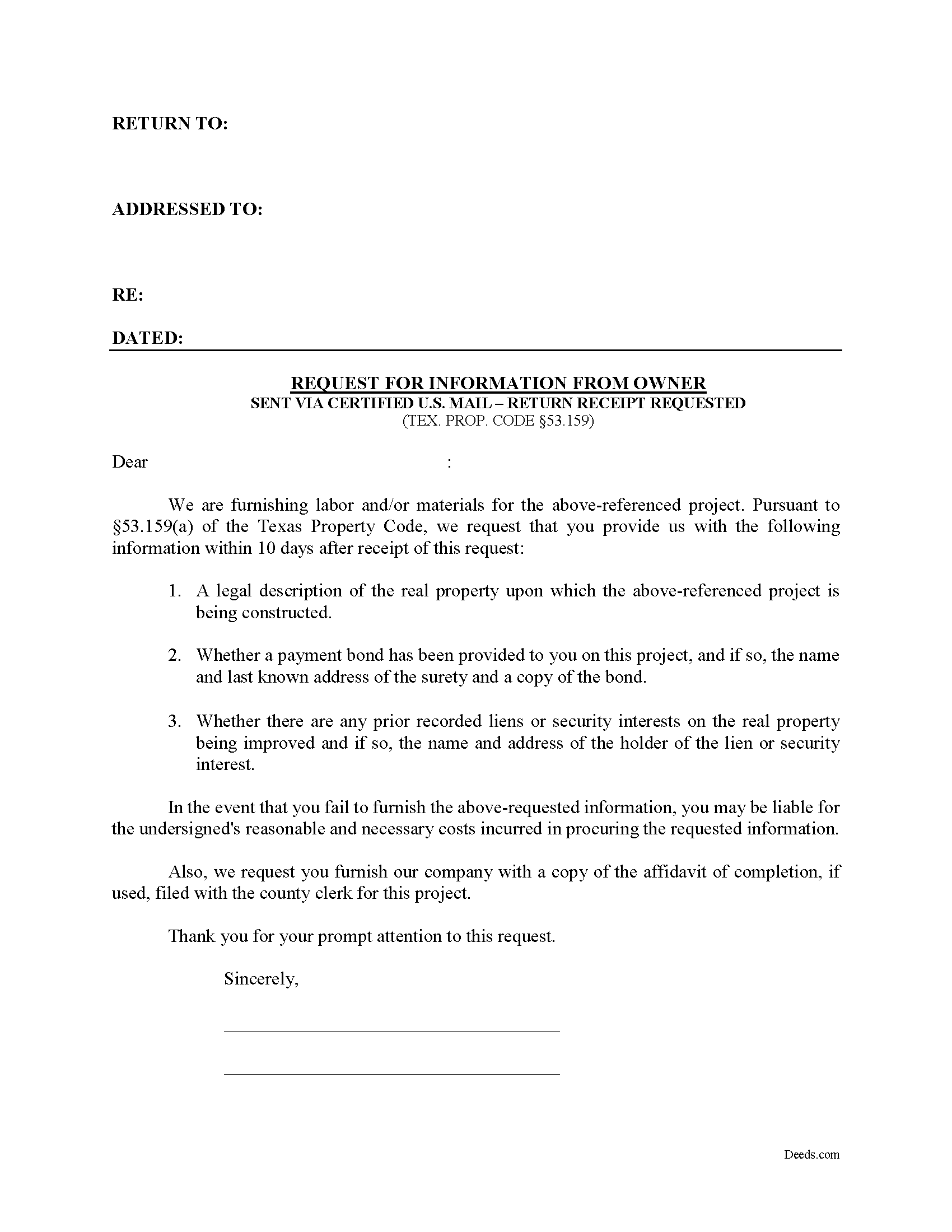
Hill County Request for Information from Owner Form
Fill in the blank Request for Information from Owner form formatted to comply with all Texas recording and content requirements.
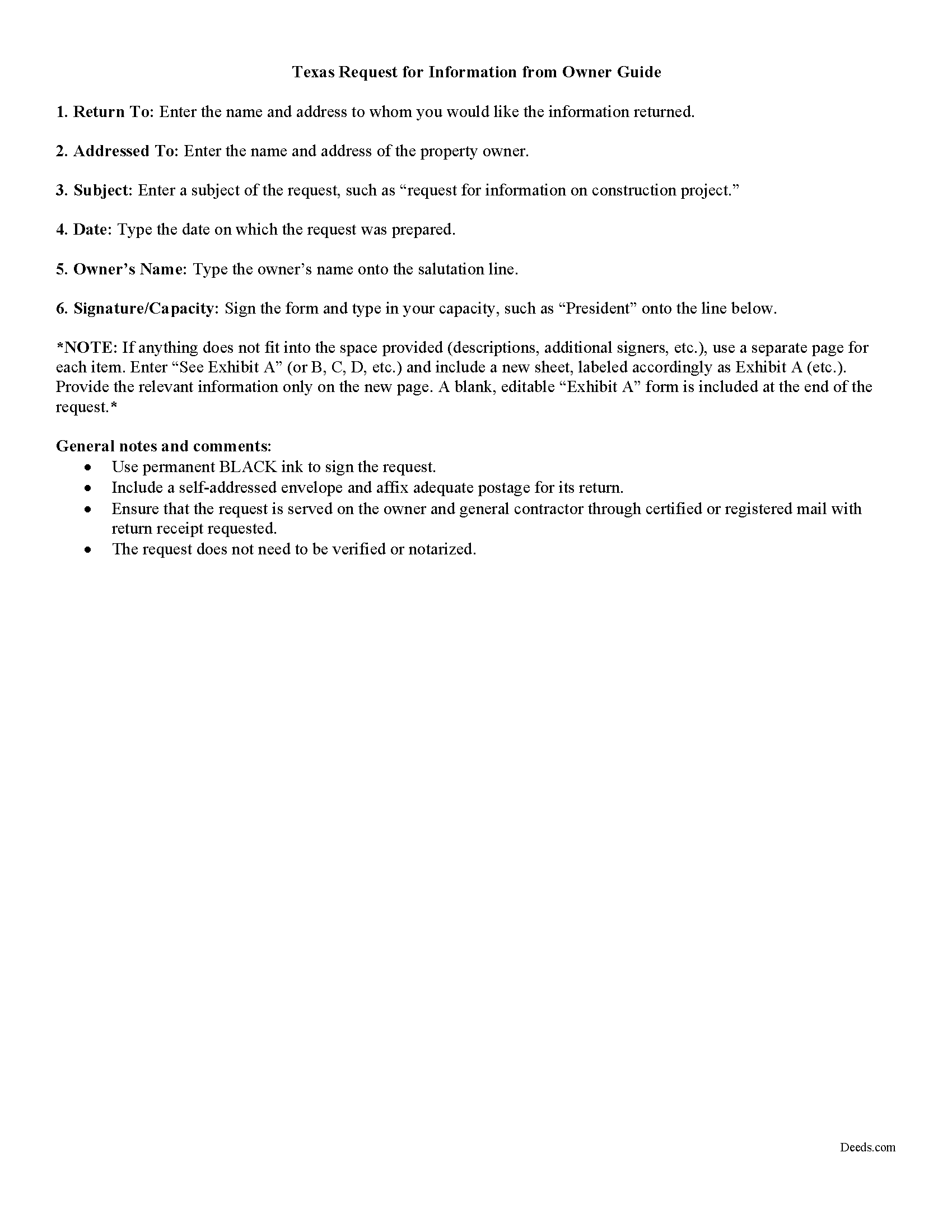
Hill County Request for Infomation from Owner Guide
Line by line guide explaining every blank on the form.
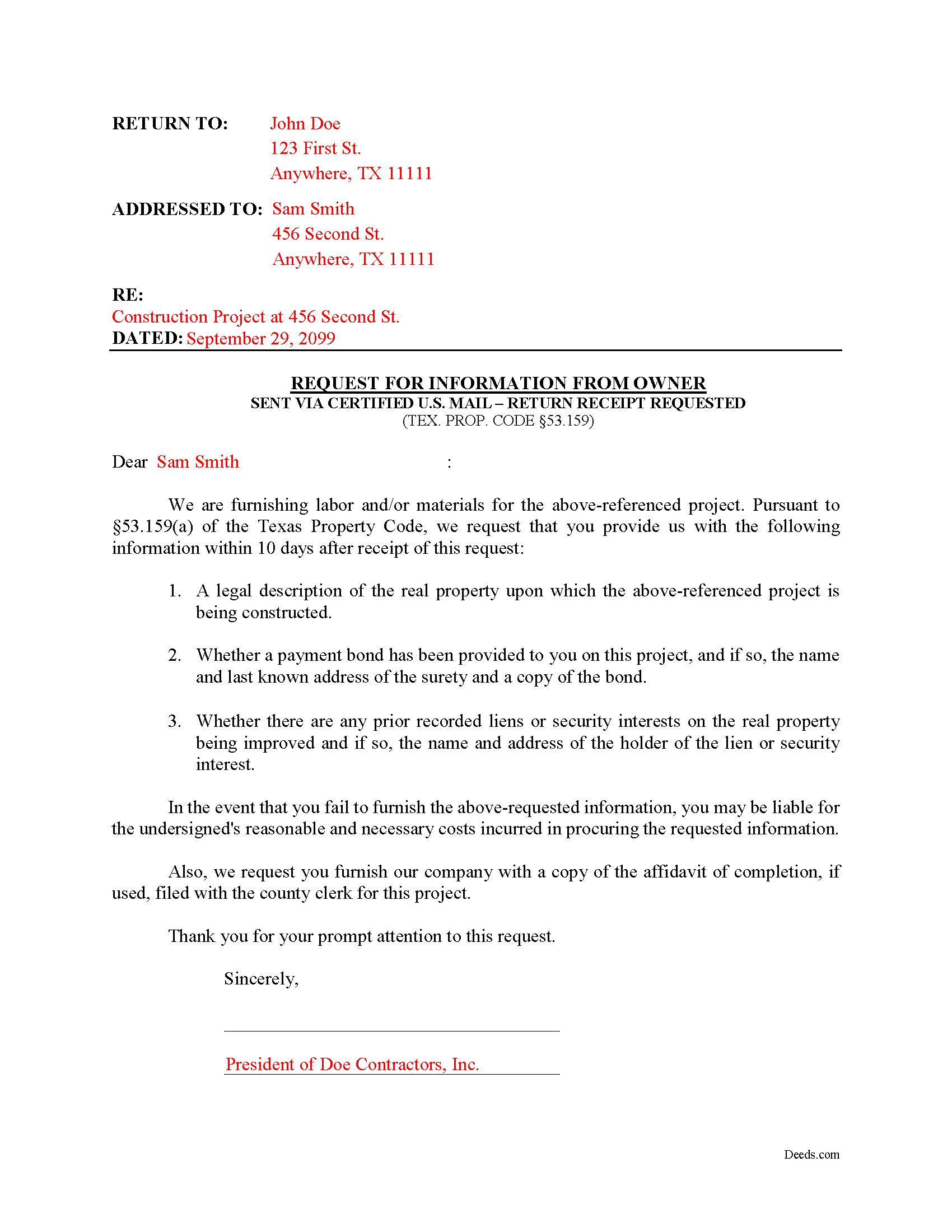
Hill County Completed Example of the Request for Information from Owner Document
Example of a properly completed form for reference.
All 3 documents above included • One-time purchase • No recurring fees
Immediate Download • Secure Checkout
Additional Texas and Hill County documents included at no extra charge:
Where to Record Your Documents
Hill County Clerk
Hillsboro, Texas 76645
Hours: Monday - Friday 8:00 am - 5:00 pm
Phone: (254) 582-4030
Recording Tips for Hill County:
- Bring your driver's license or state-issued photo ID
- Ensure all signatures are in blue or black ink
- Documents must be on 8.5 x 11 inch white paper
- Double-check legal descriptions match your existing deed
- Verify all names are spelled correctly before recording
Cities and Jurisdictions in Hill County
Properties in any of these areas use Hill County forms:
- Abbott
- Aquilla
- Blum
- Brandon
- Bynum
- Covington
- Hillsboro
- Hubbard
- Irene
- Itasca
- Malone
- Mertens
- Mount Calm
- Penelope
- Whitney
Hours, fees, requirements, and more for Hill County
How do I get my forms?
Forms are available for immediate download after payment. The Hill County forms will be in your account ready to download to your computer. An account is created for you during checkout if you don't have one. Forms are NOT emailed.
Are these forms guaranteed to be recordable in Hill County?
Yes. Our form blanks are guaranteed to meet or exceed the applicable formatting requirements used for recording in Hill County, including margin requirements, font requirements, and other layout standards. This guarantee applies to formatting, not to the legal sufficiency of information entered by the user or the suitability of a form for a particular transaction.
Can I reuse these forms?
Yes. You can reuse the forms for your personal use. For example, if you have multiple properties in Hill County you only need to order once.
What do I need to use these forms?
The forms are PDFs that you fill out on your computer. The free Adobe Acrobat Reader is recommended, and most PDF apps also work. You do NOT enter your property information online - you download the blank forms and complete them privately on your own computer.
Are there any recurring fees?
No. This is a one-time purchase. Nothing to cancel, no memberships, no recurring fees.
How much does it cost to record in Hill County?
Recording fees in Hill County vary. Contact the recorder's office at (254) 582-4030 for current fees.
Questions answered? Let's get started!
What information must the owner provide on a Texas construction project?
The Request for Information from Owner is a form letter used to obtain information from the property owner on a construction job. The required information from the owner includes a description of the real property, details of any surety bond posted, whether there are prior recorded liens or security interests on the property, and the date on which the original contract for the project was executed.
Under TEX. PROP. CODE 53.159(a), upon a written request, the property owner must provide the information within a reasonable time to anyone who furnished labor or materials. The owner must respond no later than the 10th day after the date the request is received.
If the requester is not in direct contractual relationship with the owner on the project, the owner may require payment of the actual costs in producing the information which cannot exceed $25.00. TEX. PROP. CODE 53.159(e). Therefore, some people choose to enclose a check with the request form, up to $25.00, to cover any costs.
If the owner fails to furnish the required information, he or she may be liable for reasonable and necessary costs incurred in procuring the requested information. TEX. PROP. CODE 53.159(f).
Each case is unique, and the Texas lien law is complex. Contact an attorney with specific questions about requesting information about a construction project from the property owner, or any other issues related to mechanic's liens.
Important: Your property must be located in Hill County to use these forms. Documents should be recorded at the county recording office listed above.
This Request for Information from Owner meets all recording requirements specific to Hill County.
Our Promise
The documents you receive here are guaranteed to meet or exceed the applicable Hill County recording format requirements. If there is a rejection caused by our formatting, we will correct the issue or refund your payment. This guarantee applies to document formatting only and does not extend to information entered by the user, the selection of the form, or the legal effect of the completed document.
Save Time and Money
Get your Hill County Request for Information from Owner form done right the first time with Deeds.com Uniform Conveyancing Blanks. At Deeds.com, we understand that your time and money are valuable resources, and we don't want you to face a penalty fee or rejection imposed by a county recorder for submitting nonstandard documents. We constantly review and update our forms to meet rapidly changing state and county recording requirements for roughly 3,500 counties and local jurisdictions.
4.8 out of 5 - ( 4,832 Reviews )
Charles R. 5 out of 5 stars
No review provided.
Thank you for your review. Have a fantastic day!
Sandra H. 5 out of 5 stars
I am a retired attorney. I chanced upon this website while looking for a Florida Lady Bird Deed Form. It conforms to Florida Law and was exactly what I needed. The forms are easy to obtain and even easier to use and print out.
Thank you so much Sandra, we really appreciate your feedback.
Sylvia O. 5 out of 5 stars
Very efficient, and the samples and instructions are very easy to follow. Thank you Deeds.com
Thank you!
Theodore K. 2 out of 5 stars
This does the job but we are not able to save this in our account and if you don't pay for Adobe and only have Adobe reader, I cannot save any information on the form online in my account. I do understand why they do this because they would lose money. A huge issue is that when I got to the end of the document and was adding an Exhibit A, as I typed, the page kept jumping back up the to top and I couldn't see what I was typing. I had to type a little then scroll back down and when I would type more, it would jump up again. This was a real problem.
Thank you for your feedback. We really appreciate it. Have a great day!
Anne M H. 5 out of 5 stars
Appears to be just what I need. Quick and easy to download. Thank you
We appreciate your business and value your feedback. Thank you. Have a wonderful day!
Peggy L. 5 out of 5 stars
Download worked exactly as portrayed - will definitely use service again when needed.
Thank you, Peggy. Glad everything worked as expected. We will be here whenever you need us again.
Neil W. 5 out of 5 stars
This looks easy enough. Thanks. Very simple and efficient navigating the site.
Thank you for your feedback. We really appreciate it. Have a great day!
Frank B. 5 out of 5 stars
Great website, super easy to use, user friendly to navigate. Will definitely use for future needs, and will definitely refer to other customers. F. Betancourt Texas
Thank you!
Beverly D. 5 out of 5 stars
Thank You, Job well done. So nice not to have to leave house and drive all over to record these documents. Very satisfied.
Thank you for your feedback. We really appreciate it. Have a great day!
Christopher S. 5 out of 5 stars
very easy to use, and comprehensive...I like the e-recording package
We are grateful for your feedback and looking forward to serving you again. Thank you!
Kevin B. 5 out of 5 stars
Easy to use and very helpful
Thank you for taking the time to give us your feedback Kevin. Hope you have an amazing day.
John G. 5 out of 5 stars
Very straightforward ordering process to obtain the forms I needed. Thank you.
Thank you!
Cathy W. 5 out of 5 stars
Just what I was looking for
Thank you!
Judy W. 5 out of 5 stars
Very easy to fill out the form especially with the detailed guide and the sample. I will use deeds.com again if needed.
Thank you for your feedback. We really appreciate it. Have a great day!
Dean L. 3 out of 5 stars
The template isn't that easy to work with, with you have to type out large amounts of text. Also copy and paste doesn't seem to work. Furthermore, the code listed on the guide is out of date. However, the DQC is decent in that it has all the required fields you need.
Thank you for your feedback. We really appreciate it. Have a great day!