Glasscock County Revocation of Transfer on Death Deed (Joint Owners) Form
Last validated October 7, 2026 by our Forms Development TeamFormatted for recording in Glasscock County, for property anywhere in the county: rural and unincorporated areas as well as Garden City.
- 3 documents included
- Immediate PDF download
- Formatting guarantee
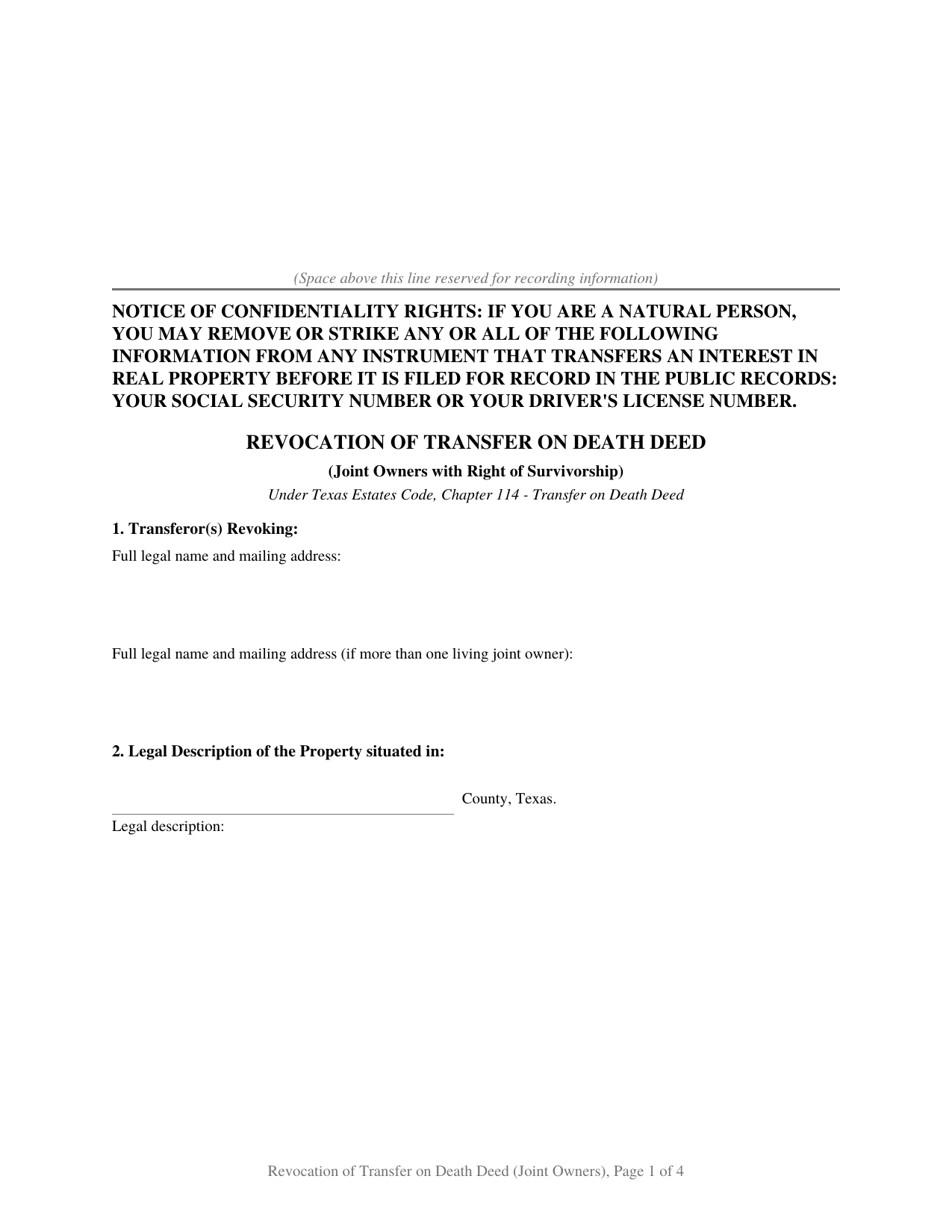
Glasscock County Revocation of Transfer on Death Deed (Joint Owners) Form
Fill in the blank Revocation of Transfer on Death Deed (Joint Owners) form formatted to comply with all Texas recording and content requirements.
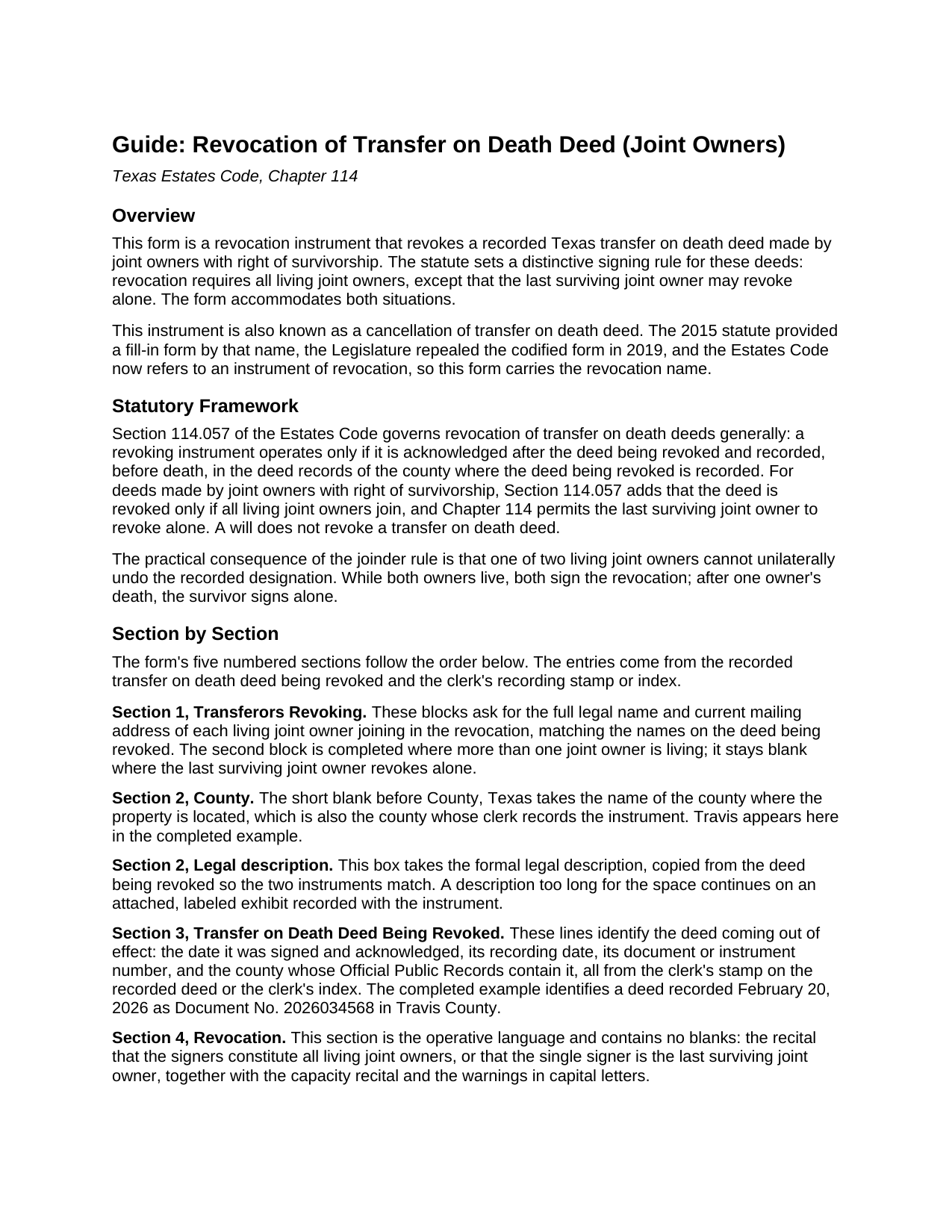
Glasscock County Revocation of Transfer on Death Deed (Joint Owners) Guide
Line by line guide explaining every blank on the Revocation of Transfer on Death Deed (Joint Owners) form.
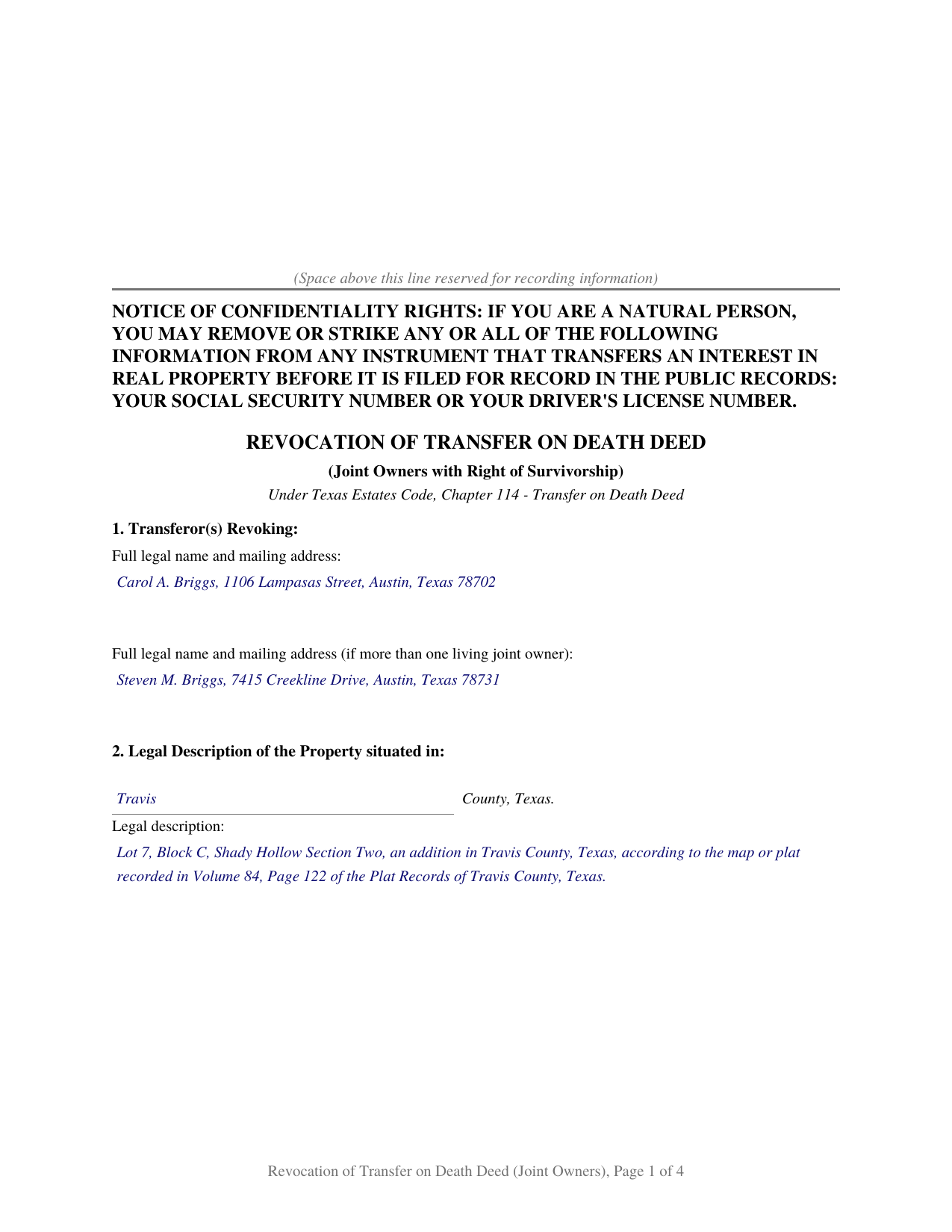
Glasscock County Completed Example of the Revocation of Transfer on Death Deed (Joint Owners) Document
Example of a properly completed Texas Revocation of Transfer on Death Deed (Joint Owners) document for reference.
All 3 documents above included • One-time purchase • No recurring fees
Immediate Download • Secure Checkout
Additional Texas and Glasscock County documents included at no extra charge:
Where to Record Your Documents
Glasscock County Clerk
Garden City, Texas 79739
Hours: Monday - Friday 8:30am - 4:00pm
Phone: (432) 354-2371
Recording Tips for Glasscock County:
- Bring your driver's license or state-issued photo ID
- Ensure all signatures are in blue or black ink
- Check that your notary's commission hasn't expired
- Documents must be on 8.5 x 11 inch white paper
- Double-check legal descriptions match your existing deed
Cities and Jurisdictions in Glasscock County
Properties in any of these areas use Glasscock County forms:
- Garden City
Hours, fees, requirements, and more for Glasscock County
How do I get my forms?
Forms are available for immediate download after payment. The Glasscock County forms will be in your account ready to download to your computer. An account is created for you during checkout if you don't have one. Forms are NOT emailed.
Are these forms guaranteed to be recordable in Glasscock County?
Yes. Our form blanks are guaranteed to meet or exceed the applicable formatting requirements used for recording in Glasscock County, including margin requirements, font requirements, and other layout standards. This guarantee applies to formatting, not to the legal sufficiency of information entered by the user or the suitability of a form for a particular transaction.
Can I reuse these forms?
Yes. You can reuse the forms for your personal use. For example, if you have multiple properties in Glasscock County you only need to order once.
What do I need to use these forms?
The forms are PDFs that you fill out on your computer. The free Adobe Acrobat Reader is recommended, and most PDF apps also work. You do NOT enter your property information online - you download the blank forms and complete them privately on your own computer.
Are there any recurring fees?
No. This is a one-time purchase. Nothing to cancel, no memberships, no recurring fees.
How much does it cost to record in Glasscock County?
Recording fees in Glasscock County vary. Contact the recorder's office at (432) 354-2371 for current fees.
Questions answered? Let's get started!
A Texas transfer on death deed made by joint owners with right of survivorship cannot be revoked by one owner acting alone. This form prepares the revocation instrument for that situation under Section 114.057 of the Texas Estates Code, built around the statute's distinctive signing rule. The same instrument is also commonly called a cancellation of transfer on death deed.
The Joint Owner Revocation Rule
Under Section 114.057, a transfer on death deed made by two or more joint owners with right of survivorship is revoked only if all living joint owners join in the revocation. After one owner's death, the last surviving joint owner may revoke alone. The form accommodates both situations: while both owners live, both sign; the sole survivor completes only the first signature block, and the operative language recites that the signers constitute all living joint owners or that the single signer is the last surviving owner.
The general revocation requirements apply as well. The revocation operates only if it is acknowledged after the deed being revoked and recorded, before death, in the deed records of the county where that deed is recorded. A will does not revoke a transfer on death deed.
What the Revocation Does and Does Not Change
The revocation removes the beneficiary designation that would have operated at the last owner's death. It does not touch the right of survivorship between the owners, which continues to control what happens at each owner's death, and it does not transfer the property. A new deed signed by all living joint owners revokes an inconsistent earlier deed on its own, and the guide describes both paths.
What the Form Asks For
The form identifies the owners revoking, the property by county and formal legal description, and the deed being revoked by date, recording date, document or instrument number, and recording county, all available from the clerk's stamp on the recorded deed or the clerk's online index. The guide shows where each item appears, and the completed example documents a realistic revocation by two joint owners from start to finish.
What Is Included
- The blank form as a fillable PDF, completed on screen or printed and filled in by hand
- A plain language guide covering every numbered section, what each blank asks, and where the information comes from
- A completed example showing the whole document filled in for a realistic Texas fact pattern
Texas Recording Compliance
The document is formatted for Texas recording standards: letter size pages within the dimensions of Local Government Code Section 191.007, the notice of confidentiality rights required by Property Code Section 11.008 in 12 point boldfaced capitals at the top of the first page, and reserved space on page one for the county clerk's recording stamp. A separate instructions page at the front of the file, not part of the recorded instrument, explains how an entry that outgrows its space continues on a recorded exhibit page. Senate Bill 16, enacted in 2025, also requires a person who presents a document in person for filing in the real property records to present a photo identification to the county clerk, and the guide covers that step in its recording section.
Related Texas Forms
This form pairs with the Texas Transfer on Death Deed (Joint Owners with Right of Survivorship). A deed made by an individual transferor is revoked with the Texas Revocation of Transfer on Death Deed (Individual).
Important: Your property must be located in Glasscock County to use these forms. Documents should be recorded at the county recording office listed above.
This Revocation of Transfer on Death Deed (Joint Owners) meets all recording requirements specific to Glasscock County.
Our Promise
The documents you receive here are guaranteed to meet or exceed the applicable Glasscock County recording format requirements. If there is a rejection caused by our formatting, we will correct the issue or refund your payment. This guarantee applies to document formatting only and does not extend to information entered by the user, the selection of the form, or the legal effect of the completed document.
Save Time and Money
Get your Glasscock County Revocation of Transfer on Death Deed (Joint Owners) form done right the first time with Deeds.com Uniform Conveyancing Blanks. At Deeds.com, we understand that your time and money are valuable resources, and we don't want you to face a penalty fee or rejection imposed by a county recorder for submitting nonstandard documents. We constantly review and update our forms to meet rapidly changing state and county recording requirements for roughly 3,500 counties and local jurisdictions.
4.8 out of 5 - ( 4,818 Reviews )
Renasha P. 5 out of 5 stars
I was searching information about my boyfriend family home and received the results in a timely manner. I now have the information that we were seeking.
Thank you for your feedback. We really appreciate it. Have a great day!
Paul D. 5 out of 5 stars
First time I've used Deeds, it could not have gone better.
Thank you!
Sandra H. 5 out of 5 stars
I am a retired attorney. I chanced upon this website while looking for a Florida Lady Bird Deed Form. It conforms to Florida Law and was exactly what I needed. The forms are easy to obtain and even easier to use and print out.
Thank you so much Sandra, we really appreciate your feedback.
Lance T. W. 4 out of 5 stars
All in all an easy, cost-effective approach to simple legal work.
Thank you for your feedback. We really appreciate it. Have a great day!
Joshua W. 5 out of 5 stars
Very efficient and easy to use, worth the price.
Thank you for your feedback. We really appreciate it. Have a great day!
Kenia B. 5 out of 5 stars
Very convenient and efficient. I will recommend it, definitely.
Thank you!
Casey S. 5 out of 5 stars
I had a really good experience. I bought two forms from a different website and they didn’t help me at all. Granted, I only paid the minimum here I bought the upgrade and they showed me how to fill it out and what it should look like I went and had it notarized and took it to the county recorder and everything went smoothly. Highly suggest.
Glad it all came together smoothly for you, Casey. Appreciate you giving us a shot and taking the time to share your experience.
Charles S. 4 out of 5 stars
It's useful to have forms specific to the County as well as the State. The examples are also helpful, but it would be even more helpful to see an example of a complete and successfully filed package. I will go the County Recorder's Office to see if I can find an example there.
Your insights are invaluable to us and help us strive for better service. Thank you for taking the time to share your thoughts.
Stacey S. 4 out of 5 stars
The system was easy to use and download my documents but the way the packages are set up it was confusing and I wish there was a way to delete an item from a package if you make a mistake.
Thank you for your feedback. We really appreciate it. Have a great day!
Deborah B. 5 out of 5 stars
I was skeptical after experiencing other websites. However not only did we get the form we needed for a fraction of the cost vs going to an attorney, the additional resources (guides and samples) made the completion of the Enhanced Life Quitclaim deed quite simple, quick, and painless. We were having difficulty getting my mom to agree to meeting with an attorney or even considering a Lady Bird deed. Deeds.com gave us the ability to move forward with necessary actions with family members walking my mom through the steps, explaining the process and giving her plenty of time to find the needed information. She became part of the process which made it easy for her at a time when decision making was hard. We did everything in the comfort of her own home. I can't think of a better experience or service and I would consider Deeds.com for future needs.
Thank you for the kinds words Deborah. We appreciate you taking the time to share your experience.
Edwin M. 5 out of 5 stars
Good marks from me. Keep up the good work !
Thank you!
Catherine O. 5 out of 5 stars
Love the fact that you can buy a form instead of a subscription. I would highly recommend this site.
Thank you for your feedback. We really appreciate it. Have a great day!
Darlene P. 5 out of 5 stars
Deeds.com was a money saver for me. It made a daunting task of preparing a Quit Claim Deed a very simple task. I was happy that my documentation was accepted by my state and County first round. Thank you Deeds.com
We appreciate your business and value your feedback. Thank you. Have a wonderful day!
Mikel R. 5 out of 5 stars
Definitely recommend. Superb customer service. Well worth the money! Thanks again!
Thank you for your feedback. We really appreciate it. Have a great day!
David G. 5 out of 5 stars
Very easy to fill out and understand. Thank You!!
We appreciate your business and value your feedback. Thank you. Have a wonderful day!