Dallas County Special Warranty Deed (with Owelty Lien) Form
Last validated September 29, 2026 by our Forms Development TeamFormatted for recording in Dallas County, for property anywhere in the county: rural and unincorporated areas as well as Addison, Carrollton, Cedar Hill, Coppell, Dallas, Desoto, Duncanville, Garland and 11 more.
- 3 documents included
- Immediate PDF download
- Formatting guarantee
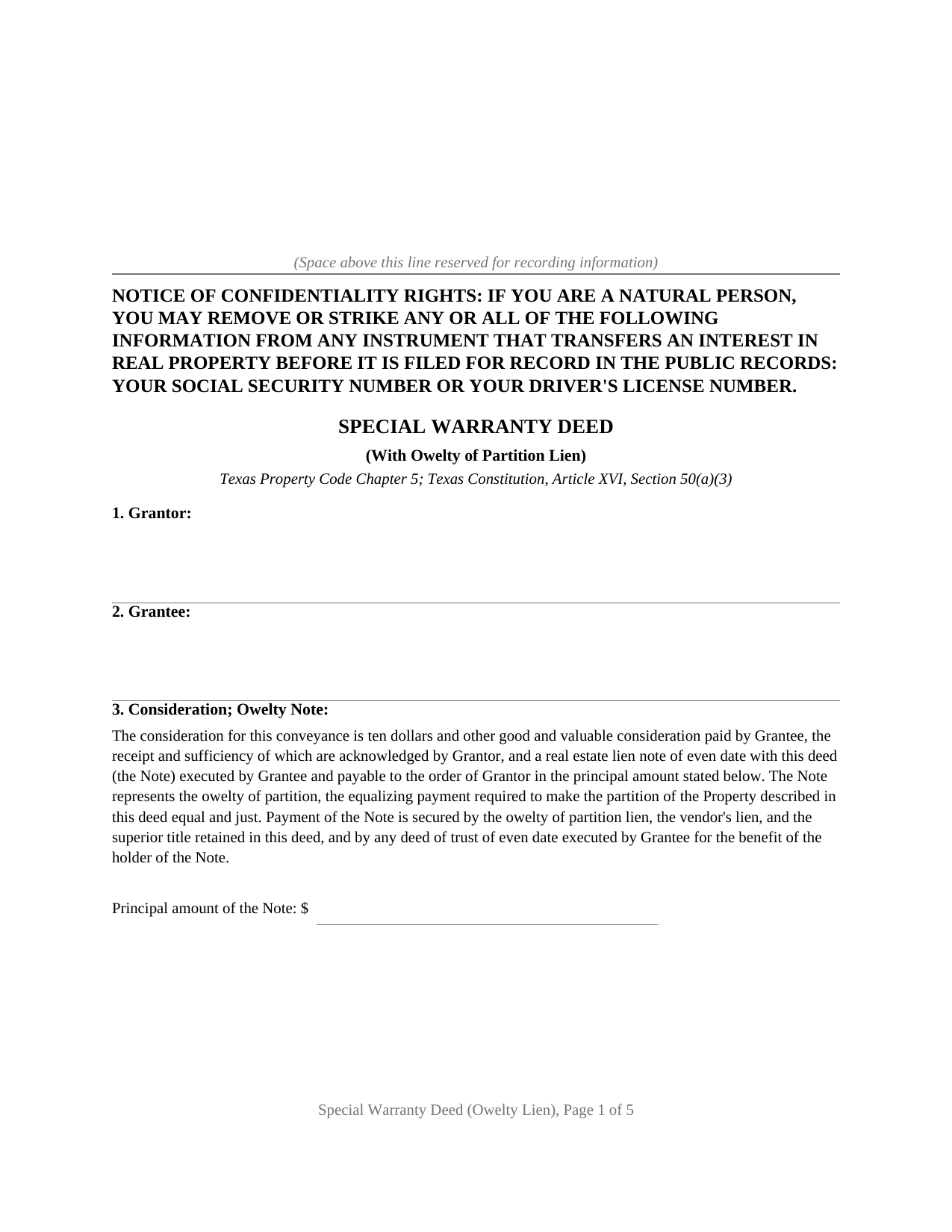
Dallas County Special Warranty Deed (with Owelty Lien) Form
Fill in the blank Special Warranty Deed (with Owelty Lien) form formatted to comply with all Texas recording and content requirements.
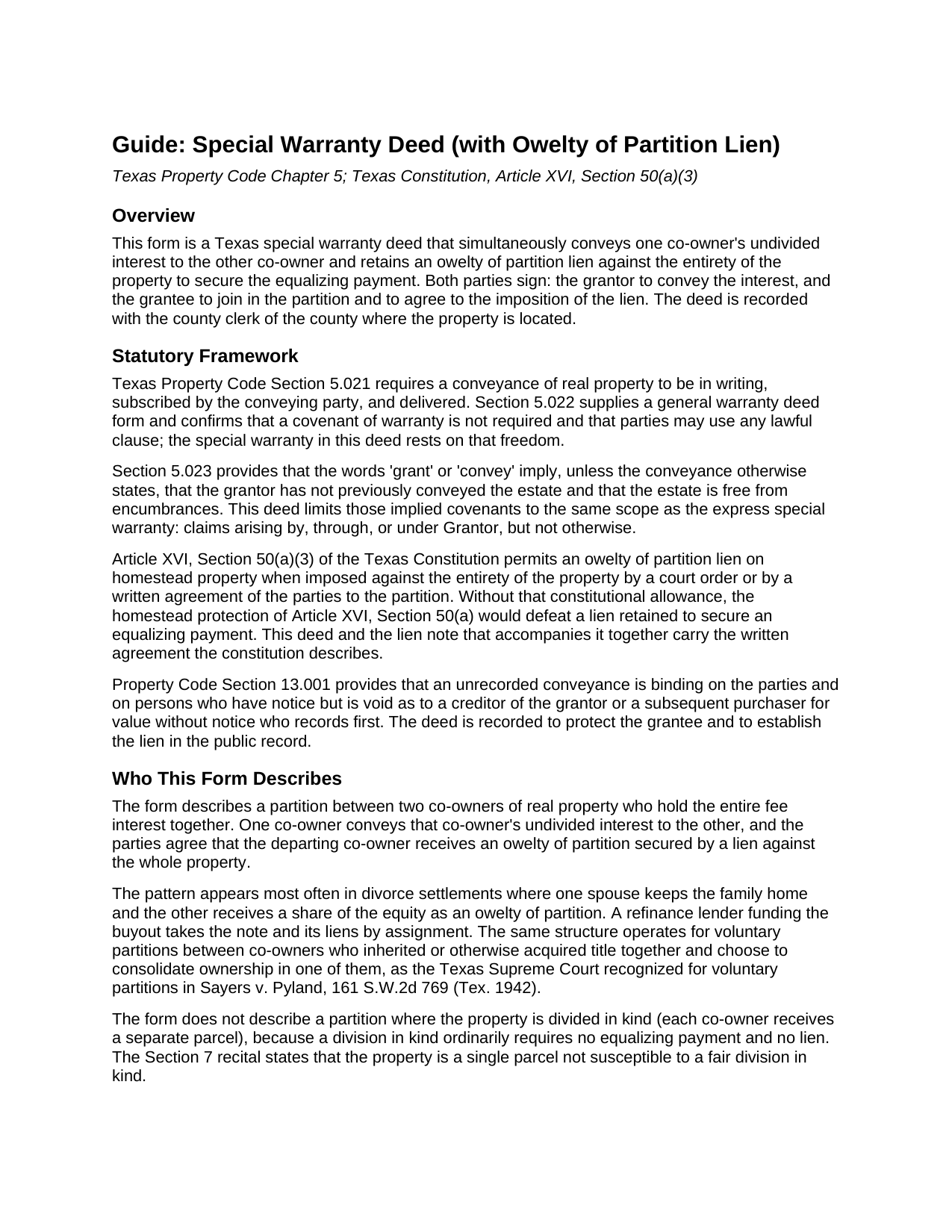
Dallas County Special Warranty Deed (with Owelty Lien) Guide
Line by line guide explaining every blank on the Special Warranty Deed (with Owelty Lien) form.
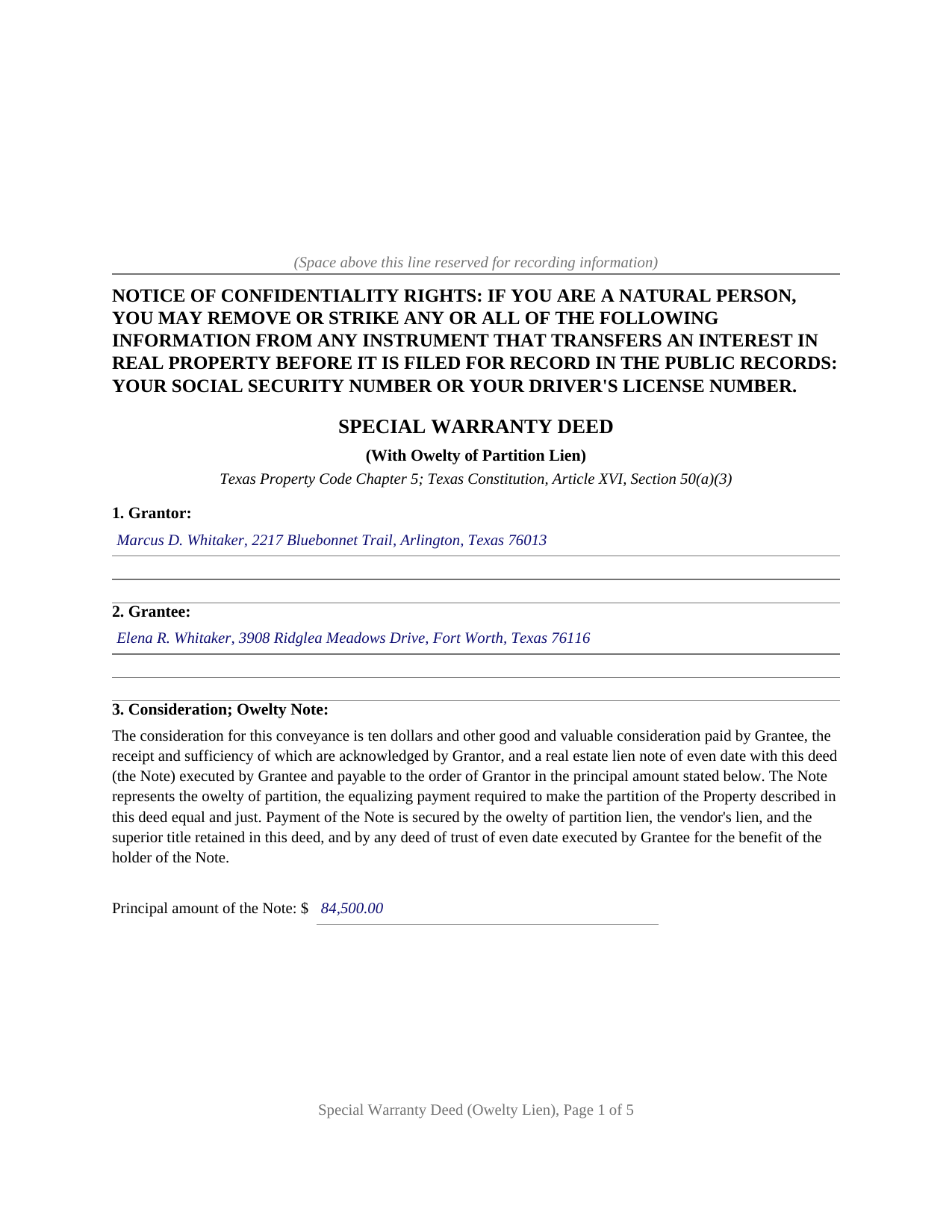
Dallas County Completed Example of the Special Warranty Deed (with Owelty Lien) Document
Example of a properly completed Texas Special Warranty Deed (with Owelty Lien) document for reference.
All 3 documents above included • One-time purchase • No recurring fees
Immediate Download • Secure Checkout
Additional Texas and Dallas County documents included at no extra charge:
Where to Record Your Documents
Dallas County Clerk
Dallas, Texas 75270
Hours: 8:00am to 4:30pm M-F
Phone: 214-653-7099 press 7
Recording Tips for Dallas County:
- Bring your driver's license or state-issued photo ID
- Ensure all signatures are in blue or black ink
- Both spouses typically need to sign if property is jointly owned
- Bring extra funds - fees can vary by document type and page count
- Check margin requirements - usually 1-2 inches at top
Cities and Jurisdictions in Dallas County
Properties in any of these areas use Dallas County forms:
- Addison
- Carrollton
- Cedar Hill
- Coppell
- Dallas
- Desoto
- Duncanville
- Garland
- Grand Prairie
- Hutchins
- Irving
- Lancaster
- Mesquite
- Richardson
- Rowlett
- Sachse
- Seagoville
- Sunnyvale
- Wilmer
Hours, fees, requirements, and more for Dallas County
How do I get my forms?
Forms are available for immediate download after payment. The Dallas County forms will be in your account ready to download to your computer. An account is created for you during checkout if you don't have one. Forms are NOT emailed.
Are these forms guaranteed to be recordable in Dallas County?
Yes. Our form blanks are guaranteed to meet or exceed the applicable formatting requirements used for recording in Dallas County, including margin requirements, font requirements, and other layout standards. This guarantee applies to formatting, not to the legal sufficiency of information entered by the user or the suitability of a form for a particular transaction.
Can I reuse these forms?
Yes. You can reuse the forms for your personal use. For example, if you have multiple properties in Dallas County you only need to order once.
What do I need to use these forms?
The forms are PDFs that you fill out on your computer. The free Adobe Acrobat Reader is recommended, and most PDF apps also work. You do NOT enter your property information online - you download the blank forms and complete them privately on your own computer.
Are there any recurring fees?
No. This is a one-time purchase. Nothing to cancel, no memberships, no recurring fees.
How much does it cost to record in Dallas County?
Recording fees in Dallas County vary. Contact the recorder's office at 214-653-7099 press 7 for current fees.
Questions answered? Let's get started!
Texas homestead law defeats nearly every lien a creditor can record. Article XVI, Section 50(a)(3) of the Texas Constitution names one of the few exceptions: an owelty of partition imposed against the entirety of the property by a court order or by a written agreement of the parties to the partition, including the debt one spouse owes the other after a divorce court awards the family home. This form prepares the Texas instrument built around that exception, a special warranty deed that conveys a co-owner's interest and retains an owelty of partition lien securing the buyout.
One deed, two jobs
The deed does two things in a single recorded instrument. First it conveys: the departing co-owner grants, sells, and conveys that owner's undivided interest to the co-owner keeping the property, with a special warranty covering claims that arise by, through, or under the grantor, but not otherwise. Then it secures: an owelty of partition lien is imposed and retained against the entirety of the property, together with a vendor's lien and superior title, until the note for the equalizing payment is fully paid, at which point the deed becomes absolute. Because the lien reaches the whole property rather than only the interest conveyed, it holds even where the property is the remaining owner's homestead, standing on the constitutional exception rather than on ordinary contract lien law.
Divorce buyouts and other partitions
The most familiar setting is a Texas divorce in which one spouse keeps the house and the other receives a share of the equity. The decree orders a partition with an owelty award; this deed, a real estate lien note, and a deed of trust to secure owelty of partition then carry the award into the county records, where a refinance lender can fund the buyout and take the note and its liens by assignment. The Supreme Court of Texas recognized the same device for voluntary partitions in Sayers v. Pyland (1942), so the same structure operates for inherited co-owners and other cotenants who divide by written agreement.
Why both parties sign
The grantor signs to convey. The grantee signs to join in the partition, because the constitution permits the owelty lien against a homestead when a court order or a written agreement of the parties imposes it, and the deed recites that the parties sign it as that written agreement. The form carries a separate acknowledgment certificate for each signer, so the two can appear before different notaries on different dates.
Prepared for the recording counter
The deed carries the confidentiality notice Property Code Section 11.008 places at the top of the first page, letter size pages within the county formatting standards, and reserved space for the clerk's recording stamp. It records with the county clerk of the county where the property is located. The package includes the blank deed as a fillable PDF, a completed example documenting a Fort Worth divorce buyout from decree to notary blocks, and a plain language guide that walks through every numbered section and the recording steps. The materials are informational and are not legal advice.
Important: Your property must be located in Dallas County to use these forms. Documents should be recorded at the county recording office listed above.
This Special Warranty Deed (with Owelty Lien) meets all recording requirements specific to Dallas County.
Our Promise
The documents you receive here are guaranteed to meet or exceed the applicable Dallas County recording format requirements. If there is a rejection caused by our formatting, we will correct the issue or refund your payment. This guarantee applies to document formatting only and does not extend to information entered by the user, the selection of the form, or the legal effect of the completed document.
Save Time and Money
Get your Dallas County Special Warranty Deed (with Owelty Lien) form done right the first time with Deeds.com Uniform Conveyancing Blanks. At Deeds.com, we understand that your time and money are valuable resources, and we don't want you to face a penalty fee or rejection imposed by a county recorder for submitting nonstandard documents. We constantly review and update our forms to meet rapidly changing state and county recording requirements for roughly 3,500 counties and local jurisdictions.
4.8 out of 5 - ( 4,828 Reviews )
Sandra B. 5 out of 5 stars
Easy and fast. Was able to find the documents needed and saved so much money!!
We appreciate your business and value your feedback. Thank you. Have a wonderful day!
Ed C. 5 out of 5 stars
I purchased the DIY quitclaim deed forms for Florida and couldn’t be happier. The forms were clear, professional, and easy to follow. I had everything filled out and recorded without a single issue. Worth every penny — the site is great, and the forms are exactly what I needed. Highly recommend!
Thanks so much, Ed! We’re thrilled to hear that the Florida quitclaim deed forms worked perfectly for you and that the recording process went smoothly. We appreciate your trust and recommendation!
Gjnana D. 5 out of 5 stars
These guidelines and form helped me lot in preparing quit deed to add my spouse's name in tittle property
Thank you for your feedback. We really appreciate it. Have a great day!
Nancy A. 5 out of 5 stars
This is an excellent resource. I was surprised because the price is so low I thought the products might be inferior. Not only were were the requested documents high quality, additional unrequested documents were added to my order that I didn't realize I would need until I read them. I especially appreciate that all the documents were specific to my county. I highly recommend using deeds.com.
Your satisfaction with our services is of utmost importance to us. Thank you for letting us know how we did!
Van S. 5 out of 5 stars
Easy to use...very informative...ttook care of exactly what I was looking for.
Thank you for your feedback. We really appreciate it. Have a great day!
brian p. 4 out of 5 stars
Good, easy to use, quit claim form worked as expected.
We appreciate your business and value your feedback. Thank you. Have a wonderful day!
Ardelle P. 5 out of 5 stars
Extremely happy with this. Easy to use and very professional looking form when completed.
We appreciate your business and value your feedback. Thank you. Have a wonderful day!
Chanda C. 5 out of 5 stars
It's going well so far!
Thank you!
Michael A. 5 out of 5 stars
very easy to use
Great to hear — thank you for taking the time to write a review.
Robert S. 5 out of 5 stars
The cost was well worth it. It was very easy to download, fill in the necessary information and then print the deed. I filed my need deed today and everything was complete and accurate because of the example you provided.
Thanks Robert, we appreciate your feedback!
Shane S. 5 out of 5 stars
Great forms, exactly what I needed. Easy to understand. No problems recording. Thanks!
Thank you!
Scott K. 5 out of 5 stars
The beneficiary deed was acceptable to the county clerk and my notarized official deed was mailed to me. The Missouri-based deed met with official approval so all is well in the land that time forgot.
Thank you!
Thomas D. 2 out of 5 stars
The documents themselves are fine and the information provided with them is helpful. I find the actual processing of the documents, however, to be difficult particularly once the document has been saved. First, I note that the box for the date only allows entry of the last 2 digits of the year. Unfortunately, my download only allows me to enter one of the 2 digits required. When I delete it repeatedly, it eventually allows both digits to be entered but puts them in extremely small text and in superscrypt. I have not found a solution to this problem and am not sure the deed can even be recorded with this problem. Another problem is that if you try to revise the document after you have saved it the curser goes to the end of the line after each key entry. This means that there basically is no way to efficiently save the document for reworking later since you will have to delete everything you have entered in the text box unless you only need to make a single keystroke change or are willing to replace the curser after each entry. Try that with a long property description! Please note that I am using a Mac to prepare my documents and perhaps this is part of an "incompatibility problem". However, I didn't see a disclaimer regarding Mac use and so would expect the documents to perform correctly. Overall, I give the program a "2 star" rating because I am experiencing significant difficulties in entering dates in the documents even before saving them and because saving your work for later revision appears to be basically unworkable.
Thank you for your feedback Thomas, we appreciate you being specific about the issues you encountered. Adobe and Mac have a fairly long history of issues working together.
Moving Forward V. 5 out of 5 stars
Great Service!
Thank you!
Kathryn L. 5 out of 5 stars
I went to the recorders office. Had no problem was finished in about 10 minutes .The forms was excellent . With the instructions it was easy for me to fill out. Thank you, Kathryn L
Thank you for your feedback. We really appreciate it. Have a great day!