Victoria County Transfer on Death Deed (Community Property, Spouse First, Individual Beneficiaries) Form
Last validated October 15, 2026 by our Forms Development TeamFormatted for recording in Victoria County, for property anywhere in the county: rural and unincorporated areas as well as Bloomington, Inez, Mcfaddin, Nursery, Placedo, Telferner, Victoria.
- 3 documents included
- Immediate PDF download
- Formatting guarantee
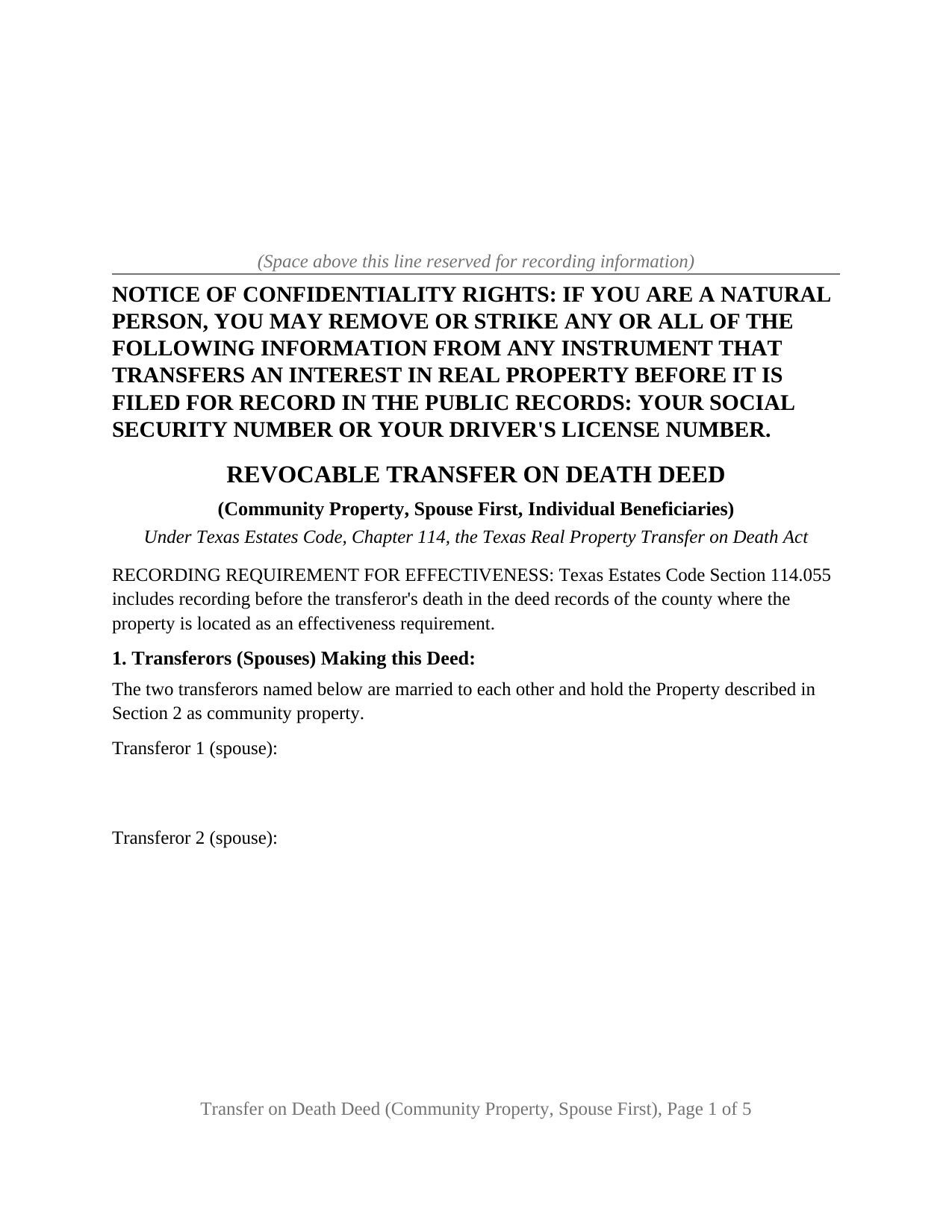
Victoria County Transfer on Death Deed (Community Property, Spouse First, Individual Beneficiaries) Form
Fill in the blank Transfer on Death Deed (Community Property, Spouse First, Individual Beneficiaries) form formatted to comply with all Texas recording and content requirements.
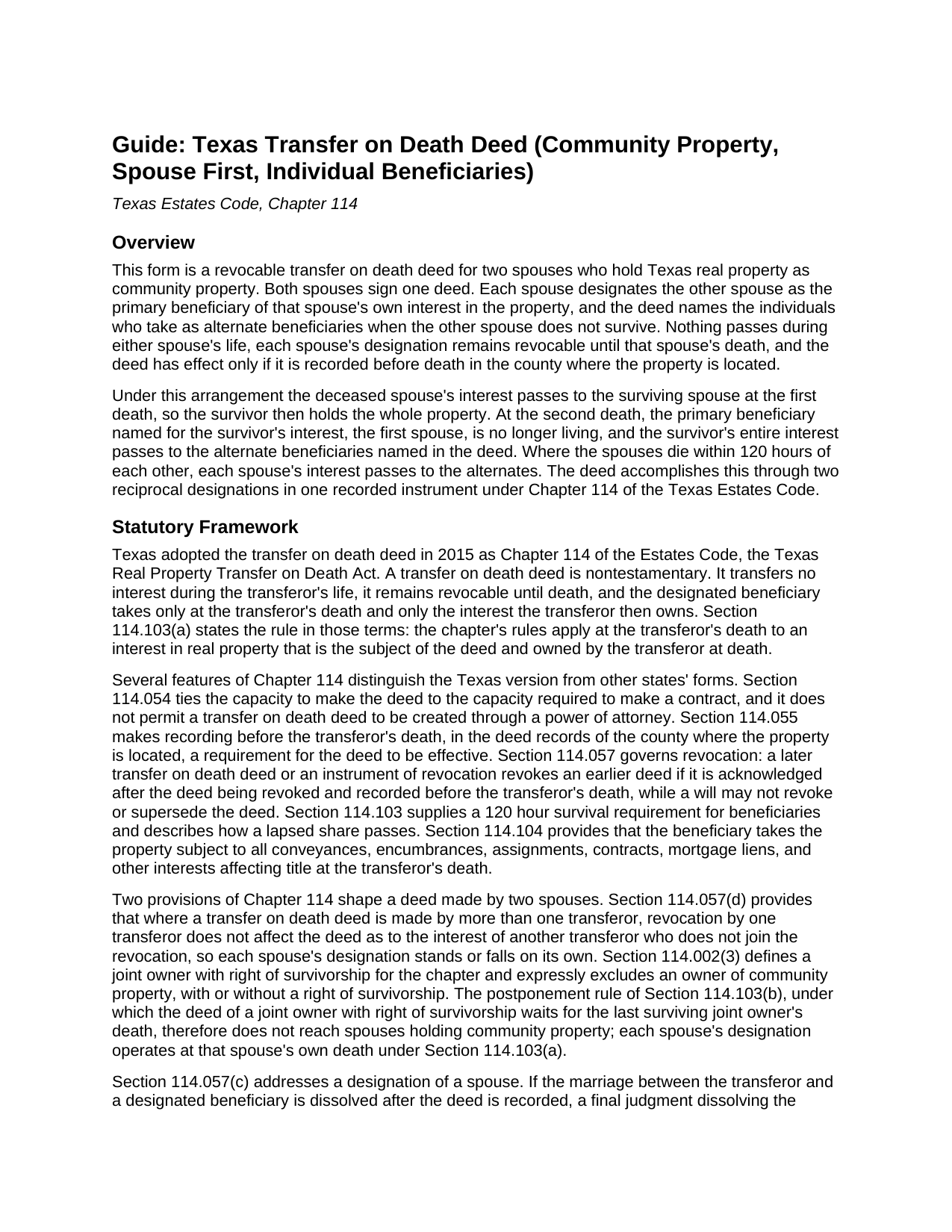
Victoria County Transfer on Death Deed (Community Property, Spouse First, Individual Beneficiaries) Guide
Line by line guide explaining every blank on the Transfer on Death Deed (Community Property, Spouse First, Individual Beneficiaries) form.
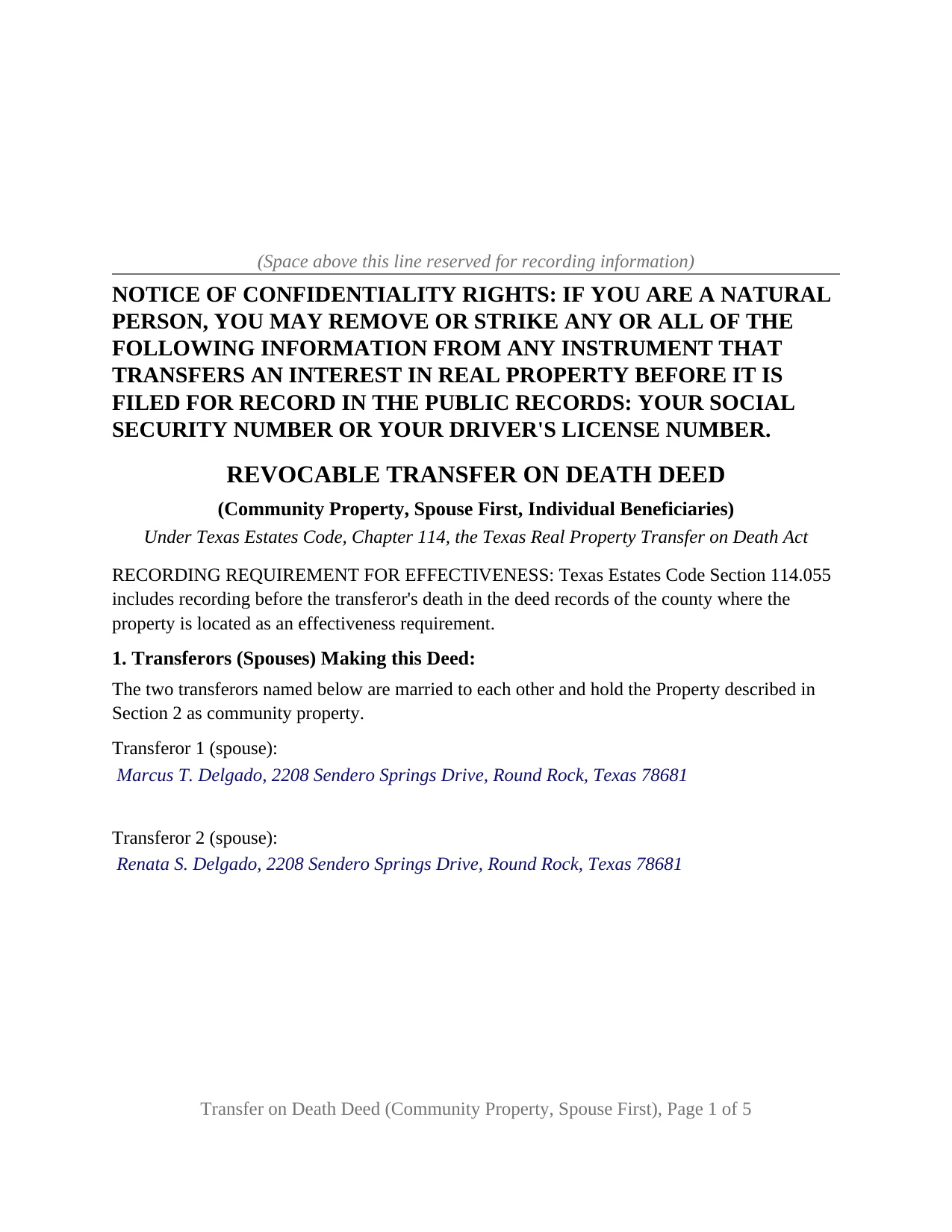
Victoria County Completed Example of the Transfer on Death Deed (Community Property, Spouse First, Individual Beneficiaries) Document
Example of a properly completed Texas Transfer on Death Deed (Community Property, Spouse First, Individual Beneficiaries) document for reference.
All 3 documents above included • One-time purchase • No recurring fees
Immediate Download • Secure Checkout
Additional Texas and Victoria County documents included at no extra charge:
Where to Record Your Documents
Victoria County Clerk - Courthouse
Victoria, Texas 77901
Hours: Monday - Friday 8:00am - 5:00pm
Phone: (361) 575-1478
Recording Tips for Victoria County:
- Bring your driver's license or state-issued photo ID
- Ensure all signatures are in blue or black ink
- Ask for certified copies if you need them for other transactions
- Ask if they accept credit cards - many offices are cash/check only
- Check that your notary's commission hasn't expired
Cities and Jurisdictions in Victoria County
Properties in any of these areas use Victoria County forms:
- Bloomington
- Inez
- Mcfaddin
- Nursery
- Placedo
- Telferner
- Victoria
Hours, fees, requirements, and more for Victoria County
How do I get my forms?
Forms are available for immediate download after payment. The Victoria County forms will be in your account ready to download to your computer. An account is created for you during checkout if you don't have one. Forms are NOT emailed.
Are these forms guaranteed to be recordable in Victoria County?
Yes. Our form blanks are guaranteed to meet or exceed the applicable formatting requirements used for recording in Victoria County, including margin requirements, font requirements, and other layout standards. This guarantee applies to formatting, not to the legal sufficiency of information entered by the user or the suitability of a form for a particular transaction.
Can I reuse these forms?
Yes. You can reuse the forms for your personal use. For example, if you have multiple properties in Victoria County you only need to order once.
What do I need to use these forms?
The forms are PDFs that you fill out on your computer. The free Adobe Acrobat Reader is recommended, and most PDF apps also work. You do NOT enter your property information online - you download the blank forms and complete them privately on your own computer.
Are there any recurring fees?
No. This is a one-time purchase. Nothing to cancel, no memberships, no recurring fees.
How much does it cost to record in Victoria County?
Recording fees in Victoria County vary. Contact the recorder's office at (361) 575-1478 for current fees.
Questions answered? Let's get started!
Two Texas spouses who hold their home as community property can record one transfer on death deed that carries each spouse's interest to the other at the first death and the whole property to their chosen individuals at the second. This form prepares that deed under Chapter 114 of the Texas Estates Code for exactly two spouses, with the spouse first designation printed as fixed deed text and the alternate beneficiaries, natural persons, as its one beneficiary entry. The instrument is also searched for as a TOD deed or a beneficiary deed.
Two Designations in One Recorded Deed
Each spouse owns an interest in community property whether the vesting deed names both spouses or only one, and under Section 114.103(a) a transfer on death deed reaches only the interest the transferor owns at death. The form therefore carries two designations on one instrument. Each transferor designates the other transferor, that transferor's spouse, as primary beneficiary of the interest the designating transferor owns at death, each designation standing as that spouse's own. At the first death, the deceased spouse's interest transfers to the survivor if the survivor lives 120 hours longer. At the second death the primary beneficiary of the survivor's interest is no longer living, and the survivor's entire interest, by then the whole property, transfers to the alternates.
Why This Deed Operates at Each Death, Not Only the Last One
Chapter 114 postpones a deed made by joint owners with right of survivorship until the last joint owner dies, but Section 114.002(3) excludes an owner of community property, with or without a right of survivorship, from that definition. Plain community property carries no survivorship between the spouses; absent a designation, the deceased spouse's interest passes under a will or by intestacy. The spouse first designation does that work inside the deed. The operative section also states that the instrument is a Chapter 114 transfer on death deed and not a community property survivorship agreement under Chapter 112.
Individuals as the Alternate Beneficiaries
The alternates are the individuals who take a spouse's interest when the other spouse does not survive by 120 hours, most often the couple's children, each named by full name and mailing address. The fixed text above the entry states that every alternate is an individual, that the alternates take in equal and undivided shares with no right of survivorship, and that the survival and lapse rules of Section 114.103 govern. The form carries no custom provisions box. A designation naming a trust or an entity, varying the statutory shares, or placing the children ahead of the spouse follows a different pattern from the one this deed recites.
Revocation and Divorce Under Section 114.057
Each spouse may revoke the deed as to that spouse's own interest by an instrument of revocation or a later inconsistent deed, acknowledged after this deed and recorded before that spouse's death; under Section 114.057(d) a revocation by one transferor does not affect the deed as to the other transferor's interest. Section 114.057(c) matters on any deed naming a spouse: a final judgment dissolving the marriage revokes the deed as to the former spouse if notice of the judgment is recorded before the transferor's death, which leaves the alternate designation standing. A will does not revoke the deed. An instrument of revocation, and the affidavit a beneficiary records after a death, are prepared and recorded separately and are not included in this package.
Signing and Recording
Both spouses sign, and the form carries a separate acknowledgment certificate for each signer, so the spouses may appear before a notary on different dates. Under Section 114.101 the deed changes nothing during life, including homestead status and property tax exemptions. Under Section 114.055 the deed is effective only if recorded before death in the deed records of the county where the property is located; recording while both spouses are living places both designations of record at once. The first recorded page carries the Property Code Section 11.008 notice of confidentiality rights in 12 point boldfaced capitals above the title and reserves space for the clerk's stamp, and a non-recorded instructions page at the front describes the exhibit convention for an entry that outgrows its space.
The package contains three items: the fillable transfer on death deed, a completed example prepared on a realistic Williamson County fact pattern, and the guide that walks through each numbered section. This description and the guide describe the form and Texas law in general terms; they are not legal advice.
Important: Your property must be located in Victoria County to use these forms. Documents should be recorded at the county recording office listed above.
This Transfer on Death Deed (Community Property, Spouse First, Individual Beneficiaries) meets all recording requirements specific to Victoria County.
Our Promise
The documents you receive here are guaranteed to meet or exceed the applicable Victoria County recording format requirements. If there is a rejection caused by our formatting, we will correct the issue or refund your payment. This guarantee applies to document formatting only and does not extend to information entered by the user, the selection of the form, or the legal effect of the completed document.
Save Time and Money
Get your Victoria County Transfer on Death Deed (Community Property, Spouse First, Individual Beneficiaries) form done right the first time with Deeds.com Uniform Conveyancing Blanks. At Deeds.com, we understand that your time and money are valuable resources, and we don't want you to face a penalty fee or rejection imposed by a county recorder for submitting nonstandard documents. We constantly review and update our forms to meet rapidly changing state and county recording requirements for roughly 3,500 counties and local jurisdictions.
4.8 out of 5 - ( 4,844 Reviews )
Debby P. 5 out of 5 stars
First time user and the service was great.. I typically go to recording kiosk at the libraries. This was fast and easy.. I appreciate the great service
Thank you for your feedback. We really appreciate it. Have a great day!
Marisela S. 5 out of 5 stars
This is my first time and your service appears to be very user-friendly; however, since I am new to this service, I'm not sure if my e-filings were received as I've not heard anything back nor have I received any type of confirmation of receipt.
Thank you for your feedback. We really appreciate it. Have a great day!
James B. 5 out of 5 stars
Your website is very easy to use. No problem downloading the forms.
Thank you!
Audra M. 5 out of 5 stars
It was easy to e-record and will/would recommend it to everyone.
Thank you for your feedback. We really appreciate it. Have a great day!
Chad N. 5 out of 5 stars
Thank you for taking care of a recording very quickly. I am very impressed by your service an would recommend to anyone. Easy to navigate.
Thank you for your feedback. We really appreciate it. Have a great day!
Daniel S. 5 out of 5 stars
It was easy to find the forms I was looking for and the guided steps and examples of how to use the form were beneficial.
Thank you for your feedback. We really appreciate it. Have a great day!
Teresa H. 4 out of 5 stars
I loved that there was a sample with the downloads. It made it much easier to fill out the document correctly.
Thank you Teresa, have a great day!
Monica U. 5 out of 5 stars
Thank You. Good Service. Questions were answered.
Thank you for your feedback. We really appreciate it. Have a great day!
Lance G. 1 out of 5 stars
You did not include the Notice of Intent to File a Lien Statement form which is necessary to properly file a mechanic's lien in Colorado. If you are going to charge people $20 to download the forms, you should include all of them not half of them.
Thank you for your feedback. We really appreciate it. Have a great day!
Rosie R. 5 out of 5 stars
LOVE THIS!! I am a REALTORand from time to time I have had to take documents for filing. I'm so glad I invested some time online researching eFiling services. The first few search results that populated required an expensive annual or monthly subscription. Luckily I continued to scroll and found Deeds.com. No annual or monthly subscription required. Just pay per use. I uploaded a ROL late one night and Deed.com had it eFiled the very next morning!!! They keep you updated throughout the process via email notifications which you click on the link provided in the email that directs you to your online portal to view the status and once your documents have been filed you can immediately download the filed of record documents including the receipt from the county in which the documents were filed. SO SIMPLE, CONVENIENT, & QUICK-THANK YOU DEEDS.com!!!
We appreciate your business and value your feedback. Thank you. Have a wonderful day!
Virginia S. 5 out of 5 stars
Very quick process and forms were downloaded. I am very pleased with the detailed information for filling out the forms. Would use again.
We appreciate your business and value your feedback. Thank you. Have a wonderful day!
Nick V. 5 out of 5 stars
Turn time was great. Highly recommend.
Thank you!
Buster T. 5 out of 5 stars
Very comprehensive - lots of additional forms and instructions. Top-notch!
Thank you!
LuAnn F. 5 out of 5 stars
Simple and quick access to the form I needed
Thank you!
Tony R. 5 out of 5 stars
As advertised. Thanks.
We appreciate your business and value your feedback. Thank you. Have a wonderful day!