Nueces County Warranty Deed (Two Grantors) Form
Last validated October 13, 2026 by our Forms Development TeamFormatted for recording in Nueces County, for property anywhere in the county: rural and unincorporated areas as well as Agua Dulce, Banquete, Bishop, Chapman Ranch, Corpus Christi, Crp Christi, Driscoll, Port Aransas and 1 more.
- 3 documents included
- Immediate PDF download
- Formatting guarantee
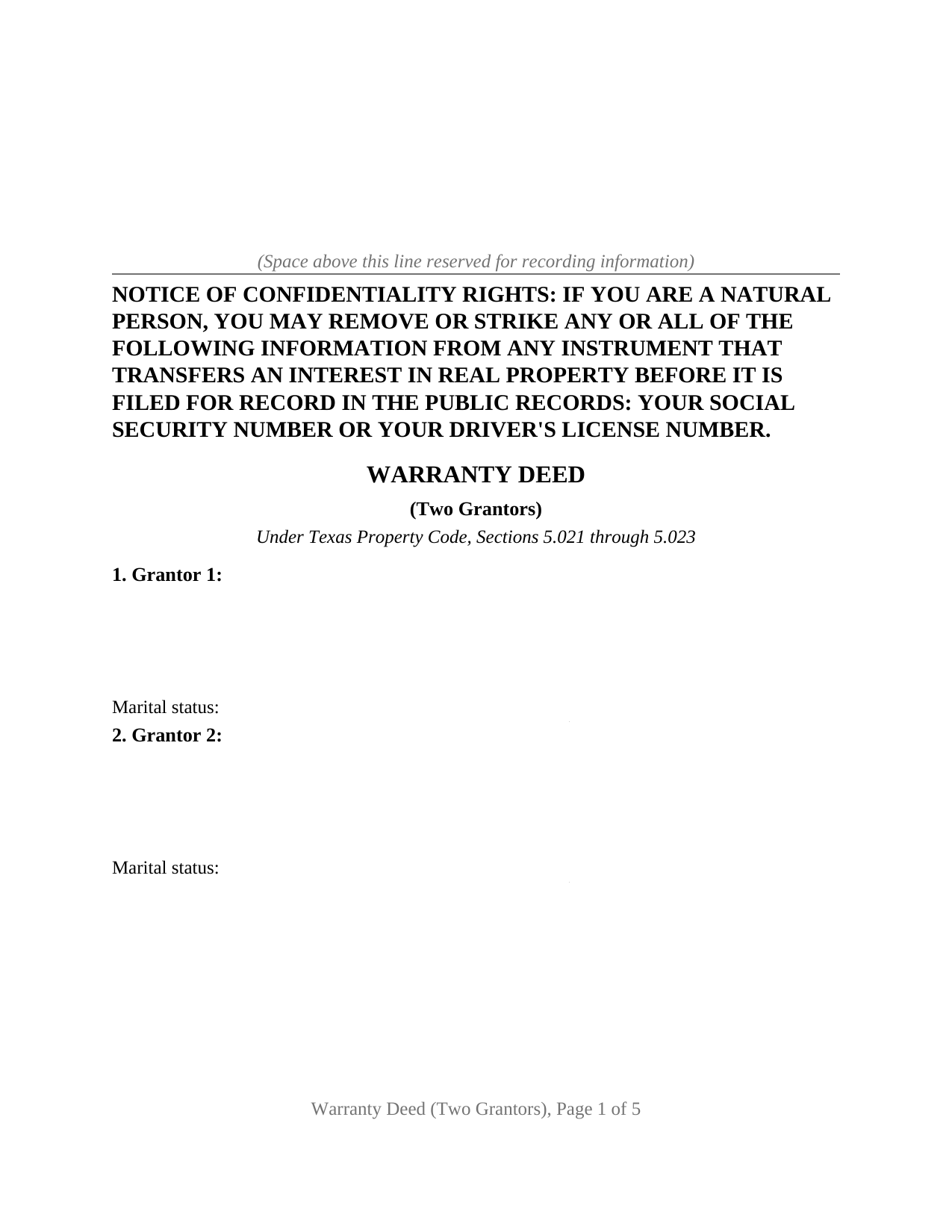
Nueces County Warranty Deed (Two Grantors) Form
Fill in the blank Warranty Deed (Two Grantors) form formatted to comply with all Texas recording and content requirements.
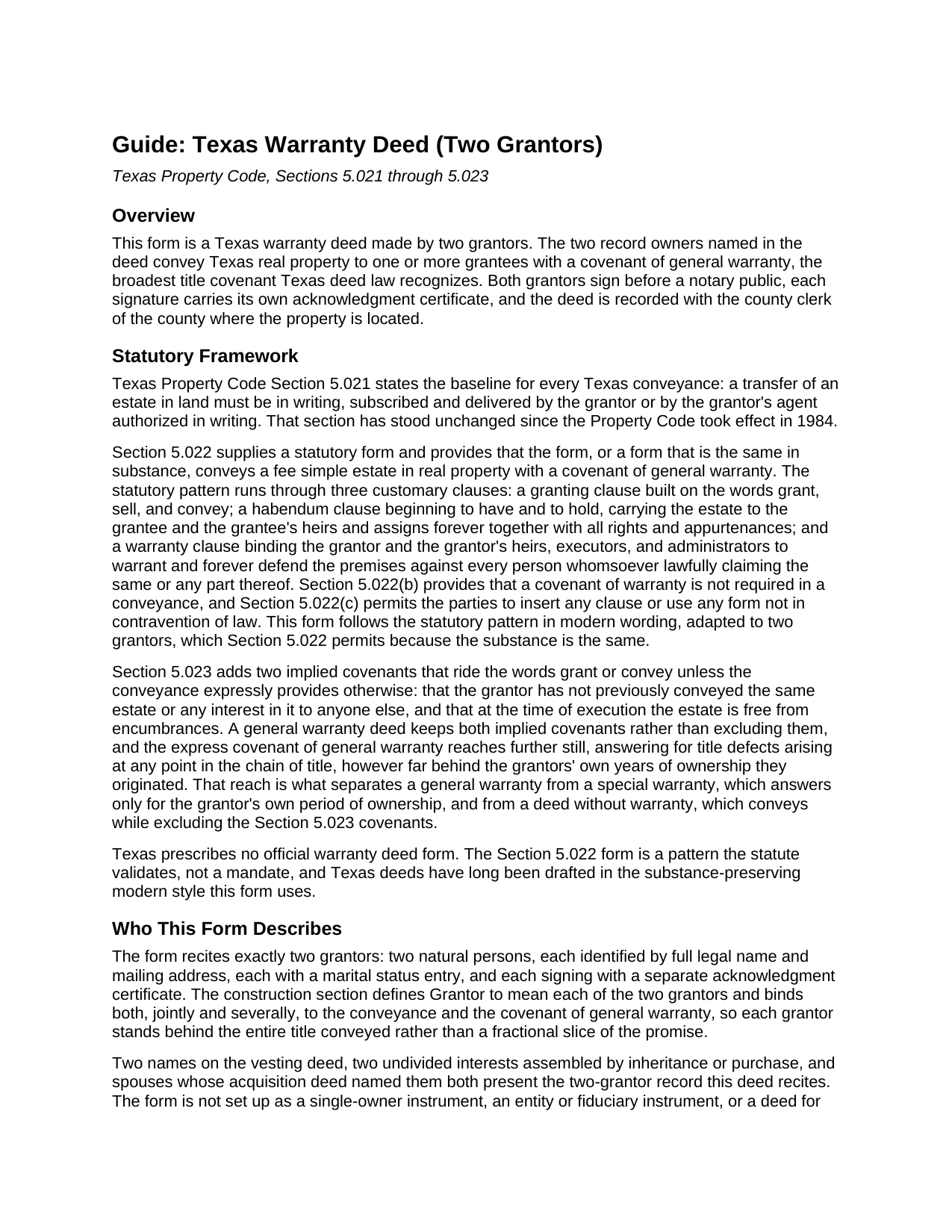
Nueces County Warranty Deed (Two Grantors) Guide
Line by line guide explaining every blank on the Warranty Deed (Two Grantors) form.
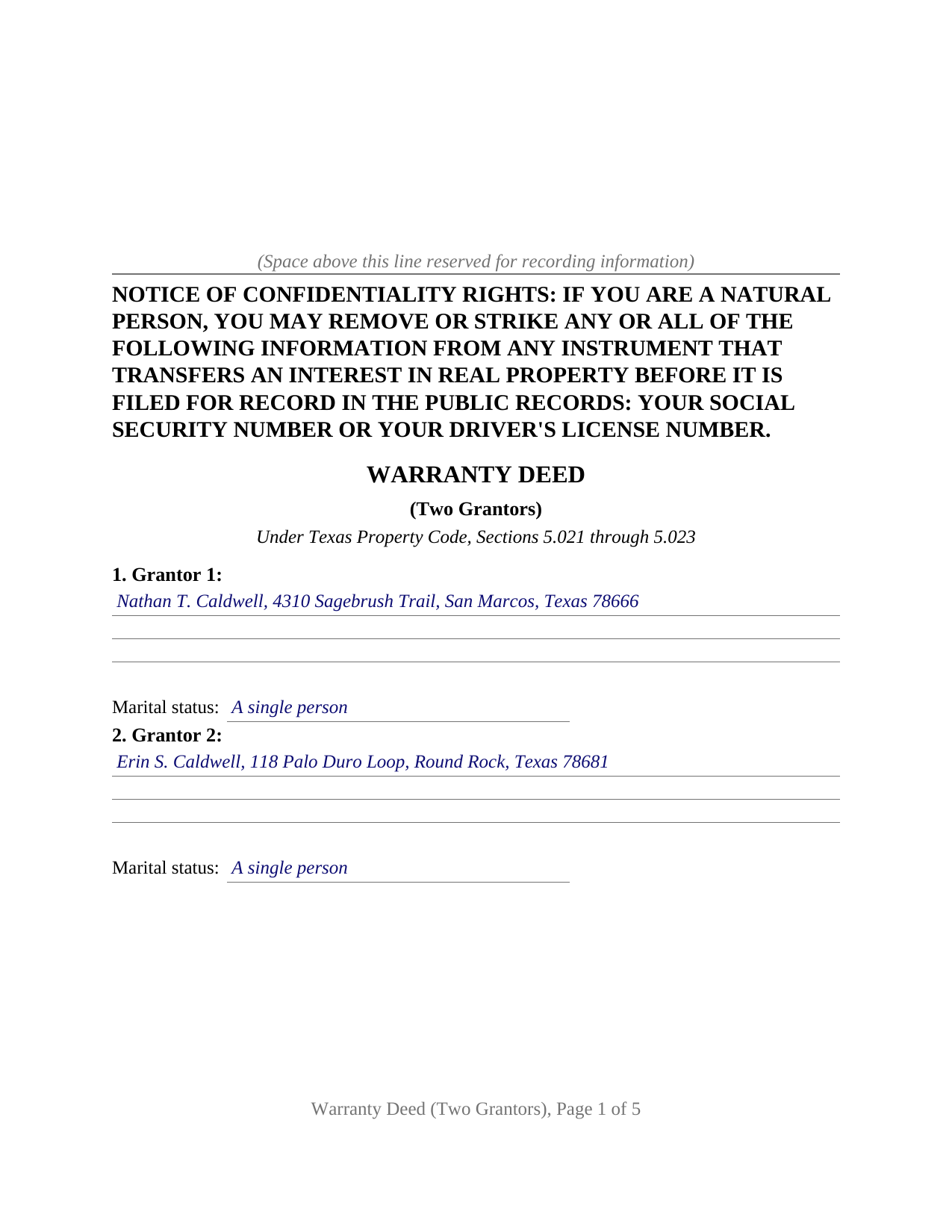
Nueces County Completed Example of the Warranty Deed (Two Grantors) Document
Example of a properly completed Texas Warranty Deed (Two Grantors) document for reference.
All 3 documents above included • One-time purchase • No recurring fees
Immediate Download • Secure Checkout
Additional Texas and Nueces County documents included at no extra charge:
Where to Record Your Documents
Nueces County Clerk
Corpus Christi, Texas 78403
Hours: Monday - Friday 8:00am - 5:00pm
Phone: (361) 888-0580
Robstown Office
Robstown, Texas 78380
Hours: Tuesday & Thursday 8:00am - 12:00pm & 1:00pm - 5:00pm
Phone: (361) 888-0580
Recording Tips for Nueces County:
- Bring your driver's license or state-issued photo ID
- Ensure all signatures are in blue or black ink
- White-out or correction fluid may cause rejection
- Ask about their eRecording option for future transactions
- Avoid the last business day of the month when possible
Cities and Jurisdictions in Nueces County
Properties in any of these areas use Nueces County forms:
- Agua Dulce
- Banquete
- Bishop
- Chapman Ranch
- Corpus Christi
- Crp Christi
- Driscoll
- Port Aransas
- Robstown
Hours, fees, requirements, and more for Nueces County
How do I get my forms?
Forms are available for immediate download after payment. The Nueces County forms will be in your account ready to download to your computer. An account is created for you during checkout if you don't have one. Forms are NOT emailed.
Are these forms guaranteed to be recordable in Nueces County?
Yes. Our form blanks are guaranteed to meet or exceed the applicable formatting requirements used for recording in Nueces County, including margin requirements, font requirements, and other layout standards. This guarantee applies to formatting, not to the legal sufficiency of information entered by the user or the suitability of a form for a particular transaction.
Can I reuse these forms?
Yes. You can reuse the forms for your personal use. For example, if you have multiple properties in Nueces County you only need to order once.
What do I need to use these forms?
The forms are PDFs that you fill out on your computer. The free Adobe Acrobat Reader is recommended, and most PDF apps also work. You do NOT enter your property information online - you download the blank forms and complete them privately on your own computer.
Are there any recurring fees?
No. This is a one-time purchase. Nothing to cancel, no memberships, no recurring fees.
How much does it cost to record in Nueces County?
Recording fees in Nueces County vary. Contact the recorder's office at (361) 888-0580 for current fees.
Questions answered? Let's get started!
Full title to Texas real estate held in two names passes only when both owners join the conveyance. The Texas warranty deed for two grantors is drafted for exactly that record: one deed carrying two grantor blocks, two signatures, and a single covenant of general warranty that binds both signers, so the grantee takes the entire two-owner title through one instrument.
A General Warranty Made by Both Grantors
Texas Property Code Section 5.022 recognizes any deed the same in substance as its statutory pattern as conveying a fee simple estate with a covenant of general warranty. This deed follows that pattern in modern wording: the grantors GRANT, SELL, AND CONVEY the property, TO HAVE AND TO HOLD it with all rights and appurtenances, and WARRANT AND FOREVER DEFEND it against every person whomsoever lawfully claiming any part of it. A construction section then does the two-grantor work, defining Grantor to mean each of the two grantors and making the covenant joint and several, so each signer stands behind the whole title conveyed rather than half of a promise. Section 5.023 places implied covenants of prior nonconveyance and freedom from encumbrances beneath the words grant and convey, and this deed keeps both, so the warranty carries its full statutory depth through the entire chain of title.
Two Grantor Blocks, Two Certificates
The deed recites exactly two grantors: two natural persons, each identified by full legal name and mailing address with a marital status entry beside the name. Both sign, and each signature carries its own acknowledgment certificate, so the grantors may acknowledge on different days, in different counties or states, before different notaries; a co-owner who lives across the state signs near home, and the deed still records as one instrument. The remaining numbered sections take the grantee names and addresses with an optional co-ownership designation, the consideration, the property's county, legal description, and street address, the recorded instrument by which the two owners hold, and the exceptions that bound the covenant.
A vesting deed that named two grantees, undivided interests that came to rest in two owners by inheritance or purchase, and spouses whose acquisition deed carries both names all present the two-name record this deed recites, the instrument customers also search as a joint warranty deed or a two-seller warranty deed. The form is not set up as a one-owner or entity instrument: title standing in a single name presents a one-grantor record, a company or trustee holding presents entity and fiduciary signature architecture, and title in three or more names presents a record a two-grantor deed does not describe.
Where the Warranty Stops
A general warranty describes the title honestly only when its edges are stated. A dedicated reservations and exceptions section lists the recorded easements, restrictive covenants, and mineral reservations the property already carries, and an incorporation sentence makes everything listed there a carve-out from both the conveyance and the warranty. The source of title section identifies the recorded instrument by which the two grantors hold, the reference a title examiner matches against the county records to connect this deed to the chain behind it.
From Signing to the County Records
Acknowledgment before a notary is what makes the deed recordable, with certificates following the short forms of Civil Practice and Remedies Code Chapter 121, and a typed or printed name sits under each signature per Local Government Code Section 191.007(e). The deed is then recorded with the county clerk of the county where the property is located. Texas collects no deed transfer tax and asks for no companion filing, the Property Code Section 11.008 confidentiality notice stands at the top of page one in boldfaced capitals, and a mailing address for each grantee keeps the filing fee at the standard rate under Section 11.003. Since December 4, 2025, a person presenting a deed in person shows government-issued photo identification at the counter under the Senate Bill 16 amendments. Under Section 13.001 an unrecorded conveyance binds the parties but is void as to a later purchaser for value without notice, which is why the signed deed goes promptly to the clerk.
The download delivers the blank two-grantor deed as a fillable PDF with a non-recorded instructions page, a completed example filled in for a realistic Hays County sale, and a plain language guide that walks through every numbered section, the forms of co-ownership Texas recognizes on the grantee side, and the path to the county records. The materials are informational and are not legal advice.
Important: Your property must be located in Nueces County to use these forms. Documents should be recorded at the county recording office listed above.
This Warranty Deed (Two Grantors) meets all recording requirements specific to Nueces County.
Our Promise
The documents you receive here are guaranteed to meet or exceed the applicable Nueces County recording format requirements. If there is a rejection caused by our formatting, we will correct the issue or refund your payment. This guarantee applies to document formatting only and does not extend to information entered by the user, the selection of the form, or the legal effect of the completed document.
Save Time and Money
Get your Nueces County Warranty Deed (Two Grantors) form done right the first time with Deeds.com Uniform Conveyancing Blanks. At Deeds.com, we understand that your time and money are valuable resources, and we don't want you to face a penalty fee or rejection imposed by a county recorder for submitting nonstandard documents. We constantly review and update our forms to meet rapidly changing state and county recording requirements for roughly 3,500 counties and local jurisdictions.
4.8 out of 5 - ( 4,828 Reviews )
MARILYN T. 5 out of 5 stars
Deed.com was so easy to use to file my Quit Claim deed. They instructed me on how to send them my documents and it was a breeze. The cost was minimal and saved me tons of time.
Thank you!
Robert K. 5 out of 5 stars
I used your TOD document to deed my home to my daughter. Your sample document was very helpful. I had to do it a few times but finally got it right. I didn't check but It was surely cheaper than a lawyer fee.
Thank you for your feedback. We really appreciate it. Have a great day!
tao a. 5 out of 5 stars
excellent. I will this service again.
Thank you!
Aubrey M. 5 out of 5 stars
I am an attorney who was trying to draft some deeds in arizona. The deed templates coupled with the document instructions saved me hours work. At 1st I was skeptical, so spent hours figuring out how to draft the documents, but could have saved so much time If I had just spend the $20 sooner. Would use again is needed a deed format as a basis for my drafting.
Thank you for your feedback. We really appreciate it. Have a great day!
Beverly J. A. 5 out of 5 stars
Thank you for the paperwork. It was so much easier to do at home than go out and have to have people miss work.
Thank you!
Richard M. 5 out of 5 stars
Needed some help at the beginning but once I was into the program it was smooth sailing.
Thank you!
Roy T. 5 out of 5 stars
Thank you for an easy to use system. I was able to find all the information I needed.
We appreciate your business and value your feedback. Thank you. Have a wonderful day!
George D. 4 out of 5 stars
The TODD form has been notarized and registered with my county Register of Deeds office, so it works just fine. My only quibble is that when I printed it out, it missed part of the last line of the notary's info and the fine print in the bottom corners. When I printed it at 90% scale, it included those things.
Thank you for your feedback. We really appreciate it. Have a great day!
Byron M. 5 out of 5 stars
Very easy to sign up. Very quick to respond for payment once uploaded. Great communication. More expensive than other recording services.
Thank you for your feedback. We really appreciate it. Have a great day!
Kimberly B. 5 out of 5 stars
Great service, quick and easy!
We are grateful for your feedback and looking forward to serving you again. Thank you!
Andre H. 5 out of 5 stars
World class forms, great for someone like me that has no clue what I'm doing! Always better to let the pros do it than think one knows it all and gets themselves in trouble!
Thank you for your feedback. We really appreciate it. Have a great day!
Thomas D. 2 out of 5 stars
The documents themselves are fine and the information provided with them is helpful. I find the actual processing of the documents, however, to be difficult particularly once the document has been saved. First, I note that the box for the date only allows entry of the last 2 digits of the year. Unfortunately, my download only allows me to enter one of the 2 digits required. When I delete it repeatedly, it eventually allows both digits to be entered but puts them in extremely small text and in superscrypt. I have not found a solution to this problem and am not sure the deed can even be recorded with this problem. Another problem is that if you try to revise the document after you have saved it the curser goes to the end of the line after each key entry. This means that there basically is no way to efficiently save the document for reworking later since you will have to delete everything you have entered in the text box unless you only need to make a single keystroke change or are willing to replace the curser after each entry. Try that with a long property description! Please note that I am using a Mac to prepare my documents and perhaps this is part of an "incompatibility problem". However, I didn't see a disclaimer regarding Mac use and so would expect the documents to perform correctly. Overall, I give the program a "2 star" rating because I am experiencing significant difficulties in entering dates in the documents even before saving them and because saving your work for later revision appears to be basically unworkable.
Thank you for your feedback Thomas, we appreciate you being specific about the issues you encountered. Adobe and Mac have a fairly long history of issues working together.
Lynne Z. 3 out of 5 stars
not enough room for legal description. Wouldn't allow me to enter widow status in owner box. Not clear who to send it to so I printed it out and will ask the notary who I use for recording it.
Thank you!
Sheryl Kae Y. 4 out of 5 stars
Really good forms, no complaints.
We appreciate your business and value your feedback. Thank you. Have a wonderful day!
Lori S. 5 out of 5 stars
The documents I created on deeds com turned out beautiful and very professional looking. The example they gave along with the instruction booklet made it very easy t create a professional looking document for our land Sale. I was very pleased with how easy it was and would recommend it to anyone needing professional documents without having to go thru an attorney or title company. I was very impressed!
We appreciate your business and value your feedback. Thank you. Have a wonderful day!