Duchesne County Certificate of Trust Form
Last validated September 3, 2026 by our Forms Development TeamFormatted for recording in Duchesne County, for property anywhere in the county: rural and unincorporated areas as well as Altamont, Altonah, Bluebell, Duchesne, Fruitland, Hanna, Mountain Home, Myton and 4 more.
- 3 documents included
- Immediate PDF download
- Formatting guarantee
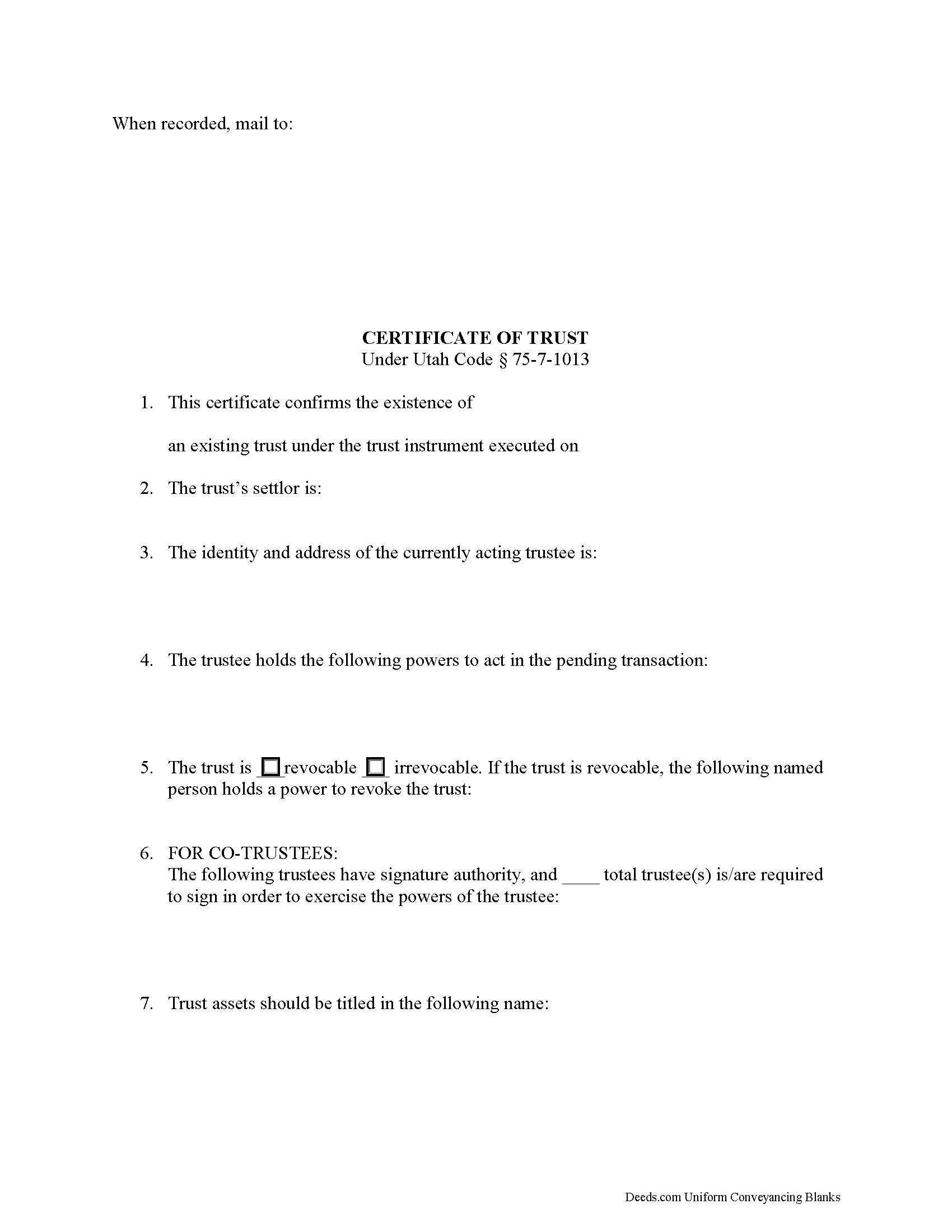
Duchesne County Certificate of Trust Form
Fill in the blank form formatted to comply with all recording and content requirements.
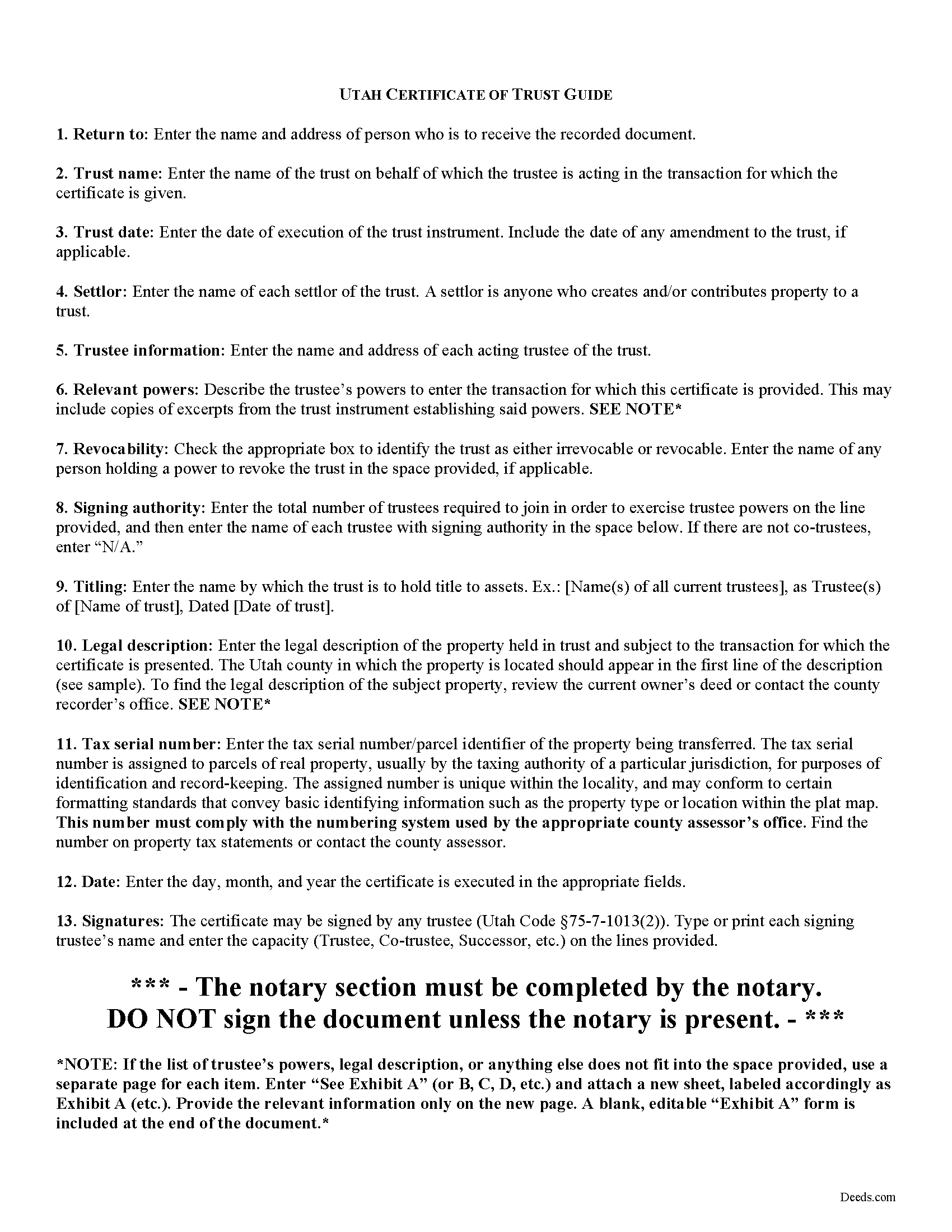
Duchesne County Certificate of Trust Guide
Line by line guide explaining every blank on the form.
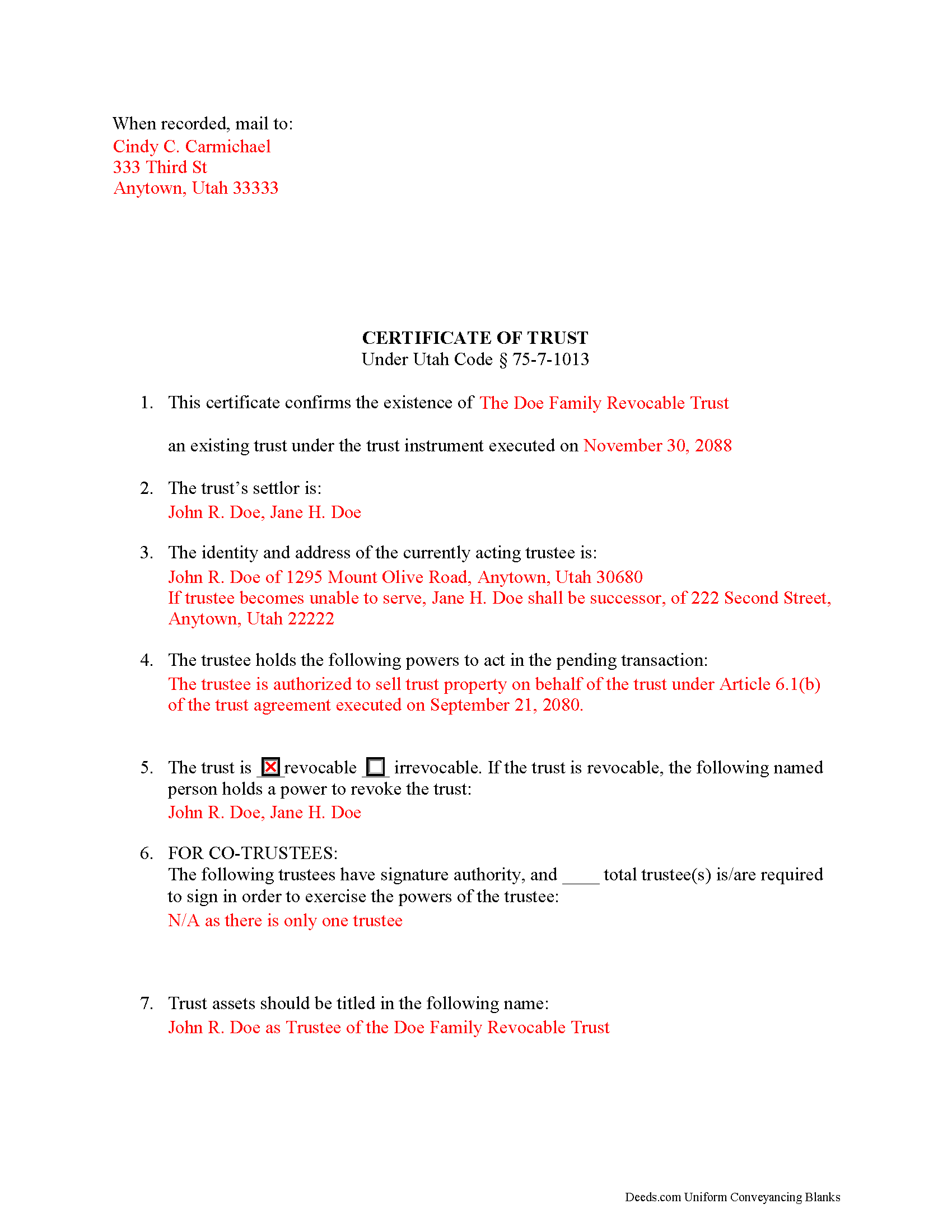
Duchesne County Completed Example of the Certificate of Trust Document
Line by line guide explaining every blank on the form.
All 3 documents above included • One-time purchase • No recurring fees
Immediate Download • Secure Checkout
Additional Utah and Duchesne County documents included at no extra charge:
Where to Record Your Documents
Duchesne County Recorder
Duchesne, Utah 84021
Hours: 8:30 to 5:00 M-F
Phone: (435) 738-1166
Recording Tips for Duchesne County:
- Bring your driver's license or state-issued photo ID
- Ensure all signatures are in blue or black ink
- Documents must be on 8.5 x 11 inch white paper
- Double-check legal descriptions match your existing deed
- Verify all names are spelled correctly before recording
Cities and Jurisdictions in Duchesne County
Properties in any of these areas use Duchesne County forms:
- Altamont
- Altonah
- Bluebell
- Duchesne
- Fruitland
- Hanna
- Mountain Home
- Myton
- Neola
- Roosevelt
- Tabiona
- Talmage
Hours, fees, requirements, and more for Duchesne County
How do I get my forms?
Forms are available for immediate download after payment. The Duchesne County forms will be in your account ready to download to your computer. An account is created for you during checkout if you don't have one. Forms are NOT emailed.
Are these forms guaranteed to be recordable in Duchesne County?
Yes. Our form blanks are guaranteed to meet or exceed the applicable formatting requirements used for recording in Duchesne County, including margin requirements, font requirements, and other layout standards. This guarantee applies to formatting, not to the legal sufficiency of information entered by the user or the suitability of a form for a particular transaction.
Can I reuse these forms?
Yes. You can reuse the forms for your personal use. For example, if you have multiple properties in Duchesne County you only need to order once.
What do I need to use these forms?
The forms are PDFs that you fill out on your computer. The free Adobe Acrobat Reader is recommended, and most PDF apps also work. You do NOT enter your property information online - you download the blank forms and complete them privately on your own computer.
Are there any recurring fees?
No. This is a one-time purchase. Nothing to cancel, no memberships, no recurring fees.
How much does it cost to record in Duchesne County?
Recording fees in Duchesne County vary. Contact the recorder's office at (435) 738-1166 for current fees.
Questions answered? Let's get started!
The certification of trust in Utah is codified at Utah Code 75-7-1013 as part of the Utah Uniform Trust Code. Trustees execute this document, which contains certified statements relating to a trust and the trustee's authority to act on the trust's behalf. The document may be recorded (as with acquisitions or transfers of real property) or presented to anyone doing business with a trustee in lieu of the entire trust instrument, which generally remains unrecorded to maintain the settlor's privacy.
The form lists the trust's name and date, the name of each settlor, the name and address of each acting trustee, the powers of the trustee to act in transaction for which the certificate is given, and whether or not the trust is revocable (and who, if anyone, has a power to revoke the trust). The trustee may provide excerpts from the trust instrument in addition to the certificate that designate the trustee and confer the relevant powers onto the trustee. For trusts with multiple trustees, the certificate states how many of the total number is required to join together in order to exercise the trustee's powers and who, specifically, has signing authority. Finally, the document lists the name by which the trust is to hold title to trust assets, and certifies that the trust has not been revoked or amended so as to cause the statements within to be incorrect.
Because the certificate is often given to support transactions involving real property (sometimes as an attachment to a trustee's deed), the legal description of the subject property and the parcel's tax serial number should also appear on the document. The certificate should be signed and acknowledged by a trustee in the presence of a notary public before being recorded or presented.
Recipients of a certificate of trust "may assume without inquiry the existence of the facts contained" within ( 75-7-1013(6)), and are further protected by the provisions at Utah Code 75-7-1012 in dealing with trustees.
Consult a lawyer with questions regarding trusts and preparing certifications of trust in Utah, as each situation is unique.
(Utah COT Package includes form, guidelines, and completed example)
Important: Your property must be located in Duchesne County to use these forms. Documents should be recorded at the county recording office listed above.
This Certificate of Trust meets all recording requirements specific to Duchesne County.
Our Promise
The documents you receive here are guaranteed to meet or exceed the applicable Duchesne County recording format requirements. If there is a rejection caused by our formatting, we will correct the issue or refund your payment. This guarantee applies to document formatting only and does not extend to information entered by the user, the selection of the form, or the legal effect of the completed document.
Save Time and Money
Get your Duchesne County Certificate of Trust form done right the first time with Deeds.com Uniform Conveyancing Blanks. At Deeds.com, we understand that your time and money are valuable resources, and we don't want you to face a penalty fee or rejection imposed by a county recorder for submitting nonstandard documents. We constantly review and update our forms to meet rapidly changing state and county recording requirements for roughly 3,500 counties and local jurisdictions.
4.8 out of 5 - ( 4,829 Reviews )
DAVID K. 5 out of 5 stars
You are definitely the place to go for forms and other things which I need to solve my problems. Thanks for your help.
Thank you!
Sharon S. 5 out of 5 stars
very satisfied...
Thank you!
Lori G. 5 out of 5 stars
thank you for all your help and patience. I would highly recommend Deeds.com to everyone. Sincerely, Lori G.
Thank you!
STANLEY K. 5 out of 5 stars
I AM DELIGHTED TO BE PARTY TO DEEDS.COM. THE PROCESS IS DOWN-TO-EARTH AND VERY USER FRIENDLY. I MUST SAY THAT JUST THE SAVINGS IN TRAVEL TIME AND MONEY IS IN ITSELF VERY REFRESHING. THIS ON LINE PROCESS IS SO CONVENIENT FOR MY OVERALL EFFORT AND OF COURSE FOR OUR CLIENTS AS WELL. I GOT BACKED UP IN RECORDING WHEN THE VIRUS BEGAN RAGING AND PERSONAL VISITS TO LAND RECORDS BECAME A THING OF THE PAST.I FOUND THE SITE WITH A SUGGESTION FROM DC LAND RECORDS' ASSISTANT BY PHONE. I ONLY WISH I'D KNOWN ABOUT THIS AWESOME SERVICE BEFORE 2020. HATS OFF TO DEEDS.COM!
Thank you for your feedback. We really appreciate it. Have a great day!
Sara M. 5 out of 5 stars
This makes work so much easier now that I don't have to drive to each county to record. Thank you.
It was a pleasure serving you. Thank you for the positive feedback!
DAVID K. 5 out of 5 stars
Already gave a review Great site and help
We appreciate your business and value your feedback. Thank you. Have a wonderful day!
Michael F. 5 out of 5 stars
Very useful and right at your fingers when you need a form. Recommend these forms highly. Thank you!!!!!
We appreciate your business and value your feedback. Thank you. Have a wonderful day!
Maricela N. 5 out of 5 stars
very easy and quick to get all the forms needed! Thank you!
Thank you for your feedback. We really appreciate it. Have a great day!
GISELLE G. 5 out of 5 stars
Quick and easy. I will definitely use this services again.
Thank you!
ed d. 5 out of 5 stars
Fast efficient hassle free
Thank you for your feedback. We really appreciate it. Have a great day!
Michael S. 1 out of 5 stars
I'll give you a review. YOur deeds are way, way, TOO EXPENSIVE Michael Spinks, Attorney
Thank you for your feedback. We're sorry to hear that you're dissatisfied with our pricing.
We take pride in the quality of our products, and our prices reflect the costs involved in sourcing, producing, and ensuring the high standards we've set. It's a balancing act between affordability and maintaining these standards.
We're aware that everyone has a budget to consider, and we're constantly working on optimizing our pricing. However, we won't compromise the quality of our products for the sake of cutting costs. We believe in fair value, and we hope our customers do too.
Robert R. 5 out of 5 stars
I found the form I needed. I ordered the wrong ones the first time. I didn't know if I could get refund or not. The information with the forms is very helpful Thank you
Thank you for your feedback. We’re pleased to hear you found the forms and supporting information helpful. Your initial order has been canceled and refunded, and we’re glad you now have the correct forms in hand. We appreciate your business and are here if you need further assistance.
JAMES D. 5 out of 5 stars
Fast and easy. Sample completed form & guidelines very useful.
We appreciate your business and value your feedback. Thank you. Have a wonderful day!
Petti V. 5 out of 5 stars
Your site was so easy to use. And I got the form and instructions I needed.
We appreciate your business and value your feedback. Thank you. Have a wonderful day!
Christine P. 5 out of 5 stars
I was hoping to find information of a property belonging to my grandparents. Your site says it can go back 10-20 years I will just have to go to the courthouse and research. But very good site if your looking for recent information.
Thank you for your feedback. We really appreciate it. Have a great day!