Sanpete County Certificate of Trust Form
Last validated October 27, 2026 by our Forms Development TeamFormatted for recording in Sanpete County, for property anywhere in the county: rural and unincorporated areas as well as Axtell, Centerfield, Chester, Ephraim, Fairview, Fayette, Fountain Green, Gunnison and 7 more.
- 3 documents included
- Immediate PDF download
- Formatting guarantee
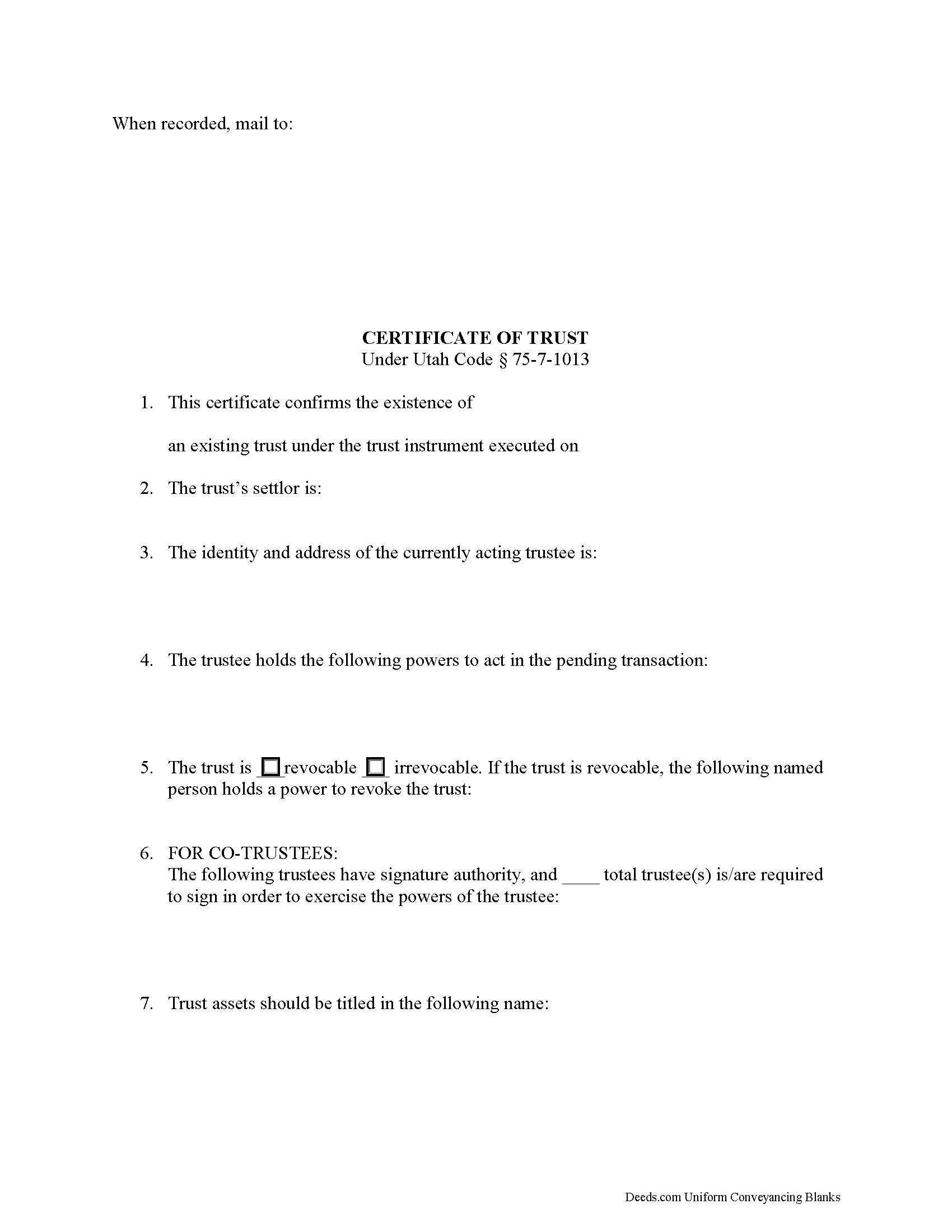
Sanpete County Certificate of Trust Form
Fill in the blank form formatted to comply with all recording and content requirements.
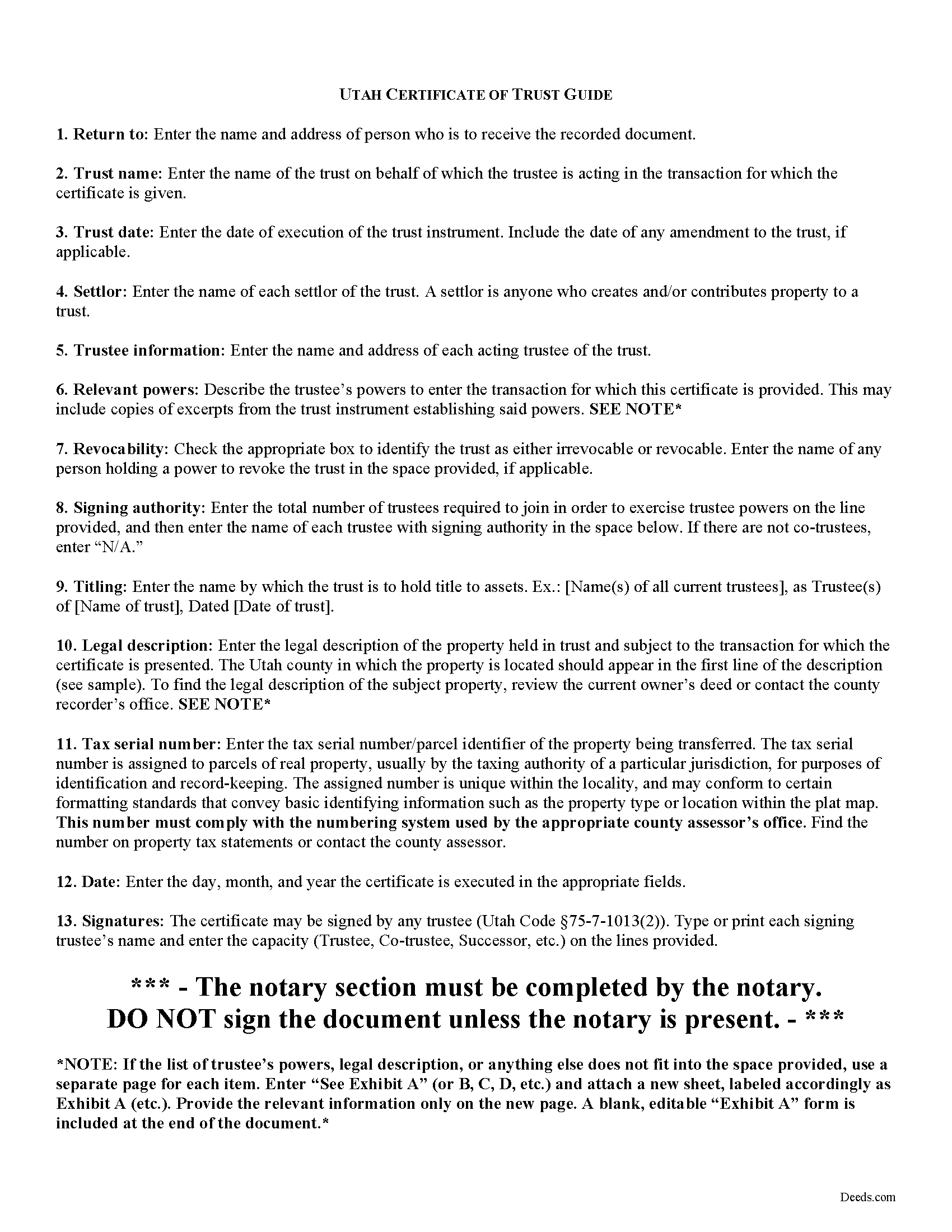
Sanpete County Certificate of Trust Guide
Line by line guide explaining every blank on the form.
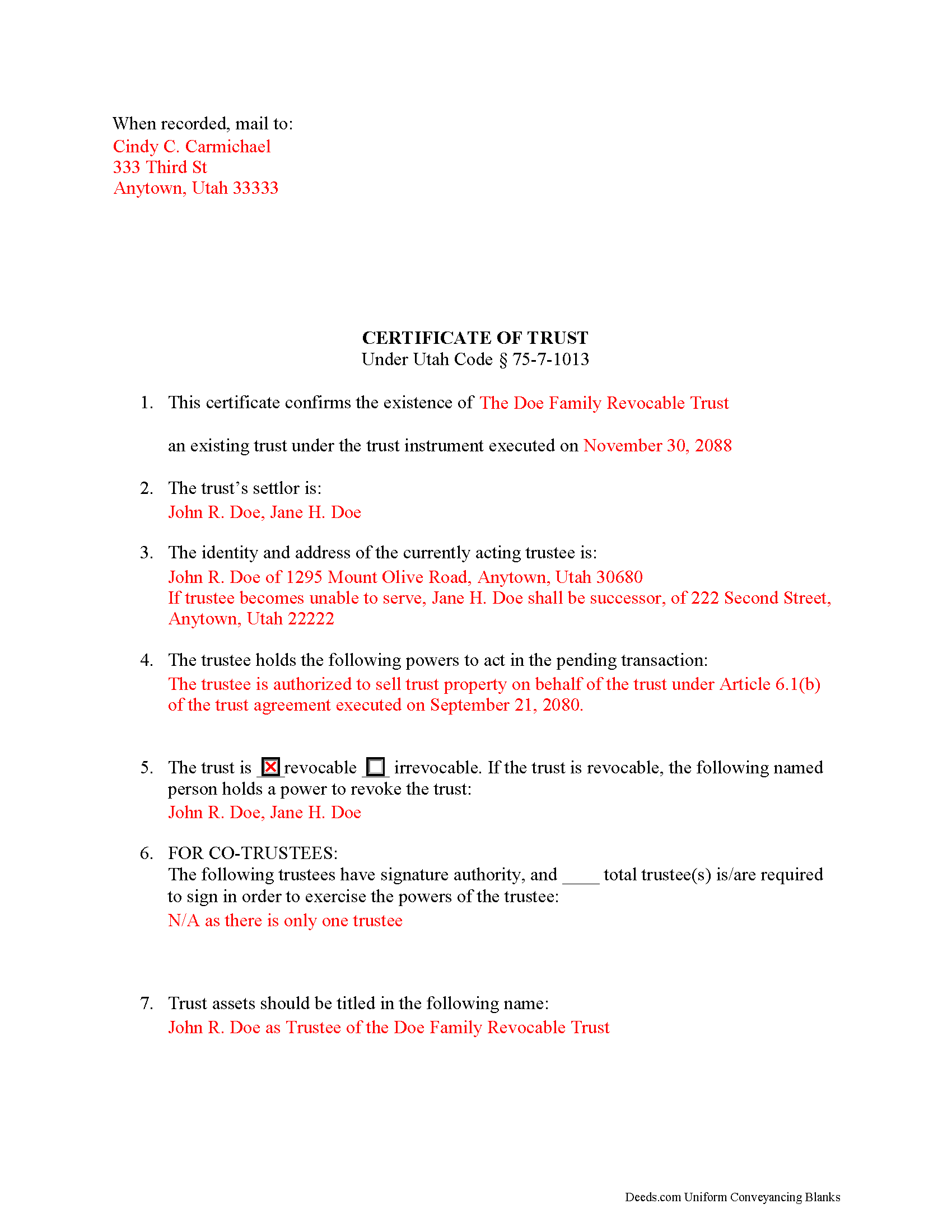
Sanpete County Completed Example of the Certificate of Trust Document
Line by line guide explaining every blank on the form.
All 3 documents above included • One-time purchase • No recurring fees
Immediate Download • Secure Checkout
Additional Utah and Sanpete County documents included at no extra charge:
Where to Record Your Documents
Sanpete County Recorder
Manti, Utah 84642
Hours: Mon-Thu 8:00 to 6:00; Fri 12:00 - 4:00
Phone: 435-835-2181
Recording Tips for Sanpete County:
- Bring your driver's license or state-issued photo ID
- Ensure all signatures are in blue or black ink
- Bring extra funds - fees can vary by document type and page count
- Check margin requirements - usually 1-2 inches at top
- Leave recording info boxes blank - the office fills these
Cities and Jurisdictions in Sanpete County
Properties in any of these areas use Sanpete County forms:
- Axtell
- Centerfield
- Chester
- Ephraim
- Fairview
- Fayette
- Fountain Green
- Gunnison
- Manti
- Mayfield
- Moroni
- Mount Pleasant
- Spring City
- Sterling
- Wales
Hours, fees, requirements, and more for Sanpete County
How do I get my forms?
Forms are available for immediate download after payment. The Sanpete County forms will be in your account ready to download to your computer. An account is created for you during checkout if you don't have one. Forms are NOT emailed.
Are these forms guaranteed to be recordable in Sanpete County?
Yes. Our form blanks are guaranteed to meet or exceed the applicable formatting requirements used for recording in Sanpete County, including margin requirements, font requirements, and other layout standards. This guarantee applies to formatting, not to the legal sufficiency of information entered by the user or the suitability of a form for a particular transaction.
Can I reuse these forms?
Yes. You can reuse the forms for your personal use. For example, if you have multiple properties in Sanpete County you only need to order once.
What do I need to use these forms?
The forms are PDFs that you fill out on your computer. The free Adobe Acrobat Reader is recommended, and most PDF apps also work. You do NOT enter your property information online - you download the blank forms and complete them privately on your own computer.
Are there any recurring fees?
No. This is a one-time purchase. Nothing to cancel, no memberships, no recurring fees.
How much does it cost to record in Sanpete County?
Recording fees in Sanpete County vary. Contact the recorder's office at 435-835-2181 for current fees.
Questions answered? Let's get started!
The certification of trust in Utah is codified at Utah Code 75-7-1013 as part of the Utah Uniform Trust Code. Trustees execute this document, which contains certified statements relating to a trust and the trustee's authority to act on the trust's behalf. The document may be recorded (as with acquisitions or transfers of real property) or presented to anyone doing business with a trustee in lieu of the entire trust instrument, which generally remains unrecorded to maintain the settlor's privacy.
The form lists the trust's name and date, the name of each settlor, the name and address of each acting trustee, the powers of the trustee to act in transaction for which the certificate is given, and whether or not the trust is revocable (and who, if anyone, has a power to revoke the trust). The trustee may provide excerpts from the trust instrument in addition to the certificate that designate the trustee and confer the relevant powers onto the trustee. For trusts with multiple trustees, the certificate states how many of the total number is required to join together in order to exercise the trustee's powers and who, specifically, has signing authority. Finally, the document lists the name by which the trust is to hold title to trust assets, and certifies that the trust has not been revoked or amended so as to cause the statements within to be incorrect.
Because the certificate is often given to support transactions involving real property (sometimes as an attachment to a trustee's deed), the legal description of the subject property and the parcel's tax serial number should also appear on the document. The certificate should be signed and acknowledged by a trustee in the presence of a notary public before being recorded or presented.
Recipients of a certificate of trust "may assume without inquiry the existence of the facts contained" within ( 75-7-1013(6)), and are further protected by the provisions at Utah Code 75-7-1012 in dealing with trustees.
Consult a lawyer with questions regarding trusts and preparing certifications of trust in Utah, as each situation is unique.
(Utah COT Package includes form, guidelines, and completed example)
Important: Your property must be located in Sanpete County to use these forms. Documents should be recorded at the county recording office listed above.
This Certificate of Trust meets all recording requirements specific to Sanpete County.
Our Promise
The documents you receive here are guaranteed to meet or exceed the applicable Sanpete County recording format requirements. If there is a rejection caused by our formatting, we will correct the issue or refund your payment. This guarantee applies to document formatting only and does not extend to information entered by the user, the selection of the form, or the legal effect of the completed document.
Save Time and Money
Get your Sanpete County Certificate of Trust form done right the first time with Deeds.com Uniform Conveyancing Blanks. At Deeds.com, we understand that your time and money are valuable resources, and we don't want you to face a penalty fee or rejection imposed by a county recorder for submitting nonstandard documents. We constantly review and update our forms to meet rapidly changing state and county recording requirements for roughly 3,500 counties and local jurisdictions.
4.8 out of 5 - ( 4,837 Reviews )
Harman F. 5 out of 5 stars
I was able to find the document I very much needed to get my process started. I really appreciate that there was a website to assist me in finding what I needed . I'm very Thankful that this website was available!
We are delighted to have been of service. Thank you for the positive review!
Rhonda E. 5 out of 5 stars
Quick, easy, well-priced, and I have the forms that I need. PDFS download easily and are fillable! Thank you, Deeds.com!
Thank you!
GARY S. 5 out of 5 stars
sweet & easy
Thank you!
Mylika M. 5 out of 5 stars
Deed.com has been an amazing resource for my solo practice. Very timely communication and quick results!
We truly value your business and appreciate your review.
JACQUELINE R. 5 out of 5 stars
We have been waiting for a Title Company to put a release of Lien together for the past 3 months. I figured it was taking way to long and decided to use template here instead. In less than hour I was able to add all the information on the template and provide forms to our Seller to use. We were buying and he didnt think they were necessary. But I refused to pay him in full until he agreed to sign papers at the bank, and of course in front of a notary. We turned around and filed the Release of lien paperwork at County Clerks office, we officially own our house. Thank you!
Thank you for your feedback. We really appreciate it. Have a great day!
Susan G. 5 out of 5 stars
Very easy to use!
We are thankful for your continued support and feedback, which inspire us to continuously improve. Thank you..
Caroline K. 5 out of 5 stars
SIMPLE, THAT IS GOOD
Thank you for your feedback. We really appreciate it. Have a great day!
Rebecca H. 5 out of 5 stars
quick and easy. Perfect
We appreciate your business and value your feedback. Thank you. Have a wonderful day!
Della M. 5 out of 5 stars
Very easy to purchase with immediate use of all of the forms that you need for probate of property. My parents had died and left equal shares of their home to my 2 brothers and I.
Thank you!
David N. 5 out of 5 stars
Thank you fine Deeds Company. I hope all goes well for you and all your team!
Your feedback is greatly appreciated. Thank you for taking the time to share your experience!
James S. 5 out of 5 stars
I was incredibly pleased with deeds.com—they handled my filing quickly and professionally, with both speed and quality that exceeded my expectations. The service was easy to use, the price was very reasonable for the value provided, and I would absolutely recommend them to anyone dealing with real estate documents.
Thank you so much for your wonderful review, James! We're thrilled to hear that our service exceeded your expectations in both speed and quality. Your recommendation means the world to us, and we're grateful you found our platform easy to use and a good value. We look forward to helping you with any future real estate document needs!
Margaret T. 5 out of 5 stars
Had a difficult time finding my download after purchase. Thankfully I had printed the form and had. However it was read only and I'm not experienced enough to be able to change that. So I went into my word program and typed in the form. I should be able to use it for my purpose. Just glad I was finally able to find it after hours of searching online. I'm in my 70's and not real computer intelligent which may have been part of the problem
Sorry to hear of your struggle Margaret, we will try harder to make our forms easier for everyone.
JACK G. 5 out of 5 stars
Worked out good can the forms be filled out on the computer and printed off.
Thank you for your feedback. We really appreciate it. Have a great day!
Terry C. 4 out of 5 stars
It is a difficult challenge -- trying to take the needless jargon out of legal transactions so ordinary citizens can manage their affairs. Deeds.com hasn't solved all the problems, but has made a super effort to help us achieve self-sufficiency.
We appreciate your business and value your feedback. Thank you. Have a wonderful day!
Susanne N. 5 out of 5 stars
It's hard having to change names on an account when someone dies. I called and was helped by a rep named Lilah. She was most helpful and comforting. Thank you again Lilah.
Thank you for taking the time to leave such kind words Susanne, we appreciate you.