Goochland County Correction Deed Form
Last validated October 7, 2026 by our Forms Development TeamFormatted for recording in Goochland County, for property anywhere in the county or independent city: rural and unincorporated areas as well as Beaumont, Columbia, Crozier, Goochland, Gum Spring, Hadensville, Maidens, Manakin Sabot and 3 more.
- 3 documents included
- Immediate PDF download
- Formatting guarantee
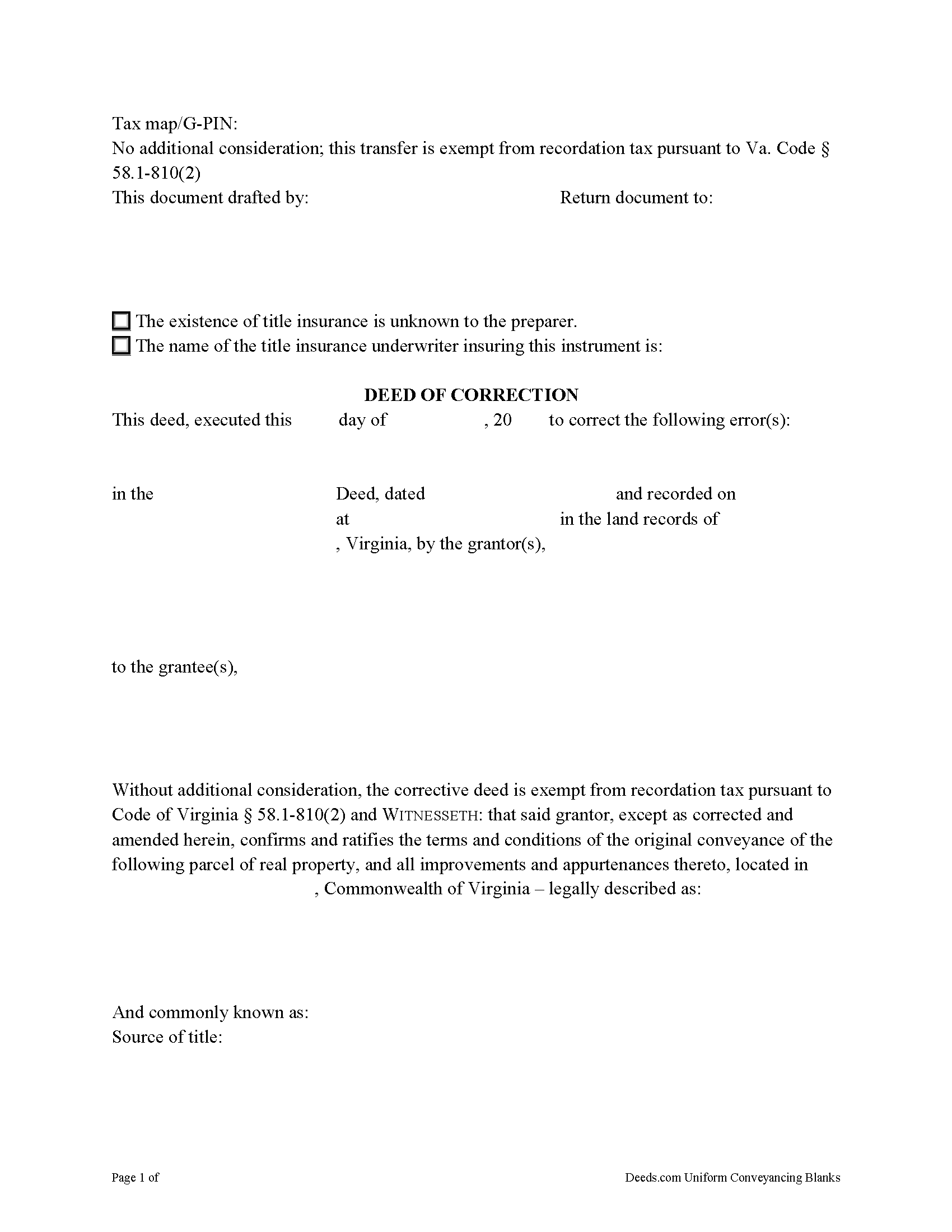
Goochland County Correction Deed Form
Fill in the blank form formatted to comply with all recording and content requirements.
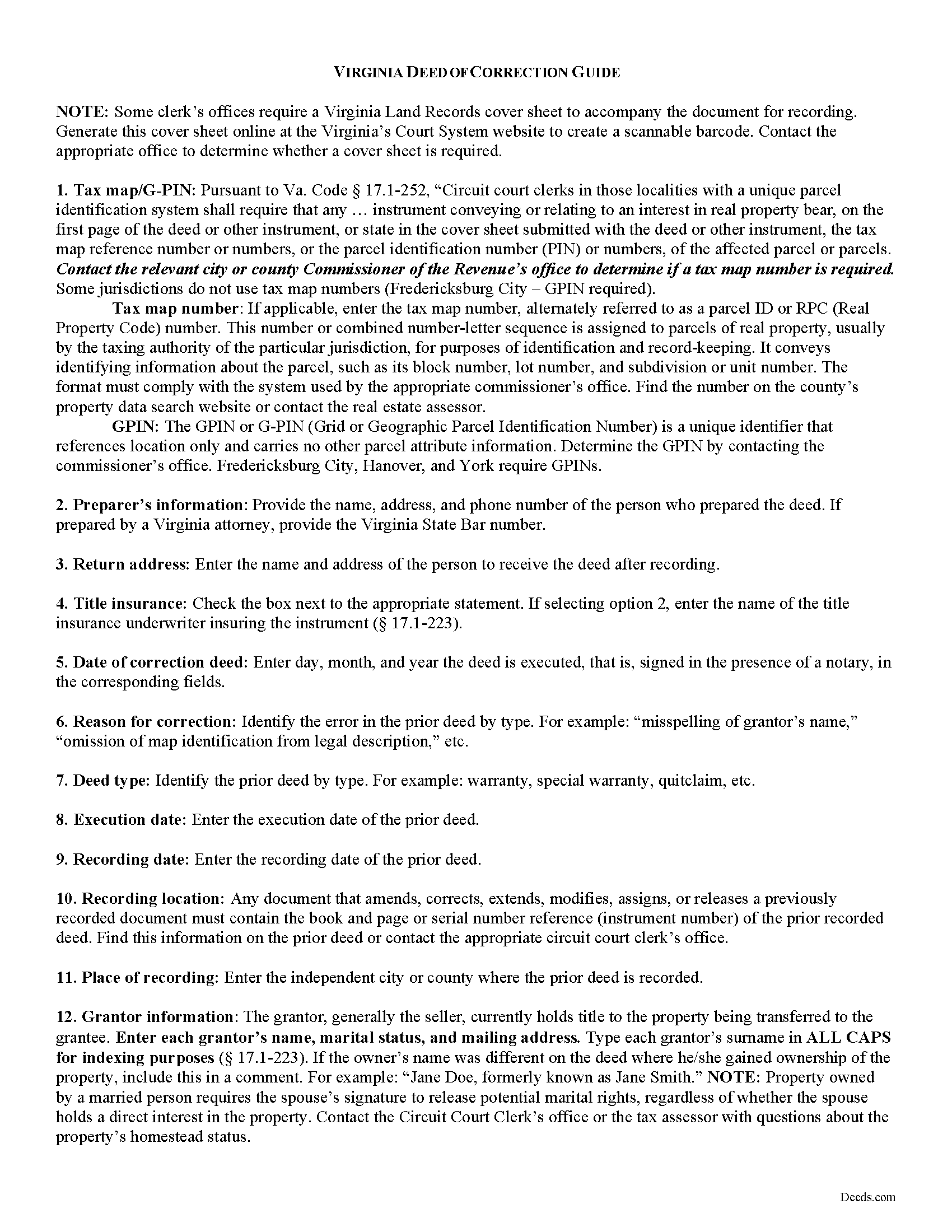
Goochland County Correction Deed Guide
Line by line guide explaining every blank on the form.
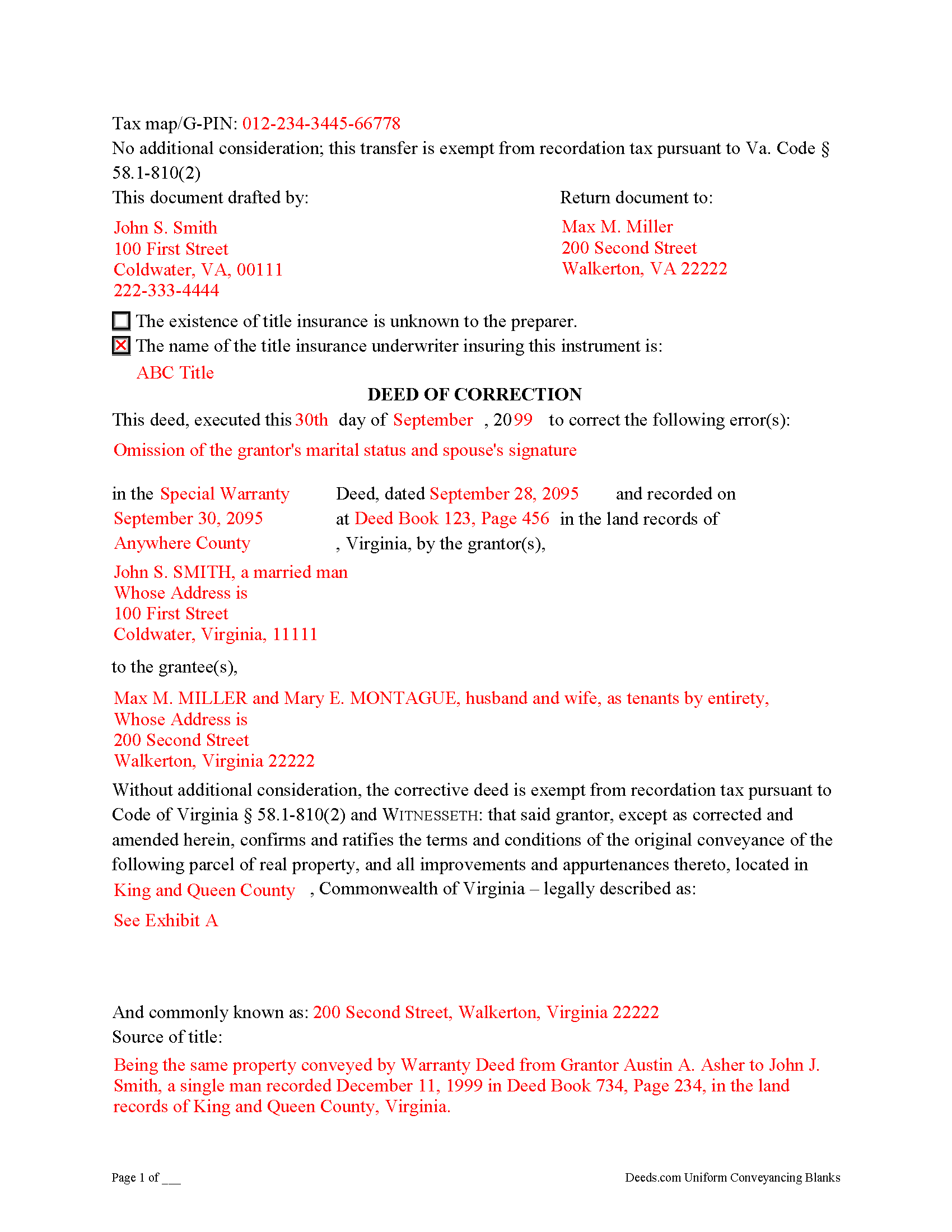
Goochland County Completed Example of the Correction Deed Document
Example of a properly completed form for reference.
All 3 documents above included • One-time purchase • No recurring fees
Immediate Download • Secure Checkout
Additional Virginia and Goochland County documents included at no extra charge:
Where to Record Your Documents
Goochland Circuit Court Clerk
Goochland, Virginia 23063
Hours: Monday - Friday 8:30am - 5:00pm
Phone: (804) 556-5353
Recording Tips for Goochland County:
- Bring your driver's license or state-issued photo ID
- Ensure all signatures are in blue or black ink
- Bring extra funds - fees can vary by document type and page count
- Check margin requirements - usually 1-2 inches at top
- Leave recording info boxes blank - the office fills these
Cities and Jurisdictions in Goochland County
Properties in any of these areas use Goochland County forms:
- Beaumont
- Columbia
- Crozier
- Goochland
- Gum Spring
- Hadensville
- Maidens
- Manakin Sabot
- Oilville
- Sandy Hook
- State Farm
Hours, fees, requirements, and more for Goochland County
How do I get my forms?
Forms are available for immediate download after payment. The Goochland County forms will be in your account ready to download to your computer. An account is created for you during checkout if you don't have one. Forms are NOT emailed.
Are these forms guaranteed to be recordable in Goochland County?
Yes. Our form blanks are guaranteed to meet or exceed the applicable formatting requirements used for recording in Goochland County, including margin requirements, font requirements, and other layout standards. This guarantee applies to formatting, not to the legal sufficiency of information entered by the user or the suitability of a form for a particular transaction.
Can I reuse these forms?
Yes. You can reuse the forms for your personal use. For example, if you have multiple properties in Goochland County you only need to order once.
What do I need to use these forms?
The forms are PDFs that you fill out on your computer. The free Adobe Acrobat Reader is recommended, and most PDF apps also work. You do NOT enter your property information online - you download the blank forms and complete them privately on your own computer.
Are there any recurring fees?
No. This is a one-time purchase. Nothing to cancel, no memberships, no recurring fees.
How much does it cost to record in Goochland County?
Recording fees in Goochland County vary. Contact the recorder's office at (804) 556-5353 for current fees.
Questions answered? Let's get started!
Use a deed of correction from the original grantor to amend an error in a previously recorded deed in Virginia.
Errors in a previously recorded deed in Virginia may be cured by a deed of correction from the grantor to the grantee of the original deed. The new document identifies the error by type, the prior deed by date and recording number, and inserts the correct information; otherwise it duplicates the format of the original deed. The deed requires no consideration statement and is exempt from transfer tax. State the exemption on the face of the deed and refer to the relevant Virginia Code.
A deed of correction is most often used for minor mistakes such as misspelled names or variation in name by which the record title holder acquired title and a name by which he holder conveyed title. It can also be used for obvious errors in the property description. For example: errors transcribing courses and distances; errors incorporating a recorded plat or deed reference; errors in listing a lot number or designation; omitted exhibits that supply the legal description of the property.
Correction deeds can help to clarify the manner in which title to the property is held by the same, initially named grantee, but they cannot be used to change the grantee or to add or omit a grantee. Also, do not use a corrective deed to change a greater estate to a lesser estate, for example to transfer ownership to an heir while reserving a right to remain on the property for the remainder of the original grantee's life. In Virginia, the relation back principle is generally applied so that a correction deed is considered to relate back to the date of the first deed which it purports to correct.
(Virginia CD Package includes form, guidelines, and completed example)
Important: Your property must be located in Goochland County to use these forms. Documents should be recorded at the county or independent city recording office listed above.
This Correction Deed meets all recording requirements specific to Goochland County.
Our Promise
The documents you receive here are guaranteed to meet or exceed the applicable Goochland County recording format requirements. If there is a rejection caused by our formatting, we will correct the issue or refund your payment. This guarantee applies to document formatting only and does not extend to information entered by the user, the selection of the form, or the legal effect of the completed document.
Save Time and Money
Get your Goochland County Correction Deed form done right the first time with Deeds.com Uniform Conveyancing Blanks. At Deeds.com, we understand that your time and money are valuable resources, and we don't want you to face a penalty fee or rejection imposed by a county recorder for submitting nonstandard documents. We constantly review and update our forms to meet rapidly changing state and county recording requirements for roughly 3,500 counties and local jurisdictions.
4.8 out of 5 - ( 4,825 Reviews )
Tracy H. 5 out of 5 stars
Deeds.com was an amazing experience. They made it so easy and stress free. The agent I worked with was fantastic and communicated quickly to make it a very positive experience. I will be using them from now on. Thank you!
We appreciate your business and value your feedback. Thank you. Have a wonderful day!
Maria H. 5 out of 5 stars
Great job. Helped me through some technical difficulties and got it done!
Thank you for your feedback. We really appreciate it. Have a great day!
Margarette S. 5 out of 5 stars
I found your website easy to use and very informative.
Thank you for your feedback. We really appreciate it. Have a great day!
B A A. 5 out of 5 stars
So far I like the ease of availability of the site and the help guides.
Thank you for your feedback. We really appreciate it. Have a great day!
Janice L. 5 out of 5 stars
The forms were easy to request. I'm assuming that the download will be as well. Im so glad that I can upload the information without having to leave my home.
Thank you for your feedback. We really appreciate it. Have a great day!
Dan P. 5 out of 5 stars
Great service and well done forms thank you
Thank you!
Julie S. 5 out of 5 stars
My county clerks office referred me to this website and I am so glad she did. This site is very easy to use, they do NOT try to sell you other things you don't need (or want) nor do they make you sign up for anything. Pick what you need and whalaa - there for you in seconds. Thank you so much - will use again should the need arise. JS
Thank you for your feedback. We really appreciate it. Have a great day!
DEBORAH G. 3 out of 5 stars
This product is good but the text boxes are not large enough to contain the information required for the form. Even dates do not display with the entry you make.
Thank you for your feedback. We really appreciate it. Have a great day!
Paul S. 5 out of 5 stars
Directions were good. It was an easy process. Thank You.
We appreciate your business and value your feedback. Thank you. Have a wonderful day!
Cheryl M. 5 out of 5 stars
Easy.
Thank you!
Julie A. 5 out of 5 stars
This process was so easy. I am pleased with efficiency and ease of it all.
Thank you!
April C. 5 out of 5 stars
Great service fast and patience great team their staff kvh was very great part of team .I need it filed the same day . I will recommend them to others
Thank you for your feedback. We really appreciate it. Have a great day!
Edward B. 5 out of 5 stars
I was looking for a certain form I needed. Deeds.com had the necessary form and I was able to purchase it with little effort on my part. This was a good customer experience.
We appreciate your business and value your feedback. Thank you. Have a wonderful day!
CAROLYN H. 5 out of 5 stars
Thanks. Was simple and easy to use.
Thank you!
Jose S. 5 out of 5 stars
Thank you so very much I live in Texas but I Owned a home in Indiana with your help I could never get those paper that I need to change the ownership in Indiana. You have a great site.
Thank you!