Goochland County Trustee Deed Form
Last validated October 13, 2026 by our Forms Development TeamFormatted for recording in Goochland County, for property anywhere in the county or independent city: rural and unincorporated areas as well as Beaumont, Columbia, Crozier, Goochland, Gum Spring, Hadensville, Maidens, Manakin Sabot and 3 more.
- 3 documents included
- Immediate PDF download
- Formatting guarantee
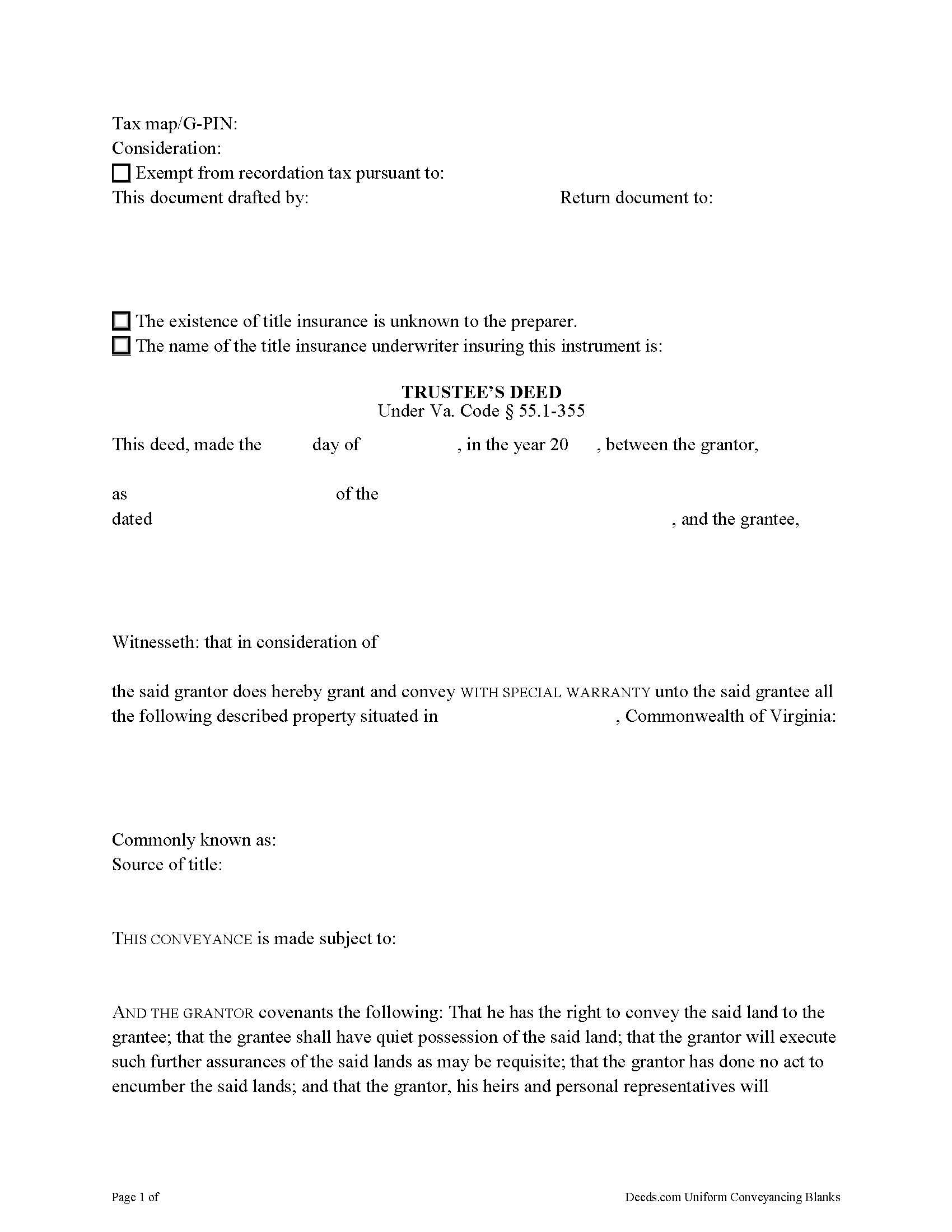
Goochland County Trustee Deed Form
Fill in the blank form formatted to comply with all recording and content requirements.
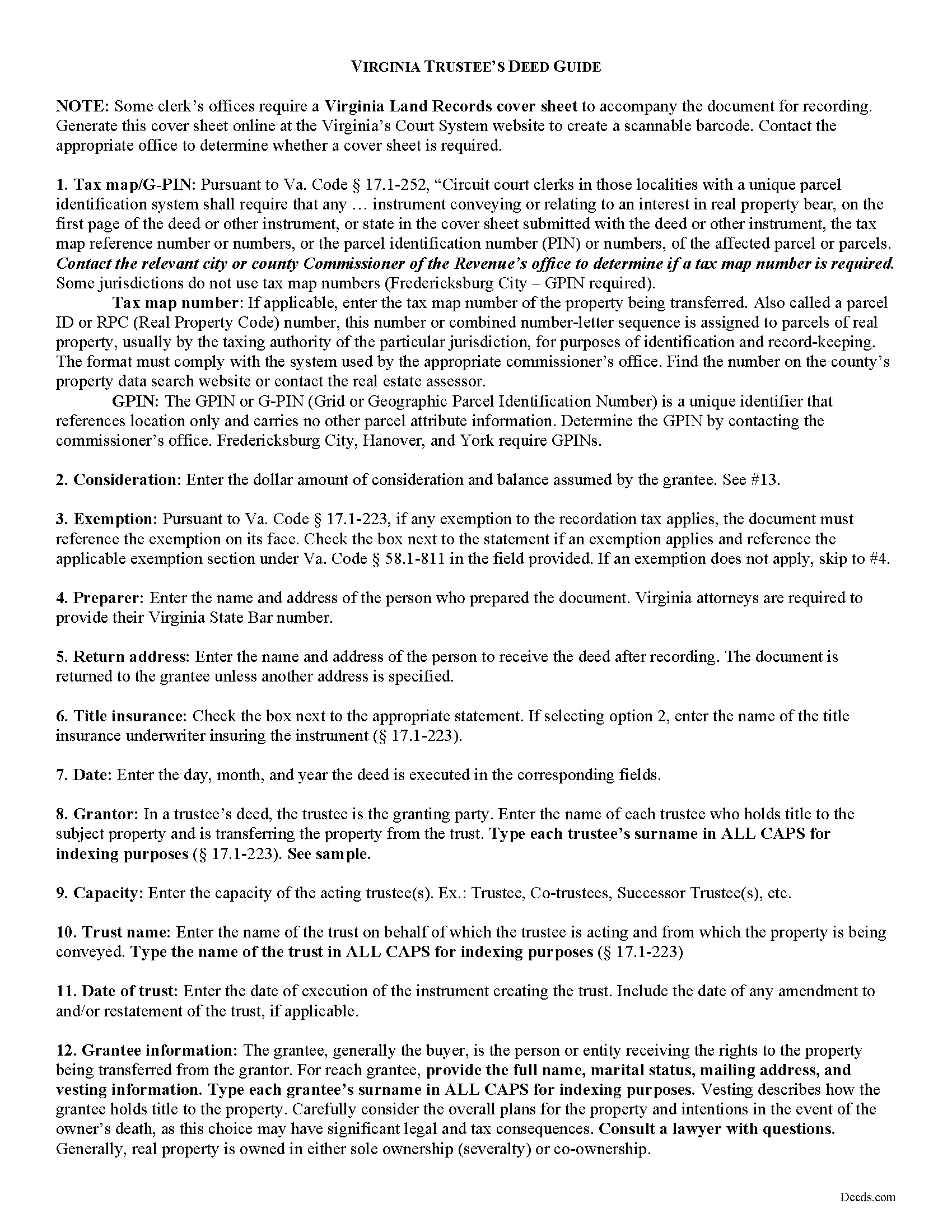
Goochland County Trustee Deed Guide
Line by line guide explaining every blank on the form.
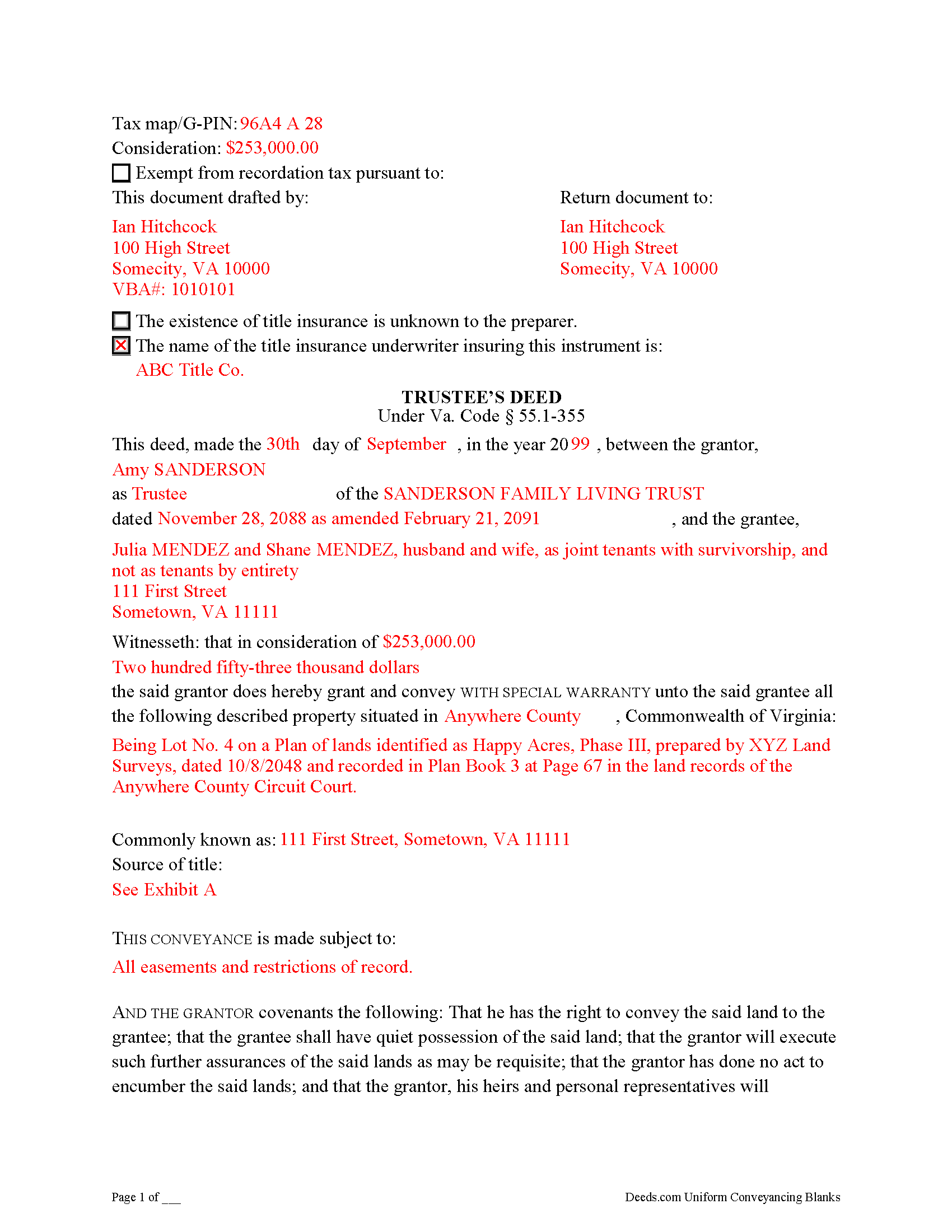
Goochland County Completed Example of the Trustee Deed Document
Example of a properly completed form for reference.
All 3 documents above included • One-time purchase • No recurring fees
Immediate Download • Secure Checkout
Additional Virginia and Goochland County documents included at no extra charge:
Where to Record Your Documents
Goochland Circuit Court Clerk
Goochland, Virginia 23063
Hours: Monday - Friday 8:30am - 5:00pm
Phone: (804) 556-5353
Recording Tips for Goochland County:
- Bring your driver's license or state-issued photo ID
- Ensure all signatures are in blue or black ink
- Check that your notary's commission hasn't expired
- Documents must be on 8.5 x 11 inch white paper
- Double-check legal descriptions match your existing deed
Cities and Jurisdictions in Goochland County
Properties in any of these areas use Goochland County forms:
- Beaumont
- Columbia
- Crozier
- Goochland
- Gum Spring
- Hadensville
- Maidens
- Manakin Sabot
- Oilville
- Sandy Hook
- State Farm
Hours, fees, requirements, and more for Goochland County
How do I get my forms?
Forms are available for immediate download after payment. The Goochland County forms will be in your account ready to download to your computer. An account is created for you during checkout if you don't have one. Forms are NOT emailed.
Are these forms guaranteed to be recordable in Goochland County?
Yes. Our form blanks are guaranteed to meet or exceed the applicable formatting requirements used for recording in Goochland County, including margin requirements, font requirements, and other layout standards. This guarantee applies to formatting, not to the legal sufficiency of information entered by the user or the suitability of a form for a particular transaction.
Can I reuse these forms?
Yes. You can reuse the forms for your personal use. For example, if you have multiple properties in Goochland County you only need to order once.
What do I need to use these forms?
The forms are PDFs that you fill out on your computer. The free Adobe Acrobat Reader is recommended, and most PDF apps also work. You do NOT enter your property information online - you download the blank forms and complete them privately on your own computer.
Are there any recurring fees?
No. This is a one-time purchase. Nothing to cancel, no memberships, no recurring fees.
How much does it cost to record in Goochland County?
Recording fees in Goochland County vary. Contact the recorder's office at (804) 556-5353 for current fees.
Questions answered? Let's get started!
Transferring Real Property from a Living Trust Using a Virginia Trustee's Deed
A trustee's deed conveys interest in real property held in a living (inter vivos) trust. The deed is named for the granting party, the trustee, who holds legal title to property contributed to the trust by the trust's settlor. A settlor is any person who creates or contributes property to a trust by transferring it to another. Property held in trust is administered by the trustee for the benefit of a trust beneficiary. In most living trusts, the settlor designates himself as trustee and names a successor, who will take over fiduciary duties upon the settlor's death or incapacitation.
The trust is established by a written instrument executed by the settlor and governed by the Uniform Trust Code, codified in Virginia at Va. Code Ann. 64.2-7. The trust instrument contains the terms of the trust and sets forth the settlor's estate plan. The document names the trustees and enumerates the trustee's powers in acting on behalf of the trust, and designates the trust beneficiary or beneficiaries. Generally, the settlor designates himself as the living trust's beneficiary during his lifetime, and identifies another in the trust instrument who will receive the benefit of the trust's assets upon his death.
Trustees rely on the terms of the trust instrument and statutory trustee powers to convey property held in trust. A deed executed by trustee to convey real property from a trust typically carries a special warranty covenant of title. This means that the grantor promises to warrant and defend the property for the grantee "against the claims and demands of the grantor, and all persons claiming or to claim by, through, or under him" (Va. Code Ann. 55.1-355). Because the trustee is acting "in a fiduciary capacity," a narrower covenant than a general warranty is offered "to warrant title [only] during the time they had legal possession of it" [1].
A trustee's deed requires additional information because the grantor is acting in a fiduciary capacity. When real property is held in trust, the assets vest in the name of the trustee on behalf of the trust. Therefore, the trustee's deed names the acting trustee, the trust, and the date of the trust when reciting the grantor's information. The trustee's deed should comply with the statutory form for deeds and satisfy recording requirements for documents pertaining to interest in real property in Virginia (55.1-300, 17.1-223 et seq.). A trustee may provide a certification of trust under 64.2-804 to confirm the trust's existence and his authority to convey real property.
Before recording the deed in the independent city or county wherein the subject property is located, the deed must be signed by each acting trustee and acknowledged in the presence of a notary public.
(Virginia TD Package includes form, guidelines, and completed example)
Important: Your property must be located in Goochland County to use these forms. Documents should be recorded at the county or independent city recording office listed above.
This Trustee Deed meets all recording requirements specific to Goochland County.
Our Promise
The documents you receive here are guaranteed to meet or exceed the applicable Goochland County recording format requirements. If there is a rejection caused by our formatting, we will correct the issue or refund your payment. This guarantee applies to document formatting only and does not extend to information entered by the user, the selection of the form, or the legal effect of the completed document.
Save Time and Money
Get your Goochland County Trustee Deed form done right the first time with Deeds.com Uniform Conveyancing Blanks. At Deeds.com, we understand that your time and money are valuable resources, and we don't want you to face a penalty fee or rejection imposed by a county recorder for submitting nonstandard documents. We constantly review and update our forms to meet rapidly changing state and county recording requirements for roughly 3,500 counties and local jurisdictions.
4.8 out of 5 - ( 4,836 Reviews )
Brian W. 5 out of 5 stars
Easy, but it would be nice if there was an option for font size. It looks tiny, like 6 or 8.
Thank you for your feedback. We really appreciate it. Have a great day!
Thomas W. 5 out of 5 stars
easy to use, no problems except in beneficiary box. Need to make the box bigger because I have 4 beneficiaries to list. how do I enlarge the box.
Thanks for reaching out. All available space on the document is being used. As is noted in the guide, if you have information that does not fit in the available space the included exhibit page should be used.
Ben G. 5 out of 5 stars
Faster AND less expensive than recording in person. Will be using again (and not just because of COVID).
Thank you!
Mary D. B. 5 out of 5 stars
BIG THANK YOU EXCELLENT WEBSITE
Thank you!
Marilyn L. 5 out of 5 stars
Good!!
Thank you!
Steven T. 5 out of 5 stars
I needed the deed forms for setting up our living trust. It appears this will do the trick! Steve
We appreciate your business and value your feedback. Thank you. Have a wonderful day!
Lisa W. 5 out of 5 stars
Great E-Service Provider!
Thank you!
Mary S. 5 out of 5 stars
I am so excited to find this site. Thank you
Thank you Mary. We appreciate your enthusiasm, have a great day!
David Y. 5 out of 5 stars
Really great forms. Did the quitclaim, everything was perfect, recorded with no problems at all. Thanks!
Thank you!
Nina F. 5 out of 5 stars
My experience could not have been better. Easy to communicate with, even though I'm largely ignorant of technical problem-solving. I may be addle-minded with 83 years on earth, but I think they actually cared about solving my problem and were sorry it was beyond their territory. Truly extra nice.
Thank you for your feedback. We really appreciate it. Have a great day!
susanne y. 5 out of 5 stars
wonderful service, docs recorded with no issues.
Thank you for your feedback. We really appreciate it. Have a great day!
Peter M. 5 out of 5 stars
GREAT! site, had everything we needed to complete our estate planning for our children
Thank you for your feedback. We really appreciate it. Have a great day!
Douglas S. 5 out of 5 stars
Nice site, easy to maneuver around, and walks you thru completing forms. However, at the end, the forms listed poorly explained. It would be helpful to have better explanations of the forms so people know which forms they really need to download.
Thank you for your feedback. We really appreciate it. Have a great day!
Peter E. 5 out of 5 stars
I think Deeds is a great site for learning. On recording a document, I had trouble. It was me, because I was new to the site.
Thank you!
Kurt P. 5 out of 5 stars
I like the basics. The one thing I would recommend changing would be, something that tells me I have actually have submitted my package, or that I can leave at any time without needing to click on a "Submit" button.
Thank you for your feedback. We really appreciate it. Have a great day!