Northampton County Correction Deed Form
Last validated October 7, 2026 by our Forms Development TeamFormatted for recording in Northampton County, for property anywhere in the county or independent city: rural and unincorporated areas as well as Birdsnest, Cape Charles, Capeville, Cheriton, Eastville, Exmore, Franktown, Jamesville and 8 more.
- 3 documents included
- Immediate PDF download
- Formatting guarantee
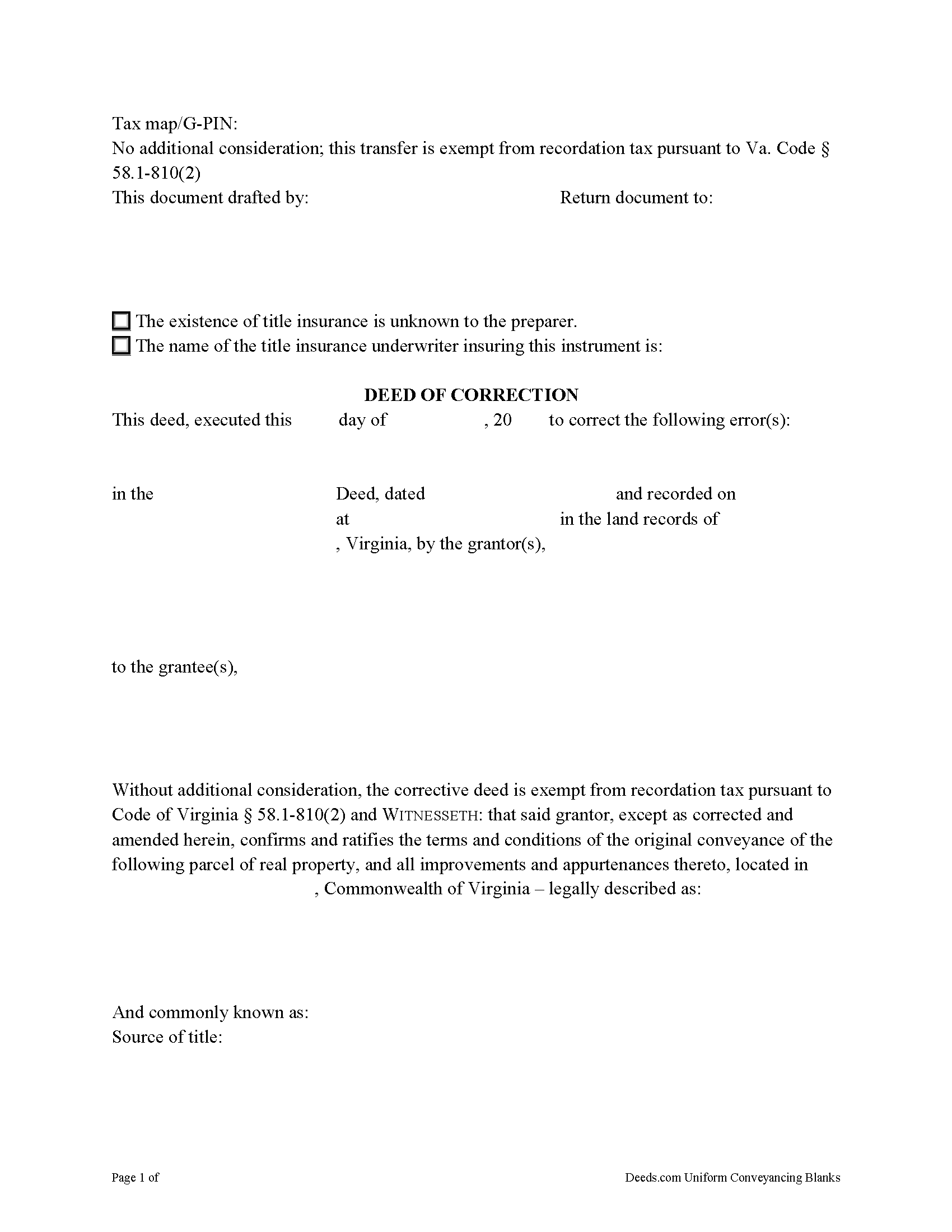
Northampton County Correction Deed Form
Fill in the blank form formatted to comply with all recording and content requirements.
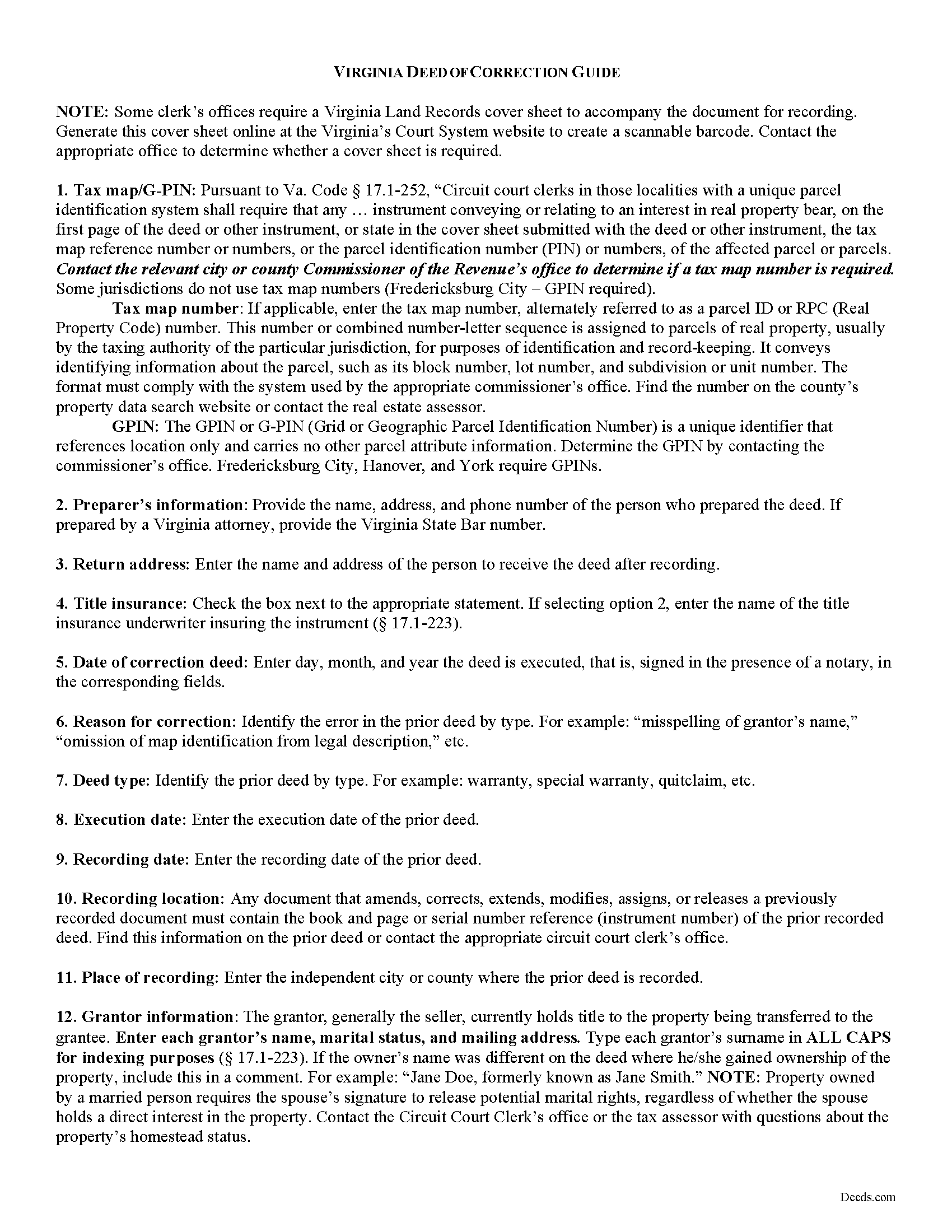
Northampton County Correction Deed Guide
Line by line guide explaining every blank on the form.
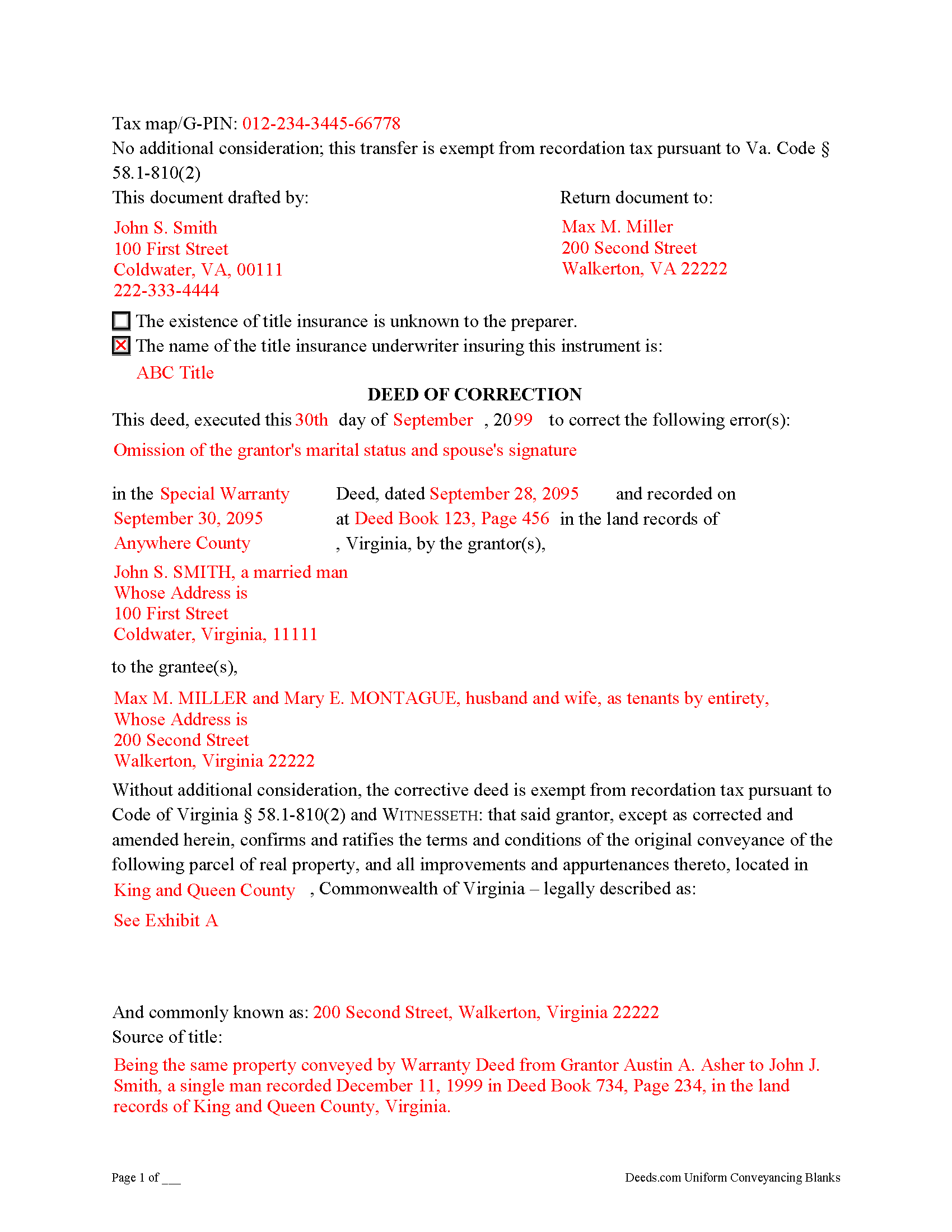
Northampton County Completed Example of the Correction Deed Document
Example of a properly completed form for reference.
All 3 documents above included • One-time purchase • No recurring fees
Immediate Download • Secure Checkout
Additional Virginia and Northampton County documents included at no extra charge:
Where to Record Your Documents
Northampton Circuit Court Clerk
Eastville, Virginia 23347-0036
Hours: 9:00 to 5:00 M-F
Phone: (757) 678-0465
Recording Tips for Northampton County:
- Bring your driver's license or state-issued photo ID
- Ensure all signatures are in blue or black ink
- Check that your notary's commission hasn't expired
- Documents must be on 8.5 x 11 inch white paper
- Double-check legal descriptions match your existing deed
Cities and Jurisdictions in Northampton County
Properties in any of these areas use Northampton County forms:
- Birdsnest
- Cape Charles
- Capeville
- Cheriton
- Eastville
- Exmore
- Franktown
- Jamesville
- Machipongo
- Marionville
- Nassawadox
- Oyster
- Seaview
- Townsend
- Wardtown
- Willis Wharf
Hours, fees, requirements, and more for Northampton County
How do I get my forms?
Forms are available for immediate download after payment. The Northampton County forms will be in your account ready to download to your computer. An account is created for you during checkout if you don't have one. Forms are NOT emailed.
Are these forms guaranteed to be recordable in Northampton County?
Yes. Our form blanks are guaranteed to meet or exceed the applicable formatting requirements used for recording in Northampton County, including margin requirements, font requirements, and other layout standards. This guarantee applies to formatting, not to the legal sufficiency of information entered by the user or the suitability of a form for a particular transaction.
Can I reuse these forms?
Yes. You can reuse the forms for your personal use. For example, if you have multiple properties in Northampton County you only need to order once.
What do I need to use these forms?
The forms are PDFs that you fill out on your computer. The free Adobe Acrobat Reader is recommended, and most PDF apps also work. You do NOT enter your property information online - you download the blank forms and complete them privately on your own computer.
Are there any recurring fees?
No. This is a one-time purchase. Nothing to cancel, no memberships, no recurring fees.
How much does it cost to record in Northampton County?
Recording fees in Northampton County vary. Contact the recorder's office at (757) 678-0465 for current fees.
Questions answered? Let's get started!
Use a deed of correction from the original grantor to amend an error in a previously recorded deed in Virginia.
Errors in a previously recorded deed in Virginia may be cured by a deed of correction from the grantor to the grantee of the original deed. The new document identifies the error by type, the prior deed by date and recording number, and inserts the correct information; otherwise it duplicates the format of the original deed. The deed requires no consideration statement and is exempt from transfer tax. State the exemption on the face of the deed and refer to the relevant Virginia Code.
A deed of correction is most often used for minor mistakes such as misspelled names or variation in name by which the record title holder acquired title and a name by which he holder conveyed title. It can also be used for obvious errors in the property description. For example: errors transcribing courses and distances; errors incorporating a recorded plat or deed reference; errors in listing a lot number or designation; omitted exhibits that supply the legal description of the property.
Correction deeds can help to clarify the manner in which title to the property is held by the same, initially named grantee, but they cannot be used to change the grantee or to add or omit a grantee. Also, do not use a corrective deed to change a greater estate to a lesser estate, for example to transfer ownership to an heir while reserving a right to remain on the property for the remainder of the original grantee's life. In Virginia, the relation back principle is generally applied so that a correction deed is considered to relate back to the date of the first deed which it purports to correct.
(Virginia CD Package includes form, guidelines, and completed example)
Important: Your property must be located in Northampton County to use these forms. Documents should be recorded at the county or independent city recording office listed above.
This Correction Deed meets all recording requirements specific to Northampton County.
Our Promise
The documents you receive here are guaranteed to meet or exceed the applicable Northampton County recording format requirements. If there is a rejection caused by our formatting, we will correct the issue or refund your payment. This guarantee applies to document formatting only and does not extend to information entered by the user, the selection of the form, or the legal effect of the completed document.
Save Time and Money
Get your Northampton County Correction Deed form done right the first time with Deeds.com Uniform Conveyancing Blanks. At Deeds.com, we understand that your time and money are valuable resources, and we don't want you to face a penalty fee or rejection imposed by a county recorder for submitting nonstandard documents. We constantly review and update our forms to meet rapidly changing state and county recording requirements for roughly 3,500 counties and local jurisdictions.
4.8 out of 5 - ( 4,833 Reviews )
MARILYN I. 5 out of 5 stars
Very pleased with your user friendly site.
Thank you!
Alan C. 5 out of 5 stars
The Transfer on Death Deed paperwork was easy to complete, as it included a detailed guide and a completed example. We encountered no issues recording the document with our County. Thanks to Deeds.com, we were also able to save time and money by utilizing a DIY approach for our situation.
We are delighted to have been of service. Thank you for the positive review!
Kay M. 5 out of 5 stars
Worked great. Not being real tech savey was no problem.
We appreciate your business and value your feedback. Thank you. Have a wonderful day!
Mary S. 5 out of 5 stars
Really, really great. Instructions are so helpful.
We appreciate your business and value your feedback. Thank you. Have a wonderful day!
James S. 5 out of 5 stars
Forms used, created quitclaim deed that the county accepted without a second look (turns out they see deeds.com forms regularly via erecording and in person). Will be back for any real estate related forms I need and they carry. Will always be my first stop. Also, will use erecording next time, mad I didn't see it this time.
Thanks for the kind words James, glad we could help. Look forward to seeing you again.
Kathryn P. 4 out of 5 stars
Somewhat easy to traverse.
Thank you!
Diana T. 5 out of 5 stars
Very helpful Got information and form I wanted.
Thank you for your feedback. We really appreciate it. Have a great day!
Julie Z. 5 out of 5 stars
Just getting started with this process, but I was delighted to find this resource to speed up the decision making. Excellent! Very helpful!
Thank you for your positive words! We’re thrilled to hear about your experience.
Rosemary S. 5 out of 5 stars
It was quick and so very easy. Very detailed information. Love the app.
We appreciate your business and value your feedback. Thank you. Have a wonderful day!
Kathleen M. 5 out of 5 stars
I bought the Beneficiary Deed package for Arizona. The instructions were clear and I had no problem filling out the needed forms. My deed was recorded this afternoon. Thanks so much for your excellent forms.
We appreciate your review and your business. Thank you.
Susan M. 5 out of 5 stars
Loved my experience with deeds.com! Easy and simple to fill in the form, plus the extra instructions were helpful! I will use them again!
Thank you for your feedback. We really appreciate it. Have a great day!
Helen M. 1 out of 5 stars
The forms are very confusing when there is so much to download! Trying to keep track and make sure you have everything needed is terrible! I think I have everything but I was under the impression I would be filling it out online and with instructions... I am very disappointed to say the least!
Sorry to hear of your disappointment Helen. We have gone ahead and canceled your order and payment. We do hope that you are able to find something more suitable to your needs elsewhere. Have a wonderful day.
Annette A. 5 out of 5 stars
I requested a property report and it was completed fast and accurately. I would highly recommend this service.
We appreciate your business and value your feedback. Thank you. Have a wonderful day!
David W. 5 out of 5 stars
Excellent service! Questions were answered promptly, and the entire process was easy and fast. Thank you!
We appreciate your business and value your feedback. Thank you. Have a wonderful day!
Robert J D. 5 out of 5 stars
I accidentally ordered 2 forms for the affidavit of death. I only need one.
Thanks for your feedback. Looking at your account we do not see any duplicate orders. Our system does stop duplicate orders before they are processed in many cases. Have a great day.