Culpeper County Corrective Affidavit Form
Last validated September 24, 2026 by our Forms Development TeamFormatted for recording in Culpeper County, for property anywhere in the county or independent city: rural and unincorporated areas as well as Amissville, Boston, Brandy Station, Culpeper, Elkwood, Jeffersonton, Lignum, Mitchells and 5 more.
- 3 documents included
- Immediate PDF download
- Formatting guarantee
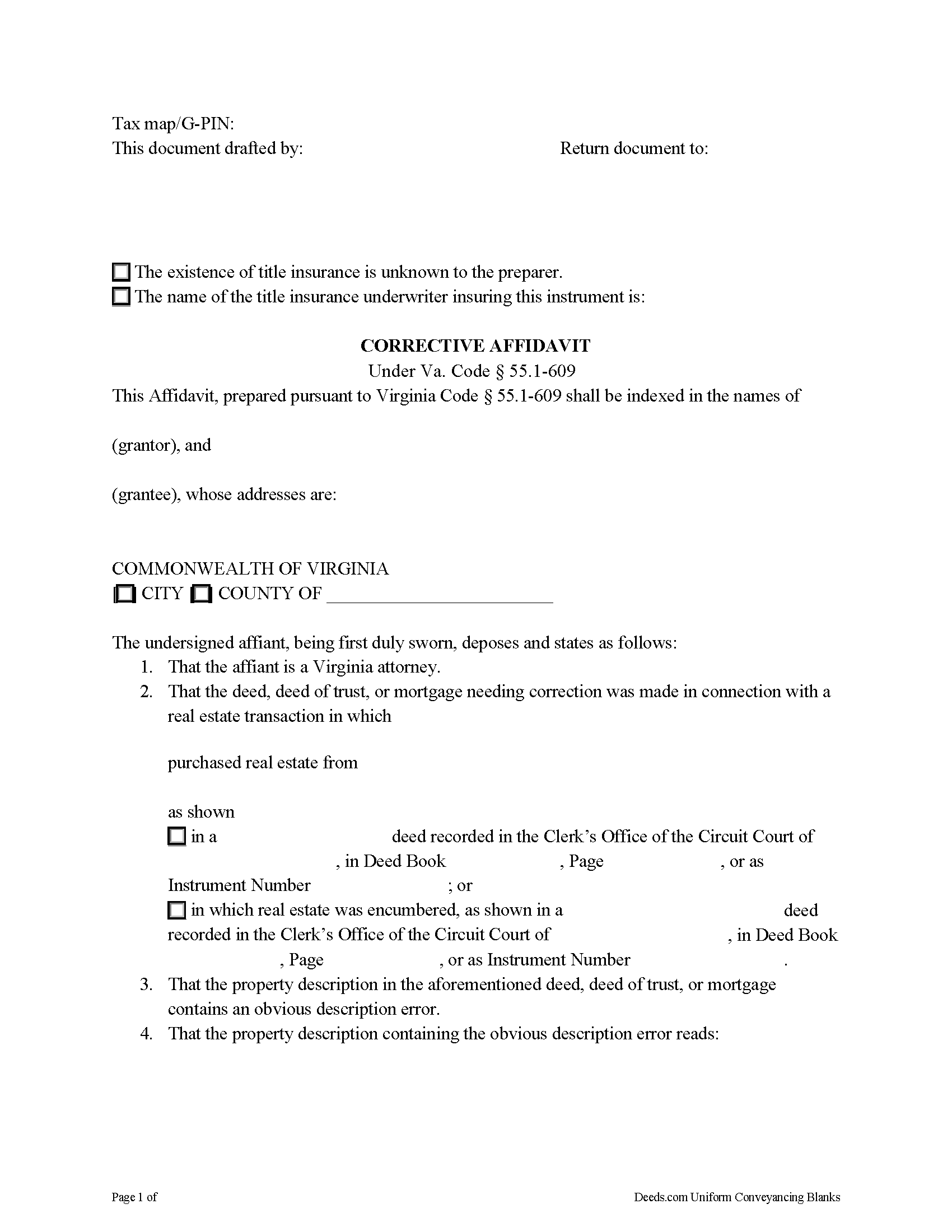
Culpeper County Corrective Affidavit Form
Fill in the blank form formatted to comply with all recording and content requirements.
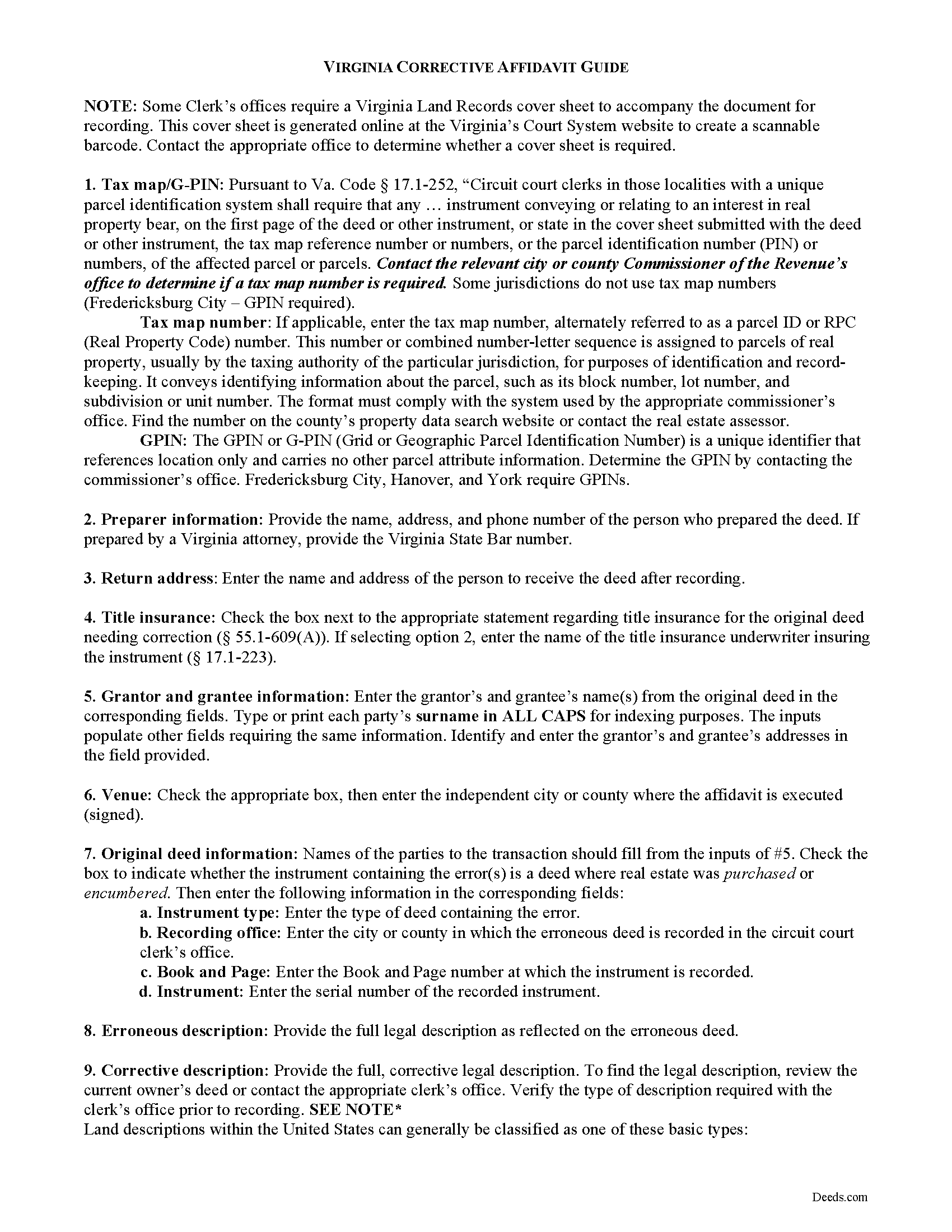
Culpeper County Corrective Affidavit Guide
Line by line guide explaining every blank on the form.
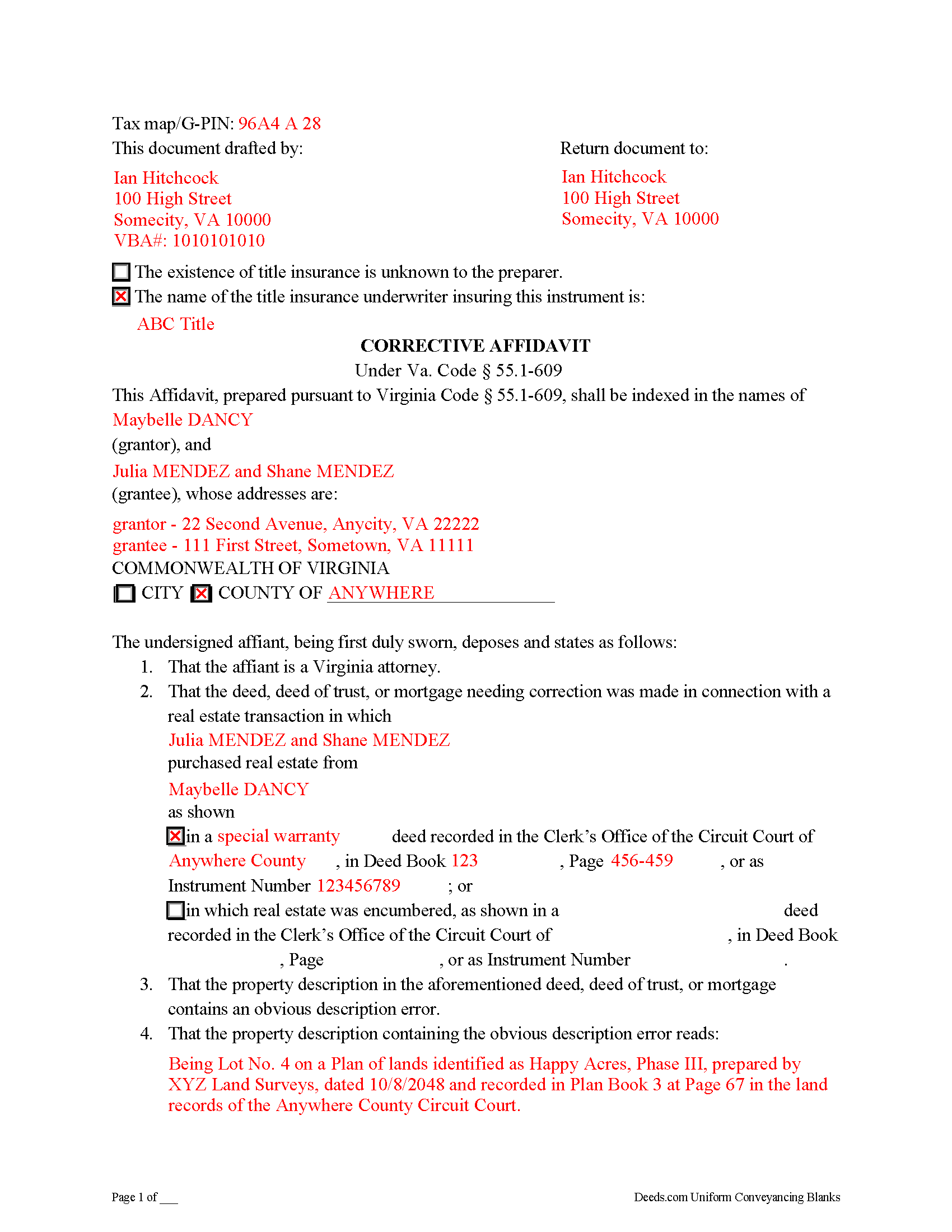
Culpeper County Completed Example of the Corrective Affidavit Document
Example of a properly completed form for reference.
All 3 documents above included • One-time purchase • No recurring fees
Immediate Download • Secure Checkout
Additional Virginia and Culpeper County documents included at no extra charge:
Where to Record Your Documents
Circuit Court Clerk
Culpeper, Virginia 22701-3097
Hours: Monday - Friday 8:30 am - 4:30 pm
Phone: (540) 727-3438
Recording Tips for Culpeper County:
- Bring your driver's license or state-issued photo ID
- Ensure all signatures are in blue or black ink
- Recording fees may differ from what's posted online - verify current rates
- Request a receipt showing your recording numbers
- Ask about accepted payment methods when you call ahead
Cities and Jurisdictions in Culpeper County
Properties in any of these areas use Culpeper County forms:
- Amissville
- Boston
- Brandy Station
- Culpeper
- Elkwood
- Jeffersonton
- Lignum
- Mitchells
- Rapidan
- Richardsville
- Rixeyville
- Stevensburg
- Viewtown
Hours, fees, requirements, and more for Culpeper County
How do I get my forms?
Forms are available for immediate download after payment. The Culpeper County forms will be in your account ready to download to your computer. An account is created for you during checkout if you don't have one. Forms are NOT emailed.
Are these forms guaranteed to be recordable in Culpeper County?
Yes. Our form blanks are guaranteed to meet or exceed the applicable formatting requirements used for recording in Culpeper County, including margin requirements, font requirements, and other layout standards. This guarantee applies to formatting, not to the legal sufficiency of information entered by the user or the suitability of a form for a particular transaction.
Can I reuse these forms?
Yes. You can reuse the forms for your personal use. For example, if you have multiple properties in Culpeper County you only need to order once.
What do I need to use these forms?
The forms are PDFs that you fill out on your computer. The free Adobe Acrobat Reader is recommended, and most PDF apps also work. You do NOT enter your property information online - you download the blank forms and complete them privately on your own computer.
Are there any recurring fees?
No. This is a one-time purchase. Nothing to cancel, no memberships, no recurring fees.
How much does it cost to record in Culpeper County?
Recording fees in Culpeper County vary. Contact the recorder's office at (540) 727-3438 for current fees.
Questions answered? Let's get started!
A corrective affidavit under Va. Code Section 55.1-609 is a statutory form for correcting an obvious description error in a recorded deed, deed of trust, or mortgage. Note that the affidavit must be executed by an attorney licensed by the Virginia State Bar.
The statutes classify an "obvious description error" as an error transcribing courses and distances; an error incorporating a recorded plat or deed reference; an error in lot number or designation; or an omitted exhibit supplying the legal description of the subject parcel.
The contents of a statutory corrective affidavit include the original grantor's and grantee's names and the place where the original deed was recorded. It includes both the property description containing the error and the corrected property description. The affidavit is signed by a Virginia attorney and notarized.
Prior to recording the affidavit, the attorney delivers a copy to all parties to the deed, deed of trust, or mortgage containing the error and to the title insurance company, if applicable, and gives notice of intent to record the affidavit. If no objection is received within 30 days of receipt of notice, the attorney may record the affidavit. The affidavit should include a copy of the notice sent to the parties and a statement that no objection was received.
In addition to meeting the requirements set forth at 55.1-609, the affidavit must comply with recording standards for documents in the Commonwealth of Virginia. Record the affidavit in the Circuit Court Clerk's office of the county or independent city where the parcel described within the affidavit is situated.
This is a form for an attorney's use only. Contact a Virginia attorney if you think you need this form, or to address your specific situation.
(Virginia CA Package includes form, guidelines, and completed example)
Important: Your property must be located in Culpeper County to use these forms. Documents should be recorded at the county or independent city recording office listed above.
This Corrective Affidavit meets all recording requirements specific to Culpeper County.
Our Promise
The documents you receive here are guaranteed to meet or exceed the applicable Culpeper County recording format requirements. If there is a rejection caused by our formatting, we will correct the issue or refund your payment. This guarantee applies to document formatting only and does not extend to information entered by the user, the selection of the form, or the legal effect of the completed document.
Save Time and Money
Get your Culpeper County Corrective Affidavit form done right the first time with Deeds.com Uniform Conveyancing Blanks. At Deeds.com, we understand that your time and money are valuable resources, and we don't want you to face a penalty fee or rejection imposed by a county recorder for submitting nonstandard documents. We constantly review and update our forms to meet rapidly changing state and county recording requirements for roughly 3,500 counties and local jurisdictions.
4.8 out of 5 - ( 4,825 Reviews )
Debra W. 5 out of 5 stars
Thorough information, quickly received !! I'm going to order more! Helpful due to an ILLEGAL FORECLOSURE! Thank you!!!
Thank you for your feedback. We really appreciate it. Have a great day!
Michael L. 5 out of 5 stars
Professional, simple. Very good.
We appreciate your business and value your feedback. Thank you. Have a wonderful day!
Ralph S. 5 out of 5 stars
Excellent deed correction experience and guidance!!! Thank you! R. Scott.
We appreciate your business and value your feedback. Thank you. Have a wonderful day!
Eddy C & Tina H. 2 out of 5 stars
did not use, much to expensive.
Thank you for your feedback. We do hope that you found something more suitable to your needs elsewhere. Have a wondaful day.
Robert C. 5 out of 5 stars
I hope I have the right form. My deed should be for a mfg home.
Thank you for your feedback. We really appreciate it. Have a great day!
John M. 5 out of 5 stars
Amazing customer service, I greatly appreciate their help and understanding. Will always come back to this site for form needs.
Your feedback is greatly appreciated. Thank you for taking the time to share your experience!
Kathy R. 5 out of 5 stars
I was very pleased with the quick turn around on a response to my inquiry. Further guidance was direct and I appreciate the professionalism from deeds.com.
Thank you!
Patrick A. 5 out of 5 stars
Real value. Excellent forms, guidance & samples. Included Homestead Exemption form & info are also valuable & greatly appreciated.
Thank you for your feedback. We really appreciate it. Have a great day!
Bobbie N. 5 out of 5 stars
Thank you so much for making the site so easy to use.
Thank you for your feedback. We really appreciate it. Have a great day!
Brooksye G. 5 out of 5 stars
Very helpful. I live in Arkansas and needed information and documents for a Missouri transaction. I got everything I needed without any hassle.
Thank you Brooksye, we really appreciate your feedback.
Edward B. 5 out of 5 stars
I was looking for a certain form I needed. Deeds.com had the necessary form and I was able to purchase it with little effort on my part. This was a good customer experience.
We appreciate your business and value your feedback. Thank you. Have a wonderful day!
Sandra A. 5 out of 5 stars
This site couldn't be any easier to use. Very pleased.
Great to hear — thank you for taking the time to write a review.
Alexis B. 5 out of 5 stars
Highly Pleased- Strongly Recommend Deeds.com Long review... sorry:-) Originally I was very skeptical due to the enormous amount of the scams going on now days and the number of online sources that "claim" to provide you with deed forms for free or for a few. Nothing that you need and want done is free. There is always a cost. So luckily I came across deeds.com. This was the only site that appeared to be simple, to the point, and made no crazy promises. So before selecting this site, I did a little more checking around/price checking to ensure I am getting the best price for the product I needed. I even checked Staples and Amazon to find that they do indeed sell these forms but I do not think the products they provide are specific for my state and county. They claim their forms provided are for all states but my state is specific and I prefer to have forms provided by Deeds.com that is based on Indiana statute that Deed.com clearly identifies on each form. Deeds.com price of $20 seemed a little high at first but when I saw the products provided, the $20 cost is more than reasonable and fair. You not only get the deed form specific for my state and my specific "county" but also the other various/supplemental forms that may be required. Being familiar with my state and knowing how tedious and anal my state is on everything, I was pleasantly please to see the info and extra supplemental forms provided. For example, a person new to the State who recently had property deeded to them, would not necessarily know about the Homestead tax exemption provided if property is your primary residents, over 65 exemption etc. I would highly recommend this site for anyone needing these documents because Deeds.com has you covered on any and all forms/info you could ever need! A bonus is that there is one flat fee and not monthly cost that you have to worry about canceling later unless you superficially select a monthly package. I love the fact that Deeds.com is nothing fancy. There is not a bunch of elaborate graphics etc. They only provide what you need and what they provide is very accurate. Deeds.com has a customer for life.
Thank you so much Alexis. We appreciate you, have a fantastic day.
Christopher G. 2 out of 5 stars
couldn't find what I was looking for.
Thank you for your feedback Christopher, sorry to hear that you couldn't find what you were looking for. Have a wonderful day.
Jeffrey S. 5 out of 5 stars
Web site was clear to understand and easy to use. Found what I needed quickly and crossed it off my to do list. Thanks, JS
We are grateful for your feedback and looking forward to serving you again. Thank you!