Floyd County Quitclaim Deed (Trustee Grantee) Form
Last validated September 25, 2026 by our Forms Development TeamFormatted for recording in Floyd County, for property anywhere in the county or independent city: rural and unincorporated areas as well as Check, Copper Hill, Floyd, Indian Valley, Willis.
- 3 documents included
- Immediate PDF download
- Formatting guarantee
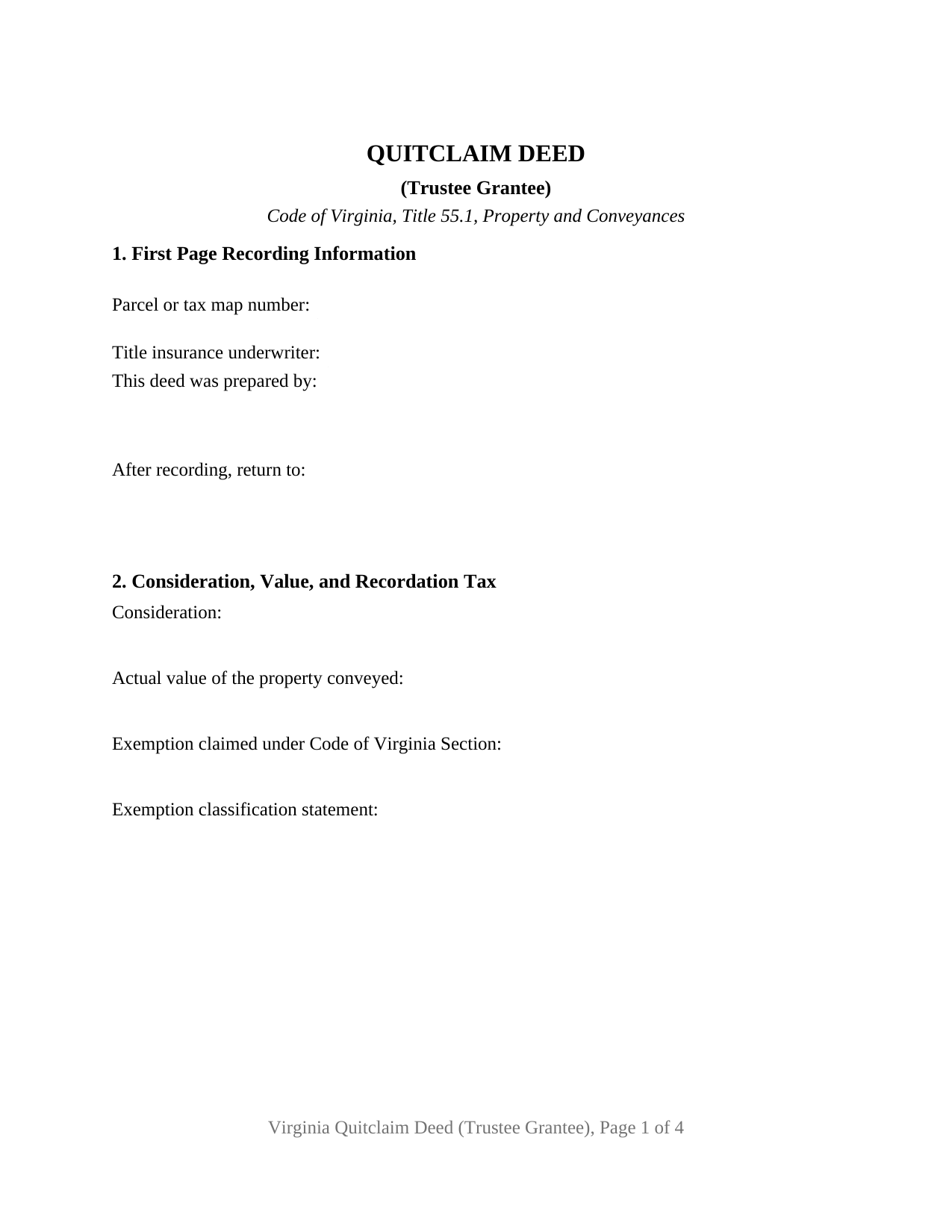
Floyd County Quitclaim Deed (Trustee Grantee) Form
Fill in the blank Quitclaim Deed (Trustee Grantee) form formatted to comply with all Virginia recording and content requirements.
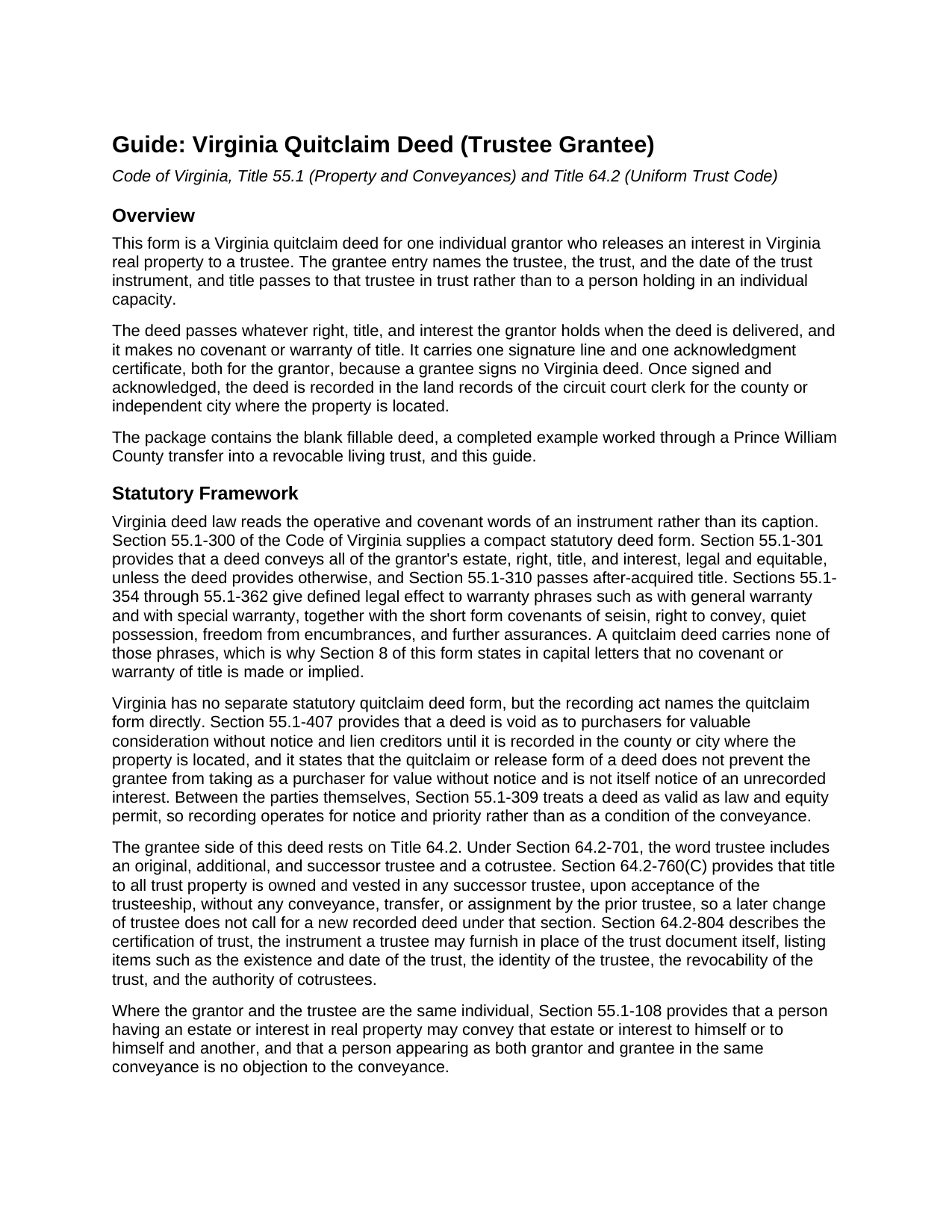
Floyd County Quitclaim Deed (Trustee Grantee) Guide
Line by line guide explaining every blank on the Quitclaim Deed (Trustee Grantee) form.
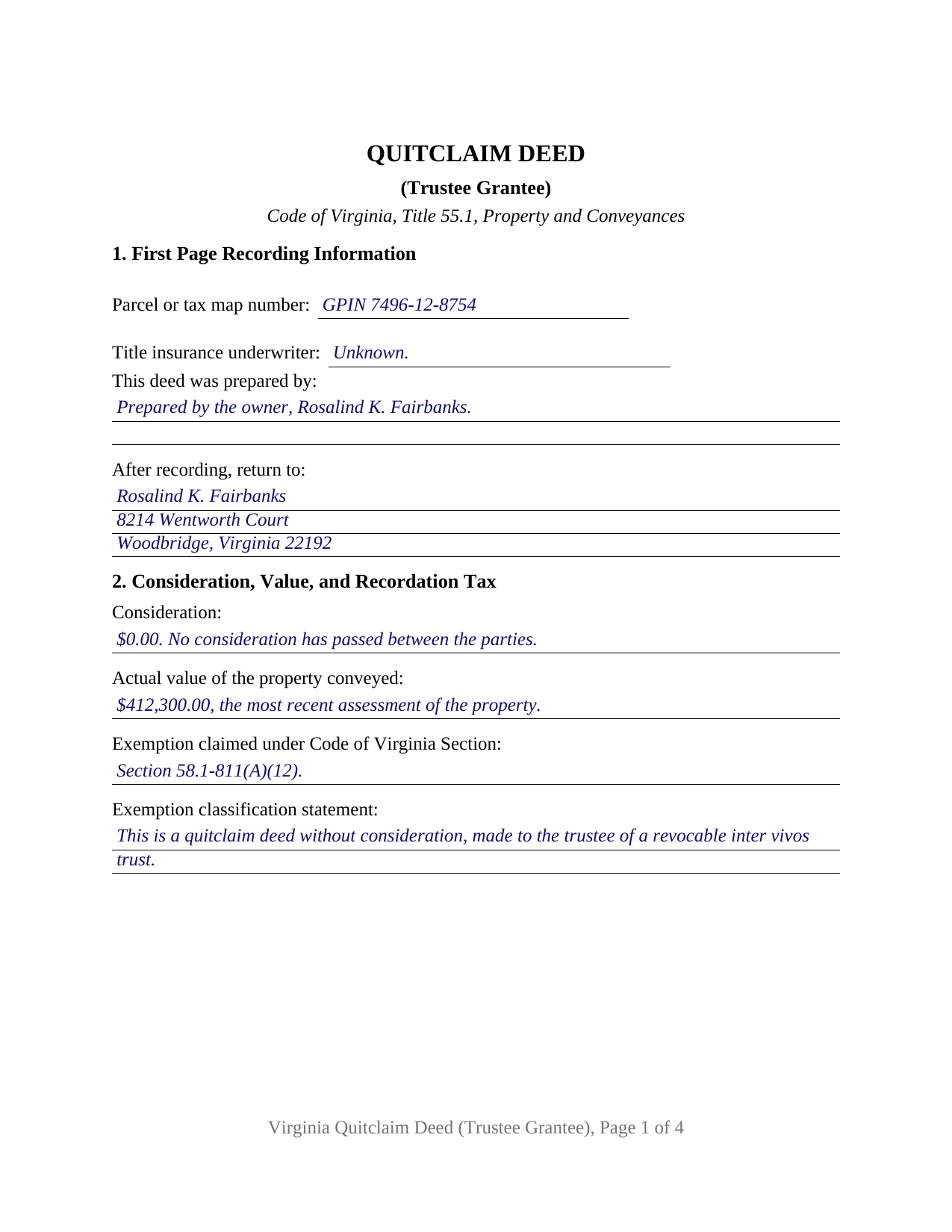
Floyd County Completed Example of the Quitclaim Deed (Trustee Grantee) Document
Example of a properly completed Virginia Quitclaim Deed (Trustee Grantee) document for reference.
All 3 documents above included • One-time purchase • No recurring fees
Immediate Download • Secure Checkout
Additional Virginia and Floyd County documents included at no extra charge:
Where to Record Your Documents
County of Floyd
Floyd, Virginia 24091
Hours: Mon-Fri 8:30 to 4:30; Sat 8:30 to 12:00 (except holiday weekends) / Recording stops 15 mins earlier
Phone: (540) 745-9330
Recording Tips for Floyd County:
- Bring your driver's license or state-issued photo ID
- Ensure all signatures are in blue or black ink
- Documents must be on 8.5 x 11 inch white paper
- Double-check legal descriptions match your existing deed
- Verify all names are spelled correctly before recording
Cities and Jurisdictions in Floyd County
Properties in any of these areas use Floyd County forms:
- Check
- Copper Hill
- Floyd
- Indian Valley
- Willis
Hours, fees, requirements, and more for Floyd County
How do I get my forms?
Forms are available for immediate download after payment. The Floyd County forms will be in your account ready to download to your computer. An account is created for you during checkout if you don't have one. Forms are NOT emailed.
Are these forms guaranteed to be recordable in Floyd County?
Yes. Our form blanks are guaranteed to meet or exceed the applicable formatting requirements used for recording in Floyd County, including margin requirements, font requirements, and other layout standards. This guarantee applies to formatting, not to the legal sufficiency of information entered by the user or the suitability of a form for a particular transaction.
Can I reuse these forms?
Yes. You can reuse the forms for your personal use. For example, if you have multiple properties in Floyd County you only need to order once.
What do I need to use these forms?
The forms are PDFs that you fill out on your computer. The free Adobe Acrobat Reader is recommended, and most PDF apps also work. You do NOT enter your property information online - you download the blank forms and complete them privately on your own computer.
Are there any recurring fees?
No. This is a one-time purchase. Nothing to cancel, no memberships, no recurring fees.
How much does it cost to record in Floyd County?
Recording fees in Floyd County vary. Contact the recorder's office at (540) 745-9330 for current fees.
Questions answered? Let's get started!
A trustee on the grantee line changes what a Virginia deed carries. This quitclaim deed prints a grantee entry that takes the trustee, the name of the trust, and the date of the trust instrument, then releases whatever interest one individual grantor holds into that trustee's hands, in trust and not individually. It is laid out for the land records of the Virginia circuit court clerk where the parcel sits.
One grantor signs, and a trustee receives
The grantor side is fixed at one individual signing personally, with a single signature line and one acknowledgment certificate, since no grantee signs a Virginia deed. Section 4 is where the configuration lives: the trustee with a mailing address, the trust by name, and the date of the trust instrument, so the land records show who holds legal title and under which document. An owner funding a revocable living trust once the trust instrument has been signed, and an owner replacing an earlier deed that named the trust itself instead of its trustee, present the trustee-grantee pattern this deed recites. No second signature line prints, and the grantor side recites no trustee, executor, or attorney-in-fact capacity, so a conveyance back out of a trust runs on different recitals than these.
Title that follows the office
Virginia carries a deed to a trustee past the name written on it. Under Code of Virginia Section 64.2-701, the word trustee includes an original, additional, and successor trustee and a cotrustee. Section 64.2-760(C) then provides that title to all trust property is owned and vested in any successor trustee, upon acceptance of the trusteeship, without any conveyance, transfer, or assignment by the prior trustee. So the deed names the trustee taking title now and speaks of the successor trustees in trust, and a later change in who serves does not, under that section, call for another recorded conveyance.
The covenant words this deed omits
Warranty in Virginia comes from covenant language, not from the caption at the top of the page. Sections 55.1-354 through 55.1-362 give defined effect to phrases such as with general warranty, along with the short covenants of seisin, quiet possession, and further assurances; none of them appear here, and Section 8 states in capital letters that no warranty of title is made or implied. Recording still does its own work, because Section 55.1-407 names the quitclaim form in the recording act and leaves a grantee taking by quitclaim eligible to be a purchaser for value without notice.
An exemption measured by who benefits
A transfer into a living trust ordinarily passes no money, and Virginia answers with a provision aimed at it. Section 58.1-811(A)(12) exempts a deed to trustees of a revocable inter vivos trust where the grantors in the deed and the beneficiaries of the trust are the same persons, other named beneficiaries notwithstanding, and where nothing has passed between the grantor and the beneficiaries. Section 2 of the form collects the consideration, the actual value that Section 58.1-801 measures against the most recent assessment, the Code section relied on, and the classification sentence Section 58.1-811(D) has called for since July 1, 2026 on a quitclaim deed without consideration. Page one also holds the parcel or tax map number, the preparer statement, and the title insurance underwriter entry; the completed example fills all of it for a Prince William County transfer, down to the county's grid parcel identification number.
Authority the deed does not carry
This instrument delivers title. It does not create the trust or hand the trustee any powers, which live instead in the trust instrument and in Title 64.2. That is why a certification of trust under Section 64.2-804, signed separately by the trustee and not included in this package, is what a title company or a clerk reads for proof that the trust exists and that the trustee may act on its behalf.
Searchers reach this instrument as a quit claim deed to a trustee, a deed into a living trust, or a trust transfer deed; this package prepares the Virginia quitclaim deed for one grantor conveying to a trustee. The download holds three items: the fillable deed, the completed Prince William County example, and a plain-language guide that walks the sections one at a time, sets out the vesting choices open to a Virginia grantee, and takes up notarization under Title 47.1 with the fees and taxes due at the counter. These materials describe Virginia law in general terms and are not legal advice.
Important: Your property must be located in Floyd County to use these forms. Documents should be recorded at the county or independent city recording office listed above.
This Quitclaim Deed (Trustee Grantee) meets all recording requirements specific to Floyd County.
Our Promise
The documents you receive here are guaranteed to meet or exceed the applicable Floyd County recording format requirements. If there is a rejection caused by our formatting, we will correct the issue or refund your payment. This guarantee applies to document formatting only and does not extend to information entered by the user, the selection of the form, or the legal effect of the completed document.
Save Time and Money
Get your Floyd County Quitclaim Deed (Trustee Grantee) form done right the first time with Deeds.com Uniform Conveyancing Blanks. At Deeds.com, we understand that your time and money are valuable resources, and we don't want you to face a penalty fee or rejection imposed by a county recorder for submitting nonstandard documents. We constantly review and update our forms to meet rapidly changing state and county recording requirements for roughly 3,500 counties and local jurisdictions.
4.8 out of 5 - ( 4,832 Reviews )
Sammy K. 5 out of 5 stars
A very streamlined, easy-yo-follow process of recording documents during the COVID-19 era. There was no delay in reviewing and submitting the uploaded documents to the deed office in the jurisdiction. Thanks!
We appreciate your business and value your feedback. Thank you. Have a wonderful day!
LAWRENCE S. 5 out of 5 stars
I am mostly satisfied with my Deeds.Com experience. Not sure if you can do anything about this, but since it is fairly common, I thought the Quit Claim Form would have a section specifically for adding spouse to a deed.
Thank you for your feedback. We really appreciate it. Have a great day!
Ronald P. 5 out of 5 stars
Very easy to use... awaiting info
Thank you for your feedback. We really appreciate it. Have a great day!
Albo A. 5 out of 5 stars
Deeds.com was fast and easy to file documents
Thank you!
Alexandra M. 5 out of 5 stars
Needed a Limited Power of Attorney form for a real estate transaction in another state. Proper form came up immediately and was fairly easy to complete. I think the sample completed form should have been more completely explained in layman's language instead of legalese (such as person granting permission instead of grantor or something like your name and address and the person who will be signing on your behalf) but since the form was one price no matter how many ways it was printed out, it was fine. I just filled it out several ways and had it notarized and sent it to my sister. Whichever combination is appropriate she and the lawyer will have. I found the site easy to navigate
We appreciate your business and value your feedback. Thank you. Have a wonderful day!
David H. 5 out of 5 stars
Exceeded expectations; bundle included not only the form but also detailed instructions and definitions and a completed "John Doe" example.
We appreciate your business and value your feedback. Thank you. Have a wonderful day!
joni e. 5 out of 5 stars
It was everything that I needed. The county clerk's office kept telling me to get a lawyer for this form, but I didn't need one. Saved myself hundreds of dollars. I've used them many times.
Thank you for your feedback. We really appreciate it. Have a great day!
Rick H. 5 out of 5 stars
Website easy to use. Sample feed from helpful. Will know more after county reviews application.
Thank you Rick, we really appreciate your feedback.
James G. 5 out of 5 stars
Very Happy. Forms saved me from making some very silly mistakes had I done them on my own.
Thank you!
Jeremy C. 5 out of 5 stars
Really impressed with the speed and professionalism of the service. I would recommend putting a grey background on the form field inputs as I had trouble seeing them in the user interface, but otherwise I was really impressed and would happily return as a customer.
Thank you for your feedback. We really appreciate it. Have a great day!
Barbara A. 5 out of 5 stars
Always helpful!
We are thankful for your continued support and feedback, which inspire us to continuously improve. Thank you..
Evtishios D. 5 out of 5 stars
good site only recommendation would to allow to down load multiple forms at one time
Thank you for your feedback Evtishios.
ray r. 5 out of 5 stars
excellent service
Thank you!
Diyang W. 5 out of 5 stars
Very Good Product. Provided a lot of good info to assist people to DIY various Deed
We are grateful for your engagement and feedback, which help us to serve you better. Thank you for being an integral part of our community.
David A. 5 out of 5 stars
Excellent service. I have been looking for a beneficiary deed for quite a wile with no success. My friend found your site and I was overjoyed. Fast, easy to use, and understand.I recommend this site to anyone.
We appreciate your business and value your feedback. Thank you. Have a wonderful day!